2003 CADILLAC SEVILLE light
[x] Cancel search: lightPage 162 of 408
Oil Pressure Light
{CAUTION:
Do not keep driving if the oil pressure is low. If
you do, your engine can become so hot that it
catches ®re. You or others could be burned.
Check your oil as soon as possible and have
your vehicle serviced.
Notice:Damage to your engine from neglected oil
problems can be costly and is not covered by
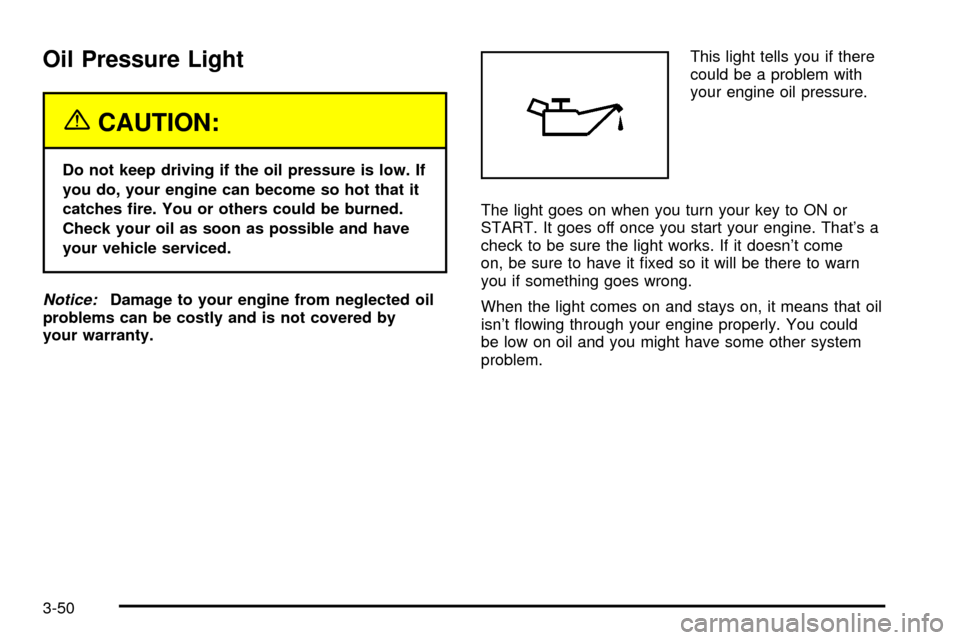
your warranty.This light tells you if there
could be a problem with
your engine oil pressure.
The light goes on when you turn your key to ON or
START. It goes off once you start your engine. That's a
check to be sure the light works. If it doesn't come
on, be sure to have it ®xed so it will be there to warn
you if something goes wrong.
When the light comes on and stays on, it means that oil
isn't ¯owing through your engine properly. You could
be low on oil and you might have some other system
problem.
3-50
Page 163 of 408
Security Light
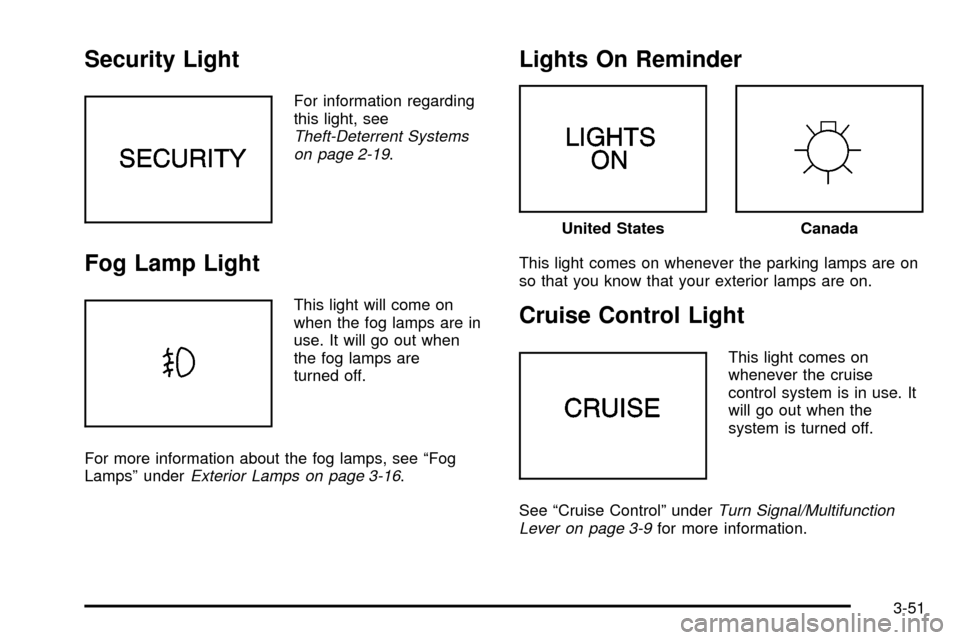
For information regarding
this light, see
Theft-Deterrent Systems
on page 2-19.
Fog Lamp Light
This light will come on
when the fog lamps are in
use. It will go out when
the fog lamps are
turned off.
For more information about the fog lamps, see ªFog
Lampsº under
Exterior Lamps on page 3-16.
Lights On Reminder
This light comes on whenever the parking lamps are on
so that you know that your exterior lamps are on.
Cruise Control Light
This light comes on
whenever the cruise
control system is in use. It
will go out when the
system is turned off.
See ªCruise Controlº under
Turn Signal/Multifunction
Lever on page 3-9for more information.
United StatesCanada
3-51
Page 169 of 408

CHANGE ENGINE OIL ± 82:This means that the life
of the engine oil has expired and it should be changed
within 200 miles. After an oil change, the Oil Life
Indicator must be reset. See
Oil Life Indicator on
page 3-77. SeeEngine Oil on page 5-13.
CHANGE TRANS FLUID ± 47:This message will
appear when it is time to change the transaxle ¯uid. See
Part A: Scheduled Maintenance Services on page 6-4for the proper ¯uid and change intervals.
CHECK BRAKE FLUID ± 37:This message will
display if the ignition is in ON to inform the driver that
the brake ¯uid level is low. Have the brake system
serviced by a technician as soon as possible. See
Brake
System Warning and Parking Brake Indicator Light on
page 3-43
.
CHECK COOLANT LEVEL ± 2:This message will
appear when there is a low level of engine coolant. Have
the cooling system serviced by a technician as soon
as possible. See
Engine Coolant on page 5-25.CHECK FUEL GAGE ± 50:This message will appear
when the fuel supply is less than 5 gallons (18.9 L)
and the display is turned off. A single chime will also
sound when this message is displayed.
CHECK GAS CAP ± 61:This message will appear if
the gas cap has not been fully tightened. You should
recheck your gas cap to ensure that it's on properly.
CHECK OIL LEVEL ± 36:For correct operation of the
low oil sensing system, your vehicle should be on a
level surface. A false CHECK OIL LEVEL message may
appear if the vehicle is parked on a grade. The oil
level sensing system does not check for actual oil level
if the engine has been off for a short period of time,
and the oil level is never checked while the engine is
running. If the CHECK OIL LEVEL message appears,
and your vehicle has been parked on level ground
with the engine off for at least 30 minutes, the oil level
should be checked by observing the oil dipstick. Prior to
checking the oil level, be sure the engine has been
off for a few minutes and your vehicle is on a level
surface. Then check the dipstick and add oil if
necessary. See
Engine Oil on page 5-13.
3-57
Page 172 of 408

HEADLAMPS SUGGESTED ± 23:If it's dark enough
outside and the headlamps and Twilight Sentinelž
controls are off, this message will display on the DIC.
This message informs the driver that turning on the
exterior lamps is recommended even though the DRL
are still illuminated. It has become dark enough outside
to require the headlamps and/or other exterior lamps.
This message will also appear if the optional
RainsenseŸ wiping feature is on and the Twilight
Sentinel
žis off.
ICE POSSIBLE ± 13:This message appears when the
outside air temperature is cold enough to create icy
road conditions.
LEFT REAR DOOR AJAR ± 142:The left rear door is
open or ajar when this message appears. The ignition
must be in ON and the transaxle not in PARK (P) for this
message to display. A chime will sound if the vehicle's
speed is greater than 3 mph (5 km/h).
OIL PRESSURE LOW STOP ENGINE ± 35:If this
message appears while the engine is running, stop the
engine and do not operate it until the cause of low
oil pressure is corrected. Severe damage to the engine
can result. A multiple chime will sound when this
message is displayed.PASSENGER DOOR AJAR ± 141:The right front
passenger's door is open or ajar when this message
appears. The ignition must be in ON and the transaxle
not in PARK (P) for this message to display. A chime
will sound if the vehicle's speed is greater than
3 mph (5 km/h).
RIGHT REAR DOOR AJAR ± 143:The right rear door
is open or ajar when this message appears. The
ignition must be in ON and the transaxle not in PARK (P)
for this message to display. A chime will sound if the
vehicle's speed is greater than 3 mph (5 km/h).
SERVICE AC SYSTEM ± 14:This message appears
when the electronic sensors that control the air
conditioning and heating systems are no longer working.
Have the climate control system serviced if you notice
a drop in heating and air conditioning efficiency.
SERVICE AIR BAG ± 83:There is a problem with the
air bag system when this message appears. Let
only a quali®ed technician work on your vehicle. Have
your vehicle serviced by your dealership immediately.
SERVICE CHARGING SYS ± 102:This message
will display when a problem with the charging system
has been detected. Have your vehicle serviced at
your dealership.
3-60
Page 176 of 408

DIC Vehicle Personalization
Your vehicle is equipped with personalization capabilities
that allows you to program certain features to a
preferred setting for up to two people. The number of
programmable features varies depending upon
which model of the vehicle is purchased. On all vehicles,
features such as climate control settings, radio preset
settings, exterior lighting at unlock, remote lock and
unlock con®rmation, and automatic door locks
have already been programmed for your convenience.
Some vehicles are equipped with additional features that
can be programmed including the seat position,
steering column position (if equipped) and outside mirror
position. The navigation screen preferences (if
equipped) will remain at the last set position.
If your vehicle is equipped with the ability to program
additional personalization features, the driver's
preferences are recalled by pressing the unlock button
on the remote keyless entry transmitter or by pressing
the appropriate memory button, 1 or 2, located on
the driver's door. Certain features can be programmed
not to recall until the key is placed in the ignition.
To change feature preferences you must use one of the
following procedures.
Entering Feature Programming
To enter feature programming mode, do the following:
1. Turn the ignition to ON, making sure the vehicle is in
PARK (P).
2. If your vehicle has memory settings, press the
appropriate memory button, 1 or 2, located on
the driver's door panel. The DIC display will show
either 1 or 2 depending on which button was
selected. Make sure the number on the DIC display
matches the number on the back of your key fob.
3. Press the INFO button until FEATURE
PROGRAMMING appears on the DIC display.
4. Press the ON/OFF button to enter FEATURE
PROGRAMMING.
3-64
Page 180 of 408

Lights Flash at Unlock
This feature allows the parking lamps to ¯ash twice
when the remote keyless entry transmitter is used
to unlock the vehicle. All doors must be closed, and the
lamps will not ¯ash if the manual parking lamps or
headlamps are active.
Programmable Modes
Mode 1:ON
Mode 2:OFF
Before your vehicle was shipped from the factory, it was
programmed to Mode 1. The mode to which the
vehicle was programmed may have been changed since
it left the factory. To determine the mode to which the
vehicle is programmed or to program the vehicle to
a different mode, do the following:
1. Enter FEATURE PROGRAMMING following the
instructions listed previously.
2. Press the down arrow on the INFO button until
LIGHTS FLASH AT UNLOCK appears on the
DIC display.3. To turn on the feature, press the ON/OFF button
until ON appears on the DIC display. To turn it off,
press the ON/OFF button until OFF appears on
the display.
The mode you selected is now set. You can either exit
the programming mode by following the instructions
later in this section or program the next feature available
on your vehicle.Lights Flash at Lock
This feature allows the parking lamps to ¯ash once
when the remote keyless entry transmitter is used to
lock the vehicle. All doors must be closed for this feature
to work, and the lamps will not ¯ash if the manual
parking lamps or headlamps are active.
Programmable Modes
Mode 1:ON
Mode 2:OFF
3-68
Page 181 of 408

Before your vehicle was shipped from the factory, it was
programmed to Mode 1. The mode to which the
vehicle was programmed may have been changed since
it left the factory. To determine the mode to which the
vehicle is programmed or to program the vehicle to
a different mode, do the following:
1. Enter FEATURE PROGRAMMING following the
instructions listed previously.
2. Press the down arrow on the INFO button until
LIGHTS FLASH AT LOCK appears on the DIC
display.
3. To turn on the feature, press the ON/OFF button
until ON appears on the DIC display. To turn it off,
press the ON/OFF button until OFF appears on
the display.
The mode you selected is now set. You can either exit
the programming mode by following the instructions
later in this section or program the next feature available
on your vehicle.Horn Sounds at Lock
This feature sounds the horn once when the remote
keyless entry transmitter is used to lock the vehicle. All
doors must be closed for this feature to work.
Programmable Modes
Mode 1:ON
Mode 2:OFF
Before your vehicle was shipped from the factory, it was
programmed to Mode 2. The mode to which the
vehicle was programmed may have been changed since
it left the factory. To determine the mode to which the
vehicle is programmed or to program the vehicle to
a different mode, do the following:
1. Enter FEATURE PROGRAMMING following the
instructions listed previously.
2. Press the down arrow on the INFO button until
HORN SOUNDS AT LOCK appears on the DIC
display.
3-69
Page 182 of 408

3. To turn on the feature, press the ON/OFF button
until ON appears on the DIC display. To turn it off,
press the ON/OFF button until OFF appears on
the display.
The mode you selected is now set. You can either exit
the programming mode by following the instructions
later in this section or program the next feature available
on your vehicle.
Exterior Lights at Unlock
This feature turns on the exterior lamps when the
remote keyless entry transmitter is used to unlock the
vehicle. The lamps will remain on for about 20 seconds
unless a door is opened, the ignition is turned to
ACCESSORY, ON or START or the remote keyless
entry transmitter is used to lock the vehicle.
Programmable Modes
Mode 1:ON
Mode 2:OFFBefore your vehicle was shipped from the factory, it was
programmed to Mode 1. The mode to which the
vehicle was programmed may have been changed since
it left the factory. To determine the mode to which the
vehicle is programmed or to program the vehicle to
a different mode, do the following:
1. Enter FEATURE PROGRAMMING following the
instructions listed previously.
2. Press the down arrow on the INFO button until EXT
LIGHTS AT UNLOCK appears on the DIC display.
3. To turn on the feature, press the ON/OFF button
until ON appears on the DIC display. To turn it off,
press the ON/OFF button until OFF appears on
the display.
The mode you selected is now set. You can either exit
the programming mode by following the instructions
later in this section or program the next feature available
on your vehicle.
3-70