2003 CADILLAC DEVILLE wheel
[x] Cancel search: wheelPage 166 of 423
Speedometer and Odometer
The speedometer lets you see your speed in both
miles per hour (mph) and kilometers per hour (km/h).
The odometer shows how far your vehicle has
been driven, in either miles (used in the United States)
or kilometers (used in Canada).
You may wonder what happens if a vehicle has to have
a new odometer installed. The new one may read
the correct mileage. This is because your vehicle's
computer has stored the mileage in memory.
Trip Odometer
The trip odometer can record the number of miles or
kilometers traveled for up to two trips.
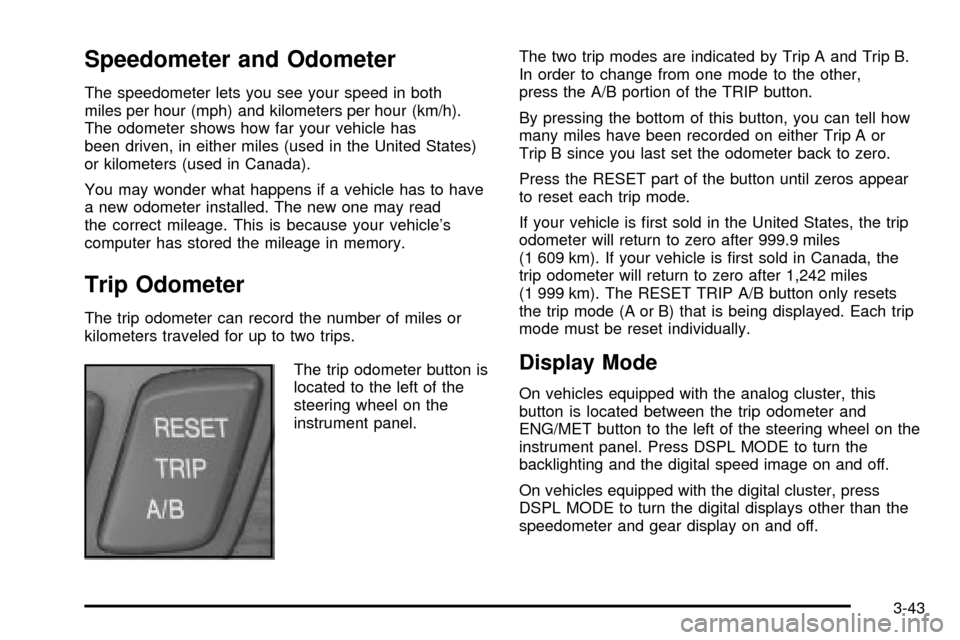
The trip odometer button is
located to the left of the
steering wheel on the
instrument panel.The two trip modes are indicated by Trip A and Trip B.
In order to change from one mode to the other,
press the A/B portion of the TRIP button.
By pressing the bottom of this button, you can tell how
many miles have been recorded on either Trip A or
Trip B since you last set the odometer back to zero.
Press the RESET part of the button until zeros appear
to reset each trip mode.
If your vehicle is ®rst sold in the United States, the trip
odometer will return to zero after 999.9 miles
(1 609 km). If your vehicle is ®rst sold in Canada, the
trip odometer will return to zero after 1,242 miles
(1 999 km). The RESET TRIP A/B button only resets
the trip mode (A or B) that is being displayed. Each trip
mode must be reset individually.
Display Mode
On vehicles equipped with the analog cluster, this
button is located between the trip odometer and
ENG/MET button to the left of the steering wheel on the
instrument panel. Press DSPL MODE to turn the
backlighting and the digital speed image on and off.
On vehicles equipped with the digital cluster, press
DSPL MODE to turn the digital displays other than the
speedometer and gear display on and off.
3-43
Page 167 of 423

English/Metric Button
By pressing this button
located to the left of the
steering wheel on the
instrument panel, you can
go back and forth from
English (miles) to
metric (kilometers).
Other readings such as temperature, fuel and trip
odometer also go back and forth between English
and metric.
Vehicle Speed Limiter
This feature prevents your vehicle from exceeding
speeds that the tires are not rated for. When this
happens, the engine's fuel supply is shut off. When the
vehicle speed slows, the fuel supply will come on again.
Tachometer (Analog Cluster Only)
This gage indicates the
engine speed in revolutions
per minute (rpm).
Notice:Do not operate the engine with the
tachometer in the shaded warning area, or engine
damage may occur.
Engine Speed Limiter
This feature prevents the engine from operating at too
many revolutions per minute (rpm). When the engine's
rpm are critically high, the fuel supply to the engine
is shut off. When the engine speed slows, the fuel
supply will come on again. This helps prevent damage
to the engine.
3-44
Page 171 of 423

Anti-Lock Brake System Warning
Light
With the anti-lock brake
system, the light(s) will
come on when your engine
is started and may stay
on for several seconds.
That's normal.
If the light stays on, turn the ignition to OFF. Or, if the
light comes on when you're driving, stop as soon
as possible and turn the ignition off. Then start the
engine again to reset the system. If the light still stays
on, or comes on again while you're driving, your vehicle
needs service. If the regular brake system warning
light isn't on, you still have brakes, but you don't have
anti-lock brakes. If the regular brake system warning
light is also on, you don't have anti-lock brakes
and there's a problem with your regular brakes. See
Brake System Warning and Parking Brake Indicator
Light on page 3-47.
The anti-lock brake system warning light should come
on brie¯y when you turn the ignition key to ON. If
the light doesn't come on then, have it ®xed so it will be
ready to warn you if there is a problem.
Traction Control System (TCS)
Warning Light
This warning light should come on brie¯y when the
engine is started.
If the warning light doesn't come on then, have it ®xed
so it will be ready to warn you if there's a problem.
If it stays on, or comes on when you're driving, there
may be a problem with your traction control system and
your vehicle may need service. When this warning
light is on, the system will not limit wheel spin. Adjust
your driving accordingly.
United StatesCanada (Analog Only)
3-48
Page 180 of 423

Driver Information Center (DIC)
This display gives you the status of many of your
vehicle's systems. The DIC is also used to display driver
personalization features and warning/status messages.
All messages will appear in the DIC display, located
at the bottom of the instrument panel cluster.
DIC Controls and Displays
The Driver Information Center (DIC) buttons are located
to the right of the steering wheel on the instrument
panel, near the air outlets.
«INFOª(Information):Pressing this button up or
down will display the MILES RANGE (Analog Cluster),
MPG AVG, MPG INST, GAL FUEL USED, AVG
MPH, TIMER, BATTERY VOLTS, LF-RF-LR-RR TIRE
(If Equipped), RPM TACHOMETER (Digital Cluster),
ENGINE OIL LIFE, TRANS FLUID LIFE, PHONE
(If Equipped), FEATURE PROGRAMMING and Blank
Display.
INFO RESET:Pressing this button will reset the MPG
AVG, GAL FUEL USED, AVG MPH, TIMER, ENGINE
OIL LIFE and TRANS FLUID LIFE. For more information
about the trip odometer, see
Trip Odometer on
page 3-43.
·MPG AVG (Average Miles Per Gallon):This
message shows the approximate fuel economy you
have averaged since the last time you reset the
value. To reset the MPG AVG (Average Fuel
Economy), press the INFO button to display the
MPG AVG then press and hold the INFO RESET
button until 0.0 MPG AVG is displayed.
·GAL (Gallons) FUEL USED:This message shows
how much fuel has been used since the last reset.
To learn how much fuel is used from a new
starting point, press the RESET button while the
GAL FUEL USED is displayed in the DIC.
3-57
Page 182 of 423

MPG INST (Instantaneous Miles per Gallon):This
message shows the instantaneous fuel economy which
varies with your driving conditions, such as acceleration,
braking and the grade of the road being traveled.
The INFO RESET button does not function in this mode.
BATTERY VOLTS:This message shows the current
battery voltage. If the voltage is normal the display
will show BATTERY VOLTS OK. If the voltage drops
below 10.5 volts, the display will show BATTERY
VOLTS LOW. If the voltage is above 16 volts, the
display will show BATTERY VOLTS HIGH. If the display
shows the high or low message, you will need to
have your battery checked. See
DIC Warnings and
Messages on page 3-60for more information.
LF-RF-LR-RR TIRE:On vehicles equipped with the tire
pressure monitor, this message shows the tire pressure
for each tire (left front, right front, left rear and right rear).
Pressing the INFO button will scroll through the tire
pressure for each of the four tires, such as:
·34 PSI LF TIRE OK or
·234 kPa LF TIRE OKIf a tire pressure is below 25 PSI (172 kPa) or above
38 PSI (265 kPa), the message will appear as shown
above except it will show TIRE LOW or TIRE HIGH as
appropriate. If desired, the tire pressure information
can be programmed not to appear when using the INFO
button to scroll through the DIC displays. See
DIC
Vehicle Personalization on page 3-67.
If a low or high tire pressure is detected by the system
while driving, a CHECK TIRE PRESSURE message
will appear in the display. If this occurs, press the INFO
button to scroll to the tire(s) with a low or high
pressure condition. See
DIC Warnings and Messages
on page 3-60later in this section for more information.
ENG/MET (English/Metric):Press this button,
located to the left of the steering wheel on the instrument
panel, to display information in the English (miles) or
metric (kilometers) system.
3-59
Page 189 of 423

THEFT ATTEMPTED ± 40:This message is displayed
if the theft system has detected a break-in attempt
while you were away from your vehicle.
TOP SPEED FUEL CUT-OFF ± 111:This message will
appear when the Powertrain Control Module (PCM)
detects that the maximum speed for your vehicle has
been reached. The speed of your vehicle will surge
as the fuel supply is cut off. Your vehicle's top speed is
based on the top speed rating of the tires. This
ensures that your vehicle stays in a safe operating
range for the tires.
TRACTION ENGAGED ± 91:When your traction
control system is limiting wheel spin, the TRACTION
ENGAGED message will be displayed. Slippery
road conditions may exist if this message is displayed,
so adjust your driving accordingly. This message
will stay on for a few seconds after the traction control
system stops limited wheel spin.
TRACTION OFF ± 89:This message will be displayed
after the traction control system has been turned off using
the TRAC ON/OFF button on the center console.
TRACTION READY ± 90:This message informs the
driver that the traction control system is available.
Pressing the TRAC ON/OFF button on the center console
once turns the traction control system off; pressing the
button again turns the system back on. This message will
automatically disappear from the display after ®ve
seconds.TRACTION SUSPENDED ± 56:This message displays
when the traction control system has been temporarily
shut off because your vehicle's brakes have overheated.
This message does not indicate a problem with your
vehicle's traction control system. After a few minutes,
the traction control system will be available again
and the TRACTION READY message will appear.
TRANS HOT IDLE ENGINE ± 112:This message
indicates that the transaxle ¯uid in your vehicle is too
hot. Stop and allow your vehicle to idle until it cools
down or until this message is removed.
TRUNK OPEN ± 24:This message indicates that the
trunk is open when the ignition is on.
TURN SIGNAL ON ± 20:If you drive your vehicle for
more than a mile with a turn signal on, this message will
appear as a reminder to turn off the turn signal. A
multiple chime will sound when this message is
displayed.
VEHICLE OVERSPEED ± 52:This message is
displayed when the vehicle speed exceeds a certain
limit as required by some export countries. A continuous
chime will sound when this message is displayed.
3-66
Page 193 of 423

Auto Exit Steering Wheel
If your vehicle has the optional memory package, you
may have this feature also. This feature will move
the steering column to the driver's previously
programmed exit position when the ignition is turned off
and the driver's door is opened.
Programmable Modes
Mode 1:ON
Mode 2:OFF
Before your vehicle was shipped from the factory, it was
programmed to Mode 1. The mode to which the
vehicle was programmed may have been changed since
it left the factory. To determine the mode to which the
vehicle is programmed or to program the vehicle to
a different mode, do the following:
1. Enter FEATURE PROGRAMMING following the
instructions listed previously.
2. Press the down arrow on the INFO button until
AUTO EXIT STRG WHEEL appears on the DIC
display.3. To turn on the feature, press the ON/OFF button
until ON appears on the DIC display. To turn it off,
press the ON/OFF button until OFF appears on
the display.
The mode you selected is now set. You can either exit
the programming mode by following the instructions
later in this section or program the next feature available
on your vehicle.Lights Flash at Unlock
This feature allows the parking lamps to ¯ash twice
when the remote keyless entry transmitter is used
to unlock the vehicle. All doors must be closed, and the
lamps will not ¯ash if the manual parking lamps or
headlamps are active.
3-70
Page 228 of 423

Audio Steering Wheel Controls
Some audio controls can
be adjusted at the steering
wheel. They include the
following:
yVOLz(Volume):Press the up or the down
arrows to increase or to decrease volume.
ySELz(Select):While listening to the radio or to a
XMŸ Satellite Radio Service station, press the up or the
down arrows to tune to the next or the previous preset
radio station. While listening to a cassette tape, these
arrows can be used to SEEK forward and rearward
through the tape. Pressing these arrows while listening to
a CD will cause the player to go to the next or the
previous track.
Understanding Radio Reception
AM
The range for most AM stations is greater than for FM,
especially at night. The longer range, however, can
cause stations to interfere with each other. AM can pick
up noise from things like storms and power lines. Try
reducing the treble to reduce this noise if you ever get it.
FM Stereo
FM stereo will give you the best sound, but FM signals
will reach only about 10 to 40 miles (16 to 65 km).
Tall buildings or hills can interfere with FM signals,
causing the sound to come and go.
XMŸ Satellite Radio Service
(USA Only)
XMŸ Satellite Radio Service gives you digital radio
reception from coast to coast. Just as with FM,
tall buildings or hills can interfere with satellite radio
signals, causing the sound to come and go. Your radio
may display NO XM SIGNAL to indicate interference.
3-105