2003 CADILLAC DEVILLE instrument cluster
[x] Cancel search: instrument clusterPage 139 of 423

Lamps on Reminder
A warning chime will sound if the exterior lamp control
is left on in either the headlamp or parking lamp position
and the driver's door is opened with the ignition off.
Daytime Running Lamps
Daytime Running Lamps (DRL) can make it easier for
others to see the front of your vehicle during the day. DRL
can be helpful in many different driving conditions, but
they can be especially helpful in the short periods after
dawn and before sunset. Fully functional daytime running
lamps are required on all vehicles ®rst sold in Canada.
The DRL system will make the low-beam headlamps
come on at reduced intensity when the following
conditions are met:
·It is still daylight and the ignition is on,
·the exterior lamp control is in the off position and
·the transaxle is not in PARK (P).
When DRL are on, only your high-beam headlamps at
reduced brightness will be on. No other exterior lamps
such as the parking lamps, taillamps, etc. will be on when
the DRL are being used. Your instrument panel won't be
lit up either.
When the Twilight Sentinel
žlever is on and it's dark
enough outside, the high-beam headlamps at reduced
intensity will turn off and normal low-beam headlamp
operation will occur.When the Twilight Sentinel
žlever is on and it's bright
enough outside, the regular lamps will go off, and
the high-beam headlamps at reduced brightness will
take over. If you start your vehicle in a dark garage, the
automatic headlamp system will come on immediately.
Once you leave the garage, it will take approximately
one minute for the automatic headlamp system to
change to DRL if it is light outside. During that delay,
your instrument panel cluster may not be as bright
as usual. Make sure your instrument panel brightness
knob is in the full bright position. See ªInstrument Panel
Brightnessº under
Interior Lamps on page 3-19.
If it's dark enough outside and the Twilight
Sentinel
žlever is off, a HEADLAMPS SUGGESTED
message will display on the Driver's Information Center
(DIC). This message informs the driver that turning
on the exterior lamps is recommended even though the
DRL are still illuminated.
Turning on the Twilight Sentinel
žor the headlamps will
deactivate the DRL and remove the HEADLAMPS
SUGGESTED message. If the parking lamps or the fog
lamps were turned on instead, the DRL will still deactivate
and the HEADLAMPS SUGGESTED message will
continue to be displayed.
To idle your vehicle with the DRL off at night, turn off the
Twilight Sentinel
žand shift the transaxle into PARK (P).
Placing your vehicle in PARK (P) disables the DRL.
The DRL will stay off until you shift out of PARK (P).
3-16
Page 140 of 423

To drive your vehicle with the DRL off, turn off the
Twilight Sentinelžand manually turn on the parking
lamps or fog lamps (if equipped).
As with any vehicle, you should turn on the regular
headlamp system when you need it.
Fog Lamps
If your vehicle has fog lamps, use them for better vision
in foggy or misty conditions.
The fog lamp button is
located to the left of the
steering wheel on the
instrument panel.
When you press the fog lamp button, a fog lamp symbol
in the button and the fog lamp light on the instrument
panel cluster will come on to indicate that the fog lamps
and the parking lamps are on.
Press the button again to turn them off.If you turn on the high-beam headlamps, the fog lamps
will turn off. They'll turn back on again when you
switch to low-beam headlamps.
When the Twilight Sentinel
žis on and the fog lamps are
turned on, the fog lamps, headlamps and parking
lamps will remain on.
The ignition must be on for the fog lamps to operate.
Cornering Lamps
The cornering lamps come on when the headlamps or
parking lamps are on and you signal a turn with the
multifunction lever. They provide more light for cornering.
Twilight Sentinelž
This lever is located next
to the exterior lamp
control. It automatically
turns the lamps on and off
by sensing how dark it
is outside.
3-17
Page 163 of 423

Warning Lights, Gages and
Indicators
This part describes the warning lights and gages that may
be on your vehicle. The pictures will help you locate them.
Warning lights and gages can signal that something is
wrong before it becomes serious enough to cause
an expensive repair or replacement. Paying attention to
your warning lights and gages could also save you
or others from injury.
Warning lights come on when there may be or is a
problem with one of your vehicle's functions. As you will
see in the details on the next few pages, some
warning lights come on brie¯y when you start the
engine just to let you know they're working. If you are
familiar with this section, you should not be alarmed
when this happens.
Gages can indicate when there may be or is a problem
with one of your vehicle's functions. Often gages
and warning lights work together to let you know when
there's a problem with your vehicle.When one of the warning lights comes on and stays on
when you are driving, or when one of the gages
shows there may be a problem, check the section that
tells you what to do about it. Follow this manual's
advice. Waiting to do repairs can be costly ± and even
dangerous. So please get to know your warning
lights and gages. They're a big help.
Your vehicle also has a Driver Information Center (DIC)
that works along with the warning lights and gages.
See
Driver Information Center (DIC) on page 3-57for
more information.
Instrument Panel Cluster
The instrument panel cluster is designed to let you
know at a glance how your vehicle is running. You'll
know how fast you're going, how much fuel you're using
and many of the other things you'll need to know to
drive safely and economically.
3-40
Page 166 of 423
Speedometer and Odometer
The speedometer lets you see your speed in both
miles per hour (mph) and kilometers per hour (km/h).
The odometer shows how far your vehicle has
been driven, in either miles (used in the United States)
or kilometers (used in Canada).
You may wonder what happens if a vehicle has to have
a new odometer installed. The new one may read
the correct mileage. This is because your vehicle's
computer has stored the mileage in memory.
Trip Odometer
The trip odometer can record the number of miles or
kilometers traveled for up to two trips.
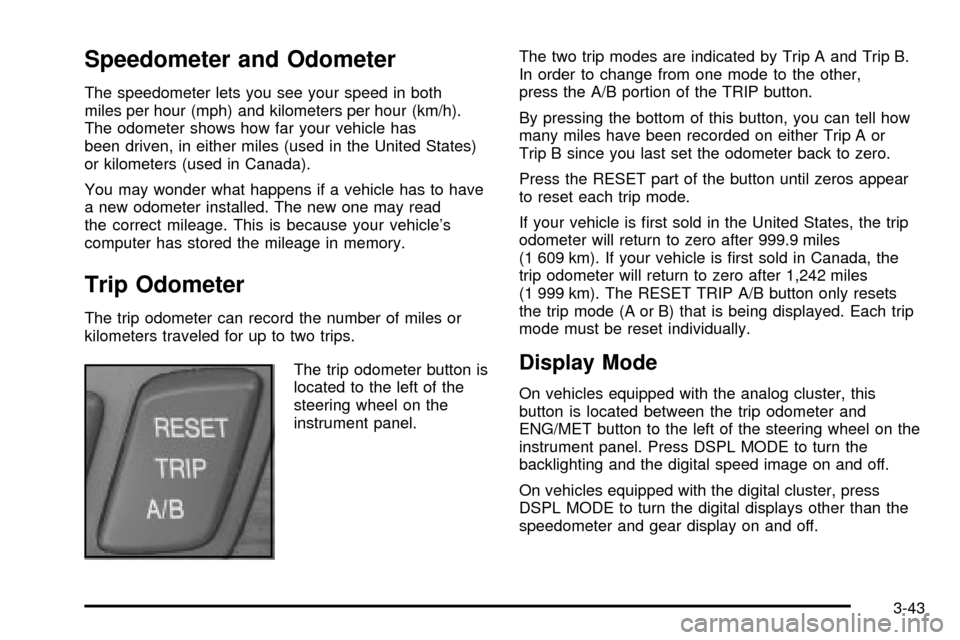
The trip odometer button is
located to the left of the
steering wheel on the
instrument panel.The two trip modes are indicated by Trip A and Trip B.
In order to change from one mode to the other,
press the A/B portion of the TRIP button.
By pressing the bottom of this button, you can tell how
many miles have been recorded on either Trip A or
Trip B since you last set the odometer back to zero.
Press the RESET part of the button until zeros appear
to reset each trip mode.
If your vehicle is ®rst sold in the United States, the trip
odometer will return to zero after 999.9 miles
(1 609 km). If your vehicle is ®rst sold in Canada, the
trip odometer will return to zero after 1,242 miles
(1 999 km). The RESET TRIP A/B button only resets
the trip mode (A or B) that is being displayed. Each trip
mode must be reset individually.
Display Mode
On vehicles equipped with the analog cluster, this
button is located between the trip odometer and
ENG/MET button to the left of the steering wheel on the
instrument panel. Press DSPL MODE to turn the
backlighting and the digital speed image on and off.
On vehicles equipped with the digital cluster, press
DSPL MODE to turn the digital displays other than the
speedometer and gear display on and off.
3-43
Page 167 of 423

English/Metric Button
By pressing this button
located to the left of the
steering wheel on the
instrument panel, you can
go back and forth from
English (miles) to
metric (kilometers).
Other readings such as temperature, fuel and trip
odometer also go back and forth between English
and metric.
Vehicle Speed Limiter
This feature prevents your vehicle from exceeding
speeds that the tires are not rated for. When this
happens, the engine's fuel supply is shut off. When the
vehicle speed slows, the fuel supply will come on again.
Tachometer (Analog Cluster Only)
This gage indicates the
engine speed in revolutions
per minute (rpm).
Notice:Do not operate the engine with the
tachometer in the shaded warning area, or engine
damage may occur.
Engine Speed Limiter
This feature prevents the engine from operating at too
many revolutions per minute (rpm). When the engine's
rpm are critically high, the fuel supply to the engine
is shut off. When the engine speed slows, the fuel
supply will come on again. This helps prevent damage
to the engine.
3-44
Page 180 of 423

Driver Information Center (DIC)
This display gives you the status of many of your
vehicle's systems. The DIC is also used to display driver
personalization features and warning/status messages.
All messages will appear in the DIC display, located
at the bottom of the instrument panel cluster.
DIC Controls and Displays
The Driver Information Center (DIC) buttons are located
to the right of the steering wheel on the instrument
panel, near the air outlets.
«INFOª(Information):Pressing this button up or
down will display the MILES RANGE (Analog Cluster),
MPG AVG, MPG INST, GAL FUEL USED, AVG
MPH, TIMER, BATTERY VOLTS, LF-RF-LR-RR TIRE
(If Equipped), RPM TACHOMETER (Digital Cluster),
ENGINE OIL LIFE, TRANS FLUID LIFE, PHONE
(If Equipped), FEATURE PROGRAMMING and Blank
Display.
INFO RESET:Pressing this button will reset the MPG
AVG, GAL FUEL USED, AVG MPH, TIMER, ENGINE
OIL LIFE and TRANS FLUID LIFE. For more information
about the trip odometer, see
Trip Odometer on
page 3-43.
·MPG AVG (Average Miles Per Gallon):This
message shows the approximate fuel economy you
have averaged since the last time you reset the
value. To reset the MPG AVG (Average Fuel
Economy), press the INFO button to display the
MPG AVG then press and hold the INFO RESET
button until 0.0 MPG AVG is displayed.
·GAL (Gallons) FUEL USED:This message shows
how much fuel has been used since the last reset.
To learn how much fuel is used from a new
starting point, press the RESET button while the
GAL FUEL USED is displayed in the DIC.
3-57
Page 284 of 423

A. Windshield Washer Fluid Reservoir. SeeWindshield
Washer Fluid on page 5-37.
B. Underhood Fuse Block. See ªUnderhood Fuse
Blockº under
Fuses and Circuit Breakers on
page 5-94.
C. Engine Coolant Surge Tank and Pressure Cap. See
Coolant Surge Tank Pressure Cap on page 5-27andCooling System on page 5-30.
D. Power Steering Fluid. See
Power Steering Fluid on
page 5-36.
E. Engine Oil Fill Cap. See
Engine Oil on page 5-13.
F. Engine Oil Dipstick. See
Engine Oil on page 5-13.
G. Brake Master Cylinder. See
Brakes on page 5-38.
H. Transaxle Fluid Cap and Dipstick. See
Automatic
Transaxle Fluid on page 5-21.
I. Engine Air Cleaner/Filter. See
Engine Air
Cleaner/Filter on page 5-19.
Engine Oil
If the CHECK OIL LEVEL message appears on the
instrument cluster, it means you need to check
your engine oil level right away. For more information,
see ªCHECK OIL LEVELº under
DIC Warnings and
Messages on page 3-60.
You should check your engine oil level regularly; this is
an added reminder.
5-13
Page 298 of 423

Adding Coolant
If you need more coolant, add the proper DEX-COOLž
coolant mixtureat the surge tank,but only when the
engine is cool.
{CAUTION:
You can be burned if you spill coolant on hot
engine parts. Coolant contains ethylene glycol,
and it will burn if the engine parts are hot
enough. Don't spill coolant on a hot engine.
When replacing the pressure cap, make sure the arrow
lines up with the tube.
Coolant Surge Tank Pressure Cap
Notice:Your pressure cap is a pressure-type
cap and must be tightly installed to prevent coolant
loss and possible engine damage from overheating.
See ªCapacities and Speci®cationsº for more
information.
Engine Overheating
You will ®nd an ENGINE COOLANT HOT, IDLE
ENGINE message or an ENGINE OVERHEATED,
STOP ENGINE message displayed in the Driver
Information Center (DIC). You will also hear a chime.
There is also an engine temperature warning light and/or
gage on the instrument panel cluster. See
Engine
Coolant Temperature Warning Light on page 3-49andEngine Coolant Temperature Gage on page 3-50.
Overheated Engine Protection
Operating Mode
If an overheated engine condition exists and the
message ENGINE OVERHEATED, STOP ENGINE is
displayed, an overheat protection mode which alternates
®ring groups of cylinders helps prevent engine damage.
In this mode, you will notice a loss in power and
engine performance. This operating mode allows your
vehicle to be driven to a safe place in an emergency;
you may drive up to 50 miles (80 km). Driving extended
miles (km) and/or towing a trailer in the overheat
protection mode should be avoided.
Notice:After driving in the overheated engine
protection operating mode, to avoid engine damage,
allow the engine to cool before attempting any repair.
The engine oil will be severely degraded. Repair the
cause of coolant loss, change the oil and reset the oil
life system. See ªEngine Oilº in the Index.
5-27