2003 BUICK REGAL time
[x] Cancel search: timePage 143 of 344

Your audio system has been designed to operate easily
and to give years of listening pleasure. You will get
the most enjoyment out of it if you acquaint yourself with
itfirst. Find out what your audio system can do and
how to operate all of its controls to be sure you’re getting
the most out of the advanced engineering that went
into it.
Your vehicle has a feature called Retained Accessory
Power (RAP). With RAP, you can play your audio
system even after the ignition is turned off. See
“Retained Accessory Power (RAP)”underIgnition
Positions on page 2-18.
Setting the Time
Press and hold HRS until the correct hour appears on
the display. Press and hold MIN until the correct minute
also appears.
You may set the time with the ignition off if you push
RECALLfirst.
Radio with Cassette
Your vehicle may be equipped with a Concert Sound III
sound system, which includes eight speakers and an
eight channel, 200 watt amplifier. Standard Radio Shown
3-45
2003 - Regal OM
Page 144 of 344

Playing the Radio
ON/OFF:Push this knob to turn the system on and off.
VOLUME:Turn the knob to increase or to decrease
the volume.
RECALL:Press this button to switch the display
between the radio station frequency and the time. To
change what is normally shown on the display (station or
time), press this button until you see the display you
want, then hold the button until the displayflashes. If you
press the button when the ignition is off, the clock will
show for a few seconds.
Finding a Station
AM-FM:Press this button to switch between AM, FM1
and FM2. The display will show your selection.
wTUNEx:Press the up or the down arrow to
choose radio stations.
wSEEKx:Press the up or the down arrow to go to
the next or to the previous station and stay there.
To scan stations, press and hold one of the SEEK
arrows for two seconds and SCAN will appear on the
display. The radio will go to a station, play for a few
seconds, then go on to the next station. Press one of
the SEEK arrows again to stop scanning.The radio will seek and scan only to stations that are in
the selected band and only to those with a strong
signal.
P SCAN (Preset Scan):Press this button to listen to
each of your preset stations for a few seconds. The
radio will go to thefirst preset station, play for a
few seconds, then go on to the next preset station.
Press P SCAN again to stop scanning presets.
The radio will scan only to preset stations that are in the
selected band and only to those with a strong signal.
AUTO SET (Automatic Set):Press this button,
after selecting AM or FM, to seek and set the
12 strongest FM or the 6 strongest AM stations on your
preset pushbuttons. AUTO SET willflash while
seeking and will remain on until this function is complete.
To return to the stations you manually set, press
AUTO SET again.
Setting Preset Stations
The six numbered pushbuttons let you return to your
favorite stations. You can set up to 18 stations
(six AM, FM1 and six FM2) by performing the
following steps:
1. Turn the radio on.
2. Press AM-FM to select AM, FM1 or FM2.
3. Tune in the desired station.
3-46
2003 - Regal OM
Page 148 of 344

RECALL:Press this button to switch the display
between the radio station frequency and the time. To
change what is normally shown on the display (station or
time), press this button until you see the display you
want, then hold this button until the displayflashes.
Press this button when the ignition is off to display
the time.
Finding a Station
AM-FM:Press this button to switch between AM, FM1
and FM2. The display will show your selection.
wTUNEx:Press the up or the down arrow to
choose radio stations.
wSEEKx:Press the up or the down arrow to go to
the next or to the previous station and stay there.
To scan, press one of the SEEK arrows for two seconds
and SCAN will appear on the display. The radio will
go to a station, play for a few seconds, then go on to the
next station. Press one of the SEEK arrows again to
stop scanning.
The radio will seek and scan only to stations that are in
the selected band and only to those with a strong
signal.P SCAN (Preset Scan):Press this button to listen to
each of your preset stations for a few seconds.
Press P SCAN again to stop scanning.
The radio will scan only to preset stations that are in the
selected band and only to those with a strong signal.
AUTO SET (Automatic Set):Press this button,
after selecting AM or FM, to seek and set the
12 strongest FM or the 6 strongest AM stations on your
preset pushbuttons. AUTO SET willflash while
seeking and will remain on until this function is complete.
To return to the stations you manually set, press
AUTO SET again.
Setting Preset Stations
The six numbered pushbuttons let you return to your
favorite stations. You can set up to 18 stations (six AM,
six FM1 and six FM2) by performing the following
steps:
1. Turn the radio on.
2. Press AM-FM to select AM, FM1 or FM2.
3. Tune in the desired station.
4. Press TONE to select the setting you prefer.
3-50
2003 - Regal OM
Page 152 of 344

4[(Forward):Press and hold this pushbutton to
quickly advance within a track. You will hear sound at a
reduced level. Release it to play the passage.
6 RAND (Random):Press this pushbutton to hear the
tracks in random, rather than sequential, order.
Press it again to turn off random play.
RECALL:Press this button to see which track is
playing. Press it again withinfive seconds to see how
long it has been playing. To change what is normally
shown on the display (track or elapsed time), press this
button until you see the display you want, then hold
this button until the displayflashes.
AM-FM:Press this button to listen to the radio when a
CD is playing.
SOURCE:Press this button to play a cassette tape or
a CD when listening to the radio. TAPE SIDE and
an arrow will appear on the display. If this button is
pressed again, the system will go to disc play; CD PLAY
will appear on the display.
wSEEKx:Press the up or the down arrow to go to
the previous or to the next track on the CD.
EJECT:Press this button, located next to the CD slot,
to stop a CD when it is playing and to remove a CD
when it is not playing. Eject may be activated with the
radio off.
Compact Disc Messages
If the disc comes out or CHECK CD appears on the
display, it could be for one of the following reasons:
•You’re driving on a very rough road. When the road
becomes smoother, the disc should play.
•It’s very hot. When the temperature returns to
normal, the disc should play.
•The disc is dirty, scratched, wet, or upside down.
•It is very humid. If so, wait about an hour and
try again.
•There may have been a problem while burning
the CD.
•The label may be caught in the CD player.
If the CD is not playing correctly, for any other reason,
try a known good CD.
If any error occurs repeatedly or if an error can’tbe
corrected, contact your dealer. If your radio displays an
error number, write it down and provide it to your
dealer when reporting the problem.
3-54
2003 - Regal OM
Page 153 of 344

Theft-Deterrent Feature
THEFTLOCK®is designed to discourage theft of your
radio. It works by using a secret code to disable all radio
functions whenever battery power is interrupted.
If THEFTLOCK
®is active, the THEFTLOCK®indicator
willflash when the ignition is off.
The THEFTLOCK
®feature for the radio may be used or
ignored. If ignored, the system plays normally and the
radio is not protected by the feature. If THEFTLOCK
®is
activated, your radio will not operate if stolen.
When THEFTLOCK
®is activated, the radio will display
LOC to indicate a locked condition anytime battery
power is removed. If your battery loses power for any
reason, you must unlock the radio with the secret
code before it will operate.
Activating the Theft-Deterrent Feature
The instructions which follow explain how to enter your
secret code to activate the THEFTLOCK®system. Read
through all nine steps before starting the procedure.
If you allow more than 15 seconds to elapse between
any steps, the radio automatically reverts to time
and you must start the procedure over at Step 4.
1. Write down any three or four-digit number from 000
to 1999 and keep it in a safe place separate from
the vehicle.
2. Turn the ignition on.3. Turn the radio off.
4. Press the 1 and 4 pushbuttons at the same time.
Hold them down until --- shows on the display.
Next you will use the secret code number which you
have written down.
5. Press MIN and 000 will appear on the display.
6. Press MIN again to make the last two digits agree
with your code.
7. Press HRS to make thefirst one or two digits agree
with your code.
8. Press AM-FM after you have confirmed that the
code matches the secret code you have written
down. The display will show REP to let you know
that you need to repeat Steps 5 through 7 to confirm
your secret code.
9. Press AM-FM and this time the display will show
SEC to let you know that your radio is secure.
Unlocking the Theft-Deterrent Feature
After a Power Loss
Enter your secret code as follows; pause no more than
15 seconds between steps:
1. Turn the ignition on. LOC will appear on the
display.
2. Press MIN and 000 will appear on the display.
3. Press MIN again to make the last two digits agree
with your code.
3-55
2003 - Regal OM
Page 154 of 344

4. Press HRS to make thefirst one or two digits agree
with your code.
5. Press AM-FM after you have confirmed that the
code matches the secret code you have written
down. The display will show SEC, indicating
the radio is now operable and secure.
If you enter the wrong code eight times, INOP will
appear on the display. You will have to wait an hour
with the ignition on before you can try again. When you
try again, you will only have three more chances
(eight tries per chance) to enter the correct code before
INOP appears.
If you lose or forget your code, contact your dealership.
Disabling the Theft-Deterrent Feature
Enter your secret code as follows; pause no more than
15 seconds between steps:
1. Turn the ignition on.
2. Turn the radio off.
3. Press the 1 and 4 pushbuttons at the same time.
Hold them down until SEC shows on the display.4. Press MIN and 000 will appear on the display.
5. Press MIN again to make the last two digits agree
with your code.
6. Press HRS to make thefirst one or two digits agree
with your code.
7. Press AM-FM after you have confirmed that the
code matches the secret code you have written
down. The display will show ---, indicating that the
radio is no longer secured.
If the code entered is incorrect, SEC will appear on the
display. The radio will remain secured until the correct
code is entered.
When battery power is removed and later applied to a
secured radio, the radio won’t turn on and LOC will
appear on the display.
To unlock a secured radio see“Unlocking the
Theft-Deterrent Feature After a Power Loss”earlier in
this section.
3-56
2003 - Regal OM
Page 156 of 344

Care of Your Cassette Tape Player
A tape player that is not cleaned regularly can cause
reduced sound quality, ruined cassettes or a damaged
mechanism. Cassette tapes should be stored in their
cases away from contaminants, direct sunlight and
extreme heat. If they aren’t, they may not operate
properly or may cause failure of the tape player.
Your tape player should be cleaned regularly after every
50 hours of use. Your radio may display CLEAN
PLAYR to indicate that you have used your tape player
for 50 hours without resetting the tape clean timer. If
this message appears on the display, your cassette tape
player needs to be cleaned. It will still play tapes, but
you should clean it as soon as possible to prevent
damage to your tapes and player. If you notice a
reduction in sound quality, try a known good cassette to
see if the tape or the tape player is at fault. If this
other cassette has no improvement in sound quality,
clean the tape player.
For best results, use a scrubbing action, non-abrasive
cleaning cassette with pads which scrub the tape
head as the hubs of the cleaner cassette turn. The
recommended cleaning cassette is available through
your dealership.The cut tape detection feature of your cassette tape
player may identify the cleaning cassette as a damaged
tape, in error. If the cleaning cassette ejects, insert
the cassette at least three times to ensure thorough
cleaning.
You may also choose a non-scrubbing action, wet-type
cleaner which uses a cassette with a fabric belt to
clean the tape head. This type of cleaning cassette will
not eject on its own. A non-scrubbing action cleaner
may not clean as thoroughly as the scrubbing type
cleaner. The use of a non-scrubbing action, dry-type
cleaning cassette is not recommended.
After you clean the player, press and hold the EJECT
button forfive seconds with the ignition on and the radio
power off to reset the CLEAN PLAYR indicator. The
radio will display --- to show the indicator was reset.
Cassettes are subject to wear and the sound quality may
degrade over time. Always make sure the cassette
tape is in good condition before you have your
tape player serviced.
3-58
2003 - Regal OM
Page 161 of 344
Many adults—by some estimates, nearly half the adult
population—choose never to drink alcohol, so they
never drive after drinking. For persons under 21,
it’s against the law in every U.S. state to drink alcohol.
There are good medical, psychological and
developmental reasons for these laws.
The obvious way to eliminate the leading highway safety
problem is for people never to drink alcohol and then
drive. But what if people do? How much is“too much”if
someone plans to drive? It’s a lot less than many might
think. Although it depends on each person and situation,
here is some general information on the problem.
The Blood Alcohol Concentration (BAC) of someone
who is drinking depends upon four things:
The amount of alcohol consumed
The drinker’s body weight
The amount of food that is consumed before and
during drinking
The length of time it has taken the drinker to
consume the alcohol.
According to the American Medical Association, a 180 lb
(82 kg) person who drinks three 12 ounce (355 ml)
bottles of beer in an hour will end up with a BAC
of about 0.06 percent. The person would reach the
same BAC by drinking three 4 ounce (120 ml) glasses
of wine or three mixed drinks if each had 1-1/2 ounces
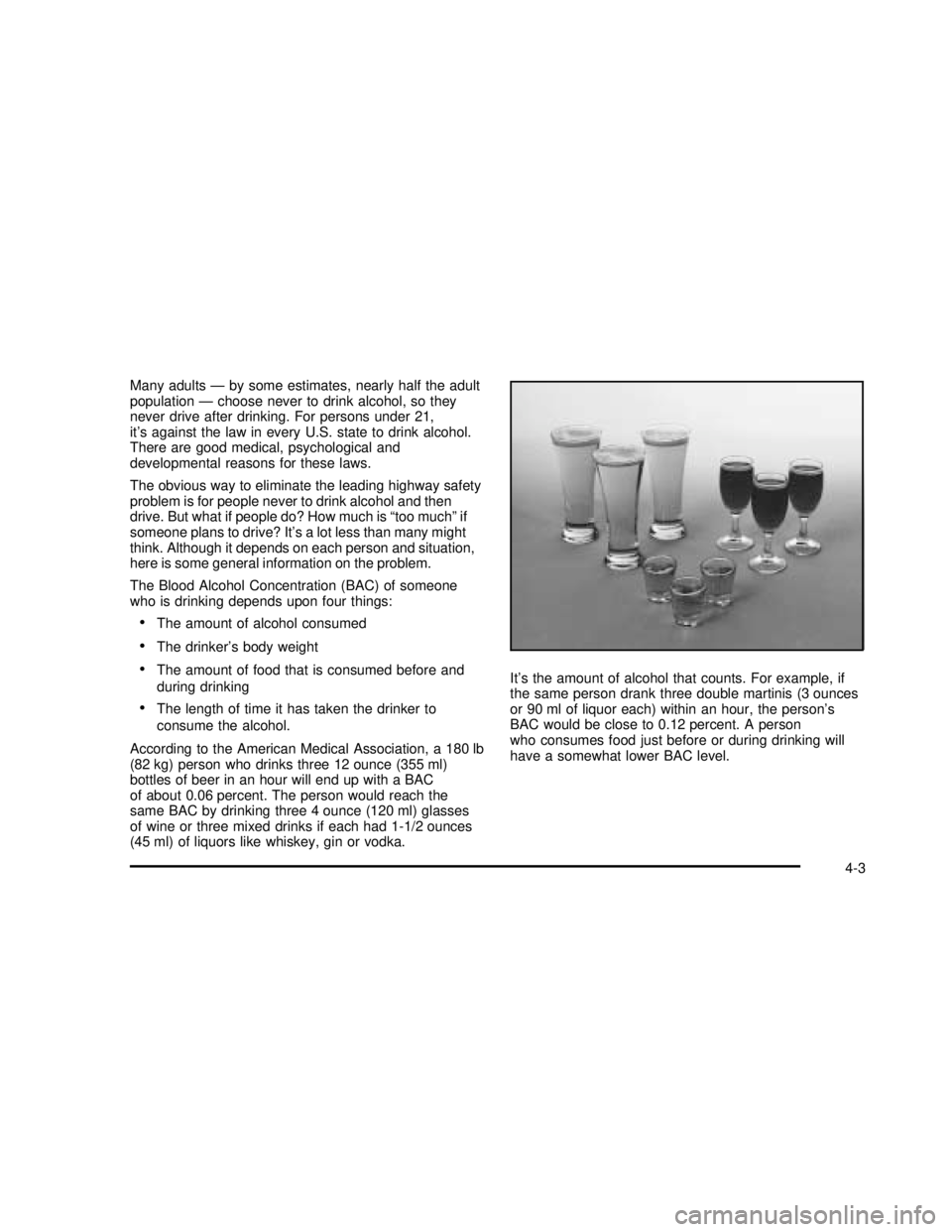
(45 ml) of liquors like whiskey, gin or vodka.It’s the amount of alcohol that counts. For example, if
the same person drank three double martinis (3 ounces
or 90 ml of liquor each) within an hour, the person’s
BAC would be close to 0.12 percent. A person
who consumes food just before or during drinking will
have a somewhat lower BAC level.
4-3
2003 - Regal OM