2003 BUICK REGAL service
[x] Cancel search: servicePage 93 of 344

Mirrors
Manual Rearview Mirror
Adjust all the mirrors so you can see clearly when you
are sitting in a comfortable driving position.
To reduce glare from lamps behind you, pull the lever at
the bottom of the mirror toward you, to the night
position. To return the mirror to the day position, push
the lever away from you.
Manual Rearview Mirror with
OnStar
®
If your vehicle is equipped with this mirror, it has a lever
located at the bottom between the two lamps. To
reduce glare from headlamps behind you while driving
at night, pull the lever towards you, to the night position.
To return the mirror to the day position, return the
lever to its original position.There are two lamps located on the bottom of the
mirror. Each lamp is turned on and off by pressing the
button next to the lamp.
There are also three OnStar®buttons located at the
bottom of the mirror. See your dealer for more
information on the system and how to subscribe to
OnStar
®. SeeOnStar®System on page 2-34for more
information about the services OnStar®provides.
2-31
2003 - Regal OM
Page 94 of 344

Automatic Dimming Rearview Mirror
Your vehicle may have an automatic dimming rearview
mirror. Push the button in the center of the mirror to
turn this feature on. The mirror will darken gradually to
reduce glare from headlamps behind you.
To turn the automatic dimming feature off, press the
button in the center of the mirror again.
The mirror’s two outer buttons operate the lamps on the
bottom of the mirror.
One photocell on the front of the mirror senses when it
is becoming dark outside. Another photocell, facing
rearward, senses headlamps behind you.
To keep the photocells operating well, occasionally
clean them with a cotton swab and glass cleaner.
Automatic Dimming Rearview Mirror
with OnStar
®
Your vehicle may have an automatic dimming rearview
mirror with the OnStar®System.
The automatic dimming feature is turned on or off by
pressing the far left button, located on the lower part of
the mirror, for up to three seconds. When turned on,
this mirror functions exactly like the automatic dimming
rearview mirror described previously. SeeAutomatic
Dimming Rearview Mirror on page 2-32.
There are two lamps located on the bottom of the
mirror. Each lamp is turned on and off by pressing the
button next to the lamp.
There are also three OnStar
®buttons located at the
bottom of the mirror. See your dealer for more
information on the system and how to subscribe to
OnStar
®. SeeOnStar®System on page 2-34for more
information about the services OnStar®provides.
2-32
2003 - Regal OM
Page 96 of 344
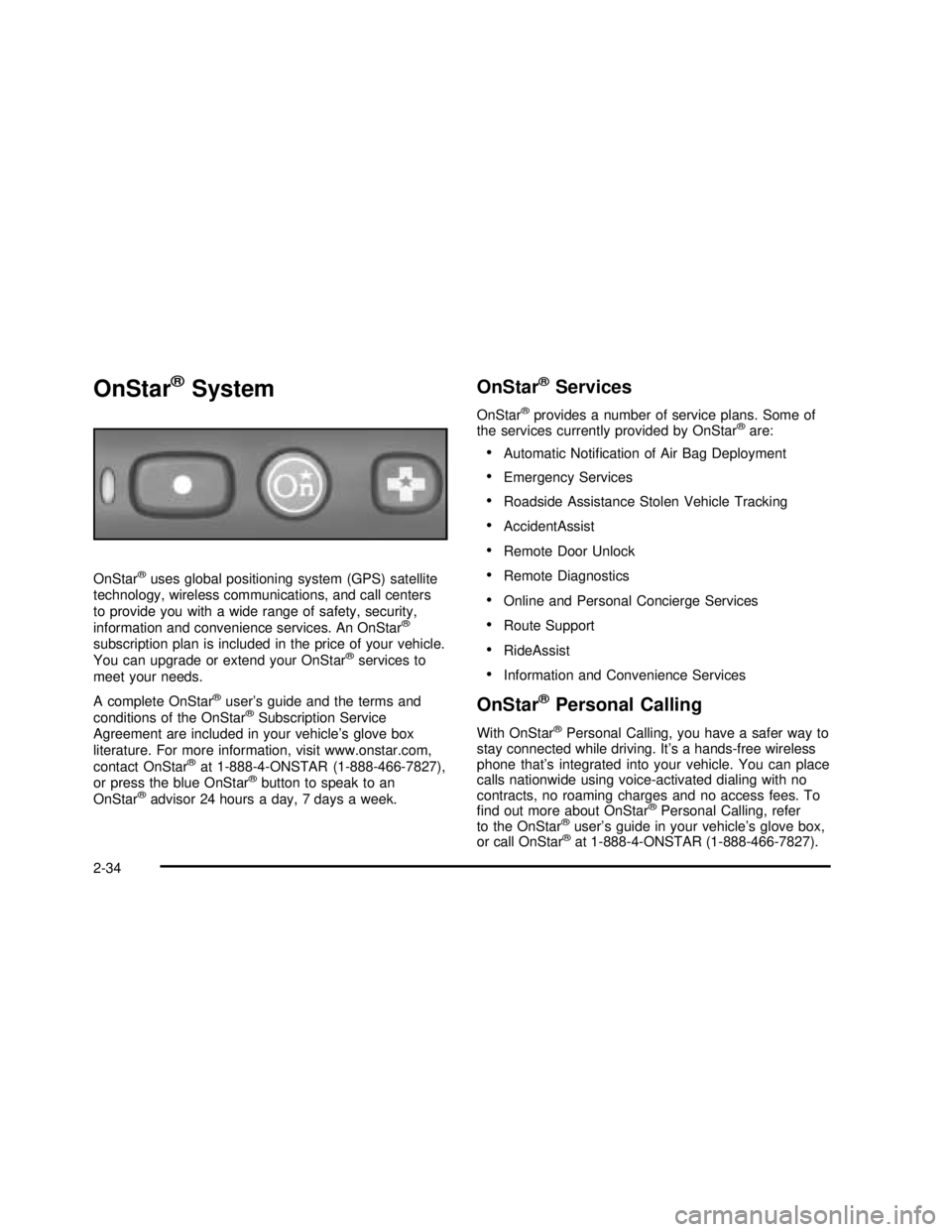
OnStar®System
OnStar®uses global positioning system (GPS) satellite
technology, wireless communications, and call centers
to provide you with a wide range of safety, security,
information and convenience services. An OnStar
®
subscription plan is included in the price of your vehicle.
You can upgrade or extend your OnStar®services to
meet your needs.
A complete OnStar
®user’s guide and the terms and
conditions of the OnStar®Subscription Service
Agreement are included in your vehicle’s glove box
literature. For more information, visit www.onstar.com,
contact OnStar
®at 1-888-4-ONSTAR (1-888-466-7827),
or press the blue OnStar®button to speak to an
OnStar®advisor 24 hours a day, 7 days a week.
OnStar®Services
OnStar®provides a number of service plans. Some of
the services currently provided by OnStar®are:
•Automatic Notification of Air Bag Deployment
•Emergency Services
•Roadside Assistance Stolen Vehicle Tracking
•AccidentAssist
•Remote Door Unlock
•Remote Diagnostics
•Online and Personal Concierge Services
•Route Support
•RideAssist
•Information and Convenience Services
OnStar®Personal Calling
With OnStar®Personal Calling, you have a safer way to
stay connected while driving. It’s a hands-free wireless
phone that’s integrated into your vehicle. You can place
calls nationwide using voice-activated dialing with no
contracts, no roaming charges and no access fees. To
find out more about OnStar
®Personal Calling, refer
to the OnStar®user’s guide in your vehicle’s glove box,
or call OnStar®at 1-888-4-ONSTAR (1-888-466-7827).
2-34
2003 - Regal OM
Page 97 of 344

OnStar®Virtual Advisor
With OnStar®Virtual Advisor you can listen to the news,
entertainment and informative topics, such as traffic
and weather reports. You are able to listen and reply to
your e-mail through your vehicle’s speakers.
A completed Subscription Service Agreement is required
prior to delivery of OnStar
®services and prepaid
calling minutes are also required for OnStar®Personal
Calling and OnStar®Virtual Advisor use. Terms and
conditions of the Subscription Service Agreement can be
found at www.onstar.com.
Storage Areas
Glove Box
Use the door key to lock and unlock the glove box. To
open, lift the latch.
Center Console Storage Area
The console has cupholders and a cassette tape
storage area.
To access the console storage area, press the latch on
the front of the console lid and pull up.
2-35
2003 - Regal OM
Page 99 of 344

Instrument Panel Overview...............................3-2
Hazard Warning Flashers................................3-4
Other Warning Devices...................................3-4
Horn .............................................................3-5
Tilt Wheel.....................................................3-5
Turn Signal/Multifunction Lever.........................3-5
Exterior Lamps.............................................3-10
Interior Lamps..............................................3-13
Accessory Power Outlets...............................3-15
Auxiliary Power Connection (Power Drop).........3-16
Ashtrays and Cigarette Lighter........................3-17
Climate Controls............................................3-17
Dual Climate Control System..........................3-17
Dual Automatic Climate Control System...........3-20
Outlet Adjutment...........................................3-24
Passenger Compartment Air Filter...................3-24
Warning Lights, Gages and Indicators.............3-26
Instrument Panel Cluster................................3-27
Speedometer and Odometer...........................3-28
Tachometer.................................................3-29
Safety Belt Reminder Light.............................3-29
Air Bag Readiness Light................................3-30
Charging System Light..................................3-31
Brake System Warning Light..........................3-31
Anti-Lock Brake System Warning Light.............3-32
Traction Control System (TCS) Warning Light . . .3-33
Low Traction Light
........................................3-33Engine Coolant Temperature Warning Light......3-34
Engine Coolant Temperature Gage..................3-34
Tire Pressure Light.......................................3-35
Malfunction Indicator Lamp.............................3-35
Oil Pressure Light.........................................3-38
Low Oil Level Light.......................................3-39
Change Engine Oil Light................................3-39
Security Light...............................................3-40
Cruise Control Light......................................3-40
Low Washer Fluid Warning Light.....................3-40
Door/Trunk Ajar Warning Light........................3-40
Service Vehicle Soon Light............................3-41
Fuel Gage...................................................3-41
Low Fuel Warning Light.................................3-42
Driver Information Center (DIC).......................3-42
Audio System(s).............................................3-44
Setting the Time...........................................3-45
Radio with Cassette......................................3-45
Radio with Cassette and CD..........................3-49
Theft-Deterrent Feature..................................3-55
Audio Steering Wheel Controls.......................3-57
Understanding Radio Reception......................3-57
Care of Your Cassette Tape Player.................3-58
Care of Your CDs.........................................3-59
Care of Your CD Player................................3-59
Backglass Antenna.......................................3-59
Section 3 Instrument Panel
3-1
2003 - Regal OM
Page 115 of 344

When adding electrical equipment, be sure to follow the
proper installation instructions included with the
equipment.
For information on accessing the connection and
electrical hookup, please refer to your service manual.
To order a service manual,Service Publications
Ordering Information on page 7-10.
Ashtrays and Cigarette Lighter
The center front ashtray is located just below the
instrument panel’s comfort controls.
To remove the ashtray, open the storage door. Then
open the small black door, lift up on the ashtray and pull
it out.
Notice:Don’t put papers or other flammable
items into your ashtrays. Hot cigarettes or other
smoking materials could ignite them, causing
a damaging fire.
To use the lighter, just push it in all the way and let go.
When it’s ready, it will pop back out by itself.
Notice:Don’t hold a cigarette lighter in with your
hand while it is heating. If you do, it won’t be able to
back away from the heating element when it’s
ready. That can make it overheat, damaging the
lighter and the heating element.
Climate Controls
Dual Climate Control System
With this system you can control the heating, cooling
and ventilation for your vehicle.
Manual Operation
To change the current mode, select one of the following
settings on the right knob.
MAX (Maximum Air-Conditioning):This mode
recirculates much of the air inside your vehicle and
sends it through the instrument panel outlets. The
air-conditioning compressor will run automatically in
this setting unless the outside temperature is
below 40°F(4°C).
3-17
2003 - Regal OM
Page 119 of 344

3. Wait for the system to regulate. This may take from
10 to 30 minutes. Then, adjust the temperature, if
necessary.
Do not cover the solar sensor located in the center
of the instrument panel, near the windshield. For
more information on the solar sensor, see
“Solar Sensor”later in this section.
Manual Operation
During daylight hours, you may want to adjust the
instrument panel brightness control to the highest setting
in order to see the indicator lights that go on for the
various climate control settings.
OFF:Pressing the OFF button cancels automatic
operation and places the system in manual mode. Press
the AUTO button to return to automatic operation.
TEMP (Temperature):To manually adjust the
temperature inside the vehicle, press the up arrow on
the TEMP control to raise the temperature and press the
down arrow to lower the temperature. The display will
show your selection for a few seconds, and then
the outside temperature will be displayed.
When the DUAL light indicator is on, this means the
TEMP control has set the temperature for the driver.
When the DUAL light indicator light is not on, this means
the TEMP control has set the temperature for the
entire cabin.
9FAN:Press the up arrow on the FAN control to
increase fan speed and the down arrow to decrease fan
speed. Pressing the arrows cancels the automatic
operation and places the system in manual mode. Press
the AUTO button to return to automatic operation. If
the airflow seems low when the fan is at the highest
setting, the passenger compartment airfilter, if
equipped, may need to be replaced. For more
information seePassenger Compartment Air Filter on
page 3-24andPart A: Scheduled Maintenance Services
on page 6-4.
AIR FLOW:This control has several setting to control
the direction of airflow when the system is not in AUTO.
To access the various modes available, continue to press
the AIR FLOW up or down arrows until the desired mode,
(listed below), appears in the display.
WINDSHIELD/FLOOR:This setting directs some of the
air to thefloor outlets and some to the defroster and
side window outlets. The air-conditioning compressor will
run automatically in this setting unless the outside
temperature is below 40°F(4°C).
MID/FLOOR:This mode directs airflow through both
thefloor and the instrument panel outlets. A small
amount of air is directed to the windshield and the side
window outlets.
MID (Instrument Panel):This mode directs air through
the instrument panel outlets.
3-21
2003 - Regal OM
Page 122 of 344

=REAR:Press this button to turn the rear window
defogger on. It will turn off after about 15 minutes. If you
turn it on again, the rear defogger will only run for
about seven and one half minutes before turning off.
You can also turn it off by pressing the button again.
Do not drive the vehicle until all the windows are clear.
Notice:Don’t use a razor blade or something
else sharp on the inside of the rear window. If you
do, you could cut or damage the defogger and
the repairs would not be covered by your warranty.
Do not attach a temporary vehicle license, tape,
a decal or anything similar to the defogger grid.
Outlet Adjustment
Open and close the air
outlets, or adjust the
direction of the airflow by
moving the levers in
the center of each outlet.
Operation Tips
•Clear away any ice, snow or leaves from the air
inlets at the base of the windshield that may
block theflow of air into your vehicle.
•Use of non-GM approved hood deflectors may
adversely affect the performance of the system.
•Keep the path under the front seats clear of objects
to help circulate the air inside of your vehicle more
effectively.
•If the airflow seems low when the fan is at the
highest setting, the passenger compartment
airfilter, if equipped, may need to be replaced. For
more information, seePassenger Compartment
Air Filter on page 3-24andPart A: Scheduled
Maintenance Services on page 6-4.
Passenger Compartment Air Filter
The passenger compartment airfilter is located
underneath your hood below the windshield wiper arm,
on the passenger’s side (below the air inlet grille) of
the vehicle.
Thefilter traps most of the pollen from the air entering
the air conditioning module. Like your engine’s air
cleaner/filter, it may need to be changed periodically.
For information on how often to change the passenger
compartment airfilter, seePart A: Scheduled
Maintenance Services on page 6-4.
3-24
2003 - Regal OM