2003 BUICK LESABRE light
[x] Cancel search: lightPage 132 of 380

Climate Controls
Climate Control System
With this system you can control the heating, cooling
and ventilation for your vehicle.
TEMPERATURE:This lever is used to adjust the
temperature of the air coming through the system.
Moving the lever between COOL and WARM will change
the temperature of the air coming through your outlets.
9FAN:Move this lever to select the speed of
the fan. Moving the lever between LOW and HIGH will
decrease or increase the fan speed. The fan will be
off when the system is off.To change the current mode, select one of the following:
RECIRC (Recirculation):This mode keeps outside
air from coming in the vehicle. It can be used to prevent
outside air and odors from entering your vehicle or to
help heat or cool the air inside your vehicle more quickly.
Press this button to turn the recirculation mode on or
off. When the button is pressed, an indicator light
will come on. You may not use RECIRC with FRONT
defrost or BLEND.
VENT:This mode directs air to the instrument panel
outlets.
HTR (Heater):This mode directs most of the air to the
¯oor outlets with some air directed to the outboard
outlets (for the side windows) and some air directed to
the windshield.
BLEND:This mode splits the air¯ow between the
windshield and the ¯oor outlets. The air conditioning
compressor will be operating.
OFF:The ventilation system always allows fresh air to
¯ow through your vehicle when it is moving. The
system will try to keep the air at a previously chosen
temperature. When the system is off, the blower fan is
also off.
MAX (Maximum Air Conditioning):This mode directs
air¯ow through the instrument panel outlets. The
amount of outside air entering your vehicle is limited.
3-24
Page 133 of 380

Also in this mode, the RECIRC function is activated to
create the maximum cooling effect in the vehicle. If
RECIRC was activated before selecting MAX, the light
in the RECIRC button will go off. If RECIRC is
selected after MAX, the light in the RECIRC button will
not come on.
NORM (Normal Air Conditioning):This mode cools
the outside air entering your vehicle and directs it
through the instrument panel outlets.
BI-LEV (Bi-Level Air Conditioning):This mode directs
approximately half of the air to the instrument panel
outlets, and then directs most of the remaining air to the
¯oor outlets. Some air may be directed toward the
windshield. Cooler air is directed to the upper outlets
and warmer air to the ¯oor outlets. The air conditioning
compressor is on in this mode.
On hot days, open the windows to let hot inside air
escape; then close them. This helps to reduce the time
it takes for your vehicle to cool down. It also helps
the system to operate more efficiently.
For quick cool down on hot days, do the following:
1. Select the vent mode.
2. Select the recirculation mode.
3. Select MAX.
4. Select the coolest temperature.
5. Select the highest fan speed.Using these settings together for long periods of time
may cause the air inside of your vehicle to become too
dry. To prevent this from happening, after the air in
your vehicle has cooled, turn the recirculation mode off.
The air conditioning system removes moisture from
the air, so you may sometimes notice a small amount of
water dripping underneath your vehicle while idling or
after turning off the engine. This is normal.
Sensors
The solar sensor on your vehicle monitors the solar
radiation and the air inside of your vehicle, then uses the
information to maintain the selected temperature by
initiating needed adjustments to the temperature, the fan
speed and the air delivery system. The system may
also supply cooler air to the side of the vehicle facing the
sun. The recirculation mode will also be activated, as
necessary. Do not cover the solar sensor located in the
center of the instrument panel, near the windshield,
or the system will not work properly.
Defogging and Defrosting
Fog on the inside of windows is a result of high humidity
(moisture) condensing on the cool window glass. This
can be minimized if the climate control system is
used properly. This mode allows you to clear fog or
frost from your windshield.
3-25
Page 136 of 380

MID:This mode directs air¯ow through the instrument
panel outlets.
MID-FLOOR:This mode directs air¯ow through both
the ¯oor and the instrument panel outlets. There is also
a small amount of air directed to the windshield and
the outboard outlets (for the side windows).
FLOOR:This mode directs most of the air¯ow to the
¯oor outlets with some directed to the outboard
outlets (for the side windows) and the windshield.
OFF:Press the OFF button once to turn off the
passenger climate control, if it has been activated.
Pressing the OFF button a second time will turn off the
main system. The outside temperature will be shown
on the display when the system is off.
VENT (Flow-Through Ventilation):Pressing the VENT
button allows outside air to ¯ow through your vehicle
without the air conditioning compressor working. To turn
off the VENT selection, push the VENT button again.
Selecting the VENT and AUTO buttons at the same time
allows the system to control the air¯ow automatically
without using the air conditioning compressor or
the recirculation mode.RECIRC (Recirculation):Press this button to limit the
amount of outside air coming into the vehicle. It can
be used to prevent outside air and odors from entering
your vehicle or to help heat or cool the air inside
your vehicle more quickly. Press this button to turn the
recirculation mode on or off. When the button is
pressed, an indicator light will come on. The recirculation
mode cannot be used with the FRONT defrost or
VENT mode.
On hot days, open the windows to let hot air escape;
then close them. This helps to reduce the time it takes
for your vehicle to cool down. It also helps the system
to operate more efficiently.
For quick cool down on hot days, press the AUTO
button and the system will automatically enter
recirculation mode and the temperature will be at the full
cold position for maximum cooling.
Using these settings together for long periods of time
may cause the air inside of your vehicle to become too
dry. To prevent this from happening, after the air in
your vehicle has cooled, turn the recirculation mode off.
The air conditioning system removes moisture from
the air, so you may sometimes notice a small amount of
water dripping underneath your vehicle while idling or
after turning off the engine. This is normal.
3-28
Page 140 of 380

To recall the climate control settings last stored on your
transmitter, press the unlock button on your remote
keyless entry transmitter and put the ignition in
ACCESSORY or RUN. The settings will be recalled.
Warning Lights, Gages and
Indicators
This part describes the warning lights and gages that
may be on your vehicle. The pictures will help you
locate them.
Warning lights and gages can signal that something is
wrong before it becomes serious enough to cause
an expensive repair or replacement. Paying attention to
your warning lights and gages could also save you
or others from injury.
Warning lights come on when there may be or is a
problem with one of your vehicle's functions. As you will
see in the details on the next few pages, some
warning lights come on brie¯y when you start the
engine just to let you know they're working. If you are
familiar with this section, you should not be alarmed
when this happens.Gages can indicate when there may be or is a problem
with one of your vehicle's functions. Often gages
and warning lights work together to let you know when
there's a problem with your vehicle.
When one of the warning lights comes on and stays on
when you are driving, or when one of the gages
shows there may be a problem, check the section that
tells you what to do about it. Please follow this
manual's advice. Waiting to do repairs can be
costly ± and even dangerous. So please get to know
your warning lights and gages. They're a big help.
Your vehicle may also have a DIC that works along with
the warning lights and gages. See
Driver Information
Center (DIC) on page 3-45.
The volume of your vehicle's warning chimes can be
adjusted. For information see
Chime Level Adjustment
on page 3-81.
3-32
Page 141 of 380

Instrument Panel Cluster
Your instrument panel cluster is designed to let you know at a glance how your vehicle is running. You'll know how
fast you're going, how much fuel you're using, and many other things you'll need to drive safely and economically.
Your vehicle is equipped with one of these instrument panel clusters, which includes indicator warning lights
and gages that are explained on the following pages.
Standard Cluster (United States version shown, Canada similar)
3-33
Page 144 of 380
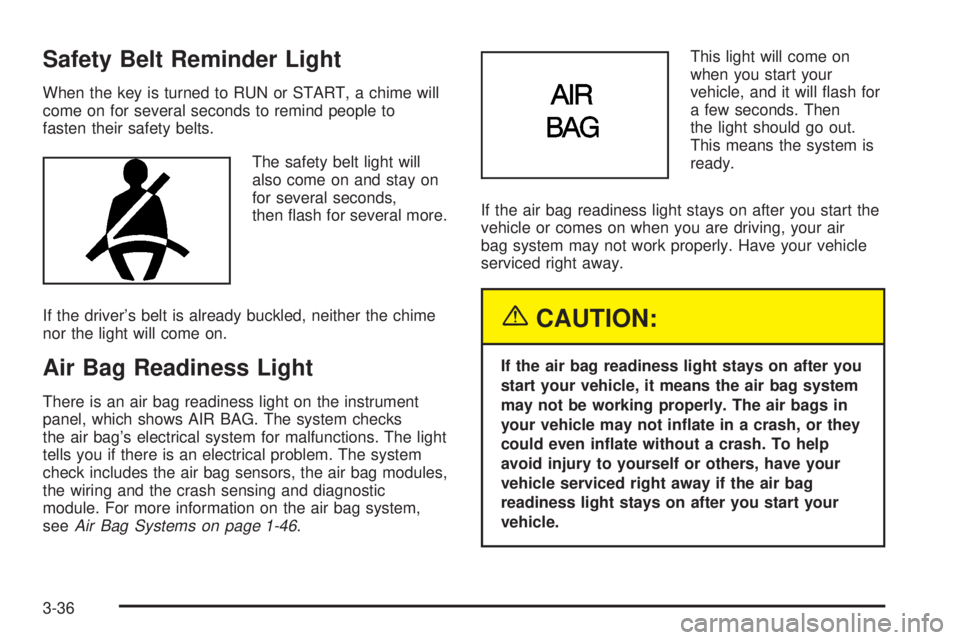
Safety Belt Reminder Light
When the key is turned to RUN or START, a chime will
come on for several seconds to remind people to
fasten their safety belts.
The safety belt light will
also come on and stay on
for several seconds,
then ¯ash for several more.
If the driver's belt is already buckled, neither the chime
nor the light will come on.
Air Bag Readiness Light
There is an air bag readiness light on the instrument
panel, which shows AIR BAG. The system checks
the air bag's electrical system for malfunctions. The light
tells you if there is an electrical problem. The system
check includes the air bag sensors, the air bag modules,
the wiring and the crash sensing and diagnostic
module. For more information on the air bag system,
see
Air Bag Systems on page 1-46.This light will come on
when you start your
vehicle, and it will ¯ash for
a few seconds. Then
the light should go out.
This means the system is
ready.
If the air bag readiness light stays on after you start the
vehicle or comes on when you are driving, your air
bag system may not work properly. Have your vehicle
serviced right away.
{CAUTION:
If the air bag readiness light stays on after you
start your vehicle, it means the air bag system
may not be working properly. The air bags in
your vehicle may not in¯ate in a crash, or they
could even in¯ate without a crash. To help
avoid injury to yourself or others, have your
vehicle serviced right away if the air bag
readiness light stays on after you start your
vehicle.
3-36
Page 145 of 380

The air bag readiness light should ¯ash for a few
seconds when you turn the ignition key to RUN. If the
light doesn't come on then, have it ®xed so it will
be ready to warn you if there is a problem.
Battery Warning Light
When you turn the key to
RUN, this light will turn on
brie¯y to show that the
generator and battery
charging systems
are working.
If the light stays on, a chime will sound indicating that
the vehicle needs service. You should take your vehicle
to the dealer as soon as possible. To save the battery
until you get there, turn off all accessories and set
the climate control system to OFF.
Brake System Warning Light
Your vehicle's hydraulic brake system is divided into two
parts. If one part isn't working, the other part can still
work and stop you. For good braking, though, you need
both parts working well.
If the warning light comes on, there is a brake problem.
Have your brake system inspected right away.
This light should come on when you turn the key to
RUN. If it doesn't come on then, have it ®xed so it will
be ready to warn you if there's a problem.
United StatesCanada
3-37
Page 146 of 380

When the ignition is on, the brake system warning light
will also come on when you set your parking brake.
The light will stay on if your parking brake doesn't
release fully. If you try to drive off with the parking brake
set, a chime will also come on until you release the
parking brake. If the light stays on after your parking
brake is fully released, it means you have a brake
problem.
If the light comes on while you are driving, pull off the
road and stop carefully. You may notice that the pedal is
harder to push. Or, the pedal may go closer to the
¯oor. It may take longer to stop. If the light is still on,
have the vehicle towed for service. See
Towing
Your Vehicle on page 4-31.
{CAUTION:
Your brake system may not be working
properly if the brake system warning light is
on. Driving with the brake system warning light
on can lead to an accident. If the light is still
on after you've pulled off the road and stopped
carefully, have the vehicle towed for service.
Anti-Lock Brake System
Warning Light
With the anti-lock brake
system, the light(s) will
come on when your engine
is started and may stay
on for several seconds.
That's normal.
If the light stays on, turn the ignition to OFF. Or, if the
light comes on when you're driving, stop as soon
as possible and turn the ignition off. Then start the
engine again to reset the system. If the light still stays
on, or comes on again while you're driving, your vehicle
needs service. If the regular brake system warning
light isn't on, you still have brakes, but you don't have
anti-lock brakes. If the regular brake system warning
light is also on, you don't have anti-lock brakes
and there's a problem with your regular brakes. See
Brake System Warning Light on page 3-37.
The anti-lock brake system warning light will come on
brie¯y when you turn the ignition key to RUN. This
is normal. If the light doesn't come on then, have it ®xed
so it will be ready to warn you if there is a problem.
3-38