2003 BUICK CENTURY change time
[x] Cancel search: change timePage 146 of 344

AM-FM Radio
Playing the Radio
ON/OFF:Press this knob to turn the system on and off.
VOLUME:Turn the knob to increase or to decrease
volume.RECALL:Push this knob to display the station being
played or to display the clock. To change what is
normally shown on the display (station or time), push
the knob until you see the display you want, then
hold the knob until the display ¯ashes. Push this knob
while the ignition if off to display the clock.
Finding a Station
AM FM:Press this button to switch between AM, FM1
and FM2. The display will show your selection.
TUNE:Turn this knob to choose radio stations.
qSEEKr:Press the right or the left arrow to go to
the next or to the previous station and stay there.
To scan stations, press one of the SEEK arrows for two
seconds, and SCAN will appear on the display. The
radio will go to a station, play for a few seconds, then go
on to the next station. Press one of the SEEK arrows
again to stop scanning.
The radio will seek only to stations that are in the
selected band and only to those with a strong signal.
3-40
Page 148 of 344

Radio with Cassette and CD
Playing the Radio
ON/OFF:Push this knob to turn the system on and off.
VOLUME:Turn this knob to increase or to decrease
volume.RECALL:Press this button to switch the display
between the radio station frequency and the time. To
change what is normally shown on the display (station or
time), press this button until you see the display you
want, then hold this button until the display ¯ashes.
Press this button when the ignition is off to display the
time.
Finding a Station
AM-FM:Press this button to switch between AM, FM1
and FM2. The display will show your selection.
wTUNEx:Press the up or the down arrow to
choose radio stations.
wSEEKx:Press the up or the down arrow to go to
the next or to the previous station and stay there.
To scan, press one of the SEEK arrows for two seconds
and SCAN will appear on the display. The radio will
go to a station, play for a few seconds, then go on to the
next station. Press one of the SEEK arrows again to
stop scanning.
The radio will seek and scan only to stations that are in
the selected band and only to those with a strong signal.
3-42
Page 153 of 344

RECALL:Press this button to see which track is
playing. Press it again within ®ve seconds to see how
long it has been playing. To change what is normally
shown on the display (track or elapsed time), press this
button until you see the display you want, then hold
this button until the display ¯ashes.
AM-FM:Press this button to listen to the radio when a
CD is playing.
SOURCE:Press this button to play a cassette tape or
a CD when listening to the radio. TAPE SIDE and
an arrow will appear on the display. If this button is
pressed again, the system will go to disc play; CD PLAY
will appear on the display.
wSEEKx:Press the up or the down arrow to go to
the previous or to the next track on the CD.
EJECT:Press this button, located next to the CD slot,
to stop a CD when it is playing and to remove a CD
when it is not playing. Eject may be activated with the
radio off.
Compact Disc Messages
If the disc comes out or CHECK CD appears on the
display, it could be for one of the following reasons:
·You're driving on a very rough road. When the road
becomes smoother, the disc should play.
·It's very hot. When the temperature returns to
normal, the disc should play.
·The disc is dirty, scratched, wet, or upside down.
·It is very humid. If so, wait about an hour and
try again.
·There may have been a problem while burning
the CD.
·The label may be caught in the CD player.
If the CD is not playing correctly, for any other reason,
try a known good CD.
If any error occurs repeatedly or if an error can't be
corrected, contact your dealer. If your radio displays an
error number, write it down and provide it to your
dealer when reporting the problem.
3-47
Page 167 of 344
Remember: Anti-lock doesn't change the time you need
to get your foot up to the brake pedal or always
decrease stopping distance. If you get too close to the
vehicle in front of you, you won't have time to apply
your brakes if that vehicle suddenly slows or stops.
Always leave enough room up ahead to stop, even
though you have anti-lock brakes.
Using Anti-Lock
Don't pump the brakes. Just hold the brake pedal down
®rmly and let anti-lock work for you. You may feel a
slight brake pedal pulsation or notice some noise, but
this is normal.
Braking in Emergencies
At some time, nearly every driver gets into a situation
that requires hard braking.
If you have anti-lock, you can steer and brake at the
same time. However, if you don't have anti-lock,
your ®rst reaction Ð to hit the brake pedal hard andhold it down Ð may be the wrong thing to do. Your
wheels can stop rolling. Once they do, the vehicle can't
respond to your steering. Momentum will carry it in
whatever direction it was headed when the wheels
stopped rolling. That could be off the road, into the very
thing you were trying to avoid, or into traffic.
If you don't have anti-lock, use a ªsqueezeº braking
technique. This will give you maximum braking while
maintaining steering control. You can do this by pushing
on the brake pedal with steadily increasing pressure.
In an emergency, you will probably want to squeeze the
brakes hard without locking the wheels. If you hear or
feel the wheels sliding, ease off the brake pedal.
This will help you retain steering control. If you
dohave
anti-lock, it's different. See ªAnti-Lock Brake Systemº
in this section.
In many emergencies, steering can help you more than
even the very best braking.
4-9
Page 169 of 344
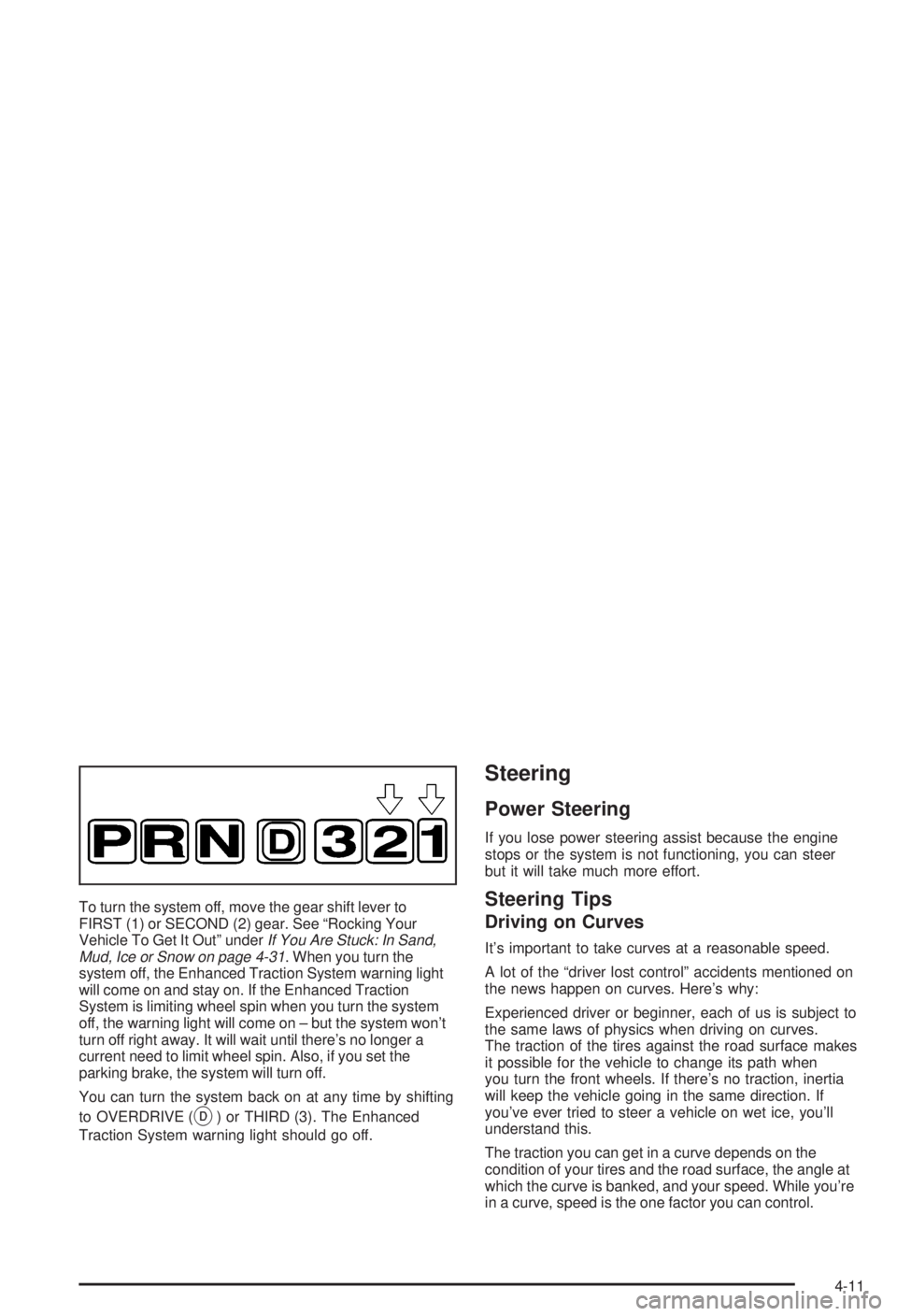
To turn the system off, move the gear shift lever to
FIRST (1) or SECOND (2) gear. See ªRocking Your
Vehicle To Get It Outº under
If You Are Stuck: In Sand,
Mud, Ice or Snow on page 4-31. When you turn the
system off, the Enhanced Traction System warning light
will come on and stay on. If the Enhanced Traction
System is limiting wheel spin when you turn the system
off, the warning light will come on ± but the system won't
turn off right away. It will wait until there's no longer a
current need to limit wheel spin. Also, if you set the
parking brake, the system will turn off.
You can turn the system back on at any time by shifting
to OVERDRIVE (
X) or THIRD (3). The Enhanced
Traction System warning light should go off.
Steering
Power Steering
If you lose power steering assist because the engine
stops or the system is not functioning, you can steer
but it will take much more effort.
Steering Tips
Driving on Curves
It's important to take curves at a reasonable speed.
A lot of the ªdriver lost controlº accidents mentioned on
the news happen on curves. Here's why:
Experienced driver or beginner, each of us is subject to
the same laws of physics when driving on curves.
The traction of the tires against the road surface makes
it possible for the vehicle to change its path when
you turn the front wheels. If there's no traction, inertia
will keep the vehicle going in the same direction. If
you've ever tried to steer a vehicle on wet ice, you'll
understand this.
The traction you can get in a curve depends on the
condition of your tires and the road surface, the angle at
which the curve is banked, and your speed. While you're
in a curve, speed is the one factor you can control.
4-11
Page 173 of 344
·Check your mirrors, glance over your shoulder, and
start your left lane change signal before moving out
of the right lane to pass. When you are far enough
ahead of the passed vehicle to see its front in your
inside mirror, activate your right lane change signal
and move back into the right lane. (Remember that
your right outside mirror is convex. The vehicle you
just passed may seem to be farther away from you
than it really is.)
·Try not to pass more than one vehicle at a time on
two-lane roads. Reconsider before passing the next
vehicle.
·Don't overtake a slowly moving vehicle too rapidly.
Even though the brake lamps are not ¯ashing, it may
be slowing down or starting to turn.
·If you're being passed, make it easy for the following
driver to get ahead of you. Perhaps you can ease a
little to the right.
Loss of Control
Let's review what driving experts say about what happens
when the three control systems (brakes, steering and
acceleration) don't have enough friction where the tires
meet the road to do what the driver has asked.
In any emergency, don't give up. Keep trying to steer and
constantly seek an escape route or area of less danger.
Skidding
In a skid, a driver can lose control of the vehicle.
Defensive drivers avoid most skids by taking reasonable
care suited to existing conditions, and by not
ªoverdrivingº those conditions. But skids are always
possible.
The three types of skids correspond to your vehicle's
three control systems. In the braking skid, your wheels
aren't rolling. In the steering or cornering skid, too much
speed or steering in a curve causes tires to slip and lose
cornering force. And in the acceleration skid, too much
throttle causes the driving wheels to spin.
A cornering skid and an acceleration skid are best
handled by easing your foot off the accelerator pedal.
If your vehicle starts to slide, ease your foot off the
accelerator pedal and quickly steer the way you want
the vehicle to go. If you start steering quickly enough,
your vehicle may straighten out. Always be ready
for a second skid if it occurs.
4-15
Page 216 of 344

As in the chart shown previously, SAE 5W-30 is the
only viscosity grade recommended for your vehicle. You
should look for and use only oils which have the API
Starburst symbol and which are also identi®ed as
SAE 5W-30. If you cannot ®nd such SAE 5W-30 oils,
you can use an SAE 10W-30 oil which has the API
Starburst symbol, if it's going to be 0ÉF (-18ÉC)
or above. Do not use other viscosity grade oils, such as
SAE 10W-40 or SAE 20W-50 under any conditions.
Notice:Use only engine oil with the American
Petroleum Institute Certi®ed For Gasoline Engines
starburst symbol. Failure to use the recommended
oil can result in engine damage not covered by
your warranty.
GM Goodwrench
žoil meets all the requirements for
your vehicle.
If you are in an area of extreme cold, where the
temperature falls below-20ÉF (-29ÉC), it is
recommended that you use either an SAE 5W-30
synthetic oil or an SAE 0W-30 oil. Both will provide
easier cold starting and better protection for your engine
at extremely low temperatures.
Engine Oil Additives
Don't add anything to your oil. The recommended oils
with the starburst symbol are all you will need for
good performance and engine protection.
When to Change Engine Oil
(GM Oil Life System)
Your vehicle has a computer system that lets you know
when to change the engine oil and ®lter. This is
based on engine revolutions and engine temperature,
and not on mileage. Based on driving conditions,
the mileage at which an oil change will be indicated can
vary considerably. For the oil life system to work
properly, you must reset the system every time the oil is
changed.
When the system has calculated that oil life has been
diminished, it will indicate that an oil change is
necessary. A CHANGE OIL SOON light will come on.
Change your oil as soon as possible within the next two
times you stop for fuel. It is possible that, if you are
driving under the best conditions, the oil life system may
not indicate that an oil change is necessary for over a
year. However, your engine oil and ®lter must be
changed at least once a year and at this time the system
must be reset. Your dealer has GM-trained service
people who will perform this work using genuine GM
parts and reset the system. It is also important to check
your oil regularly and keep it at the proper level.
If the system is ever reset accidentally, you must change
your oil at 3,000 miles (5 000 km) since your last oil
change. Remember to reset the oil life system whenever
the oil is changed.
5-16
Page 217 of 344
How to Reset the CHANGE OIL SOON
Light
The GM Oil Life System calculates when to change
your engine oil and ®lter based on vehicle use. Anytime
your oil is changed, reset the system so it can
calculate when the next oil change is required. If a
situation occurs where you change your oil prior to a
CHANGE OIL SOON light being turned on, reset
the system.
After changing the engine oil, reset the system by
performing the following steps:
1. With the engine off, turn the ignition key to RUN.
2. Fully push and release the accelerator pedal slowly
three times within ®ve seconds.
If the CHANGE OIL SOON light ¯ashes, the system
is resetting.
3. Turn the key to OFF, then start the vehicle. The oil
life will change to 100 percent.
If the CHANGE OIL SOON light comes back on, the
system has not reset. Repeat the procedure.
What to Do with Used Oil
Used engine oil contains certain elements that may be
unhealthy for your skin and could even cause cancer.
Don't let used oil stay on your skin for very long. Clean
your skin and nails with soap and water, or a good
hand cleaner. Wash or properly dispose of clothing or
rags containing used engine oil. See the manufacturer's
warnings about the use and disposal of oil products.
Used oil can be a threat to the environment. If you
change your own oil, be sure to drain all the oil from the
®lter before disposal. Never dispose of oil by putting it
in the trash, pouring it on the ground, into sewers, or into
streams or bodies of water. Instead, recycle it by
taking it to a place that collects used oil. If you have a
problem properly disposing of your used oil, ask
your dealer, a service station or a local recycling center
for help.
5-17