2003 BMW M5 SEDAN engine
[x] Cancel search: enginePage 65 of 155

65n
OverviewControlsMaintenanceRepairsDataIndex
Coolant temperature gauge Service Interval Display BlueThe engine is still cold. Drive at mod-
erate engine and vehicle speeds.RedAccompanied by the warning,
"COOLANT TEMPERATURE" in the
Check Control: the engine is over-
heated. Shut off the engine immediately
and allow it to cool down.
To check coolant level, refer to
page 118.Between the blue and red zonesNormal operating range. The needle
may rise as far as the edge of the red
sector in normal operation. 39mde026
Green lampsThe number of illuminated lamps
decreases as the time for your next
maintenance visit approaches.Yellow lampThis field appears together with
OILSERVICE or INSPECTION.
Maintenance is due. Please contact
your BMW center for an appointment. Red lampThe maintenance deadline has been
passed.380us008
Page 66 of 155

66n
Text messages are used to alert the
driver to system malfunctions with the
ignition key in position 2 and higher.
The alert is accompanied by a gong.
1 Status symbol for messages
2 Display
3 CHECK button
Messages warning of system malfunc-
tions are assigned one of two priority
levels.
39mus027
Priority 1
These defects are immediately indi-
cated by a gong and a flashing warning
symbol 1. Simultaneous defects will be
displayed consecutively. These status
messages remain in the display until the
defects are corrected. They cannot be
deleted by pressing the CHECK
button 3:
>"RELEASE PARKINGBRAKE"
>"COOLANT TEMPERATURE"
The coolant is overheated. Stop the
vehicle and switch off the engine
immediately. Refer to page 117
>"STOP!ENGINE OILPRESS"
The oil pressure is too low. Stop the
vehicle and switch off the engine
immediately. Refer to pages 16, 115>"CHECK BRAKE FLUID"
The level has dropped nearly to the
minimum. Top up the brake fluid at
the earliest opportunity. Refer to
page 118. Have the source of the
brake fluid loss diagnosed and cor-
rected at your BMW center
>"TIRE DEFECT"
Reduce vehicle speed immediately
and stop the vehicle. Avoid hard
brake applications. Do not oversteer.
Refer to page 83
>"LIMIT"
*
This is displayed if the programmed
speed limit has been exceeded.
Refer to page 73.
Check Control
Page 67 of 155

67n
OverviewControlsMaintenanceRepairsDataIndex
Check Control Priority 2
These displays appear for 20 seconds
with the ignition key in position 2. The
warning symbols remain after the mes-
sage disappears. The messages can be
recalled again with CHECK button 3.
>"TRUNKLID OPEN"
This message appears only when you
initially begin a trip
>"DOOR OPEN"
This message appears after a defined
road speed has been exceeded
>"FASTEN SEAT BELTS"
*
In addition to this message, an indi-
cator lamp with the safety belt icon
appears and an acoustic signal is
sounded
>"WASHER FLUID LOW"
Too low; top up fluid at the next
opportunity. Refer to page 115
>"CHECK ENGINE OIL LEV"
The oil level is at the absolute min-
imum, so add engine oil as soon as
possible. Refer to page 115. Until
then, do not drive more than approx.
30 miles (50 km)>"TIRE PRESSURE SET"
The Flat Tire Monitor has adopted the
tires' current inflation pressures as its
reference levels. Refer to page 82
>"TIRECONTROL INACTIVE"
Transient malfunctions and system
errors in the Flat Tire Monitor. Refer
to page 83
>"CHECK BRAKE LIGHTS"
A lamp has failed or the electrical cir-
cuit has a fault. Refer to pages 126
and 132 or consult a BMW center
>"CHECK LOWBEAM LIGHTS"
"CHECK SIDE LIGHTS"
"CHECK REAR LIGHTS"
"CHECK FRONT FOGLAMPS"
"CHECK LICPLATE LIGHT"
"CHECK HIGHBEAM LIGHT"
"CHECK BACK UP LIGHTS"
Defective bulb or circuit. Refer to
page 124 and following and
page 132 or consult a BMW center>"CHECK BRAKE LININGS"
Have the brake pads checked at your
BMW center. Refer to page 108
>"CHECK COOLANT LEVEL"
The coolant level is too low; top off
at the next opportunity. Refer to
page 118
>"CHECK FILLER CAP"
Check to see whether the fuel filler
cap has been properly closed. Refer
to page 21
>"ENGINE FAILSAFE PROG"
Indicates a malfunction in the elec-
tronic engine-management system,
which then reverts to an emergency
default program allowing continued
operation at reduced power and
lower engine speeds.
Please have the system inspected by
your BMW center
>
"OUTSIDE TEMPERATURE 24 7
(Ð 5.0 6)"This temperature display is only an
example. The current temperature is
displayed at outside temperatures of
37.5 7 (+3 6) and below. Refer also
to page 63.
Page 68 of 155
68n
Check ControlDisplays after completion of a tripAll of the malfunctions registered during
the trip appear consecutively when the
key is turned to position 0.
The following displays will appear when
appropriate:
>"LIGHTS ON"
This display appears when you open
the driver's door after parking the
vehicle
>"KEY IN IGNITION LOCK"
>"CHECK ENGINE OIL LEV"
Add the engine oil at the earliest
opportunity (next stop to refuel).
Refer to page 115.
Status messages remain available for
a period of approx. three minutes after
the display goes out and the key is
removed from the ignition. Press the
CHECK button 3 to display these mes-
sages. If there were multiple messages,
press the CHECK button repeatedly to
view them all in sequence.
To check the Check ControlPress the CHECK button 3 with the
ignition key in position 2:
CHECK CONTROL OK appears in the
display.
There are no faults in the monitored
systems.ComputerYou can find descriptions of the com-
puter starting on page 73 and in the
"Owner's Manual for Onboard Com-
puter."
You can have the Check Control
and computer messages dis-
played in a different language.<
Page 75 of 155
75n
OverviewControlsMaintenanceRepairsDataIndex
ComputerEstimated time of arrivalWhen you have entered the distance
from your destination, you can obtain
an estimated time of arrival display
which is continuously updated by the
computer as your average rate of
progress varies.
Press the right side of the button.
Press the right side of the button:
The estimated time of arrival is dis-
played.
Cruising rangeThe distance which the vehicle should
cover on the remaining fuel in the tank
is displayed.
Press the right side of the button.
Press:
The display shows the estimated
cruising range.
When there is only enough fuel to
drive less than 30 miles (50 km),
you should refuel, as otherwise the
engine or the catalytic converter could
be damaged.<< < <
The computer will only register fuel
amounts over 1.8 gal (6 liters).
Fuel consumptionYou can have the average fuel
consumption displayed for two different
distances, for example a complete
journey and part of the journey .
To start the calculation, select the func-
tion with the engine running:
Press the right side of the button.
Press on left or right:
The average fuel consumption will be
indicated in the display.
To restart the fuel consumption calcula-
tion:
Press on the left or right.
Press the right side of the button.
Page 76 of 155
76n
ComputerSpeedYou can call up a display of the
vehicle's average speed.
To start the calculation, select the func-
tion with the engine running:
Press the right side of the button.
Press:
The display shows the average speed.
To recalculate the speed:
Press the right side of the button.
Extended immobilizer functionYou can define a code that will prevent
the engine from being started unless
the code is entered.
If you do not have access to the code,
the emergency deactivation procedure
will have to be carried out, refer to the
next page.
To enter and activating the code:
Press the right side of the button.
Press the left side of the button.
Display shows:
Enter the code at the function buttons.
To correct an entry:
Press the left side of the button and
repeat the entry.
To store the entry:
Press the right side of the button.
Turn the ignition key to position 0.
Deactivate the code:
When you are asked to enter the code
(ignition key in position 1 or 2):
>Enter the code at the function but-
tons
Press the right side of the button.
After the code has been entered cor-
rectly and confirmed with the SET
button, the time display appears.
Page 77 of 155
77n
OverviewControlsMaintenanceRepairsDataIndex
ComputerAfter three incorrect code entries,
or three attempts to start the engine
without a code entry, the alarm will
sound for 30 seconds on vehicles
equipped with an alarm system.
Setting the alarm in an emergency:
If you have forgotten the code, proceed
as follows:
1. Disconnect the battery, wait about
2 minutes, then reconnect it. Note
that on vehicles with an alarm
system, the alarm will sound
2. Turn the ignition key to position 1:
The time display will count down for
the next ten minutes
3. After ten minutes, start the engine.
If the code becomes available
again in the meantime, it can be
entered during the waiting period after
pressing the CODE button.<
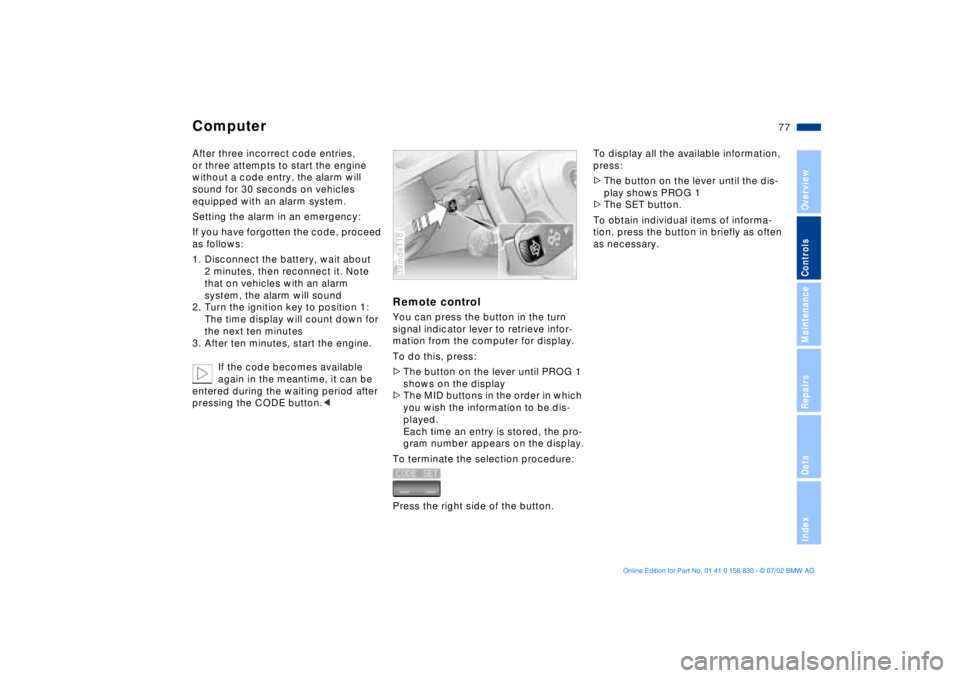
Remote controlYou can press the button in the turn
signal indicator lever to retrieve infor-
mation from the computer for display.
To do this, press:
>The button on the lever until PROG 1
shows on the display
>The MID buttons in the order in which
you wish the information to be dis-
played.
Each time an entry is stored, the pro-
gram number appears on the display.
To terminate the selection procedure:
Press the right side of the button.39mde118
To display all the available information,
press:
>The button on the lever until the dis-
play shows PROG 1
>The SET button.
To obtain individual items of informa-
tion, press the button in briefly as often
as necessary.
Page 80 of 155
80n
Dynamic Stability Control (DSC)DSC maintains vehicle stability, even in
critical driving situations.
The system optimizes vehicle stability
during acceleration and when starting
from a full stop, as well as enhancing
traction. In addition, the system recog-
nizes unstable vehicle conditions
(understeering or oversteering, for
example) and holds the vehicle on a
sure course by intervening via the
engine and by braking at the individual
wheels.
The system starts up automatically
each time you start the engine.Indicator lamp
The indicator lamp in the instru-
ment cluster goes out shortly
after you switch on the ignition.
Refer to page 17.
Indicator lamp flashes:
The system is active and governs drive
and braking force.
If the indicator lamp fails to go out after
the engine is started, or if it comes on
during normal driving and stays on:
There is a system malfunction or the
system was deactivated with the button.
You can continue to drive the vehicle
normally, but without DSC. Please con-
sult your BMW center for repairs.
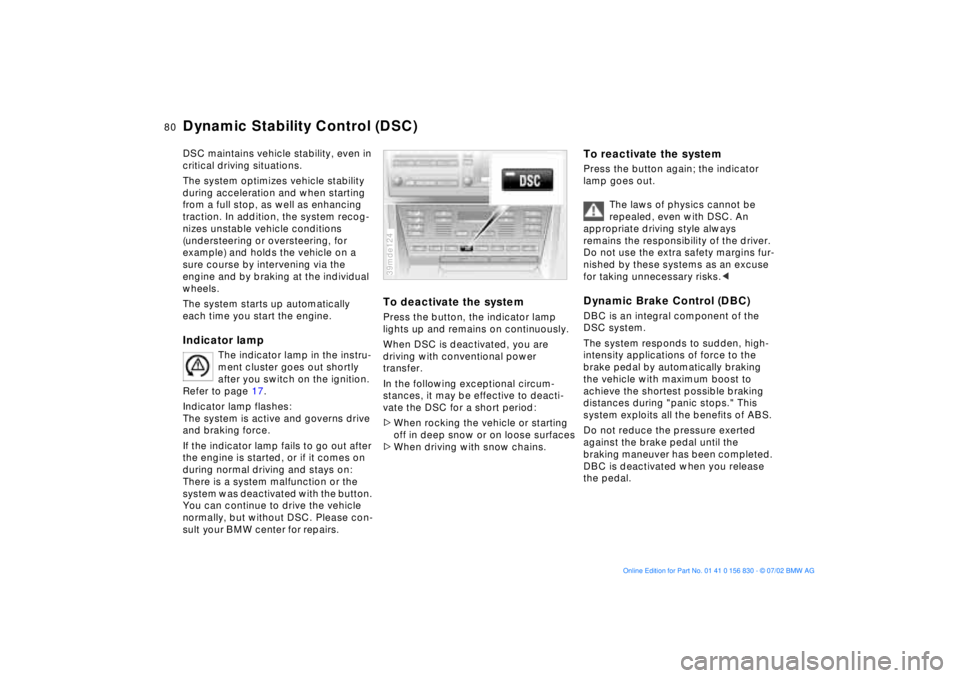
To deactivate the systemPress the button, the indicator lamp
lights up and remains on continuously.
When DSC is deactivated, you are
driving with conventional power
transfer.
In the following exceptional circum-
stances, it may be effective to deacti-
vate the DSC for a short period:
>When rocking the vehicle or starting
off in deep snow or on loose surfaces
>When driving with snow chains.39mde124
To reactivate the systemPress the button again; the indicator
lamp goes out.
The laws of physics cannot be
repealed, even with DSC. An
appropriate driving style always
remains the responsibility of the driver.
Do not use the extra safety margins fur-
nished by these systems as an excuse
for taking unnecessary risks.
The system responds to sudden, high-
intensity applications of force to the
brake pedal by automatically braking
the vehicle with maximum boost to
achieve the shortest possible braking
distances during "panic stops." This
system exploits all the benefits of ABS.
Do not reduce the pressure exerted
against the brake pedal until the
braking maneuver has been completed.
DBC is deactivated when you release
the pedal.