2003 BMW M5 SEDAN remote control
[x] Cancel search: remote controlPage 38 of 155
38n
Sliding/tilt sunroof
*
To prevent injuries, exercise
care when closing the sliding/tilt
sunroof and keep it in your field of
vision until it is shut.
Before leaving the vehicle, switch off
the electric sunroof mechanism by
removing the ignition key. Do not leave
children unattended in the vehicle with
access to vehicle keys. The key can be
used to start the engine and to operate
vehicle systems such as the power sun-
roof, etc. Unsupervised use of these
systems can result in serious personal
injury.<
For convenience operation via the door
lock or remote control, refer to page 27
or 29.
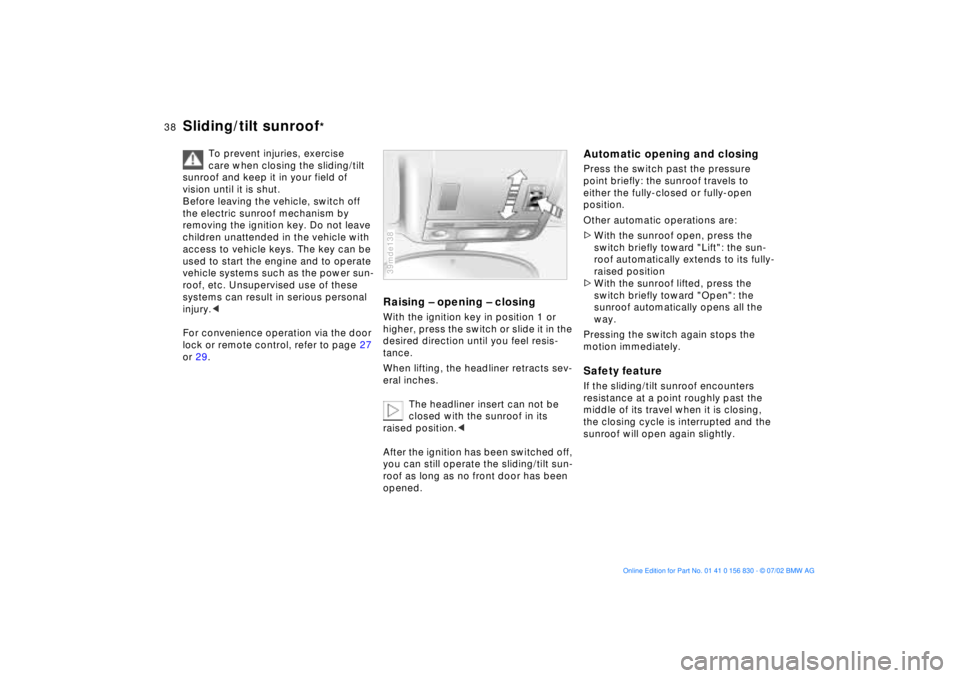
Raising Ð opening Ð closingWith the ignition key in position 1 or
higher, press the switch or slide it in the
desired direction until you feel resis-
tance.
When lifting, the headliner retracts sev-
eral inches.
The headliner insert can not be
closed with the sunroof in its
raised position.<
After the ignition has been switched off,
you can still operate the sliding/tilt sun-
roof as long as no front door has been
opened.39mde138
Automatic opening and closingPress the switch past the pressure
point briefly: the sunroof travels to
either the fully-closed or fully-open
position.
Other automatic operations are:
>With the sunroof open, press the
switch briefly toward "Lift": the sun-
roof automatically extends to its fully-
raised position
>With the sunroof lifted, press the
switch briefly toward "Open": the
sunroof automatically opens all the
way.
Pressing the switch again stops the
motion immediately.Safety featureIf the sliding/tilt sunroof encounters
resistance at a point roughly past the
middle of its travel when it is closing,
the closing cycle is interrupted and the
sunroof will open again slightly.
Page 46 of 155
46n
Seat, mirror and steering wheel memory Seat heating
Your BMW center can adjust
your vehicle's systems in such a
manner that your personalized settings
are automatically called up for the seat,
mirror and steering wheel positions
when you unlock the vehicle with your
personal remote control key.<
Before using the key memory fea-
ture to unlock the vehicle always
ensure that no objects are stored in the
footwell behind the driver's seat. If you
fail to do so, persons or objects could
be injured or damaged if the seat
should move backward.<
Passenger-side exterior mirror
tilt function(automatic curb monitor)
1 Move the mirror selector switch
(arrow) to the "driver's mirror" posi-
tion
2 When the gearshift lever or the
selector lever is placed in "Reverse,"
the passenger-side mirror tilts down-
ward to help the driver monitor the
area directly adjacent to the vehicle
during parking (curbs, etc.).
You can deactivate this automatic fea-
ture by setting the mirror selector
switch to the "passenger-side" posi-
tion.390de720
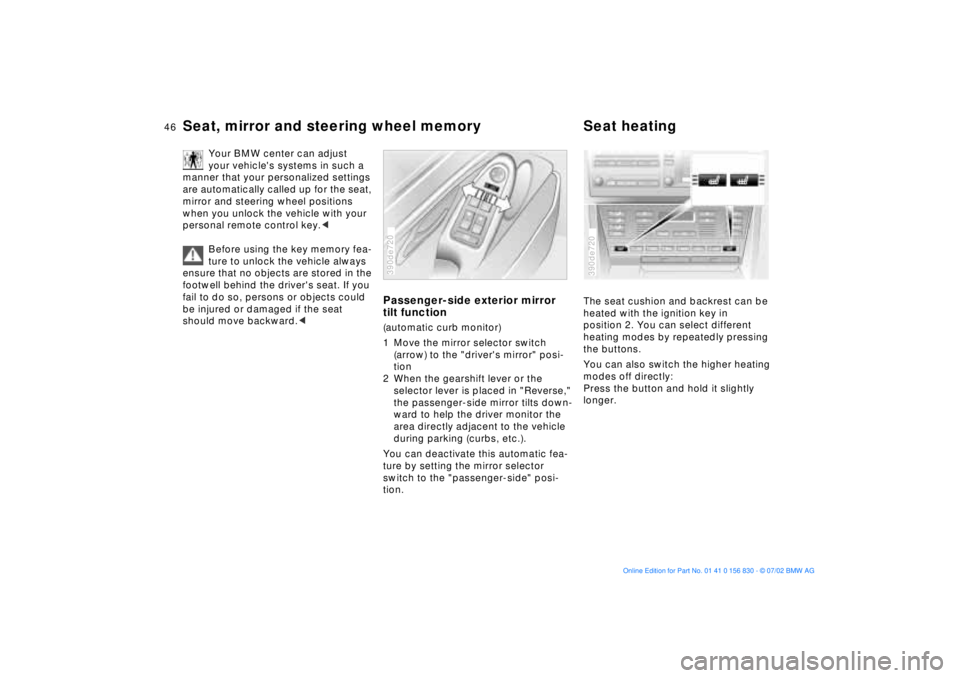
The seat cushion and backrest can be
heated with the ignition key in
position 2. You can select different
heating modes by repeatedly pressing
the buttons.
You can also switch the higher heating
modes off directly:
Press the button and hold it slightly
longer.390de720
Page 48 of 155
48n
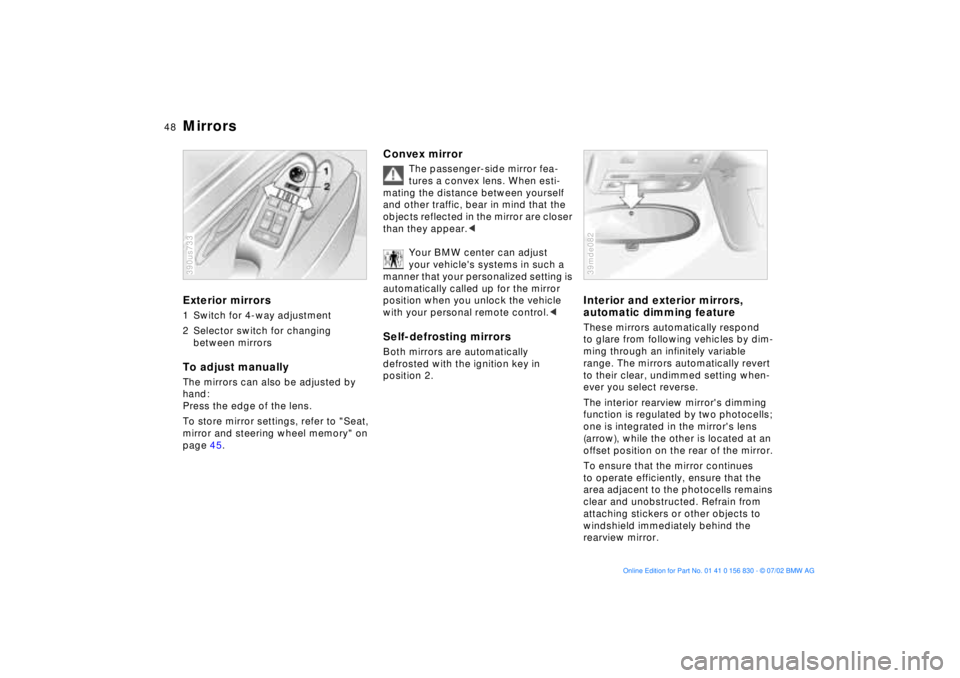
Mirrors Exterior mirrors1 Switch for 4-way adjustment
2 Selector switch for changing
between mirrorsTo adjust manuallyThe mirrors can also be adjusted by
hand:
Press the edge of the lens.
To store mirror settings, refer to "Seat,
mirror and steering wheel memory" on
page 45.390us733
Convex mirror
The passenger-side mirror fea-
tures a convex lens. When esti-
mating the distance between yourself
and other traffic, bear in mind that the
objects reflected in the mirror are closer
than they appear.<
Your BMW center can adjust
your vehicle's systems in such a
manner that your personalized setting is
automatically called up for the mirror
position when you unlock the vehicle
with your personal remote control.<
Self-defrosting mirrors Both mirrors are automatically
defrosted with the ignition key in
position 2.
Interior and exterior mirrors,
automatic dimming feature These mirrors automatically respond
to glare from following vehicles by dim-
ming through an infinitely variable
range. The mirrors automatically revert
to their clear, undimmed setting when-
ever you select reverse.
The interior rearview mirror's dimming
function is regulated by two photocells;
one is integrated in the mirror's lens
(arrow), while the other is located at an
offset position on the rear of the mirror.
To ensure that the mirror continues
to operate efficiently, ensure that the
area adjacent to the photocells remains
clear and unobstructed. Refrain from
attaching stickers or other objects to
windshield immediately behind the
rearview mirror.39mde082
Page 55 of 155
55n
OverviewControlsMaintenanceRepairsDataIndex
Vehicle Memory, Key Memory How the system functionsNo doubt you have reflected at one
time or another on how great it would
be if you could permanently configure
your vehicle's various features and
adjustments to mirror your own indi-
vidual preferences. In engineering your
vehicle, BMW has incorporated a
number of options for personal adjust-
ment that can be programmed into your
vehicle at your BMW center.
The available configuration data fall into
two categories, according to whether
their primary orientation is the vehicle
("Vehicle Memory") or the individual
("Key Memory"). Provided that each
person has a separate remote-control
key, you can have your BMW center
enter two personal adjustments for two
different individuals into the system.463de029
When your vehicle is unlocked with the
remote control, the vehicle recognizes
the individual user by means of a data
exchange with the key, and makes
adjustments accordingly.
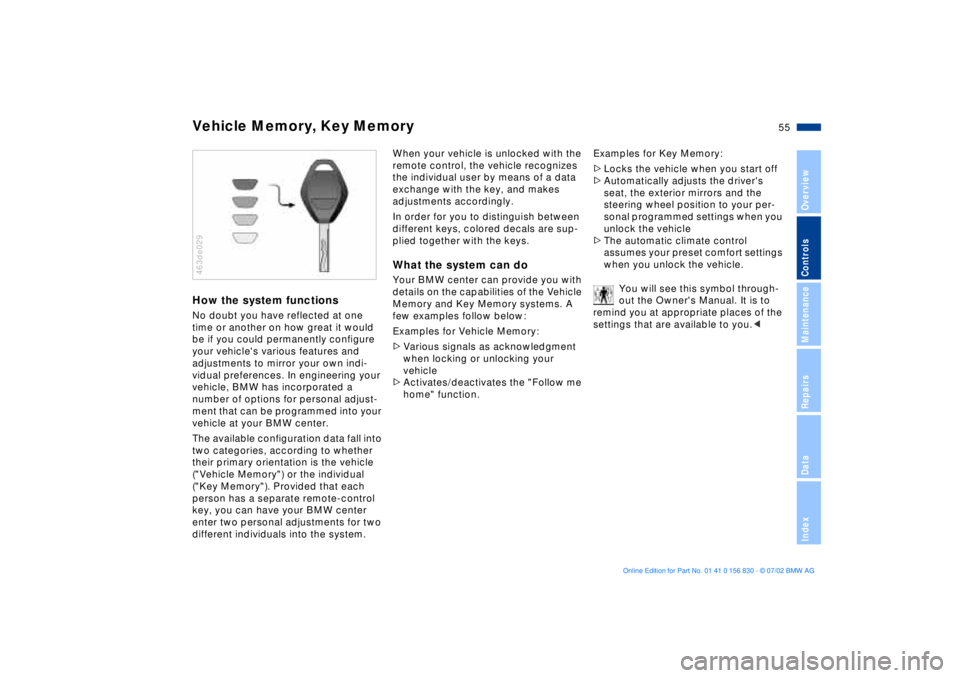
In order for you to distinguish between
different keys, colored decals are sup-
plied together with the keys.What the system can doYour BMW center can provide you with
details on the capabilities of the Vehicle
Memory and Key Memory systems. A
few examples follow below:
Examples for Vehicle Memory:
>Various signals as acknowledgment
when locking or unlocking your
vehicle
>Activates/deactivates the "Follow me
home" function.Examples for Key Memory:
>Locks the vehicle when you start off
>Automatically adjusts the driver's
seat, the exterior mirrors and the
steering wheel position to your per-
sonal programmed settings when you
unlock the vehicle
>The automatic climate control
assumes your preset comfort settings
when you unlock the vehicle.
You will see this symbol through-
out the Owner's Manual. It is to
remind you at appropriate places of the
settings that are available to you.<
Page 73 of 155
73n
OverviewControlsMaintenanceRepairsDataIndex
Computer
Only make entries when the
vehicle is standing still Ð to avoid
endangering yourself or other road
users.<
Computer calculations begin at the
start of the journey.
Display information can also be
accessed by remote control, refer to
page 77.
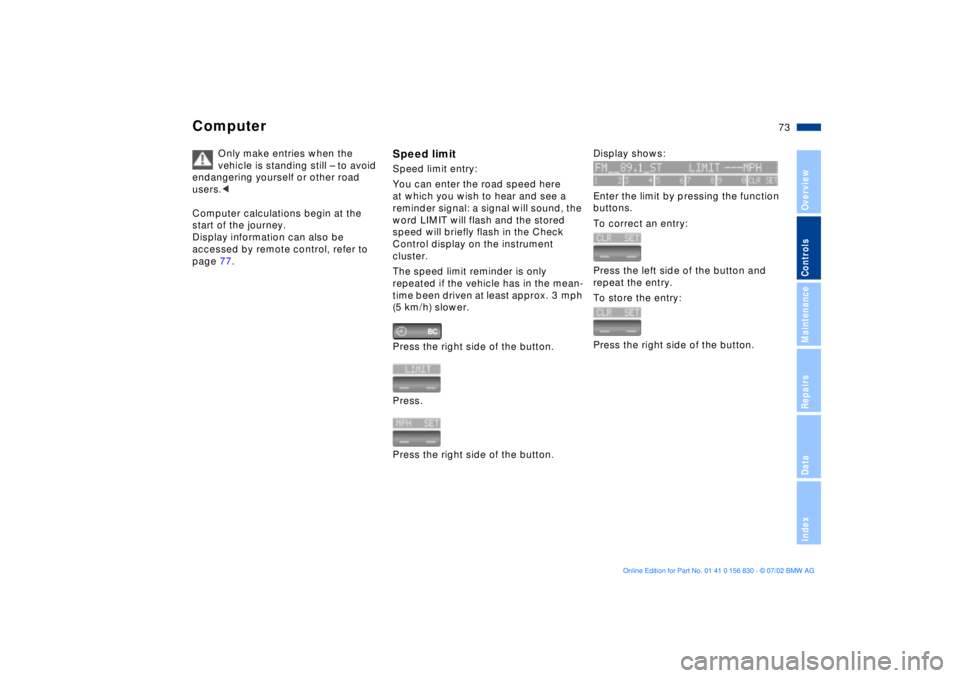
Speed limitSpeed limit entry:
You can enter the road speed here
at which you wish to hear and see a
reminder signal: a signal will sound, the
word LIMIT will flash and the stored
speed will briefly flash in the Check
Control display on the instrument
cluster.
The speed limit reminder is only
repeated if the vehicle has in the mean-
time been driven at least approx. 3 mph
(5 km/h) slower.
Press the right side of the button.
Press.
Press the right side of the button.
Display shows:
Enter the limit by pressing the function
buttons.
To correct an entry:
Press the left side of the button and
repeat the entry.
To store the entry:
Press the right side of the button.
Page 77 of 155
77n
OverviewControlsMaintenanceRepairsDataIndex
ComputerAfter three incorrect code entries,
or three attempts to start the engine
without a code entry, the alarm will
sound for 30 seconds on vehicles
equipped with an alarm system.
Setting the alarm in an emergency:
If you have forgotten the code, proceed
as follows:
1. Disconnect the battery, wait about
2 minutes, then reconnect it. Note
that on vehicles with an alarm
system, the alarm will sound
2. Turn the ignition key to position 1:
The time display will count down for
the next ten minutes
3. After ten minutes, start the engine.
If the code becomes available
again in the meantime, it can be
entered during the waiting period after
pressing the CODE button.<
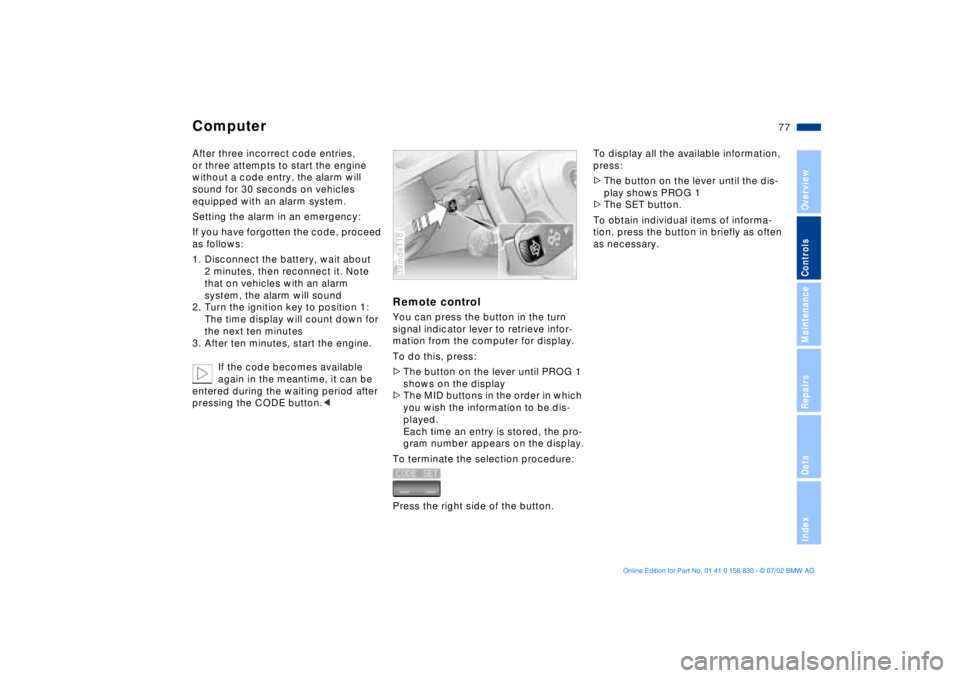
Remote controlYou can press the button in the turn
signal indicator lever to retrieve infor-
mation from the computer for display.
To do this, press:
>The button on the lever until PROG 1
shows on the display
>The MID buttons in the order in which
you wish the information to be dis-
played.
Each time an entry is stored, the pro-
gram number appears on the display.
To terminate the selection procedure:
Press the right side of the button.39mde118
To display all the available information,
press:
>The button on the lever until the dis-
play shows PROG 1
>The SET button.
To obtain individual items of informa-
tion, press the button in briefly as often
as necessary.
Page 93 of 155
93n
OverviewControlsMaintenanceRepairsDataIndex
The conceptThe BMW Universal Transmitter
replaces up to 3 hand-held transmitters,
e.g. for garage-door openers, alarm
systems or a door-locking system. The
BMW Universal Transmitter recognizes
and "learns" the signal transmitted from
each of the original hand-held transmit-
ters.
The signal of an original hand-held
transmitter can be programmed to one
of the three channel keys. Following
that, each of the devices can be actu-
ated with the appropriately-pro-
grammed channel key. The indicator
lamp flashes to confirm transmission of
the signal.
Before you sell your vehicle, the pro-
gram data in the channel keys should
be deleted. Refer to page 95 for the
description of this process.
To prevent potential injuries or
damage: during the programming
operation and before every remote trig-
gering of a programmed device using
the BMW Universal Transmitter, be sure
that there are no persons, animals or
objects within the range of movement of
the respective device. Read and comply
with the safety instructions for the orig-
inal hand-held transmitter also.<
To Canadian residents
During programming, your hand-
held transmitter may automatically stop
transmitting after two seconds. This
may not be long enough to program the
BMW Universal Transmitter. If you are
programming from one of these hand-
held transmitters, the BMW Universal
Transmitter's light may begin to flash in
a series of double-blinks. If this occurs,
continue to hold the key on the BMW
Universal Transmitter while you reacti-
vate your hand-held transmitter. You
may have to repeat this function several
times while programming.<
Before programming, read the
"User's information" section on
page 95.< The original hand-held transmitter
If this symbol is depicted on
the packaging or in the user's
instructions for the original
hand-held transmitter, it may be
assumed that this original hand-held
transmitter is compatible with the BMW
Universal Transmitter.
Checking for the conversion codeIn order to determine whether the orig-
inal hand-held transmitter is equipped
with a conversion code system, you
may either refer to the instructions for
the original hand-held transmitter or
program a channel key as described in
the left-hand column on page 94 under
"Programming."
Following that, press and hold the pro-
grammed channel key on the BMW Uni-
versal Transmitter. If the indicator lamp
on the BMW Universal Transmitter
flashes rapidly for two seconds and
then stays on continuously, the original
hand-held transmitter is equipped with
a conversion code system. If the con-
version code system is available, pro-
gram the channel keys as described on
page 94 in the right-hand column under
"Programming a hand-held transmitter
with conversion code."
If you have additional questions,
please consult your BMW center
or call 1-800-355-3515.<
BMW Universal Transmitter
*
Page 147 of 155

Everything from A to Z
147n
OverviewControlsMaintenanceRepairsDataIndex
Cockpit14
Code76
activating76
deactivating76
refer also to the "Owner's
Manual for Onboard
Computer"
selecting76
Comfort seat42
Compartments96
Computer73
refer also to the "Owner's
Manual for Onboard
Computer"
remote control77
Configuring individual
settings55
Consumption75
Convenience operation of
windows and sliding/tilt
sunroof27
Coolant117
disposal118
Coolant temperature
gauge65
Cooling, maximum90
Copyright4
Cover, roller sun blinds92
Cruise control61
Cruising range75 Cup holder, refer to
Beverage holder97
Curb weight142
D
Date
calling up70
changing70
refer also to the "Owner's
Manual for Onboard
Computer"
Daytime driving lamps84
DBC (Dynamic Brake
Control)17, 80
Deactivating
interior motion sensor36
tilt alarm sensor36
Deep water107
Defrosting position89
Defrosting the
windows89t
Digital clock70
refer also to the "Owner's
Manual for Onboard
Computer"
Dimensions141
Disconnecting the
battery133t
Displacement140
Display lighting85 Displays, instrument
cluster15
Disposal
brake fluid118
coolant118
engine oil116
Distance from
destination74
Divided rear backrest99
Door key26
Doors
manual operation27
remote control28
unlocking and locking27
DOT Quality Grades110
Driving notes107
DSC (Dynamic Stability
Control)17, 80
Dynamic Brake Control
(DBC)17, 80
Dynamic Driving Control81
Dynamic Stability Control
(DSC)17, 80
E
Electric power windows36
Electrical heating, exterior
mirror48 Electrical malfunction
doors27t
fuel filler door20t
luggage compartment
lid32t
sliding/tilt sunroof39t
Elements of operation14
Emergency release of
luggage compartment
lid from luggage
compartment's interior34
Engine compartment114
Engine coolant118
temperature gauge65
Engine data140
Engine oil
checking level115
consumption115
dipstick115
disposal116
grades117
level16
pressure16
temperature gauge64
Engine performance140
Estimated time of arrival75
Exterior mirrors48
automatic dimming48
electrical heating48