2003 BMW 540I SEDAN ignition
[x] Cancel search: ignitionPage 70 of 187
70n
Switching off the engine Parking brakeTurn the ignition key to position 1 or 0.
Do not remove the ignition key
while the vehicle is rolling. The
steering locks, making it impossible to
steer the vehicle.
Always remove the ignition key and
engage the steering lock before leaving
the vehicle.
Vehicles with manual transmission:
Always engage the parking brake
when parking on hills and inclined sur-
faces, as first gear or reverse may not
provide adequate resistance to rolling.
Vehicles with automatic transmission:
Place the selector lever in "Park."<
Vehicles with automatic transmission:
The vehicle must be stationary and the
selector lever in "Park" before you can
remove the ignition key.
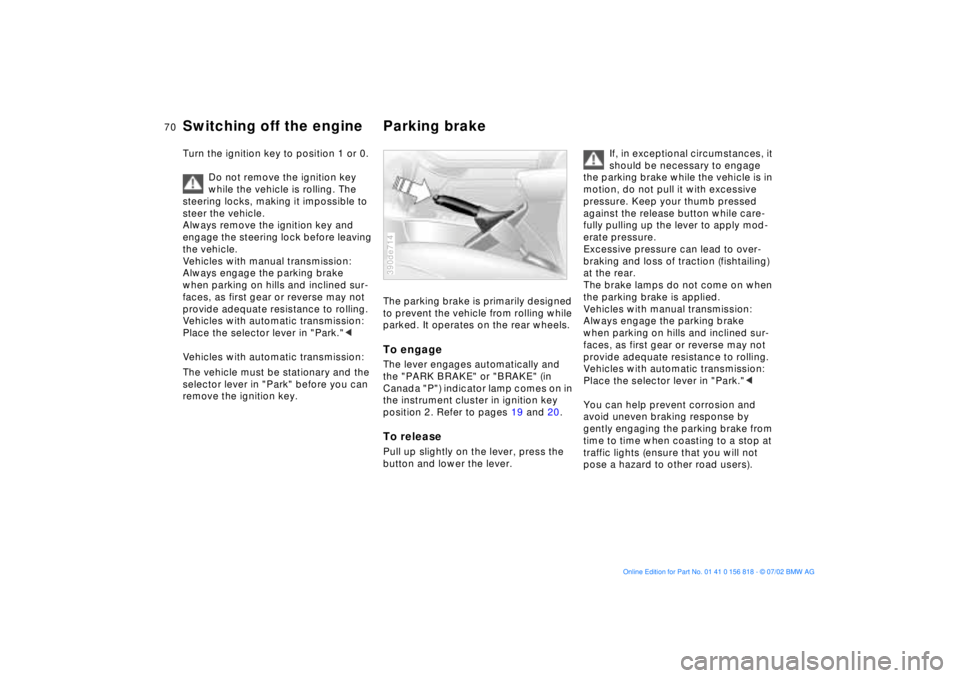
The parking brake is primarily designed
to prevent the vehicle from rolling while
parked. It operates on the rear wheels.To engageThe lever engages automatically and
the "PARK BRAKE" or "BRAKE" (in
Canada "P") indicator lamp comes on in
the instrument cluster in ignition key
position 2. Refer to pages 19 and 20.To releasePull up slightly on the lever, press the
button and lower the lever.390de714
If, in exceptional circumstances, it
should be necessary to engage
the parking brake while the vehicle is in
motion, do not pull it with excessive
pressure. Keep your thumb pressed
against the release button while care-
fully pulling up the lever to apply mod-
erate pressure.
Excessive pressure can lead to over-
braking and loss of traction (fishtailing)
at the rear.
The brake lamps do not come on when
the parking brake is applied.
Vehicles with manual transmission:
Always engage the parking brake
when parking on hills and inclined sur-
faces, as first gear or reverse may not
provide adequate resistance to rolling.
Vehicles with automatic transmission:
Place the selector lever in "Park."<
You can help prevent corrosion and
avoid uneven braking response by
gently engaging the parking brake from
time to time when coasting to a stop at
traffic lights (ensure that you will not
pose a hazard to other road users).
Page 71 of 187
71n
OverviewControlsMaintenanceRepairsDataIndex
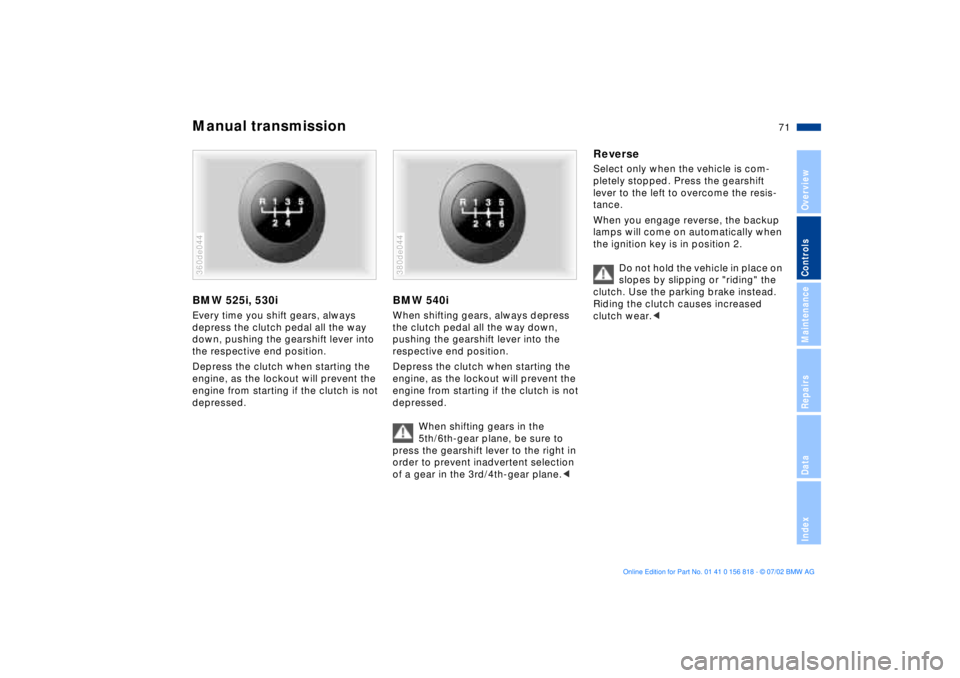
Manual transmissionBMW 525i, 530iEvery time you shift gears, always
depress the clutch pedal all the way
down, pushing the gearshift lever into
the respective end position.
Depress the clutch when starting the
engine, as the lockout will prevent the
engine from starting if the clutch is not
depressed.360de044
BMW 540iWhen shifting gears, always depress
the clutch pedal all the way down,
pushing the gearshift lever into the
respective end position.
Depress the clutch when starting the
engine, as the lockout will prevent the
engine from starting if the clutch is not
depressed.
When shifting gears in the
5th/6th-gear plane, be sure to
press the gearshift lever to the right in
order to prevent inadvertent selection
of a gear in the 3rd/4th-gear plane.< 380de044
ReverseSelect only when the vehicle is com-
pletely stopped. Press the gearshift
lever to the left to overcome the resis-
tance.
When you engage reverse, the backup
lamps will come on automatically when
the ignition key is in position 2.
Do not hold the vehicle in place on
slopes by slipping or "riding" the
clutch. Use the parking brake instead.
Riding the clutch causes increased
clutch wear.<
Page 74 of 187
74n
Automatic transmission
*
Electronic transmission control
module
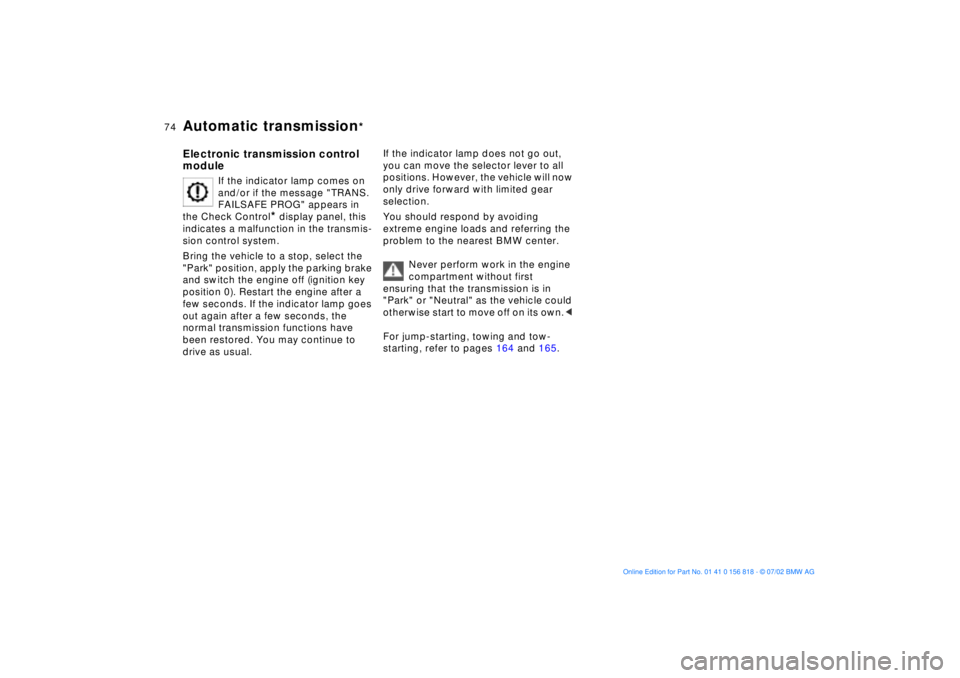
If the indicator lamp comes on
and/or if the message "TRANS.
FAILSAFE PROG" appears in
the Check Control
* display panel, this
indicates a malfunction in the transmis-
sion control system.
Bring the vehicle to a stop, select the
"Park" position, apply the parking brake
and switch the engine off (ignition key
position 0). Restart the engine after a
few seconds. If the indicator lamp goes
out again after a few seconds, the
normal transmission functions have
been restored. You may continue to
drive as usual.
If the indicator lamp does not go out,
you can move the selector lever to all
positions. However, the vehicle will now
only drive forward with limited gear
selection.
You should respond by avoiding
extreme engine loads and referring the
problem to the nearest BMW center.
Never perform work in the engine
compartment without first
ensuring that the transmission is in
"Park" or "Neutral" as the vehicle could
otherwise start to move off on its own.<
For jump-starting, towing and tow-
starting, refer to pages 164 and 165.
Page 77 of 187
77n
OverviewControlsMaintenanceRepairsDataIndex
Automatic transmission with Steptronic
*
ATC executes upshifts and downshifts
only when the new gear will provide a
suitable combination of vehicle and
engine speed, i.e., ATC will not execute
downshifts that would cause the engine
to overrev. The gear selected will
appear briefly in the instrument cluster
followed by the current gear.
If you are driving in the manual
mode and wish to accelerate
rapidly from low road speeds (when
passing, for instance), you must shift
down manually or with the "kickdown"
function.<
You can only change from "M/S" to
selector lever positions "P," "R," and
"N" via the "D" position.
Electronic transmission control
module
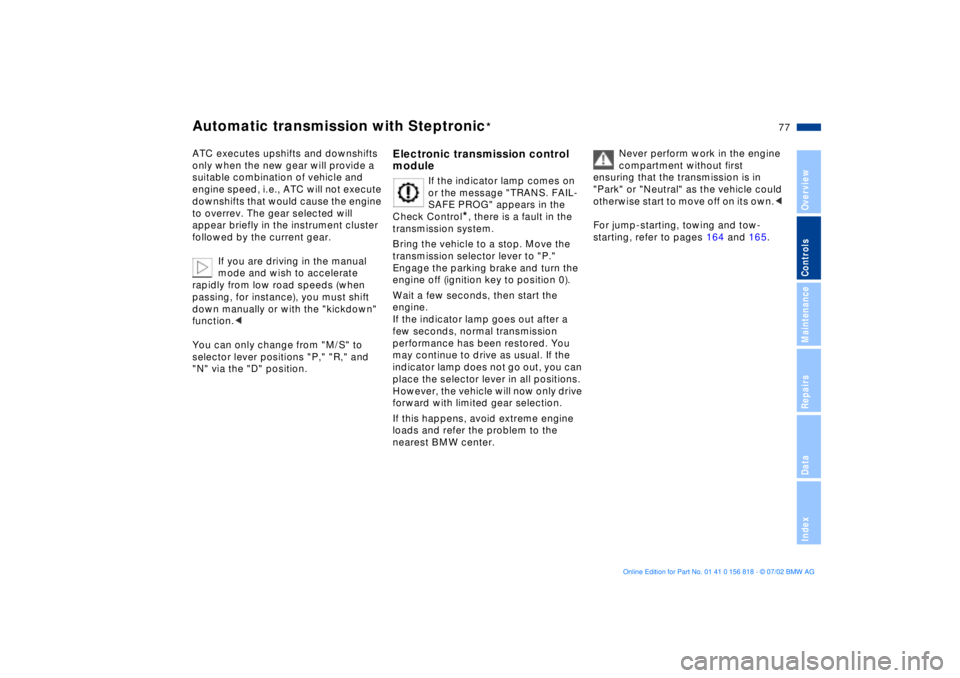
If the indicator lamp comes on
or the message "TRANS. FAIL-
SAFE PROG" appears in the
Check Control
*, there is a fault in the
transmission system.
Bring the vehicle to a stop. Move the
transmission selector lever to "P."
Engage the parking brake and turn the
engine off (ignition key to position 0).
Wait a few seconds, then start the
engine.
If the indicator lamp goes out after a
few seconds, normal transmission
performance has been restored. You
may continue to drive as usual. If the
indicator lamp does not go out, you can
place the selector lever in all positions.
However, the vehicle will now only drive
forward with limited gear selection.
If this happens, avoid extreme engine
loads and refer the problem to the
nearest BMW center.
Never perform work in the engine
compartment without first
ensuring that the transmission is in
"Park" or "Neutral" as the vehicle could
otherwise start to move off on its own.<
For jump-starting, towing and tow-
starting, refer to pages 164 and 165.
Page 78 of 187
78n
Indicator/Headlamp flasher
Washer/Wiper system
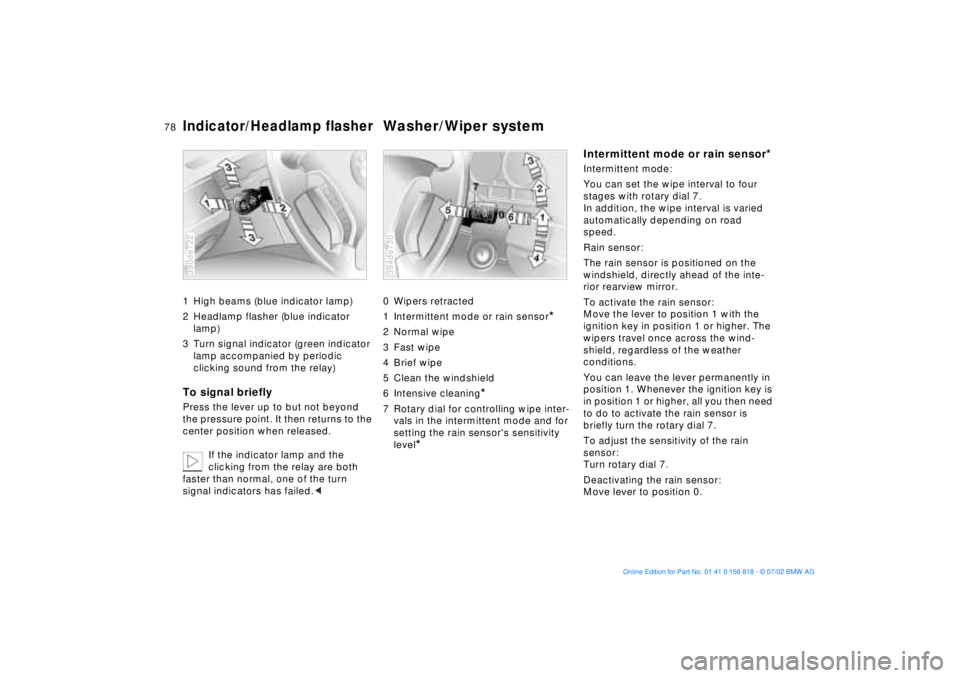
1 High beams (blue indicator lamp)
2 Headlamp flasher (blue indicator
lamp)
3 Turn signal indicator (green indicator
lamp accompanied by periodic
clicking sound from the relay)To signal brieflyPress the lever up to but not beyond
the pressure point. It then returns to the
center position when released.
If the indicator lamp and the
clicking from the relay are both
faster than normal, one of the turn
signal indicators has failed.<390de722
0 Wipers retracted
1 Intermittent mode or rain sensor
*
2 Normal wipe
3 Fast wipe
4 Brief wipe
5 Clean the windshield
6 Intensive cleaning
*
7 Rotary dial for controlling wipe inter-
vals in the intermittent mode and for
setting the rain sensor's sensitivity
level
*
394de730
Intermittent mode or rain sensor
*
Intermittent mode:
You can set the wipe interval to four
stages with rotary dial 7.
In addition, the wipe interval is varied
automatically depending on road
speed.
Rain sensor:
The rain sensor is positioned on the
windshield, directly ahead of the inte-
rior rearview mirror.
To activate the rain sensor:
Move the lever to position 1 with the
ignition key in position 1 or higher. The
wipers travel once across the wind-
shield, regardless of the weather
conditions.
You can leave the lever permanently in
position 1. Whenever the ignition key is
in position 1 or higher, all you then need
to do to activate the rain sensor is
briefly turn the rotary dial 7.
To adjust the sensitivity of the rain
sensor:
Turn rotary dial 7.
Deactivating the rain sensor:
Move lever to position 0.
Page 79 of 187
79n
OverviewControlsMaintenanceRepairsDataIndex
Washer/Wiper system
Turn the rain sensor off in auto-
matic car washes. Failure to do so
could result in damage caused by
undesired wiper activation.<
Normal wipeThe system automatically reverts to
operation in the intermittent mode
whenever the vehicle is stationary (not
on vehicles with rain sensor
*).
Fast wipeThe wipers revert to operation at
normal speed when the vehicle stops
(not on vehicles with rain sensor
*).
Clean the windshieldThe system sprays washer fluid against
the windshield and activates the wipers
for a brief period.
Intensive cleaning
*
As in setting 5. In addition, an intensive-
action washer fluid is first sprayed on
the windshield.
For changing the wiper blades, refer to
page 152.Clean the headlamps
*
When the headlamps are on, they are
also cleaned automatically every fifth
time you activate the clean the wind-
shield (5) or intensive cleaning (6)
mode.
Do not use the washers if there is
any danger that the fluid will
freeze on the windshield, as your vision
could be obscured. Always use an anti-
freeze agent. Refer to page 141.
Do not use the washers when the reser-
voir is empty. This could cause damage
to the washer pump.< Windshield washer jetsThe windshield washer jets are warmed
automatically when the ignition key is in
position 2.
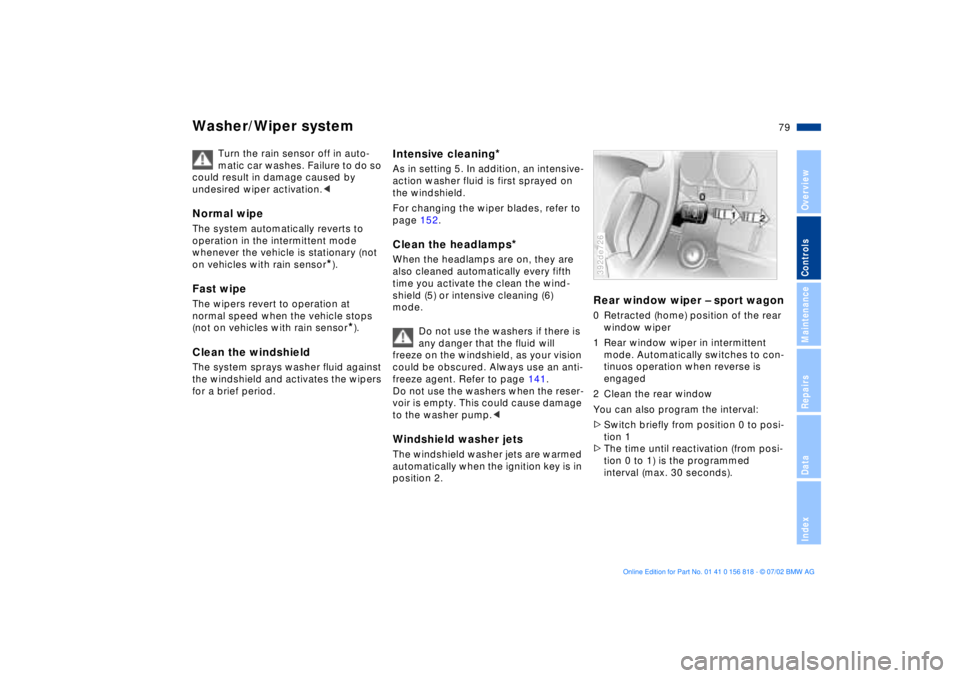
Rear window wiper Ð sport wagon0 Retracted (home) position of the rear
window wiper
1 Rear window wiper in intermittent
mode. Automatically switches to con-
tinuos operation when reverse is
engaged
2 Clean the rear window
You can also program the interval:
>Switch briefly from position 0 to posi-
tion 1
>The time until reactivation (from posi-
tion 0 to 1) is the programmed
interval (max. 30 seconds).392de726
Page 80 of 187
80n
Washer/Wiper system Cruise controlThe programmed interval is deleted
>approx. 10 seconds after the lever is
placed in position 0 or
>after the engine is switched off.
When the rear window is opened, the
rear window wiper is switched off. It
must be switched on again after the
window has been closed.
For changing the wiper blade, refer to
page 152.You can store and automatically main-
tain any desired vehicle speed above
approx. 20 mph (30 km/h).
The cruise control is available whenever
the engine is running and the system
has been activated.
To activate the system In ignition key position 1 or 2:
Press the button and the indicator lamp
in the instrument cluster (refer to
page 21) will come on. You can now
use the cruise control.
Do not use cruise control on
twisting roads, when high traffic
density prevents driving at a constant
speed, or when the road surface is slick
(snow, rain, ice) or loose (rocks or
gravel, sand).< To deactivate the systemPress button as often as needed until
the indicator lamp in the instrument
cluster goes out.
Cruise control is also deactivated when
the ignition key is in position 0.
The speed stored in memory is deleted.
Page 82 of 187
82n
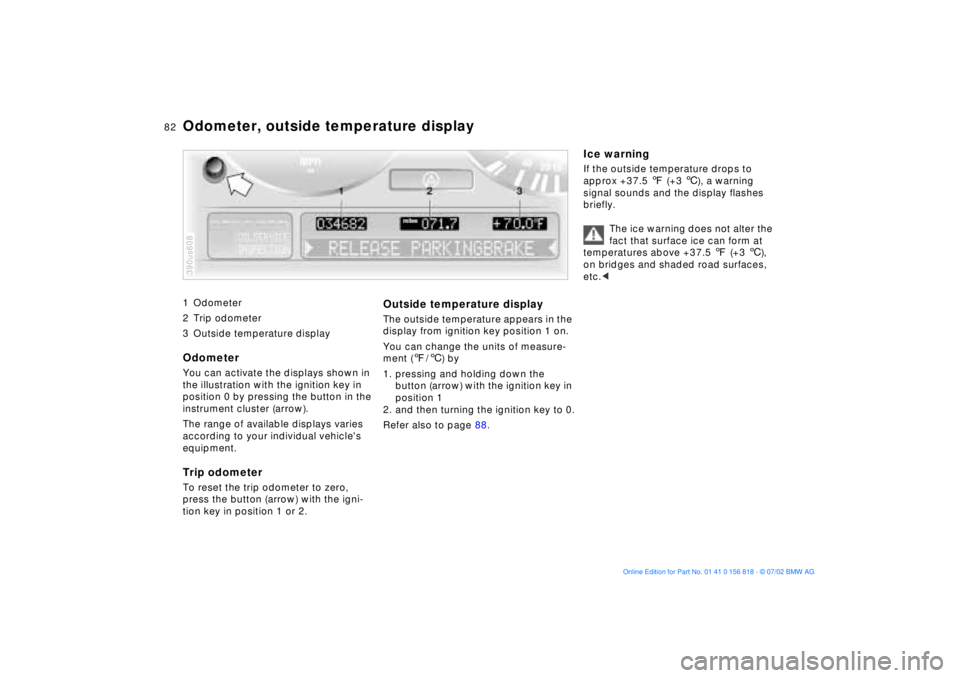
1 Odometer
2 Trip odometer
3 Outside temperature display
Odometer You can activate the displays shown in
the illustration with the ignition key in
position 0 by pressing the button in the
instrument cluster (arrow).
The range of available displays varies
according to your individual vehicle's
equipment.Trip odometerTo reset the trip odometer to zero,
press the button (arrow) with the igni-
tion key in position 1 or 2.390us608
Outside temperature displayThe outside temperature appears in the
display from ignition key position 1 on.
You can change the units of measure-
ment (7/6) by
1. pressing and holding down the
button (arrow) with the ignition key in
position 1
2. and then turning the ignition key to 0.
Refer also to page 88.
Ice warningIf the outside temperature drops to
approx +37.5 7 (+3 6), a warning
signal sounds and the display flashes
briefly.
The ice warning does not alter the
fact that surface ice can form at
temperatures above +37.5 7 (+3 6),
on bridges and shaded road surfaces,
etc.<
Odometer, outside temperature display