Page 113 of 334
02 SIENNA_U (L/O 0107)
1092002 MY SIENNA_U (OM45407U)
CAUTION
�Always make sure the shoulder belt
is positioned across the center of
child’s shoulder. The belt should be
kept away from child’s neck, but
not falling off child’s s houlder. Fail-
ure to do so could reduce the
amount of protection in an accident
and cause serious injuries in a col-
lision.
�Both highpositioned lap belts and
loosefitting belts could cause seri-
ous injuries due to sliding under
the lap belt during a collision or
other unintended result. Keep the
lap belt positioned as low on a
child’s hips as possible.
�For child’s safety, do not place the
shoulder belt under child’s arm.
�After inserting the tab, make sure
the tab and buckle are locked and
that the lap and shoulder portions
of the belt are not twisted.
�Do not insert coins, clips, etc. in
the buckle as this may prevent your
child from properly latching the tab
and buckle.
�If the seat belt does not function
normally, it cannot protect your
child from injury. Contact your
Toyota dealer immediately. Do not
use the seat until the seat belt is
fixed.
2. To remove the child restraint system, press the bucklerelease button and al-
low the belt to retract.
Page 118 of 334
02 SIENNA_U (L/O 0107)
11 42002 MY SIENNA_U (OM45407U)
CAUTION
�When using the lower anchorages
for the child restraint system, be
sure that there are no irregular ob-
jects around the anchorages or that
the seat belt is not caught.
�Push and pull the child restraint
system in different directions to be
sure it is secure. Follow all the
installation instructions provided by
its manufacturer.
�After securing the child restraint
system, never slide or recline the
seat.
�Do not put a child restraint system
on the second seat or third seat if
it interferes with the lock mecha-
nism of the front seat or second
seat. This can cause severe injury
to the child and front passenger in
case of sudden braking or a colli-
sion.
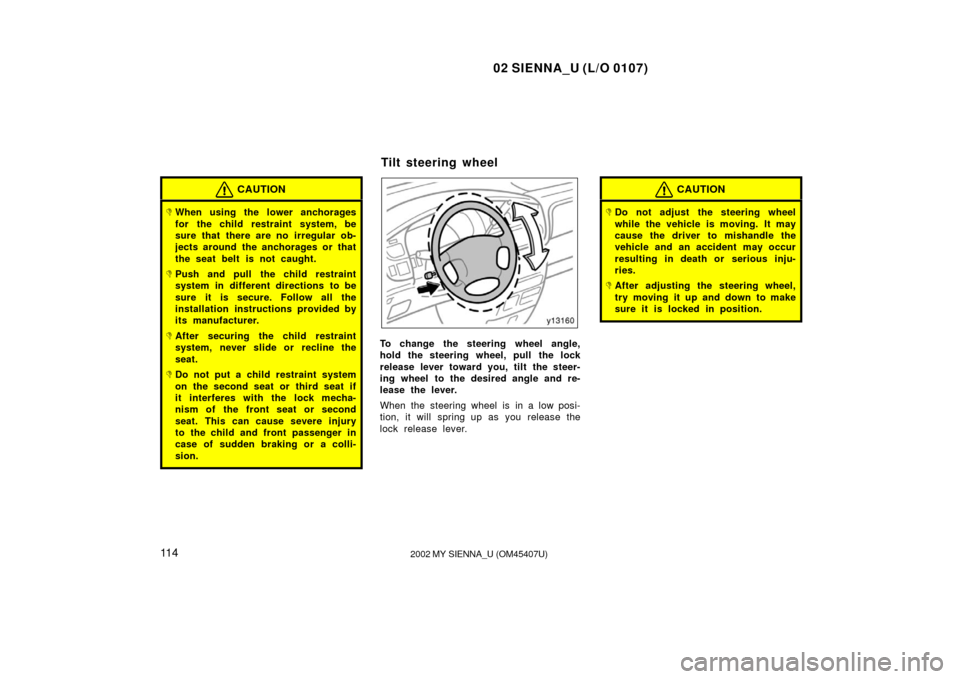
To change the steering wheel angle,
hold the steering wheel, pull the lock
release lever toward you, tilt the steer-
ing wheel to the desired angle and re-
lease the lever.
When the steering wheel is in a low posi-
tion, it will spring up as you release the
lock release lever.
CAUTION
�Do not adjust the steering wheel
while the vehicle is moving. It may
cause the driver to mishandle the
vehicle and an accident may occur
resulting in death or serious inju-
ries.
�After adjusting the steering wheel,
try moving it up and down to make
sure it is locked in position.
Tilt steering wheel
Page 122 of 334
02 SIENNA_U (L/O 0107)
11 82002 MY SIENNA_U (OM45407U)
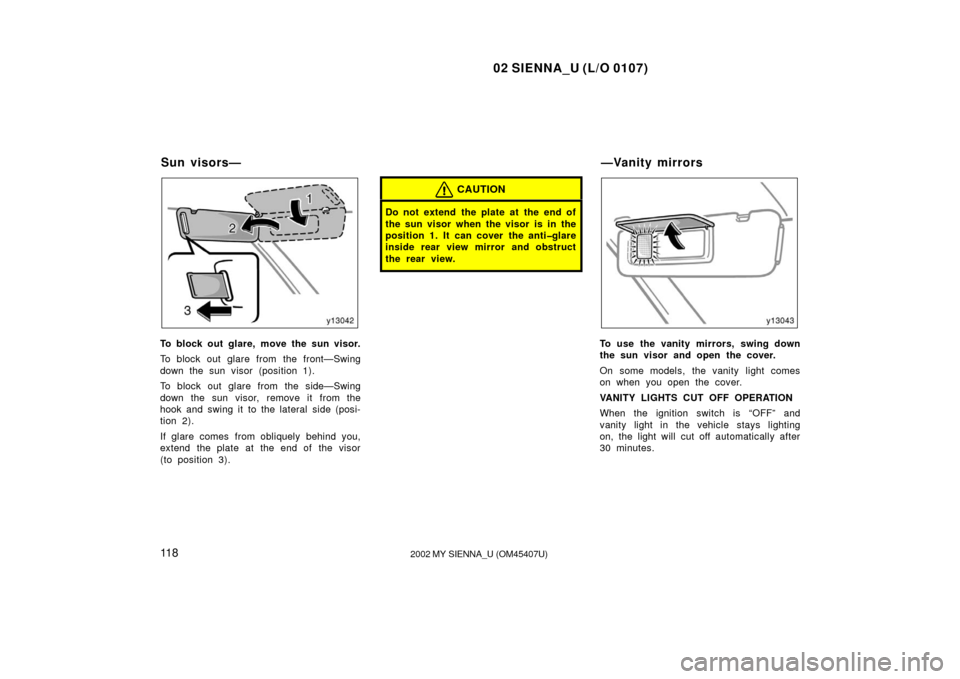
To block out glare, move the sun visor.
To block out glare from the front—Swing
down the sun visor (position 1).
To block out glare from the side—Swing
down the sun visor, remove it from the
hook and swing it to the lateral side (posi-
tion 2).
If glare comes from obliquely behind you,
extend the plate at the end of the visor
(to position 3).
CAUTION
Do not extend the plate at the end of
the sun visor when the visor is in the
position 1. It can cover the antiglare
inside rear view mirror and obstruct
the rear view.
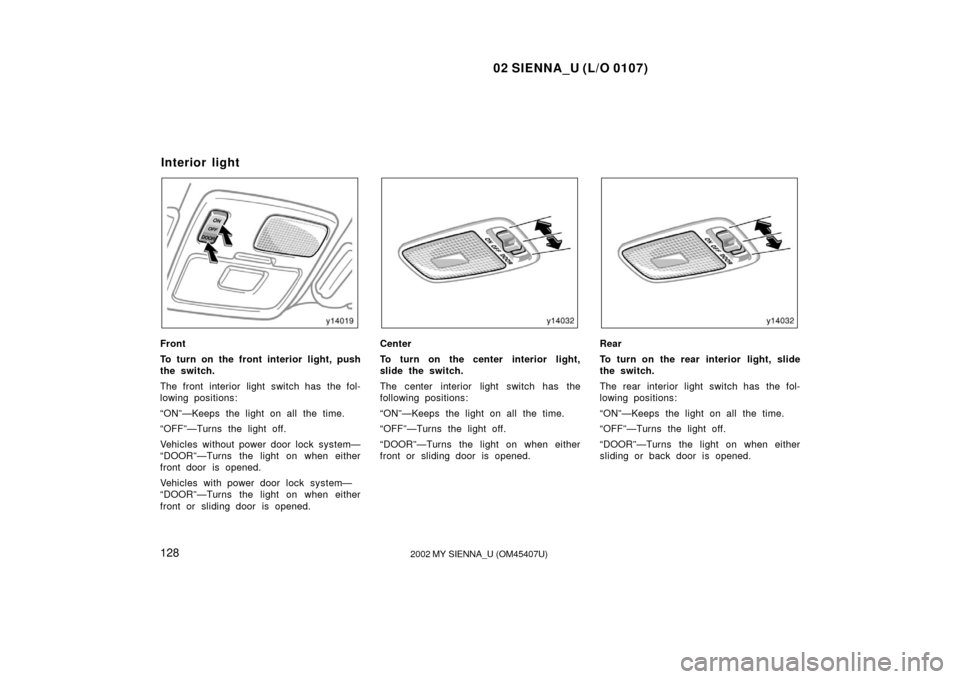
To use the vanity mirrors, swing down
the sun visor and open the cover.
On some models, the vanity light comes
on when you open the cover.
VANITY LIGHTS CUT OFF OPERATION
When the ignition switch is “OFF” and
vanity light in the vehicle stays lighting
on, the light will cut off automatically after
30 minutes.
Sun visors— —Vanity mirrors
Page 123 of 334
02 SIENNA_U (L/O 0107)
11 92002 MY SIENNA_U (OM45407U)
You can cancel the cut off operation by:
�Turning the key to the “ACC” position.
�Opening or closing any of front and
sliding doors.
�Turning off all the “ON” lights.
All the lights are cut off when all the
doors are locked by key or wireless re-
mote control transmitter.
The key must be in the “OFF” position.
Page 126 of 334
02 SIENNA_U (L/O 0107)
1222002 MY SIENNA_U (OM45407U)
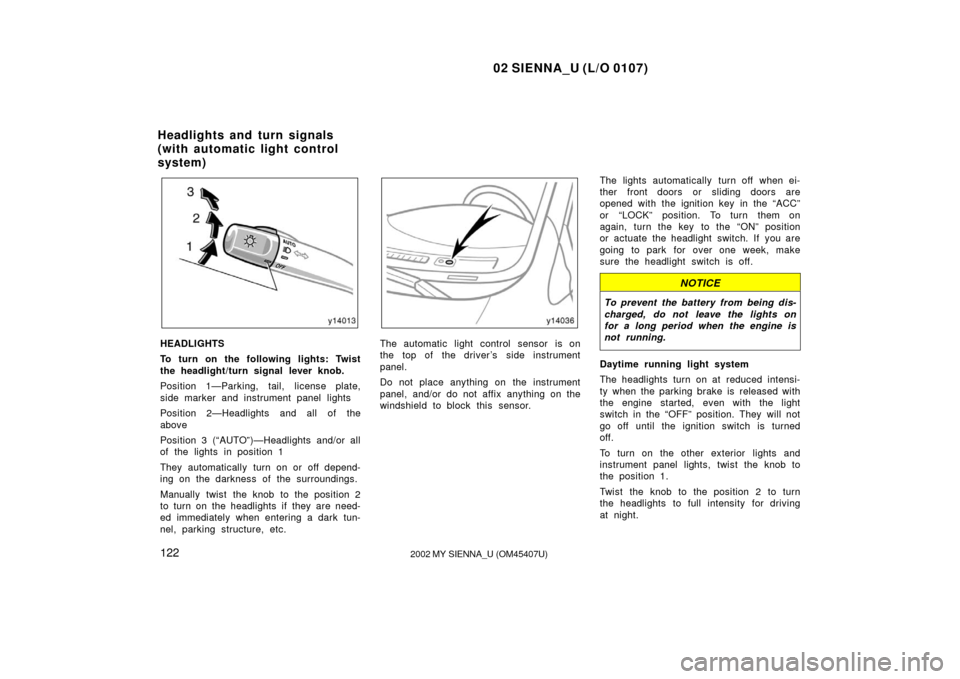
HEADLIGHTS
To turn on the following lights: Twist
the headlight/turn signal lever knob.
Position 1—Parking, tail, license plate,
side marker and instrument panel lights
Position 2—Headlights and all of the
above
Position 3 (“AUTO”)—Headlights and/or all
of the lights in position 1
They automatically turn on or off depend-
ing on the darkness of the surroundings.
Manually twist the knob to the position 2
to turn on the headlights if they are need-
ed immediately when entering a dark tun-
nel, parking structure, etc.The automatic light control sensor is on
the top of the driver’s side instrument
panel.
Do not place anything on the instrument
panel, and/or do not affix anything on the
windshield to block this sensor. The lights automatically turn off when ei-
ther front doors or sliding doors are
opened with the ignition key in the “ACC”
or “LOCK” position. To turn them on
again, turn the key to the “ON” position
or actuate the headlight switch. If you are
going to park for over one week, make
sure the headlight switch is off.
NOTICE
To prevent the battery from being dis-
charged, do not leave the lights on
for a long period when the engine is
not running.
Daytime running light system
The headlights turn on at reduced intensi-
ty when the parking brake is released with
the engine started, even with the light
switch in the “OFF” position. They will not
go off until the ignition switch is turned
off.
To turn on the other exterior lights and
instrument panel lights, twist the knob to
the position 1.
Twist the knob to the position 2 to turn
the headlights to full intensity for driving
at night.
Headlights and turn signals
(with automatic light control
system)
Page 131 of 334
02 SIENNA_U (L/O 0107)
1272002 MY SIENNA_U (OM45407U)
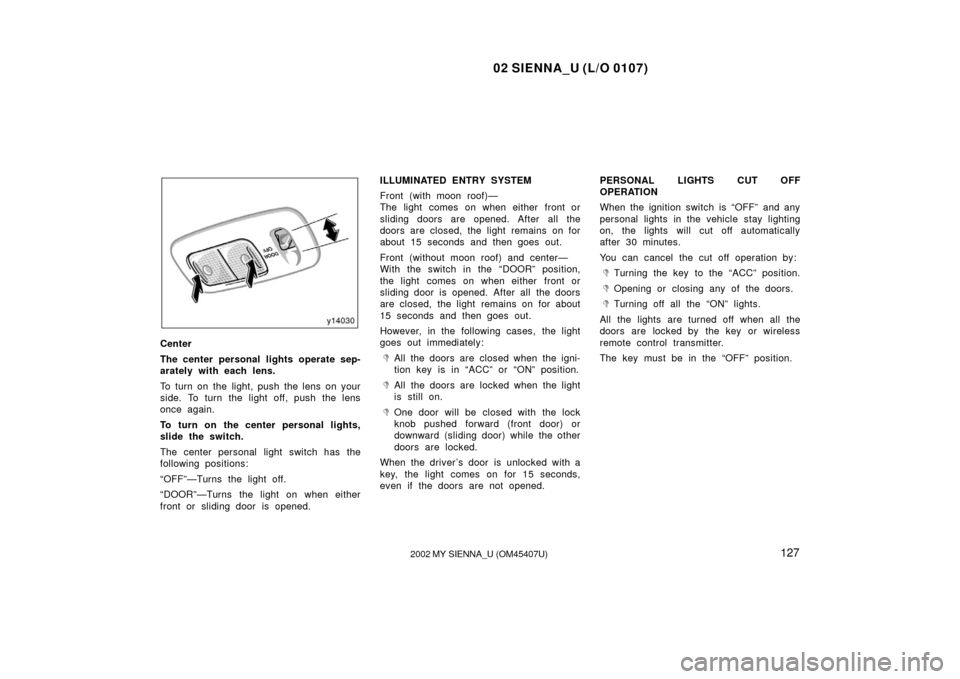
Center
The center personal lights operate sep-
arately with each lens.
To turn on the light, push the lens on your
side. To turn the light off, push the lens
once again.
To turn on the center personal lights,
slide the switch.
The center personal light switch has the
following positions:
“OFF”—Turns the light off.
“DOOR”—Turns the light on when either
front or sliding door is opened. ILLUMINATED ENTRY SYSTEM
Front (with moon roof)—
The light comes on when either front or
sliding doors are opened. After all the
doors are closed, the light remains on for
about 15 seconds and then goes out.
Front (without moon roof) and center—
With the switch in the “DOOR” position,
the light comes on when either front or
sliding door is opened. After all the doors
are closed, the light remains on for about
15 seconds and then goes out.
However, in the following cases, the light
goes out immediately:
�All the doors are closed when the igni-
tion key is in “ACC” or “ON” position.
�All the doors are locked when the light
is still on.
�One door will be closed with the lock
knob pushed forward (front door) or
downward (sliding door) while the other
doors are locked.
When the driver’s door is unlocked with a
key, the light comes on for 15 seconds,
even if the doors are not opened. PERSONAL LIGHTS CUT OFF
OPERATION
When the ignition switch is “OFF” and any
personal lights in the vehicle stay lighting
on, the lights will cut off automatically
after 30 minutes.
You can cancel the cut off operation by:
�Turning the key to the “ACC” position.
�Opening or closing any of the doors.
�Turning off all the “ON” lights.
All the lights are turned off when all the
doors are locked by the key or wireless
remote control transmitter.
The key must be in the “OFF” position.
Page 132 of 334
02 SIENNA_U (L/O 0107)
1282002 MY SIENNA_U (OM45407U)
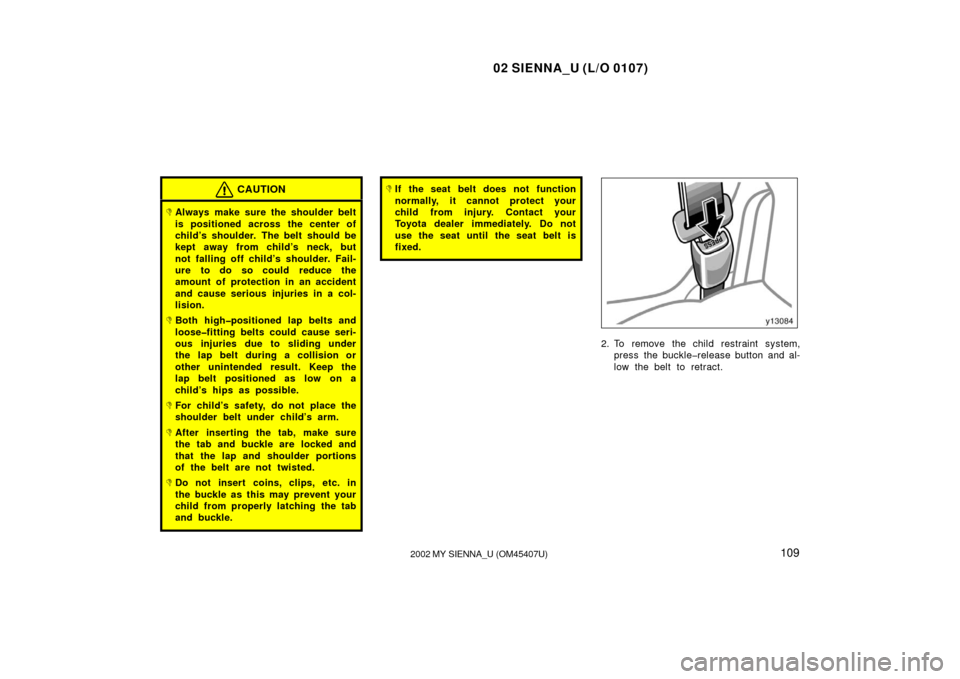
Front
To turn on the front interior light, push
the switch.
The front interior light switch has the fol-
lowing positions:
“ON”—Keeps the light on all the time.
“OFF”—Turns the light off.
Vehicles without power door lock system—
“DOOR”—Turns the light on when either
front door is opened.
Vehicles with power door lock system—
“DOOR”—Turns the light on when either
front or sliding door is opened.Center
To turn on the center interior light,
slide the switch.
The center interior light switch has the
following positions:
“ON”—Keeps the light on all the time.
“OFF”—Turns the light off.
“DOOR”—Turns the light on when either
front or sliding door is opened.Rear
To turn on the rear interior light, slide
the switch.
The rear interior light switch has the fol-
lowing positions:
“ON”—Keeps the light on all the time.
“OFF”—Turns the light off.
“DOOR”—Turns the light on when either
sliding or back door is opened.
Interior light
Page 133 of 334
02 SIENNA_U (L/O 0107)
1292002 MY SIENNA_U (OM45407U)
ILLUMINATED ENTRY SYSTEM
(with power door lock system)
Front and center—
With the switch in the “DOOR” position,
the light comes on when either front or
sliding doors are opened. After all the
doors are closed, the light remains on for
about 15 seconds and then goes out.
However, in the following cases, the light
goes out immediately:
�All the doors are closed when the igni-
tion key is in “ACC” or “ON” position.
�All the doors are locked when the light
is still on.
�One door will be closed with the lock
knob pushed forward (front door) or
downward (sliding door) while the other
doors are locked.
When the driver’s door is unlocked with a
key, the light comes on for 15 seconds,
even if the doors are not opened. INTERIOR LIGHTS CUT OFF OPERATION
When the ignition switch is “OFF” and any
interior lights in the vehicle stay lighting
on, the lights will cut off automatically
after 30 minutes.
You can cancel the cut off operation by:
�Turning the key to the “ACC” position.
�Opening or closing any of the doors.
�Turning off all the “ON” lights.
All the lights are turned off when all the
doors are locked by the key or wireless
remote control transmitter.
The key must be in the “OFF” position.
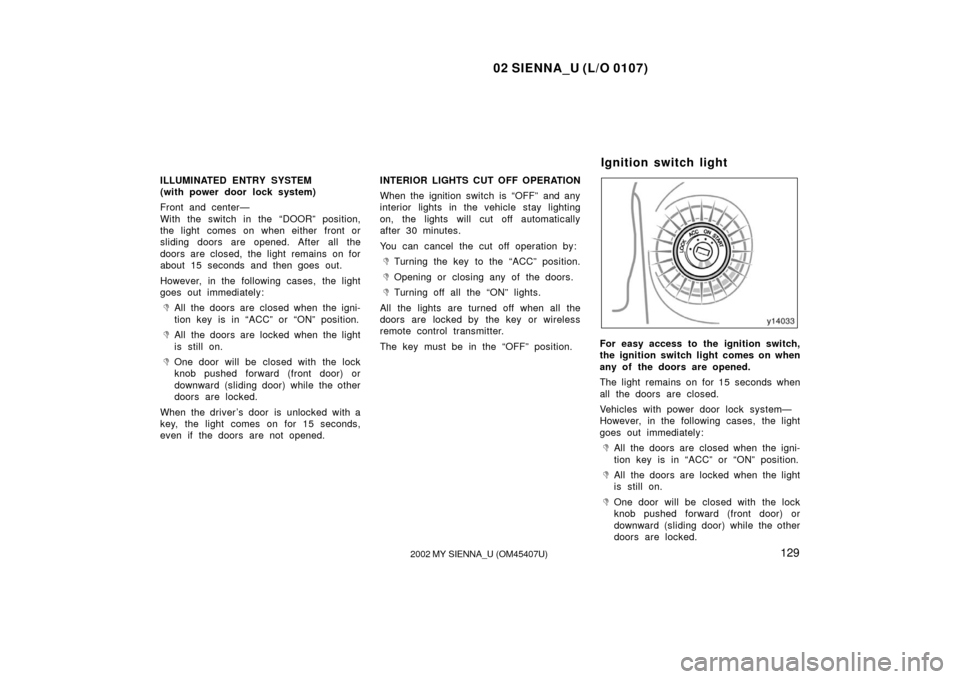
For easy access to the ignition switch,
the ignition switch light comes on when
any of the doors are opened.
The light remains on for 15 seconds when
all the doors are closed.
Vehicles with power door lock system—
However, in the following cases, the light
goes out immediately:
�All the doors are closed when the igni-
tion key is in “ACC” or “ON” position.
�All the doors are locked when the light
is still on.
�One door will be closed with the lock
knob pushed forward (front door) or
downward (sliding door) while the other
doors are locked.
Ignition switch light