Page 23 of 286
’02 L/C U (L/O 0108)
19
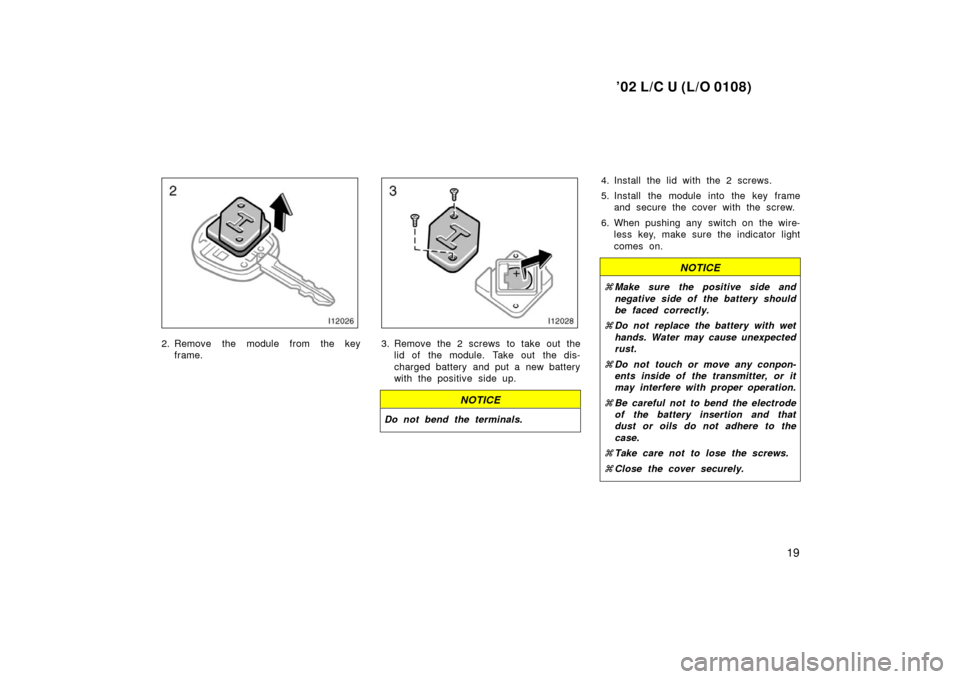
2. Remove the module from the keyframe.3. Remove the 2 screws to take out thelid of the module. Take out the dis-
charged battery and put a new battery
with the positive side up.
NOTICE
Do not bend the terminals.
4. Install the lid with the 2 screws.
5. Install the module into the key frameand secure the cover with the screw.
6. When pushing any switch on the wire- less key, make sure the indicator light
comes on.
NOTICE
�Make sure the positive side and
negative side of the battery should
be faced correctly.
� Do not replace the battery with wet
hands. Water may cause unexpected
rust.
� Do not touch or move any conpon-
ents inside of the transmitter, or it
may interfere with proper operation.
� Be careful not to bend the electrode
of the battery insertion and that
dust or oils do not adhere to the
case.
� Take care not to lose the screws.
� Close the cover securely.
Page 24 of 286
’02 L/C U (L/O 0108)
20
Power windows
12C010
The windows can be operated with the
switch on each side door.
The power windows work when the ignition
switch is in the ”ON” position.
Key off operation: If both front doors are
closed, they work for 45 seconds even
after the ignition switch is turned off. They
stop working when either front door is
opened.
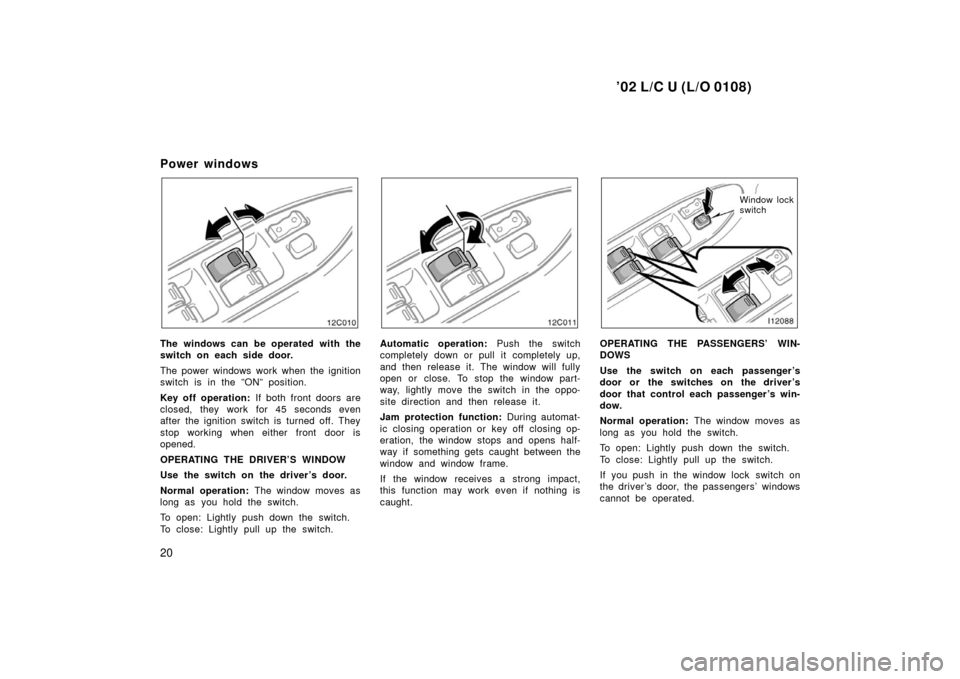
OPERATING THE DRIVER’S WINDOW
Use the switch on the driver’s door.
Normal operation: The window moves as
long as you hold the switch.
To open: Lightly push down the switch.
To close: Lightly pull up the switch.
12C011
Automatic operation: Push the switch
completely down or pull it completely up,
and then release it. The window will fully
open or close. To stop the window part-
way, lightly move the switch in the oppo-
site direction and then release it.
Jam protection function: During automat-
ic closing operation or key off closing op-
eration, the window stops and opens half-
way if something gets caught between the
window and window frame.
If the window receives a strong impact,
this function may work even if nothing is
caught.
Window lock
switch
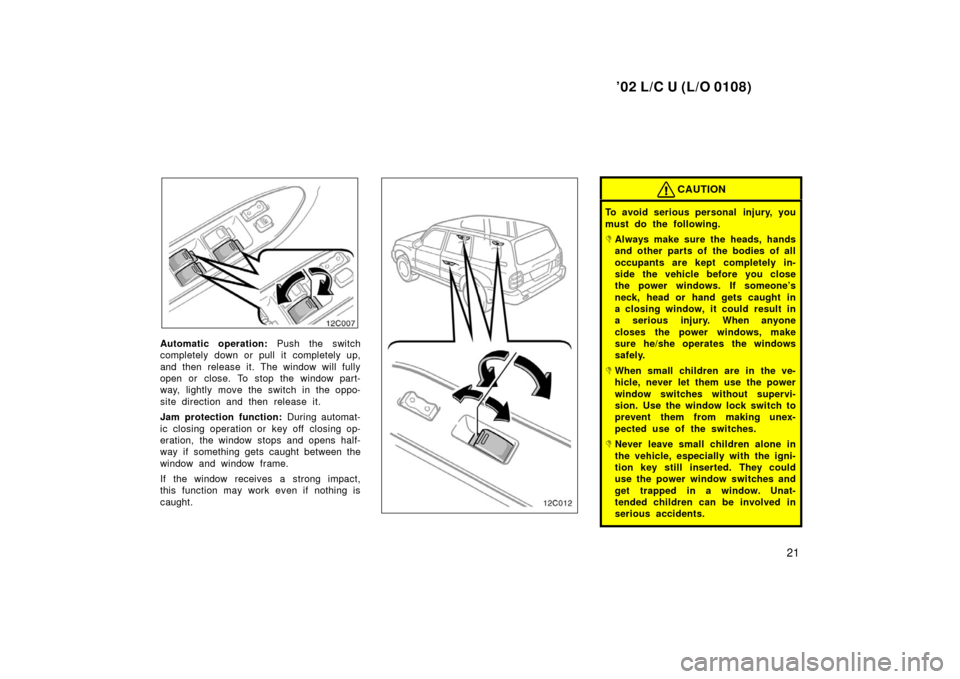
OPERATING THE PASSENGERS’ WIN-
DOWS
Use the switch on each passenger ’s
door or the switches on the driver ’s
door that control each passenger ’s win-
dow.
Normal operation: The window moves as
long as you hold the switch.
To open: Lightly push down the switch.
To close: Lightly pull up the switch.
If you push in the window lock switch on
the driver ’s door, the passengers’ windows
cannot be operated.
Page 25 of 286
’02 L/C U (L/O 0108)
21
12C007
Automatic operation: Push the switch
completely down or pull it completely up,
and then release it. The window will fully
open or close. To stop the window part-
way, lightly move the switch in the oppo-
site direction and then release it.
Jam protection function: During automat-
ic closing operation or key off closing op-
eration, the window stops and opens half-
way if something gets caught between the
window and window frame.
If the window receives a strong impact,
this function may work even if nothing is
caught.
CAUTION
To avoid serious personal injury, you
must do the following.
�Always make sure the heads, hands
and other parts of the bodies of all
occupants are kept completely in-
side the vehicle before you close
the power windows. If someone’s
neck, head or hand gets caught in
a closing window, it could result in
a serious injury. When anyone
closes the power windows, make
sure he/she operates the windows
safely.
�When small children are in the ve-
hicle, never let them use the power
window switches without supervi-
sion. Use the window lock switch to
prevent them from making unex-
pected use of the switches.
�Never leave small children alone in
the vehicle, especially with the igni-
tion key still inserted. They could
use the power window switches and
get trapped in a window. Unat-
tended children can be involved in
serious accidents.
Page 26 of 286
’02 L/C U (L/O 0108)
22
�Never try jamming any part of your
body in a window to make the jam
protection function work intention-
ally.
�The jam protection function may
not work if something gets caught
just before the window is fully
closed.
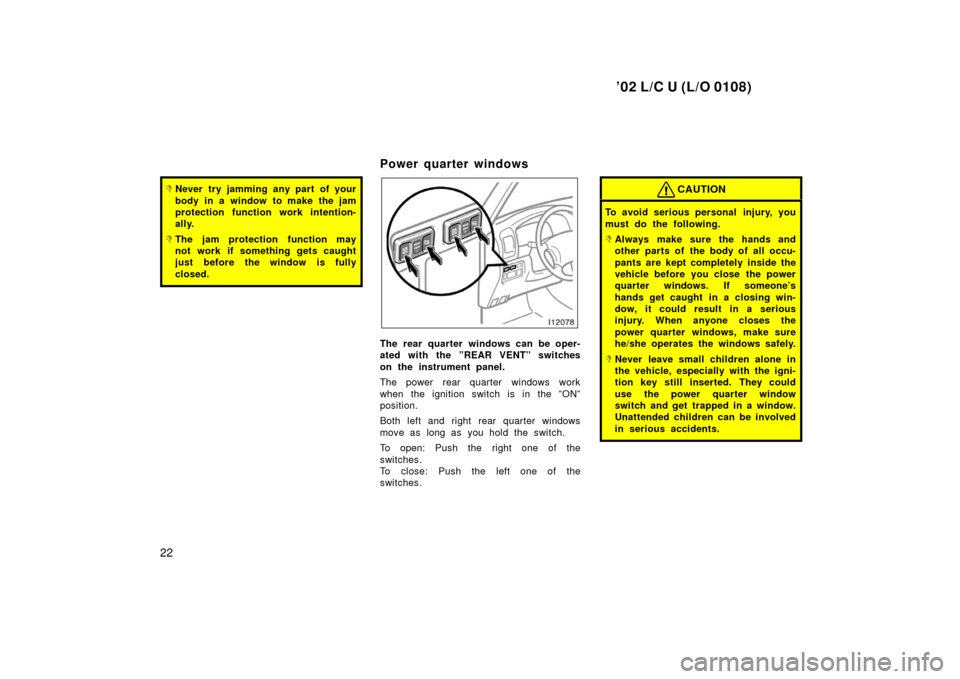
Power quarter windows
The rear quarter windows can be oper-
ated with the ”REAR VENT” switches
on the instrument panel.
The power rear quarter windows work
when the ignition switch is in the ”ON”
position.
Both left and right rear quarter windows
move as long as you hold the switch.
To open: Push the right one of the
switches.
To close: Push the left one of the
switches.
CAUTION
To avoid serious personal injury, you
must do the following.
�Always make sure the hands and
other parts of the body of all occu-
pants are kept completely inside the
vehicle before you close the power
quarter windows. If someone’s
hands get caught in a closing win-
dow, it could result in a serious
injury. When anyone closes the
power quarter windows, make sure
he/she operates the windows safely.
�Never leave small children alone in
the vehicle, especially with the igni-
tion key still inserted. They could
use the power quarter window
switch and get trapped in a window.
Unattended children can be involved
in serious accidents.
Page 27 of 286
’02 L/C U (L/O 0108)
23
Back door
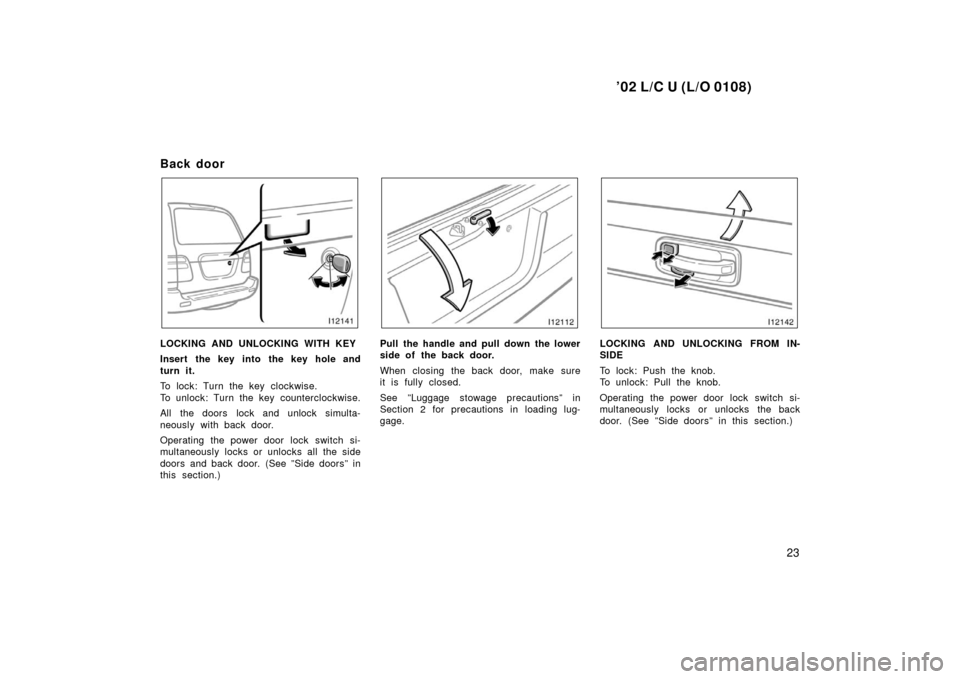
LOCKING AND UNLOCKING WITH KEY
Insert the key into the key hole and
turn it.
To lock: Turn the key clockwise.
To unlock: Turn the key counterclockwise.
All the doors lock and unlock simulta-
neously with back door.
Operating the power door lock switch si-
multaneously locks or unlocks all the side
doors and back door. (See ”Side doors” in
this section.)Pull the handle and pull down the lower
side of the back door.
When closing the back door, make sure
it is fully closed.
See ”Luggage stowage precautions” in
Section 2 for precautions in loading lug-
gage.LOCKING AND UNLOCKING FROM IN-
SIDE
To lock: Push the knob.
To unlock: Pull the knob.
Operating the power door lock switch si-
multaneously locks or unlocks the back
door. (See ”Side doors” in this section.)
Page 30 of 286
’02 L/C U (L/O 0108)
26
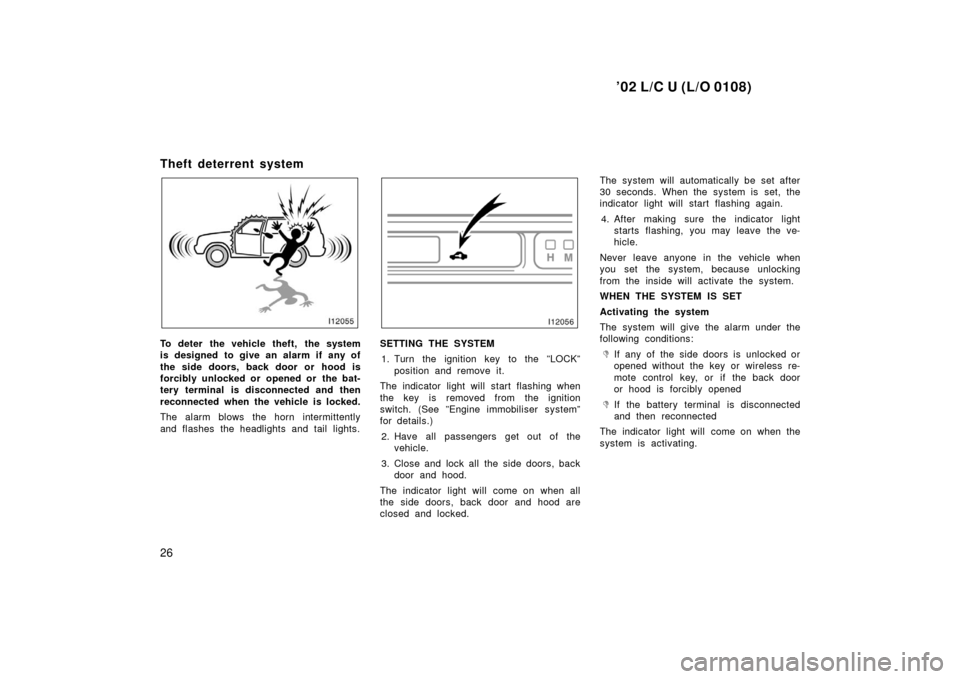
Theft deterrent system
To deter the vehicle theft, the system
is designed to give an alarm if any of
the side doors, back door or hood is
forcibly unlocked or opened or the bat-
tery terminal is disconnected and then
reconnected when the vehicle is locked.
The alarm blows the horn intermittently
and flashes the headlights and tail lights.SETTING THE SYSTEM1. Turn the ignition key to the ”LOCK” position and remove it.
The indicator light will start flashing when
the key is removed from the ignition
switch. (See ”Engine immobiliser system”
for details.)
2. Have all passengers get out of the vehicle.
3. Close and lock all the side doors, back door and hood.
The indicator light will come on when all
the side doors, back door and hood are
closed and locked. The system will automatically be set after
30 seconds. When the system is set, the
indicator light will start flashing again.
4. After making sure the indicator light starts flashing, you may leave the ve-
hicle.
Never leave anyone in the vehicle when
you set the system, because unlocking
from the inside will activate the system.
WHEN THE SYSTEM IS SET
Activating the system
The system will give the alarm under the
following conditions:�If any of the side doors is unlocked or
opened without the key or wireless re-
mote control key, or if the back door
or hood is forcibly opened
�If the battery terminal is disconnected
and then reconnected
The indicator light will come on when the
system is activating.
Page 31 of 286
’02 L/C U (L/O 0108)
27
If any of the side door or back door is
unlocked without the key or wireless re-
mote control key and the key is not in the
ignition switch, all the side doors and
back door will be automatically locked
again.
After one minute, the alarm will automati-
cally stop and the indicator light will starts
flashing again.
Reactivating the alarm
Once set, the system automatically resets
the alarm after the alarm stops.
The alarm will activate again under the
same circumstances described in
”Activating the system”.
Stopping the alarm
The alarm will be stopped by the following
two ways:
�Turn the ignition key from the ”LOCK”
to ”ON” position.
�Unlock any of the side doors or back
door with the key or wireless remote
control key.
These ways cancel the system at the
same time. TESTING THE SYSTEM
1. Open all the windows.
2. Set the system as described above. The side doors and back door should
be locked with the key or wireless re-
mote control key. Be sure to wait until
the indicator light goes off or starts
flashing.
3. Unlock any side door or back door from the inside. The system should ac-
tivate the alarm.
4. Stopping the alarm as described above.
5. Repeat this operation for the other doors, back door and hood. When test-
ing on the hood, also check that the
system is activated when the battery
terminal is disconnected and then re-
connected.
If the system does not work properly,
have it checked by your Toyota dealer.
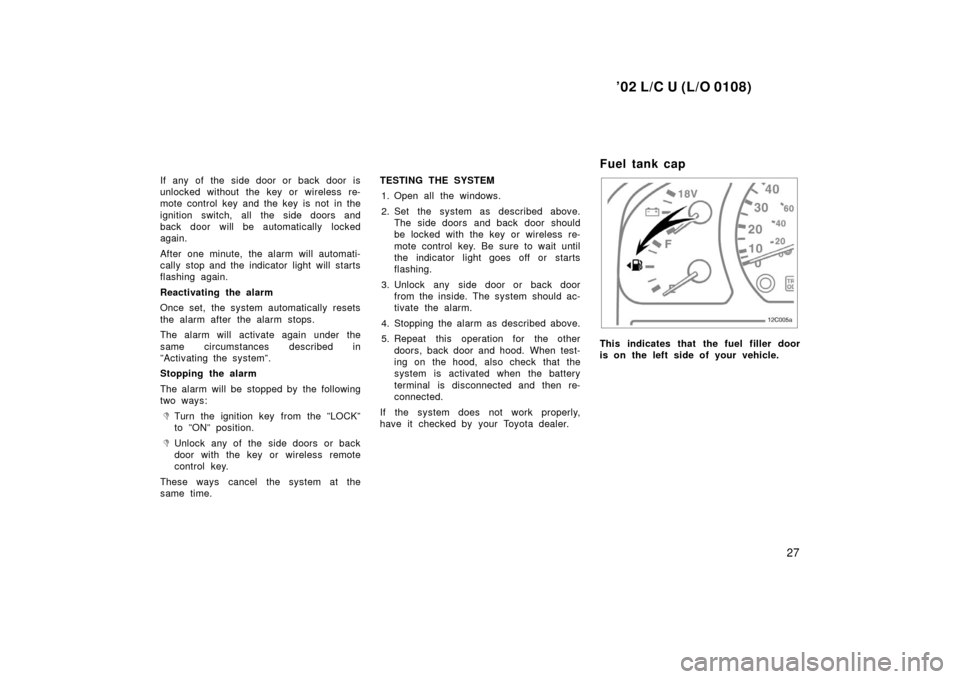
Fuel tank cap
12C005
This indicates that the fuel filler door
is on the left side of your vehicle.
Page 34 of 286
’02 L/C U (L/O 0108)
30
CAUTION
To avoid serious personal injury, you
must do the following.
�While the vehicle is moving, always
keep the heads, hands and other
parts of the bodies of all occupants
away from the roof opening. Other-
wise, they could be seriously in-
jured if the vehicle stops suddenly
or if the vehicle is involved in an
accident.
�Always make sure nobody places
his/her head, hands and other parts
of the body in the roof opening be-
fore you close the roof. If some-
one’s neck, head or hand gets
caught in the closing roof, it could
result in a serious injury. When
anyone closes the roof, first make
sure it is safe to do so.
�Never leave small children alone in
the vehicle, especially with the igni-
tion key still inserted. They could
use the moon roof switches and get
trapped in the roof opening. Unat-
tended children can be involved in
serious accidents.
�Never sit on top of the vehicle
around the roof opening.
�Never try jamming any part of your
body to make the jam protection
function work intentionally.
�The jam protection function may
not work when something gets
caught just before the moon roof is
fully closed.