Page 71 of 238
’02MY CELICA U (L/O 0108)
672002 MY CELICA_U (OM20792U)
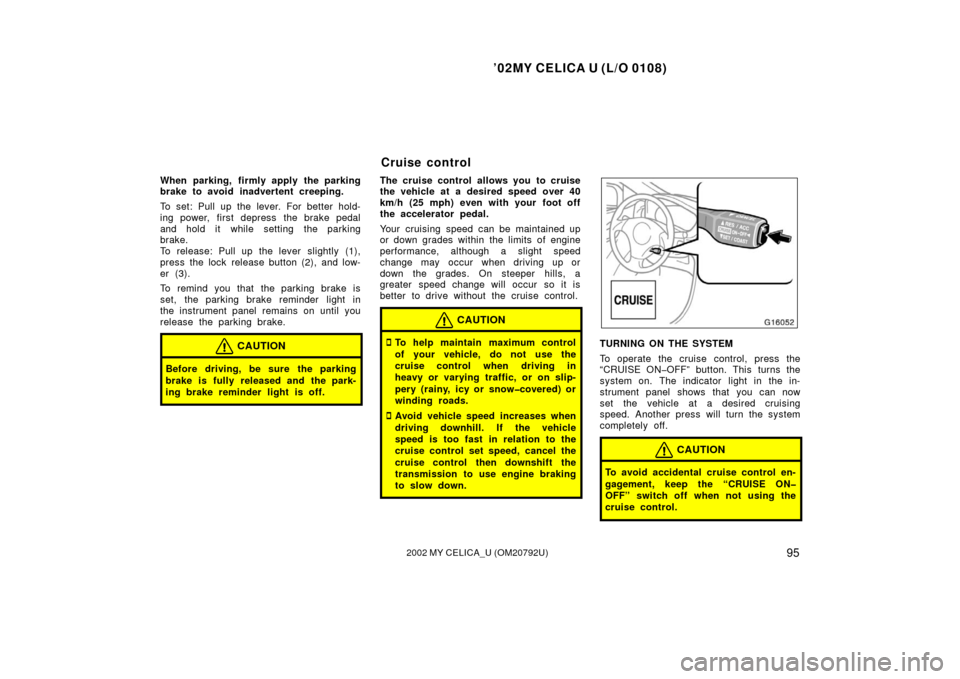
The daytime running light control sensor
is on the top of the driver’s side instru-
ment panel.
Do not place anything on the instrument
panel, and/or do not affix anything on the
windshield to block this sensor.Highlow beams—For high beams, turn
the headlights on and push the lever away
from you (position 1). Pull the lever to-
ward you (position 2) for low beams.
The headlight high beam indicator light
(blue light) on the instrument panel will
tell you that the high beams are on.
Flashing the high beam headlights
(position 3)—Pull the lever all the way
back. The high beam headlights turn off
when you release the lever.
You can flash the high beam headlights
with the knob turned to “OFF”.TURN SIGNALS
To signal a turn, push the headlight/
turn signal lever up or down to position
1.
The key must be in the “ON” position.
The lever automatically returns after you
make a turn, but you may have to return
it by hand after you change lanes.
To signal a lane change, move the lever
up or down to the pressure point (position
2) and hold it.
If the turn signal indicator lights (green
lights) on the instrument panel flash faster
than normal, a front or rear turn signal
bulb is burned out.
Page 72 of 238
’02MY CELICA U (L/O 0108)
682002 MY CELICA_U (OM20792U)
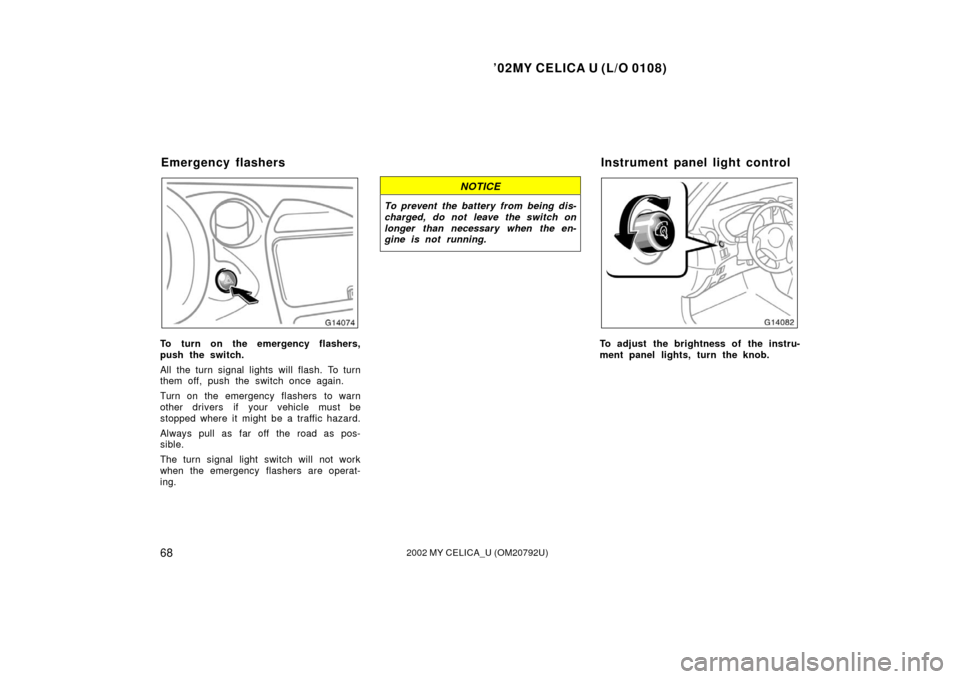
To turn on the emergency flashers,
push the switch.
All the turn signal lights will flash. To turn
them off, push the switch once again.
Turn on the emergency flashers to warn
other drivers if your vehicle must be
stopped where it might be a traffic hazard.
Always pull as far off the road as pos-
sible.
The turn signal light switch will not work
when the emergency flashers are operat-
ing.
NOTICE
To prevent the battery from being dis-
charged, do not leave the switch on
longer than necessary when the en-
gine is not running.
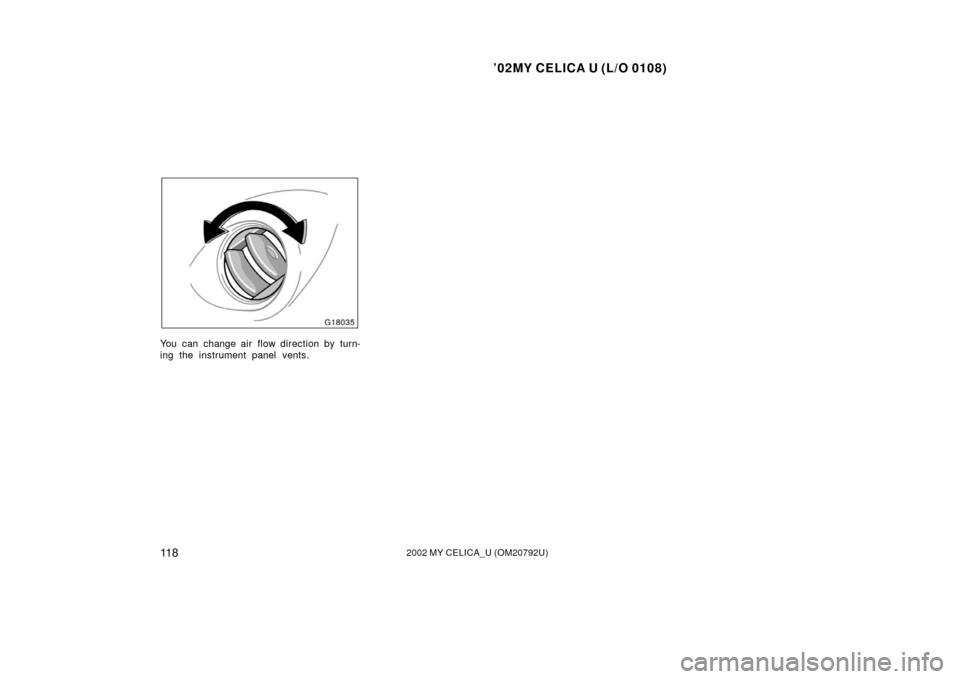
To adjust the brightness of the instru-
ment panel lights, turn the knob.
Emergency flashersInstrument panel light control
Page 99 of 238
’02MY CELICA U (L/O 0108)
952002 MY CELICA_U (OM20792U)
When parking, firmly apply the parking
brake to avoid inadvertent creeping.
To set: Pull up the lever. For better hold-
ing power, first depress the brake pedal
and hold it while setting the parking
brake.
To release: Pull up the lever slightly (1),
press the lock release button (2), and low-
er (3).
To remind you that the parking brake is
set, the parking brake reminder light in
the instrument panel remains on until you
release the parking brake.
CAUTION
Before driving, be sure the parking
brake is fully released and the park-
ing brake reminder light is off.
The cruise control allows you to cruise
the vehicle at a desired speed over 40
km/h (25 mph) even with your foot off
the accelerator pedal.
Your cruising speed can be maintained up
or down grades within the limits of engine
performance, although a slight speed
change may occur when driving up or
down the grades. On steeper hills, a
greater speed change will occur so it is
better to drive without the cruise control.
CAUTION
�To help maintain maximum control
of your vehicle, do not use the
cruise control when driving in
heavy or varying traffic, or on slip-
pery (rainy, icy or snowcovered) or
winding roads.
�Avoid vehicle speed increases when
driving downhill. If the vehicle
speed is too fast in relation to the
cruise control set speed, cancel the
cruise control then downshift the
transmission to use engine braking
to slow down.
TURNING ON THE SYSTEM
To operate the cruise control, press the
“CRUISE ONOFF” button. This turns the
system on. The indicator light in the in-
strument panel shows that you can now
set the vehicle at a desired cruising
speed. Another press will turn the system
completely off.
CAUTION
To avoid accidental cruise control en-
gagement, keep the “CRUISE ON
OFF” switch off when not using the
cruise control.
Cruise control
Page 115 of 238
’02MY CELICA U (L/O 0108)
1112002 MY CELICA_U (OM20792U)
OPERATION OF INSTRUMENTS AND
CONTROLS
Air conditioning system
Controls112
. . . . . . . . . . . . . . . . . . . . . . . . . . . . . . . . . . . . .\
. . . . . . . . . . . . . .
Air flow selector settings 115
. . . . . . . . . . . . . . . . . . . . . . . . . . . . . . . . . . . . \
.
Operating tips 115
. . . . . . . . . . . . . . . . . . . . . . . . . . . . . . . . . . . . \
. . . . . . . . . .
Instrument panel vents 117
. . . . . . . . . . . . . . . . . . . . . . . . . . . . . . . . . . . . \
. .
SECTION 1 8
Page 117 of 238
’02MY CELICA U (L/O 0108)
11 32002 MY CELICA_U (OM20792U)
Fan speed selector
Turn the knob to adjust the fan speed—to
the right to increase, to the left to de-
crease.
Temperature selector
Turn the knob to adjust the tempera-
ture—to the right to warm, to the left to
cool.
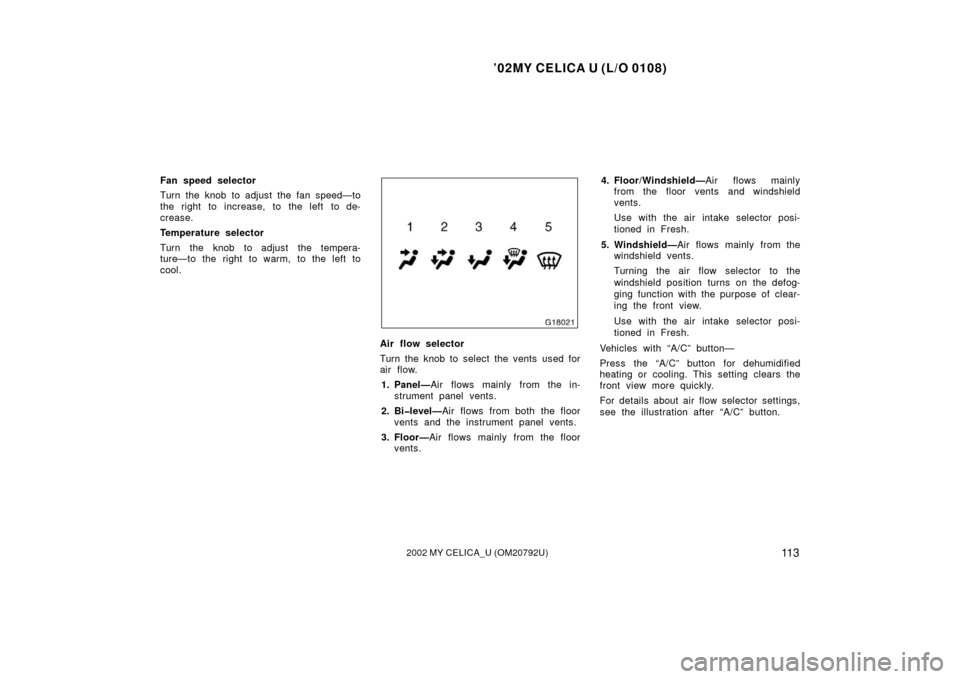
Air flow selector
Turn the knob to select the vents used for
air flow.1. Panel— Air flows mainly from the in-
strument panel vents.
2. Bilevel— Air flows from both the floor
vents and the instrument panel vents.
3. Floor— Air flows mainly from the floor
vents. 4. Floor/Windshield—
Air flows mainly
from the floor vents and windshield
vents.
Use with the air intake selector posi-
tioned in Fresh.
5. Windshield— Air flows mainly from the
windshield vents.
Turning the air flow selector to the
windshield position turns on the defog-
ging function with the purpose of clear-
ing the front view.
Use with the air intake selector posi-
tioned in Fresh.
Vehicles with “A/C” button—
Press the “A/C” button for dehumidified
heating or cooling. This setting clears the
front view more quickly.
For details about air flow selector settings,
see the illustration after “A/C” button.
Page 121 of 238
’02MY CELICA U (L/O 0108)
11 72002 MY CELICA_U (OM20792U)
Defogging and defrosting
The inside of the windshield
For best results, set controls to:Fan speed— Any setting except “OFF”
Temperature— To w a r d s WARM
(red zone) to heat;
COLD (blue zone)
cool
Air intake—FRESH (outside air)
Air flow—WINDSHIELD
Turning the air flow selector to the wind-
shield position turns on the defogging
function with the purpose of clearing the
front view.
Vehicles with “A/C” button—
Press the “A/C” button for dehumidified
heating or cooling. This setting clears the
front view more quickly.
�On humid days, do not blow cold air
on the windshield—the difference be-
tween the outside and inside tempera-
tures could make the fogging worse. The outside of the windshield
For best results, set controls to:
Fan speed— Any setting except “OFF”
Temperature— To w a r d s WARM
(red zone)
Air intake—FRESH (outside air)
Air flow—WINDSHIELD
Turning the air flow selector to the wind-
shield position turns on the defogging
function with the purpose of clearing the
front view.
Vehicles with “A/C” button—
Press the “A/C” button for dehumidified
heating or cooling. This setting clears the
front view more quickly.
�To heat the vehicle interior while de-
frosting the windshield, choose floor/
windshield air flow.
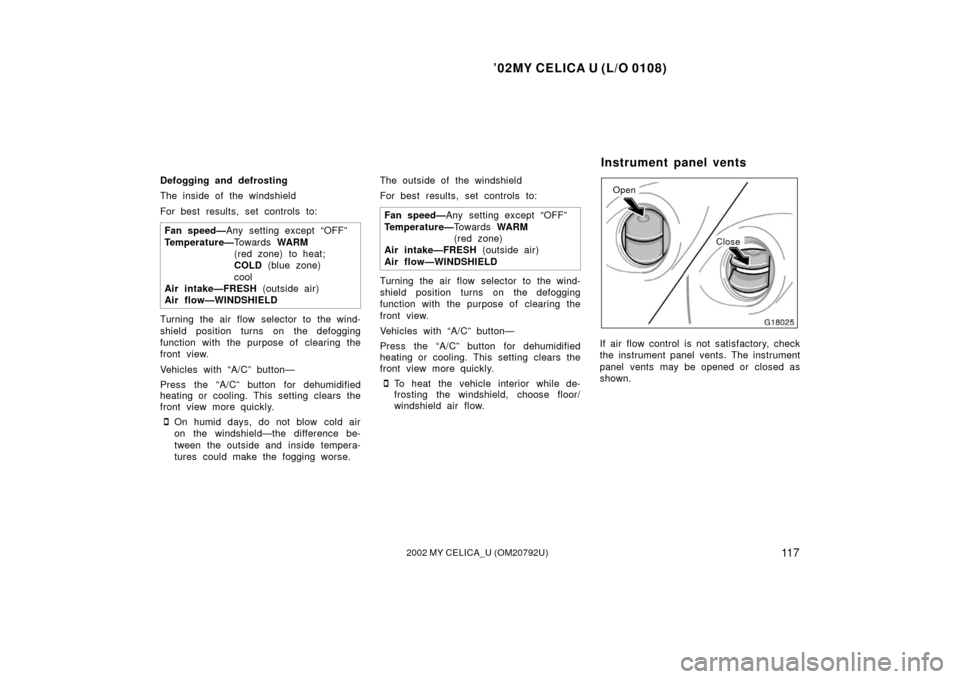
Open
Close
If air flow control is not satisfactory, check
the instrument panel vents. The instrument
panel vents may be opened or closed as
shown.
Instrument panel vents
Page 122 of 238
’02MY CELICA U (L/O 0108)
11 82002 MY CELICA_U (OM20792U)
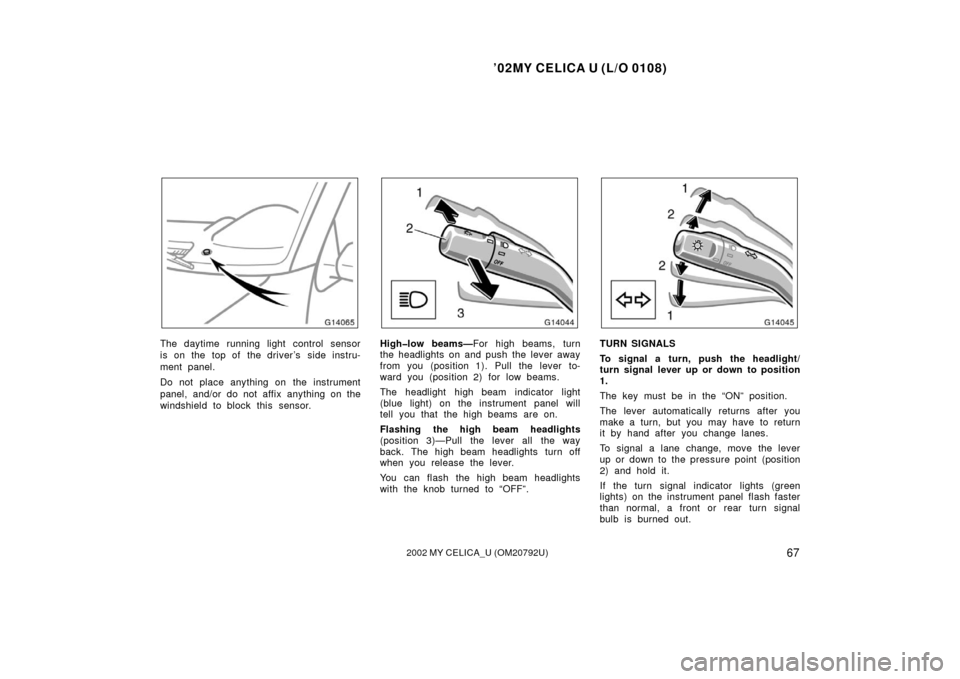
You can change air flow direction by turn-
ing the instrument panel vents.
Page 124 of 238
’02MY CELICA U (L/O 0108)
1202002 MY CELICA_U (OM20792U)
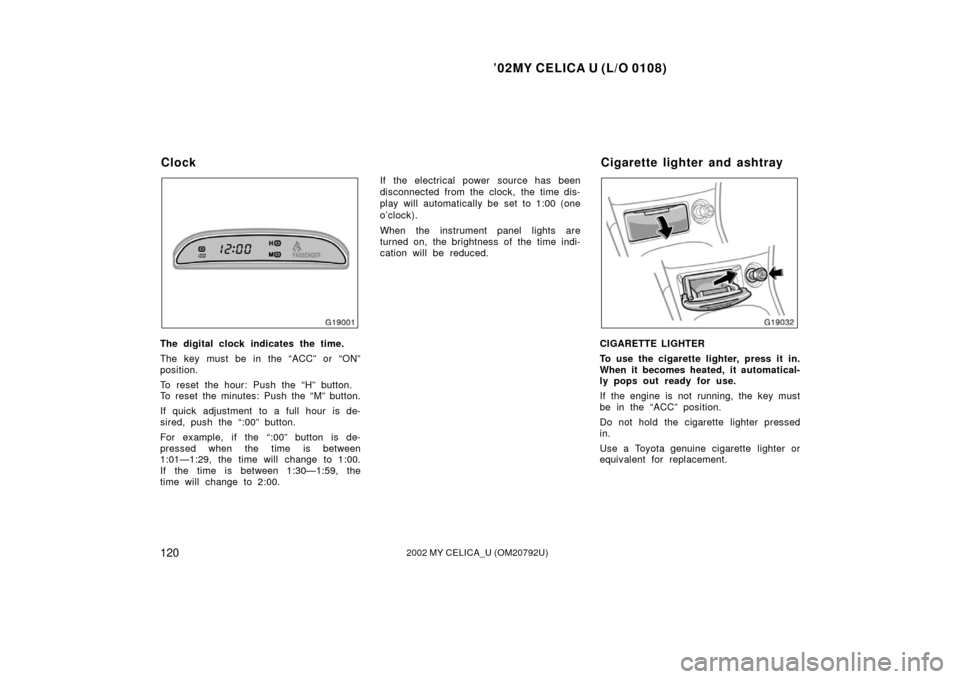
The digital clock indicates the time.
The key must be in the “ACC” or “ON”
position.
To reset the hour: Push the “H” button.
To reset the minutes: Push the “M” button.
If quick adjustment to a full hour is de-
sired, push the “:00” button.
For example, if the “:00” button is de-
pressed when the time is between
1:01—1:29, the time will change to 1:00.
If the time is between 1:30—1:59, the
time will change to 2:00.If the electrical power source has been
disconnected from the clock, the time dis-
play will automatically be set to 1:00 (one
o’clock).
When the instrument panel lights are
turned on, the brightness of the time indi-
cation will be reduced.CIGARETTE LIGHTER
To use the cigarette lighter, press it in.
When it becomes heated, it automatical-
ly pops out ready for use.
If the engine is not running, the key must
be in the “ACC” position.
Do not hold the cigarette lighter pressed
in.
Use a Toyota genuine cigarette lighter or
equivalent for replacement.
Clock
Cigarette lighter and ashtray