2002 SAAB 9-5 ECU
[x] Cancel search: ECUPage 83 of 272
83 Saab 9-5 Audio System
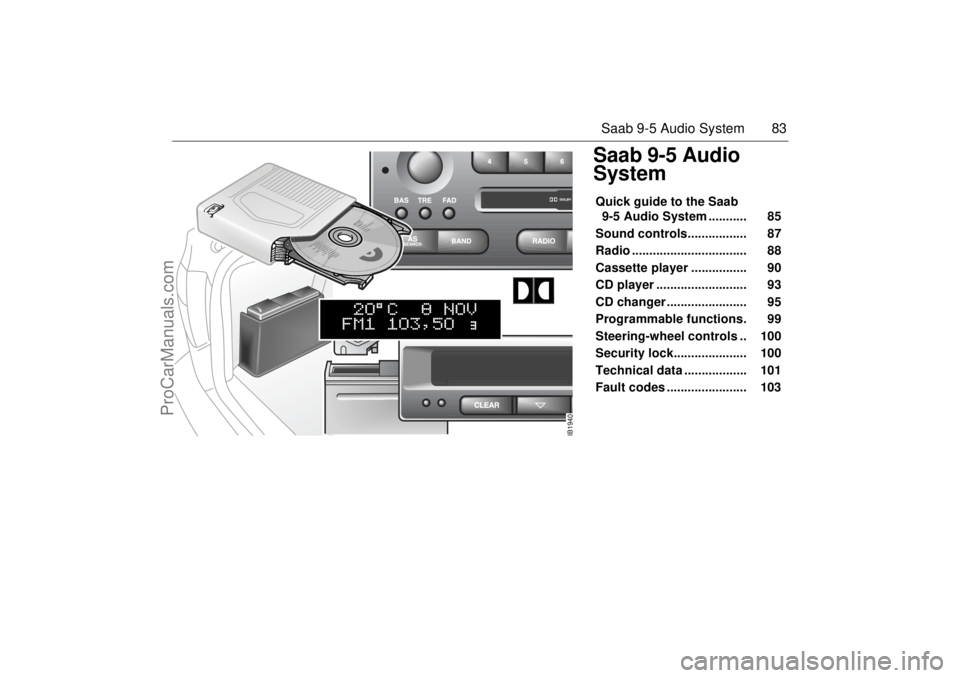
Saab 9-5 Audio
SystemQuick guide to the Saab
9-5 Audio System ........... 85
Sound controls................. 87
Radio ................................. 88
Cassette player ................ 90
CD player .......................... 93
CD changer ....................... 95
Programmable functions. 99
Steering-wheel controls .. 100
Security lock..................... 100
Technical data .................. 101
Fault codes ....................... 103
IB1940
ProCarManuals.com
Page 90 of 272

90 Saab 9-5 Audio SystemCassette player Before playing a tape, make sure that the
label is secure and that the cassette is not
warped, otherwise the cassette can
become jammed in the deck. The cassette
player automatically senses whether the
tape is normal or metal (Type I or Type II). TAPE (1) Turn on the cassette player by pressing
or by inserting a cassette in the
deck, with the exposed tape to the right.
Playback will start with the side that is facing
up (indicated by A on the display). The dis-
play will now be as follows: Playback direction (2) To play the other side of the tape,
press .
The deck will automatically change the play-
back direction when the end of the tape is
reached, be it during playback, fast
forward/rewind or music search.
Dolby
® noise reduction (3)
Press TAPE/DOLBY to switch on Dolby NR
B/C.
Dolby B/C should be on for playback of
tapes recorded with Dolby B/C, and off for
those recorded without Dolby B/C.
Eject button (4) To stop playback of a tape, press the eject
button or select another source.
If you select another source without press-
ing the eject button, the tape will remain in
the deck but the head and pinch rollers will
be clear of the tape. The same applies if the
Audio System is switched off while a tape is
being played. Tapes can still be ejected
when the system is turned off.
IB1844
3
5
2
4
1
ProCarManuals.com
Page 100 of 272

100 Saab 9-5 Audio SystemSteering-wheel controls To facilitate use of the Audio System and to
promote safer driving, most of the functions
can be operated using the integral remote
controls on the steering wheel. Control functions: NEXT:
RADIO mode: preselect buttons
1⇒2⇒...⇒ 6⇒1⇒...
TAPE mode: Play other side of tape.
CD mode: Inoperative.
CD-changer mode: Select CD in magazine
1⇒2⇒...⇒ 6⇒1⇒...
<< SEEK >>:
RADIO mode: Auto/manual tuning.
TAPE mode:
Music search/Fast forward or rewind.
CD/CD-changer mode:
Track search/Rapid play.SRC (source)
Press repeatedly to switch between
RADIO ⇒ TAPE ⇒ CD ⇒ (CD changer)
⇒RADIO ⇒...
VOL +/-:
Volume adjust.
Security lock The Audio System is equipped with an elec-
tronic security lock. The special code is
unique to the car in which the Audio System
is fitted.
Each time the Audio System is switched on,
a check is made to ensure that the codes
match.
If not, the following will appear on the dis-
play:
If a CD changer has been installed, it will
also have been security coded.
If the security code for the CD changer does
not match when the changer is selected, the
following will appear on the display:
If a CD changer is to be retrofitted or if you
wish to move the main Audio System
module and/or CD changer to another car
(Saab 9-5), you
must
consult an authorized
Saab dealer so that the modules can be
given the correct security codes.
IB385
Audio System controls on steering wheel
ProCarManuals.com
Page 105 of 272

105 OnStar - Telematics
OnStar - Telematics
Using OnStar................... 106OnStar is Easy............................ 106
OnStar Services Button .............. 106
Emergency button ...................... 107
White dot button ......................... 107
System status light ..................... 107The OnStar Center .......... 108Connecting to the OnStar center 108
Your personal identification number
(PIN) ........................................... 108
The OnStar Safety and
Security Plan................. 108
Automatic notification of air bag
deployment ................................. 108
Emergency services ................... 108
Roadside assistance................... 109
Stolen vehicle tracking ................ 109
Accident Assist™ ........................ 109
OnStar Med-Net.......................... 109
Hands-free communication ......... 109The OnStar Premium
Services Plan 109Route support ............................. 109
Ride Assist .................................. 109
Information and Convenience ser-
vices ........................................... 109
Concierge services ..................... 110
Additional Services......... 110Personal Calling: ........................ 110Virtual Advisor: ............... 114
OnStar Subscriber
Website .......................... 115
Limitations ....................... 115
Additional Information.... 116Warranty .................................... 116
A Note About Privacy ................. 116
Transferring OnStar .................... 116
OnStar Subscription Information 116
ProCarManuals.com
Page 108 of 272

108 OnStar - TelematicsThe OnStar CenterConnecting to the OnStar centerIn addition to using the 3-button system
found in your Saab, there are two other
ways to connect to the OnStar Center.
Toll-Free Call
To take advantage of your OnStar services
from outside your Saab, you can call OnStar
toll-free at 1-888-4-OnStar
(1-888-466-7827). Remember to have your
Personal Identification Number (PIN)
handy.
Automatic Notification
A priority signal will be sent to the OnStar
Center with your exact location if an airbag
deploys.(Vehicle electrical system and cellular service
must be operable.)
Your personal identification number
(PIN)When you signed up with OnStar, you were
asked to provide a Personal Identification
Number (PIN). You’ll need your PIN to
access many of OnStar’s services. If, for
example, your vehicle has been stolen, an
OnStar advisor will ask for your PIN in order
to provide assistance.
Changing your PIN is easy. Call the OnStar
Center and provide the advisor with your
current number, and he or she will assist
you in setting up a new number. If you have
forgotten your PIN, just call the OnStar Cen-
ter. For security reasons, we will send your
PIN to you in the mail.
The OnStar Safety and
Security PlanThe OnStar Safety and Security Plan is part
of the Premium Services Plan that comes
with your vehicle.* With it, you have access
to a complete range of services providing
you with an unsurpassed level of safety and
security — 24 hours a day, 7 days a week.
And you have it all at the touch of a button.
So whether you’re on a lonesome country
road or stuck in highway traffic, you have at
your disposal a complete range of services
providing you with unsurpassed security.
And you have it all at the touch of a button.Automatic notification of air bag
deploymentShould your front air bags deploy, a priority
signal will be sent to the OnStar Center with
your Saab´s location (as long as cellular
service and the vehicle’s electrical system
are operable). An advisor will attempt to
contact you to assess the nature of your
emergency, and then notify the appropriate
emergency services provider.Emergency servicesShould you require emergency assistance,
press the red emergency button and On
Star or an advisor will contact the nearest
emergency services provider with your
exact location and your request for help.* New retail deliveries only.
ProCarManuals.com
Page 109 of 272

109 OnStar - Telematics
Roadside assistance**There’s nothing worse than being stranded
on the road with car trouble. No matter what
the problem is (flat tire, out of gas, or engine
trouble), just call OnStar. They will contact
the help you need to get you quickly back on
the road.Stolen vehicle trackingOnStar doesn’t just protect you, it protects
your Saab, too. If your vehicle is ever stolen,
just contact OnStar by calling
1-888-4-ONSTAR. They will put you in
touch with the authorities and aid them in
locating your Saab. Ask your insurance car-
rier about possible premium discounts.Accident Assist™Accident Assist™ provides step-by-step
guidance about what to do in case of a
crash. Working with leading insurance com-
panies OnStar has developed a ”best prac-
tices” list to assist you through most acci-
dent situations. OnStar Accident Assist™
can make the process of completing a
police report and/or insurance claim less
stressful.
OnStar Med-Net***OnStar MED-NET securely stores your per-
sonal medical information (e.g., physician’s
name, emergency contacts, medications,
chronic conditions) and, in an emergency,
can quickly send it to a medical facility. This
important information can help assist with
diagnosis and treatment. ******There will be no charge for Roadside Assistance as
long as your vehicle is under warranty.
***Requires activation and additional fee.
****Availability in Canada was undetermined at time of
pulbication. Please contact your local dealer in Canada.Hands-free communicationTalking to an OnStar advisor is easy and
hands-free. Simply press the OnStar but-
ton, and a small microphone picks up your
voice while the OnStar advisor talks to you
through your stereo speakers. Note: Audio
system must be switched on. You can even
adjust the volume to your liking with the
steering wheel controls or the radio volume
knob. Your hands remain on the steering
wheel, while your eyes remain on the road.Being safe on the road is important, but
there’s more to life than security. There’s liv-
ing. That’s why we have created the OnStar
Premium Services Plan. It gives you not
only the important protections of the Safety
and Security Plan, but also a whole range of
services which truly change driving from a
chore to a luxury. All new Saab models
come with one full year of the OnStar Pre-
mium Services Plan.* * New retail deliveries only.
The OnStar Premium
Services Plan *Route supportWith OnStar Route Support, an advisor can
help you find your way, no matter how far off
course you are. You can get exact street
directions, or guidance to nearby gas sta-
tions, restaurants, hotels or ATMs.Ride AssistIf you need a lift, anytime of the day or night,
just call OnStar. They’ll contact transporta-
tion and send it right to you.Information and Convenience ser-
vicesOnStar advisors have access to over five
million service listings including hotels, res-
taurants, gas stations, dealerships, hospi-
tals, ATMs and airports — more than 250
service categories in all. OnStar advisors
can even assist you with hotel and restau-
rant reservations.*All Saab models come with a full year of Premium Ser-
vice. New retail deliveries only.
ProCarManuals.com
Page 110 of 272

110 OnStar - TelematicsConcierge servicesFrom the simple to the extraordinary,
OnStar Concierge is always ready to help.
Whether it’s tickets to that ”hard-to-get”
play, or even complete planning of your next
vacation, OnStar Concierge can make all
the arrangements you need — at home or
on the road. There is no additional cost to
you for the efforts of the OnStar Concierge.
You will not pay more than retail value for
goods and services, or current market value
for tickets, specialty items or unique ser-
vices. For your convenience, they will bill
your credit card for any purchases and/or
shipping you authorize.
Additional ServicesPersonal CallingAs an OnStar Safety and Security Plan or
Premium Services Plan subscriber, you
have access to OnStar Personal Calling.
OnStar Personal Calling provides you with
a nationwide wireless phone service in your
Saab that you can activate simply by press-
ing a button and using your voice. You can
use Personal Calling in your Saab to place
or to receive calls. The voice-activated
system will dial the number. Your party will
answer through your stereo speakers.
With OnStar Personal Calling, you can
enjoy the simplicity of a one-touch wireless
connection. Whether you are placing or
receiving a call, once you press the button,
you never have to take your hands off the
wheel or your eyes off the road. The ease of
the hands-free communication service
allows you to enjoy an even greater level of
safety, security and convenience while driv-
ing.
This new service is not yet available in all
areas. Complete availability in the U.S. is
anticipated in 2001*. For system limitations
and details, call OnStar at
1-800-ONSTAR-7.* Availability in Canada was undetermined at time of
publication. Please contact your local dealer in Canada.
Signing Up for Personal CallingAs an OnStar subscriber, the Personal Call-
ing capability is already built into your
Saab’s OnStar hardware. In order to use
this service, an OnStar advisor must set up
your cellular account. You must also pro-
vide a credit card in order to establish your
prepaid cellular account. Usage charges
will be deducted from this prepaid account
of ”units.” Units are easily replenished using
the credit card on file at OnStar. Once you
sign up for OnStar Personal Calling, you will
be given your own personal phone number
that others can use to call into your Saab. To sign up for Personal Calling,
simply Press the OnStar button in your Saab.
Inform the advisor that you would like to
sign up for Personal Calling.
The advisor will set up your account.
You will need to provide account and
credit card information.
ProCarManuals.com
Page 113 of 272

113 OnStar - Telematics
Contact OnStar
You will need your OnStar Personal Identi-
fication Number (PIN) to authorize the
charge to your credit card on file.
If you are not in your Saab, you may call an
OnStar Advisor at 1-888-4-ONSTAR
(1-888-466-7827) to request unit replenish-
ment.
Security/Locking your SystemYou can set up a four-digit Personal Secu-
rity Code to ensure that unauthorized
people do not use the calling capability of
your system. With security set to ON, the
system will not allow any personal calls. You
must turn security OFF before calls can be
made.
Volume ControlThe volume of the audio portion of Personal
Calling is controlled with your steering
wheel volume controls or with the radio
volume knob. 1Press the
OnStar
White Dot
buttonOnStar will respond
”Ready”
2 Say ”Units” OnStar will respond
”Verify or Add”
3 Say ”Add” You will be connected to
OnStar for replenish-
ment
1 Press the
OnStar White
Dot buttonOnStar will respond
”Ready”
2 Say ”Security” OnStar will respond
”Enter Four-Digit
Security Code”
3 Say the 1st Digit OnStar will repeat
the digit
4 Say the 2nd Digit OnStar will repeat
the digit
5 Say the 3rd Digit OnStar will repeat
the digit
6 Say the 4th Digit OnStar reply ”Secu-
rity (code # # # #) is
now ON/OFF”
ProCarManuals.com