2002 NISSAN QUEST radio
[x] Cancel search: radioPage 174 of 294
position and carefully insert the compact
disc into the slot with the label side up. The
compact disc is automatically pulled into the
slot and starts to play.
If the radio or cassette tape is already
operating, it automatically turns off and the
compact disc begins to play.
CAUTION
Do not force the compact disc into the
slot. This could damage the player.
TAPE/CD
When the CD side of the TAPE/CD button is
pushed with the compact disc loaded and
the tape or the radio playing, the tape or
radio turns off and the compact disc starts to
play.
FF (Fast Forward), REW (Rewind)
When the FF or REW button is pushed
while the compact disc is playing, the com-
pact disc plays at an increased speed while
fast forwarding or rewinding. When the but-
ton is released, the compact disc returns to
normal play speed.SEEK
or
When the SEEKbutton is pushed while the
compact disc is playing, the next selection
following the present one starts to play from
the beginning. Push the SEEK
button sev-
eral times to skip several selections. Each
time the button is pushed, the CD advances
one additional selection. The number appears
in the display window. (When the last selec-
tion on the compact disc is skipped, the first
selection is played.)
When the SEEKbutton is pushed, the se-
lection being played returns to the beginning.
Push the SEEK
button several times to skip
back several selections. Each time the button
is pushed, the CD moves back one selection.
SHUFFLE
When the SHUFFLE button is pressed the
tracks on the CD are played at random, not
following the sequence on the compact disc.
The same program may be repeated twice.
CD EJECT
When the EJ button is pushed with a com-
pact disc loaded, the compact disc ejects.
When the EJ button is pushed while the
compact disc is playing, the disc ejects and
the system turns off.If the compact disc ejects and is not re-
moved within 10 seconds, it is pulled back
into the slot.
DISC indicator light
DISC illuminates when a compact disc is
loaded into the player.
Heater, air conditioner and audio systems
4-31
ZX
Page 175 of 294

COMPACT DISC (CD) PLAYER
(if so equipped)
The compact disc player consists of two
main components; the 6 CD magazine and
the CD changer. Both components are lo-
cated on the center instrument panel con-
sole, below the ashtray.
How to load the CD magazine
To load the magazine with CDs, first push
the EJECT button on the CD changer to
eject the magazine, then remove the maga-
zine from the changer. The inside of the CD
magazine contains six shelves, one foreach CD to be loaded. Carefully slide a CD
(label side up) onto one of the shelves and
push it in. Repeat as desired, loading up to
six CDs.
CD magazine insert
Once the desired number of CDs are loaded
into the magazine, insert the magazine back
into the CD changer.
With the ignition switch OFF, the CD maga-
zine loads into the CD changer. Once the
ignition switch is turned to ACC or ON, the
audio system returns to its previous mode.
With the ignition switch in the ACC or ONposition, the CD magazine loads into the
CD changer and begins play with disc one,
track one.
CD button
Push this button to switch from radio or tape
mode to CD mode. CD play begins auto-
matically if at least one disc is loaded in the
magazine. The display window shows the
CD number for three seconds, then the track
number for three seconds, then displays
both together for the remainder of the track.
If the CD button is pushed while in the radio
or tape mode, and there are no CDs loaded
in the magazine, the display window flashes
a NO DISC message for 4 seconds.
CD Player controls
SEEK
Push
SEEK to select the previous
track number, or push SEEKto select
the next track number. After the last track on
a disc, pushing SEEK
selects the first
track of the same disc.
SELECT DISCS
Push
TUNE to select the previous CD
in the magazine. Push TUNEto select
AHA1064
4-32Heater, air conditioner and audio systems
ZX
Page 176 of 294

the next CD in the magazine.
SCAN
Push this button to audition the first 10
seconds of each track on a disc. At the end
of the disc, the SCAN function continues
with the first track on the same disc. The
display window flashes the track number
being auditioned during the SCAN function.
FF (Fast Forward)
Press this button to advance the CD mecha-
nism and move ahead on the disc. If held for
less than three seconds, this button causes
the CD to advance at three times the normal
play speed. If held for more than three
seconds, the CD advances at 10 times the
normal play speed.
The volume decreases and the display win-
dow shows the elapsed time during the
entire fast forward period.
REW (Rewind)
Press this button to reverse the CD mecha-
nism and move back to a previous point on
the disc. If held for less than three seconds,
this button causes the CD to reverse at
three times the normal play speed. If held
for more than three seconds, the CD re-verses at 10 times the normal play speed.
The mechanism reverses to the beginning
of track 1 and begins play if the button is
held continuously. The volume decreases
and the display window shows the elapsed
time during the entire fast reverse period.
COMP (Compression)
Press this button to activate the compres-
sion function. This function reduces the
dynamic range of the CD program material,
which provides the listener with a more
consistent level of volume. The display win-
dow showsaCorCOMP (dual media radio)
when the compression button is pushed.
SHUFFLE
Press this button to randomly select the play
order of the tracks on a CD. When all tracks
of one CD have been played, the system
changes to the next CD in the magazine
and proceeds to play the tracks in a ran-
domly selected order. The shuffle feature
remains in effect until turned off by pressing
the SHUFFLE button again.
When the shuffle function is activated,
SHUFFLE illuminates in the display.
CD CARE AND CLEANING
cHandle a CD by its edges. Never touch the
surface of the disc. Do not bend the disc.
cAlways place the discs in the storage
case when they are not being used.
cTo clean a disc, wipe the surface from
the center to the outer edge using a
clean, soft cloth. Do not wipe the disc
using a circular motion.
Do not use a conventional record cleaner or
alcohol intended for industrial use.
cA new disc may be rough on the inner and
outer edges. Remove the rough edges by
LHA0049
Heater, air conditioner and audio systems4-33
ZX
Page 177 of 294

rubbing the inner and outer edges with the
side of a pen or pencil as illustrated.
STEERING WHEEL SWITCH FOR
AUDIO CONTROLS (if so
equipped)
The radio controls mounted on the right side
of the steering wheel provide convenient
access to three commonly used functions:
VOL,VOL, and NEXT. Use the
NEXT button to select the next pre-
programmed station (AM/FM), the next se-
lection on the tape, or the next selection on
the CD.
AHA1063
4-34Heater, air conditioner and audio systems
ZX
Page 178 of 294

REAR AUDIO CONTROLS (if so
equipped)
Radio features controlled by the rear seat
remote control (if so equipped) are listed
below:cVolume: þ/+
cMedia select: AM/FM, tape, CD, CD
changer.
cSpeakers ON/OFFcMem: proceed to the next preset station
(AM/FM).
cSeek:bc
Push the Memory three and Memory five
buttons on the front radio controls simulta-
neously to turn the rear controls on. Push
them again to turn the rear audio controls off.
The(headphones symbol) illuminates
in the front display when the rear audio
controls are on. Two headphone jacks are
provided so two rear seat passengers may
listen to the audio system privately.
The rear volume controls can only increase
the volume to the level at which the front
radio volume control is set.
Headphones are not included with the ve-
hicle. Most portable radio headphones work
with the rear audio controls.
For vehicles equipped with the premium
FM-AM radio with cassette player, compact
disc player and 6 disc CD player, if the rear
passengers turn off the rear speakers and
are using headphones they may choose to
listen to a different media than the front
passengers. The rear passengers can listen
to the radio while the front passengers can
listen to the same thing, a cassette tape,
AHA1060
Heater, air conditioner and audio systems4-35
ZX
Page 179 of 294

CD, or the CD changer. The radio will go
into DUAL PLAY mode and the rear pas-
sengers can use the rear controls to change
media.
VOLUME button
The VOLUME button allows the rear pas-
sengers to adjust the headphone volume
level.
MEDIA button
The MEDIA button allows the rear passen-
ger to change between AM, FM1, FM2,
TAPE, CD, and CD DJ. The media options
are listed on the faceplate of the rear audio
controls. When a source of media is se-
lected, that media selection is backlit.
MEM button
In AM, FM1, or FM2 mode the MEM button
allows the rear passenger to successively
access memory preset station 1 through 6.
In CD DJ mode the MEM button allows the
rear passengers to select other compact
discs in the CD changer.
SEEK button
In AM, FM1, or FM2 mode the SEEK
andbutton allows the rear pas-
sengers to find the next radio station up or
down the station band frequency.
In TAPE mode the SEEK
and
button allows the rear passengers use Au-
tomatic Music Search (AMS) to find the next
or previous song on the cassette.
In CD mode the SEEK
andbutton
allows the rear passengers to find the next
or previous selection on the CD.
In CD DJ mode the SEEK
and
button allows the rear passengers to find
the next or previous selection on the CD.
For vehicles equipped with the FM-AM radio
with cassette player, when the rear seat
controls are on, push the SPKRS ON-OFF
button to turn all speakers off. Push again to
turn all speakers on.
For vehicles equipped with the premium
FM-AM radio with cassette player, compact
disc player and 6 disc CD player, when the
rear seat controls are on, push the SPKRS
ON-OFF button to turn the rear speakers
off. Push again to turn the rear speakers on.If the rear audio system was on when the
ignition was turned OFF, the audio system
``remembers'' and the rear system is still on
when the engine is started again. The sys-
tem also ``remembers'' if the speakers were
ON or OFF. Therefore, the speakers may
have to be turned on again by pressing the
SPKRS ON-OFF button or turning the rear
audio controls off.
4-36Heater, air conditioner and audio systems
ZX
Page 183 of 294
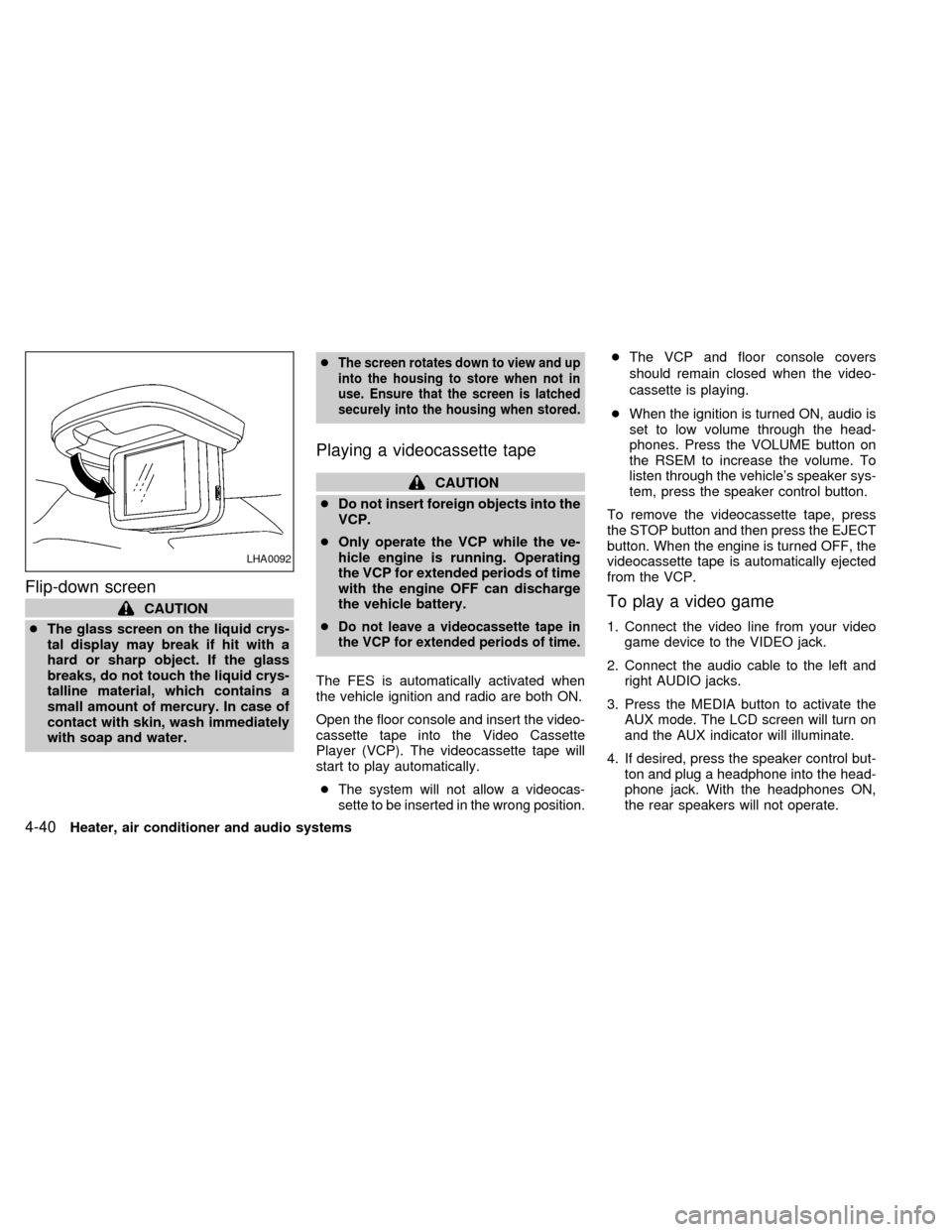
Flip-down screen
CAUTION
cThe glass screen on the liquid crys-
tal display may break if hit with a
hard or sharp object. If the glass
breaks, do not touch the liquid crys-
talline material, which contains a
small amount of mercury. In case of
contact with skin, wash immediately
with soap and water.c
The screen rotates down to view and up
into the housing to store when not in
use. Ensure that the screen is latched
securely into the housing when stored.
Playing a videocassette tape
CAUTION
cDo not insert foreign objects into the
VCP.
cOnly operate the VCP while the ve-
hicle engine is running. Operating
the VCP for extended periods of time
with the engine OFF can discharge
the vehicle battery.
c
Do not leave a videocassette tape in
the VCP for extended periods of time.
The FES is automatically activated when
the vehicle ignition and radio are both ON.
Open the floor console and insert the video-
cassette tape into the Video Cassette
Player (VCP). The videocassette tape will
start to play automatically.
c
The system will not allow a videocas-
sette to be inserted in the wrong position.
cThe VCP and floor console covers
should remain closed when the video-
cassette is playing.
cWhen the ignition is turned ON, audio is
set to low volume through the head-
phones. Press the VOLUME button on
the RSEM to increase the volume. To
listen through the vehicle's speaker sys-
tem, press the speaker control button.
To remove the videocassette tape, press
the STOP button and then press the EJECT
button. When the engine is turned OFF, the
videocassette tape is automatically ejected
from the VCP.
To play a video game
1. Connect the video line from your video
game device to the VIDEO jack.
2. Connect the audio cable to the left and
right AUDIO jacks.
3. Press the MEDIA button to activate the
AUX mode. The LCD screen will turn on
and the AUX indicator will illuminate.
4. If desired, press the speaker control but-
ton and plug a headphone into the head-
phone jack. With the headphones ON,
the rear speakers will not operate.
LHA0092
4-40Heater, air conditioner and audio systems
ZX
Page 184 of 294
Removing and installing VCP
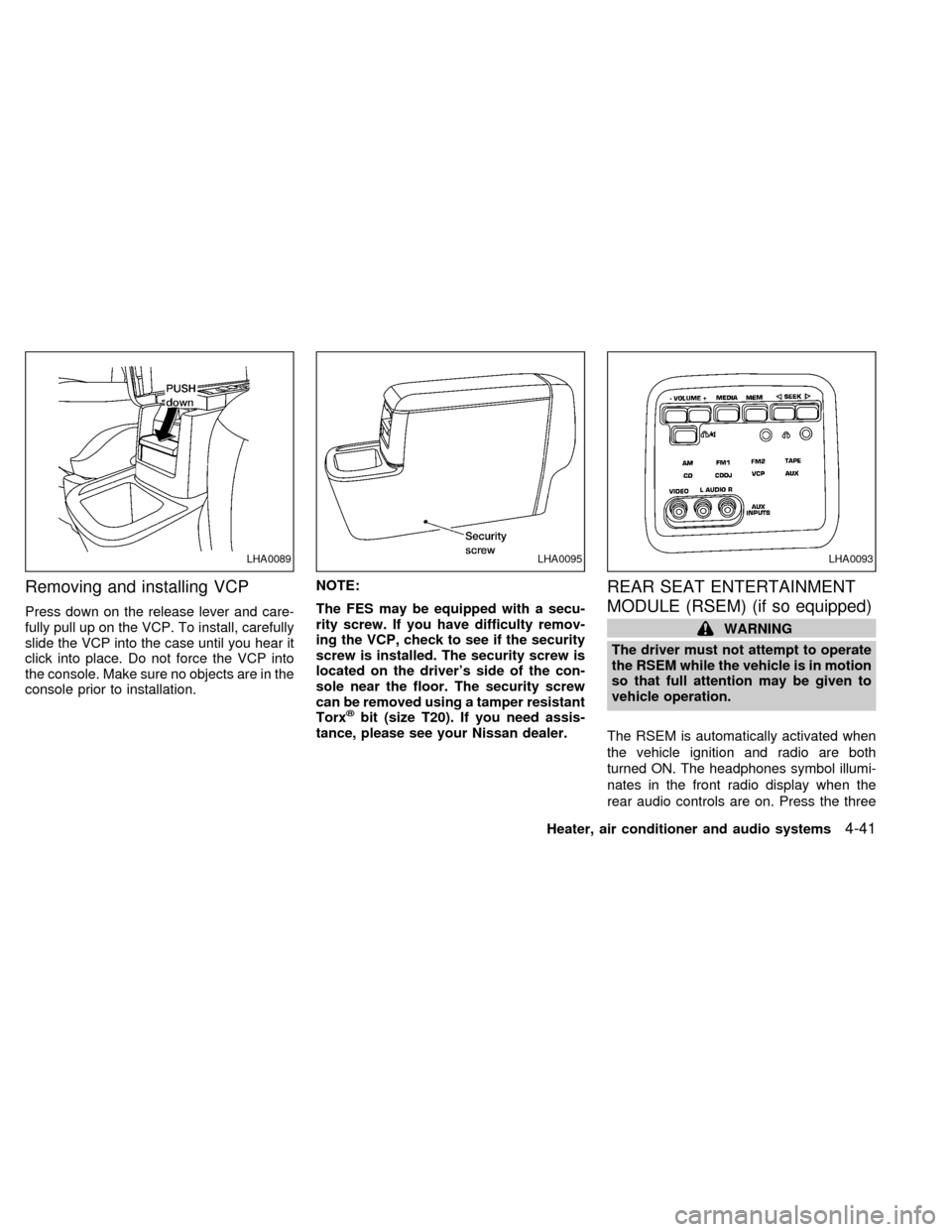
Press down on the release lever and care-
fully pull up on the VCP. To install, carefully
slide the VCP into the case until you hear it
click into place. Do not force the VCP into
the console. Make sure no objects are in the
console prior to installation.NOTE:
The FES may be equipped with a secu-
rity screw. If you have difficulty remov-
ing the VCP, check to see if the security
screw is installed. The security screw is
located on the driver's side of the con-
sole near the floor. The security screw
can be removed using a tamper resistant
Torx
žbit (size T20). If you need assis-
tance, please see your Nissan dealer.
REAR SEAT ENTERTAINMENT
MODULE (RSEM) (if so equipped)
WARNING
The driver must not attempt to operate
the RSEM while the vehicle is in motion
so that full attention may be given to
vehicle operation.
The RSEM is automatically activated when
the vehicle ignition and radio are both
turned ON. The headphones symbol illumi-
nates in the front radio display when the
rear audio controls are on. Press the three
LHA0089LHA0095LHA0093
Heater, air conditioner and audio systems4-41
ZX