2002 NISSAN MAXIMA lock
[x] Cancel search: lockPage 45 of 247

2 Instruments and controlsInstrument panel ....................................................... 2-2
Meters and gauges ................................................... 2-3
Speedometer and odometer ................................ 2-4
Tachometer .......................................................... 2-4
Engine coolant temperature gauge ...................... 2-5
Fuel gauge ........................................................... 2-5
Warning/indicator lights and audible reminders ........ 2-7
Checking bulbs ..................................................... 2-7
Warning lights....................................................... 2-7
Indicator lights .................................................... 2-10
Audible reminders .............................................. 2-11
Security systems ..................................................... 2-12
Vehivle security system ...................................... 2-12
Nissan Vehicle Immobilizer System .................. 2-13
Windshield wiper and washer switch ...................... 2-14
Rear window and outside mirror (if so equipped)
defogger switch ....................................................... 2-15
Headlight and turn signal switch ............................. 2-16
Xenon headlights................................................ 2-16
Headlight switch ................................................. 2-17
Turn signal switch .............................................. 2-19
Fog light switch (if so equipped) ............................. 2-19
Hazard warning flasher switch ................................ 2-19
Horn......................................................................... 2-20Heated seats (if so equipped) ................................. 2-20
Heated steering wheel (if so equipped) .................. 2-21
Traction control system (TCS) cancel switch
(if so equipped) ....................................................... 2-22
Power outlet ............................................................ 2-22
Cigarette lighter and ashtray (accessory) ............... 2-23
Storage .................................................................... 2-23
Trays................................................................... 2-23
Glasses case ...................................................... 2-24
Cup holder .......................................................... 2-24
Glove box ........................................................... 2-25
Console box ....................................................... 2-26
Cargo net (if so equipped) ................................. 2-26
Windows .................................................................. 2-27
Power windows .................................................. 2-27
Sunroof (if so equipped) ......................................... 2-29
Automatic sunroof .............................................. 2-29
Clock ....................................................................... 2-30
Adjusting the time............................................... 2-30
Trip computer .......................................................... 2-30
Interior light ............................................................. 2-32
Ceiling................................................................. 2-32
Personal light .......................................................... 2-33
Vanity mirror light (if so equipped) .......................... 2-34
Z
01.9.21/A33-D/V5.0
X
Page 47 of 247

1. Instrument brightness control switch
(P.2-18)
2. Headlight, fog light (if so equipped) and turn
signal switch (P.2-16)
3. Traction control system (TCS) cancel
switch (if so equipped) (P.2-22)
4. Meters/gauges (P.2-3)
5. Rear window and outside mirror (if so
equipped) defogger switch Ð type B
(P.2-15)
6. Windshield wiper/washer switch (P.2-14)
7. Ventilator (P.4-2)
8. Rear window and outside mirror (if so
equipped) defogger switch Ð type A
(P.2-15)
9. Heater/air conditioner control (P.4-3) or
radio/cassette player (4-16)
10. Clock (P.2-30)
11. Security indicator light (P.2-14)
12. Radio/cassette player (P.4-16)/CD player
(P.4-16) or Navigation system*
13. Passenger supplemental air bag (P.1-8)
14. Fuse box cover (P.8-24)
15. Automatic drive positioner system cancel
switch (if so equipped) (P.3-18)
16. Heated steering switch (if so equipped)
(P.2-21)
17. Outside mirror remote control (P.3-15)
18. Steering switch for audio control (P.4-28)
and trip computer (P.2-30)
19. Driver supplemental air bag (P.1-8)
20. Tilting steering wheel lock lever (P.3-14)
21. Cruise control main/set switch (P.5-14)
22. Ignition switch/steering lock (P.5-4)
SIC1736
INSTRUMENT PANEL2-2
Instruments and controls
Z
01.9.21/A33-D/V5.0
X
Page 52 of 247

or
Anti-lock brake warning light
Low washer fluid warning light
High beam indicator light (Blue)
A/T check warning light (A/T models)
Seat belt warning light
Malfunction indicator lamp (MIL)
or
Brake warning light
Stop/tail warning light
Slip indicator light
Charge warning light
Supplemental air bag warning light
Traction control system indicator light
Door open warning light
Trunk lid open warning light
Turn signal/hazard indicator lights
Engine oil pressure warning light
Cruise main switch indicator light
Low fuel warning light
Cruise set indicator light
CHECKING BULBSApply the parking brake and turn the ignition
key to ON without starting the engine. The
following lights will come on:
,
or
,
,
The following lights come on briefly and then
go off:
,
or
,
,
,
If any light fails to come on, it may indicate a
burned-out bulb or an open circuit in the elec-trical system. Have the system repaired
promptly.
WARNING LIGHTS
or
Anti-lock brake
warning light
After turning the ignition key to the ON posi-
tion, the light will illuminate. The light will turn
off after about 2 seconds if the system is
operational.
If the light comes on while the engine isrunning, it may indicate that the anti-lock brake
system is not functioning properly. Have the
system checked by your NISSAN dealer.
If an abnormality occurs in the system, the
anti-lock function will cease but the ordinary
brakes will continue to operate normally.
If the light comes on while you are driving,
contact your NISSAN dealer for repair.
WARNING/INDICATOR LIGHTS
AND AUDIBLE REMINDERS
Instruments and controls
2-7
Z
01.9.21/A33-D/V5.0
X
Page 57 of 247
it will make a high pitched scraping sound
when the vehicle is in motion whether or not
the brake pedal is depressed. Have the brakes
checked as soon as possible if the warning
sound is heard.
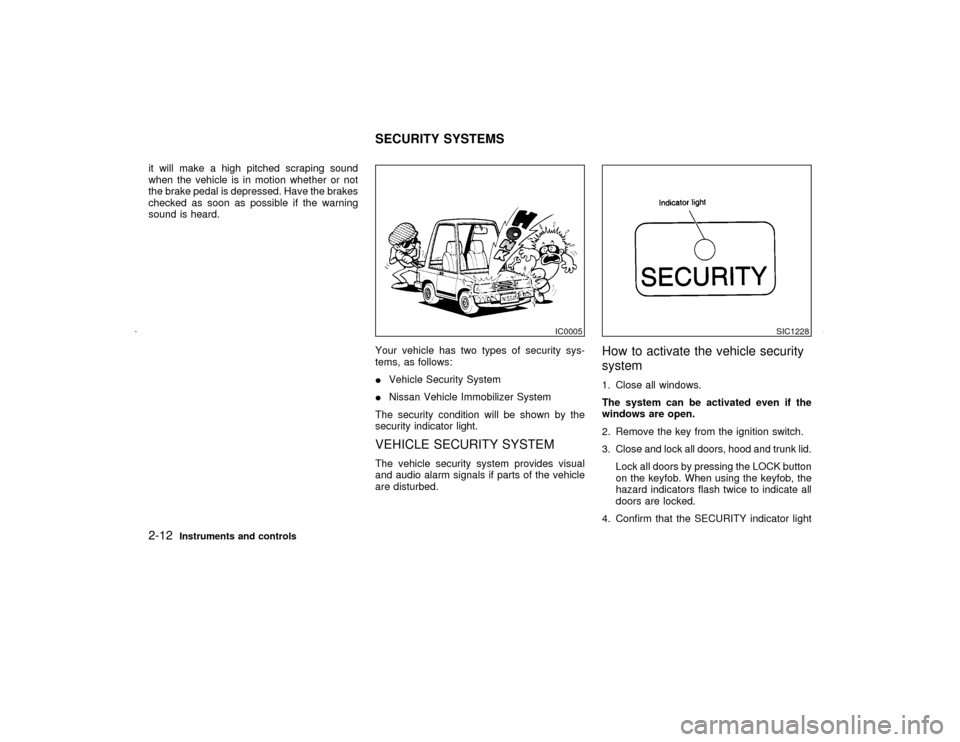
Your vehicle has two types of security sys-
tems, as follows:
IVehicle Security System
INissan Vehicle Immobilizer System
The security condition will be shown by the
security indicator light.
VEHICLE SECURITY SYSTEMThe vehicle security system provides visual
and audio alarm signals if parts of the vehicle
are disturbed.
How to activate the vehicle security
system1. Close all windows.
The system can be activated even if the
windows are open.
2. Remove the key from the ignition switch.
3. Close and lock all doors, hood and trunk lid.
Lock all doors by pressing the LOCK button
on the keyfob. When using the keyfob, the
hazard indicators flash twice to indicate all
doors are locked.
4. Confirm that the SECURITY indicator light
IC0005
SIC1228
SECURITY SYSTEMS
2-12
Instruments and controls
Z
01.9.21/A33-D/V5.0
X
Page 58 of 247

comes on. The SECURITY indicator light
glows for about 30 seconds and then blinks.
The system is now activated. If, during this
30 second time period, the door is unlocked
by the key or the keyfob, or the ignition key
is turned to ACC or ON, the system will not
activate.
IIf the key is turned slowly toward the
front of the vehicle when locking the
door, the system may not activate. If the
key is returned beyond the vertical po-
sition toward the rear of the vehicle to
remove the key, the system may be
deactivated. If the indicator light fails to
glow for 30 seconds, unlock the door
once and lock it again.
IEven when the driver and/or passengers
are in the vehicle, the system will acti-
vate with all doors, hood and trunk lid
locked and ignition key off. Turn the
ignition key to ACC to turn the system
off.
Vehicle security system operationThe security system will give the following
alarm:
IThe headlights blink and the horn sounds
intermittently.
IThe alarm automatically turns off after ap-proximately 1 minute. However, the alarm
reactivates if the vehicle is tampered with
again. The alarm can be shut off by unlock-
ing a door or trunk lid with the key, or by
pressing the UNLOCK button on the key-
fob.
The alarm is activated by:
IOpening the door without using the key or
keyfob.
IOpening the trunk lid without using the key
or keyfob.
IOpening the hood.
How to stop alarmThe alarm will stop only by unlocking a door or
trunk lid with the key, or by pressing the
UNLOCK button on keyfob. The alarm will not
stop if the ignition switch is turned to ACC or
ON.
If the system does not operate as de-
scribed above, have it checked by your
NISSAN dealer.NISSAN VEHICLE IMMOBILIZER
SYSTEMThe Nissan Vehicle Immobilizer System will
not allow the engine to start without the use ofthe registered Nissan Vehicle Immobilizer Sys-
tem key.
If the engine fails to start using the registered
Nissan Vehicle Immobilizer System key, it may
be due to interference caused by another
Nissan Vehicle Immobilizer System key, an
automated toll road device or automated pay-
ment device on the key ring. Restart the en-
gine using the following procedures:
1. Leave the ignition switch in the ON position
for approximately 5 seconds.
2. Turn the ignition switch to the OFF or LOCK
position and wait approximately 10 sec-
onds.
3. Repeat step 1 and 2 again.
4. Restart the engine while holding the device
(which may have caused the interference)
separate from the registered Nissan Ve-
hicle Immobilizer System key.
If this procedure allows the engine to start,
NISSAN recommends placing the regis-
tered Nissan Vehicle Immobilizer System
key on a separate key ring to avoid inter-
ference from other devices.
Statement related to section 15 of FCC
rules for Nissan Vehicle Immobilizer Sys-
tem (CONT ASSY-IMMOBILIZER)
Instruments and controls
2-13
Z
01.9.21/A33-D/V5.0
X
Page 63 of 247
IWhen the headlight switch remains in the
or
position after the lights auto-
matically turn off, the lights will turn on for 5
minutes when the headlight switch is turned
to the OFF position and turn to the
or
position.
CAUTION
IWhen you turn on the headlight
switch after the lights automatically
turn off, the lights will not turn off
automatically. Be sure to turn the
light switch to the OFF position when
you leave the vehicle for extended
periods of time, otherwise the battery
will go dead.
INever leave the light switch on when
the engine is not running for ex-
tended periods of time even if the
headlights turn off automatically.
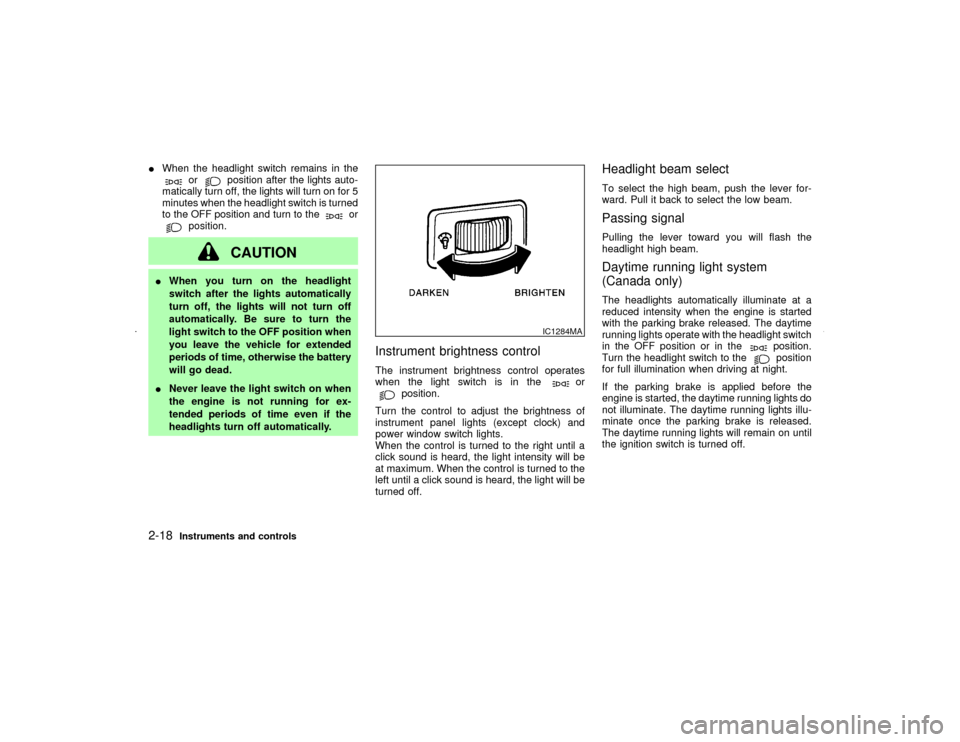
Instrument brightness controlThe instrument brightness control operates
when the light switch is in the
or
position.
Turn the control to adjust the brightness of
instrument panel lights (except clock) and
power window switch lights.
When the control is turned to the right until a
click sound is heard, the light intensity will be
at maximum. When the control is turned to the
left until a click sound is heard, the light will be
turned off.
Headlight beam selectTo select the high beam, push the lever for-
ward. Pull it back to select the low beam.Passing signalPulling the lever toward you will flash the
headlight high beam.Daytime running light system
(Canada only)The headlights automatically illuminate at a
reduced intensity when the engine is started
with the parking brake released. The daytime
running lights operate with the headlight switch
in the OFF position or in the
position.
Turn the headlight switch to theposition
for full illumination when driving at night.
If the parking brake is applied before the
engine is started, the daytime running lights do
not illuminate. The daytime running lights illu-
minate once the parking brake is released.
The daytime running lights will remain on until
the ignition switch is turned off.
IC1284MA
2-18
Instruments and controls
Z
01.9.21/A33-D/V5.0
X
Page 70 of 247
CAUTION
IAvoid abrupt starting and braking
when the cup holder is being used to
prevent spilling the drink. If the liquid
is hot, it can scald you or your pas-
senger.
IUse only soft cups in the cup holder.
Hard objects can injure you in an
accident.
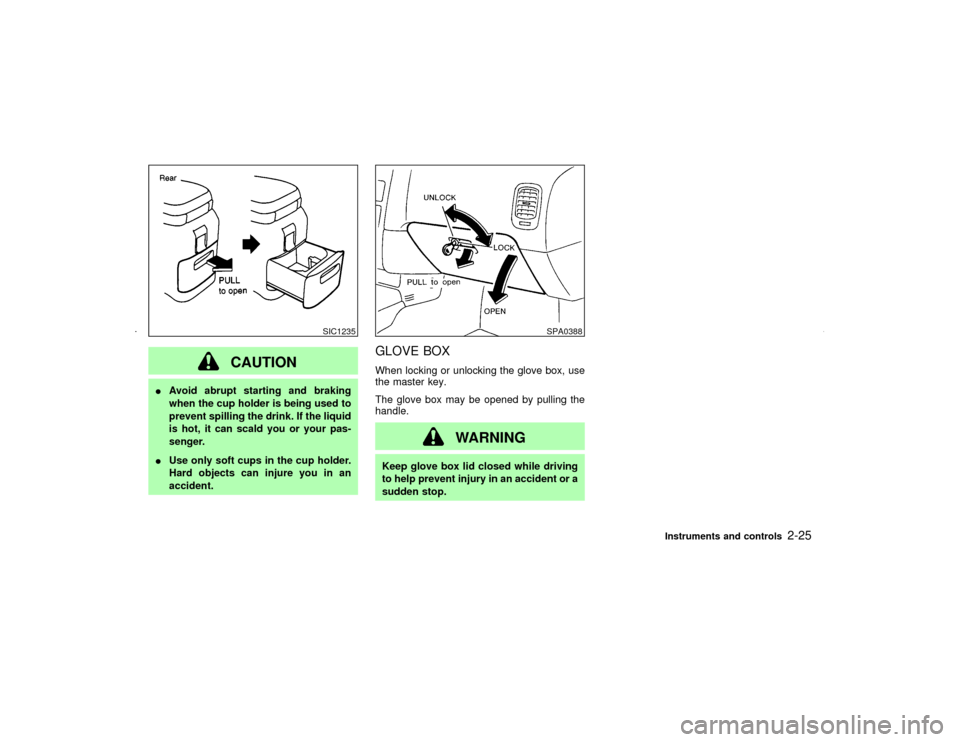
GLOVE BOXWhen locking or unlocking the glove box, use
the master key.
The glove box may be opened by pulling the
handle.
WARNING
Keep glove box lid closed while driving
to help prevent injury in an accident or a
sudden stop.
SIC1235
SPA0388
Instruments and controls
2-25
Z
01.9.21/A33-D/V5.0
X
Page 72 of 247
WARNING
IProperly secure all cargo to help pre-
vent it from sliding or shifting.
IBe sure to secure hooks into the
retainers. The cargo restrained in the
net must not exceed 30 lb (13.6 kg) or
the net may not stay secured.
POWER WINDOWS
WARNING
IMake sure that all passengers have
their hands, etc. inside the vehicle
before closing the windows. Use the
window lock switch to prevent unex-
pected use of the power windows.
IDo not leave children unattended in-
side the vehicle. They could unknow-
ingly activate switches or controlsand become trapped in a window.
Unattended children could become
involved in serious accidents.
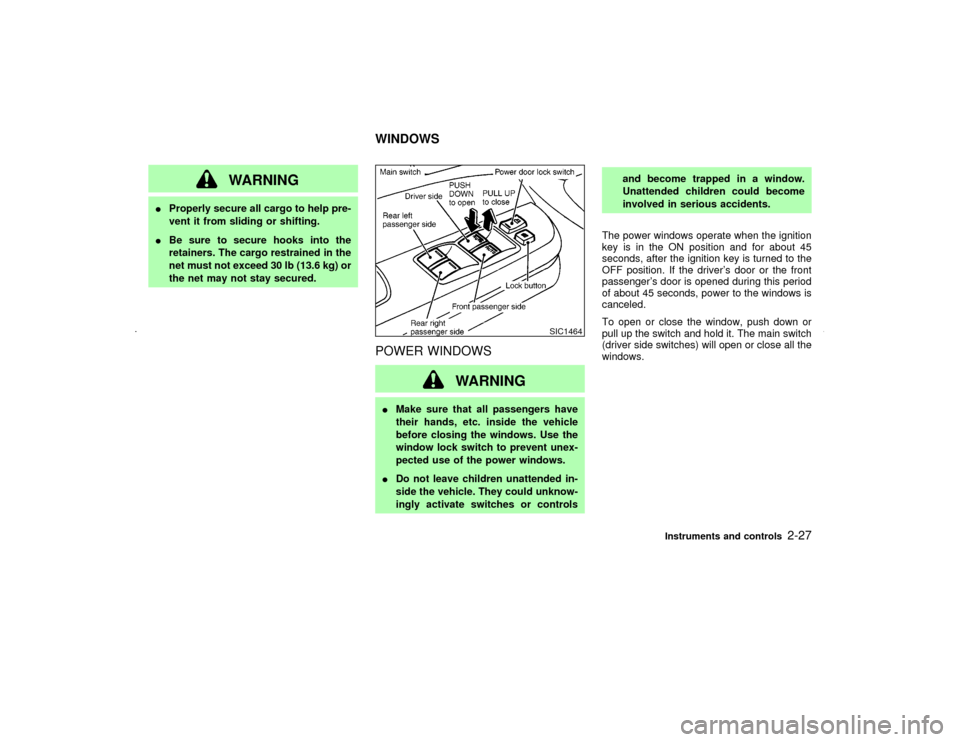
The power windows operate when the ignition
key is in the ON position and for about 45
seconds, after the ignition key is turned to the
OFF position. If the driver's door or the front
passenger's door is opened during this period
of about 45 seconds, power to the windows is
canceled.
To open or close the window, push down or
pull up the switch and hold it. The main switch
(driver side switches) will open or close all the
windows.
SIC1464
WINDOWS
Instruments and controls
2-27
Z
01.9.21/A33-D/V5.0
X