Page 75 of 273
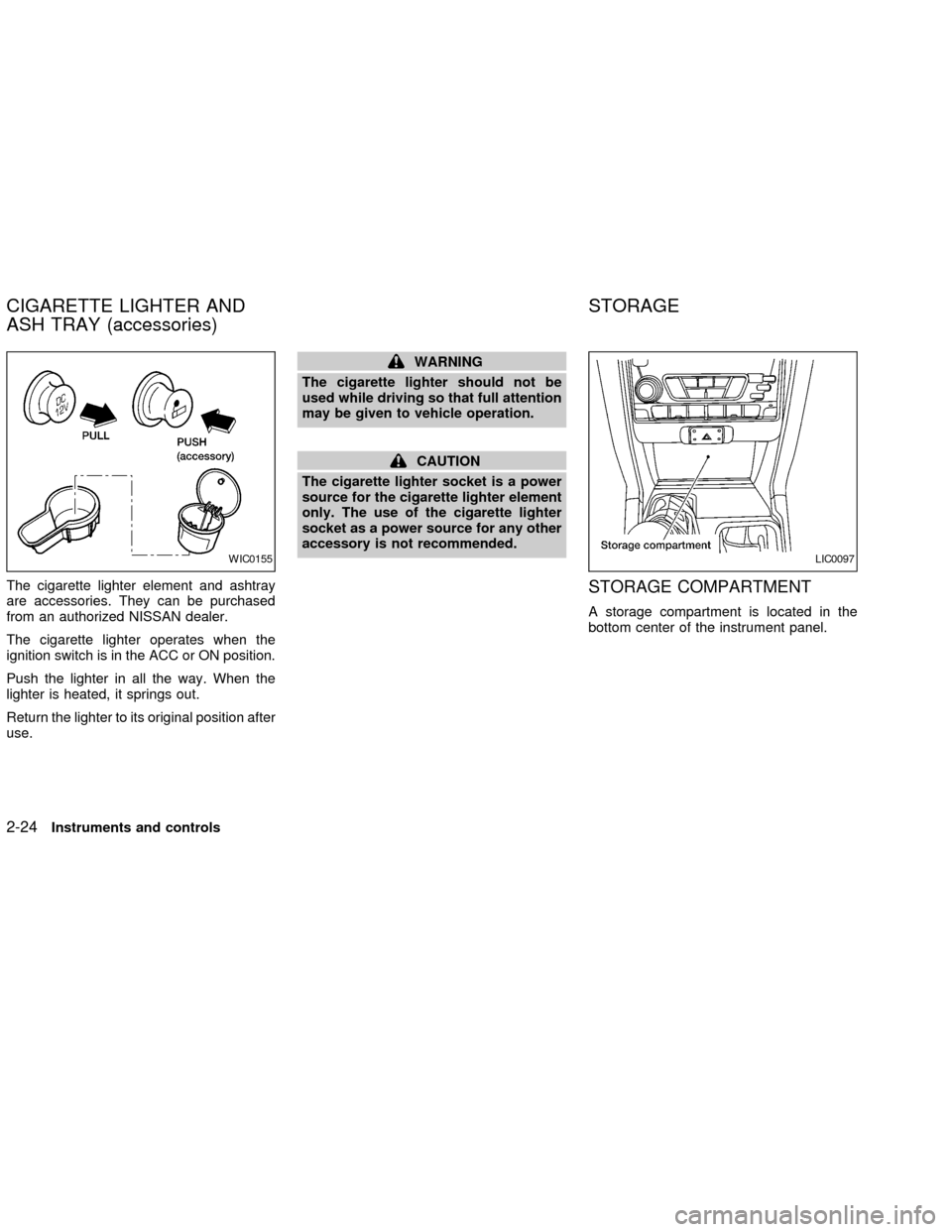
The cigarette lighter element and ashtray
are accessories. They can be purchased
from an authorized NISSAN dealer.
The cigarette lighter operates when the
ignition switch is in the ACC or ON position.
Push the lighter in all the way. When the
lighter is heated, it springs out.
Return the lighter to its original position after
use.
WARNING
The cigarette lighter should not be
used while driving so that full attention
may be given to vehicle operation.
CAUTION
The cigarette lighter socket is a power
source for the cigarette lighter element
only. The use of the cigarette lighter
socket as a power source for any other
accessory is not recommended.
STORAGE COMPARTMENT
A storage compartment is located in the
bottom center of the instrument panel.
WIC0155LIC0097
CIGARETTE LIGHTER AND
ASH TRAY (accessories)STORAGE
2-24Instruments and controls
ZX
Page 77 of 273
GLOVE BOX
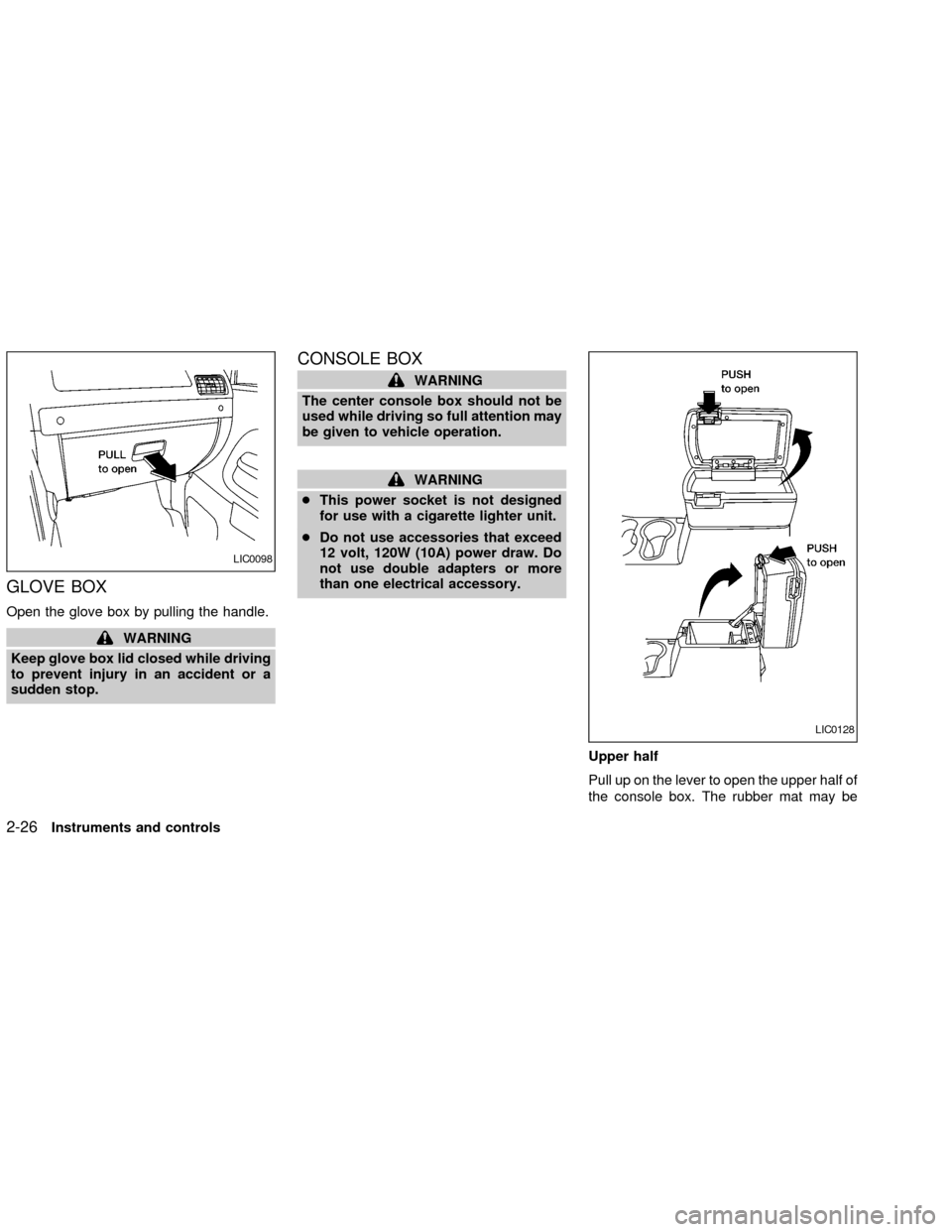
Open the glove box by pulling the handle.
WARNING
Keep glove box lid closed while driving
to prevent injury in an accident or a
sudden stop.
CONSOLE BOX
WARNING
The center console box should not be
used while driving so full attention may
be given to vehicle operation.
WARNING
cThis power socket is not designed
for use with a cigarette lighter unit.
cDo not use accessories that exceed
12 volt, 120W (10A) power draw. Do
not use double adapters or more
than one electrical accessory.
Upper half
Pull up on the lever to open the upper half of
the console box. The rubber mat may be
LIC0098
LIC0128
2-26Instruments and controls
ZX
Page 84 of 273
Each dome light has a three-position switch
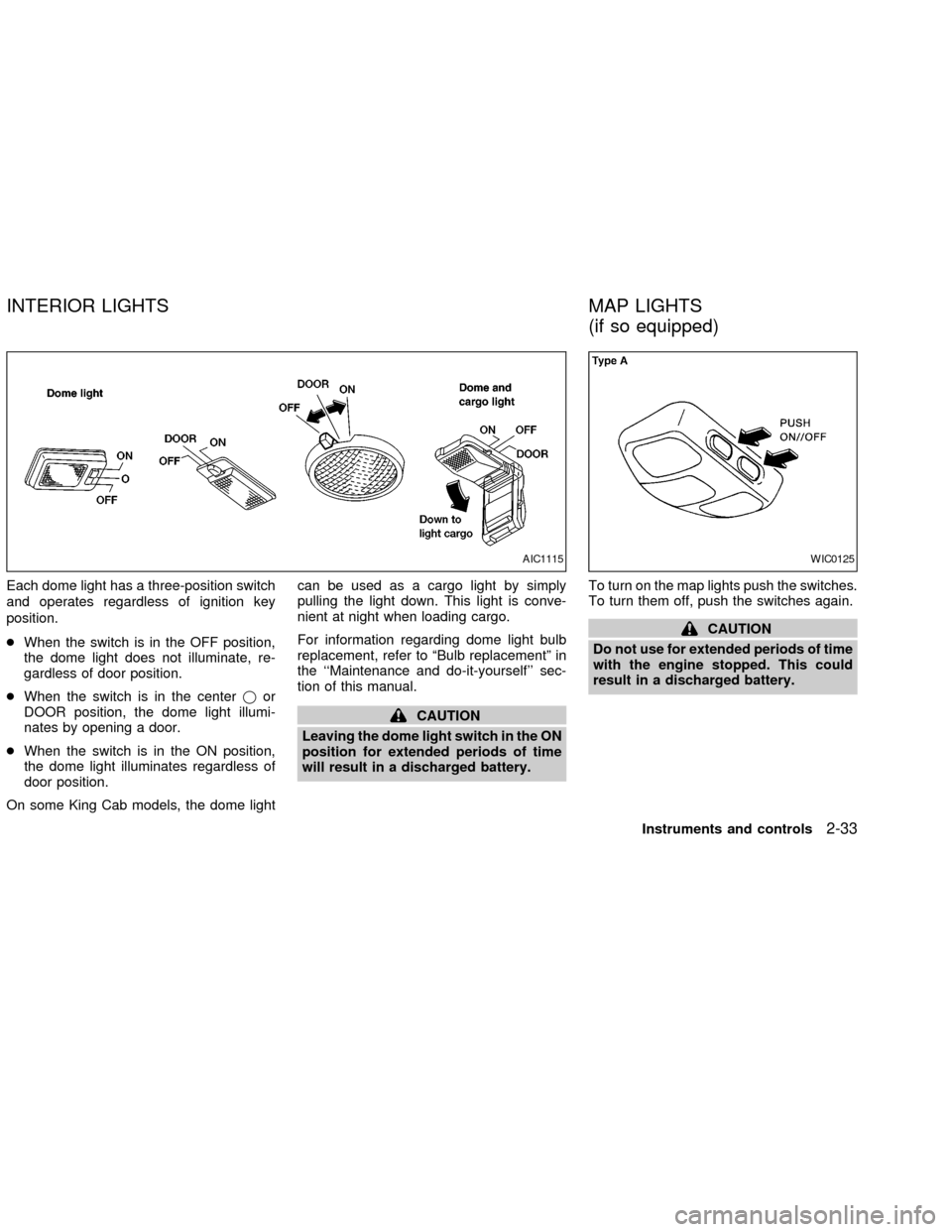
and operates regardless of ignition key
position.
cWhen the switch is in the OFF position,
the dome light does not illuminate, re-
gardless of door position.
cWhen the switch is in the centerjor
DOOR position, the dome light illumi-
nates by opening a door.
cWhen the switch is in the ON position,
the dome light illuminates regardless of
door position.
On some King Cab models, the dome lightcan be used as a cargo light by simply
pulling the light down. This light is conve-
nient at night when loading cargo.
For information regarding dome light bulb
replacement, refer to ªBulb replacementº in
the ``Maintenance and do-it-yourself'' sec-
tion of this manual.
CAUTION
Leaving the dome light switch in the ON
position for extended periods of time
will result in a discharged battery.To turn on the map lights push the switches.
To turn them off, push the switches again.
CAUTION
Do not use for extended periods of time
with the engine stopped. This could
result in a discharged battery.
AIC1115WIC0125
INTERIOR LIGHTS MAP LIGHTS
(if so equipped)
Instruments and controls2-33
ZX
Page 85 of 273
The interior lights illuminate when a front or
rear door (crew cab only) is opened. Once
the doors are closed, these lights turn off in
30 seconds or turn off immediately when the
key is turned to the ON position.
BATTERY SAVER
If the vehicle doors are not fully closed and
the interior lights remain illuminated, they
eventually turn off automatically to prevent
the battery from becoming discharged. Inte-
rior lights that illuminate when doors are
opened turn off after approximately 30 min-
utes.
LIC0101
ILLUMINATED ENTRY
SYSTEM
2-34Instruments and controls
ZX
Page 89 of 273
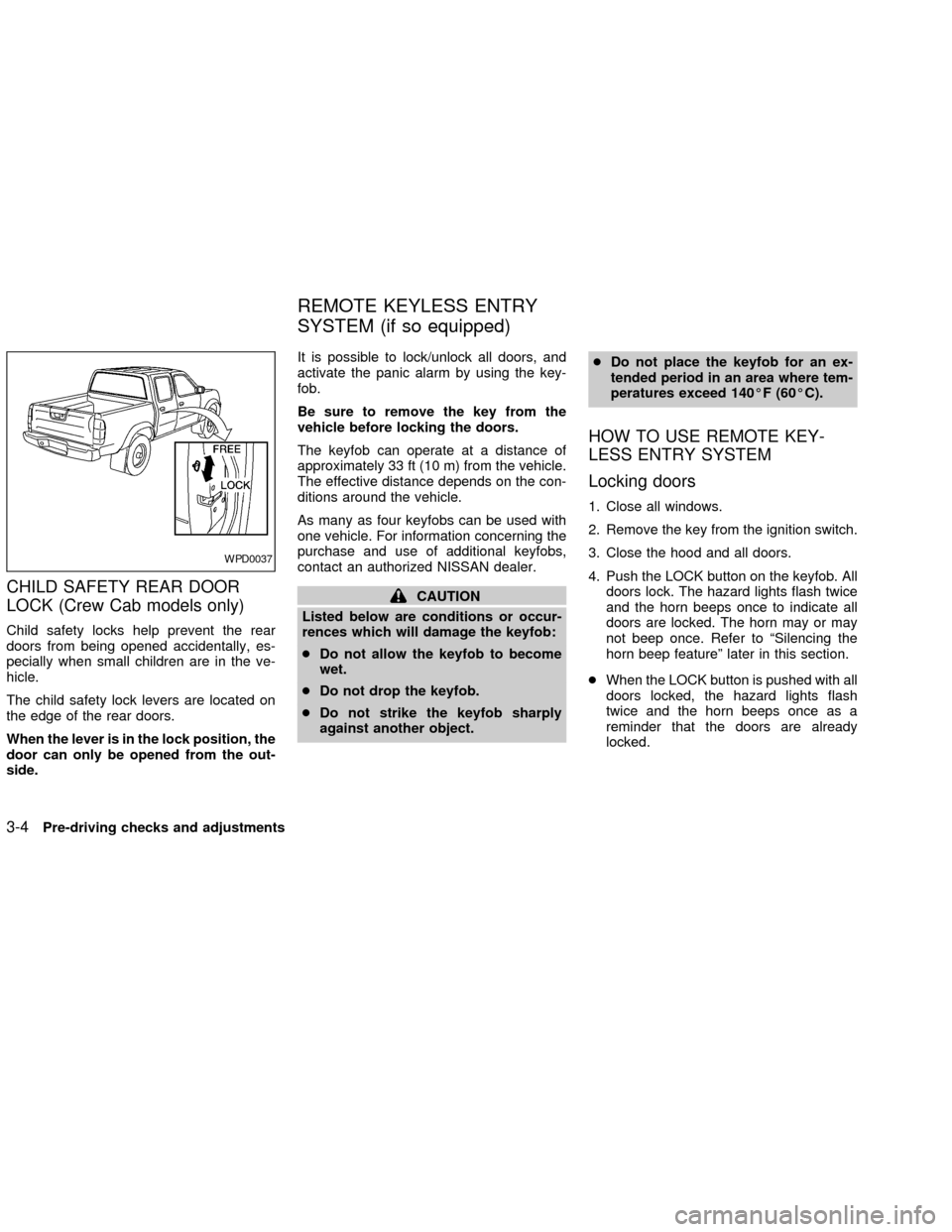
CHILD SAFETY REAR DOOR
LOCK (Crew Cab models only)
Child safety locks help prevent the rear
doors from being opened accidentally, es-
pecially when small children are in the ve-
hicle.
The child safety lock levers are located on
the edge of the rear doors.
When the lever is in the lock position, the
door can only be opened from the out-
side.It is possible to lock/unlock all doors, and
activate the panic alarm by using the key-
fob.
Be sure to remove the key from the
vehicle before locking the doors.
The keyfob can operate at a distance of
approximately 33 ft (10 m) from the vehicle.
The effective distance depends on the con-
ditions around the vehicle.
As many as four keyfobs can be used with
one vehicle. For information concerning the
purchase and use of additional keyfobs,
contact an authorized NISSAN dealer.
CAUTION
Listed below are conditions or occur-
rences which will damage the keyfob:
cDo not allow the keyfob to become
wet.
cDo not drop the keyfob.
cDo not strike the keyfob sharply
against another object.cDo not place the keyfob for an ex-
tended period in an area where tem-
peratures exceed 140ÉF (60ÉC).
HOW TO USE REMOTE KEY-
LESS ENTRY SYSTEM
Locking doors
1. Close all windows.
2. Remove the key from the ignition switch.
3. Close the hood and all doors.
4. Push the LOCK button on the keyfob. All
doors lock. The hazard lights flash twice
and the horn beeps once to indicate all
doors are locked. The horn may or may
not beep once. Refer to ªSilencing the
horn beep featureº later in this section.
cWhen the LOCK button is pushed with all
doors locked, the hazard lights flash
twice and the horn beeps once as a
reminder that the doors are already
locked.
WPD0037
REMOTE KEYLESS ENTRY
SYSTEM (if so equipped)
3-4Pre-driving checks and adjustments
ZX
Page 90 of 273

Unlocking doors
1. Push the UNLOCK button on the keyfob.
Only the driver's side door unlocks.
2. Push the UNLOCK button on the keyfob
again within five seconds. All doors un-
lock.3. The interior light illuminates for 30 sec-
onds when the light switch is in the O or
DOOR position.
The interior light can be turned off without
waiting 30 seconds by inserting the key into
the ignition and turning to the ON or START
position, locking the doors with the keyfobor pushing the interior light switch to the
OFF position.
Auto Relock
All doors will lock automatically within 5
minutes unless one of the following opera-
tions is performed:
cany door is opened
ca key is inserted into the ignition switch
and the key is turned from OFF to ON.
Using the panic alarm
If you are near your vehicle and feel threat-
ened, you may activate the panic alarm to
call attention as follows:
1. Push the PANIC button on the remote
controller forlonger than 0.5 seconds.
2. The theft warning alarm and headlights
will stay on for 30 seconds.
3. The panic alarm stops when:
cit has run for 30 seconds, or
cthe LOCK or UNLOCK button is pressed,
on the keyfob.
WPD0080
Pre-driving checks and adjustments3-5
ZX
Page 91 of 273
Silencing the horn beep feature
If desired, the horn beep feature can be
deactivated using the keyfob.
To deactivate:Press and hold the LOCK
and UNLOCKtogether for at least two
seconds.
The hazard lights will quickly flash three
times to confirm that the horn beep feature
has been deactivated.
To activate:Press and hold the LOCK and
UNLOCKtogether for at least two sec-
onds once more.
The hazard lights will quickly flash once and
the horn will sound once to confirm that the
horn beep feature has been reactivated.
Deactivating the horn feature does not si-
lence the horn if the alarm is triggered.
LIC0116
3-6Pre-driving checks and adjustments
ZX
Page 93 of 273
device must accept any interference re-
ceived including interference that may
cause undesired operation of the device.
WARNING
cMake sure the hood is completely
closed and latched before driving.
Failure to do so could cause the
hood to fly open and result in an
accident.
cIf you see steam or smoke coming
from the engine compartment, to
avoid injury do not open the hood.
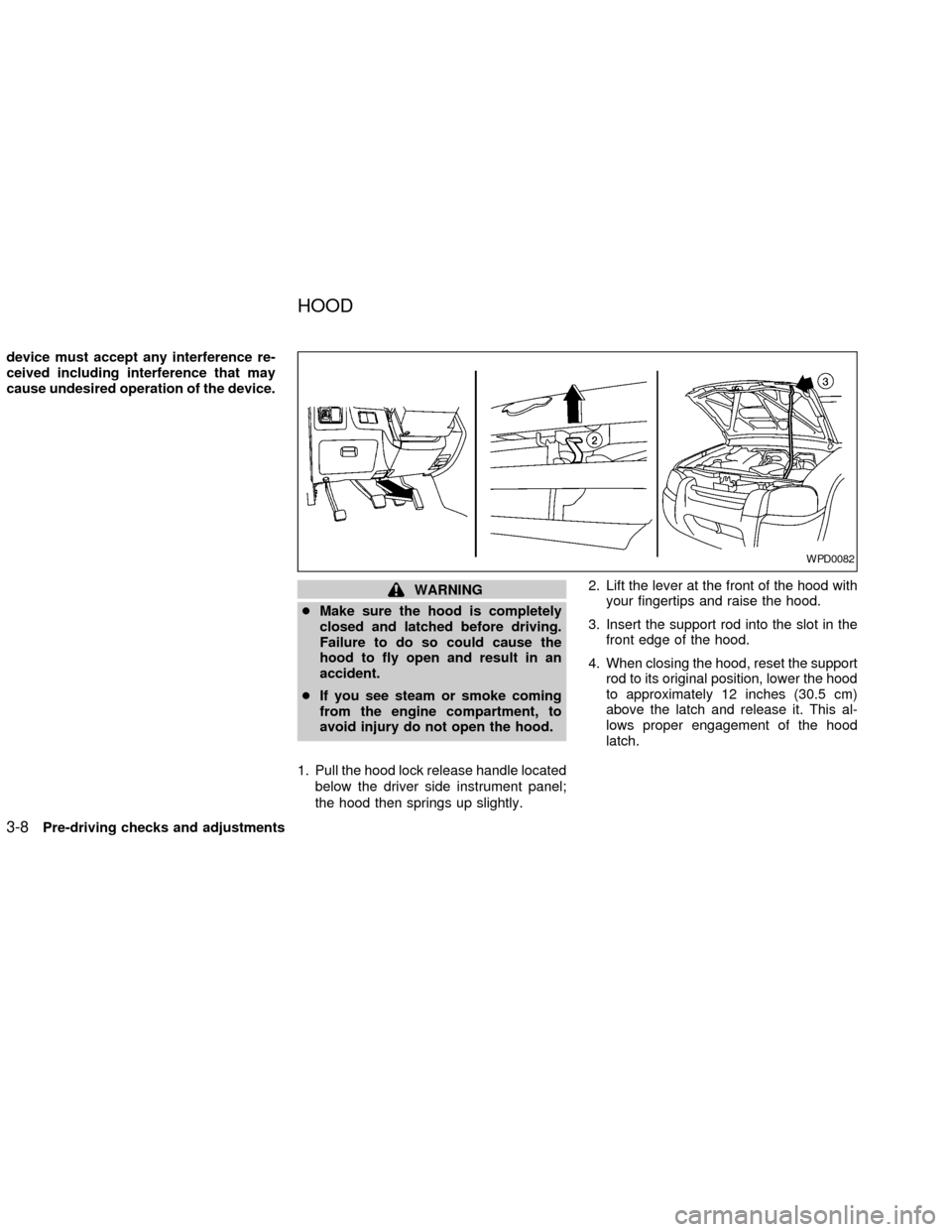
1. Pull the hood lock release handle located
below the driver side instrument panel;
the hood then springs up slightly.2. Lift the lever at the front of the hood with
your fingertips and raise the hood.
3. Insert the support rod into the slot in the
front edge of the hood.
4. When closing the hood, reset the support
rod to its original position, lower the hood
to approximately 12 inches (30.5 cm)
above the latch and release it. This al-
lows proper engagement of the hood
latch.
WPD0082
HOOD
3-8Pre-driving checks and adjustments
ZX