2002 MINI Hardtop 2 Door brake
[x] Cancel search: brakePage 46 of 140
44
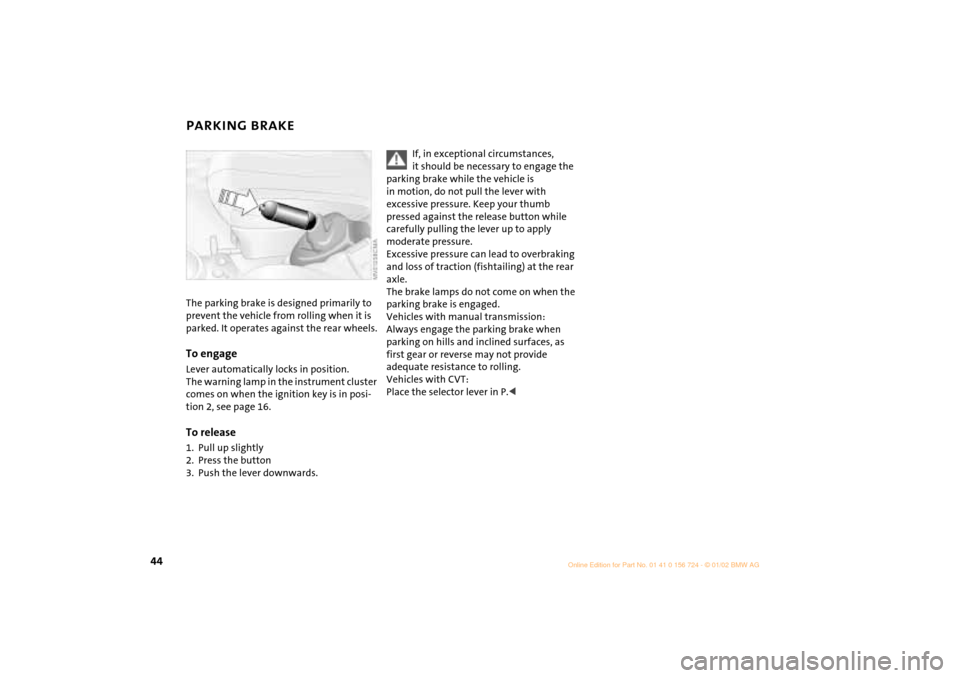
PARKING BRAKE The parking brake is designed primarily to
prevent the vehicle from rolling when it is
parked. It operates against the rear wheels.To engageLever automatically locks in position.
The warning lamp in the instrument cluster
comes on when the ignition key is in posi-
tion 2, see page 16.To release1. Pull up slightly
2. Press the button
3. Push the lever downwards.
If, in exceptional circumstances,
it should be necessary to engage the
parking brake while the vehicle is
in motion, do not pull the lever with
excessive pressure. Keep your thumb
pressed against the release button while
carefully pulling the lever up to apply
moderate pressure.
Excessive pressure can lead to overbraking
and loss of traction (fishtailing) at the rear
axle.
The brake lamps do not come on when the
parking brake is engaged.
Vehicles with manual transmission:
Always engage the parking brake when
parking on hills and inclined surfaces, as
first gear or reverse may not provide
adequate resistance to rolling.
Vehicles with CVT:
Place the selector lever in P.<
Page 47 of 140
45
OVERVIEW REPAIRS OPERATIONCONTROLS DATA INDEX
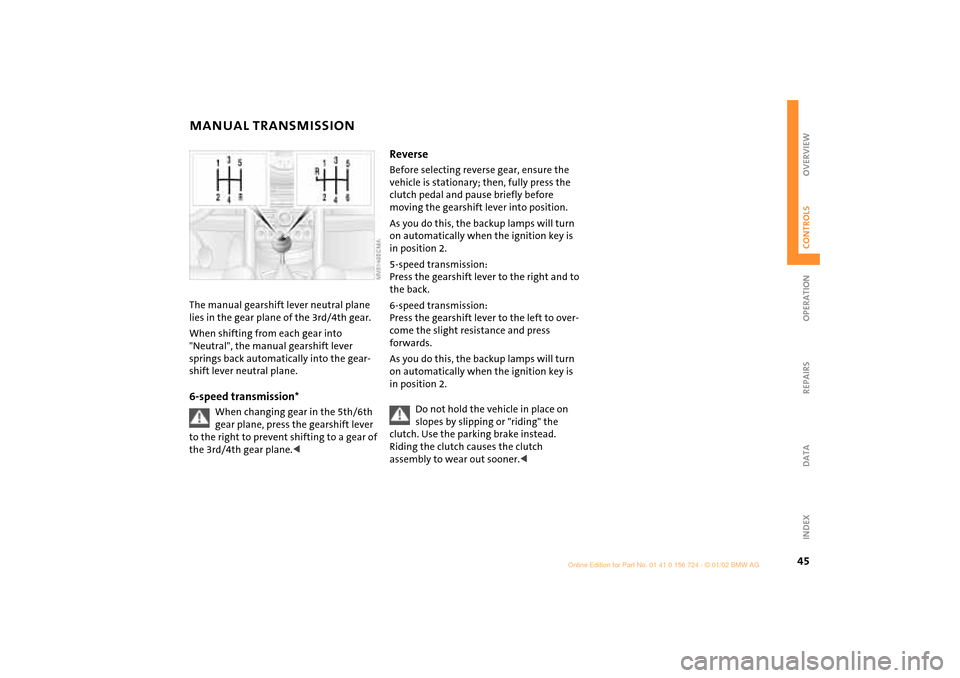
MANUAL TRANSMISSION The manual gearshift lever neutral plane
lies in the gear plane of the 3rd/4th gear.
When shifting from each gear into
"Neutral", the manual gearshift lever
springs back automatically into the gear-
shift lever neutral plane.6-speed transmission*
When changing gear in the 5th/6th
gear plane, press the gearshift lever
to the right to prevent shifting to a gear of
the 3rd/4th gear plane.<
Reverse Before selecting reverse gear, ensure the
vehicle is stationary; then, fully press the
clutch pedal and pause briefly before
moving the gearshift lever into position.
As you do this, the backup lamps will turn
on automatically when the ignition key is
in position 2.
5-speed transmission:
Press the gearshift lever to the right and to
the back.
6-speed transmission:
Press the gearshift lever to the left to over-
come the slight resistance and press
forwards.
As you do this, the backup lamps will turn
on automatically when the ignition key is
in position 2.
Do not hold the vehicle in place on
slopes by slipping or "riding" the
clutch. Use the parking brake instead.
Riding the clutch causes the clutch
assembly to wear out sooner.<
Page 48 of 140
46
CONTINUOUSLY VARIABLE AUTOMATIC TRANSMISSION (CVT)
*
You can drive with a steplessly shifting CVT.
In addition, you can also shift manually.
When you move the selector lever from the
D position to the right into the M/S + Ð
range, the performance-oriented shift
programs of the CVT are engaged. Step-
tronic enters the manual selection mode
and executes the desired shift whenever
you tap the selector lever in the direction
indicated by "+" or "Ð" .
Whenever you want to use automatic
again, just move the selector lever toward
the left to position D.
In positition D, you achieve the
lowest fuel consumption for average
driving.<
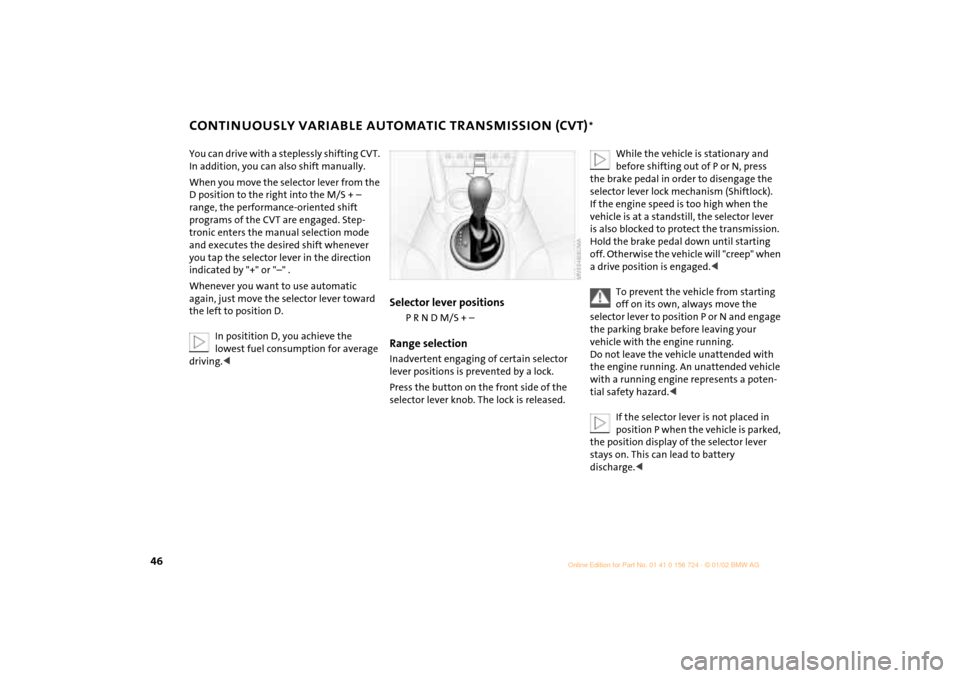
Selector lever positions
P R N D M/S + Ð
Range selectionInadvertent engaging of certain selector
lever positions is prevented by a lock.
Press the button on the front side of the
selector lever knob. The lock is released.
While the vehicle is stationary and
before shifting out of P or N, press
the brake pedal in order to disengage the
selector lever lock mechanism (Shiftlock).
If the engine speed is too high when the
vehicle is at a standstill, the selector lever
is also blocked to protect the transmission.
Hold the brake pedal down until starting
off. Otherwise the vehicle will "creep" when
a drive position is engaged.<
To prevent the vehicle from starting
off on its own, always move the
selector lever to position P or N and engage
the parking brake before leaving your
vehicle with the engine running.
Do not leave the vehicle unattended with
the engine running. An unattended vehicle
with a running engine represents a poten-
tial safety hazard.<
If the selector lever is not placed in
position P when the vehicle is parked,
the position display of the selector lever
stays on. This can lead to battery
discharge.<
Page 56 of 140

54
CRUISE CONTROL
*
To cancel the cruise control When the system is activated, press
button 2.
The indicator lamp stays lit.
You can use the cruise control again as
required.
In addition, cruise control is canceled auto-
matically
>if the brakes are applied
>when you apply pressure to the clutch
pedal, or when you move the CVT
selector lever from D to P, N or R
>or if the cruise speed is either exceeded
or not met for an extended length of
time (if you press the accelerator pedal
and exceed the stored speed, for
example).
To continue cruise controlPress button 1.
The vehicle accelerates to and maintains
the last speed stored. If you turn the igni-
tion key to position 0, the stored speed is
deleted and the system is deactivated.To deactivate the systemWith cancelled cruise control, press
button 2 once again.
The indicator lamp goes out and the stored
speed is deleted.
Page 59 of 140

57
OVERVIEW REPAIRS OPERATIONCONTROLS DATA INDEX
SERVICE INTERVAL DISPLAY Remaining distance for serviceThe displays shown in the illustration
appear for a few seconds when the ignition
key is in position 1 or after the engine is
started.
The next service due appears in miles (kilo-
meters) with the message INSPECTION or/
and OILSERVICE, together with the distance
remaining before the next scheduled
service. The computer bases its calculations
of the remaining distance on your driving
style in the period immediately preceding
your data request.
A flashing message and a "Ð" in front of the
number mean that the service interval has
already been exceeded by the distance
shown on the display. Please contact your
MINI center for an appointment.
For more information on the Service
Interval Display, see page 93.
Brake fluid changeYou can obtain a display of the number of
days remaining until the next due brake
fluid change, see page 92.
While the next due service is displayed,
press the button in the display element.
As of the due date of the brake fluid
change, the clock symbol also lights up in
the remaining distance display for Service,
see left column. Please contact your MINI
center for an appointment.
Periods of immobilization in which
the battery is disconnected are not
taken into account by the display.
For this reason, ensure that the brake fluid,
independent of the display, is replaced
every two years at the latest, see page 92.<
Page 62 of 140

60
AUTOMATIC STABILITY CONTROL PLUS TRACTION (ASC+T)
*
The concept
This system optimizes vehicle stability and
traction, especially when just starting off,
when accelerating or when cornering.
ASC+T recognizes the danger present in
traction loss and will increase driving
stability and traction by reducing the
engine's output, and if necessary, by
applying the brakes to the front wheels.
ASC+T is operational each time you start
the engine.
The laws of physics cannot be
repealed, even with ASC+T. An appro-
priate driving style always remains the
responsibility of the driver. Avoid using the
additional safety margin provided by the
system as an excuse for taking unnecessary
risks.
Do not make any modifications to the
ASC+T system. Allow only authorized tech-
nicians to perform service procedures on
the ASC+T.<
Switch off the ASC+TBriefly press the switch.
The indicator lamp stays lit.
When driving with snow chains or to "rock
free" in snow, it can be helpful to switch off
the ASC+T for a brief period.
To maintain vehicle stability, always
drive with the ASC+T switched on
whenever possible.
Indicator lamp
The indicator lamp on the instru-
ment cluster will go out shortly
after the ignition has been
switched on, see pages 16, 17.
If the indicator lamp flashes:
ASC+T controls the drive and braking
forces.
If the indicator lamp fails to go out
after the engine is started, or if it
comes on during normal driving and stays
on:
If the system is either defective or was
switched off with the button, then the
stabilizing applications described are no
longer available. You can, however, drive
the vehicle normally without ASC+T.
In the event of a malfunction, please see
your MINI center, see pages 16, 17.<
Page 63 of 140

61
OVERVIEW REPAIRS OPERATIONCONTROLS DATA INDEX
DYNAMIC STABILITY CONTROL (DSC)
*
The concept
This system maintains driving stability
even in critical driving situations.
The system optimizes vehicle stability
during acceleration and when starting
from a full stop, as well as optimizing trac-
tion. In addition, it recognizes unstable
vehicle conditions, such as under- or over-
steering, and, as far as is possible within
the laws of physics, helps keeping the
vehicle on a steady course by reducing the
rpms and brake applications to the indi-
vidual wheels.
The DSC is operational every time you start
the engine. DSC contains the functions
Antilock Brake System ABS/Electronic Brake
Force Distribution EBV/ASC+T.
The laws of physics cannot be
repealed, even with DSC. An appro-
priate driving style always remains the
responsibility of the driver. We therefore
urge you to avoid using the additional
safety margin of the system as an excuse
for taking risks.
Do not make any modifications to the DSC
system. Allow only authorized technicians
to perform service procedures on the
DSC.<
To switch off the DSCBriefly press the switch.
The indicator lamp stays lit.
When driving with snow chains, it may be
effective to switch off the DSC for a brief
period.
To maintain stability, always drive
with the DSC switched on whenever
possible.
Indicator lamp
The indicator lamp on the instru-
ment cluster will go out shortly
after the ignition has been
switched on, see pages 16, 17.
If the indicator lamp flashes:
DSC controls the drive and braking forces.
If the indicator lamp fails to go out
after the engine is started, or if it
comes on during normal driving and stays
on:
If the system is either defective or was
switched off with the button, then the
stabilizing applications described are no
longer available. The vehicle will remain
completely operational, however, without
DSC.
In the event of a malfunction, please see
your MINI center, see pages 16, 17.<
Page 78 of 140

76
BREAK-IN PROCEDURES GENERAL DRIVING NOTES To ensure that your vehicle provides
maximum economy throughout a long
service life, we request that you comply
with the following information: EngineUp to 1,200 miles (2,000 km):
Attempt to constantly vary both vehicle
and engine speed during these initial miles
while remembering to avoid engine speeds
in excess of 4,500 rpm and/or vehicle
speeds of over 95 mph (150 km/h).
Absolutely avoid using the full-throttle or
kickdown position for the accelerator.
Once you have driven 1,200 miles
(2,000 km), both the engine and vehicle
speed can be gradually increased.
You should also comply with these break-in
procedures if the engine has to be replaced
at a later point.
TiresDue to technical factors associated with
their manufacture, tires do not achieve
their full traction potential until after an
initial break-in period. We therefore ask
you to drive with extra care during the first
200 miles (300 km).Brake systemApprox. 300 miles (500 km) must be driven
before the brake pads and rotors achieve
the optimum pad-surface and wear
patterns required for trouble-free opera-
tion and an extended service life.ClutchRoughly 300 miles (500 km) must be driven
before the clutch starts to operate at
optimum efficiency. Remember to engage
the clutch carefully during this initial
period.
Parking the vehicleCondensation forms in the air conditioner
system during operation, and then exits
under the vehicle. Traces of condensed
water under the vehicle are therefore
normal.Brakes
Do not rest your foot on the brake
pedal while driving. Even light but
consistent pedal pressure can lead to high
temperatures, brake wear and possibly
even brake failure.<
Hydroplaning
When driving on wet or slushy roads,
reduce road speed. If you do not, a
wedge of water can form between tires and
road surface. This phenomenon is charac-
terized by a partial or complete loss of
contact between the tires and the road
surface. The ultimate results are loss of
steering and braking control.<