Page 235 of 430
232 Starter switch — KEYLESS-GO
Te ch n i c a l
data Instruments
and controlsOperationDrivingInstrument
cluster displayPractical hints Car care Index
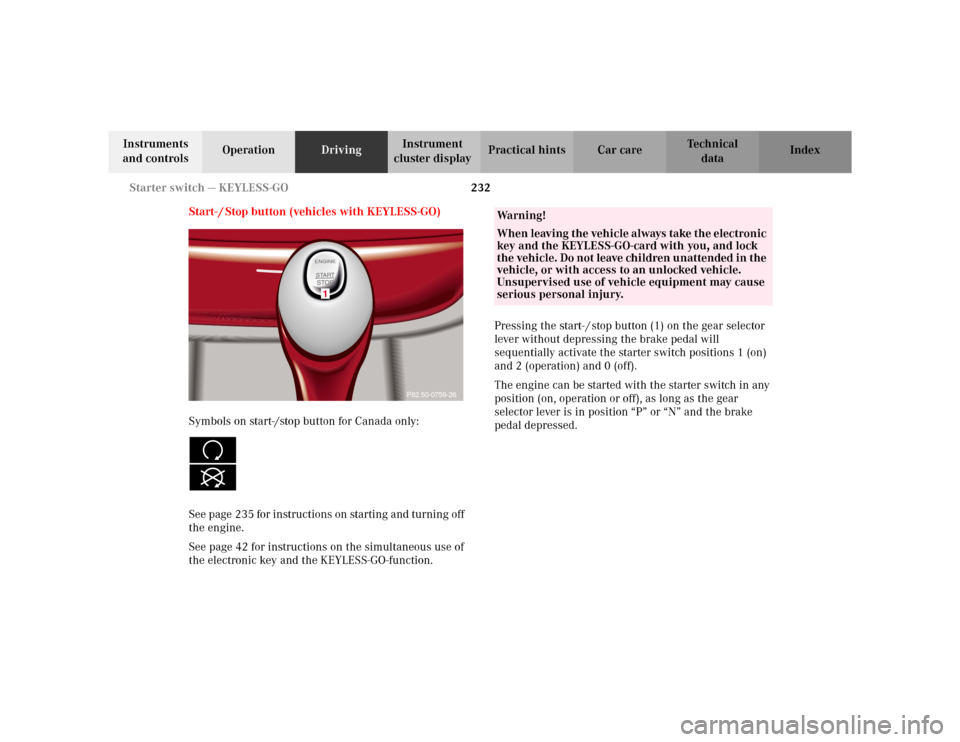
Start- / Stop button (vehicles with KEYLESS-GO)
Symbols on start-/stop button for Canada only:
See page 235 for instructions on starting and turning off
the engine.
See page 42 for instructions on the simultaneous use of
the electronic key and the KEYLESS-GO-function.Pressing the start- / stop button (1) on the gear selector
lever without depressing the brake pedal will
sequentially activate the starter switch positions 1 (on)
and 2 (operation) and 0 (off).
The engine can be started with the starter switch in any
position (on, operation or off), as long as the gear
selector lever is in position “P” or “N” and the brake
pedal depressed.
1
P82.50-0759-26
Wa r n i n g !
When leaving the vehicle always take the electronic
key and the KEYLESS-GO-card with you, and lock
the vehicle. Do not leave children unattended in the
vehicle, or with access to an unlocked vehicle.
Unsupervised use of vehicle equipment may cause
serious personal injury.
Page 236 of 430
233 Starter switch — KEYLESS-GO
Te ch n i c a l
data Instruments
and controlsOperationDrivingInstrument
cluster displayPractical hints Car care Index “On” position
(starter switch position 1, see page 230).
Most electrical consumers can be operated. For detailed
information see respective subjects.
Operation / driving position
(starter switch position 2, see page 230).
All electrical consumers can be operated. Gear selector
is unlocked.
“Off” position
(electronic key removable from starter switch).
Most electrical consumers cannot be operated.
The selector lever is locked in position “P”.
Notes:
For improved recognition of the KEYLESS-GO-card the
doors should be closed when pressing the start- / stop
button.
The gear selector lever can only be moved with the
vehicle battery charged and connected, and the starter
switch in the Operation position. With the gear selector
lever in position “P”, the brake pedal must also be
depressed.Important!
For the KEYLESS-GO-system to function properly, the
operator should observe the following:
•If the KEYLESS-GO-card is positioned farther away
from the vehicle (e.g. inside clothing or a briefcase),
the vehicle cannot be locked (see page 38) or started
with the start-/stop button (see page 235).
•If the KEYLESS-GO-card is removed from the vehicle
while the engine is running, or by placing the card
in front of the center armrest (see page 198), the
message “CHIP-CARD – NOT RECOGNIZED!” will
appear repeatedly for approx. 2 seconds in the
multifunction display, see page 328.
If the message “CHIP - CARD – NOT RECOGNIZED”
is ignored for an extended of time (approx.
15 minutes), the engine could stop by itself during a
vehicle stop (e.g. traffic light). The vehicle can then
no longer be centrally locked or the engine
restarted. You must first find the card. Start the
engine again.
Page 239 of 430
236 Starting and turning off the engine
Te ch n i c a l
data Instruments
and controlsOperationDrivingInstrument
cluster displayPractical hints Car care Index
Starting with KEYLESS-GO
Note:
For improved recognition of the chip card the doors
should be closed when pressing the start-/stop button.
Depress brake pedal during the starting procedure.
Do not depress accelerator.
Briefly press start-/stop button on gear selector lever.
The starter will engage until the engine is running.
If engine will not run, and the starting procedure stops,
press start-/stop button on gear selector lever and repeat
starting the engine.
After several unsuccessful attempts, have the system
checked at the nearest authorized Mercedes-Benz
Center.Turning off with KEYLESS-GO
Stop the vehicle and put the selector lever in
position “P”.
Press start-/stop button on the selector lever until the
engine stops. With the driver’s door closed the starter
switch is set to the “On” position (starter switch
position 1). With the driver’s door opened the starter
switch is set to the “Off” position (starter switch
position 0, same as electronic key removed from starter
switch).
Note:
The engine can only be turned off with selector lever in
position “P”. If attempting to turn off the engine while
the selector lever is in any other position than “P” a
signal sounds and the message “SELECTOR LEVER
TO P” appears in the multifunction display as a
reminder to move the selector to position “P”.
Page 253 of 430
250 Driving instructions
Te ch n i c a l
data Instruments
and controlsOperationDrivingInstrument
cluster displayPractical hints Car care Index
Parking Important!
It is advisable to set the parking brake whenever
parking or leaving the vehicle. In addition, move
selector lever to position “P”.
When parking on hills, always set the parking brake.
Wa r n i n g !
To reduce the risk of personal injury as a result of
vehicle movement, before
turning off the engine
and leaving the vehicle, always:
1. Keep right foot on service brake pedal.
2. Firmly depress parking brake pedal.
3. Move the selector lever to position “P”.
4. Slowly release service brake pedal.
5. Turn front wheels towards the road curb.
6. Turn the electronic key to starter switch
position 0 and remove, or press start- / stop
button (vehicles with KEYLESS-GO).
7. Take the electronic key and the KEYLESS-GO-
card (vehicles with KEYLESS-GO) and lock
vehicle when leaving.
Page 278 of 430
275 Driving systems
Te ch n i c a l
data Instruments
and controlsOperationDrivingInstrument
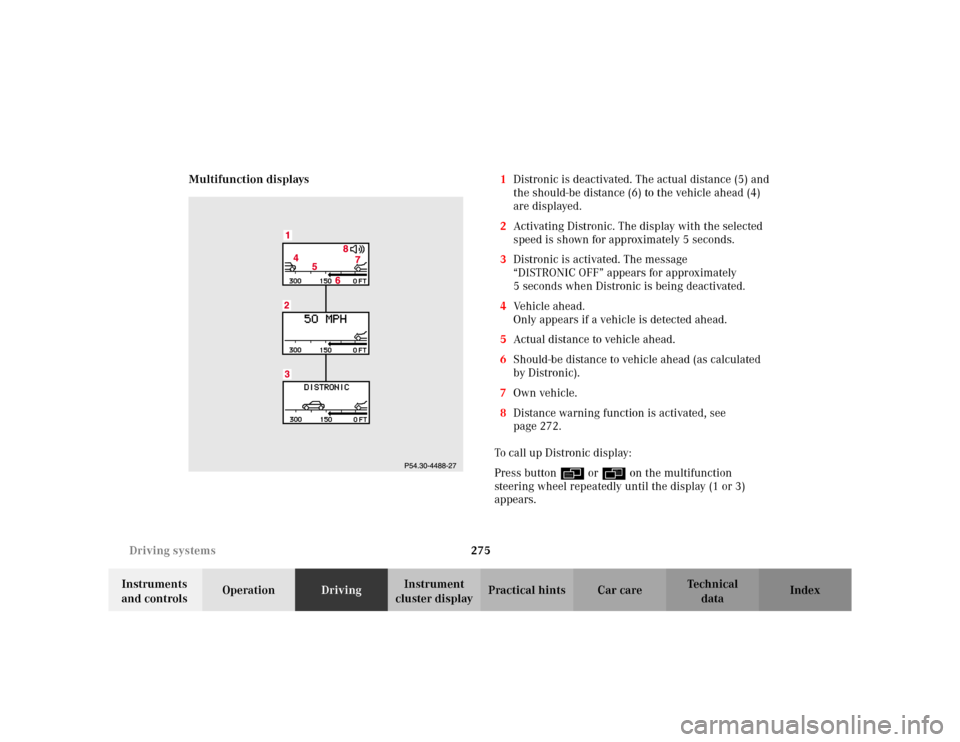
cluster displayPractical hints Car care Index Multifunction displays1Distronic is deactivated. The actual distance (5) and
the should-be distance (6) to the vehicle ahead (4)
are displayed.
2Activating Distronic. The display with the selected
speed is shown for approximately 5 seconds.
3Distronic is activated. The message
“DISTRONIC OFF” appears for approximately
5 seconds when Distronic is being deactivated.
4Vehicle ahead.
Only appears if a vehicle is detected ahead.
5Actual distance to vehicle ahead.
6Should-be distance to vehicle ahead (as calculated
by Distronic).
7Own vehicle.
8Distance warning function is activated, see
page 272.
To call up Distronic display:
Press button è or ÿ on the multifunction
steering wheel repeatedly until the display (1 or 3)
appears.
Page 312 of 430
309 Malfunction and warning messages
Te ch n i c a l
data Instruments
and controlsOperation DrivingInstrument
cluster displayPractical hints Car care Index Malfunction and warning messages in the
multifunction display
Malfunction and warning messages for the following
systems will be displayed immediately in the
multifunction display.
They are divided into three categories.
Category C1:
Messages of most immediate priority.
These cannot be cleared from the instrument cluster
using theJbutton.
Categories C2 and C3:
Messages of less immediate priority.
These can be cleared from the instrument cluster using
theJbutton and are then stored in the malfunction
message memory. See page 136 Note:
Certain malfunction and warning messages are
accompanied by an audible signal.
Malfunction and warning messages in red are always
accompanied by an audible signal.
Temporary messages such as “TRUNK OPEN!” will not
be stored in the malfunction message memory.
Wa r n i n g !
All categories of messages contain important
information which should be taken note of and,
where malfunction indicated, addressed as soon as
possible at an authorized Mercedes-Benz Center.Failure to repair condition noted may cause
damage not covered by the Mercedes-Benz Limited
Warranty, or result in property damage or personal
injury.
Page 332 of 430
329 Malfunction and warning messages
Te ch n i c a l
data Instruments
and controlsOperation DrivingInstrument
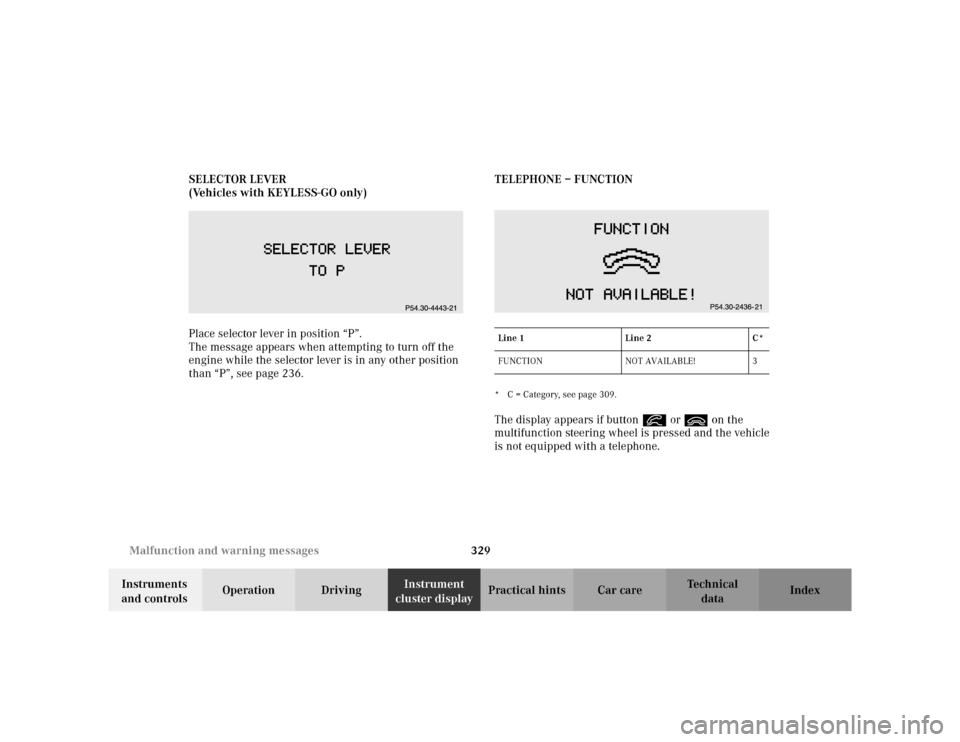
cluster displayPractical hints Car care Index SELECTOR LEVER
(Vehicles with KEYLESS-GO only)
Place selector lever in position “P”.
The message appears when attempting to turn off the
engine while the selector lever is in any other position
than “P”, see page 236.TELEPHONE – FUNCTION
* C = Category, see page 309.The display appears if button í or ì on the
multifunction steering wheel is pressed and the vehicle
is not equipped with a telephone.Line 1 Line 2 C*
FUNCTION NOT AVAILABLE! 3
Page 339 of 430
336 First aid kit
Te ch n i c a l
data Instruments
and controlsOperation DrivingInstrument
cluster displayPractical hintsCar care Index
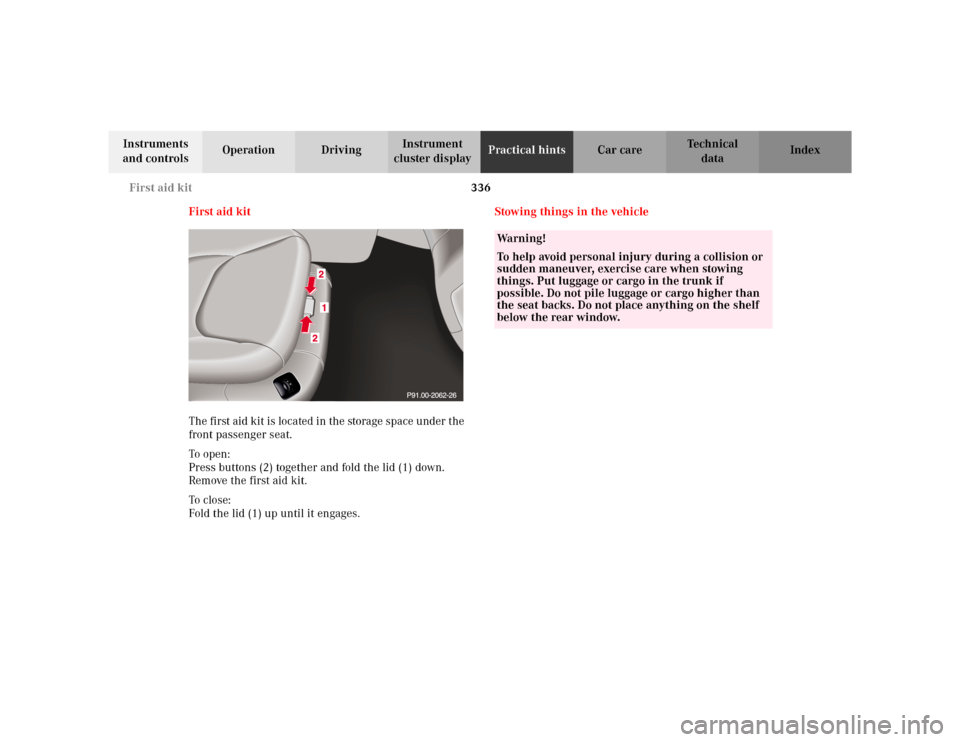
First aid kit
The first aid kit is located in the storage space under the
front passenger seat.
To o pen :
Press buttons (2) together and fold the lid (1) down.
Remove the first aid kit.
To c lo se:
Fold the lid (1) up until it engages.Stowing things in the vehicle
Wa r n i n g !
To help avoid personal injury during a collision or
sudden maneuver, exercise care when stowing
things. Put luggage or cargo in the trunk if
possible. Do not pile luggage or cargo higher than
the seat backs. Do not place anything on the shelf
below the rear window.