Page 118 of 288
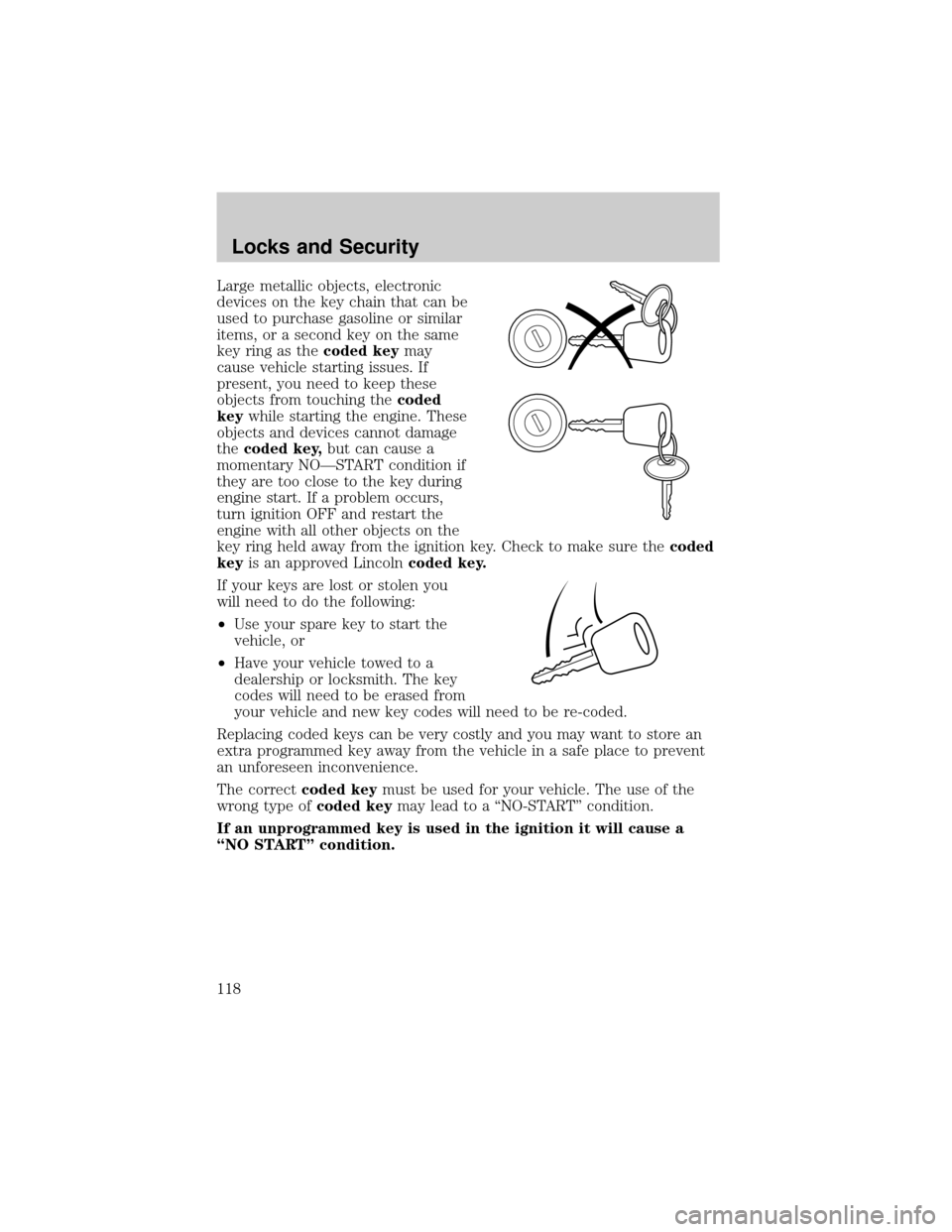
Large metallic objects, electronic
devices on the key chain that can be
used to purchase gasoline or similar
items, or a second key on the same
key ring as thecoded keymay
cause vehicle starting issues. If
present, you need to keep these
objects from touching thecoded
keywhile starting the engine. These
objects and devices cannot damage
thecoded key,but can cause a
momentary NOÐSTART condition if
they are too close to the key during
engine start. If a problem occurs,
turn ignition OFF and restart the
engine with all other objects on the
key ring held away from the ignition key. Check to make sure thecoded
keyis an approved Lincolncoded key.
If your keys are lost or stolen you
will need to do the following:
²Use your spare key to start the
vehicle, or
²Have your vehicle towed to a
dealership or locksmith. The key
codes will need to be erased from
your vehicle and new key codes will need to be re-coded.
Replacing coded keys can be very costly and you may want to store an
extra programmed key away from the vehicle in a safe place to prevent
an unforeseen inconvenience.
The correctcoded keymust be used for your vehicle. The use of the
wrong type ofcoded keymay lead to a ªNO-STARTº condition.
If an unprogrammed key is used in the ignition it will cause a
ªNO STARTº condition.
Locks and Security
118
Page 119 of 288

Programming spare keys
A maximum of eight keys can be coded to your vehicle. Only
SecuriLockykeys can be used. To program acoded keyyourself, you
will need two previously programmedcoded keys(keys that already
operate your vehicle's engine) and the new unprogrammed key(s) readily
accessible for timely implementation of each step in the procedure.
If two previously programmed coded keys are not available, you must
bring your vehicle to your dealership to have the spare coded key(s)
programmed.
Please read and understand the entire procedure before you begin.
1. Insert the first previously
programmedcoded keyinto the
ignition and turn the ignition from 1
(LOCK) to 4 (RUN) (maintain
ignition in 4 (RUN) for at least one
second).
2. Turn ignition to 1 (LOCK) and
remove the firstcoded keyfrom
the ignition.
3. Within ten seconds of turning the ignition to 1 (LOCK), insert the
second previously programmedcoded keyinto the ignition and turn the
ignition from 1 (LOCK) to 4 (RUN) (maintain ignition in 4 (RUN) for at
least one second but no more than ten seconds).
4. Turn the ignition to 1 (LOCK) and remove the secondcoded key
from the ignition.
5. Within 20 seconds of turning the ignition to 1 (LOCK), insert the new
unprogrammed key (new key/valet key) into the ignition and turn the
ignition from 1 (LOCK) to 4 (RUN) (maintain ignition in 4 (RUN) for at
least one second). This step will program your new key to a coded key.
6. To program additional new unprogrammed key(s), repeat this
procedure from step 1.
If successful, the new coded key(s) will start the vehicle's engine and the
theft indicator will illuminate for three seconds and then go out.
If not successful, the new coded key(s) will not start the vehicle's engine
and the theft indicator will flash on and off and you may repeat steps 1
through 6. If failure repeats, bring your vehicle to your dealership to
have the new spare key(s) programmed.
23 1
4
5
Locks and Security
119
Page 120 of 288

PERIMETER ALARM SYSTEM
The perimeter anti-theft system will help protect your vehicle doors,
hood and trunk from unauthorized entry.
When the vehicle is armed the power door locks and remote trunk
release control are disabled. These will not work until the vehicle is
disarmed.
If there is any potential perimeter anti-theft problem with your vehicle,
ensureALL key fobs(remote entry transmitters) are brought to the
dealership, to aid in troubleshooting.
Arming the system
When armed, the perimeter alarm will help protect your vehicle from
unauthorized entry. When unauthorized entry occurs, the system will
flash the turn signal lamps and the theft indicator lamp and will sound
the horn.
The system is ready to arm whenever the key is out of the ignition. Any
of the following actions will arm the alarm system:
²Press the remote transmitter lock control.
²Open a door and press the power door lock control.
²Lock all doors with the key.
The system will wait 20 seconds after one of the arming actions is
performed before allowing an alarm to go off.
Theft indicator
When the perimeter alarm is armed, the theft indicator on the
instrument panel will flash briefly every two seconds to indicate the
perimeter alarm system is protecting your vehicle.
Disarming the system
You can disarm the system by any of the following actions:
²Unlock the doors by using your remote entry transmitter.
²Unlock the driver's door by using your key.
²Turn ignition to RUN.
Locks and Security
120
Page 129 of 288
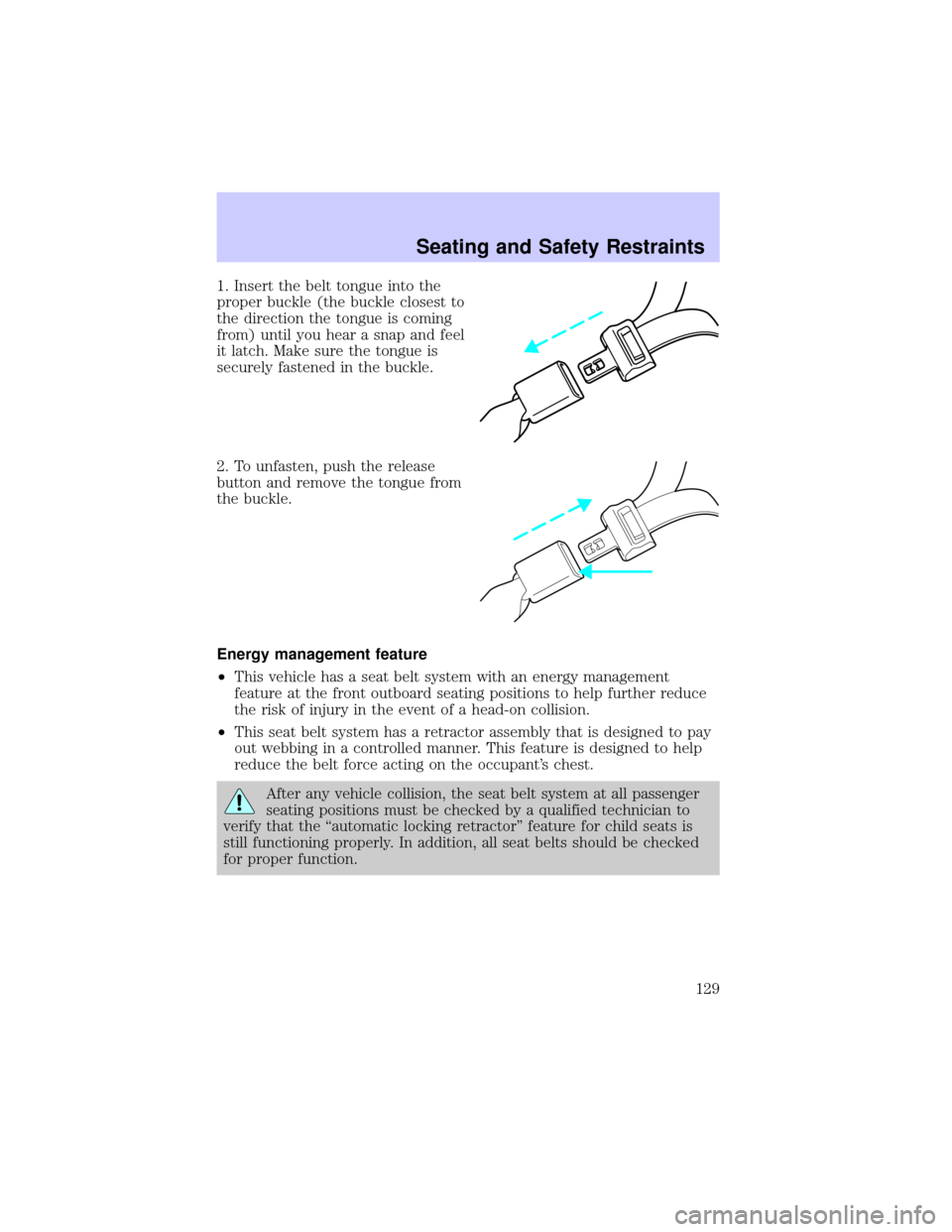
1. Insert the belt tongue into the
proper buckle (the buckle closest to
the direction the tongue is coming
from) until you hear a snap and feel
it latch. Make sure the tongue is
securely fastened in the buckle.
2. To unfasten, push the release
button and remove the tongue from
the buckle.
Energy management feature
²This vehicle has a seat belt system with an energy management
feature at the front outboard seating positions to help further reduce
the risk of injury in the event of a head-on collision.
²This seat belt system has a retractor assembly that is designed to pay
out webbing in a controlled manner. This feature is designed to help
reduce the belt force acting on the occupant's chest.
After any vehicle collision, the seat belt system at all passenger
seating positions must be checked by a qualified technician to
verify that the ªautomatic locking retractorº feature for child seats is
still functioning properly. In addition, all seat belts should be checked
for proper function.
Seating and Safety Restraints
129
Page 148 of 288
SAFETY SEATS FOR CHILDREN
Child and infant or child safety seats
Use a safety seat that is recommended for the size and weight of the
child. Carefully follow all of the manufacturer's instructions with the
safety seat you put in your vehicle. If you do not install and use the
safety seat properly, the child may be injured in a sudden stop or
collision.
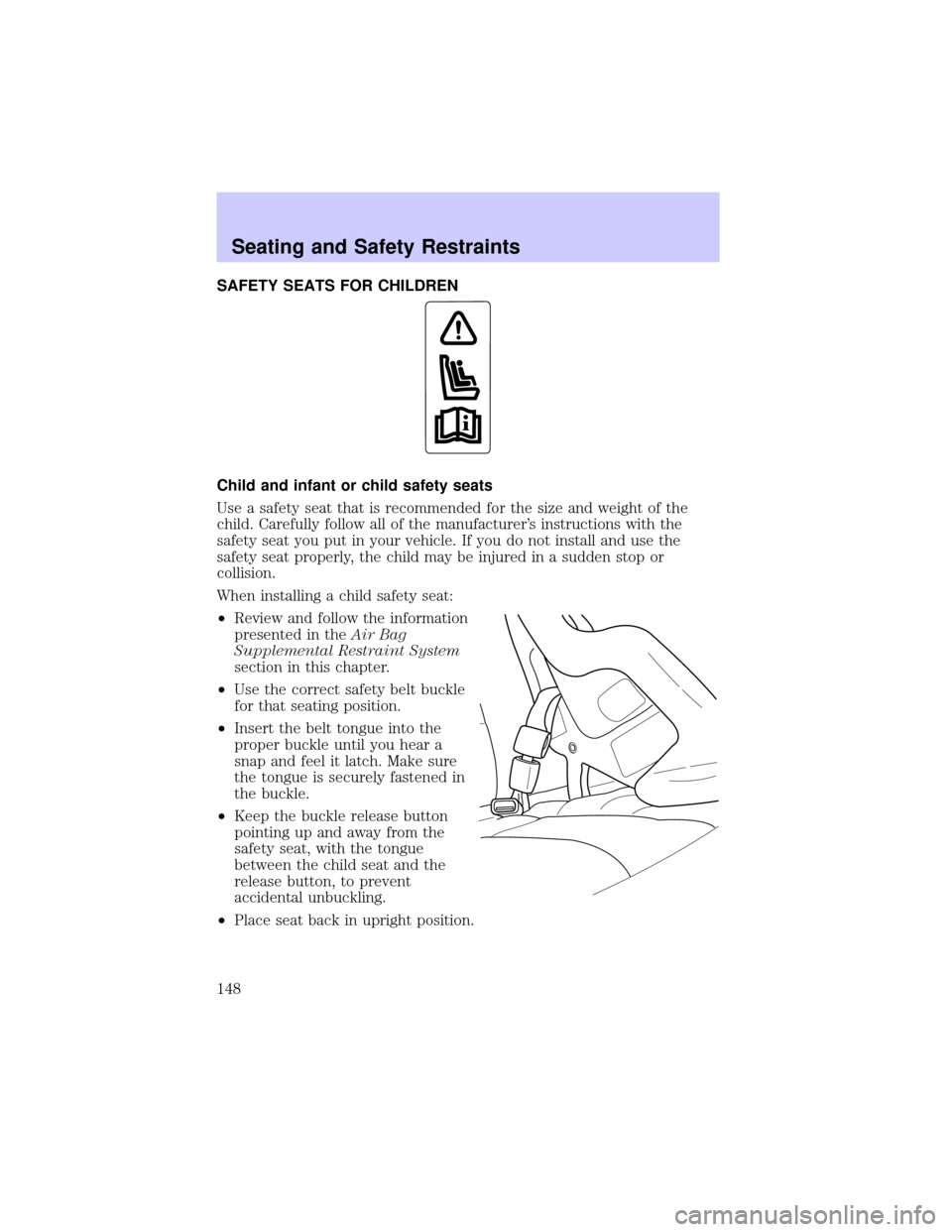
When installing a child safety seat:
²Review and follow the information
presented in theAir Bag
Supplemental Restraint System
section in this chapter.
²Use the correct safety belt buckle
for that seating position.
²Insert the belt tongue into the
proper buckle until you hear a
snap and feel it latch. Make sure
the tongue is securely fastened in
the buckle.
²Keep the buckle release button
pointing up and away from the
safety seat, with the tongue
between the child seat and the
release button, to prevent
accidental unbuckling.
²Place seat back in upright position.
Seating and Safety Restraints
148
Page 150 of 288
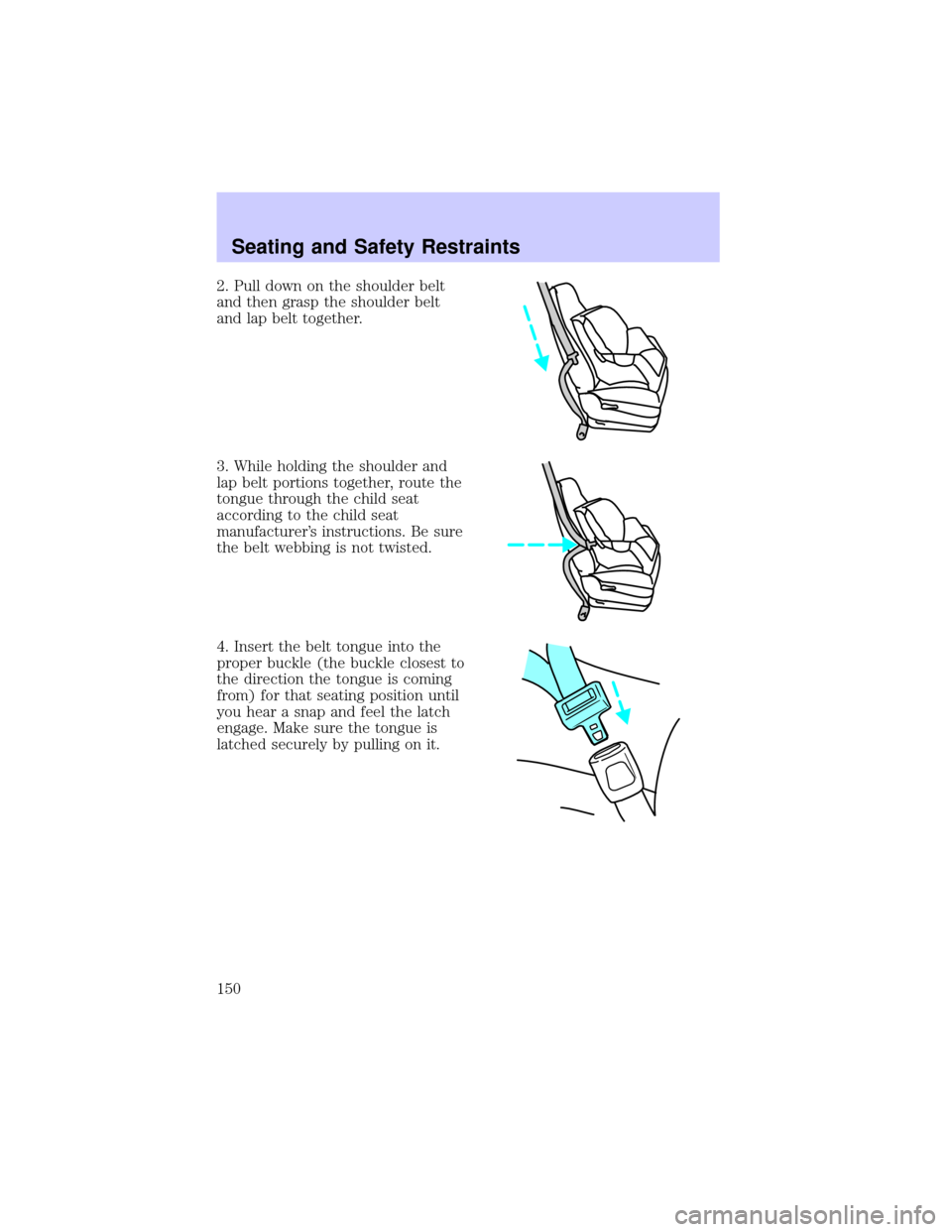
2. Pull down on the shoulder belt
and then grasp the shoulder belt
and lap belt together.
3. While holding the shoulder and
lap belt portions together, route the
tongue through the child seat
according to the child seat
manufacturer's instructions. Be sure
the belt webbing is not twisted.
4. Insert the belt tongue into the
proper buckle (the buckle closest to
the direction the tongue is coming
from) for that seating position until
you hear a snap and feel the latch
engage. Make sure the tongue is
latched securely by pulling on it.
Seating and Safety Restraints
150
Page 151 of 288
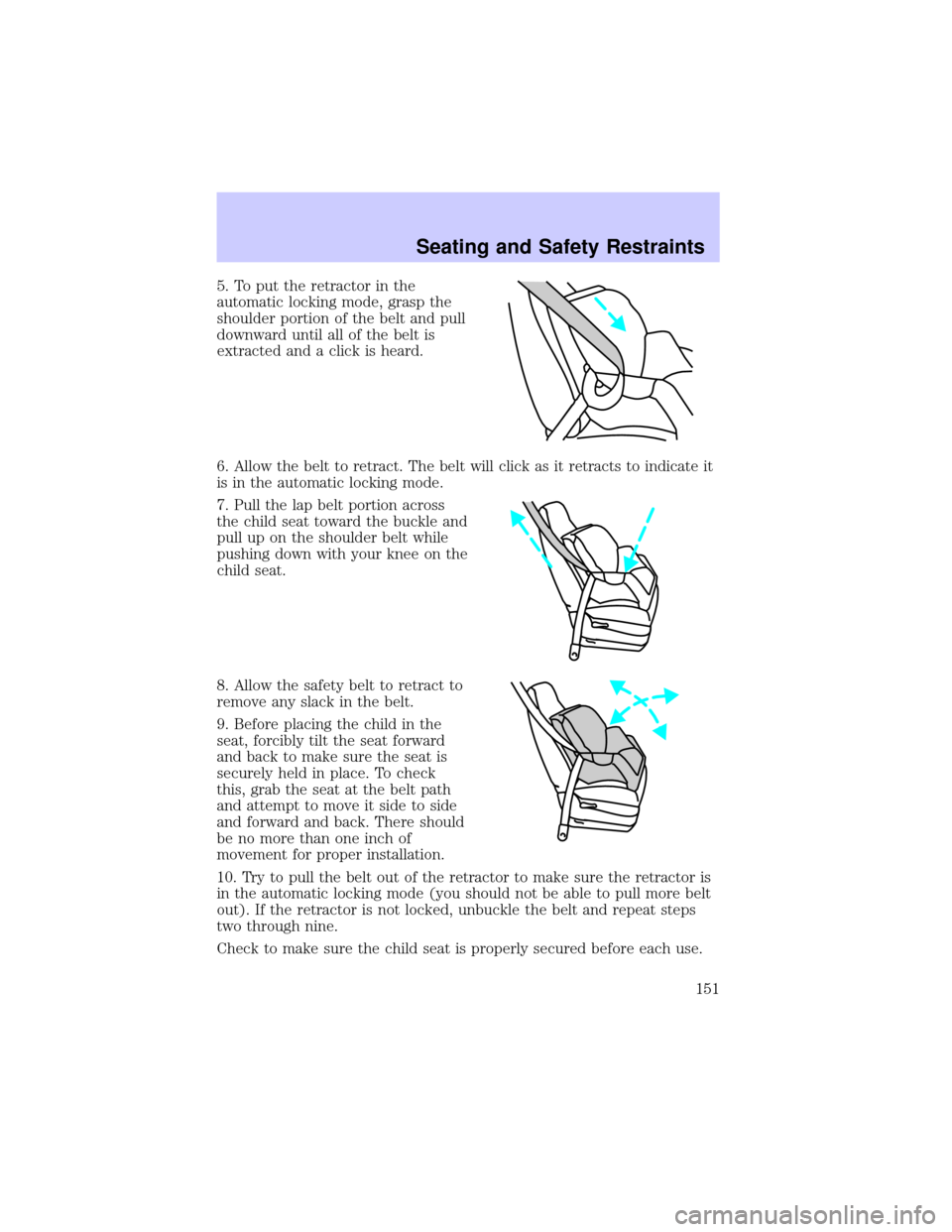
5. To put the retractor in the
automatic locking mode, grasp the
shoulder portion of the belt and pull
downward until all of the belt is
extracted and a click is heard.
6. Allow the belt to retract. The belt will click as it retracts to indicate it
is in the automatic locking mode.
7. Pull the lap belt portion across
the child seat toward the buckle and
pull up on the shoulder belt while
pushing down with your knee on the
child seat.
8. Allow the safety belt to retract to
remove any slack in the belt.
9. Before placing the child in the
seat, forcibly tilt the seat forward
and back to make sure the seat is
securely held in place. To check
this, grab the seat at the belt path
and attempt to move it side to side
and forward and back. There should
be no more than one inch of
movement for proper installation.
10. Try to pull the belt out of the retractor to make sure the retractor is
in the automatic locking mode (you should not be able to pull more belt
out). If the retractor is not locked, unbuckle the belt and repeat steps
two through nine.
Check to make sure the child seat is properly secured before each use.
Seating and Safety Restraints
151
Page 153 of 288
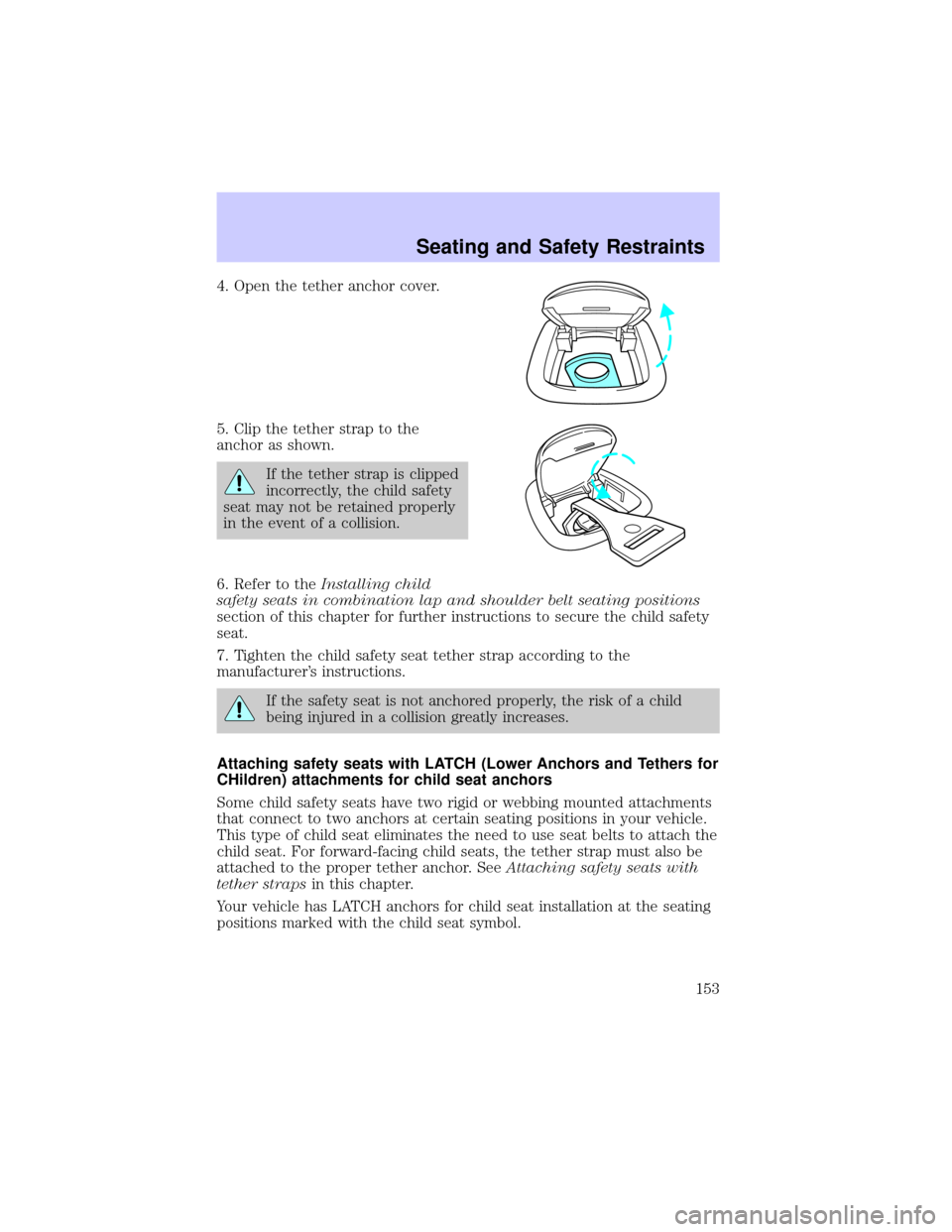
4. Open the tether anchor cover.
5. Clip the tether strap to the
anchor as shown.
If the tether strap is clipped
incorrectly, the child safety
seat may not be retained properly
in the event of a collision.
6. Refer to theInstalling child
safety seats in combination lap and shoulder belt seating positions
section of this chapter for further instructions to secure the child safety
seat.
7. Tighten the child safety seat tether strap according to the
manufacturer's instructions.
If the safety seat is not anchored properly, the risk of a child
being injured in a collision greatly increases.
Attaching safety seats with LATCH (Lower Anchors and Tethers for
CHildren) attachments for child seat anchors
Some child safety seats have two rigid or webbing mounted attachments
that connect to two anchors at certain seating positions in your vehicle.
This type of child seat eliminates the need to use seat belts to attach the
child seat. For forward-facing child seats, the tether strap must also be
attached to the proper tether anchor. SeeAttaching safety seats with
tether strapsin this chapter.
Your vehicle has LATCH anchors for child seat installation at the seating
positions marked with the child seat symbol.
Seating and Safety Restraints
153