Page 122 of 399
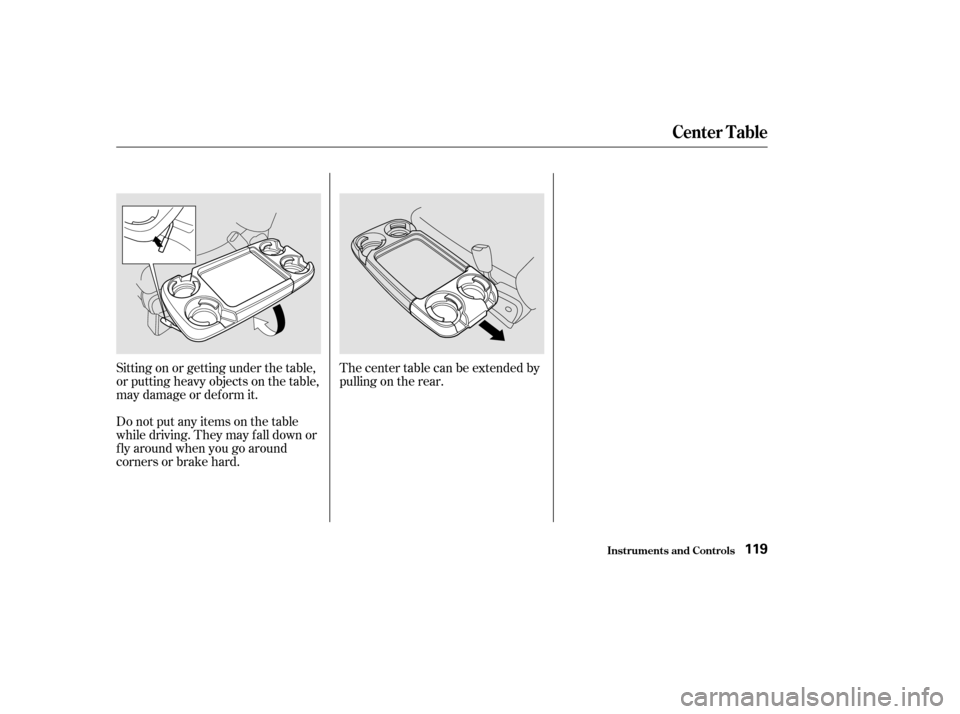
Thecentertablecanbeextendedby
pulling on the rear.
Sitting on or getting under the table,
or putting heavy objects on the table,
may damage or deform it.
Do not put any items on the table
while driving. They may f all down or
f ly around when you go around
corners or brake hard.
Inst rument s and Cont rols
Center Table
119
Page 226 of 399

You can decrease the set cruising
speed in any of these ways:Press and hold the SET/decel
button. The vehicle will decelerate.
Release the button when you
reach the desired speed.
Tap the brake pedal lightly with
your f oot. The CRUISE
CONTROL light on the instru-
ment panel will go out. When the
vehicle slows to the desired speed,
press the SET/decel button. The
vehicle will then maintain the
desired speed.
You can increase the set cruising
speed in any of these ways:
Press and hold the RESUME/
accel button. The vehicle will
accelerate. When you reach the
desired cruising speed, release the
button.
Push on the accelerator pedal. Ac-
celerate to the desired cruising
speed and press the SET/decel
button.
Thecruisecontrolmaynotholdthe
set speed when you are going up and
down hills. If your speed increases
going down a hill, use the brakes to
slow down to the desired speed. This
will cancel the cruise control. To
resume the set speed, press the
RESUME/accel button. The
CRUISE CONTROL light on the
instrument panel comes on.
When climbing a steep hill, the
automatic transmission may
downshif t to hold the set speed.
To increase your speed in very
small amounts, tap the RESUME/
accel button repeatedly. Each time
you do this, your vehicle will speed
up about 1 mph (1.6 km/h).To slow down in very small
amounts, tap the SET/decel
button repeatedly. Each time you
do this, your vehicle will slow
down about 1 mph (1.6 km/h).
CONT INUED
Cruise Control
Comf ort and Convenience Feat ures
Changing the Set Speed
223
Page 227 of 399
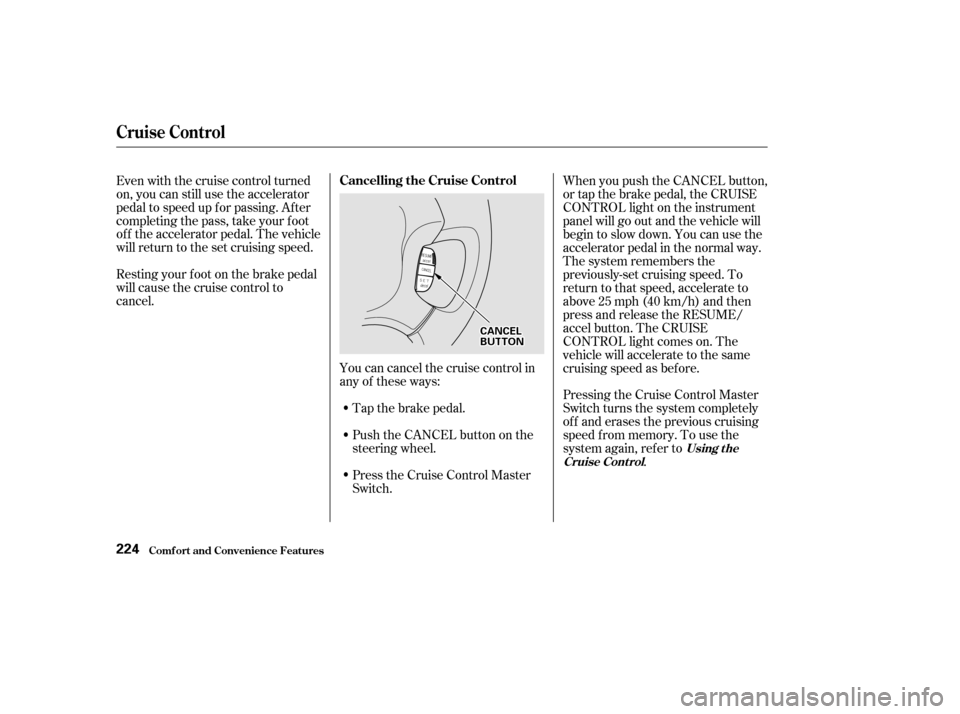
Youcancancelthecruisecontrolin
any of these ways:Push the CANCEL button on the
steering wheel.
Press the Cruise Control Master
Switch.
Even with the cruise control turned
on, you can still use the accelerator
pedal to speed up f or passing. Af ter
completing the pass, take your foot
of f the accelerator pedal. The vehicle
will return to the set cruising speed.
Resting your f oot on the brake pedal
will cause the cruise control to
cancel.
Tap the brake pedal.When you push the CANCEL button,
or tap the brake pedal, the CRUISE
CONTROL light on the instrument
panel will go out and the vehicle will
begin to slow down. You can use the
accelerator pedal in the normal way.
The system remembers the
previously-set cruising speed. To
return to that speed, accelerate to
above25mph(40km/h)andthen
press and release the RESUME/
accel button. The CRUISE
CONTROL light comes on. The
vehicle will accelerate to the same
cruising speed as bef ore.
Pressing the Cruise Control Master
Switch turns the system completely
of f and erases the previous cruising
speed f rom memory. To use the
system again, ref er to
.
Using t he
Cruise Cont rol
Cruise Control
Comf ort and Convenience Feat ures
Cancelling the Cruise Control
224
C CA A N
NC CEEL
L
B
BU UT TT
TO
ON N
Page 235 of 399

Help assure your vehicle’s f uture
reliability and perf ormance by paying
extra attention to how you drive
during the f irst 600 miles (1,000 km).
During this period:Avoid full-throttle starts and rapid
acceleration.
Avoidhardbraking.Newbrakes
need to be broken-in by moderate
use f or the f irst 200 miles (300
km). Your Honda is designed to operate
on unleaded gasoline with a pump
octane number of 86 or higher. Use
of a lower octane gasoline can cause
a persistent, heavy metallic rapping
noise in the engine that can lead to
mechanical damage.
Youshouldfollowthesesamere-
commendations with an overhauled
or exchanged engine, or when the
brakes are replaced.
We also recommend that you should
not tow a trailer during the f irst 500
miles (800 km).
We recommend gasolines containing
detergent additives that help prevent
f uel system and engine deposits.
Using gasoline containing lead will
damage your vehicle’s emissions
controls. This contributes to air
pollution.
Do not change the oil until the
recommended time or mileage
intervalshowninthemaintenance
schedule.
Break-in Period, Gasoline
Bef ore Driving
Break-in Period
Gasoline
232
Page 237 of 399
Remove the f uel f ill cap slowly.
You may hear a hissing sound as
pressure inside the tank escapes.
Place the cap in the holder on the
fuel fill door.
Stop f illing the tank af ter the f uel
nozzle automatically clicks of f . Do
not try to ‘‘top off’’ the tank, leave
some room f or the f uel to expand
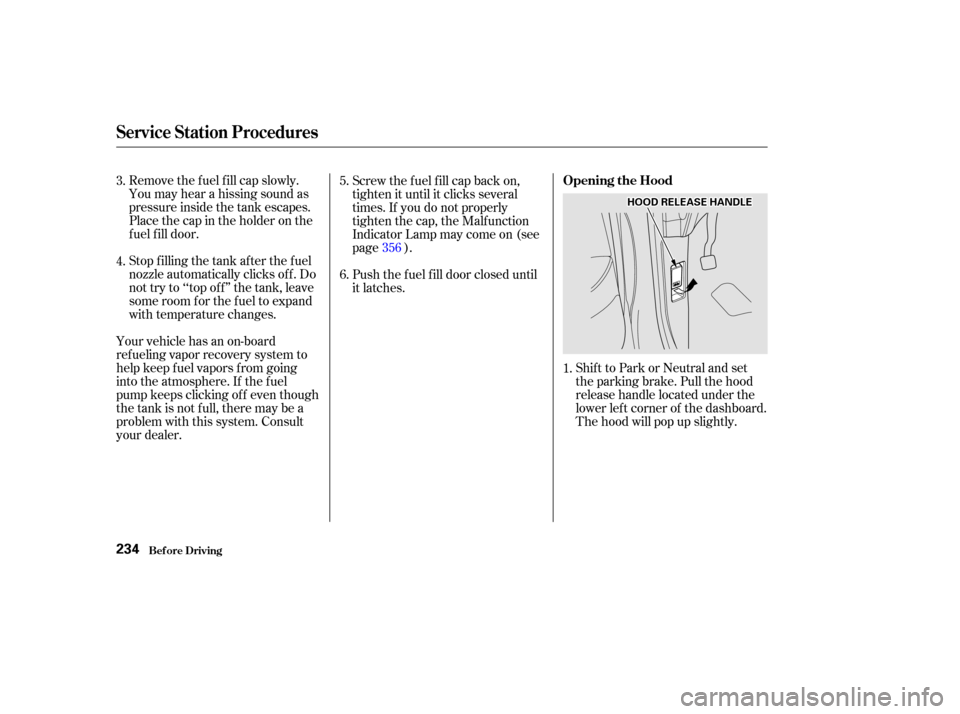
with temperature changes.Shift to Park or Neutral and set
the parking brake. Pull the hood
release handle located under the
lower lef t corner of the dashboard.
The hood will pop up slightly.
Screw the f uel f ill cap back on,
tighten it until it clicks several
times. If you do not properly
tighten the cap, the Malfunction
Indicator Lamp may come on (see
page ).
Push the f uel f ill door closed until
it latches.
Your vehicle has an on-board
ref ueling vapor recovery system to
help keep f uel vapors f rom going
into the atmosphere. If the fuel
pump keeps clicking of f even though
the tank is not full, there may be a
problem with this system. Consult
your dealer. 1.
3.
4.
5.
6.
356
Service Station Procedures
Bef ore Driving
Opening the Hood
234
H H
O
OO ODD R
REEL
LEE A
A S
SEE H
HA
AN
ND DL
LEE
Page 242 of 399

Your dealer has genuine Honda
accessories that allow you to
personalize your vehicle. These
accessories have been designed and
approved f or your vehicle, and are
covered by warranty.However, if electronic accessories
are improperly installed, or exceed
your vehicle’s electrical system
capacity, they can interf ere with theoperation of your vehicle, or even
cause the airbags to deploy.
Make sure the accessory does not
obscure any lights, or interf ere
with proper vehicle operation or
perf ormance.
Be sure electronic accessories do
not overload electrical circuits
(see page ).
Have the installer contact your
Honda dealer f or assistance bef ore
installing any electronic accessory.
If possible, have your dealer inspect
the f inal installation.
Modif ying your vehicle, or installing
some non-Honda accessories, can
make your vehicle unsaf e. Bef ore
you make any modif ications or add
anyaccessories,besuretoreadthe
f ollowing inf ormation.
Bef ore installing any accessory:
When properly installed, cellular
phones, alarms, two-way radios, and
low-powered audio systems should
not interf ere with your vehicle’s
computer-controlled systems, such
as the SRS and anti-lock brake
system.
Non-Honda accessories are usually
designed f or universal applications.
Although aftermarket accessories
may f it on your vehicle, they may not
meet f actory specif ications, and
could adversely af f ect your vehicle’s
handling and stability. (See
‘‘Modif ications’’ on page f or
additional information.)
240 360
A ccessories
A ccessories and Modif ications
Bef ore Driving239
Improper accessories or
modifications can affect your
vehicle’s handling, stability and
performance, and cause a
crash in which you can be hurt
or killed.
Follow all instructions in this
owner’s manual regarding
accessories and modifications.
Page 243 of 399

Do not remove any original
equipment or modif y your vehicle in
any way that would alter its design or
operation. This could make your
vehicle unsaf e and illegal to drive.
Such modif ications can adversely
af f ect handling, and interf ere with
the operation of the vehicle’s anti-
lock brakes and other systems.In addition, any modif ications that
decrease ground clearance increase
the chance of undercarriage parts
striking a curb, speed bump, or other
raised object, which could cause
your airbags to deploy.
Do not modif y your steering wheel
or any other part of your
Supplemental Restraint System.
Modif ications could make the
system inef f ective.
For example, do not make any
modif ications that would change the
ride height of your vehicle, or install
wheels and tires with a dif f erent
overall diameter.
Any object
attached to or placed on the covers
marked ‘‘SRS AIRBAG,’’ in the
center of the steering wheel and
on top of the dashboard, could
interf ere with the proper operation
of the airbags. Or, if the airbags
inf late, the objects could be
propelled inside the car and hurt
someone. If a side airbag
inflates,acupholderorotherhard
object attached on or near the
door could be propelled inside the
car and hurt someone.
Covering the outside edge of a
f ront seat-back, with a non-Honda
seat cover for example, could
prevent the airbag from inflating
properly.
Modif ications
Additional Saf ety Precautions
A ccessories and Modif ications
Bef ore Driving
Do not at t ach or place object s onthe f ront airbag covers. Do not at t ach hard object s on or
near a f ront door.
Do not place any object s over t heoutsideedgeof afront seat-back.
240
Page 248 of 399

This section gives you tips on
starting the engine under various
conditions, and how to operate the
automatic transmission. It also
includes important inf ormation on
parking your vehicle, the braking
system, the Traction Control System,
and f acts you need if you are
planning to tow a trailer.........................
Preparing to Drive .246
.......................
Starting the Engine .247
Starting in Cold Weather ....................
at High Altitude .247
..............
Automatic Transmission . 248
.
Shif t Lever Position Indicator . 248
................
Shif t Lever Positions . 249
..............
Engine Speed Limiter . 251
....................
Shif t Lock Release . 251
...........................................
Parking .253
.....................
The Braking System .254
.............
Brake Wear Indicators . 254
...............
Brake System Design . 255
.......................
Anti-lock Brakes .255
Important Saf ety .........................
Reminders .256
........................
ABS Indicator .256
..............
Traction Control System . 257
...............
TCS ON/OFF Switch . 258
............................
TCS Indicator .259
...............
Driving in Bad Weather . 260
...........................
Towing a Trailer .262
Driving
Driving245