Page 79 of 372

�Î
�Î
�Î
Thetwoleversonthesteering
column contain controls f or driving
f eatures you use most of ten. The lef t
lever controls the turn signals,
headlights, and high beams. The
right lever controls the windshield
washers and wipers.
The hazard warning lights switch is
on the dashboard between the
center air vents.
The tilt adjustment lever on the
underside of the steering column
allows you to tilt the steering wheel. The controls under the lef t air vent
are f or the moonroof and the cruise
control.To use the horn, press the center pad of the steering wheel.
:
Controls Near the Steering Wheel
Inst rument s and Cont rols75
A A /
/T
T m
m o
od
de
elli
iss s
shh o
ow
wn n.
.
(
(
P
P .
.7766,, 7777 )
)
M
M O
OOONNRROOO OFF
(
( P
P .
.111133 )
)
(
(P
P .
.8811) )
P
P
A
A R
RKKIINNG G B
BRRAA K
KEE
(
( P
P .
.8822) )
(
(
P
P .
.117799 )
)
C
CR
RUUI ISSE E C
COON NTTR
RO OL L
T
T I
ILLT T A
AD
DJ
JUUS STTM
M E
EN
NT T
(
( P
P .
.8833) ) H
H
O
OR RNN H
H
A
AZ
ZA
A R
RDD W
WA AR
RNNI INNG G
L
LI IGGH HT
TS
S
S
SH
H I
IFFT T L
LEE V
V E
ER
R (
(A
A /
/T
T )
)
R
REEA
A R
R W
WI INND DO
OW W
D
D E
EF
FOOG GGGEER
R
H
H
E
EA
A D
DL
LIIGGH HT
TS
S/ /T
T U
UR RNN S
SIIGGN NAAL
LSS
(
(P
P .
.220044))
(
(P
P .
.8811 )
)
W
WI INND DS
SHH I
IEE L
LDD W
WI IPP E
ER
RS S//
W
WA AS
SHH E
ER
RS S
(
( P
P .
.7788,, 7799))
Page 80 of 372
To change f rom low beams to high
beams, push the turn signal lever
f orward until you hear a click. The
blue high beam indicator will light
(see page ). To return to low
beams, pull the turn signal lever
back. If you leave the lights on with the
ignition switch in ACCESSORY (I)
or LOCK (0), you will hear a
reminder tone when you open the
driver’s door.To f lash the high beams, pull the
turn signal lever back lightly, then
release it. The high beams will come
on and go of f . The high beams will
stay on f or as long as you hold the
lever back, no matter what position
the headlight switch is in.
The rotating switch on the lef t lever
controls the lights. Turning this
switch to the ‘‘ ’’ position turns
on the parking lights, taillights,
instrument panel lights, side-marker
lights, and rear license plate light.
Turning the switch to the ‘‘ ’’
position turns on the headlights.
69
Headlights
Controls Near the Steering Wheel
Inst rument s and Cont rols76
Page 81 of 372
Canadian models only
With the headlight switch off, the
high beam headlights come on with
reduced brightness when you turn
the ignition switch to ON (II) and
release the parking brake. They
remain on until you turn the ignition
of f , even if you set the parking brake.
The headlights revert to normal
operation when you turn them on
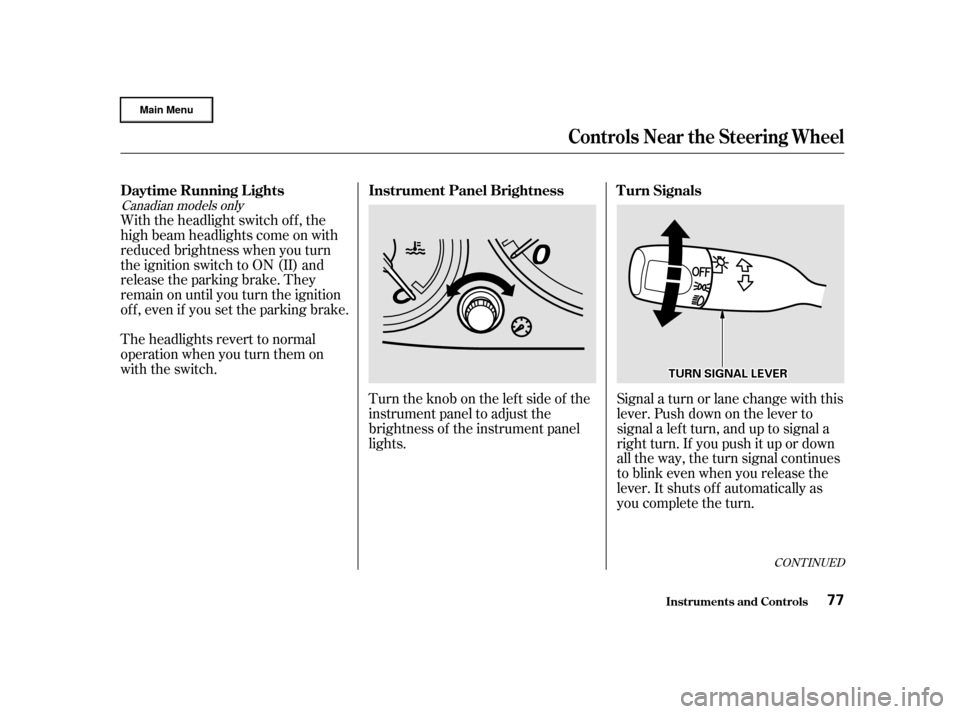
with the switch.Turntheknobontheleftsideof the
instrument panel to adjust the
brightness of the instrument panel
lights.Signal a turn or lane change with this
lever. Push down on the lever to
signal a lef t turn, and up to signal a
right turn. If you push it up or down
all the way, the turn signal continues
to blink even when you release the
lever. It shuts off automatically as
you complete the turn.
CONT INUED
Instrument Panel Brightness
Daytime Running L ights T urn Signals
Controls Near the Steering Wheel
Inst rument s and Cont rols77
T TU
UR RNN S
SIIGGN NAAL
L L
LEE V
V E
ER
R
Page 82 of 372
To signal a lane change, push lightly
on the turn signal lever in the proper
direction and hold it. The lever will
return to the center position as soon
as you release it.This lever controls the windshield
wipers and washers. It has five
positions:MIST: mist
OFF: off
INT: intermittent
LO: low speed
HI: high speed
To select a position, push the lever
up or down. In intermittent, the wipers operate
every f ew seconds. In low speed and
high speed, the wipers run continu-
ously.
Controls Near the Steering Wheel
Inst rument s and Cont rols
Windshield Wipers
78
Page 83 of 372
To operate the wipers in mist mode,
push the control lever up f rom the
OFF position. The wipers run at high
speed until you release the lever.
This gives you a quick way to clear
the windshield.To clean the windshield, pull back on
the wiper control lever. The washers
spray until you release the lever.The wipers run at low speed while
you’re pulling the lever, then
complete one more sweep of the
windshield af ter you release it.
Controls Near the Steering Wheel
Inst rument s and Cont rols
Windshield Washers
79
Page 84 of 372

Therotatingswitchontheright
lever controls the rear window wiper
and washer.
To activate the rear windshield wiper,
rotate the switch to ‘‘ON’’. The wiper
operates every seven seconds after
completing two sweeps. When you
turn the wiper switch to the ‘‘OFF’’
position or turn of f the ignition
switch, the wiper will return to its
parked position.To use the wiper and washer, rotate
and hold the switch one position up
f rom ‘‘ON’’. The wiper opreates
while you are holding the switch,
then completes two more sweeps
after you release it. To use the
washer only, rotate and hold the
switch one position down f rom
‘‘OFF’’.
The rear wiper will not work if the
hatch glass is not f ully closed.
If you open the hatch glass while the
rear wiper is operating, the wiper will
stop. To return the wiper to its
parked position, close the hatch
glass, and then rotate the switch to
the ‘‘OFF’’ position.
Therearwindowwasherusesthe
same f luid reservoir as the wind-
shield washer.
Controls Near the Steering Wheel
Rear Window Wiper and Washer
Inst rument s and Cont rols80
Page 85 of 372
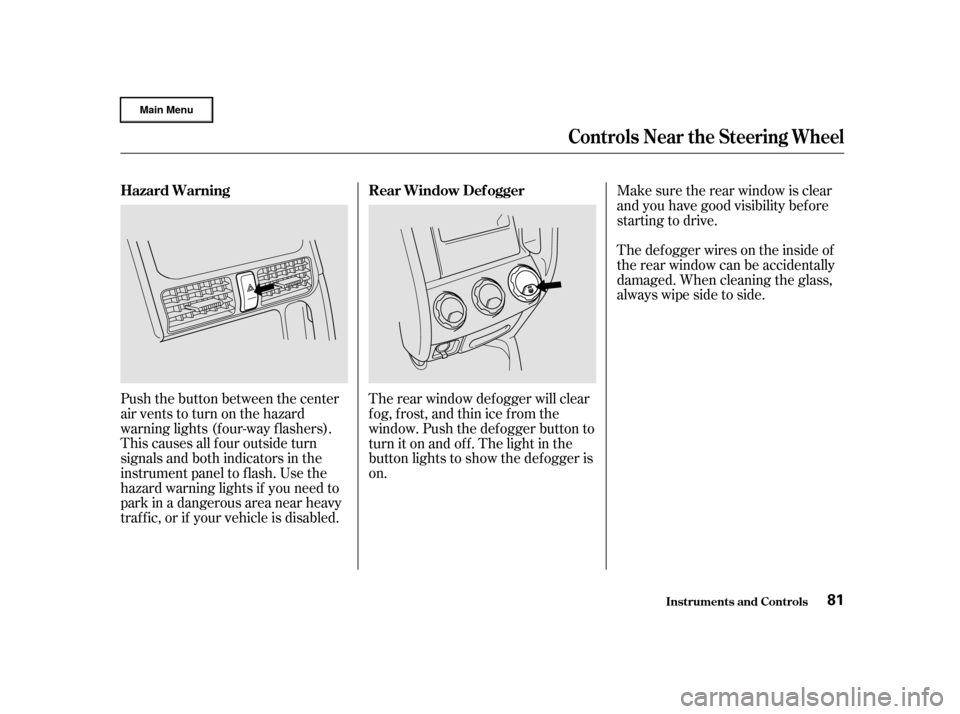
Push the button between the center
air vents to turn on the hazard
warning lights (f our-way f lashers).
This causes all f our outside turn
signals and both indicators in the
instrument panel to f lash. Use the
hazard warning lights if you need to
park in a dangerous area near heavy
traf f ic, or if your vehicle is disabled.The rear window def ogger will clear
fog, frost, and thin ice from the
window. Push the def ogger button to
turn it on and of f . The light in the
button lights to show the def ogger is
on.Make sure the rear window is clear
and you have good visibility bef ore
starting to drive.
Thedefoggerwiresontheinsideof
the rear window can be accidentally
damaged. When cleaning the glass,
always wipe side to side.
Controls Near the Steering Wheel
Inst rument s and Cont rols
Hazard Warning
Rear Window Def ogger
81
Page 86 of 372
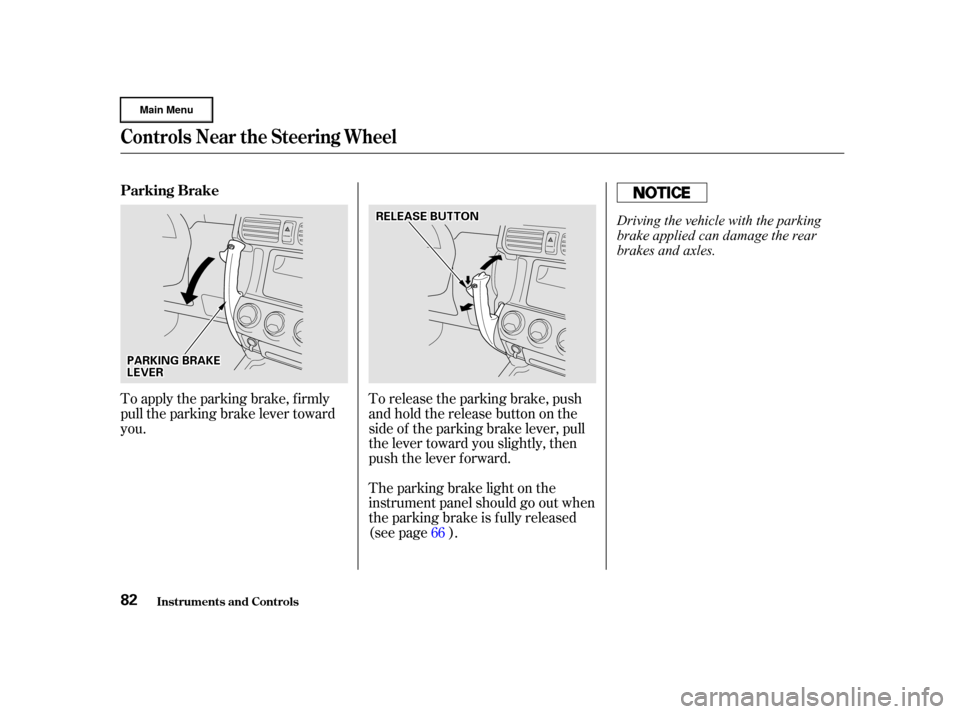
To release the parking brake, push
andholdthereleasebuttononthe
side of the parking brake lever, pull
the lever toward you slightly, then
push the lever f orward.
The parking brake light on the
instrument panel should go out when
the parking brake is fully released
(see page ).
To apply the parking brake, f irmly
pull the parking brake lever toward
you.
66
Controls Near the Steering Wheel
Inst rument s and Cont rols
Parking Brake
82
P PA
A R
RKKIINNG G B
BRRAA K
KEE
L
LE E V
V E
ER
R R
RE
EL
LEE A
A S
SEE B
BUUT TT
TO
ON N
Driving the vehicle with the parking
brake applied can damage the rear
brakes and axles.