Page 71 of 321
Signal a turn or lane change with this
lever. Push down on the lever to
signal a lef t turn, and up to signal a
right turn. If you push it up or down
all the way, the turn signal continues
to blink even when you release the
lever. It shuts off automatically as
you complete the turn.To signal a lane change, push lightly
on the turn signal lever in the proper
direction and hold it. The lever will
return to the center position as soon
as you release it.
This lever controls the windshield
wipers and washers. It has five
positions:MIST: mist
OFF: off
INT: intermittent
LO: low speed
HI: high speed
To select a position, push the lever
up or down.
T urn Signals
Windshield Wipers
Controls Near the Steering Wheel
Inst rument s and Cont rols72
TTUURRNNSSIIGGNNAALLLLEEVVEERR
Page 72 of 321
In intermittent, the wipers operate
every f ew seconds. In low speed and
high speed, the wipers run continu-
ously.In intermittent, you can vary how
of ten the wipers sweep the
windshield by turning the INT TIME
ring on the right lever. In low speed
and high speed, the wipers run
continuously.To operate the wipers in mist mode,
push the control lever up f rom the
OFF position. The wipers run at high
speed until you release the lever.
This gives you a quick way to clear
the windshield.
On EX model in the U.S., and LX
model in Canada
Controls Near the Steering Wheel
Inst rument s and Cont rols73
IINNTTTTIIMMEERRIINNGG
Page 73 of 321
To clean the windshield, pull back on
the wiper control lever. The washers
spray until you release the lever.Push the button between the center
vents to turn on the hazard warning
lights (f our-way f lashers). This
causes all f our outside turn signals
and both indicators in the instrument
panel to f lash. Use the hazard
warning lights if you need to park in
a dangerous area near heavy traffic,
or if your car is disabled.
The wipers run at low speed while
you’re pulling the lever, then
complete one more sweep of the
windshield af ter you release it.
Controls Near the Steering Wheel
Inst rument s and Cont rols
Windshield Washers
Hazard Warning
74
Page 74 of 321
The rear window def ogger will clear
fog,frost,andthinicefromthe
window. Push the def ogger button to
turn it on and of f . The light in the
button lights to show the def ogger is
on. If you do not turn it of f , the
def ogger will shut itself of f af ter
about15minutes.Italsoshutsoff
when you turn of f the ignition. You
have to turn it on again when you
restart the car.Make sure the rear window is clear
and you have good visibility bef ore
starting to drive.
The def ogger and antenna wires on
the inside of the rear window can be
accidentally damaged. When
cleaning the glass, always wipe side
to side.
Rear Window Def ogger
Controls Near the Steering Wheel
Inst rument s and Cont rols75
Page 75 of 321
Push the lever up to lock the
steering wheel in that position.
Make sure you have securely
locked the steering wheel in place
by trying to move it up and down.
Move the steering wheel to the
desired position, making sure the
wheel points toward your chest,
not toward your f ace. Make sure
you can see the instrument panel
gauges and the indicator lights.
Push the lever under the steering
column all the way down.
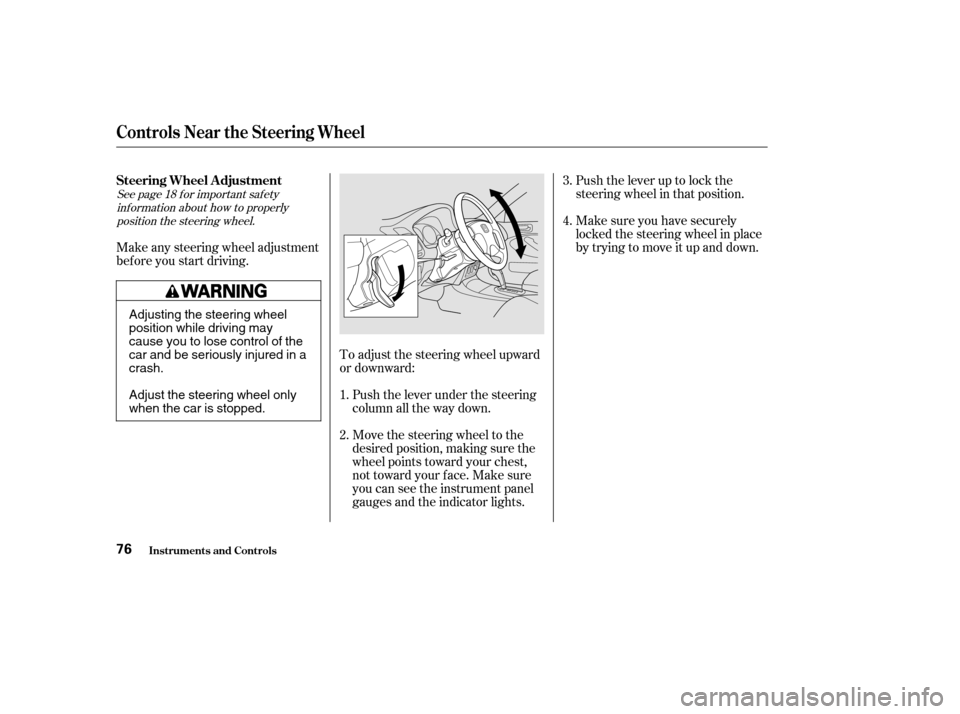
To adjust the steering wheel upward
or downward:
Make any steering wheel adjustment
bef ore you start driving.
1.4.
3.
2.
See page f or important saf ety inf ormation about how to properlyposition the steering wheel. 18
Steering Wheel A djustment
Controls Near the Steering Wheel
Inst rument s and Cont rols76
Adjusting the steering wheel
position while driving may
cause you to lose control of the
car and be seriously injured in acrash.
Adjust the steering wheel only
when the car is stopped.
Page 79 of 321
�µYou can insert or
remove the key only in this position.
To switch f rom ACCESSORY to
LOCK, you must push the key in
slightly as you turn it. If your car has
an automatic transmission, the shif t
lever must also be in Park. The anti-
thef t lock will lock the steering
column when you remove the key.
If the f ront wheels are turned, the
anti-thef t lock may sometimes make
it difficult to turn the key from
LOCK to ACCESSORY. Firmly turn
the steering wheel to the lef t or to
the right as you turn the key.
The ignition switch is on the right
side of the steering column. It has
f our positions:
LOCK(0)
ACCESSORY (I)
ON (II)
START (III)
Inst rument s and Cont rols
Keys and Locks
LOCK (0)
Ignition Switch
80
Removing the key from the
ignition switch while driving
locks the steering. This can
cause you to lose control.
Remove the key from the
ignition switch only whenparked.
Page 158 of 321
Accelerate to the desired cruising
speedabove25mph(40km/h).
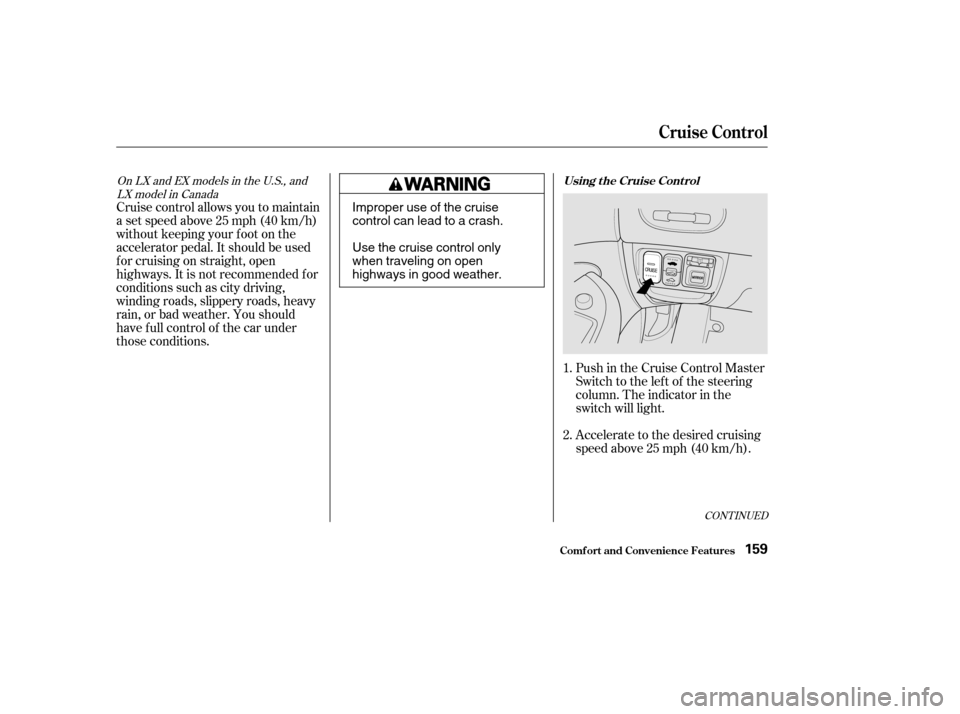
Push in the Cruise Control Master
Switch to the lef t of the steering
column. The indicator in the
switch will light.
Cruise control allows you to maintain
asetspeedabove25mph(40km/h)
without keeping your f oot on the
accelerator pedal. It should be used
f or cruising on straight, open
highways. It is not recommended f or
conditions such as city driving,
winding roads, slippery roads, heavy
rain, or bad weather. You should
have f ull control of the car under
those conditions.
1. 2.
CONT INUED
OnLXandEXmodelsintheU.S.,andLX model in Canada Using t he Cruise Cont rol
Cruise Control
Comf ort and Convenience Feat ures159
Improper use of the cruise
control can lead to a crash.
Use the cruise control only
when traveling on open
highways in good weather.
Page 159 of 321
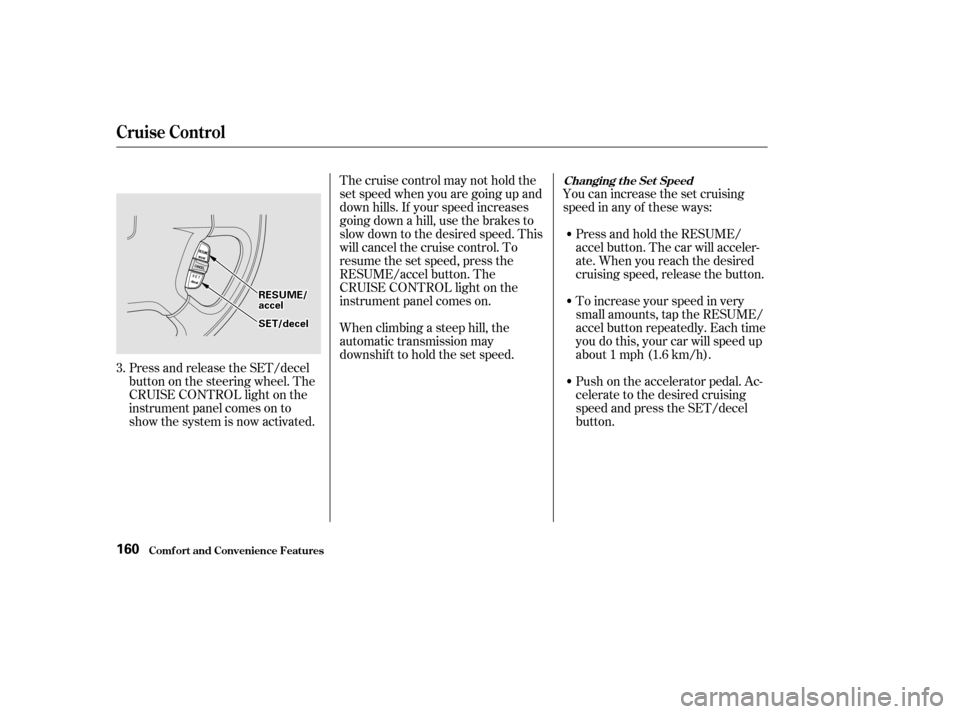
You can increase the set cruising
speed in any of these ways:Press and hold the RESUME/
accel button. The car will acceler-
ate. When you reach the desired
cruising speed, release the button.
Press and release the SET/decel
buttononthesteeringwheel.The
CRUISE CONTROL light on the
instrument panel comes on to
show the system is now activated. Thecruisecontrolmaynotholdthe
set speed when you are going up and
down hills. If your speed increases
going down a hill, use the brakes to
slow down to the desired speed. This
will cancel the cruise control. To
resume the set speed, press the
RESUME/accel button. The
CRUISE CONTROL light on the
instrument panel comes on.
When climbing a steep hill, the
automatic transmission may
downshif t to hold the set speed.
To increase your speed in very
small amounts, tap the RESUME/
accel button repeatedly. Each time
you do this, your car will speed up
about 1 mph (1.6 km/h).
Push on the accelerator pedal. Ac-
celerate to the desired cruising
speed and press the SET/decel
button.
3.
Changing t he Set Speed
Comf ort and Convenience Feat ures
Cruise Control
160
RREESSUUMMEE//aacccceell
SSEETT//ddeecceell