Page 48 of 248

REAR WINDOW DEFROSTER
Press the rear window defroster
control to clear the rear window of
thin ice or fog. The indicator will
illuminate when the rear window
defroster is selected.
The ignition must be in the RUN position and the engine running in
order to operate the rear window defroster.
The rear window defroster turns off automatically after 10 minutes or
sooner if a low battery condition is detected, or when the ignition is
turned to the OFF position. To manually turn off the rear window
defroster before 10 minutes have passed, push the control again.
CABIN AIR FILTER
Your vehicle is equipped with a cabin air filter. This particulate air
filtration system is designed to reduce the concentration of airborne
particles such as dust, spores and pollen in the air being supplied to the
interior of the vehicle. The particulate filtration system gives the
following benefits to customers:
²Improves the customer's driving comfort by reducing particle
concentration
²Improves the interior compartment cleanliness
²Protects the climate control components from particle deposits
The filter is located just in front of the windshield under the cowl grille
on the passenger side of the vehicle.
For more information, or to replace the filter, contact your Ford Lincoln
Mercury Dealer.
R
Climate controls
48
Page 49 of 248

MASTER LIGHTING SWITCH
Rotate the headlamp control to the
first position to turn on the parking
lamps. Rotate to the second position
to also turn on the headlamps.
Autolamp control
The autolamp system provides light
sensitive automatic on-off control of
the exterior lights normally
controlled by the master lighting
switch.
The autolamp system also keeps the
lights on for a preselected period of
time after the ignition switch is
turned to OFF.
²To turn autolamps on, rotate the
control counterclockwise. The preselected time lapse is adjustable up
to approximately three minutes by continuing to rotate the control
counterclockwise.
²To turn autolamps off, rotate the control clockwise to OFF.
Daytime running lamps (DRL) (Canada Only)
Turns the lowbeam headlamps on with a reduced output.
To activate with automatic transmission:
²the ignition must be in the RUN position;
²the headlamp control is in the OFF position, Parking lamps position,
or Autolamp position when the autolamp function has not turned on
the headlamps (daytime); and
²the transmission is out of Park.
AUTO
AUTO
Lights
49
Page 60 of 248

WINDSHIELD WIPER/WASHER CONTROLS
Rotate the windshield wiper control
to the desired interval, low or high
speed position. The ignition must be
in the ACC or RUN position to
operate the windshield wiper.
The bars of varying length are for
intermittent wipers. When in this
position rotate the control upward
for fast intervals and downward for
slow intervals.
Push the control on the end of the
stalk to activate washer. Push and
hold for a longer wash cycle. The
washer will automatically shut off
after ten seconds of continuous use.
Speed dependent wipers
When the windshield wiper control is set on the intermittent settings,
speed-sensitive front wipers automatically adjust as the vehicle's speed
changes.
Windshield wiper blades
Check the wiper blades at least twice a year or when they seem less
effective. Substances such as tree sap and some hot wax treatments used
by commercial car washes reduce the effectiveness of wiper blades.
INT
INTOFF
AUTO
INT
INTOFF
AUTO
Driver controls
60
Page 62 of 248
TILT/TELESCOPE STEERING COLUMN
Power tilt/telescope steering column
Never adjust the steering wheel when the vehicle is moving.
The steering column can be
adjusted manually by moving the
four-way rocker adjustment control
located on the multi-function
control below the turn signal/wiper
control stalk. The control will adjust
the column as long as held or until
the column reaches the end of
travel.
The telescope function is adjusted
by moving the control toward the
driver to telescope out and moving
the control toward the instrument
panel to telescope in.
The tilt function is adjusted by moving the control up to tilt up and
moving the control down to tilt down.
During easy exit operation, the column will move to the full in and up
position. When the key is inserted into the ignition switch, the column
will return to the previous setting. When you remove the key, the column
will move away.
Driver controls
62
Page 64 of 248
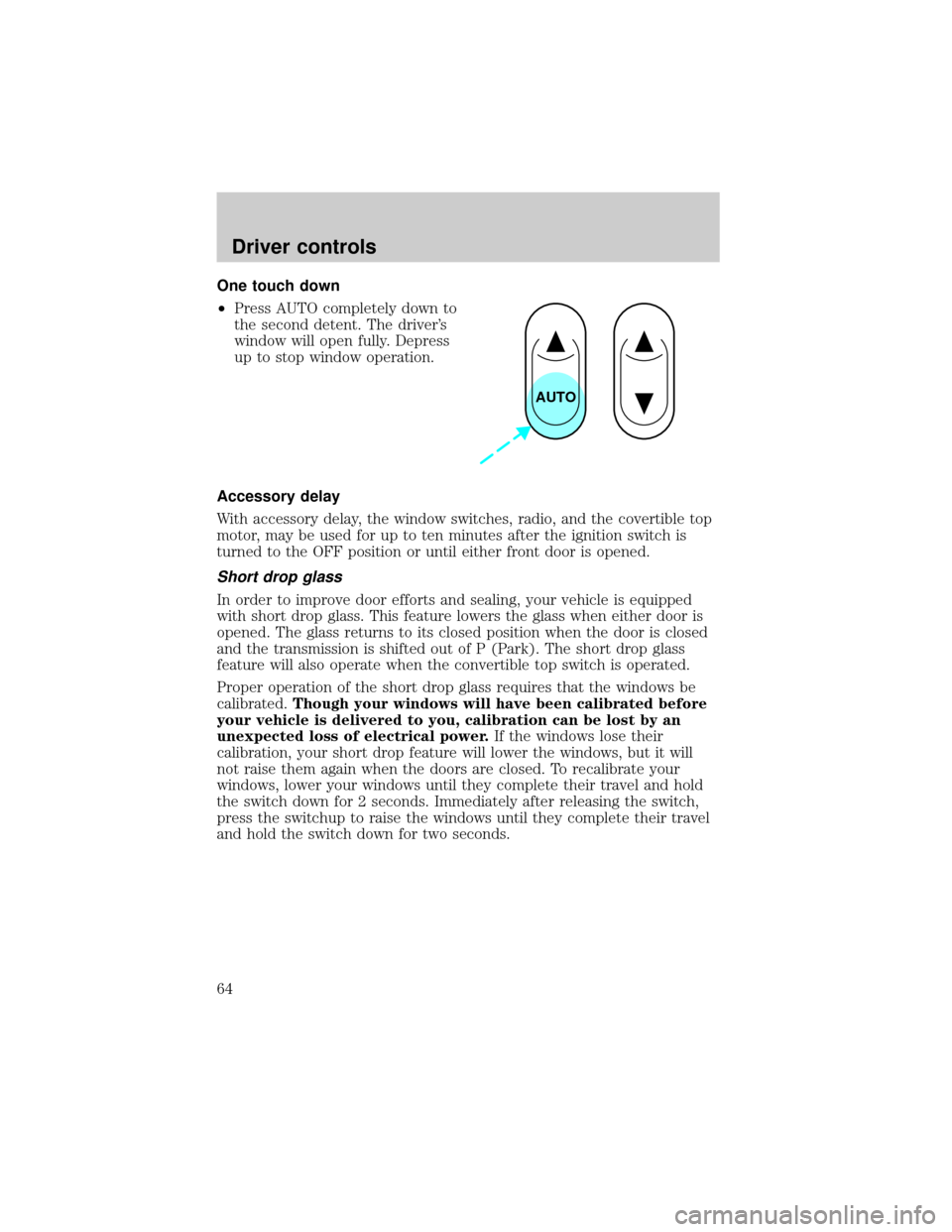
One touch down
²Press AUTO completely down to
the second detent. The driver's
window will open fully. Depress
up to stop window operation.
Accessory delay
With accessory delay, the window switches, radio, and the covertible top
motor, may be used for up to ten minutes after the ignition switch is
turned to the OFF position or until either front door is opened.
Short drop glass
In order to improve door efforts and sealing, your vehicle is equipped
with short drop glass. This feature lowers the glass when either door is
opened. The glass returns to its closed position when the door is closed
and the transmission is shifted out of P (Park). The short drop glass
feature will also operate when the convertible top switch is operated.
Proper operation of the short drop glass requires that the windows be
calibrated.Though your windows will have been calibrated before
your vehicle is delivered to you, calibration can be lost by an
unexpected loss of electrical power.If the windows lose their
calibration, your short drop feature will lower the windows, but it will
not raise them again when the doors are closed. To recalibrate your
windows, lower your windows until they complete their travel and hold
the switch down for 2 seconds. Immediately after releasing the switch,
press the switchup to raise the windows until they complete their travel
and hold the switch down for two seconds.
AUTO
Driver controls
64
Page 67 of 248
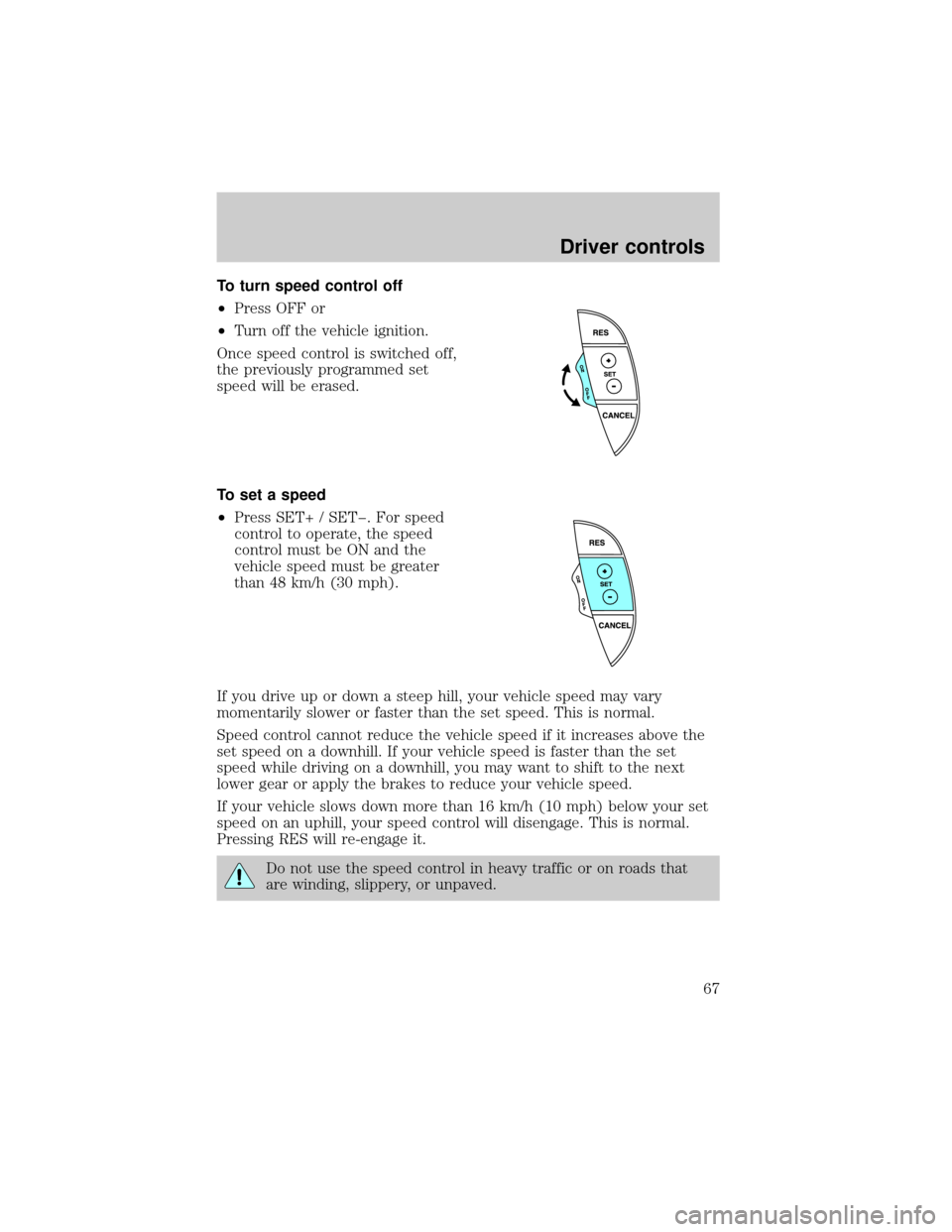
To turn speed control off
²Press OFF or
²Turn off the vehicle ignition.
Once speed control is switched off,
the previously programmed set
speed will be erased.
To set a speed
²Press SET+ / SETþ. For speed
control to operate, the speed
control must be ON and the
vehicle speed must be greater
than 48 km/h (30 mph).
If you drive up or down a steep hill, your vehicle speed may vary
momentarily slower or faster than the set speed. This is normal.
Speed control cannot reduce the vehicle speed if it increases above the
set speed on a downhill. If your vehicle speed is faster than the set
speed while driving on a downhill, you may want to shift to the next
lower gear or apply the brakes to reduce your vehicle speed.
If your vehicle slows down more than 16 km/h (10 mph) below your set
speed on an uphill, your speed control will disengage. This is normal.
Pressing RES will re-engage it.
Do not use the speed control in heavy traffic or on roads that
are winding, slippery, or unpaved.
Driver controls
67
Page 84 of 248

KEYS
The key operates all locks on your
vehicle. In case of loss, replacement
keys are available from your dealer.
You should always carry a second
key with you in a safe place in case
you require it in an emergency.
Refer toSecuriLockyPassive
Anti-Theft Systemfor more
information.
POWER DOOR LOCKS
Press the top of the control to
unlock all doors and the bottom to
lock all doors.
When the vehicle is armed the
power door locks and remote trunk
release control are disabled. These
will not work until the vehicle is
disarmed.
Smart locks
With the key in the ignition, and the driver's door open, the doors cannot
be locked using the driver's power door lock switches. If this is
attempted, both doors will lock, then the driver's door will immediately
unlock.
The vehicle can still be locked. with the key in the ignition, using the
manual lock button on the door, operating the remote entry transmitter,
or locking the drivers door with the a key.
INTERIOR LUGGAGE COMPARTMENT RELEASE
Your vehicle is equipped with a mechanical interior luggage compartment
release handle that provides a means of escape for children and adults in
the event they become locked inside the luggage compartment.
Adults are advised to familiarize themselves with the operation and
location of the release handle.
Locks and security
84
Page 86 of 248

REMOTE ENTRY SYSTEM
This device complies with part 15 of the FCC rules and with RS-210 of
Industry Canada. Operation is subject to the following two conditions:
(1) This device may not cause harmful interference, and (2) This device
must accept any interference received, including interference that may
cause undesired operation.
Changes or modifications not expressly approved by the party
responsible for compliance could void the user's authority to
operate the equipment.
Your remote entry system contains two remote transmitters which
provide remote control of several features. Each remote transmitter will
allow you to:
²unlock the vehicle doors without a key
²lock all the vehicle doors without a key
²open the trunk without a key
²activate the personal alarm
²arm and disarm the perimeter anti-theft system
²operate the illuminated entry feature
The remote transmitter features only operate with the ignition in the
OFF or ACC positions. The remote transmitter features also operate if
the ignition is in the RUN position and the gear shift is in P (Park). The
personal alarm feature, however, will not operate when the ignition is in
the RUN position.
When the vehicle is armed the power door locks and remote trunk
release control are disabled. These will not work until the vehicle is
disarmed.
If there is any potential remote keyless entry problem with your vehicle,
ensureALL key fobs(remote entry transmitters) are brought to the
dealership, to aid in troubleshooting.
Locks and security
86
