Page 44 of 312
(floor/defrost) ÐDistributes outside air through the windshield
defroster ducts, the demister outlets and the front and rear seat floor
ducts. If the temperature is about 6ÉC (43ÉF) or higher, the air
conditioner will automatically dehumidify the air to reduce fogging. (Note
that the A/C indicator does not illuminate when this mode is selected.)
Recirculation and A/C override controls cannot be selected. For added
customer comfort, the air distributed through the floor ducts may be
slightly warmer than the air sent to the windshield defroster ducts.
(defrost) ÐDistributes outside air through the windshield defroster
ducts, the demister outlets and the center console registers. It can be
used to clear ice or fog from the windshield. If the outside air temperature
is about 6ÉC (43ÉF) or higher, the air conditioner will automatically
dehumidify the air to reduce fogging. (Note that the A/C indicator does
not illuminate when this mode is selected.) Recirculation and A/C override
controls cannot be selected. For added customer comfort, the system will
allow some airflow through the floor ducts in this mode.
²Turn DEATC off
OFF-Outside air is shut out. The fan, heating and air conditioning will
not operate. The outside temperature will still display when selected
with the ignition in the ON position.
R(rear window defroster) Ð Refer toRear Window Defroster.
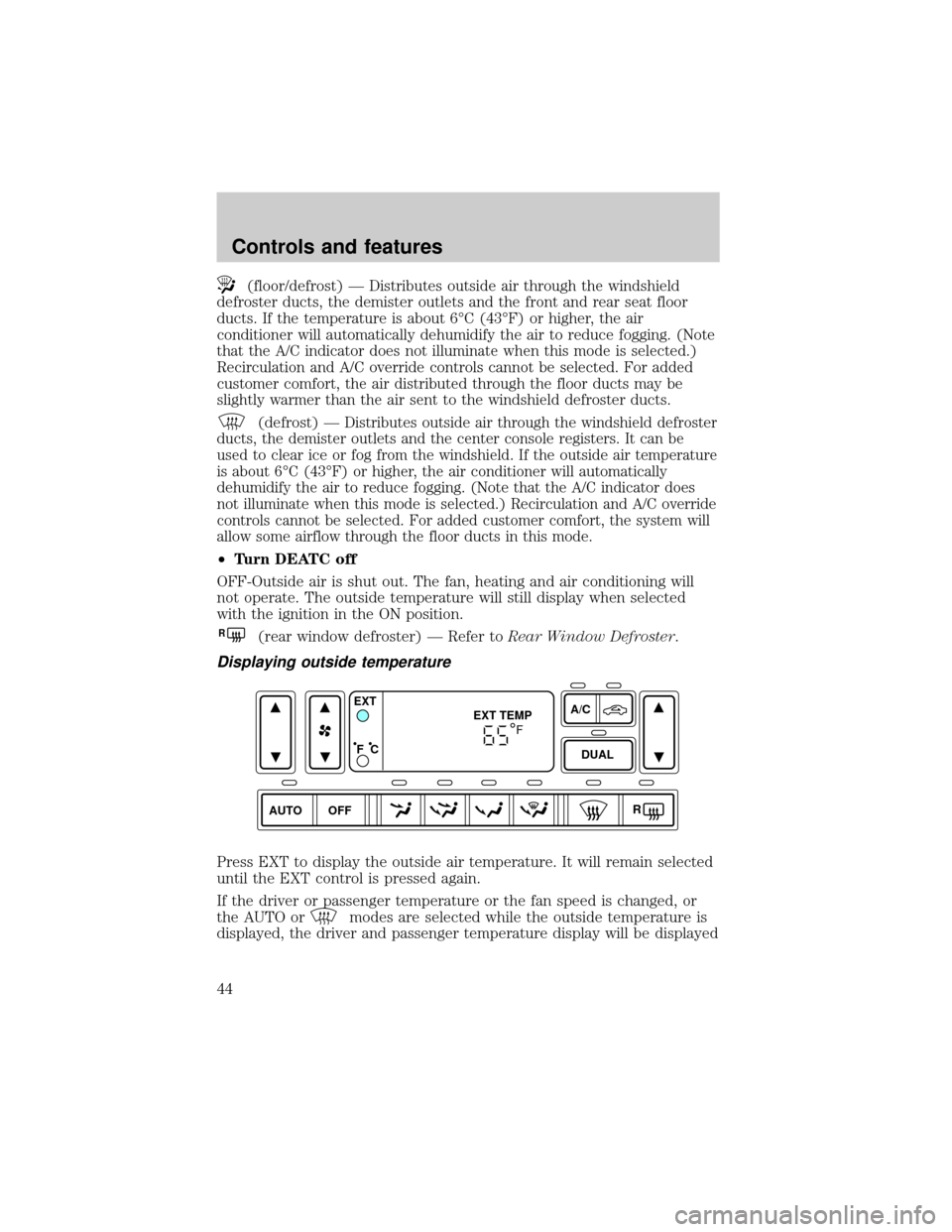
Displaying outside temperature
Press EXT to display the outside air temperature. It will remain selected
until the EXT control is pressed again.
If the driver or passenger temperature or the fan speed is changed, or
the AUTO or
modes are selected while the outside temperature is
displayed, the driver and passenger temperature display will be displayed
AUTO DUALOFFA/C
R EXT
EXT TEMP
F C
F
Controls and features
44
Page 45 of 312
for 4 seconds. Following this, the outside temperature display will return
to the window.
If the outside temperature is displayed while the DEATC system is in the
OFF mode and the DEATC is turned on, the driver and passenger
temperatures will be displayed for 4 seconds. Following this, the outside
temperature display will return to the window.
The outside temperature reading is most accurate when the vehicle is
moving. Higher readings may be obtained when the vehicle is not
moving. The readings that you get may not agree with temperatures
given on the radio due to differences in vehicle and station locations.
Operating tips
²In humid weather conditions, place the climate control system in
orRbefore driving. This will reduce fogging on your windshield.
Once the windshield has been cleared, operate the climate control
system as desired.
²To reduce humidity buildup inside the vehicle in cold weather
conditions, don't drive with the climate control system in the OFF or
MAX A/C position.
²To reduce humidity buildup inside the vehicle in warm weather
conditions, don't drive with the climate control system in the OFF
position.
²Under normal weather conditions, your vehicle's climate control
system should be left in any position other than MAX A/C or OFF
when the vehicle is parked. This allows the vehicle to ªbreatheº
through the outside air inlet duct.
²Under snowy or dirty weather conditions, your vehicle's climate
control system should be left in the OFF position when the vehicle is
parked. This allows the climate control system to be free from
contamination of outside pollutants.
²If your vehicle has been parked with the windows closed during warm
weather conditions, the air conditioner will perform more efficiently in
cooling the vehicle if driven for two or three minutes with the
windows open. This will force most of the hot, stale air out of the
vehicle. Once the vehicle has been ªaired outº, operate the climate
control system as desired.
²Remove any snow, ice or leaves from the air intake area at the base of
the windshield.
Controls and features
45
Page 46 of 312
²Do not place objects over the defroster outlets. These objects can
block airflow and reduce your ability to see through your windshield.
Avoid placing small objects on top of the instrument panel. These
objects may fall down into the defroster outlets and block airflow, in
addition to damaging the climate control system.
To aide in side window defogging/demisting in cold weather conditions:
1. Select
2. Set the temperature control to full heat
3. Set the fan speed to High
4. Direct the outer panel vents towards the side windows
In order to increase the airflow to the outer panel vents, close the
central panel vents.
Do not place objects on top of the instrument panel, as these
objects may become projectiles in a collision or sudden stop.
Auxiliary climate controls (if equipped)
Depending on the equipment package of your vehicle, your vehicle may
be equipped with auxiliary climate controls. The auxiliary climate control
feature provides increased capacity to quickly heat or cool the vehicle.
Your auxiliary climate controls are located in the overhead console of the
first and second row seating. The auxiliary climate controls are
independent of the main climate control system. If the main climate
control system is in the OFF position, the auxiliary climate controls will
still work. However, the A/C function will not operate unless the A/C
control has been selected on the main climate control system.
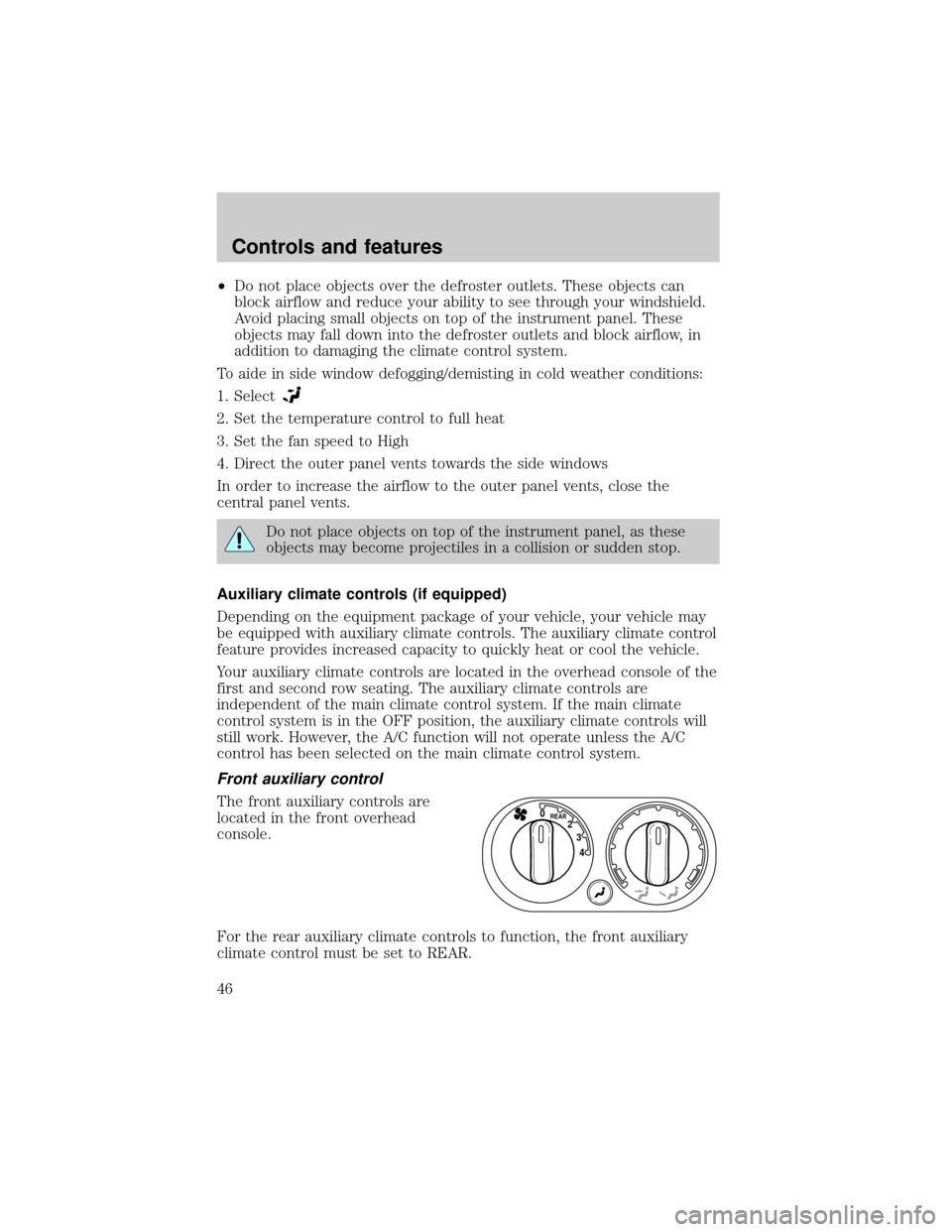
Front auxiliary control
The front auxiliary controls are
located in the front overhead
console.
For the rear auxiliary climate controls to function, the front auxiliary
climate control must be set to REAR.
4 3 2
REAR0
Controls and features
46
Page 50 of 312
To stop the air from flowing through the floor console:
1. slide the mode selector control to
.
2. manually close the registers.
REAR WINDOW DEFROSTER
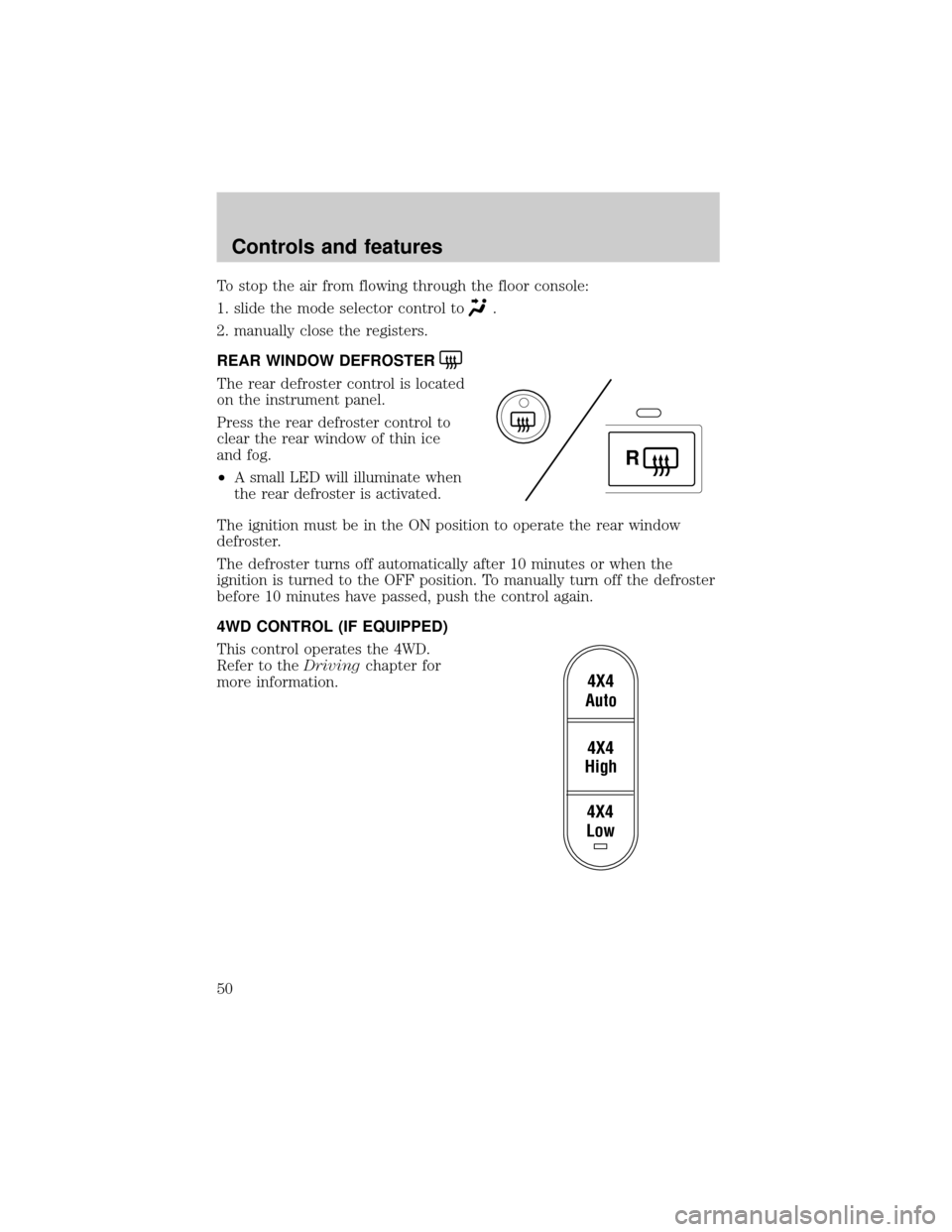
The rear defroster control is located
on the instrument panel.
Press the rear defroster control to
clear the rear window of thin ice
and fog.
²A small LED will illuminate when
the rear defroster is activated.
The ignition must be in the ON position to operate the rear window
defroster.
The defroster turns off automatically after 10 minutes or when the
ignition is turned to the OFF position. To manually turn off the defroster
before 10 minutes have passed, push the control again.
4WD CONTROL (IF EQUIPPED)
This control operates the 4WD.
Refer to theDrivingchapter for
more information.
R
4X4
Low4X4
High4X4
Auto
Controls and features
50
Page 98 of 312
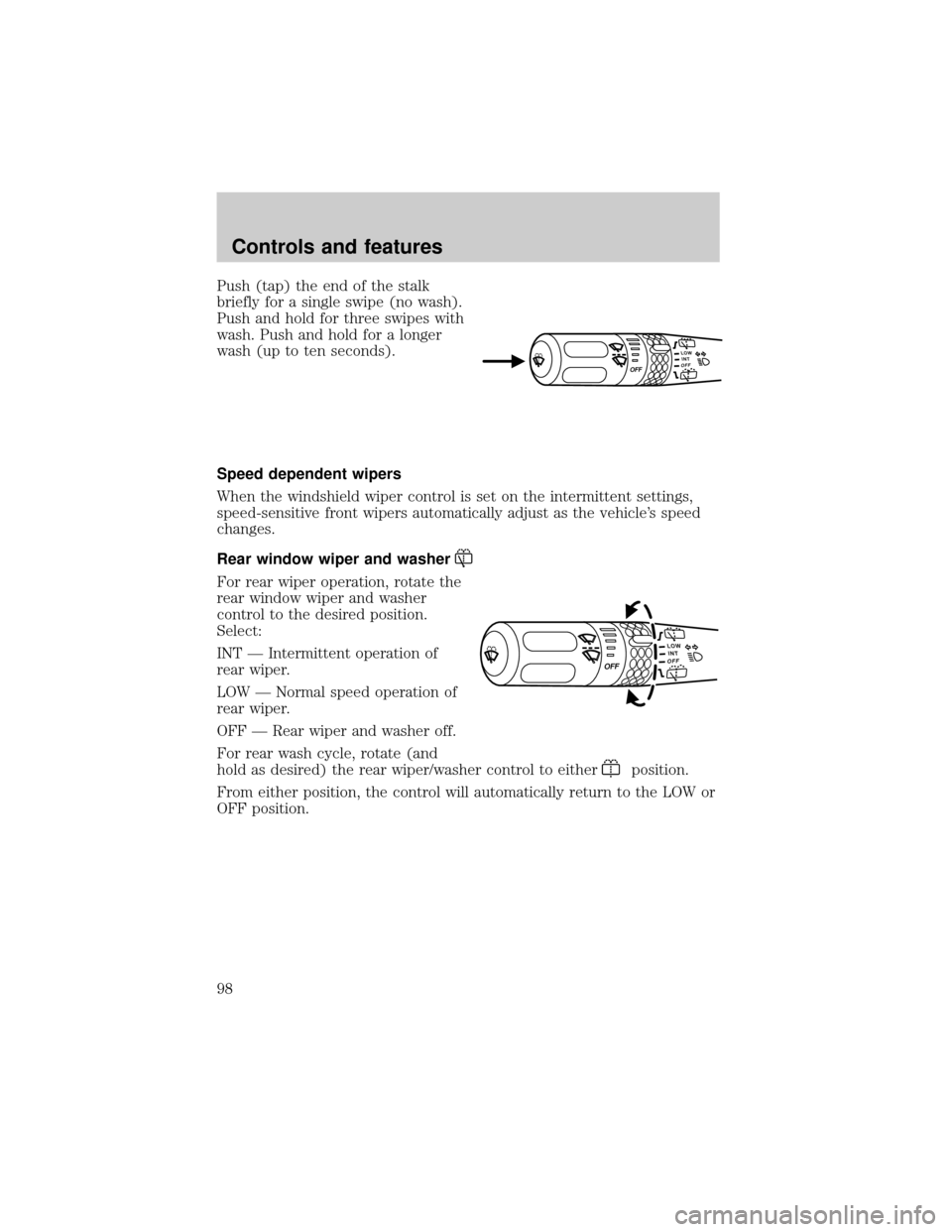
Push (tap) the end of the stalk
briefly for a single swipe (no wash).
Push and hold for three swipes with
wash. Push and hold for a longer
wash (up to ten seconds).
Speed dependent wipers
When the windshield wiper control is set on the intermittent settings,
speed-sensitive front wipers automatically adjust as the vehicle's speed
changes.
Rear window wiper and washer
For rear wiper operation, rotate the
rear window wiper and washer
control to the desired position.
Select:
INT Ð Intermittent operation of
rear wiper.
LOW Ð Normal speed operation of
rear wiper.
OFF Ð Rear wiper and washer off.
For rear wash cycle, rotate (and
hold as desired) the rear wiper/washer control to either
position.
From either position, the control will automatically return to the LOW or
OFF position.
Controls and features
98
Page 108 of 312
ILLUMINATED VISOR MIRROR (IF EQUIPPED)
To turn on the visor mirror lamps,
lift the mirror cover.
POWER WINDOWS (IF EQUIPPED)
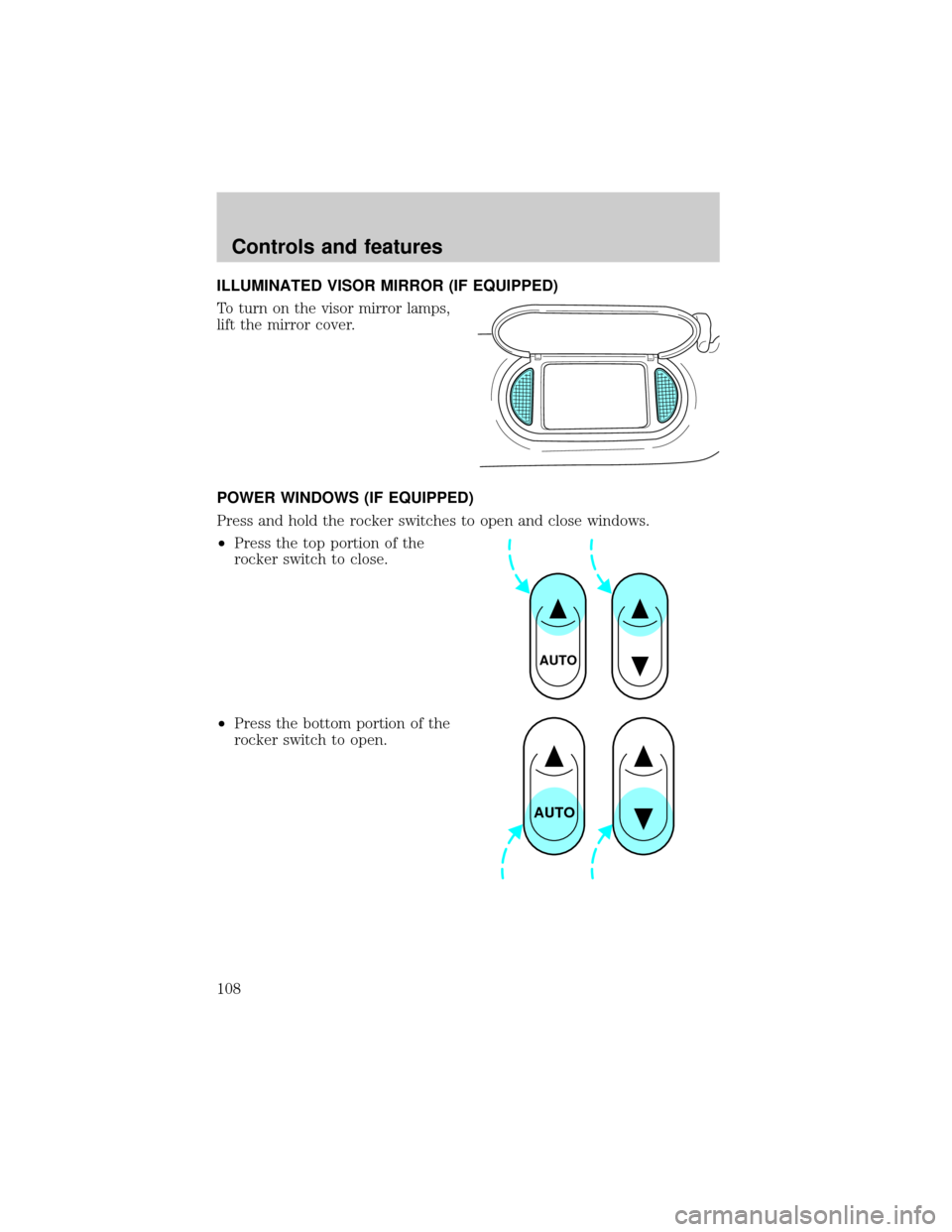
Press and hold the rocker switches to open and close windows.
²Press the top portion of the
rocker switch to close.
²Press the bottom portion of the
rocker switch to open.
AUTO
AUTO
Controls and features
108
Page 109 of 312
One touch down
²Press AUTO completely down and
release quickly. The driver's
window will open fully.
One touch down can be deactivated
during operation by pushing down
on the top part of the driver power
window control.
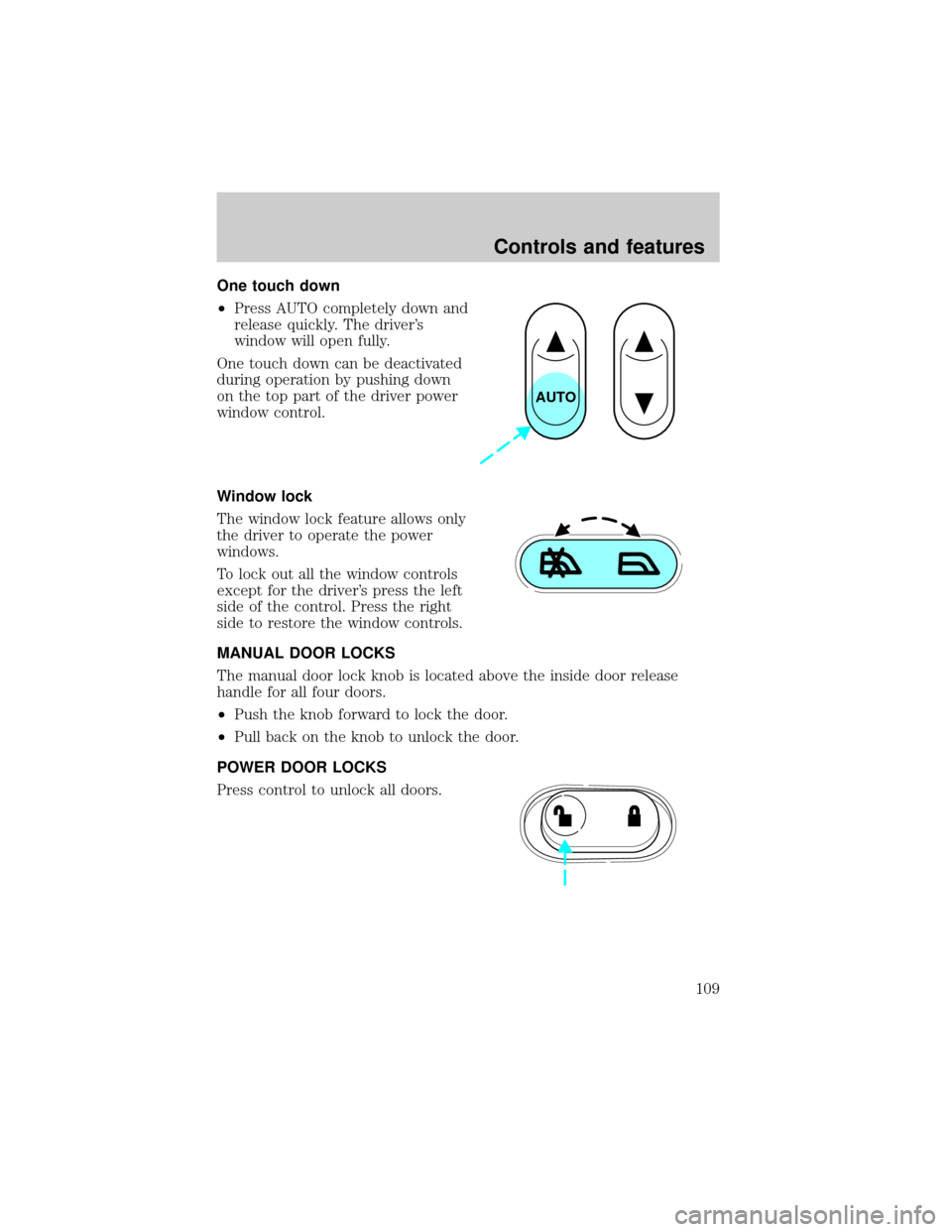
Window lock
The window lock feature allows only
the driver to operate the power
windows.
To lock out all the window controls
except for the driver's press the left
side of the control. Press the right
side to restore the window controls.
MANUAL DOOR LOCKS
The manual door lock knob is located above the inside door release
handle for all four doors.
²Push the knob forward to lock the door.
²Pull back on the knob to unlock the door.
POWER DOOR LOCKS
Press control to unlock all doors.
AUTO
Controls and features
109
Page 110 of 312

Press control to lock all doors.
LIFTGATE
An additional power door lock can be accessed by opening the liftgate.
The button is located either on the top of the left hand quarter trim
panel underneath the rear window, or on the bottom of the left hand
quarter trim panel. Press this button to lock or unlock all the doors.
CHILDPROOF DOOR LOCKS
When these locks are set, the rear
doors cannot be opened from the
inside. The rear doors can be
opened from the outside when the
doors are unlocked.
The childproof locks are located on
rear edge of each rear door and
must be set separately for each
door. Setting the lock for one door
will not automatically set the lock
for both doors.
Move lock control up to engage the childproof lock. Move control down
to disengage childproof locks.
POWER SIDE VIEW MIRRORS
The ignition must be in the ACC or ON position to adjust the power side
view mirrors.
To adjust your mirrors:
1. Rotate the control clockwise to
adjust the right mirror and rotate
the control counterclockwise to
adjust the left mirror.
Controls and features
110