Page 35 of 280
Starting autoset memory preset
1. Select a frequency using the AM/FM select controls.
2. Press the AUTO control.
3. When the first six strong stations
are filled, the station stored in
memory preset control 1 will start
playing.
If there are less than six strong stations available on the frequency band,
the remaining memory preset controls will all store the last strong
station available.
To deactivate autoset and return to your audio system's manually set
memory stations, press the AUTO control again.
Setting the clock
Press the RDS control until SELECT
HOUR or SELECT MINS is
displayed.
Use the SEL control to manually set
the time.
²Press
to increase hours/
minutes.
²Press
to decrease hours/
minutes.
Tune adjust
The tune control works in radio or CD changer mode (if equipped).
Tune adjust in radio mode
²Pressto move to the next
frequency down the band
(whether or not a listenable
station is located there). Hold the control to move through the
frequencies quickly.
²Press
to move to the next frequency up the band (whether or not
a listenable station is located there). Hold for quick movement.
AUTO
RDS
SEL
TUNE
Entertainment systems
35
Page 36 of 280
Tune adjust for CD changer
²Pressto select the previous
disc in the CD changer. (Play will
begin on the first track of the
disc unless the CD changer is in shuffle mode.) Refer toShuffle
featurefor more information. Hold the control to continue reversing
through the disc.
²Press
to select the next disc in the CD changer. Hold the control
to fast-forward through the remaining discs.
CD select
To begin CD play (if CD[s] are loaded), press the CD control. The first
track of the disc will begin playing. After that, CD play will begin where
it stopped last. Press the CD control again to toggle between CD and CD
changer mode (if equipped).
Do not insert any promotional (odd shaped or sized) discs, or discs
with removable labels into the CD player as jamming may occur.
Rewind
The rewind control works in CD
mode.
²In CD mode, pressing the REW
control for less than three
seconds results in slow rewind. Pressing the control for more than
three seconds results in fast rewind.
Fast forward
The fast forward control works in
CD mode.
²In CD mode, pressing the control
for less than three seconds
results in slow forward action. Pressing the control for more than
three seconds results in fast forward action.
Eject function
Press the control to stop and eject a
CD.
TUNE
REW
1
FF
2
EJ
Entertainment systems
36
Page 37 of 280
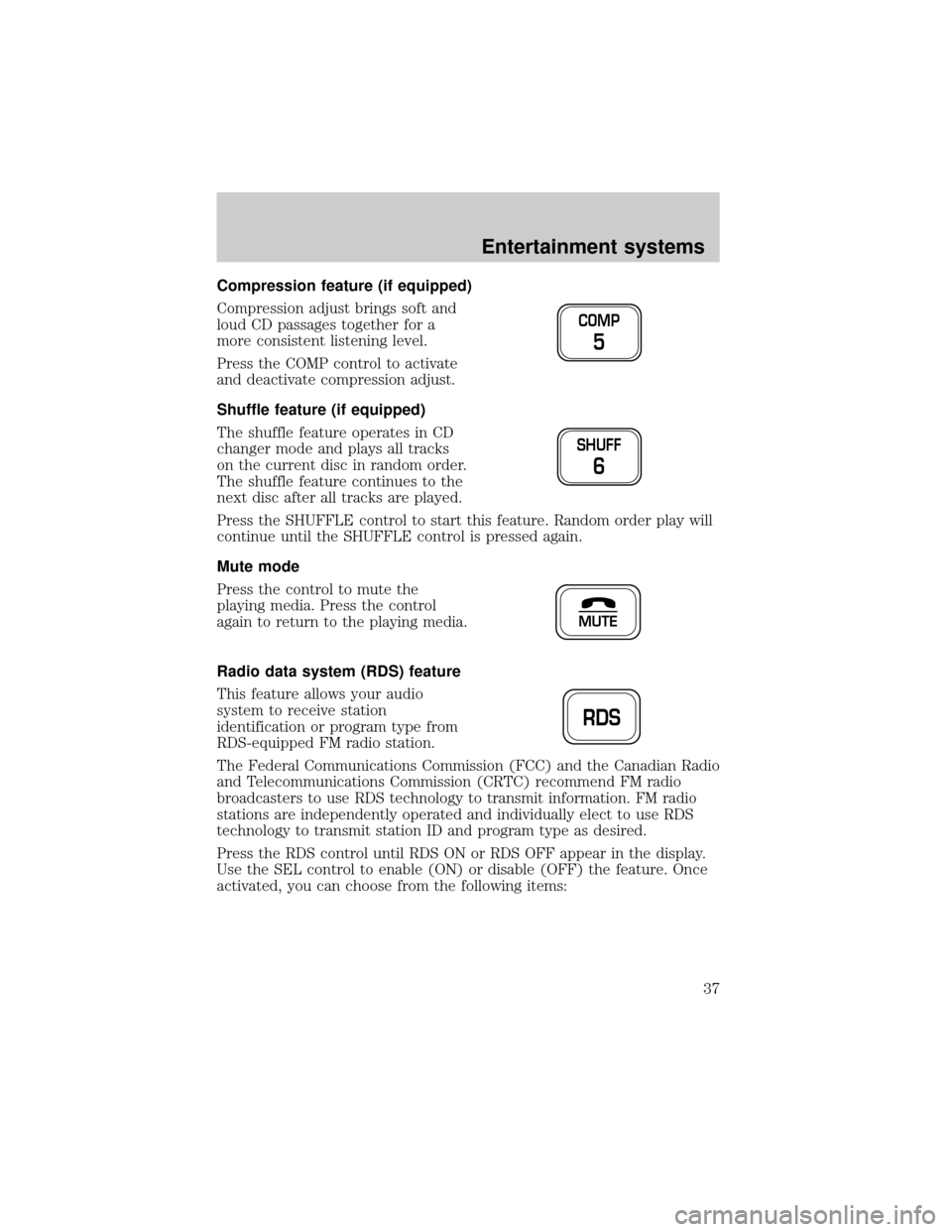
Compression feature (if equipped)
Compression adjust brings soft and
loud CD passages together for a
more consistent listening level.
Press the COMP control to activate
and deactivate compression adjust.
Shuffle feature (if equipped)
The shuffle feature operates in CD
changer mode and plays all tracks
on the current disc in random order.
The shuffle feature continues to the
next disc after all tracks are played.
Press the SHUFFLE control to start this feature. Random order play will
continue until the SHUFFLE control is pressed again.
Mute mode
Press the control to mute the
playing media. Press the control
again to return to the playing media.
Radio data system (RDS) feature
This feature allows your audio
system to receive station
identification or program type from
RDS-equipped FM radio station.
The Federal Communications Commission (FCC) and the Canadian Radio
and Telecommunications Commission (CRTC) recommend FM radio
broadcasters to use RDS technology to transmit information. FM radio
stations are independently operated and individually elect to use RDS
technology to transmit station ID and program type as desired.
Press the RDS control until RDS ON or RDS OFF appear in the display.
Use the SEL control to enable (ON) or disable (OFF) the feature. Once
activated, you can choose from the following items:
COMP
5
SHUFF
6
MUTE
RDS
Entertainment systems
37
Page 41 of 280
USING HEADPHONES/PERSONAL AUDIO SYSTEM
Plug a 3.5 mm headphone (not included) into the
jack. Press the
speaker on/off control to operate the headphones. DUAL PLAY
illuminates in the radio display and the fade control is disabled.
The rear speakers will cut out once the speaker on/off control is pressed.
The front speaker will remain playing for the front passengers. Press the
control again to deactivate the headphones (Personal Audio System).
SINGLE PLAY illuminates in the radio display and the fade control is
enabled.
For the Personal Audio System to be enabled, the rear seat controls
must be active and
illuminated in the radio display.
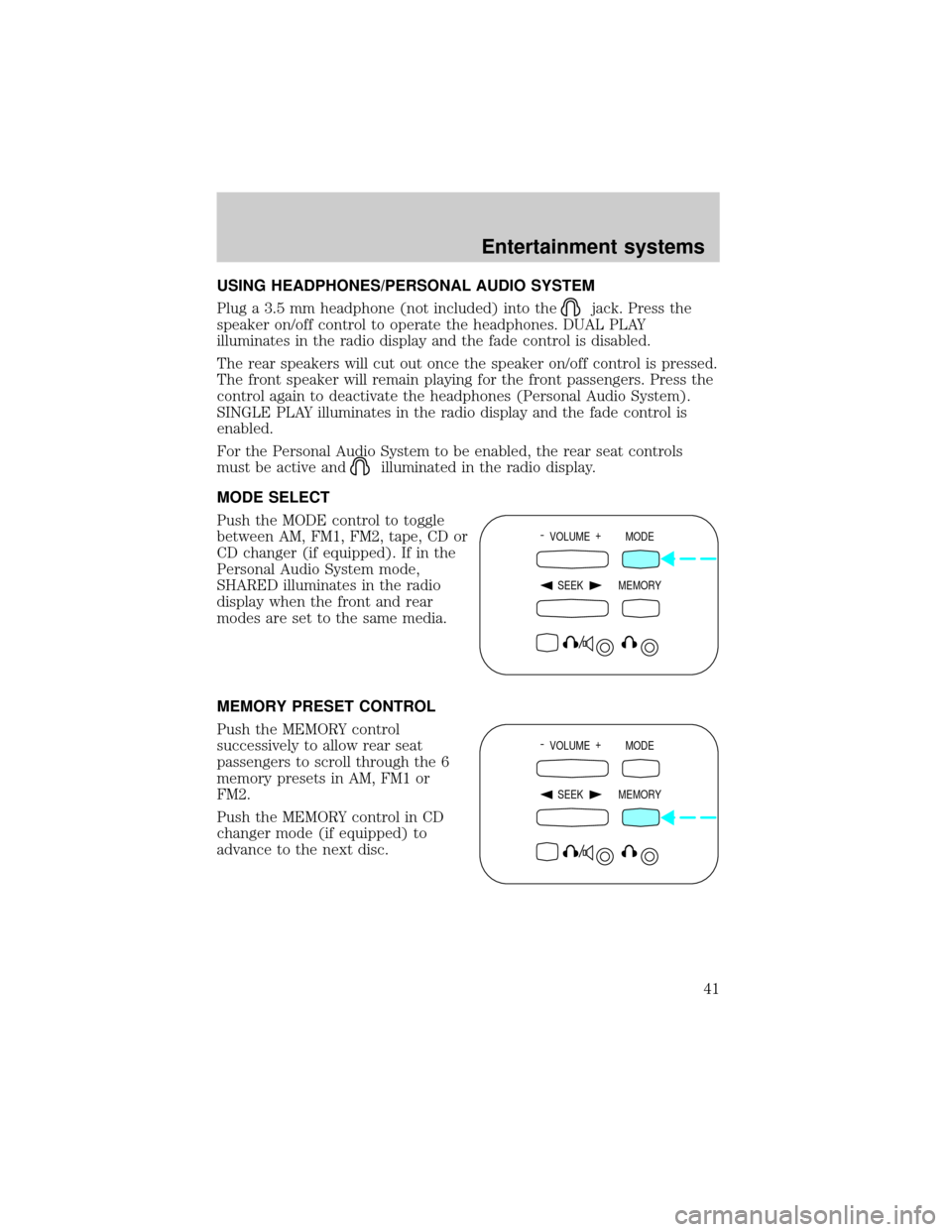
MODE SELECT
Push the MODE control to toggle
between AM, FM1, FM2, tape, CD or
CD changer (if equipped). If in the
Personal Audio System mode,
SHARED illuminates in the radio
display when the front and rear
modes are set to the same media.
MEMORY PRESET CONTROL
Push the MEMORY control
successively to allow rear seat
passengers to scroll through the 6
memory presets in AM, FM1 or
FM2.
Push the MEMORY control in CD
changer mode (if equipped) to
advance to the next disc.
- VOLUME +
MODE
SEEK MEMORY
- VOLUME +
MODE
SEEK MEMORY
Entertainment systems
41
Page 42 of 280
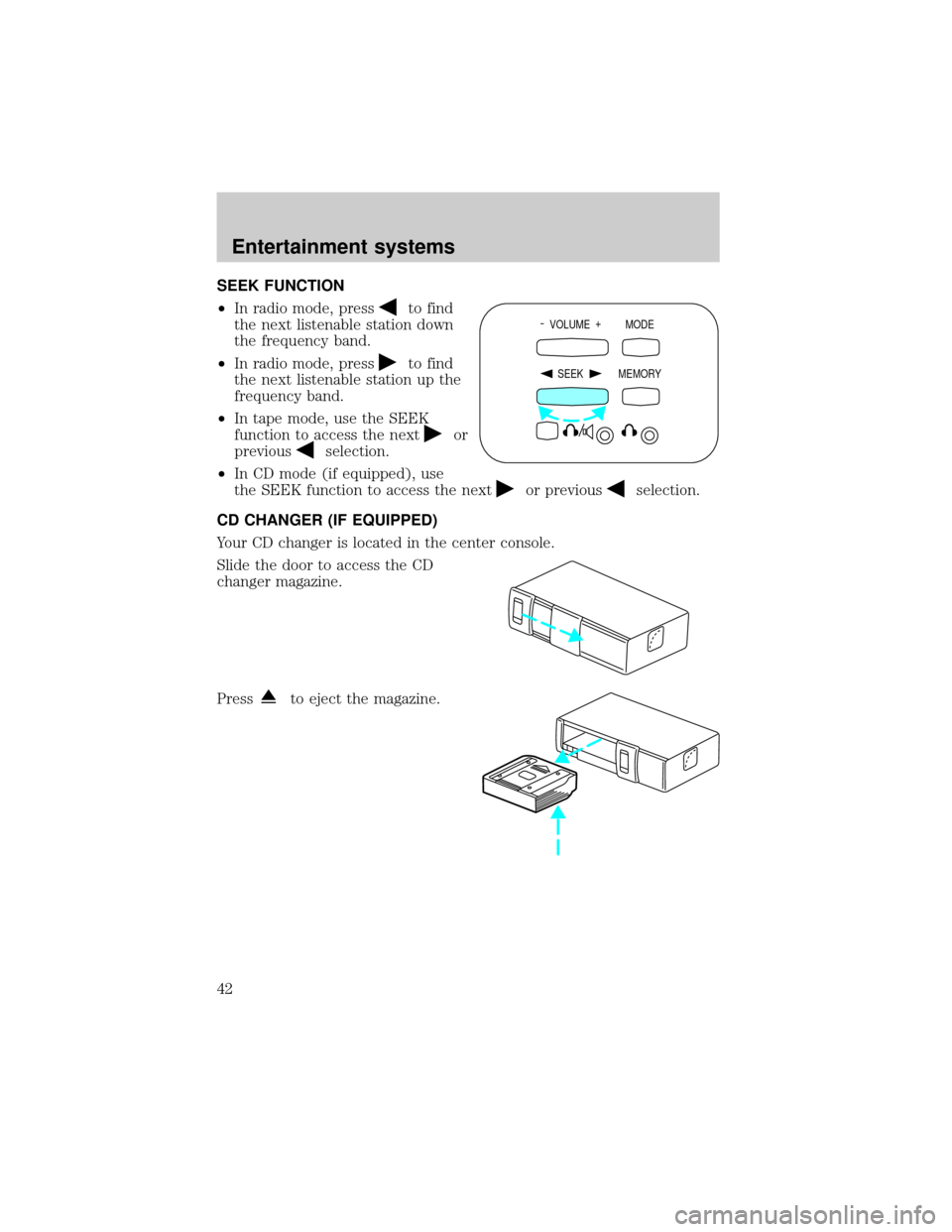
SEEK FUNCTION
²In radio mode, press
to find
the next listenable station down
the frequency band.
²In radio mode, press
to find
the next listenable station up the
frequency band.
²In tape mode, use the SEEK
function to access the next
or
previous
selection.
²In CD mode (if equipped), use
the SEEK function to access the next
or previousselection.
CD CHANGER (IF EQUIPPED)
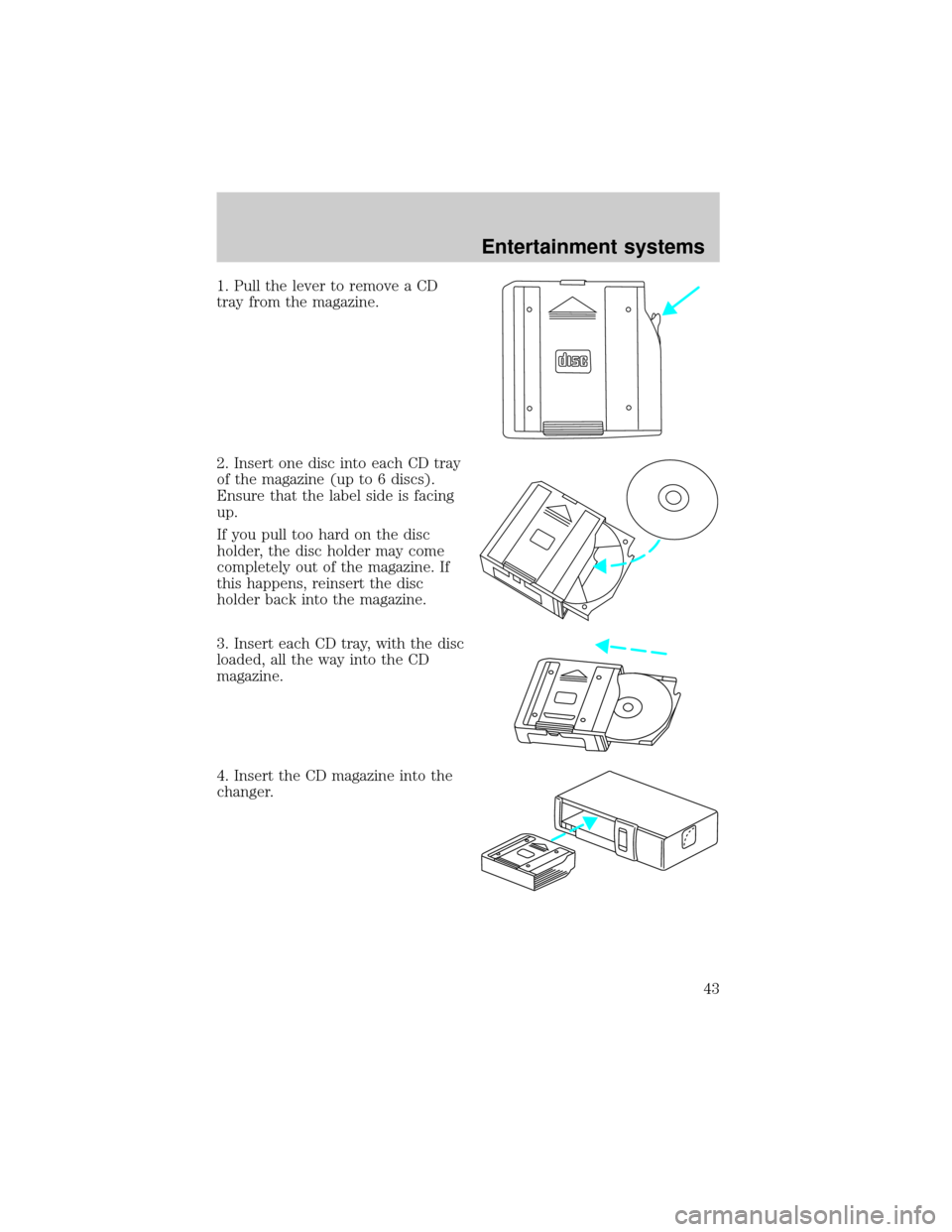
Your CD changer is located in the center console.
Slide the door to access the CD
changer magazine.
Press
to eject the magazine.
- VOLUME +
MODE
SEEK MEMORY
Entertainment systems
42
Page 43 of 280
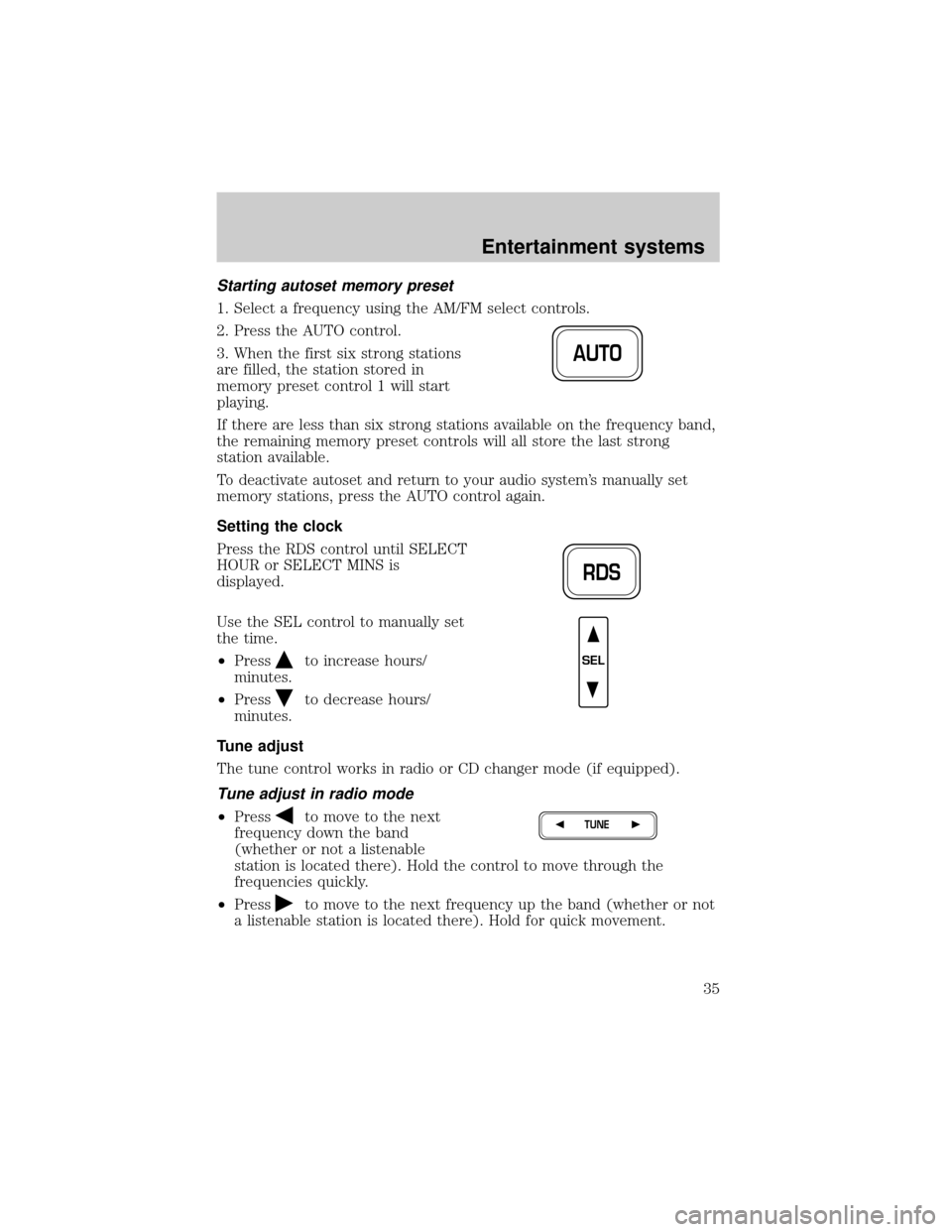
1. Pull the lever to remove a CD
tray from the magazine.
2. Insert one disc into each CD tray
of the magazine (up to 6 discs).
Ensure that the label side is facing
up.
If you pull too hard on the disc
holder, the disc holder may come
completely out of the magazine. If
this happens, reinsert the disc
holder back into the magazine.
3. Insert each CD tray, with the disc
loaded, all the way into the CD
magazine.
4. Insert the CD magazine into the
changer.
Entertainment systems
43
Page 44 of 280
5. Slide the door to the left to close.
Use only compact discs containing
this mark.
The magazine does not need to be full for the changer to operate.
Radio power must be turned on to play the CDs in the changer. The
magazine may be stored in the glove compartment when not being used.
The CD magazine may be inserted or ejected with the radio power off.
Keep the CD changer door closed. Coins and foreign objects will damage
the CD player and void your audio system warranty.
Do not insert any promotional (odd shaped or sized) discs, or
discs with removable labels into the CD player as jamming may
occur.
TROUBLESHOOTING THE CD CHANGER (IF EQUIPPED)
The laser beam used in the compact disc player is harmful to the
eyes. Do not attempt to disassemble the case.
If sound skips:
²You may be traveling on a rough road, playing badly scratched discs or
the disc may be dirty. Skipping will not scratch the discs or damage
the player.
If your changer does not work, it may be that:
²A disc is already loaded where you want to insert a disc.
²The disc is inserted with the label surface downward.
²The disc is dusty or defective.
²A disc with format and dimensions not within industry standards is
inserted.
Entertainment systems
44
Page 45 of 280

CLEANING COMPACT DISCS
Inspect all discs for contamination before playing. If necessary, clean
discs only with an approved CD cleaner and wipe from the center out to
the edge. Do not use circular motion.
CD AND CD CHANGER CARE
²Handle discs by their edges only. Never touch the playing surface.
²Do not expose discs to direct sunlight or heat sources for extended
periods of time.
²Do not insert more than one disc into each slot of the CD changer
magazine.
Do not insert any promotional (odd shaped or sized) discs, or
discs with removable labels into the CD player as jamming may
occur.
CLEANING CASSETTE PLAYER (IF EQUIPPED)
Clean the tape player head with a cassette cleaning cartridge after 10 to
12 hours of play in order to maintain the best sound and operation.
CASSETTE AND CASSETTE PLAYER CARE
²Use only cassettes that are 90 minutes long or less.
²Do not expose tapes to direct sunlight, high humidity, extreme heat or
extreme cold. Allow tapes that may have been exposed to extreme
temperatures to reach a moderate temperature before playing.
²Tighten very loose tapes by inserting a finger or pencil into the hole
and turning the hub.
²Remove loose labels before inserting tapes.
²Do not leave tapes in the cassette player for a long time when not
being played.
Entertainment systems
45