Page 97 of 280
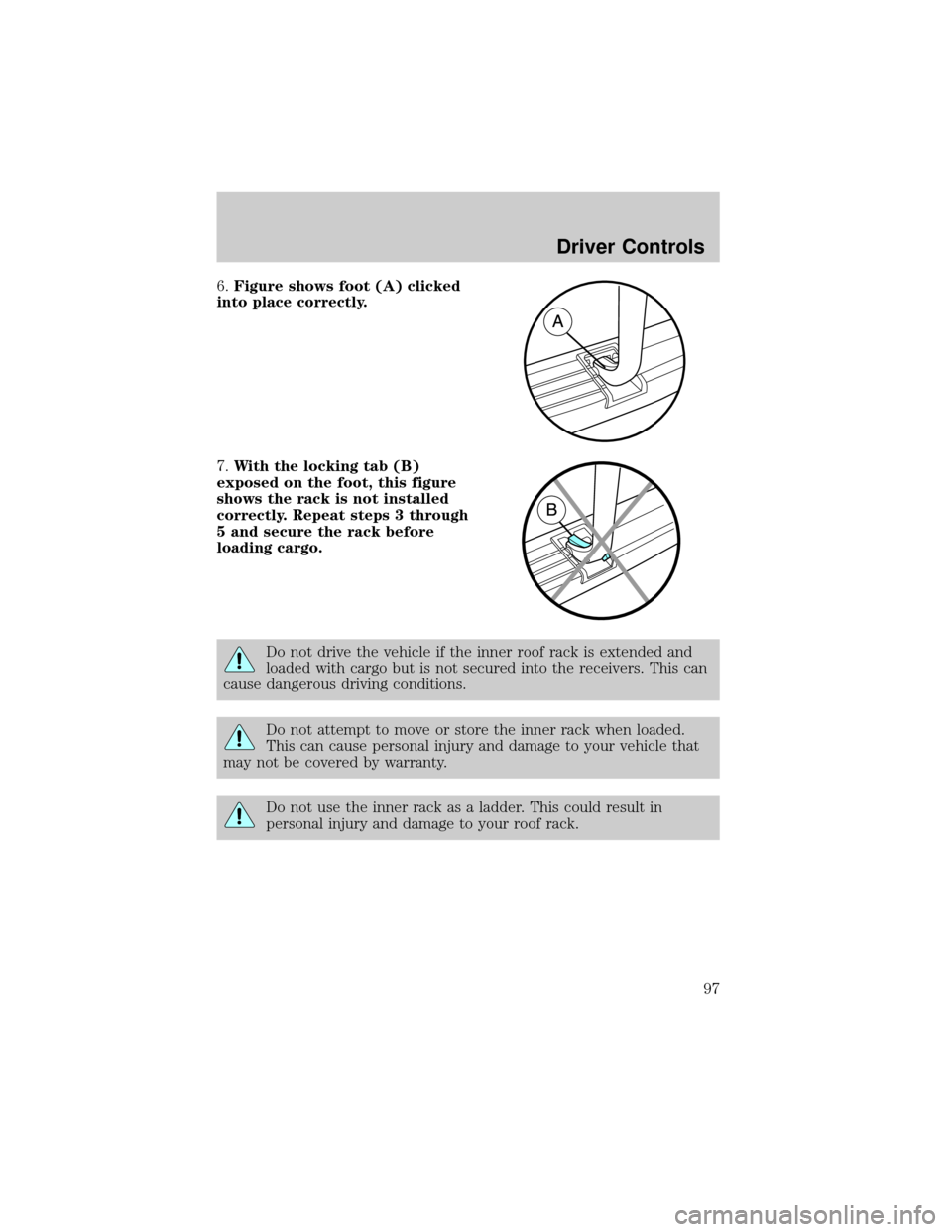
6.Figure shows foot (A) clicked
into place correctly.
7.With the locking tab (B)
exposed on the foot, this figure
shows the rack is not installed
correctly. Repeat steps 3 through
5 and secure the rack before
loading cargo.
Do not drive the vehicle if the inner roof rack is extended and
loaded with cargo but is not secured into the receivers. This can
cause dangerous driving conditions.
Do not attempt to move or store the inner rack when loaded.
This can cause personal injury and damage to your vehicle that
may not be covered by warranty.
Do not use the inner rack as a ladder. This could result in
personal injury and damage to your roof rack.
Driver Controls
97
Page 99 of 280
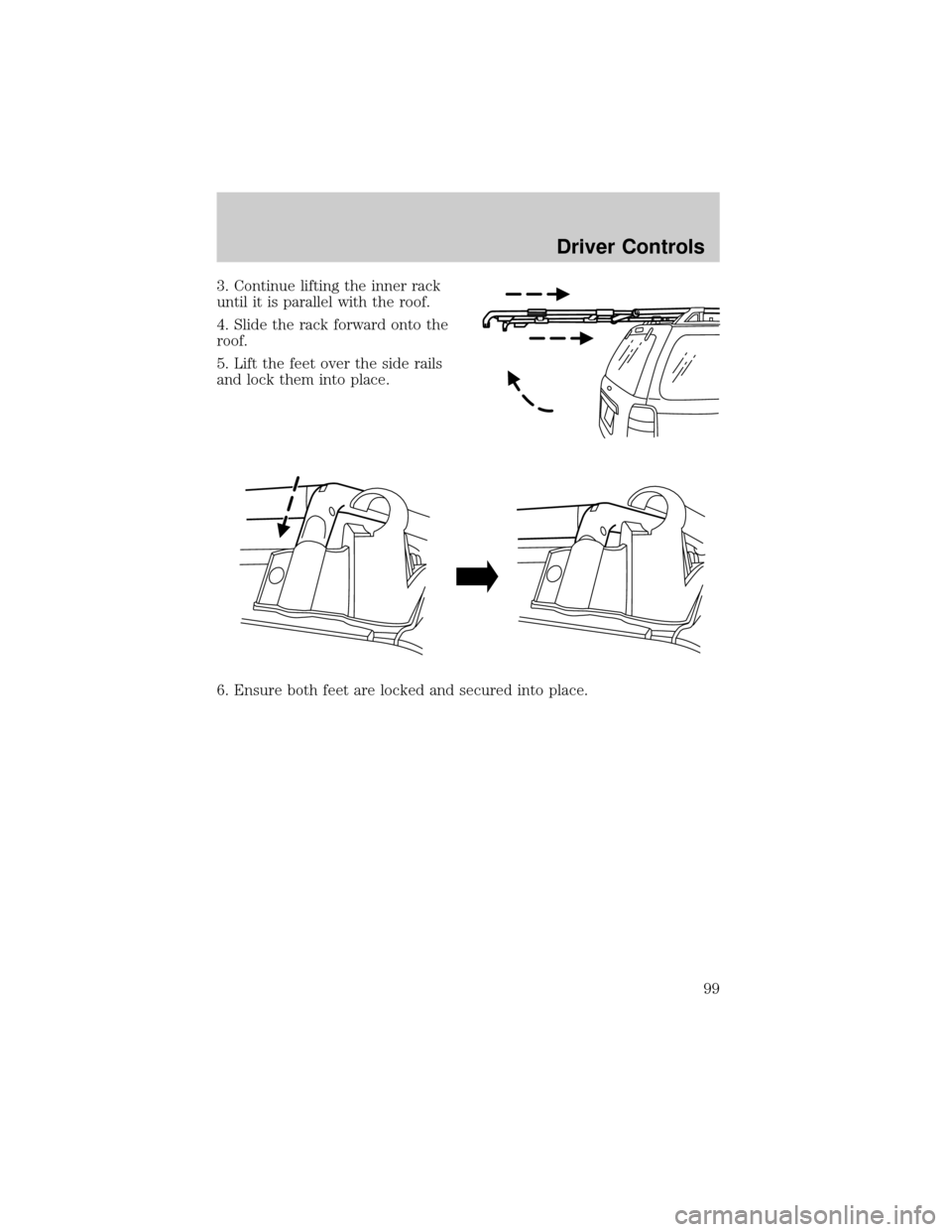
3. Continue lifting the inner rack
until it is parallel with the roof.
4. Slide the rack forward onto the
roof.
5. Lift the feet over the side rails
and lock them into place.
6. Ensure both feet are locked and secured into place.
Driver Controls
99
Page 100 of 280
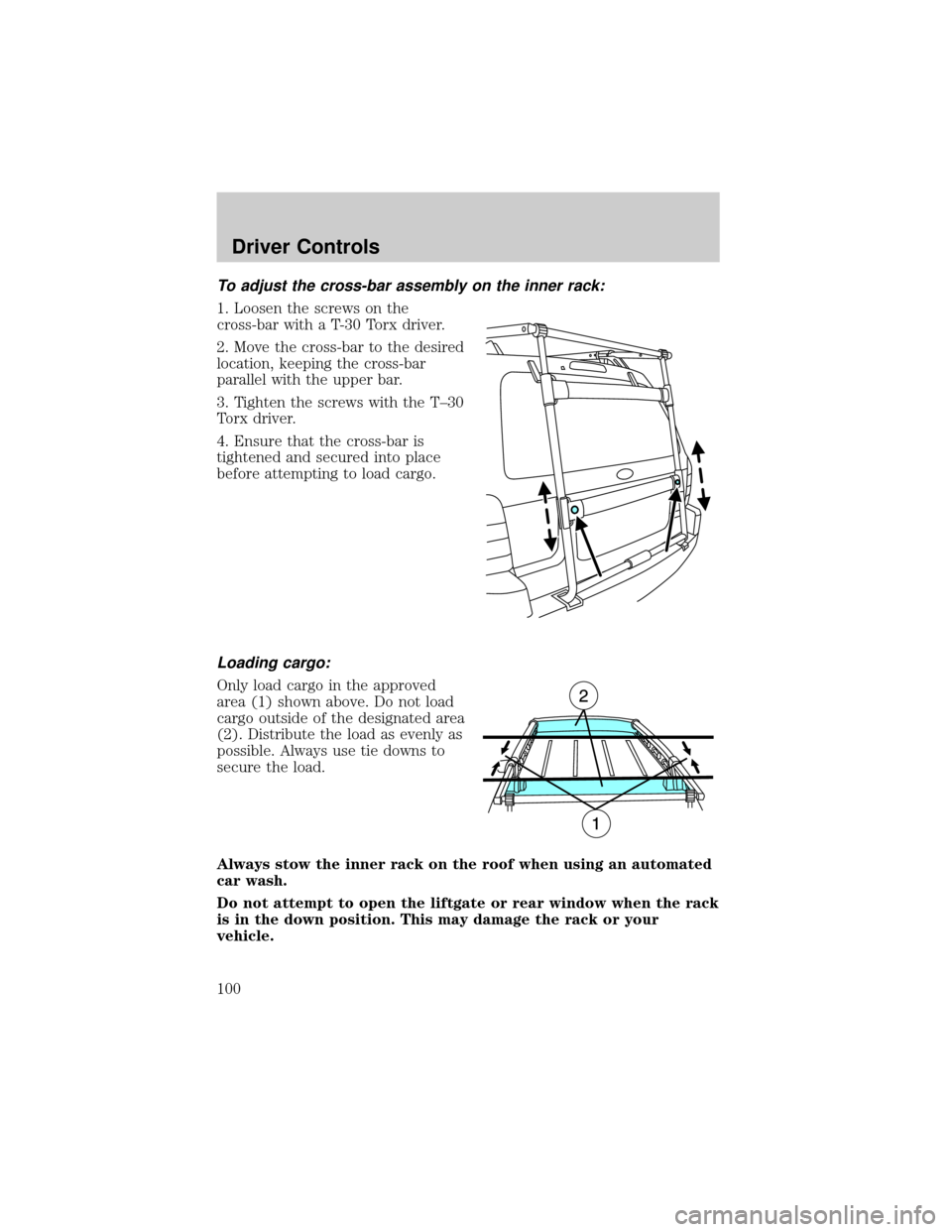
To adjust the cross-bar assembly on the inner rack:
1. Loosen the screws on the
cross-bar with a T-30 Torx driver.
2. Move the cross-bar to the desired
location, keeping the cross-bar
parallel with the upper bar.
3. Tighten the screws with the T±30
Torx driver.
4. Ensure that the cross-bar is
tightened and secured into place
before attempting to load cargo.
Loading cargo:
Only load cargo in the approved
area (1) shown above. Do not load
cargo outside of the designated area
(2). Distribute the load as evenly as
possible. Always use tie downs to
secure the load.
Always stow the inner rack on the roof when using an automated
car wash.
Do not attempt to open the liftgate or rear window when the rack
is in the down position. This may damage the rack or your
vehicle.
Driver Controls
100
Page 102 of 280
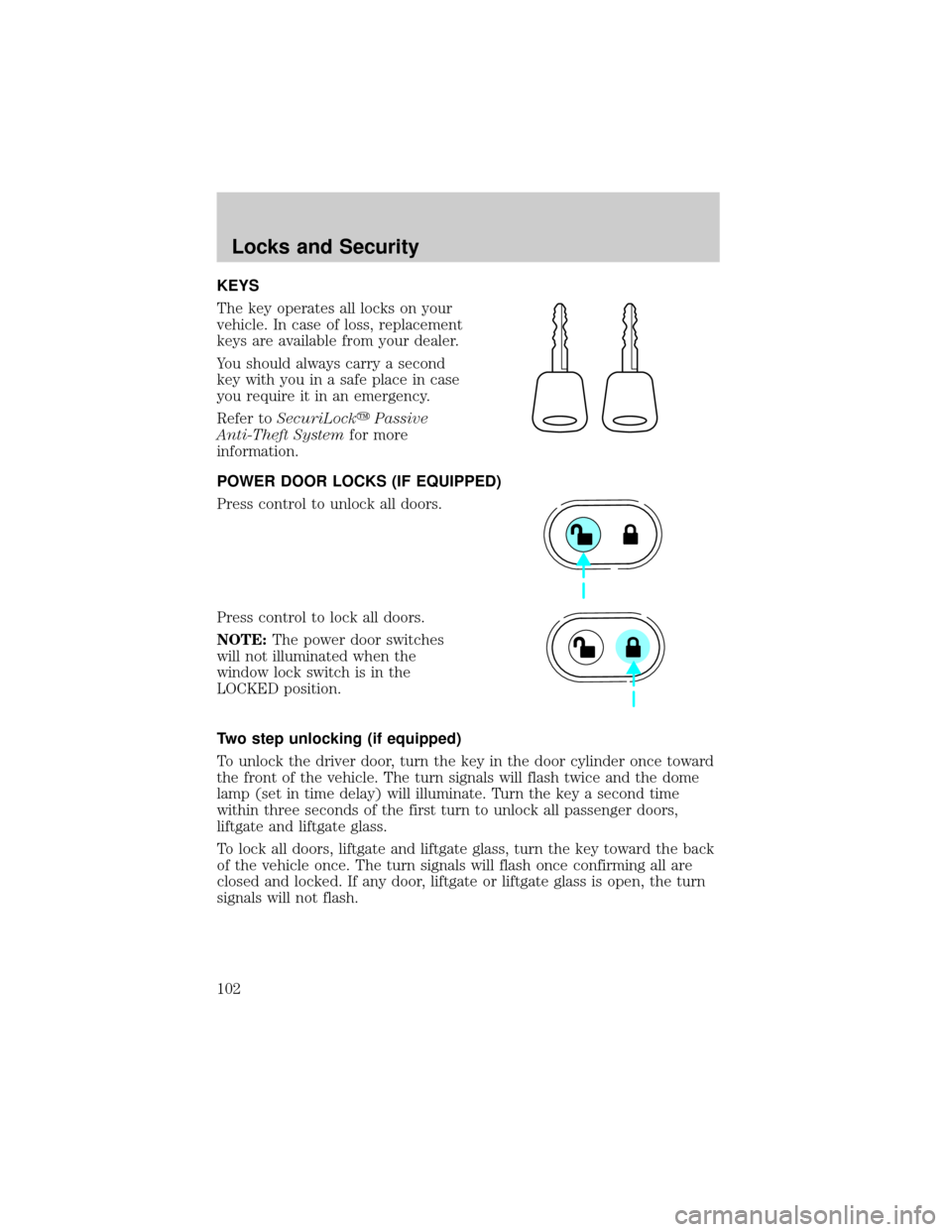
KEYS
The key operates all locks on your
vehicle. In case of loss, replacement
keys are available from your dealer.
You should always carry a second
key with you in a safe place in case
you require it in an emergency.
Refer toSecuriLockyPassive
Anti-Theft Systemfor more
information.
POWER DOOR LOCKS (IF EQUIPPED)
Press control to unlock all doors.
Press control to lock all doors.
NOTE:The power door switches
will not illuminated when the
window lock switch is in the
LOCKED position.
Two step unlocking (if equipped)
To unlock the driver door, turn the key in the door cylinder once toward
the front of the vehicle. The turn signals will flash twice and the dome
lamp (set in time delay) will illuminate. Turn the key a second time
within three seconds of the first turn to unlock all passenger doors,
liftgate and liftgate glass.
To lock all doors, liftgate and liftgate glass, turn the key toward the back
of the vehicle once. The turn signals will flash once confirming all are
closed and locked. If any door, liftgate or liftgate glass is open, the turn
signals will not flash.
Locks and Security
102
Page 103 of 280
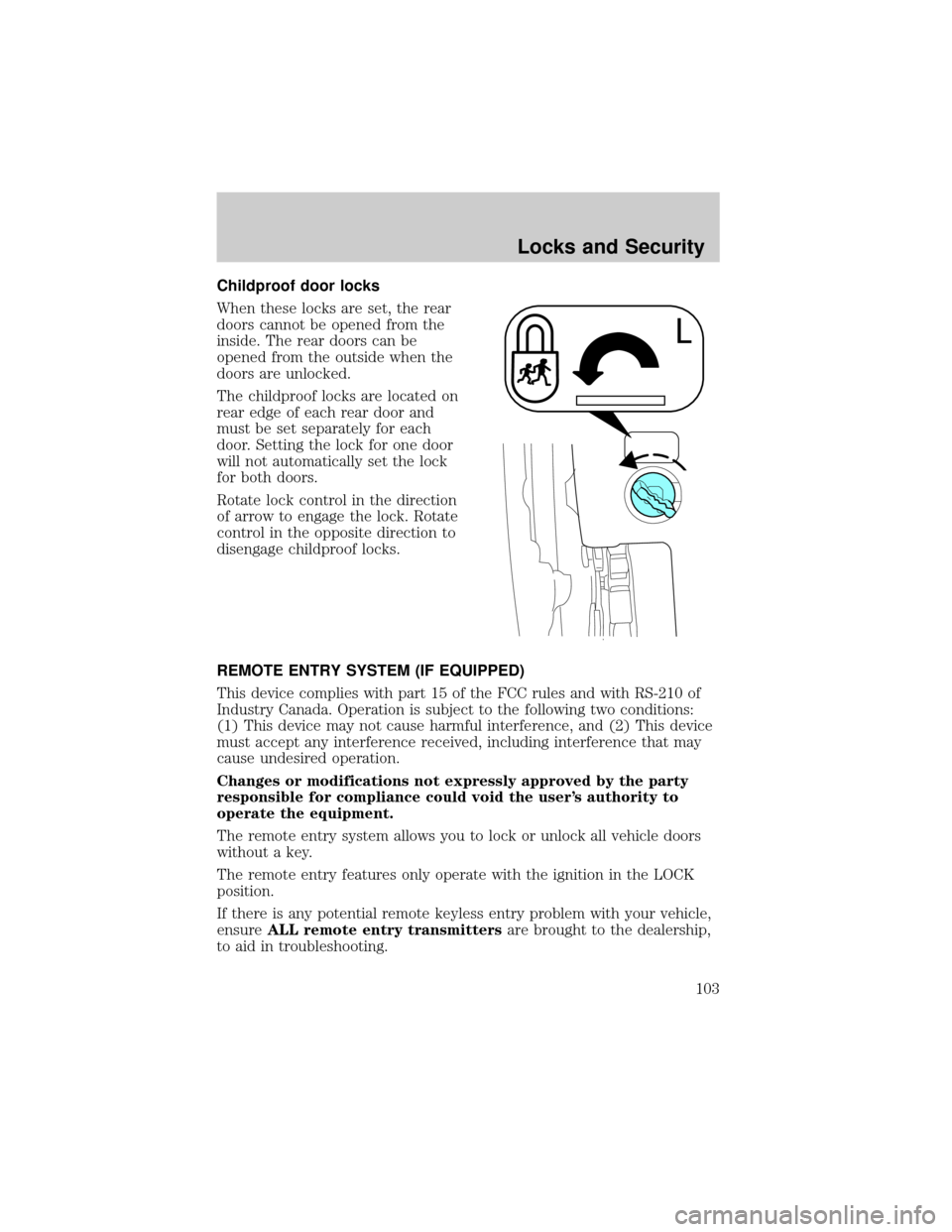
Childproof door locks
When these locks are set, the rear
doors cannot be opened from the
inside. The rear doors can be
opened from the outside when the
doors are unlocked.
The childproof locks are located on
rear edge of each rear door and
must be set separately for each
door. Setting the lock for one door
will not automatically set the lock
for both doors.
Rotate lock control in the direction
of arrow to engage the lock. Rotate
control in the opposite direction to
disengage childproof locks.
REMOTE ENTRY SYSTEM (IF EQUIPPED)
This device complies with part 15 of the FCC rules and with RS-210 of
Industry Canada. Operation is subject to the following two conditions:
(1) This device may not cause harmful interference, and (2) This device
must accept any interference received, including interference that may
cause undesired operation.
Changes or modifications not expressly approved by the party
responsible for compliance could void the user's authority to
operate the equipment.
The remote entry system allows you to lock or unlock all vehicle doors
without a key.
The remote entry features only operate with the ignition in the LOCK
position.
If there is any potential remote keyless entry problem with your vehicle,
ensureALL remote entry transmittersare brought to the dealership,
to aid in troubleshooting.
Locks and Security
103
Page 104 of 280
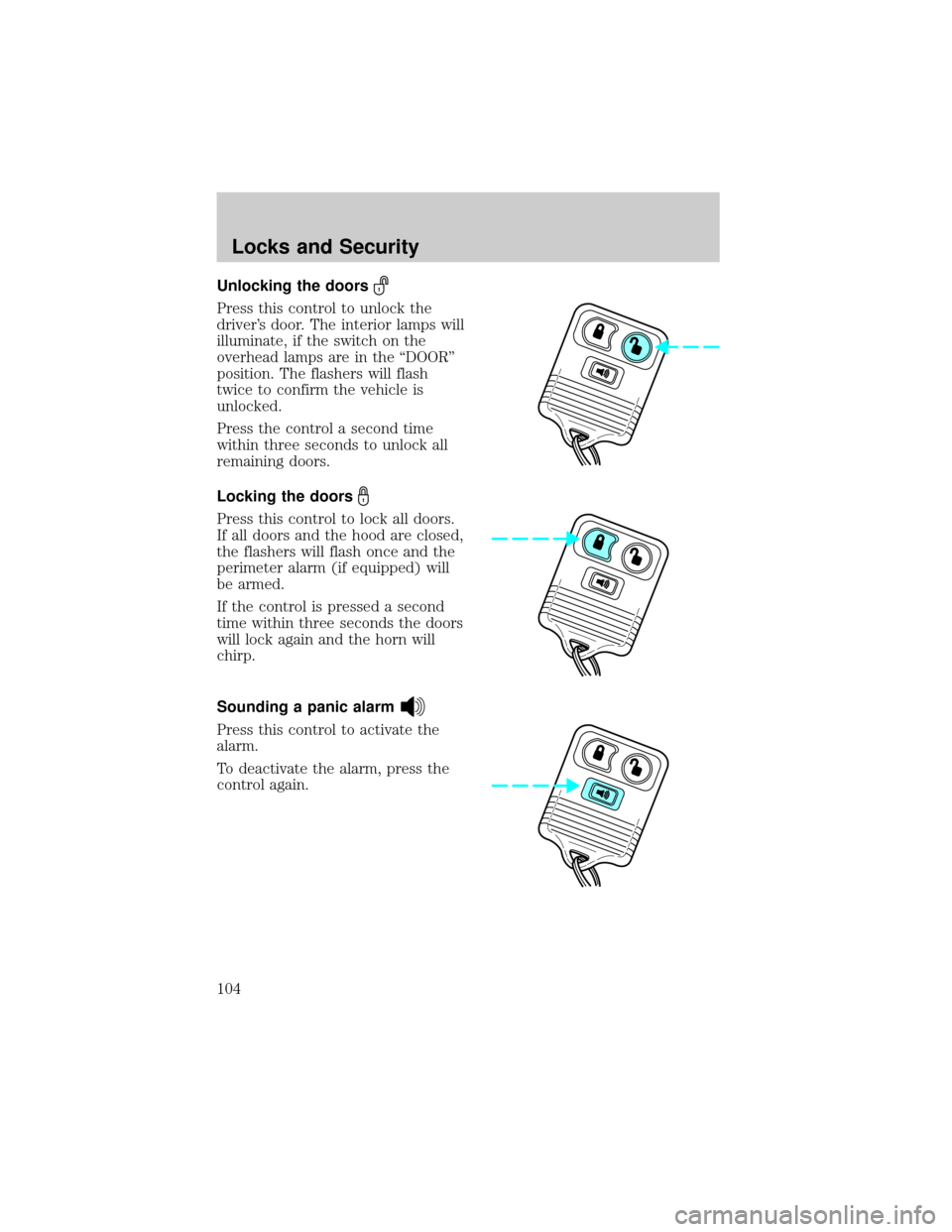
Unlocking the doors
Press this control to unlock the
driver's door. The interior lamps will
illuminate, if the switch on the
overhead lamps are in the ªDOORº
position. The flashers will flash
twice to confirm the vehicle is
unlocked.
Press the control a second time
within three seconds to unlock all
remaining doors.
Locking the doors
Press this control to lock all doors.
If all doors and the hood are closed,
the flashers will flash once and the
perimeter alarm (if equipped) will
be armed.
If the control is pressed a second
time within three seconds the doors
will lock again and the horn will
chirp.
Sounding a panic alarm
Press this control to activate the
alarm.
To deactivate the alarm, press the
control again.
Locks and Security
104
Page 105 of 280

Replacing the battery
The transmitter is powered by one coin type three-volt lithium battery
CR2032 or equivalent. Typical operating range will allow you to be up to
10 meters (33 feet) away from your vehicle. A decrease in operating
range can be caused by:
²weather conditions
²nearby radio towers
²structures around the vehicle
²other vehicles parked next to the vehicle
To replace the battery:
1. Twist a thin coin between the two
halves of the transmitter near the
key ring. DO NOT TAKE THE
FRONT PART OF THE
TRANSMITTER APART.
2. Place the positive (+) side of new
battery in the same orientation.
Refer to the diagram inside the
transmitter unit.
3. Snap the two halves back
together.
Replacing lost transmitters
If a remote transmitter has been lost
and you would like to remove it
from the vehicle's memory, or you
would like to purchase additional
remote transmitters and have them
programmed to your vehicle:
²Takeallyour vehicle's
transmitters to your dealer for
programming, or
²Perform the programming
procedure yourself
Locks and Security
105
Page 106 of 280
Programming remote transmitters
It is necessary to haveall(maximum of four Ð original and/or new) of
your remote transmitters available prior to beginning this procedure.
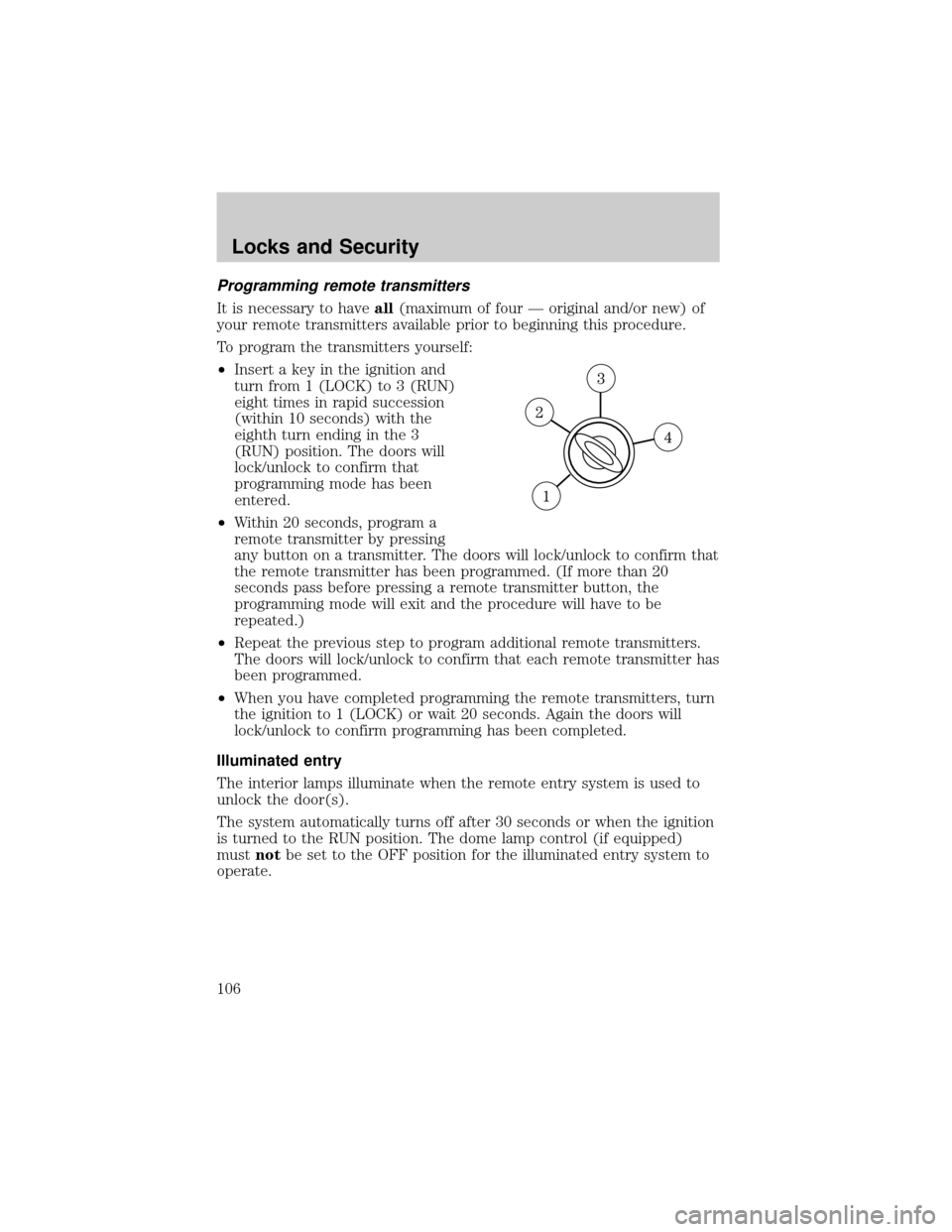
To program the transmitters yourself:
²Insert a key in the ignition and
turn from 1 (LOCK) to 3 (RUN)
eight times in rapid succession
(within 10 seconds) with the
eighth turn ending in the 3
(RUN) position. The doors will
lock/unlock to confirm that
programming mode has been
entered.
²Within 20 seconds, program a
remote transmitter by pressing
any button on a transmitter. The doors will lock/unlock to confirm that
the remote transmitter has been programmed. (If more than 20
seconds pass before pressing a remote transmitter button, the
programming mode will exit and the procedure will have to be
repeated.)
²Repeat the previous step to program additional remote transmitters.
The doors will lock/unlock to confirm that each remote transmitter has
been programmed.
²When you have completed programming the remote transmitters, turn
the ignition to 1 (LOCK) or wait 20 seconds. Again the doors will
lock/unlock to confirm programming has been completed.
Illuminated entry
The interior lamps illuminate when the remote entry system is used to
unlock the door(s).
The system automatically turns off after 30 seconds or when the ignition
is turned to the RUN position. The dome lamp control (if equipped)
mustnotbe set to the OFF position for the illuminated entry system to
operate.
Locks and Security
106