Page 159 of 272

The transmission control indicator
light (TCIL) (the word OFF) on the
end of the gearshift lever will
illuminate.
Drive± Not shown on the display. Activate by pressing the transmission
control switch (TCS) on the end of the gearshift lever with the gearshift
in the
position. The TCIL (the word OFF) will illuminate on the
gearshift lever. Transmission operates in gears one through three.
(Drive) provides more engine braking than(Overdrive) and is useful
when:
²driving with a heavy load.
²towing a trailer up or down steep hills.
²additional engine downhill braking is desired. If towing a trailer, refer
toDriving while you towin theTrailer towingsection.
To return to
(Overdrive) mode, press the transmission control switch
(TCS). The TCIL (the word OFF) will no longer be illuminated.
Each time the vehicle is started, the transmission will automatically
return to normal overdrive mode.
Every time the vehicle is shut off and restarted, you must press the
transmission control switch to cancel overdrive operation if driving in
overdrive is not desired.
2 (Second)
Use 2 (Second) to start-up on
slippery roads or to provide
additional engine braking on
downgrades.
1 (First)
Use 1 (Low) to provide maximum
engine braking on steep
downgrades. Upshifts can be made
by shifting to 2 (Second) or to
(Overdrive). Selecting 1 (Low) at
higher speeds causes the transmission to shift to a lower gear, and will
shift to 1 (Low) after vehicle decelerates to the proper speed.
OVERDRIVE
Driving
159
Page 160 of 272

Forced Downshifts
To gain acceleration in(Overdrive) or Drive (O/D OFF) when
passing another vehicle, push the accelerator to the floor. The
transmission will downshift to the appropriate gear: third, second or first
gear.
Shift strategy (4R100 automatic transmission)
To account for customer driving habits and conditions, your 4R100
automatic transmission electronically controls the shift quality by using
an adaptive learning strategy. The adaptive learning strategy is
maintained by power from the battery. When the battery is disconnected
or a new battery is installed, the transmission must relearn its adaptive
strategy. Optimal shifting will resume within a few hundred kilometers
(miles) of operation.
If the shift quality does not improve within a few hundred
kilometers (miles) of operation, or if the downshifts and other
throttle conditions do not function normally, see your dealer or a
qualified service technician as soon as possible.
DRIVING THROUGH WATER
Do not drive quickly through standing water, especially if the depth is
unknown. Traction or brake capability may be limited and if the ignition
system gets wet, your engine may stall. Water may also enter your
engine's air intake and severely damage your engine.
If driving through deep or standing water is unavoidable, proceed very
slowly. Never drive through water that is higher than the bottom of the
hubs (for trucks) or the bottom of the wheel rims (for cars).
Once through the water, always try the brakes. Wet brakes do not stop
the vehicle as effectively as dry brakes. Drying can be improved by
moving your vehicle slowly while applying light pressure on the brake
pedal.
Driving through deep water where the transmission vent tube is
submerged may allow water into the transmission and cause
internal transmission damage.
VEHICLE LOADING
Before loading a vehicle, familiarize yourself with the following terms:
Driving
160
Page 174 of 272
If you need to arrange roadside assistance for yourself, Ford Motor
Company will reimburse a reasonable amount. To obtain reimbursement
information, U.S. Ford or Mercury vehicles customers call
1-800-241-3673; Lincoln vehicle customers call 1±800±521±4140.
Canadian customers who need to obtain reimbursement information, call
1±800±665±2006.
ROADSIDE COVERAGE BEYOND BASIC WARRANTY
In the United States, you may purchase additional roadside assistance
coverage beyond this period through the Ford Auto Club by contacting
your Ford or Lincoln Mercury dealer.
Similarly in Canada, for uninterrupted Roadside Assistance coverage, you
may purchase extended coverage prior to your Basic Warranty's Roadside
Assistance expiring. For more information and enrollment, contact
1±877±294±2582 or visit our website at www.ford.ca.
HAZARD FLASHER
Use only in an emergency to warn traffic of vehicle breakdown,
approaching danger, etc. The hazard flashers can be operated when the
ignition is off.
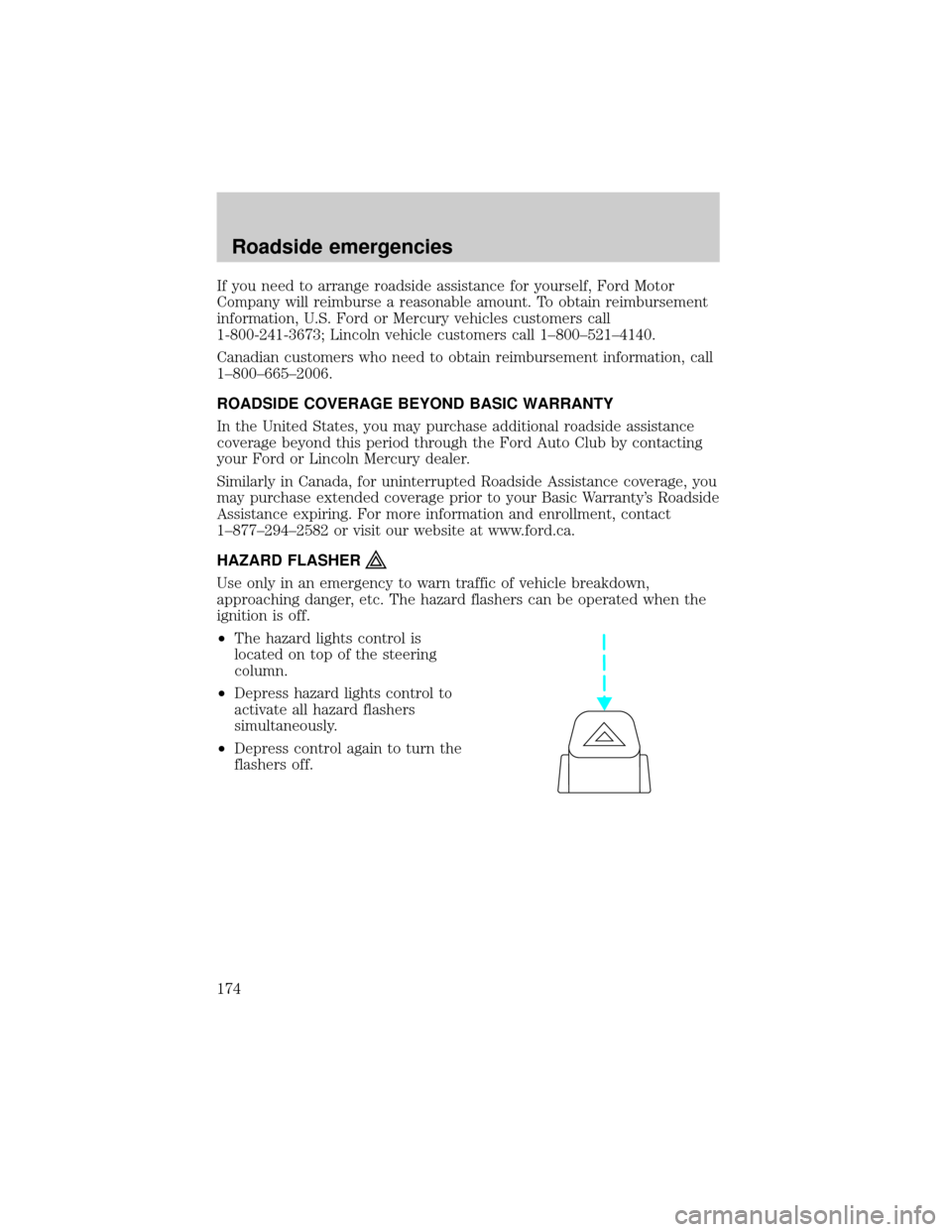
²The hazard lights control is
located on top of the steering
column.
²Depress hazard lights control to
activate all hazard flashers
simultaneously.
²Depress control again to turn the
flashers off.
Roadside emergencies
174
Page 179 of 272

Fuse/ Relay
LocationFuse Amp
RatingPassenger Compartment Fuse
Panel Description
3 15A Main Light Switch, RKE Module,
Radio, Instrument Illumination, E
Traveler VCP and video screens,
Overhead Console
4 15A Power Locks w/RKE, Illuminated
Entry, Warning Chime, Modified
Vehicle, Main Light Switch,
Courtesy Lamps
5 20A RKE Module, Power Lock
Switches, Memory Lock, Power
Locks with RKE
6 10A Brake Shift Interlock, Speed
Control, DRL Module
7 10A Multi-Function Switch, Turn
Signals
8 30A Radio Capacitor(s), Ignition Coil,
PCM Diode, PCM Power Relay,
Fuel Heater (Diesel Only), Glow
Plug Relay (Diesel Only)
9 30A Wiper Control Module, Windshield
Wiper Motor
10 20A Main Light Switch, Park Lamps,
License Lamp,(External Lamps)
Multi-Function Switch
(Flash-to-pass)
11 15A Brake Pressure Switch,
Multi-Function Switch (Hazards),
Brake Lamp Switch, Brake Lamps
12 15A Transmission Range (TR) Sensor,
Backup Lamps, Auxiliary Battery
Relay
13 15A Blend Door Actuator, A/C Heater,
Function Selector Switch
Roadside emergencies
179
Page 180 of 272
Fuse/ Relay
LocationFuse Amp
RatingPassenger Compartment Fuse
Panel Description
14 5A Instrument Cluster (Air Bag and
Charge Indicator)
15 5A Trailer Battery Charge Relay
16 30A Power Seats
17 Ð Not Used
18 Ð Not Used
19 10A Air Bag Diagnostic Monitor
20 5A Overdrive Cancel Switch
21 30A Power Windows*
22 15A Memory Power Radio, E Traveler
Radio, E Traveler Console
23 20A Cigar Lighter, Data Link
Connector (DLC)
24 Ð Not Used
25 10A Left Headlamp (Low Beam)
26 20A Rear Power Point
27 5A Radio
28 20A Power Plug
29 Ð Not Used
30 15A Headlamps (High Beam
Indicator), DRL10A
31 10A Right Headlamp (Low Beam),
DRL
32 5A Power Mirrors
33 20A E Traveler Power Point #2
34 10A Transmission Range (TR) Sensor
35 30A RKE Module
36 5A (Cluster, A/C, Illumination,
Radio), Steering Column
Assembly
37 20A Power Plug
38 10A Air Bag Diagnostic Monitor
Roadside emergencies
180
Page 183 of 272
Fuse/Relay
LocationFuse Amp
RatingPower Distribution Box
Description
12 60A** Engine Compartment Fuses 25,
27
13 50A** Blower Motor Relay (Blower
Motor)
14 30A** Trailer Running Lamps Relay,
Trailer Backup Lamps Relay
15 40A** Main Light Switch, Daytime
Running Lights (DRL)
16 50A** Auxiliary Blower Motor Relay
17 30A** Fuel Pump Relay
18 60A** I/P Fuses 40, 41,26, 33, 39
19 60A** 4WABS Module
20 20A** Electric Brake Controller
21 50A** Modified Vehicle Power
22 40A** Trailer Battery Charge Relay,
Modified Vehicles
23 60A** Ignition Switch, Fuse Panel
24 20A* Natural Gas Tank Valves (NGV
only)
25 20A* NGV Module (Natural Gas Only)
26 10A* A/C Clutch (4.2L Only)
27 15A* DRL Module, Horn Relay
28 Ð PCM Diode
29 Ð Not Used
A Ð Not Used
B Ð Stop Lamp Relay
C Ð Trailer Backup Lamps Relay
D Ð Trailer Running Lamps Relay
E Ð Trailer Battery Charge Relay
F Ð IDM Relay (Diesel Only), A/C
Clutch Relay (4.2L Only)
G Ð PCM Relay
Roadside emergencies
183
Page 192 of 272
Connecting the jumper cables
1. Connect the positive (+) booster cable to the positive (+) terminal of
the discharged battery.
Note:In the illustrations,lightning boltsare used to designate the
assisting (boosting) battery.
2. Connect the other end of the positive (+) cable to the positive (+)
terminal of the assisting battery.
+–+–
+–+–
Roadside emergencies
192
Page 194 of 272
Jump starting
1. Start the engine of the booster vehicle and run the engine at
moderately increased speed.
2. Start the engine of the disabled vehicle.
3. Once the disabled vehicle has been started, run both engines for an
additional three minutes before disconnecting the jumper cables.
Removing the jumper cables
Remove the jumper cables in the reverse order that they were
connected.
1. Remove the jumper cable from thegroundmetal surface.
Note:In the illustrations,lightning boltsare used to designate the
assisting (boosting) battery.
2. Remove the jumper cable on the negative (-) connection of the
booster vehicle's battery.
+–+–
+–+–
Roadside emergencies
194


