Page 91 of 341
2-28
Parking Brake
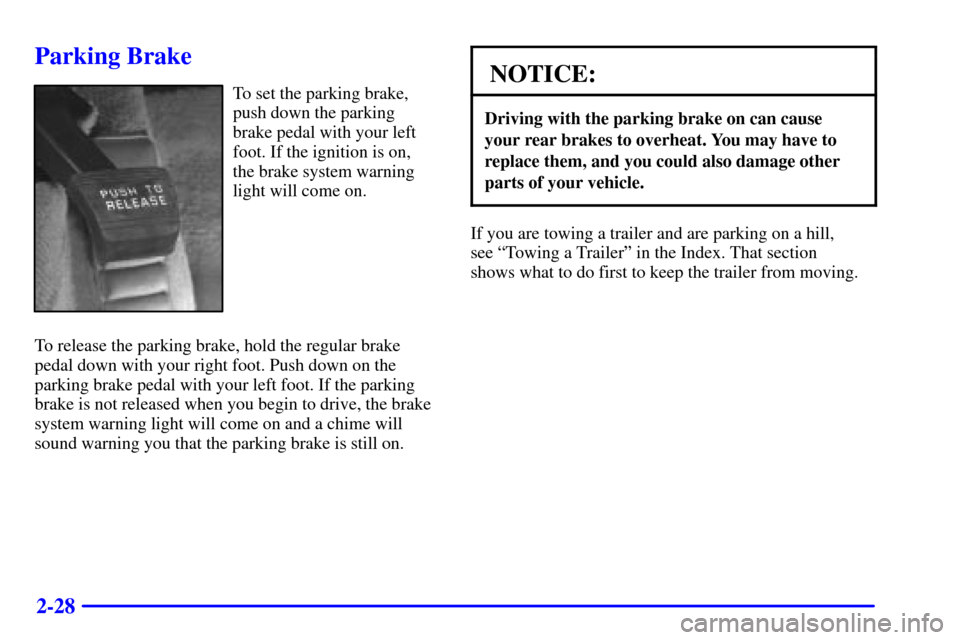
To set the parking brake,
push down the parking
brake pedal with your left
foot. If the ignition is on,
the brake system warning
light will come on.
To release the parking brake, hold the regular brake
pedal down with your right foot. Push down on the
parking brake pedal with your left foot. If the parking
brake is not released when you begin to drive, the brake
system warning light will come on and a chime will
sound warning you that the parking brake is still on.NOTICE:
Driving with the parking brake on can cause
your rear brakes to overheat. You may have to
replace them, and you could also damage other
parts of your vehicle.
If you are towing a trailer and are parking on a hill,
see ªTowing a Trailerº in the Index. That section
shows what to do first to keep the trailer from moving.
Page 92 of 341
2-29
Shifting Into PARK (P)
CAUTION:
It can be dangerous to get out of your vehicle if
the shift lever is not fully in PARK (P) with the
parking brake firmly set. Your vehicle can roll.
If you have left the engine running, the vehicle
can move suddenly. You or others could be
injured. To be sure your vehicle won't move,
even when you're on fairly level ground, use the
steps that follow. If you're pulling a trailer, see
ªTowing a Trailerº in the Index.
1. Hold the brake pedal down with your right foot and
set the parking brake.
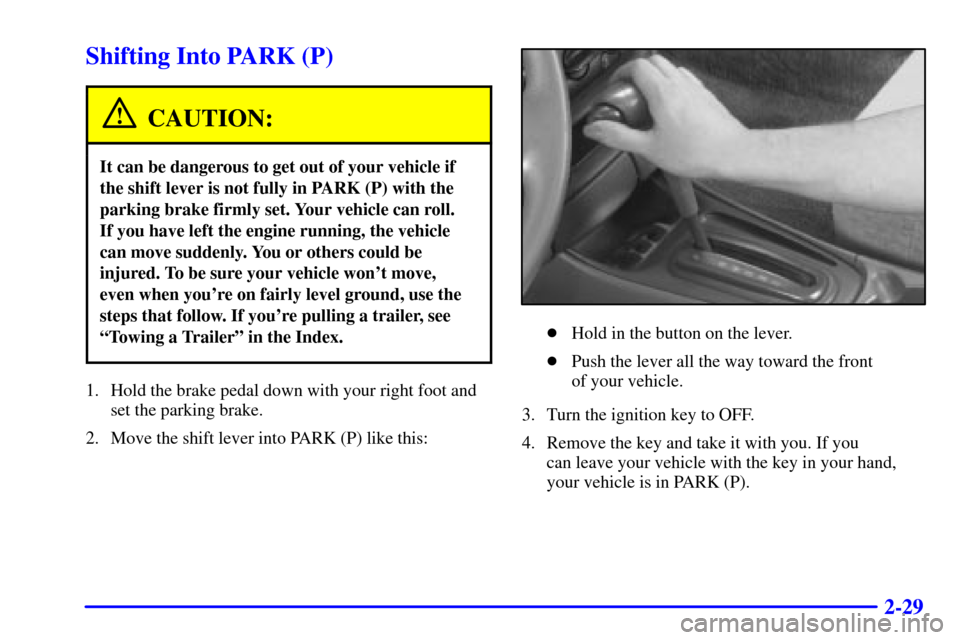
2. Move the shift lever into PARK (P) like this:
�Hold in the button on the lever.
�Push the lever all the way toward the front
of your vehicle.
3. Turn the ignition key to OFF.
4. Remove the key and take it with you. If you
can leave your vehicle with the key in your hand,
your vehicle is in PARK (P).
Page 94 of 341
2-31
Shifting Out of PARK (P)
Your vehicle has an automatic transaxle shift lock
control system. You have to apply your regular brake
before you can shift from PARK (P) when the ignition
is in ON. See ªAutomatic Transaxle Operationº in
the Index.
If you cannot shift out of PARK (P), ease pressure
on the shift lever
-- push the shift lever all the way
into PARK (P)
-- as you maintain brake application.
Then move the shift into the gear you wish. (Press the
shift lever button before moving the shift lever.)
If you ever hold the brake pedal down but still can't
shift out of PARK (P), try this:
1. Turn the key to ACCESSORY.
2. Apply and hold the regular brake until the
end of Step 5.
3. Shift to NEUTRAL (N).
4. Turn the key to START, to start the vehicle.
5. Shift to the drive gear you want.
6. Have the vehicle fixed as soon as you can.
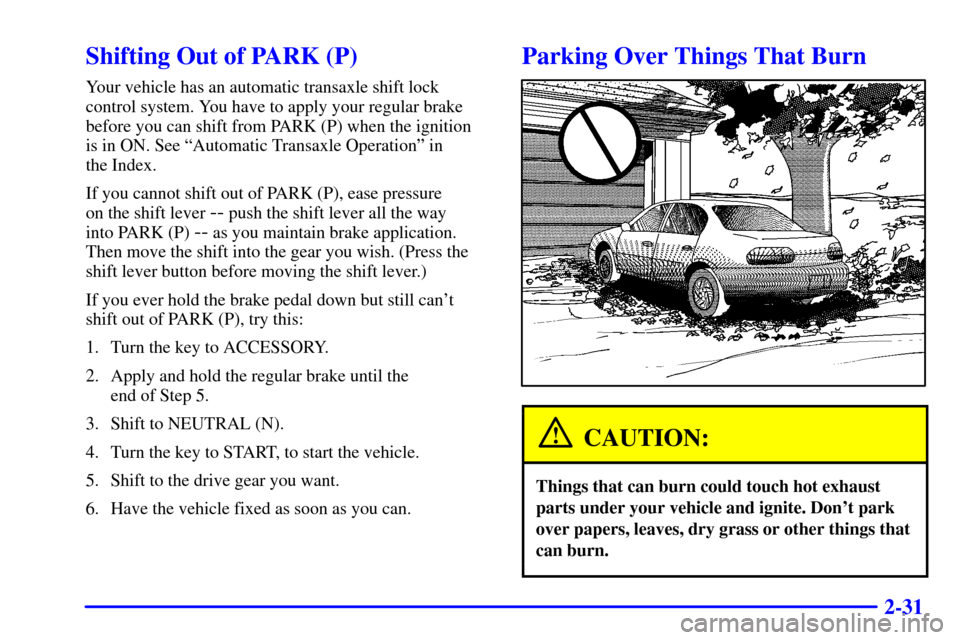
Parking Over Things That Burn
CAUTION:
Things that can burn could touch hot exhaust
parts under your vehicle and ignite. Don't park
over papers, leaves, dry grass or other things that
can burn.
Page 98 of 341
2-35
If a bulb is burned out, replace it to help avoid an
accident. If the arrows don't go on at all when you
signal a turn, check for burned
-out bulbs and then check
the fuse. See ªFuses and Circuit Breakersº in the Index.
Headlamp High/Low-Beam Changer
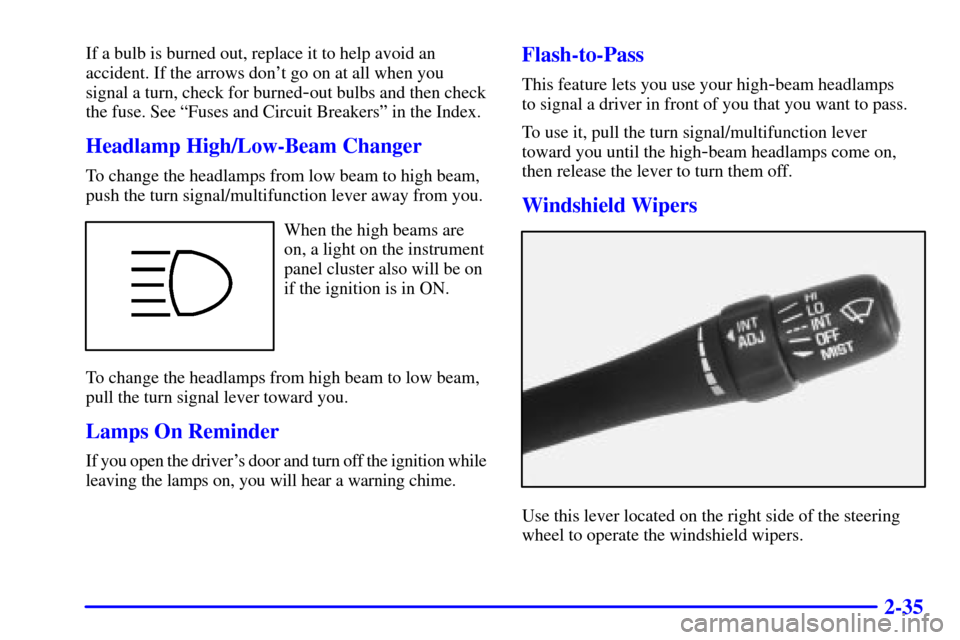
To change the headlamps from low beam to high beam,
push the turn signal/multifunction lever away from you.
When the high beams are
on, a light on the instrument
panel cluster also will be on
if the ignition is in ON.
To change the headlamps from high beam to low beam,
pull the turn signal lever toward you.
Lamps On Reminder
If you open the driver's door and turn off the ignition while
leaving the lamps on, you will hear a warning chime.
Flash-to-Pass
This feature lets you use your high-beam headlamps
to signal a driver in front of you that you want to pass.
To use it, pull the turn signal/multifunction lever
toward you until the high
-beam headlamps come on,
then release the lever to turn them off.
Windshield Wipers
Use this lever located on the right side of the steering
wheel to operate the windshield wipers.
Page 102 of 341
2-39
Increasing Speed While Using Cruise Control
There are two ways to go to a higher speed.
�Use the accelerator pedal to get to the higher speed.
Push the SET DECEL button, then release the
button and the accelerator pedal. You'll now cruise
at the higher speed.
�Press the ACCEL RESUME button. Hold it there
until you get up to the speed you want, and then
release the button. To increase your speed in very
small amounts, press the ACCEL RESUME
button for less than half a second and then release it.
Each time you do this, your vehicle will go about
1 mph (1.6 km/h) faster.
The accelerate feature will only work after you turn on
the cruise control by pushing the SET DECEL button.
Reducing Speed While Using Cruise Control
There are two ways to reduce your speed while using
cruise control:
�Push the SET DECEL button until you reach the
lower speed you want, then release it.
�To slow down in very small amounts, push the SET
DECEL button for less than half a second. Each time
you do this, you'll go 1 mph (1.6 km/h) slower.Passing Another Vehicle While Using Cruise Control
Use the accelerator pedal to increase your speed. When
you take your foot off the pedal, your vehicle will slow
down to the cruise control speed you set earlier.
Using Cruise Control on Hills
How well your cruise control will work on hills depends
upon your speed, load and the steepness of the hills.
When going up steep hills, you may have to step on the
accelerator pedal to maintain your speed. When going
downhill, you may have to brake or shift to a lower gear
to keep your speed down. Of course, applying the brake
takes you out of cruise control. Many drivers find this
to be too much trouble and don't use cruise control on
steep hills.
Canceling Cruise Control
There are two ways to turn off the cruise control:
�Step lightly on the brake pedal;
�Press OFF/ON.
Erasing the Cruise Speed Memory
When you turn off the cruise control or the ignition,
your cruise control set speed memory is erased.
Page 104 of 341

2-41 Daytime Running Lamps
Daytime Running Lamps (DRL) can make it easier
for others to see the front of your vehicle during
the day. DRL can be helpful in many different driving
conditions, but they can be especially helpful in the
short periods after dawn and before sunset. Fully
functional daytime running lamps are required on all
vehicles first sold in Canada.
The DRL system will make your low
-beam headlamps
come on at a reduced brightness when the following
conditions are met:
�The ignition is on,
�the exterior lamps control is to AUTO or you have
turned on your parking lamps,
�the light sensor detects daytime light,
�the parking brake is released, and
�the shift lever is not in PARK (P).When the DRL system is on, the taillamps, sidemarker
lamps, parking lamps and instrument panel lights will
not be illuminated unless you have turned the exterior
lamps control to the parking lamp or headlamp position.
The DRL system will remain off any time your vehicle
is in PARK (P) or the parking brake is engaged and the
vehicle speed is less than 8 mph (13 km/h).
As with any vehicle, you should turn on the regular
headlamp system when you need it.
Automatic Light Control (ALC)
When it is dark enough outside, your Automatic Light
Control (ALC) will turn on your headlamps at the
normal brightness along with other lamps such as the
taillamps, sidemarker, parking lamps and the instrument
panel lights. The radio lights will also be dim.
Your vehicle is equipped with a light sensor on the
top of the instrument panel under the defroster grill,
so be sure it is not covered which will cause the ALC
system to be on whenever the ignition is on.
Page 105 of 341

2-42
The ALC system may also be on when driving through
a parking garage, heavy overcast weather or a tunnel.
This is normal.
There is a delay in the transition between the daytime
and nighttime operation of the DRL and the ALC
systems so that driving under bridges or bright overhead
street lights does not affect the system. The DRL and
ALC systems will only be affected when the light sensor
sees a change in lighting lasting longer than this delay.
To idle your vehicle with the ALC system off, set the
park brake while the ignition is off. Then start the
vehicle. The ALC system will stay off until you release
the park brake.
As with any vehicle, you should turn on the regular
headlamps when you need them.Headlamps Dim to Park
This feature works when the ignition is on and it is
dark outside. To turn the headlamps off when it is dark
outside, turn the exterior lamps control to the parking
lamp position. In this position, the parking lamps,
sidemarker lamps, taillamps, license plate lamps and
instrument panel lights will be on, but the headlamps
will be off.
To turn on the headlamps along with the other lamps
when it is dark outside, turn the exterior lamps control
to the AUTO or headlamp position.
Delayed Headlamps
The delayed headlamps feature will continue to
illuminate the headlamps for 20 seconds after the
key is turned to OFF at night. Then the headlamps
will automatically turn off.
To override the 20 second delayed headlamp feature
while it is active turn the switch at the end of the turn
signal/multifunction lever up one position and then
back to AUTO.
Page 106 of 341
2-43 Fog Lamps (If Equipped)
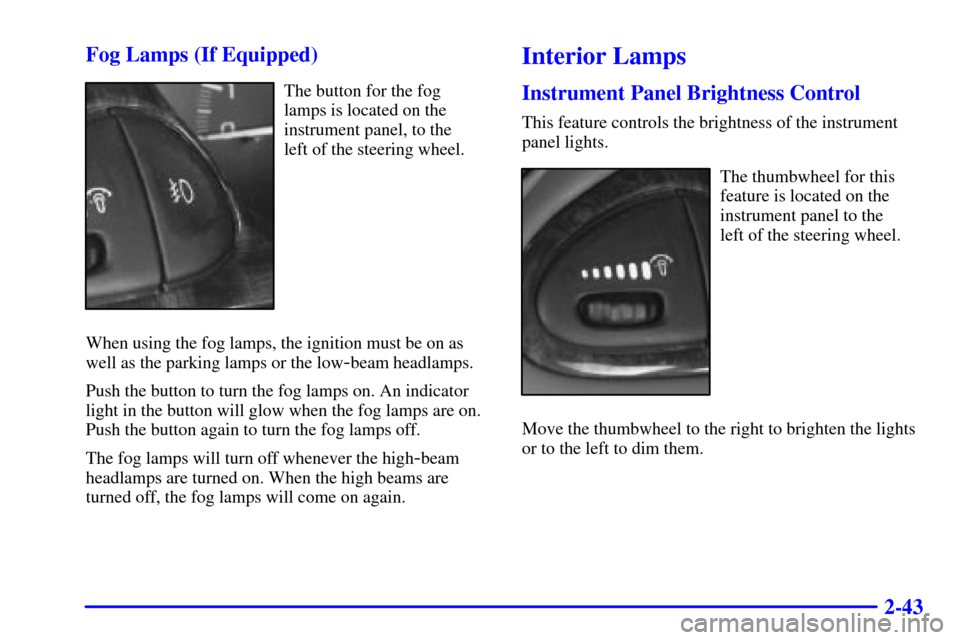
The button for the fog
lamps is located on the
instrument panel, to the
left of the steering wheel.
When using the fog lamps, the ignition must be on as
well as the parking lamps or the low
-beam headlamps.
Push the button to turn the fog lamps on. An indicator
light in the button will glow when the fog lamps are on.
Push the button again to turn the fog lamps off.
The fog lamps will turn off whenever the high
-beam
headlamps are turned on. When the high beams are
turned off, the fog lamps will come on again.
Interior Lamps
Instrument Panel Brightness Control
This feature controls the brightness of the instrument
panel lights.
The thumbwheel for this
feature is located on the
instrument panel to the
left of the steering wheel.
Move the thumbwheel to the right to brighten the lights
or to the left to dim them.