Page 139 of 360
3-4 Air Conditioning
On very hot days, open the windows long enough to
let hot, inside air escape. This reduces the time it takes
for your vehicle to cool down, which should help
fuel economy.
For quick cool
-down on very hot days, use the
maximum mode setting with the temperature knob
all the way in the blue area. If this setting is used for
long periods of time, the air in your vehicle may become
too dry. The best cool
-down happens if you start in
one of the other modes and then switch to maximum.
For normal cooling on hot days, use vent with the
temperature knob in the blue area and the A/C button
pressed in. The system will bring in outside air and cool it.
On cool, but sunny days, the sun may warm your upper
body, but your lower body may not be warm enough.
You can use bi
-level with the temperature knob in the
middle and the A/C button pressed in. The system will
bring in outside air and direct slightly warmer air to
your lower body. You may notice this temperature
difference more at some times than others.
Heating
On cold days, use floor with the temperature knob all
the way in the red area. The system will bring in outside
air, heat it and send it to the floor ducts.
Your vehicle has heat ducts that are directed toward
the rear seat. Keep the area under the front seats clear
of obstructions so the heated air can reach the rear
seat passengers.
If your vehicle has an engine coolant heater, you can use
it to help your system provide warm air faster when it's
cold outside (0�F (
-18�C) or lower). An engine coolant
heater warms the coolant your engine and heating
system use to provide heat. See ªEngine Coolant
Heaterº in the Index.
Defogging and Defrosting
Your system has two settings for clearing the front
and side windows. To defrost the windows quickly,
use defrost with the temperature knob all the way
in the red area. To warm passengers while keeping the
windows clean, use defog.
Page 140 of 360
3-5
To defog the side windows, set the right control to
bi
-level and the fan control to the highest setting.
To defog the side windows while using the air
conditioner, set the right control to bi
-level, the fan
control to the highest setting, and press the A/C button.
For both systems, aim the side vents toward the side
windows. For increased airflow to the side vents, close
the center vents.
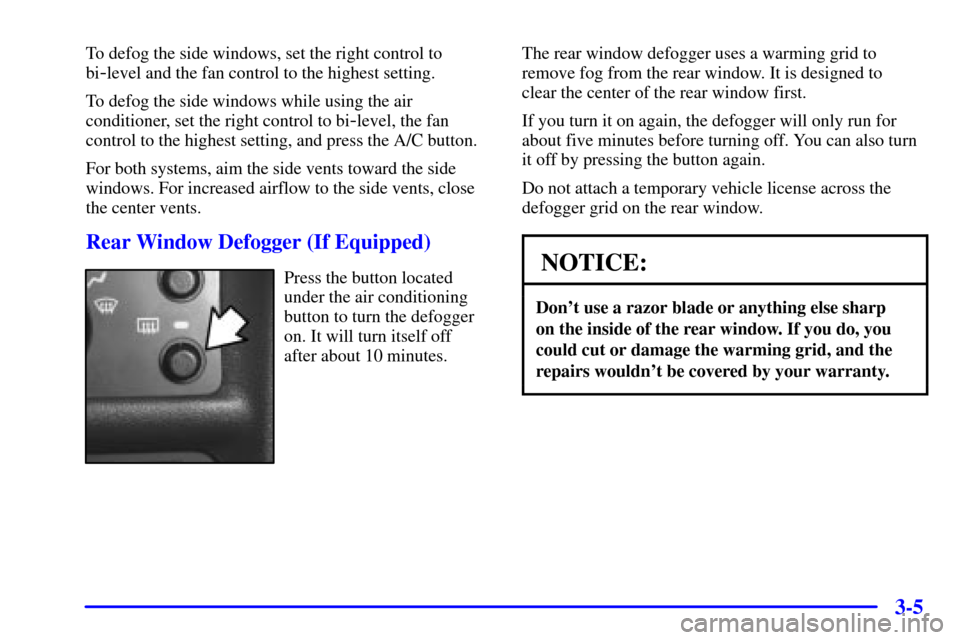
Rear Window Defogger (If Equipped)
Press the button located
under the air conditioning
button to turn the defogger
on. It will turn itself off
after about 10 minutes.The rear window defogger uses a warming grid to
remove fog from the rear window. It is designed to
clear the center of the rear window first.
If you turn it on again, the defogger will only run for
about five minutes before turning off. You can also turn
it off by pressing the button again.
Do not attach a temporary vehicle license across the
defogger grid on the rear window.NOTICE:
Don't use a razor blade or anything else sharp
on the inside of the rear window. If you do, you
could cut or damage the warming grid, and the
repairs wouldn't be covered by your warranty.
Page 145 of 360

3-10
Adjusting the Speakers (Balance/Fade)
AUDIO: To adjust the balance between the right and
left speakers, press and release the AUDIO button until
BAL appears on the display. Then press and hold the
up arrow to move the sound to the right speakers or the
down arrow to move the sound to the left speakers.
R and a number will appear on the display when the
sound is balanced toward the right speakers. L and a
number will appear on the display when the sound is
balanced toward the left speakers. L and a zero will
appear on the display when the sound is balanced
between the speakers. Release the up or down arrow
when you find the speaker balance you want or when
the maximum or minimum level is reached.
To adjust the fade between the front and rear speakers,
press and release the AUDIO button until FAD appears
on the display. Then press and hold the up arrow to
move the sound to the front speakers or the down arrow
to move the sound to the rear speakers. F and a number
will appear on the display when the sound is balanced
toward the front speakers. R and a number will appear
on the display when the sound is balanced toward the
rear speakers. F and a zero will appear on the display
when the sound is balanced between the speakers.Release the up or down arrow when you find the speaker
balance you want or when the maximum or minimum
level is reached.
To adjust balance or fade to the middle position, select
BAL or FAD. Then press and hold AUDIO for more
than two seconds until you hear a beep. L and a zero or
F and a zero will appear on the display. To adjust both
tone controls and both speaker controls to the middle
position, end out of audio mode by pressing another
button, which the radio will perform that function, or by
waiting 5 seconds which the radio will go to the clock
display. Then press and hold AUDIO for more than
two seconds until you hear a beep. CEN will appear
on the display.
Radio Messages
CAL (Calibration): Your audio system has been
calibrated for your vehicle from the factory. If CAL
appears on the display it means that your radio has not
been configured properly for your vehicle and must be
returned to the dealership for service.
LOC (Locked): This message is displayed when the
THEFTLOCK
� system has locked up. You must
return to the dealership for service.
Page 148 of 360

3-13
Adjusting the Speakers (Balance/Fade)
AUDIO: To adjust the balance between the right and
left speakers, press and release the AUDIO button until
BAL appears on the display. Then press and hold the
up arrow to move the sound to the right speakers or the
down arrow to move the sound to the left speakers.
R and a number will appear on the display when the
sound is balanced toward the right speakers. L and a
number will appear on the display when the sound is
balanced toward the left speakers. L and a zero will
appear on the display when the sound is balanced
between the speakers. Release the up or down arrow
when you find the speaker balance you want or when
the maximum or minimum level is reached.
To adjust the fade between the front and rear speakers,
press and release the AUDIO button until FAD appears
on the display. Then press and hold the up arrow to
move the sound to the front speakers or the down arrow
to move the sound to the rear speakers. F and a number
will appear on the display when the sound is balanced
toward the front speakers. R and a number will appear
on the display when the sound is balanced toward the
rear speakers. F and a zero will appear on the display
when the sound is balanced between the speakers.
Release the up or down arrow when you find the speaker
balance you want or when the maximum or minimum
level is reached.To adjust balance or fade to the middle position, select
BAL or FAD. Then press and hold AUDIO for more
than two seconds until you hear a beep. L and a zero or
F and a zero will appear on the display. To adjust both
tone controls and both speaker controls to the middle
position, end out of audio mode by pressing another
button, which the radio will perform that function, or
by waiting 5 seconds which the radio will go to the
clock display. Then press and hold AUDIO for more
than two seconds until you hear a beep. CEN will
appear on the display.
Radio Messages
CAL (Calibration): Your audio system has been
calibrated for your vehicle from the factory. If CAL
appears on the display it means that your radio has not
been configured properly for your vehicle and must be
returned to the dealership for service.
LOC (Locked): This message is displayed when the
THEFTLOCK
� system has locked up. You must return
to the dealership for service.
Page 166 of 360
4-
4-1
Section 4 Your Driving and the Road
Here you'll find information about driving on different kinds of roads and in varying weather conditions. We've also
included many other useful tips on driving.
4
-2 Defensive Driving
4
-3 Drunken Driving
4
-6 Control of a Vehicle
4
-6 Braking
4
-9 Enhanced Traction System
4
-11 Steering
4
-13 Off-Road Recovery
4
-13 Passing
4
-15 Loss of Control
4
-16 Driving at Night
4
-18 Driving in Rain and on Wet Roads
4
-21 City Driving4
-22 Freeway Driving
4
-23 Before Leaving on a Long Trip
4
-24 Highway Hypnosis
4
-24 Hill and Mountain Roads
4
-26 Winter Driving
4
-30 Recreational Vehicle Towing
4
-33 Loading Your Vehicle
4
-35 Towing a Trailer (Models with 2.4L L4 (LD9)
or 2.2L L4 ECOTEC� (L61) Engine and
Automatic Transaxle)
4
-42 Towing a Trailer (Models with 2.2L L4 (LN2)
Engine and Manual Transaxle)
Page 195 of 360

4-30
Then, shut the engine off and close the window almost
all the way to preserve the heat. Start the engine again
and repeat this only when you feel really uncomfortable
from the cold. But do it as little as possible. Preserve the
fuel as long as you can. To help keep warm, you can get
out of the vehicle and do some fairly vigorous exercises
every half hour or so until help comes.
Recreational Vehicle Towing
Recreational vehicle towing means towing your vehicle
behind another vehicle
-- such as behind a motorhome.
The two most common types of recreational vehicle
towing are known as ªdinghy towingº (towing your
vehicle with all four wheels on the ground) and
ªdolly towingº (towing your vehicle with two wheels
on the ground and two wheels up on a device known
as a ªdollyº).With the proper preparation and equipment, many
vehicles can be towed in these ways. See ªDinghy
Towingº and ªDolly Towing,º following.
Here are some important things to consider before
you do recreational vehicle towing:
�What's the towing capacity of the towing
vehicle? Be sure you read the tow vehicle
manufacturer's recommendations.
�How far will you tow? Some vehicles have
restrictions on how far and how long they can tow.
�Do you have the proper towing equipment?
See your dealer or trailering professional for
additional advice and equipment recommendations.
�Is your vehicle ready to be towed? Just as you would
prepare your vehicle for a long trip, you'll want to
make sure your vehicle is prepared to be towed.
See ªBefore Leaving on a Long Tripº in the Index.
Page 196 of 360
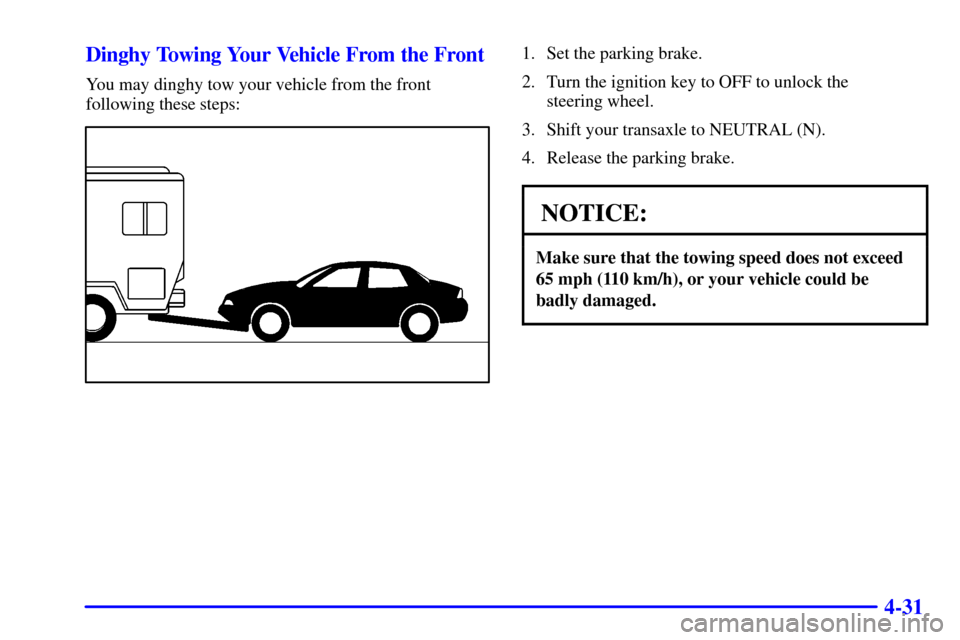
4-31 Dinghy Towing Your Vehicle From the Front
You may dinghy tow your vehicle from the front
following these steps:
1. Set the parking brake.
2. Turn the ignition key to OFF to unlock the
steering wheel.
3. Shift your transaxle to NEUTRAL (N).
4. Release the parking brake.
NOTICE:
Make sure that the towing speed does not exceed
65 mph (110 km/h), or your vehicle could be
badly damaged.
Page 197 of 360
4-32
NOTICE:
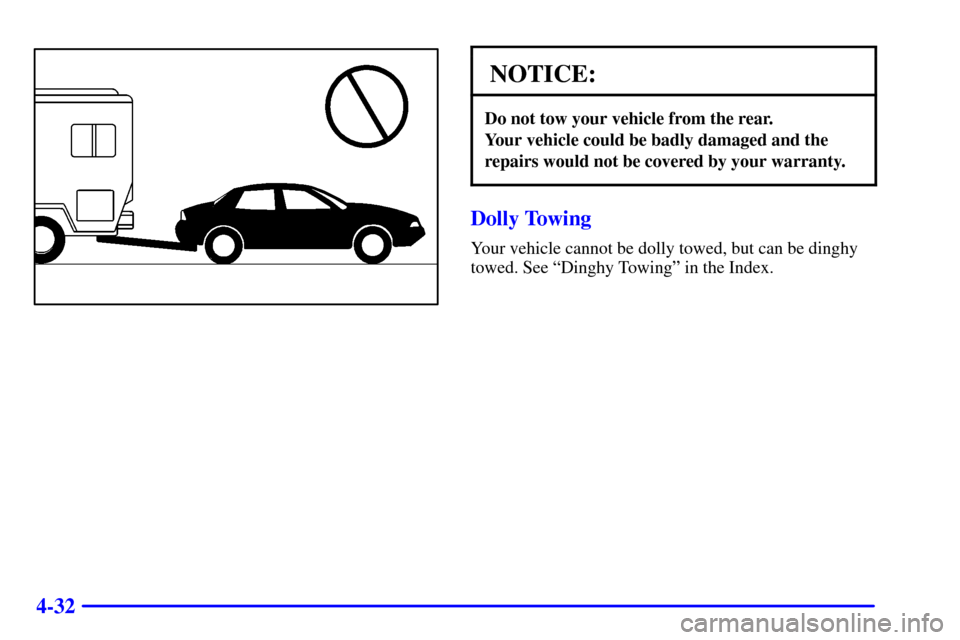
Do not tow your vehicle from the rear.
Your vehicle could be badly damaged and the
repairs would not be covered by your warranty.
Dolly Towing
Your vehicle cannot be dolly towed, but can be dinghy
towed. See ªDinghy Towingº in the Index.