Page 87 of 488
2-21
NOTICE:
Don't operate accessories in the ACCESSORY
position for long periods of time. Prolonged
operation of accessories in the ACCESSORY
position could drain your battery and prevent
you from starting your vehicle.
CAUTION:
On manual transmission vehicles, turning the key
to LOCK will lock the steering column and result
in a loss of ability to steer the vehicle. This could
cause a collision. If you need to turn the engine
off while the vehicle is moving, turn the key only
to OFF. Don't press the key release button while
the vehicle is moving.
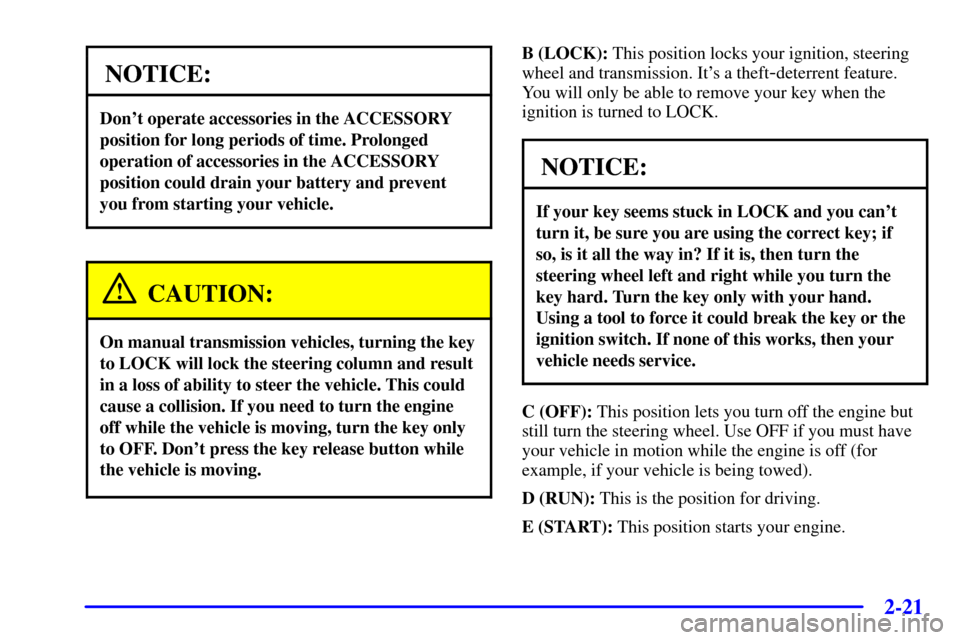
B (LOCK): This position locks your ignition, steering
wheel and transmission. It's a theft
-deterrent feature.
You will only be able to remove your key when the
ignition is turned to LOCK.
NOTICE:
If your key seems stuck in LOCK and you can't
turn it, be sure you are using the correct key; if
so, is it all the way in? If it is, then turn the
steering wheel left and right while you turn the
key hard. Turn the key only with your hand.
Using a tool to force it could break the key or the
ignition switch. If none of this works, then your
vehicle needs service.
C (OFF): This position lets you turn off the engine but
still turn the steering wheel. Use OFF if you must have
your vehicle in motion while the engine is off (for
example, if your vehicle is being towed).
D (RUN): This is the position for driving.
E (START): This position starts your engine.
Page 92 of 488
2-26
Automatic Transmission Operation
Your automatic transmission may have a shift lever
located on the console between the seats or on the
steering column.
There are several different positions for your shift lever.If your vehicle is equipped with a column shift lever, it
features an electronic shift position indicator within the
instrument panel cluster. This display must be powered
anytime the shift lever is capable of being moved out of
PARK (P). This means that if your key is in OFF, but
not locked, there will be a small current drain on your
battery which could discharge your battery over a period
of time. If you need to leave your key in the ignition in
OFF for an extended period, it is recommended that you
disconnect the battery cable from the battery to prevent
discharging your battery.
Page 99 of 488
2-33
Four-Wheel Drive (If Equipped)
If your vehicle has four-wheel drive, you can send your
engine's driving power to all four wheels for extra
traction. To get the most satisfaction out of four
-wheel
drive, you must be familiar with its operation. Read the
part that follows before using four
-wheel drive. You
should use two
-wheel high (2HI) for most normal
driving conditions.
NOTICE:
Driving in the 4HI or 4LO positions for a long
time on dry or wet pavement could shorten the
life of your vehicle's drivetrain.
Electronic Transfer Case (If Equipped)
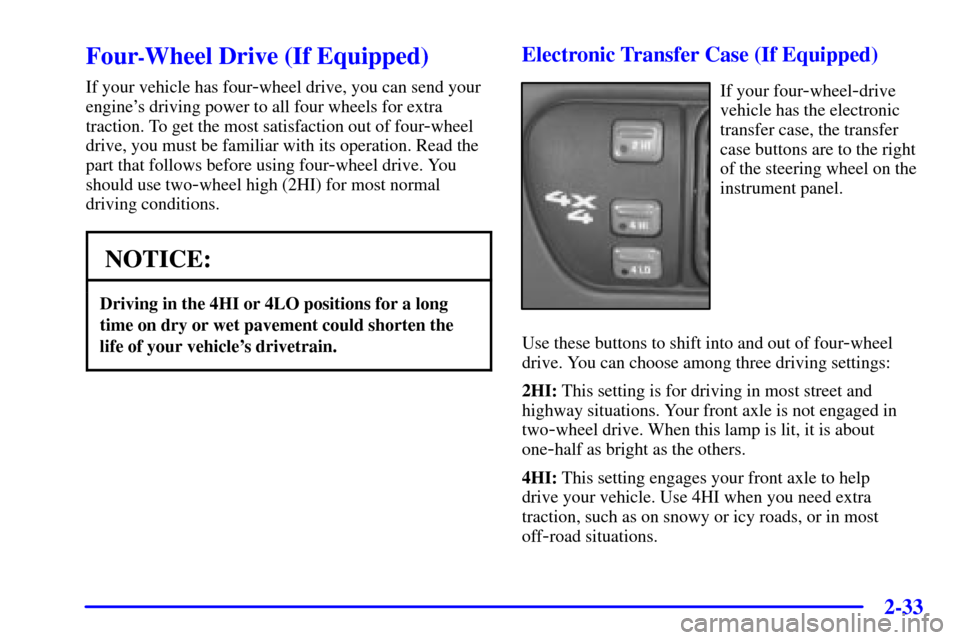
If your four-wheel-drive
vehicle has the electronic
transfer case, the transfer
case buttons are to the right
of the steering wheel on the
instrument panel.
Use these buttons to shift into and out of four
-wheel
drive. You can choose among three driving settings:
2HI: This setting is for driving in most street and
highway situations. Your front axle is not engaged in
two
-wheel drive. When this lamp is lit, it is about
one
-half as bright as the others.
4HI: This setting engages your front axle to help
drive your vehicle. Use 4HI when you need extra
traction, such as on snowy or icy roads, or in most
off
-road situations.
Page 102 of 488
2-36
Automatic Transfer Case (If Equipped)
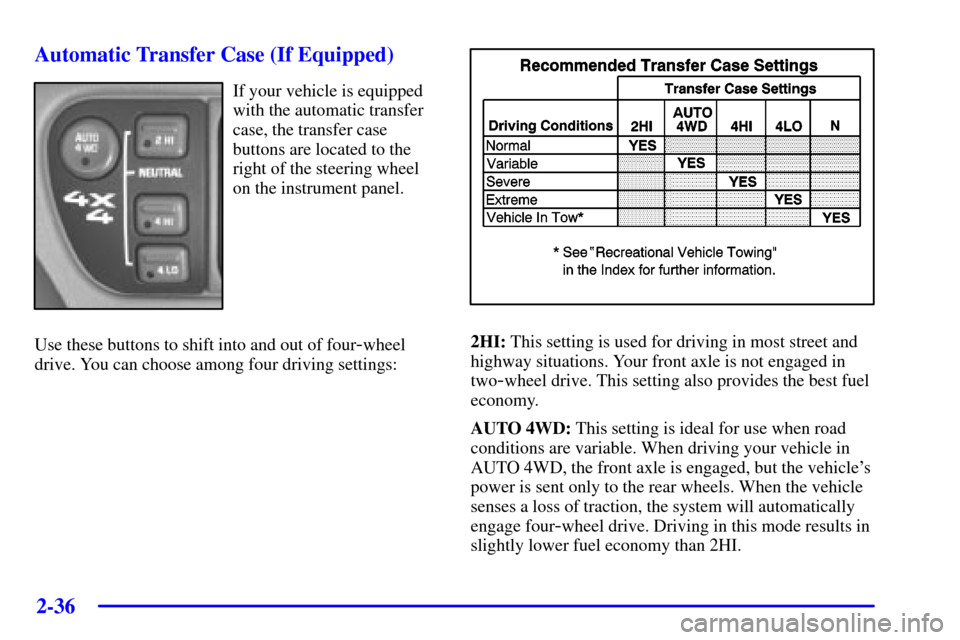
If your vehicle is equipped
with the automatic transfer
case, the transfer case
buttons are located to the
right of the steering wheel
on the instrument panel.
Use these buttons to shift into and out of four
-wheel
drive. You can choose among four driving settings:2HI: This setting is used for driving in most street and
highway situations. Your front axle is not engaged in
two
-wheel drive. This setting also provides the best fuel
economy.
AUTO 4WD: This setting is ideal for use when road
conditions are variable. When driving your vehicle in
AUTO 4WD, the front axle is engaged, but the vehicle's
power is sent only to the rear wheels. When the vehicle
senses a loss of traction, the system will automatically
engage four
-wheel drive. Driving in this mode results in
slightly lower fuel economy than 2HI.
Page 113 of 488
2-47
Locking Rear Axle
If your vehicle has this feature, your locking rear axle
can give you additional traction on snow, mud, ice, sand
or gravel. It works like a standard axle most of the time,
but when one of the rear wheels has no traction and the
other does, this feature will allow the wheel with
traction to move the vehicle.
Horn
To sound the horn, press the horn symbol on the steering
wheel pad.
Tilt Wheel (If Equipped)
A tilt wheel allows you to adjust the steering wheel
before you drive. If you have the tilt steering wheel, you
can raise it to the highest level to allow more room for
the driver to enter and exit the vehicle.
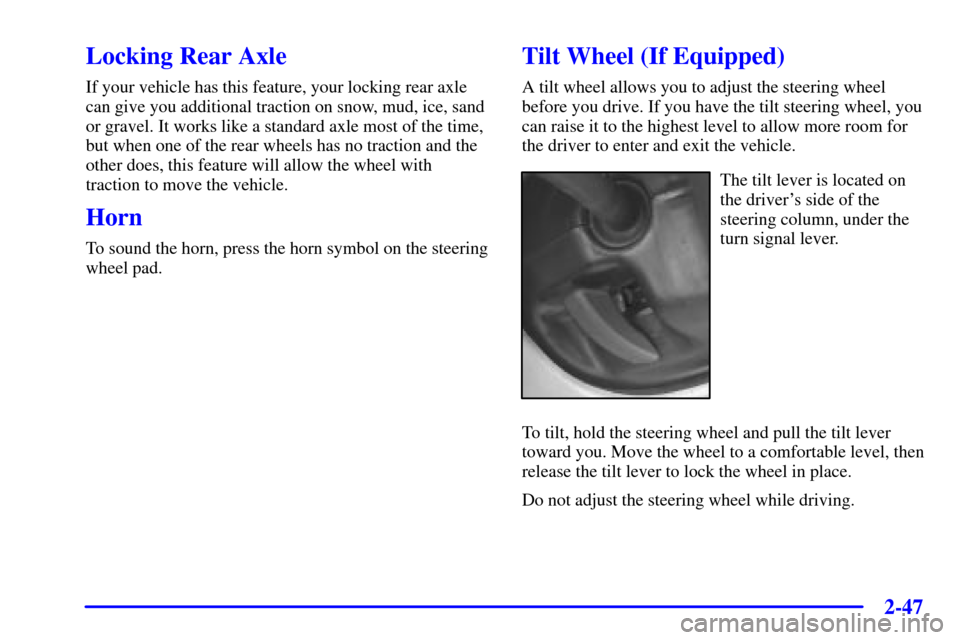
The tilt lever is located on
the driver's side of the
steering column, under the
turn signal lever.
To tilt, hold the steering wheel and pull the tilt lever
toward you. Move the wheel to a comfortable level, then
release the tilt lever to lock the wheel in place.
Do not adjust the steering wheel while driving.
Page 114 of 488
2-48
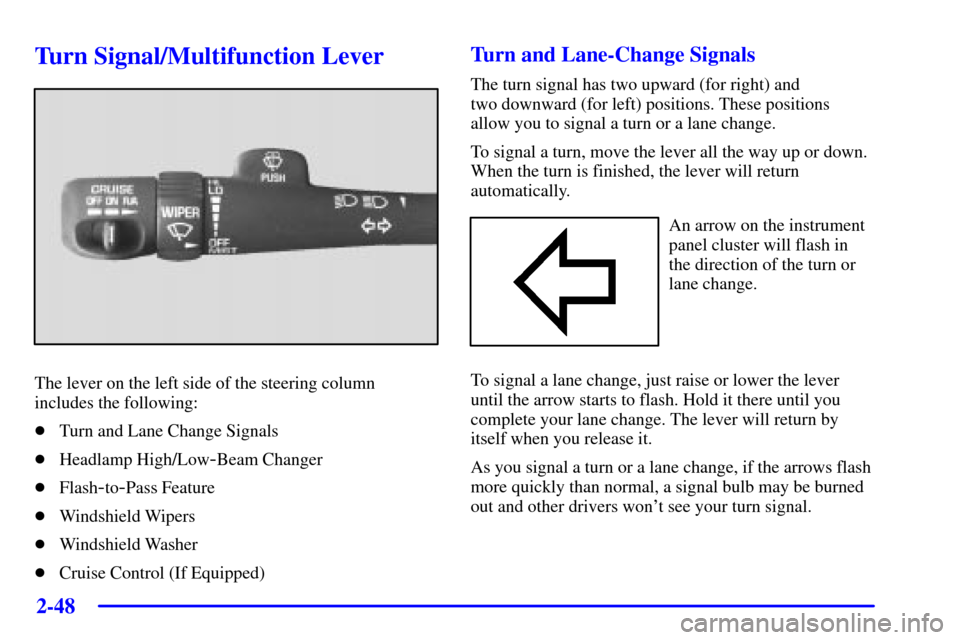
Turn Signal/Multifunction Lever
The lever on the left side of the steering column
includes the following:
�Turn and Lane Change Signals
�Headlamp High/Low
-Beam Changer
�Flash
-to-Pass Feature
�Windshield Wipers
�Windshield Washer
�Cruise Control (If Equipped)
Turn and Lane-Change Signals
The turn signal has two upward (for right) and
two downward (for left) positions. These positions
allow you to signal a turn or a lane change.
To signal a turn, move the lever all the way up or down.
When the turn is finished, the lever will return
automatically.
An arrow on the instrument
panel cluster will flash in
the direction of the turn or
lane change.
To signal a lane change, just raise or lower the lever
until the arrow starts to flash. Hold it there until you
complete your lane change. The lever will return by
itself when you release it.
As you signal a turn or a lane change, if the arrows flash
more quickly than normal, a signal bulb may be burned
out and other drivers won't see your turn signal.
Page 117 of 488
2-51
Windshield Washer
There is a paddle marked with the windshield washer
symbol at the top of the multifunction lever. To spray
washer fluid on the windshield, push the paddle. The
wipers will clear the window and then either stop or
return to your preset speed.
CAUTION:
In freezing weather, don't use your washer until
the windshield is warmed. Otherwise the washer
fluid can form ice on the windshield, blocking
your vision.
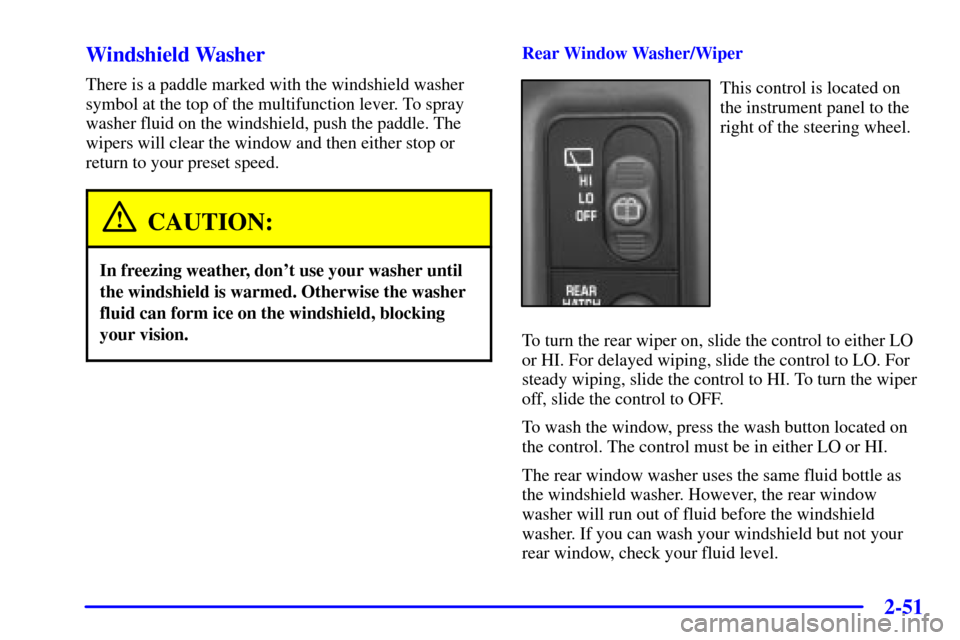
Rear Window Washer/Wiper
This control is located on
the instrument panel to the
right of the steering wheel.
To turn the rear wiper on, slide the control to either LO
or HI. For delayed wiping, slide the control to LO. For
steady wiping, slide the control to HI. To turn the wiper
off, slide the control to OFF.
To wash the window, press the wash button located on
the control. The control must be in either LO or HI.
The rear window washer uses the same fluid bottle as
the windshield washer. However, the rear window
washer will run out of fluid before the windshield
washer. If you can wash your windshield but not your
rear window, check your fluid level.
Page 149 of 488
2-83
The main components of your instrument panel are the following:
A. Air Vents
B. Turn Signal/Multifunction Lever
C. Instrument Panel Cluster
D. Transfer Case Button (If Equipped)
E. Exterior Lamps Control
F. Fog Lamp Button (if equipped)
G. Brake Release
H. Audio Steering Controls (If Equipped)I. Rear Window Washer/Wiper
J. Rear Endgate Release
K. Ashtray
L. Comfort Controls
M. Rear Window Defogger
N. Accessory Power Outlets
O. Audio System
P. Glove Box