2002 CHEVROLET AVEO audio
[x] Cancel search: audioPage 1959 of 5127
Playing an MP3/WMA
With the ignition on, insert a CD partway into the slot,
label side up. The player will pull it in, Loading, then
Filecheck, and then MP3 or WMA will appear on
the display. The CD should begin playing. You cannot
insert a CD with the ACC off.
As each new track starts to play, the track number, and
the song name will appear on the display.
If the ignition or radio is turned off with a CD in the player,
it will stay in the player. When a CD is in the player and
the ignition is turned on, the radio must be turned on
before the CD will start playback. When the ignition and
radio are turned on, the CD will start playing where it
stopped, if it was the last selected audio source.
The CD player can play the smaller 3 inch (8 cm) single
CDs with an adapter ring. Full-size CDs and the
smaller CDs are loaded in the same manner.
If playing a CD-R, the sound quality may be reduced due
to CD-R quality, the method of recording, the quality of
the music that has been recorded, and the way the CD-R
has been handled. There may be an increase in skipping,
difficulty in finding tracks, and/or difficulty in loading and
ejecting. If these problems occur, check the bottom
surface of the CD. If the surface of the CD is damaged,
such as cracked, broken, or scratched, the CD will not
play properly. If the surface of the CD is soiled, seeCare
of Your CDs on page 3-71for more information.If there is no apparent damage, try a known good CD.
Do not add any label to a CD, it could get caught in the
CD player. If a CD is recorded on a personal computer
and a description label is needed, try labeling the top of
the recorded CD with a marking pen instead.
Notice:If you add any label to a CD, insert more
than one CD into the slot at a time, or attempt
to play scratched or damaged CDs, you could
damage the CD player. When using the CD player,
use only CDs in good condition without any
label, load one CD at a time, and keep the CD player
and the loading slot free of foreign materials,
liquids, and debris.
If an error appears on the display, see “CD Messages”
later in this section.
All of the CD functions work the same while playing an
MP3WMA, except for those listed here. See “Playing
a CD” earlier for more information.
SCROLL (MP3/WMA Mode Only):Press the SOUND
button for longer than two seconds. The song title
and other available information of the song will scroll
on/off. The offset is scroll on. The scroll mode can
be changed only when the SOUND button is pressed
for longer than two seconds.
3-68
Page 1961 of 5127
Using the Auxiliary Input Jack
Your radio system has an auxiliary input jack located on
the lower right side of the faceplate. This is not an
audio output; do not plug the headphone set into the
front auxiliary input jack. You can however, connect an
external audio device such as an iPod, laptop
computer, MP3 player, CD changer, or cassette tape
player, etc. to the auxiliary input jack for use as another
source for audio listening.
The auxiliary input jack will also accept cell phone
connectors. Plug the cell phone connector into
the auxiliary input jack to hear the other side of a cell
phone’s conversation through the vehicle sound system.
To use a portable audio player, connect a 3.5 mm
(1/8 inch) cable to the radio’s front auxiliary input jack.
When a device is connected, press the radio CD/AUX
button as needed to begin playing audio from the device
over the car speakers.
CD/AUX (CD/Auxiliary):Press this button once to play
a CD while a portable audio device is playing. Press
this button a second time for the system will begin
playing audio from the connected portable audio player.
Once in this mode, “Auxinput” will appear on display.
If the auxiliary jack does not detect the presence of an
output jack, the aux mode will be prevented from
coming up.
O(Power/Volume):Turn this knob clockwise or
counterclockwise to increase or decrease the volume of
the portable player. You may need to do additional
volume adjustments from the portable device if
the volume does not go loud or soft enough.
Radio Reception
You may experience frequency interference and static
during normal radio reception if items such as cellphone
chargers, vehicle convenience accessories, and
external electronic devices are plugged into the
accessory power outlet. If there is interference or static,
unplug the item from the accessory power outlet.
AM
The range for most AM stations is greater than for FM,
especially at night. The longer range can cause
station frequencies to interfere with each other. For
better radio reception, most AM radio stations will boost
the power levels during the day, and then reduce
these levels during the night. Static can also occur when
things like storms and power lines interfere with radio
reception. When this happens, try reducing the treble on
your radio.
3-70
Page 2076 of 5127
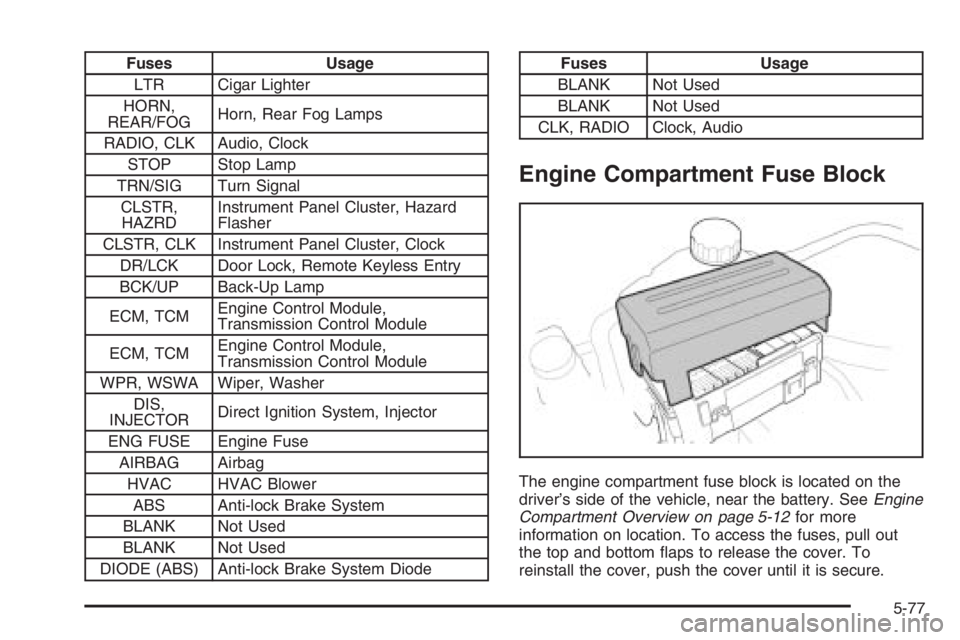
Fuses Usage
LTR Cigar Lighter
HORN,
REAR/FOGHorn, Rear Fog Lamps
RADIO, CLK Audio, Clock
STOP Stop Lamp
TRN/SIG Turn Signal
CLSTR,
HAZRDInstrument Panel Cluster, Hazard
Flasher
CLSTR, CLK Instrument Panel Cluster, Clock
DR/LCK Door Lock, Remote Keyless Entry
BCK/UP Back-Up Lamp
ECM, TCMEngine Control Module,
Transmission Control Module
ECM, TCMEngine Control Module,
Transmission Control Module
WPR, WSWA Wiper, Washer
DIS,
INJECTORDirect Ignition System, Injector
ENG FUSE Engine Fuse
AIRBAG Airbag
HVAC HVAC Blower
ABS Anti-lock Brake System
BLANK Not Used
BLANK Not Used
DIODE (ABS) Anti-lock Brake System DiodeFuses Usage
BLANK Not Used
BLANK Not Used
CLK, RADIO Clock, Audio
Engine Compartment Fuse Block
The engine compartment fuse block is located on the
driver’s side of the vehicle, near the battery. SeeEngine
Compartment Overview on page 5-12for more
information on location. To access the fuses, pull out
the top and bottom flaps to release the cover. To
reinstall the cover, push the cover until it is secure.
5-77
Page 2128 of 5127
A
Accessories and Modifications............................ 5-3
Accessory Power Outlet(s)...............................3-16
Adding Equipment to Your Airbag-Equipped
Vehicle.......................................................1-70
Additives, Fuel................................................. 5-6
Add-On Electrical Equipment............................5-74
Air Cleaner/Filter, Engine.................................5-17
Air Conditioning..............................................3-18
Airbag
Passenger Status Indicator...........................3-26
Readiness Light..........................................3-32
Airbag Sensing and Diagnostic Module (SDM)....7-10
Airbag System................................................1-56
Adding Equipment to Your Airbag-Equipped
Vehicle...................................................1-70
How Does an Airbag Restrain?......................1-63
Passenger Sensing System...........................1-65
Servicing Your Airbag-Equipped Vehicle..........1-69
What Makes an Airbag Inflate?......................1-63
What Will You See After an Airbag Inflates?....1-64
When Should an Airbag Inflate?....................1-61
Where Are the Airbags?...............................1-59
AM-FM Radio.................................................3-39
Antenna, Fixed Mast.......................................3-71
Anti-Lock Brake System (ABS)........................... 4-7
Anti-Lock Brake, System Warning Light..............3-34Appearance Care
Aluminum Wheels........................................5-71
Care of Safety Belts....................................5-69
Chemical Paint Spotting...............................5-72
Cleaning Exterior Lamps/Lenses....................5-69
Cleaning the Inside of Your Vehicle................5-66
Fabric/Carpet..............................................5-67
Finish Care.................................................5-70
Finish Damage............................................5-72
Instrument Panel, Vinyl, and Other Plastic
Surfaces.................................................5-68
Sheet Metal Damage...................................5-72
Tires..........................................................5-71
Underbody Maintenance...............................5-72
Vehicle Care/Appearance Materials................5-73
Washing Your Vehicle...................................5-69
Weatherstrips..............................................5-69
Windshield and Wiper Blades........................5-70
Ashtray(s)......................................................3-17
Audio System(s).............................................3-38
AM-FM Radio.............................................3-39
Care of Your CD Player...............................3-71
Care of Your CDs ........................................3-71
Fixed Mast Antenna.....................................3-71
Radio with CD............................3-41, 3-45, 3-52
Radio with Six-Disc CD................................3-61
Understanding Radio Reception.....................3-70
1
Page 4330 of 5127
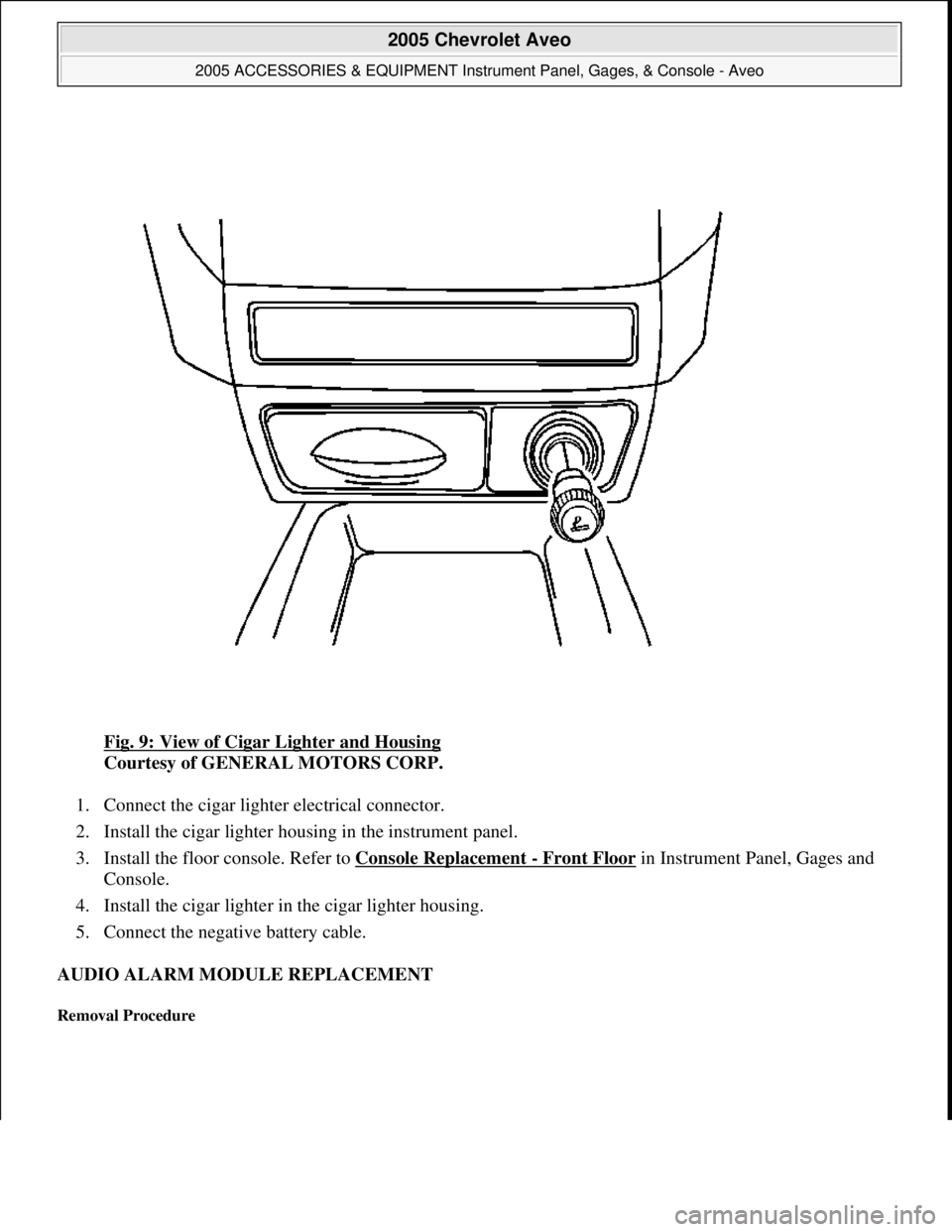
Fig. 9: View of Cigar Lighter and Housing
Courtesy of GENERAL MOTORS CORP.
1. Connect the cigar lighter electrical connector.
2. Install the cigar lighter housing in the instrument panel.
3. Install the floor console. Refer to Console Replacement
- Front Floor in Instrument Panel, Gages and
Console.
4. Install the cigar lighter in the cigar lighter housing.
5. Connect the negative battery cable.
AUDIO ALARM MODULE REPLACEMENT
Removal Procedure
2005 Chevrolet Aveo
2005 ACCESSORIES & EQUIPMENT Instrument Panel, Gages, & Console - Aveo
Microsoft
Friday, July 31, 2009 1:07:02 PMPage 37 © 2005 Mitchell Repair Information Company, LLC.
Page 4357 of 5127
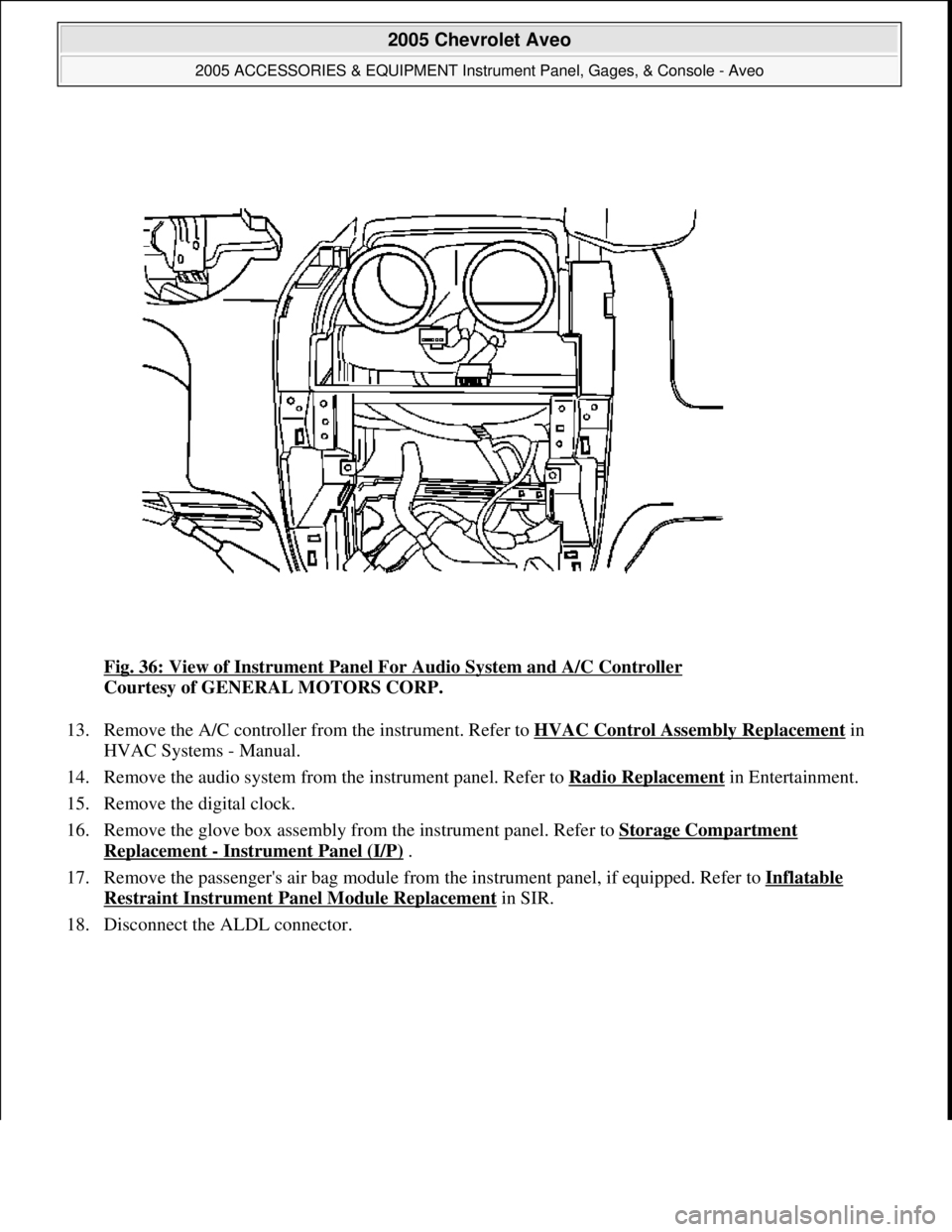
Fig. 36: View of Instrument Panel For Audio System and A/C Controller
Courtesy of GENERAL MOTORS CORP.
13. Remove the A/C controller from the instrument. Refer to HVAC Control Assembly Replacement
in
HVAC Systems - Manual.
14. Remove the audio system from the instrument panel. Refer to Radio Replacement
in Entertainment.
15. Remove the digital clock.
16. Remove the glove box assembly from the instrument panel. Refer to Storage Compartment
Replacement - Instrument Panel (I/P) .
17. Remove the passenger's air bag module from the instrument panel, if equipped. Refer to Inflatable
Restraint Instrument Panel Module Replacement in SIR.
18. Disconnect the ALDL connector.
2005 Chevrolet Aveo
2005 ACCESSORIES & EQUIPMENT Instrument Panel, Gages, & Console - Aveo
Microsoft
Friday, July 31, 2009 1:07:03 PMPage 64 © 2005 Mitchell Repair Information Company, LLC.
Page 4361 of 5127
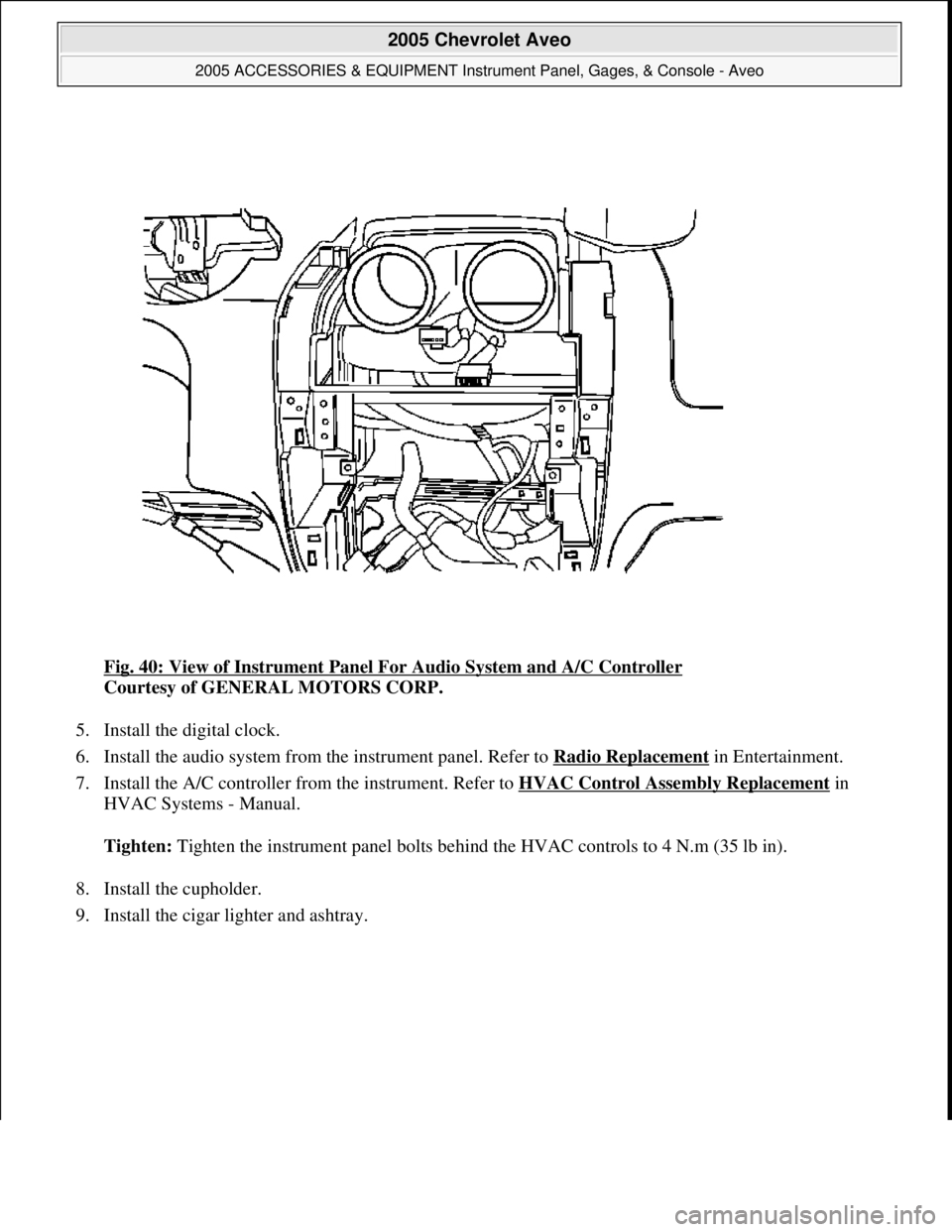
Fig. 40: View of Instrument Panel For Audio System and A/C Controller
Courtesy of GENERAL MOTORS CORP.
5. Install the digital clock.
6. Install the audio system from the instrument panel. Refer to Radio Replacement
in Entertainment.
7. Install the A/C controller from the instrument. Refer to HVAC Control Assembly Replacement
in
HVAC Systems - Manual.
Tighten: Tighten the instrument panel bolts behind the HVAC controls to 4 N.m (35 lb in).
8. Install the cupholder.
9. Install the ci
gar lighter and ashtray.
2005 Chevrolet Aveo
2005 ACCESSORIES & EQUIPMENT Instrument Panel, Gages, & Console - Aveo
Microsoft
Friday, July 31, 2009 1:07:03 PMPage 68 © 2005 Mitchell Repair Information Company, LLC.
Page 4365 of 5127
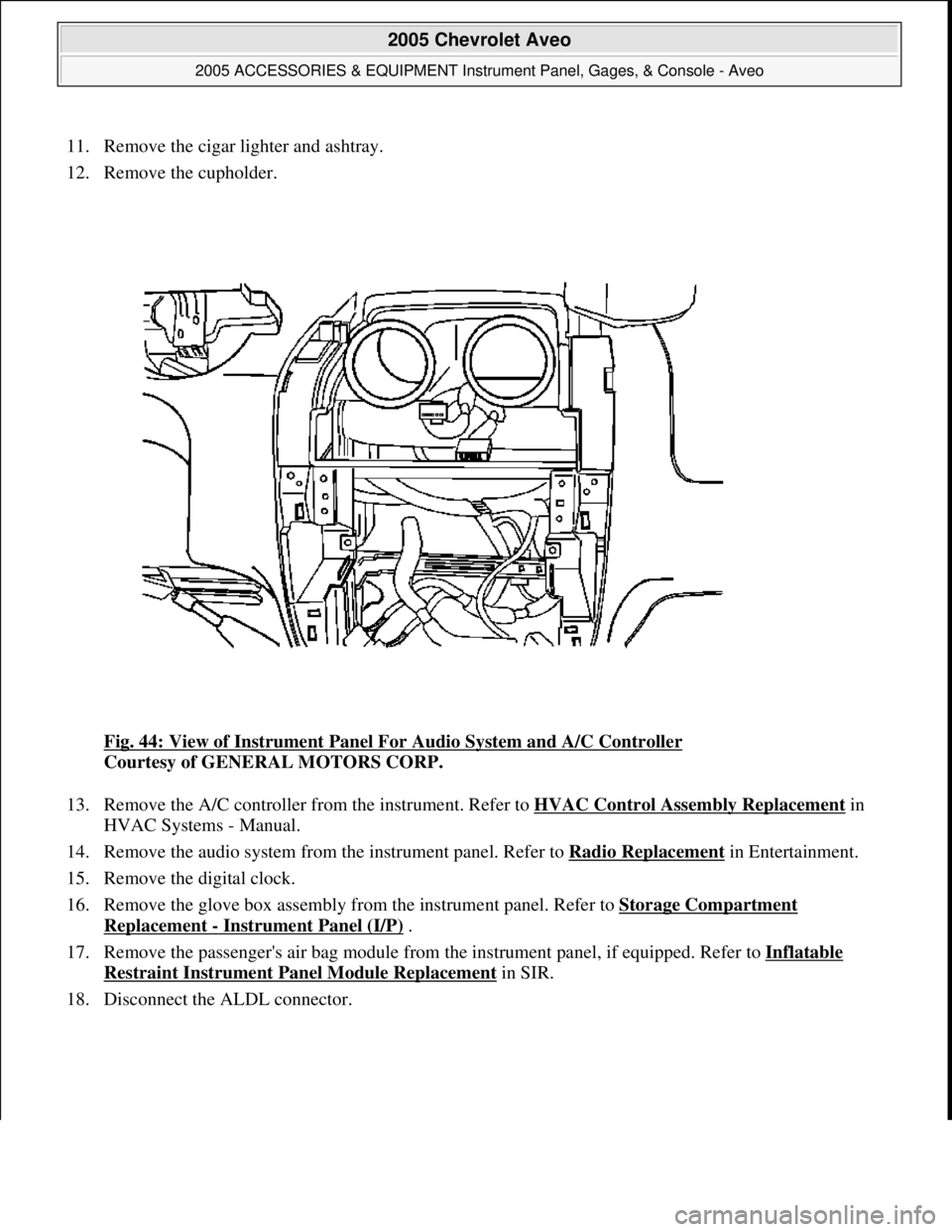
11. Remove the cigar lighter and ashtray.
12. Remove the cupholder.
Fig. 44: View of Instrument Panel For Audio System and A/C Controller
Courtesy of GENERAL MOTORS CORP.
13. Remove the A/C controller from the instrument. Refer to HVAC Control Assembly Replacement
in
HVAC Systems - Manual.
14. Remove the audio system from the instrument panel. Refer to Radio Replacement
in Entertainment.
15. Remove the digital clock.
16. Remove the glove box assembly from the instrument panel. Refer to Storage Compartment
Replacement - Instrument Panel (I/P) .
17. Remove the passenger's air bag module from the instrument panel, if equipped. Refer to Inflatable
Restraint Instrument Panel Module Replacement in SIR.
18. Disconnect the ALDL connector.
2005 Chevrolet Aveo
2005 ACCESSORIES & EQUIPMENT Instrument Panel, Gages, & Console - Aveo
Microsoft
Friday, July 31, 2009 1:07:03 PMPage 72 © 2005 Mitchell Repair Information Company, LLC.