Page 76 of 399
2-19 Testing the Alarm
1. From inside the vehicle, roll down the window,
then get out of the vehicle, keeping the door open.
2. From outside of the vehicle, with the door open,
lock the vehicle using the power door lock or the
remote keyless entry system and close the door.
Wait 30 seconds until the SECURITY lamp goes off.
3. Reach in and unlock the door using the manual
lock and open the door. The horn will sound and
the hazard lights will flash.
You can turn off the alarm by unlocking the driver's
door with your key, using the unlock button on the
remote keyless entry transmitter or by starting the
car with a valid key.
If the alarm does not sound when it should, check to
see if the horn works. The horn fuse may be blown.
To replace the fuse, see ªFuses and Circuit Breakersº
in the Index. If the fuse does not need to be replaced,
you may need to have your vehicle serviced.
To reduce the possibility of theft, always arm the
theft
-deterrent system when leaving your vehicle.
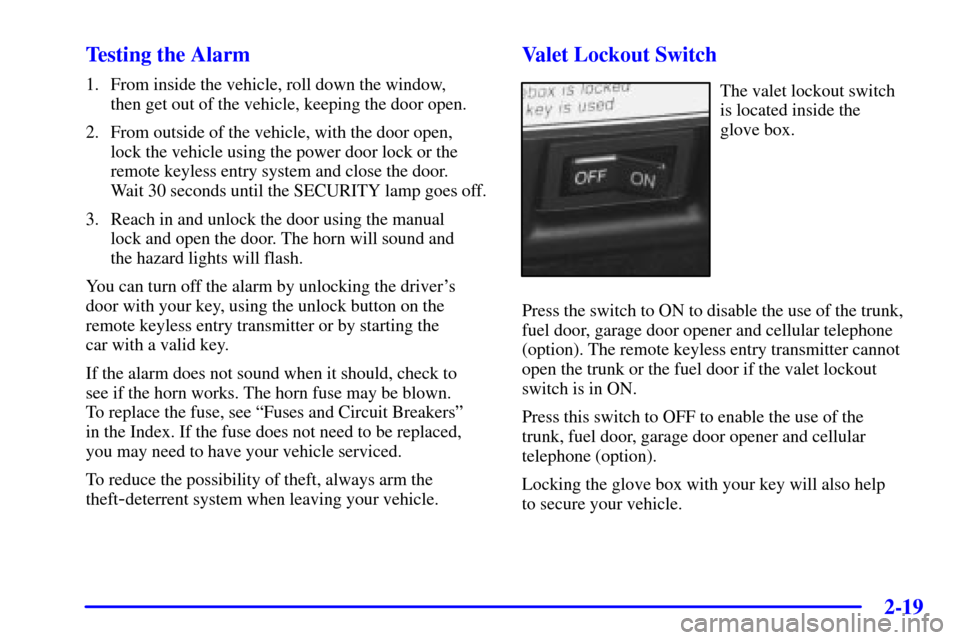
Valet Lockout Switch
The valet lockout switch
is located inside the
glove box.
Press the switch to ON to disable the use of the trunk,
fuel door, garage door opener and cellular telephone
(option). The remote keyless entry transmitter cannot
open the trunk or the fuel door if the valet lockout
switch is in ON.
Press this switch to OFF to enable the use of the
trunk, fuel door, garage door opener and cellular
telephone (option).
Locking the glove box with your key will also help
to secure your vehicle.
Page 78 of 399

2-21
If the engine does not start, and the key appears to be
undamaged, try another ignition key. At this time, you
may also want to check the fuse. See ªFuses and Circuit
Breakersº in the Index. If the engine still does not start
with the other key, your vehicle needs service. If your
vehicle does start, the first key may be faulty. See your
dealer who can service the PASS
-Key III to have a
new key made.
It is possible for the PASS
-Key III decoder to learn the
transponder value of a new or replacement key. Up to
10 additional keys may be programmed for the vehicle.
This procedure is for learning additional keys only.
Canadian Owners: If you lose or damage your keys,
only a GM dealer can service PASS
-Key III to have new
keys made. To program additional keys you will require
two current driver's keys (black in color). You must add
a step to the following procedure. After Step 2, repeat
Steps 1 and 2 with the second current driver's key.
Then continue with Step 3.
To program the new key do the following:
1. Verify that the new key has PK3 stamped on it.
2. Insert the current driver's key in the ignition and
start the engine. If the engine will not start see your
dealer for service.3. After the engine has started, turn the key to OFF,
and remove the key.
4. Insert the key to be programmed and turn it to ON
within ten seconds of removing the previous key.
5. The SECURITY light will turn off once the key has
been programmed. It may not be apparent that the
SECURITY light went on due to how quickly the
key is programmed.
6. Repeat the Steps 1 through 4 if additional keys are
to be programmed.
If you are ever driving and the SECURITY light comes
on and stays on, you will be able to restart your engine
if you turn it off. Your PASS-Key III system,
however, is not working properly and must be serviced
by your dealer. Your vehicle is not protected by the
PASS
-Key III system at this time.
If you lose or damage a PASS
-Key III key, see your
dealer to have a new key made.
In an emergency, contact Cadillac Roadside Assistance.
See ªRoadside Assistanceº in the Index.
Page 96 of 399
2-39
Turn Signal/Multifunction Lever
The lever located on the left side of the steering column
includes the following:
�Turn and Lane Change Signals
�Headlamp High/Low
-Beam Changer
�Flash
-To-Pass Feature
For information on the exterior lamps, see ªExterior
Lampsº later in this section.
Turn and Lane-Change Signals
To signal a turn, move the lever on the left side of the
steering wheel all the way up or down. The lever returns
automatically when the turn is complete.
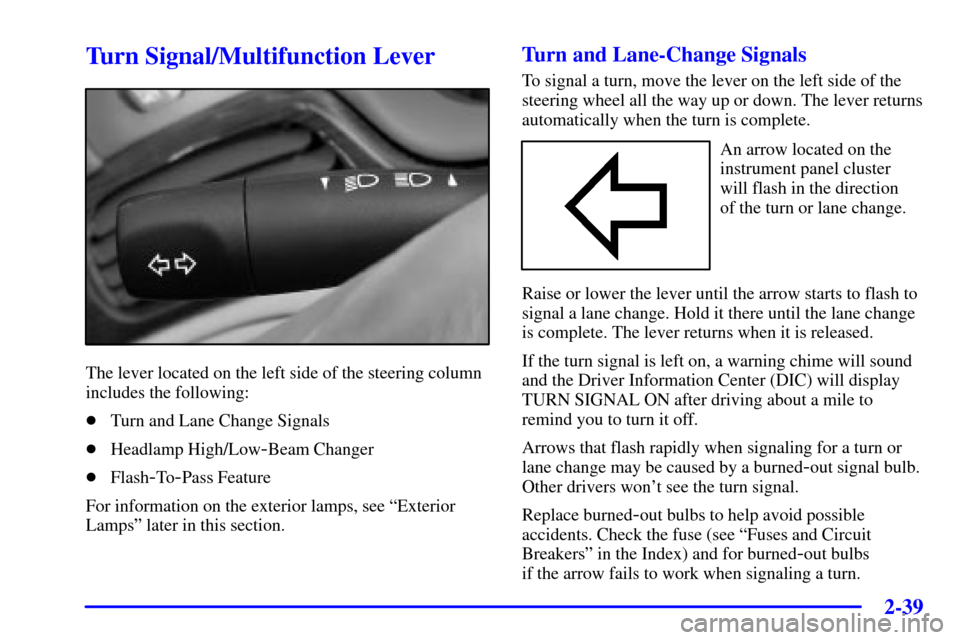
An arrow located on the
instrument panel cluster
will flash in the direction
of the turn or lane change.
Raise or lower the lever until the arrow starts to flash to
signal a lane change. Hold it there until the lane change
is complete. The lever returns when it is released.
If the turn signal is left on, a warning chime will sound
and the Driver Information Center (DIC) will display
TURN SIGNAL ON after driving about a mile to
remind you to turn it off.
Arrows that flash rapidly when signaling for a turn or
lane change may be caused by a burned
-out signal bulb.
Other drivers won't see the turn signal.
Replace burned
-out bulbs to help avoid possible
accidents. Check the fuse (see ªFuses and Circuit
Breakersº in the Index) and for burned
-out bulbs
if the arrow fails to work when signaling a turn.
Page 117 of 399
2-60
Accessory Power Outlets
Your vehicle is equipped with accessory power outlets.
The outlets can be used to plug in electrical equipment
such as a cellular telephone, CB radio, etc.
The accessory power outlets are located at the rear of the
center console and on the lower inboard carpeted panel
on the passenger's side of the vehicle.
Your vehicle may have a small cap that must be removed
to access the accessory power outlet. If it does, when
not using the outlet be sure to cover it with the
protective cap.
The accessory power outlet will only operate when the
ignition is in ACC or ON and for 10 minutes after
turning the ignition OFF. If you would like the accessory
power outlet to operate regardless of ignition position,
and for extended periods of time, see your dealer for
more information.NOTICE:
When using accessory power outlets:
�Maximum load of any electrical equipment
should not exceed the maximum amperage
for the outlet.
�Be sure to turn off any electrical equipment
when not in use. Leaving electrical
equipment on for extended periods can
drain the battery.
Certain accessory power plugs may not be compatible
to the accessory power outlet and could result in blown
vehicle or adapter fuses. If you experience a problem see
your dealer for additional information on the accessory
power plugs.
Page 118 of 399
2-61
NOTICE:
Adding some electrical equipment to your vehicle
can damage it or keep other things from working
as they should. This wouldn't be covered by your
warranty. Check with your dealer before adding
electrical equipment, and never use anything that
exceeds the fuse rating.
Follow the proper installation instructions that are
included with any electrical equipment you install.
NOTICE:
Power outlets are designed for accessory plugs
only. Do not hang any type of accessory or
accessory bracket from the plug. Improper use
of the accessory power outlets can cause damage
not covered by your warranty.
Cellular Telephone (Option)
With this option, your vehicle has been prewired
for dealer installation of a portable cellular telephone
system. The system has steering wheel telephone
controls and information output through the Driver
Information Center (DIC). Voice activation with remote
record and hands
-free operation are standard features.
For more information, contact your dealer. A user's
guide is provided with the telephone.
Page 254 of 399
5-5
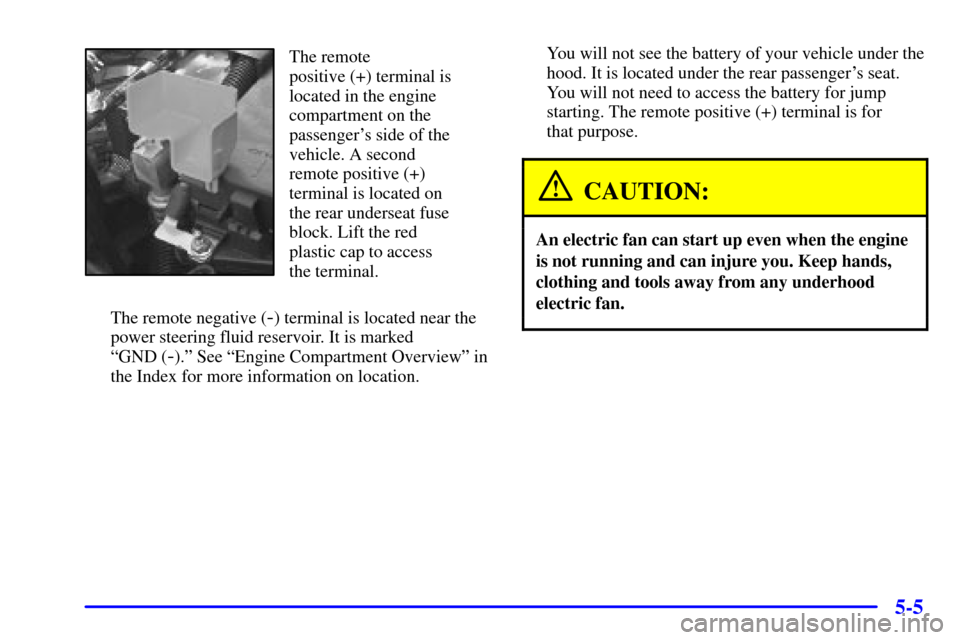
The remote
positive (+) terminal is
located in the engine
compartment on the
passenger's side of the
vehicle. A second
remote positive (+)
terminal is located on
the rear underseat fuse
block. Lift the red
plastic cap to access
the terminal.
The remote negative (
-) terminal is located near the
power steering fluid reservoir. It is marked
ªGND (
-).º See ªEngine Compartment Overviewº in
the Index for more information on location.You will not see the battery of your vehicle under the
hood. It is located under the rear passenger's seat.
You will not need to access the battery for jump
starting. The remote positive (+) terminal is for
that purpose.
CAUTION:
An electric fan can start up even when the engine
is not running and can injure you. Keep hands,
clothing and tools away from any underhood
electric fan.
Page 284 of 399
6-3
CAUTION:
You can be injured and your vehicle could be
damaged if you try to do service work on a
vehicle without knowing enough about it.
�Be sure you have sufficient knowledge,
experience, the proper replacement parts
and tools before you attempt any vehicle
maintenance task.
�Be sure to use the proper nuts, bolts and
other fasteners. ªEnglishº and ªmetricº
fasteners can be easily confused. If you use
the wrong fasteners, parts can later break
or fall off. You could be hurt.
Adding Equipment to the Outside of
Your Vehicle
Things you might add to the outside of your vehicle can
affect the airflow around it. This may cause wind noise
and affect windshield washer performance. Check with
your dealer before adding equipment to the outside of
your vehicle.
Fuel
Gasoline Octane
Use regular unleaded gasoline with a posted octane of
87 or higher. However, for best performance and for
trailer towing, you may wish to use middle grade or
premium unleaded gasoline. If the octane is less than 87,
you may get a heavy knocking noise when you drive.
If it is bad enough, it can damage your engine.
Page 292 of 399
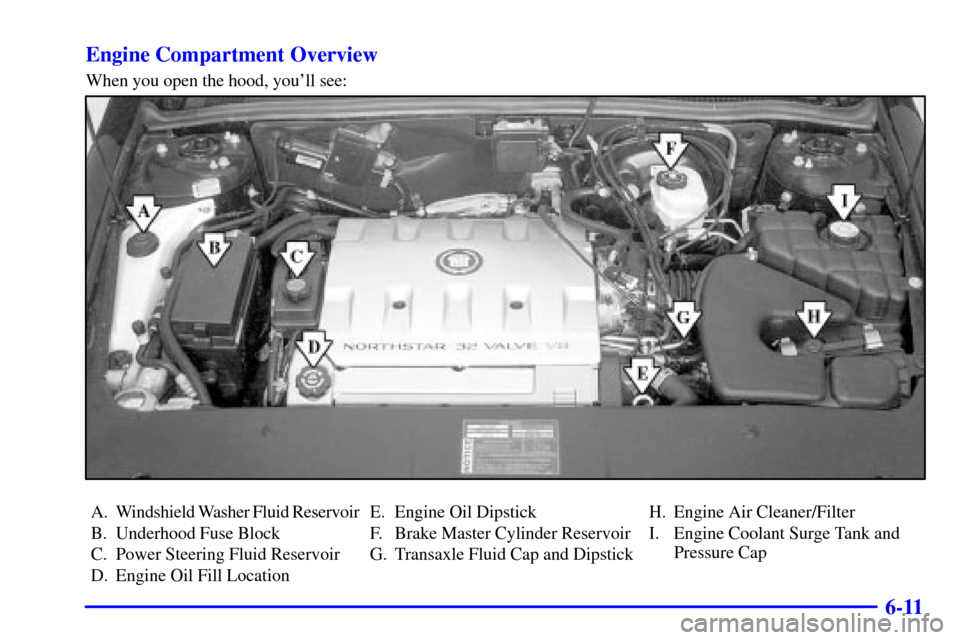
6-11 Engine Compartment Overview
When you open the hood, you'll see:
A. Windshield Washer Fluid Reservoir
B. Underhood Fuse Block
C. Power Steering Fluid Reservoir
D. Engine Oil Fill LocationE. Engine Oil Dipstick
F. Brake Master Cylinder Reservoir
G. Transaxle Fluid Cap and DipstickH. Engine Air Cleaner/Filter
I. Engine Coolant Surge Tank and
Pressure Cap