Page 80 of 399

2-23
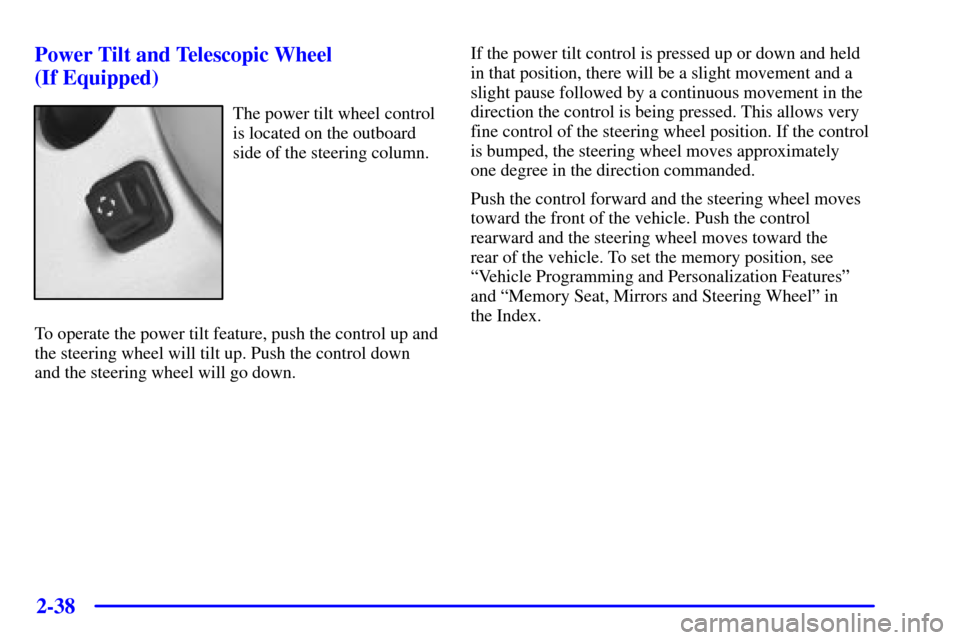
OFF: This is the only position in which you can insert
or remove the key. This position also locks the transaxle.
It's a theft
-deterrent feature.
ACC (Accessory): This position lets you use things
like the radio, windshield wipers, power windows and
sunroof (option) when the engine is off. Use ACC if you
must have your vehicle in motion while the engine is off
(for example, if your vehicle is being pushed or towed).
ON: This is the position for driving.
START: This position starts the engine.
Retained Accessory Power (RAP)
The following accessories on your vehicle may be used
for up to 10 minutes after the ignition key is turned
from ON to OFF:
�Cellular Phone (If Equipped)
�Radio
�Power Windows
�Audio Steering Wheel Controls
�Sunroof (Option)
Power to these accessories stops after 10 minutes or
if a door is opened. If you want power for another
10 minutes, close all the doors and turn the ignition key
to ON and then back to OFF. If the cellular phone is
being used while retained accessory power is active,
the timer is suspended to avoid interruption of the call.
The timer resets to 10 minutes at the end of the call.
Page 94 of 399
2-37
CAUTION:
It can be dangerous to get out of your vehicle if
the shift lever is not fully in PARK (P) with the
parking brake firmly set. Your vehicle can roll.
Don't leave your vehicle when the engine is
running unless you have to. If you've left the
engine running, the vehicle can move suddenly.
You or others could be injured. To be sure your
vehicle won't move, even when you're on fairly
level ground, always set your parking brake after
you move the shift lever to PARK (P).
Follow the proper steps to be sure your vehicle won't
move. See ªShifting Into PARK (P)º in the Index.
If you are parking on a hill and if you're pulling a
trailer, also see ªTowing a Trailerº in the Index.
Horn
The horn can be sounded by pressing on the center
of the steering wheel pad.
Tilt Wheel
A tilt wheel allows you to adjust the steering wheel
before you drive. You can raise the steering wheel to
the highest level to give your legs more room when
you enter and exit the vehicle.
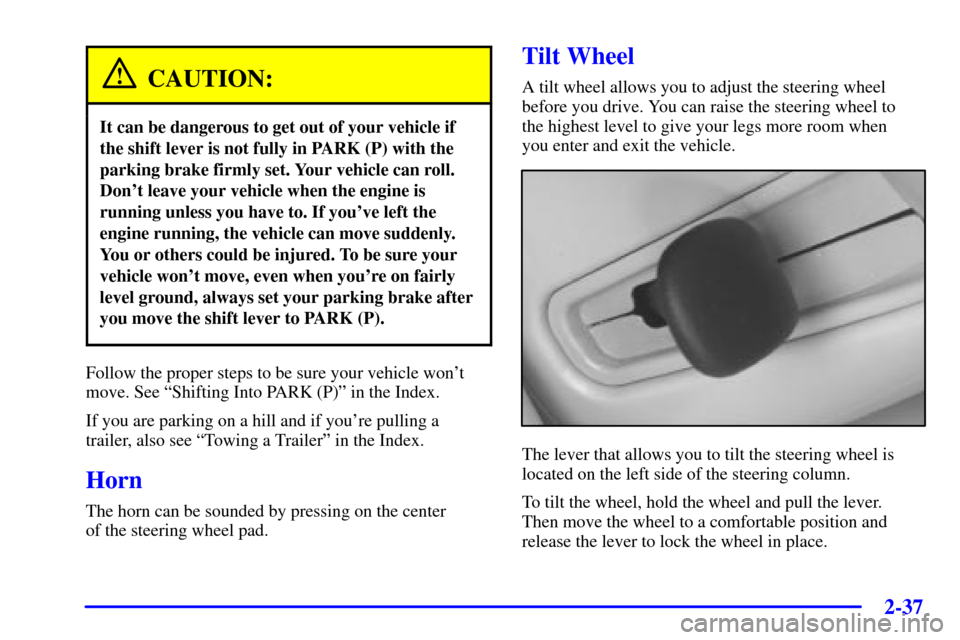
The lever that allows you to tilt the steering wheel is
located on the left side of the steering column.
To tilt the wheel, hold the wheel and pull the lever.
Then move the wheel to a comfortable position and
release the lever to lock the wheel in place.
Page 95 of 399
2-38 Power Tilt and Telescopic Wheel
(If Equipped)
The power tilt wheel control
is located on the outboard
side of the steering column.
To operate the power tilt feature, push the control up and
the steering wheel will tilt up. Push the control down
and the steering wheel will go down.If the power tilt control is pressed up or down and held
in that position, there will be a slight movement and a
slight pause followed by a continuous movement in the
direction the control is being pressed. This allows very
fine control of the steering wheel position. If the control
is bumped, the steering wheel moves approximately
one degree in the direction commanded.
Push the control forward and the steering wheel moves
toward the front of the vehicle. Push the control
rearward and the steering wheel moves toward the
rear of the vehicle. To set the memory position, see
ªVehicle Programming and Personalization Featuresº
and ªMemory Seat, Mirrors and Steering Wheelº in
the Index.
Page 96 of 399
2-39
Turn Signal/Multifunction Lever
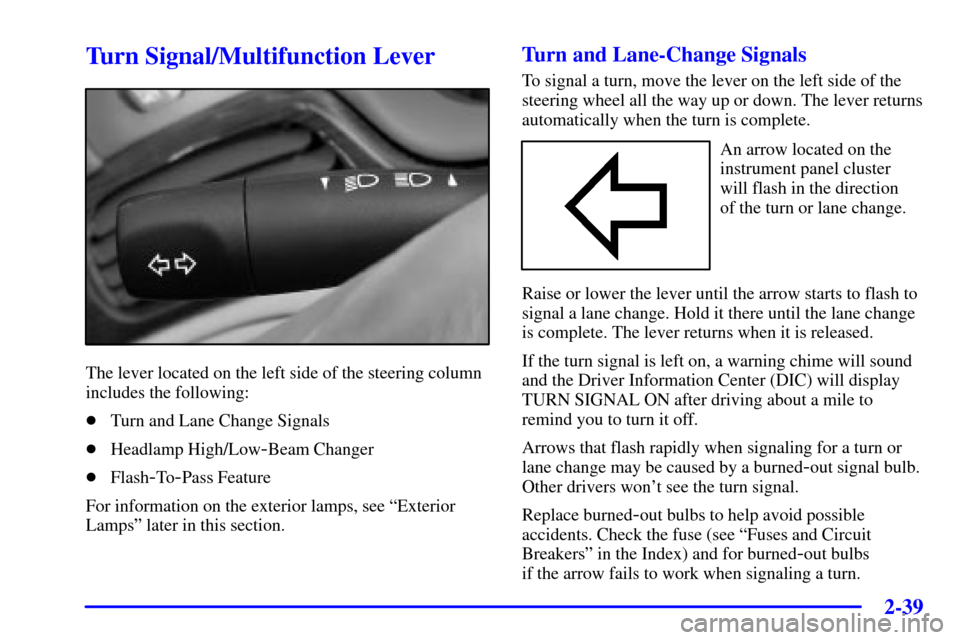
The lever located on the left side of the steering column
includes the following:
�Turn and Lane Change Signals
�Headlamp High/Low
-Beam Changer
�Flash
-To-Pass Feature
For information on the exterior lamps, see ªExterior
Lampsº later in this section.
Turn and Lane-Change Signals
To signal a turn, move the lever on the left side of the
steering wheel all the way up or down. The lever returns
automatically when the turn is complete.
An arrow located on the
instrument panel cluster
will flash in the direction
of the turn or lane change.
Raise or lower the lever until the arrow starts to flash to
signal a lane change. Hold it there until the lane change
is complete. The lever returns when it is released.
If the turn signal is left on, a warning chime will sound
and the Driver Information Center (DIC) will display
TURN SIGNAL ON after driving about a mile to
remind you to turn it off.
Arrows that flash rapidly when signaling for a turn or
lane change may be caused by a burned
-out signal bulb.
Other drivers won't see the turn signal.
Replace burned
-out bulbs to help avoid possible
accidents. Check the fuse (see ªFuses and Circuit
Breakersº in the Index) and for burned
-out bulbs
if the arrow fails to work when signaling a turn.
Page 98 of 399
2-41 Windshield Wipers
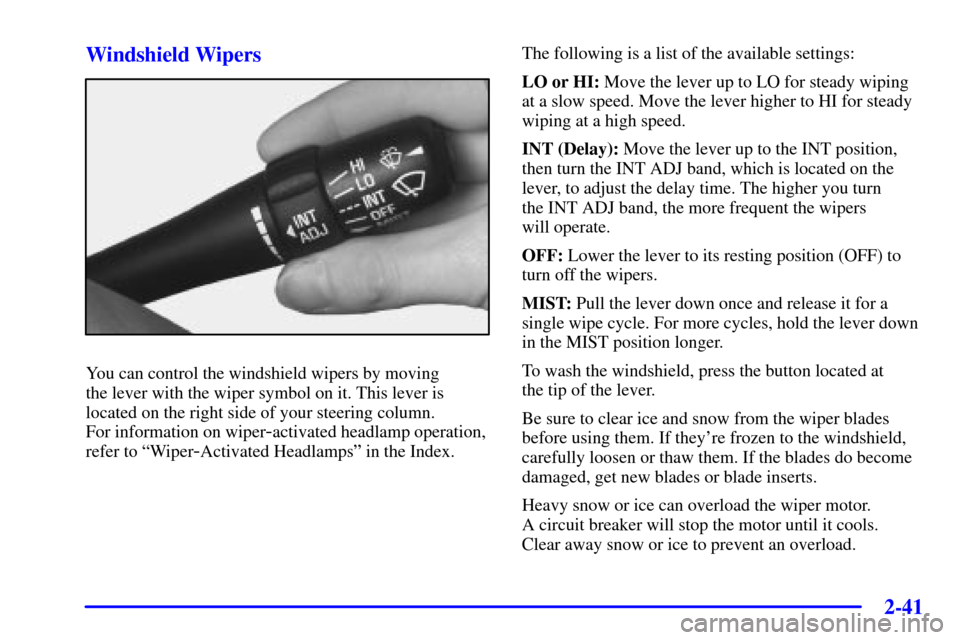
You can control the windshield wipers by moving
the lever with the wiper symbol on it. This lever is
located on the right side of your steering column.
For information on wiper
-activated headlamp operation,
refer to ªWiper
-Activated Headlampsº in the Index.The following is a list of the available settings:
LO or HI: Move the lever up to LO for steady wiping
at a slow speed. Move the lever higher to HI for steady
wiping at a high speed.
INT (Delay): Move the lever up to the INT position,
then turn the INT ADJ band, which is located on the
lever, to adjust the delay time. The higher you turn
the INT ADJ band, the more frequent the wipers
will operate.
OFF: Lower the lever to its resting position (OFF) to
turn off the wipers.
MIST: Pull the lever down once and release it for a
single wipe cycle. For more cycles, hold the lever down
in the MIST position longer.
To wash the windshield, press the button located at
the tip of the lever.
Be sure to clear ice and snow from the wiper blades
before using them. If they're frozen to the windshield,
carefully loosen or thaw them. If the blades do become
damaged, get new blades or blade inserts.
Heavy snow or ice can overload the wiper motor.
A circuit breaker will stop the motor until it cools.
Clear away snow or ice to prevent an overload.
Page 100 of 399
2-43 Windshield Washer
The windshield washer has both a ªdemandº mode and
a ªprogrammedº mode, depending on the amount of
windshield washer fluid you need.
CAUTION:
In freezing weather, don't use your washer until
the windshield is warmed. Otherwise the washer
fluid can form ice on the windshield, blocking
your vision.
To spray washer fluid on the windshield in the
programmed mode, press and release the button on
the tip of the lever. The washer will provide a measured
amount of fluid to the windshield and the wiper will
either stop or return to your original wiping speed.
To spray washer fluid on the windshield in the demand
mode, press and hold the button until you have enough
fluid, and the wipers will either stop or return to your
original wiping speed.
CHECK WASHER FLUID will be displayed on the
Driver Information Center (DIC) when the washer fluid
reaches a low level.
Cruise Control
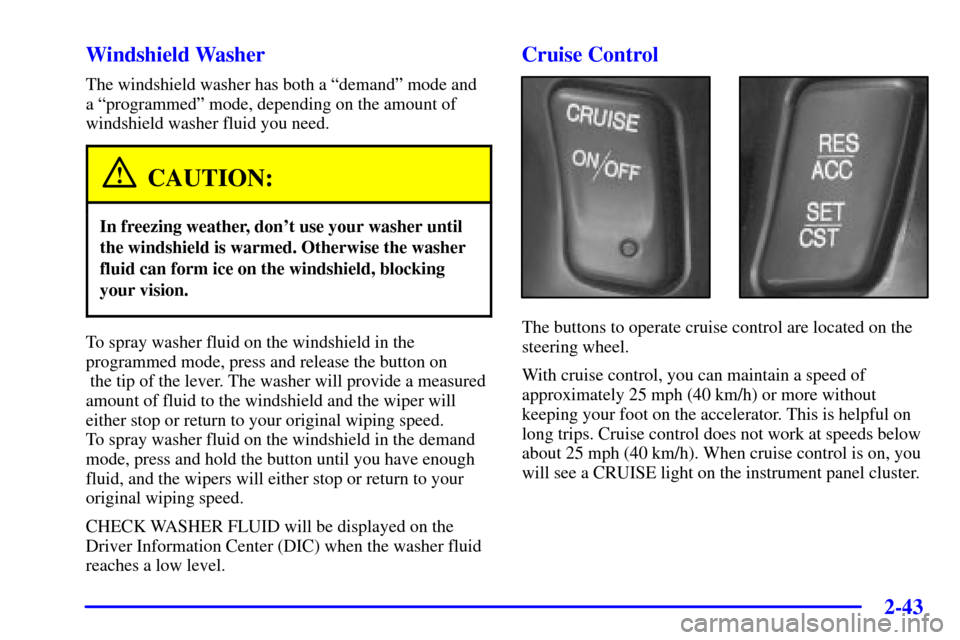
The buttons to operate cruise control are located on the
steering wheel.
With cruise control, you can maintain a speed of
approximately 25 mph (40 km/h) or more without
keeping your foot on the accelerator. This is helpful on
long trips. Cruise control does not work at speeds below
about 25 mph (40 km/h). When cruise control is on, you
will see a CRUISE light on the instrument panel cluster.
Page 101 of 399
2-44
When you apply your brakes, the cruise control shuts off.
CAUTION:
�Cruise control can be dangerous where
you can't drive safely at a steady speed.
So, don't use your cruise control on
winding roads or in heavy traffic.
�Cruise control can be dangerous on
slippery roads. On such roads, fast changes
in tire traction can cause needless wheel
spinning, and you could lose control.
Don't use cruise control on slippery roads.
If your vehicle is in cruise control when the traction
control system begins to limit wheel spin, the cruise
control will automatically disengage. See ªTraction
Control Systemº in the Index. When road conditions
allow you to safely use it again, you may turn the cruise
control back on.Setting Cruise Control
CAUTION:
If you leave your cruise control switch on when
you're not using cruise, you might hit a button
and go into cruise when you don't want to.
You could be startled and even lose control.
Keep the cruise control switch off until you
want to use cruise control.
1. Press CRUISE ON/OFF, located on the bottom
left of the steering wheel, to turn cruise control on.
An indicator light will come on to show that the
cruise control is on.
2. Get up to the speed you want.
3. Press SET/CST (coast) located on the bottom right
of the steering wheel. The CRUISE light will display
on the instrument panel cluster.
4. Remove your foot from the accelerator pedal.
Page 103 of 399
2-46
Using Cruise Control on Hills
How well your cruise control will work on hills depends
upon your speed, load and the steepness of the hills.
When going up steep hills, you may have to step on the
accelerator pedal to maintain your speed. When going
downhill, you may have to brake or shift to a lower gear
to keep your speed down. Applying the brake or shifting
into a lower gear will take you out of cruise control.
If you need to apply the brake or shift to a lower gear
due to the grade of the downhill slope, you may not
want to attempt to use your cruise control feature.
Ending Cruise Control
To turn off the cruise control, step lightly on the brake
pedal or CRUISE ON/OFF on the steering wheel.
Erasing Speed Memory
When you turn off the cruise control or the ignition,
your cruise control set speed memory is erased.Exterior Lamps
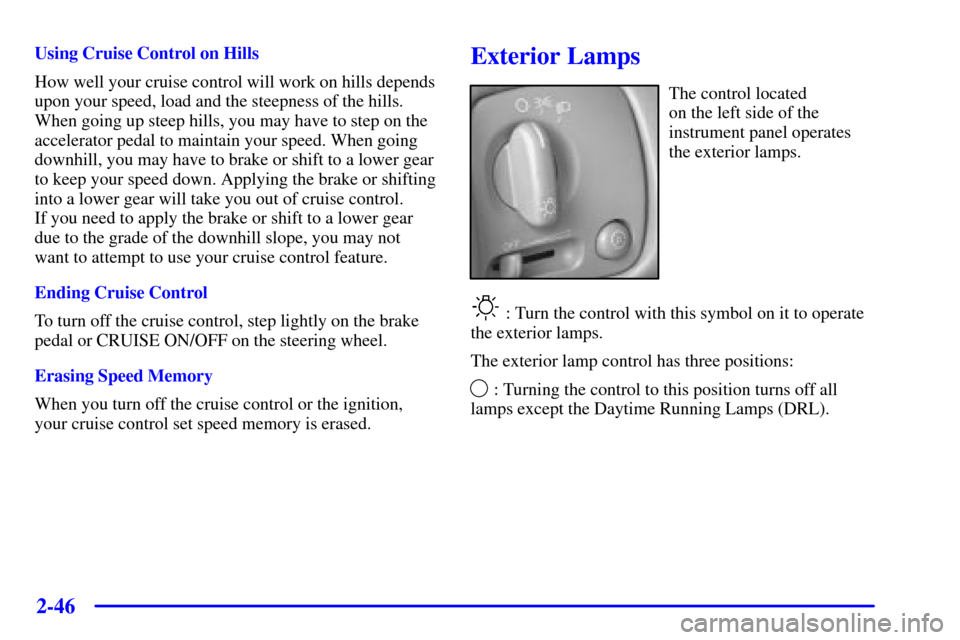
The control located
on the left side of the
instrument panel operates
the exterior lamps.
: Turn the control with this symbol on it to operate
the exterior lamps.
The exterior lamp control has three positions:
: Turning the control to this position turns off all
lamps except the Daytime Running Lamps (DRL).