Page 173 of 399
3-
3-1
Section 3 Comfort Controls and Audio Systems
In this section, you'll find out how to operate the comfort control and audio systems offered with your vehicle.
Be sure to read about the particular systems supplied with your vehicle.
3
-2 Comfort Controls
3
-2 Climate Control Panel
3
-6 Air Conditioning
3
-6 Heating
3
-6 Defogging and Defrosting
3
-7 Rear Window Defogger
3
-8 Ventilation System
3
-10 HVAC Steering Wheel Controls
3
-10 Climate Control Personalization (If Equipped)
3
-12 Audio Systems
3
-12 Setting the Clock
3
-12 AM-FM Stereo with Cassette Tape and
Compact Disc Player
3
-17 AM-FM Stereo with Cassette Tape and
Compact Disc Player with Radio Data
Systems (RDS), Digital Signal
Processing (DSP) and XM� Satellite
Radio Service (If Equipped)3
-27 Navigation/Radio System (Option)
3
-28 Console-Mounted CD Changer (Option)
3
-30 Radio Personalization with Home and
Away Feature (If Equipped)
3
-31 Theft-Deterrent Feature
3
-31 Audio Steering Wheel Controls
3
-32 Understanding Radio Reception
3
-33 Tips About Your Audio System
3
-34 Care of Your Cassette Tape Player
3
-35 Care of Your Compact Discs
3
-35 Care of Your Compact Disc Player
3
-36 Diversity Antenna System
3
-36 XM Satellite Radio Antenna (If Equipped)
Page 176 of 399

3-4
(Recirculation): Press this button to limit the
amount of outside air entering your vehicle. This is
helpful when you are trying to cool the air quickly or
limit odors entering your vehicle. Press this button again
to turn off the recirculation feature.
If you notice the windows fogging, press the
recirculation button to exit the recirculation mode.
Recirculation is not available in the defrost mode.
A/C (Air Conditioning): Press this button to turn the
air conditioning compressor on and off. The system will
cool and dehumidify the air inside the vehicle.
When the compressor is off, A/C OFF appears on the
climate control panel display. Press the button again and
the compressor will turn back on.
The A/C OFF feature is not available in the
defrost mode.
AUTO (Automatic): The AUTO button will turn on the
system and automatically adjust the fan speed, air
delivery mode and temperature to your previously
programmed settings.When the system is set for automatic operation, sensors
will control the air delivery mode. Air will come from
the floor ducts, the instrument panel or windshield
outlets. The fan speed will vary as the system maintains
the selected temperature setting.
To find your comfort zone, start with the 75�F (24�C)
setting and allow about 30 minutes for the system to
regulate. Turn the TEMP knob to adjust the temperature if
necessary. If you choose 60�F (16�C), the system will
remain at that maximum cooling setting and will not
regulate fan speed. If you choose 90�F (32�C), the system
will remain at that maximum heating setting and will not
regulate fan speed. Choosing either maximum setting will
not cause the system to heat or cool any faster.
With the automatic setting, the air conditioning
compressor cycles on and off when needed to cool the
air. In cold weather, when the system senses the need for
heat, the airflow will be directed out the floor ducts. As
the interior temperature approaches a desired setting, the
fan speed will decrease. To maintain interior comfort,
the airflow may move to the instrument panel air outlets
and floor ducts. On bright sunny days in cold weather,
the airflow may come out of the instrument panel outlets
to maintain comfort and prevent stuffiness.
Page 178 of 399

3-6 Air Conditioning
On hot days, open the windows long enough to let hot
inside air escape. This reduces the time it takes for your
vehicle to cool down. Then keep your windows closed
for the air conditioner to work its best. Your A/C setting
may be adjusted automatically or manually. It may also
be set separately on the passenger's side from the
driver's side. See ªClimate Control Panelº earlier in this
section for more information.
Heating
Adjust the interior temperature to a comfortable level.
If the fan speed needs adjusting, press the up or down
arrow on the fan switch. Adjusting the fan speed will
cancel the cold air delay.
Outside air will be brought in and sent through the floor
ducts and the instrument panel outlets. The heater works
best if you keep your windows closed while using it. In
automatic operation, your fan will not run at high speed
to minimize warm
-up time.
Defogging and Defrosting
Use FRONT (defrost) on cool and humid days to keep
the windshield and side windows clear. This setting will
remove fog or ice from the windshield quickly in
extremely humid or cold conditions. If you desire to
have more air on your feet, turn the control to the defog
mode. You may do this by pressing the right or left
arrow on the MODE button.
Press the up or down arrow on the fan switch to control
the fan speed. You may also adjust the temperature by
turning a TEMP knob.
Recirculation and the A/C OFF feature are not available
in the defrost mode.
Page 182 of 399
3-10 HVAC Steering Wheel Controls
(If Equipped)
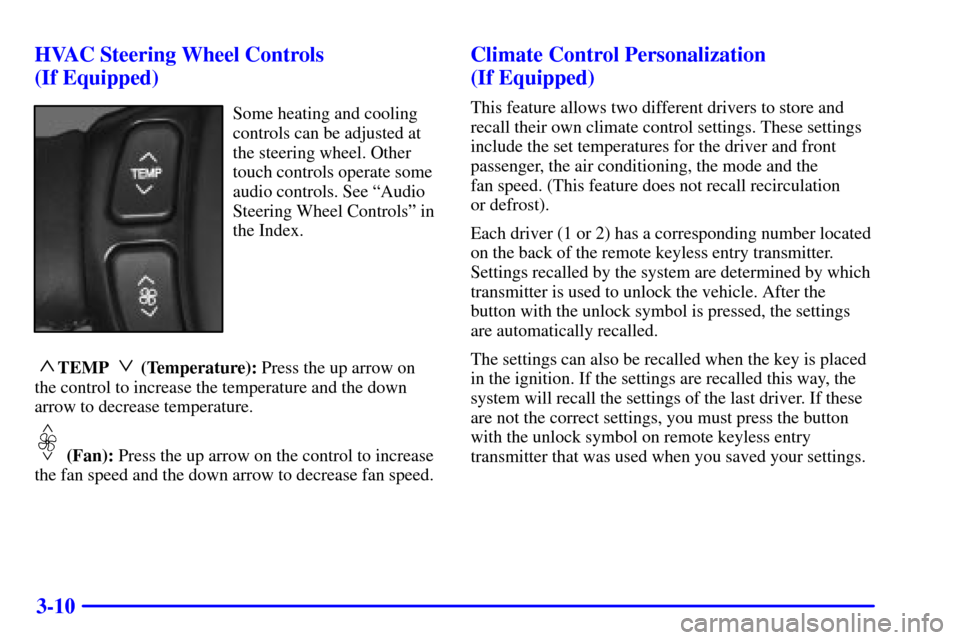
Some heating and cooling
controls can be adjusted at
the steering wheel. Other
touch controls operate some
audio controls. See ªAudio
Steering Wheel Controlsº in
the Index.
~TEMP !(Temperature): Press the up arrow on
the control to increase the temperature and the down
arrow to decrease temperature.
!~
(Fan): Press the up arrow on the control to increase
the fan speed and the down arrow to decrease fan speed.
Climate Control Personalization
(If Equipped)
This feature allows two different drivers to store and
recall their own climate control settings. These settings
include the set temperatures for the driver and front
passenger, the air conditioning, the mode and the
fan speed. (This feature does not recall recirculation
or defrost).
Each driver (1 or 2) has a corresponding number located
on the back of the remote keyless entry transmitter.
Settings recalled by the system are determined by which
transmitter is used to unlock the vehicle. After the
button with the unlock symbol is pressed, the settings
are automatically recalled.
The settings can also be recalled when the key is placed
in the ignition. If the settings are recalled this way, the
system will recall the settings of the last driver. If these
are not the correct settings, you must press the button
with the unlock symbol on remote keyless entry
transmitter that was used when you saved your settings.
Page 248 of 399

4-40 Driving On Grades
Reduce speed and shift to a lower gear before you start
down a long or steep downgrade. If you don't shift
down, you might have to use your brakes so much that
they would get hot and no longer work well.
On long uphill grades, reduce speed to 45 to 50 mph
(70 to 90 km/h) and avoid prolonged use of
SECOND (2) gear and engine speeds above 3800 rpm.
Climbing grades steeper than four percent at
temperatures above 90�F (32�C) with a loaded
vehicle and trailer is not recommended. The cooling
system may temporarily overheat. See ªEngine
Overheatingº in the Index.
Parking on Hills
CAUTION:
You really should not park your vehicle, with a
trailer attached, on a hill. If something goes
wrong, your rig could start to move. People can
be injured, and both your vehicle and the trailer
can be damaged.
But if you ever have to park your rig on a hill, here's
how to do it:
1. Apply your regular brakes, but do not shift
into PARK (P).
2. Have someone place chocks behind the
trailer wheels.
3. When the wheel chocks are in place, release the
regular brakes until the chocks absorb the load.
4. Reapply the regular brakes. Then shift into
PARK (P) firmly and apply your parking brake.
5. Release the regular brakes.
Page 249 of 399

4-41 When You Are Ready to Leave After
Parking on a Hill
1. Apply your regular brakes and hold the pedal down
while you:
�start your engine,
�shift into a gear, and
�make sure the parking brake has released.
2. Let up on the brake pedal.
3. Drive slowly until the trailer is clear of the chocks.
4. Stop and have someone pick up and store the chocks.
Maintenance When Trailer Towing
Your vehicle will need service more often when you're
pulling a trailer. See the Maintenance Schedule for more
on this. Things that are especially important in trailer
operation are automatic transaxle fluid (don't overfill),
engine oil, drive belt, cooling system and brake system.
Each of these is covered in this manual, and the Index
will help you find them quickly. If you're trailering, it's
a good idea to review this information before you start
your trip.
Check periodically to see that all hitch nuts and bolts
are tight.
Engine Cooling When Trailer Towing
Your cooling system may temporarily overheat during
severe operating conditions. See ªEngine Overheatingº
in the Index.
Page 250 of 399
5-
5-1
Section 5 Problems on the Road
Here you'll find what to do about some problems that can occur on the road.
5
-2 Hazard Warning Flashers
5
-3 Other Warning Devices
5
-3 Jump Starting
5
-10 Towing Your Vehicle
5
-10 Engine Overheating5
-13 Cooling System
5
-20 If a Tire Goes Flat
5
-20 Changing a Flat Tire
5
-31 Compact Spare Tire
5
-32 If You're Stuck: In Sand, Mud, Ice or Snow
Page 259 of 399
5-10
Towing Your Vehicle
Consult your dealer or a professional towing service
if you need to have your disabled vehicle towed. See
ªRoadside Assistanceº in the Index. If you want to
tow your vehicle behind another vehicle for recreational
purposes (such as behind a motorhome), see
ªRecreational Vehicle Towingº in the Index.
Engine Overheating
You will find an ENGINE COOLANT HOT, IDLE
ENGINE message or an ENGINE OVERHEATED,
STOP ENGINE message on the Driver Information
Center (DIC). There is also an engine temperature
warning light and/or gage on the instrument panel.
See ªEngine Coolant Temperature Warning Lightº or
ªEngine Coolant Temperature Gageº in the Index.
Overheated Engine Protection
Operating Mode
If an overheated engine condition exists and the message
ENGINE OVERHEATED, STOP ENGINE is displayed,
an overheat protection mode which alternates firing
groups of cylinders helps prevent engine damage. In this
mode, you will notice a loss in power and engine
performance. This operating mode allows your vehicle
to be driven to a safe place in an emergency; you may
drive up to 50 miles (80 km). Driving extended miles
(km) and/or towing a trailer in the overheat protection
mode should be avoided.
NOTICE:
After driving in the overheated engine protection
operating mode, to avoid engine damage, allow
the engine to cool before attempting any repair.
The engine oil will be severely degraded. Repair
the cause of coolant loss, change the oil and reset
the oil life system. See ªEngine Oilº in the Index.