Page 130 of 427
2-64
Top-Box Storage
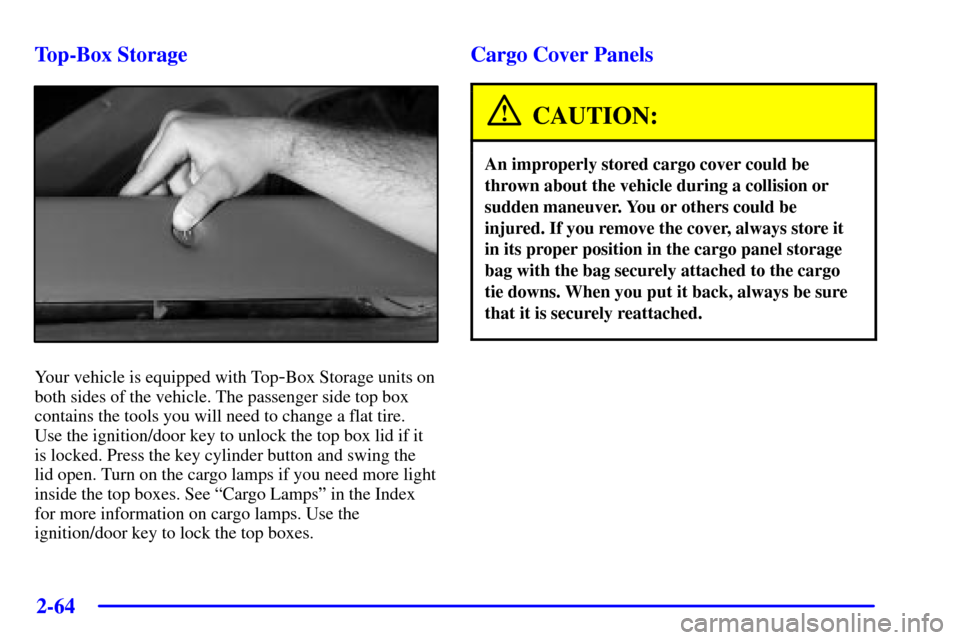
Your vehicle is equipped with Top-Box Storage units on
both sides of the vehicle. The passenger side top box
contains the tools you will need to change a flat tire.
Use the ignition/door key to unlock the top box lid if it
is locked. Press the key cylinder button and swing the
lid open. Turn on the cargo lamps if you need more light
inside the top boxes. See ªCargo Lampsº in the Index
for more information on cargo lamps. Use the
ignition/door key to lock the top boxes.
Cargo Cover Panels
CAUTION:
An improperly stored cargo cover could be
thrown about the vehicle during a collision or
sudden maneuver. You or others could be
injured. If you remove the cover, always store it
in its proper position in the cargo panel storage
bag with the bag securely attached to the cargo
tie downs. When you put it back, always be sure
that it is securely reattached.
Page 131 of 427
2-65
NOTICE:
The cargo covers are designed to support 250 lbs.
(113 kg) each on top of them. Exceeding the
weight limit can damage the cargo covers.
This damage would not be covered by your
vehicle's warranty.
Your vehicle is equipped with a three-piece cargo cover
system. The cargo panels can be removed and stored in the
cargo area of the vehicle with the cargo panel storage bag.
To remove a cargo panel(s), do the following:
1. Lower the tailgate. Use the ignition/door key to
unlock the tailgate if it is locked. See ªTailgateº in
the Index for more information on the tailgate.
Before removing the cargo panel(s), notice the
numbers embossed on the upper center portion of
each panel. The panels are labeled 1, 2 and 3. There
are also numbered labels on the bottom of the panels.
The numbers on the top and bottom of the panels
will be used as reference when removing, storing and
reinstalling the panels.
Page 147 of 427

2-81
Your vehicle has a Center High-Mounted Stoplamp
(CHMSL) located above the rear glass.
If items are loaded on the roof of the vehicle, care should
be taken not to block or damage the CHMSL unit.
Ashtray and Cigarette Lighter
The ashtray is located in the center console. Press the
raised area on the access door to use the ashtray.
NOTICE:
If you store paper or other things that burn in
your ashtray, they could be set on fire by
cigarettes or other smoking materials. That could
cause a fire and possibly damage your vehicle.
Do not store papers and other things that burn
in your ashtray.
To remove the ashtray, first locate the indentation on the
right side of the ashtray. Then place your fingertip in the
indentation and pry the ashtray out.
To use the cigarette lighter, push it in all the way, and let
go. When it's ready, it will pop back out by itself.
NOTICE:
Holding a cigarette lighter in with your hand
while it's heating can make it overload, damaging
the lighter and the heating element. Just push the
lighter all the way in and let go. When it's done,
it will pop back by itself.
Page 148 of 427
2-82
Sun Visors
To block out glare, you can swing down the visors. You
can also swing them out to help block glare at the front
and side windows.
Illuminated Visor Vanity Mirrors
Pull the sunvisor down and lift the mirror cover to turn
on the lamps. There is a slide switch to adjust the
intensity of the lamps.
Accessory Power Outlets
With accessory power outlets you can power auxiliary
electrical equipment such as a cellular telephone or
CB radio.
Your vehicle is equipped with many accessory
power outlets.
One outlet is located on the instrument panel near the
analog clock. Lift up the door to access the power outlet.
There are also two power outlets located on the back of
the center console. Lift up the door to access the outlets.
NOTICE:
Adding some electrical equipment to your vehicle
can damage it or keep other things from working
as they should. This wouldn't be covered by your
warranty. Check with your dealer before adding
anything that exceeds the amperage rating.
Page 152 of 427

2-86
�Remote Door Unlock: To contact the center, call
1
-888-4-ONSTAR. You will be required to provide
your security information. An advisor will send a
command to your vehicle to unlock itself. The
advisor can delay unlocking your vehicle. Remote
Door Unlock is disabled 48 hours after the vehicle is
parked to maintain the battery charge.
�Vehicle Locator Service: To contact the center, call
1
-888-4-ONSTAR. You will be required to provide
your security information. An advisor will send a
command to your vehicle to sound the horn and/or
flash the lamps.
�Route Support: An advisor can provide directions
or guidance to most places you want to go.
In addition, they can help you locate gas stations,
rest areas, ATMs, hospitals, hotels, stores, eateries
and more.
�Ride Assist: An advisor can locate transportation in
the event that you are unable to drive.
�Concierge Services: The concierge advisor can
obtain tickets, reservations or help with vacation/trip
planning and other unique items and services.
OnStar System Limitations
Complete limitations can be found on the subscriber
services agreement.
In order to provide you with excellent service, calls with
the OnStar Center may be monitored or recorded.
OnStar Service is:
�available in the 48 contiguous United States, Alaska,
Hawaii and Canada;
�available when the vehicle is within the operating
range of a cellular provider;
�subject to limitations caused by atmospheric
conditions, such as severe weather or topographical
conditions, such as mountainous terrain.
�subject to cellular carrier equipment limitations.
Global positioning capabilities will not be available if
satellite signals are obstructed.
OnStar will not function if the vehicle's battery is
discharged or disconnected. It may also be inoperative
if the vehicle is in an accident and the OnStar or vehicle
electrical system components are damaged.
Some OnStar services are provided by existing
governmental emergency service providers. OnStar will
receive your call and use reasonable effort to contact an
appropriate provider. OnStar cannot promise that the
providers will respond in a timely manner or at all.
Page 186 of 427

2-120
Menu
Press the MENU button to choose a feature you would
like to personalize (the features are listed below). Each
press of the button will display a new item that can be
personalized. Use the arrow button to choose the setting
you would like to use within the chosen feature.
For example: Say you would like to personalize the
automatic door locks so that the automatic locking
feature is disabled. You would do the following:
1. First press the MENU button until you reach the
AUTOMATIC DOOR LOCK screen.
2. Next, press the arrow button until you find the
DISABLED setting.
3. The setting is now actually set without having to
do anything else. You can do one of three things at
this point:
�You can leave the personalization mode by
pressing FUEL or TRIP. The SIC will then
display the day/date.�You can just let the SIC exit the personalization
mode on its own by waiting approximately
15 seconds without touching any buttons.
The SIC will then display the day/date.
�Or you can press the MENU key to move on to
the next programmable feature.
The following is a list of the personal settings that can
be changed:
Automatic Door Lock
�Enabled: Doors automatically lock when vehicle is
shifted out of PARK (P).
�Disabled: Doors do not lock automatically.
Automatic Door Unlock
�Driver: Driver's door unlocks when the vehicle is
shifted into PARK (P).
�All: All doors unlock when the vehicle is shifted
into PARK (P).
�Disabled: Doors do not unlock automatically.
Page 190 of 427
2-124
Language and Personalization Reset
1. Press and hold the MENU button. After two seconds,
the display will begin cycling through the languages
at one second intervals. Release the MENU button
when the desired language is displayed.
2. The previous action will also reset the
personalization values to their factory default
settings which are as follows.
�Automatic Door Lock: Enabled
�Automatic Door Unlock: All
�Remote Lock Feedback: Horn
�Remote Unlock Feedback: Lamps
�Headlamp Delay: 30 seconds
�Perimeter Lamps: Enabled
�Memory Position Recall: Key In
�Exit Position of Seat: Enabled
�Mirror Reverse Tilt: Passenger
�Alarm Warning: Horn and Lamps
�Display Units: EnglishUltrasonic Rear Parking Assist (URPA)
Ultrasonic Rear Parking Assist can help you to
determine how close an object is to your rear bumper
within a given area, making parking easier.
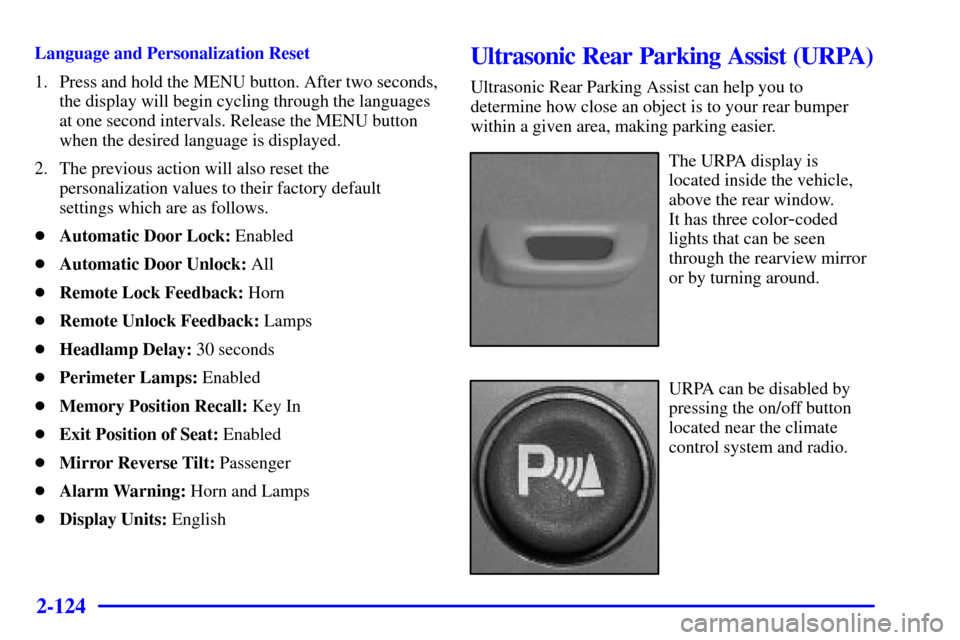
The URPA display is
located inside the vehicle,
above the rear window.
It has three color
-coded
lights that can be seen
through the rearview mirror
or by turning around.
URPA can be disabled by
pressing the on/off button
located near the climate
control system and radio.
Page 297 of 427
5-22
To remove the tools, do the following:
1. Open the top door on the passenger's side Top
-Box
Storage unit. Use the ignition/door key to unlock it
if it is locked. See ªTop
-Boxº in the Index for more
information on the Top
-Box Storage unit.
To p-Box Storage Unit (Passenger Side)
2. Remove the black pouch from the Top
-Box.
You now have all of the tools you will need to lower
the spare tire and change a flat.You'll use the jack handle extensions and the wheel
wrench to remove the underbody
-mounted spare tire.
A. Spare Tire
B. Hoist Assembly
C. Hoist Cable
D. Tire Retainer
E. Hoist Shaft
F. Hoist End of
Extension ToolG. Hoist Shaft
Access Hole
H. Wheel Wrench
I. Jack Handle
Extensions
J. Hoist Lock