Page 125 of 368

2-61
(Emergency Button): In an emergency situation,
press the emergency service button. Upon receiving the
call, an advisor at the center will locate your vehicle and
assess the situation. If necessary, the advisor will alert
the nearest emergency service provider.
(Communication Button): Press this button at
the end of a call. Also press this button to answer a
call from the center, or cancel a call if one of the other
buttons is accidentally pressed. This button is also
used to access OnStar Personal Calling and Virtual
Advisor services. See the OnStar owner package for
more information.
(Volume Control): You can control the volume
of the OnStar System using either the volume knob
on the radio or using the steering wheel volume control
(If equipped).
(Telltale Light): This light will indicate the status
of the system. A solid green light will come on when
you start the vehicle to let you know that the system is
on and is ready to make or receive calls.If the light blinks green it means that an incoming or
outgoing call is in progress. Press the Communication
button if you notice the light blinking and you are not
on a call.
The light will be red in the event of an OnStar system
malfunction. If this occurs press the OnStar button to
attempt to contact an advisor. If the connection is made,
the advisor will assist you with steps to take to make
sure that the system is functioning properly. If you
cannot contact the advisor, take your vehicle to your
dealership as soon as possible for assistance.
Cellular Antenna
The cellular antenna on the outside of your vehicle is
critical to effective communications using the OnStar
system. Optimum cellular reception can be obtained
when the mast is straight up and down.
Page 129 of 368
2-65
The Instrument Panel -- Your Information System
The main components of the instrument panel are the following:
A. Exterior Lamps Control
B. Turn Signal/Multifunction Lever
C. Instrument Panel Cluster
D. Audio Steering Wheel Controls
(If Equipped)E. Air Vents
F. Side Window Defogger Vent
G. Hood Release
H. Tilt Wheel Lever
I. HornJ. Audio System
K. Ashtray
L. Climate Control
M. Glove Box
N. Instrument Panel Fuse Block
Page 147 of 368
2-83
3800 V6 Supercharged Engine
Control Buttons
The Driver Information Center has three buttons that
control its functions.
The English/Metric (E/M), RESET and MODE
buttons for the Driver Information Center are located to
the left of the steering wheel, just below the instrument
panel cluster.
E/M (English/Metric): Press this button to change
the display from English to metric units or metric
to English.
RESET: Press this button for one second to reset the
mode displayed.
MODE: Press this button to change the mode
being displayed.
Page 149 of 368
3-
3-1
Section 3 Comfort Controls and Audio Systems
In this section, you'll find out how to operate the comfort control and audio systems offered with your vehicle.
Be sure to read about the particular systems supplied with your vehicle.
3
-2 Comfort Controls
3
-2 Dual ComforTemp� Climate Control
3
-4 Dual Automatic ComforTemp� Climate
Control (If Equipped)
3
-7 Defogging and Defrosting
3
-8 Rear Window Defogger
3
-9 Ventilation System
3
-10 Audio Systems
3
-10 Setting the Clock
3
-10 AM-FM Stereo with Cassette Tape Player and
Automatic Tone Control3
-15 AM-FM Stereo with Cassette Tape and
Compact Disc Player with Automatic
Tone Control (If Equipped)
3
-21 Theft-Deterrent Feature (If Equipped)
3
-23 Audio Steering Wheel Controls (If Equipped)
3
-24 Understanding Radio Reception
3
-24 Tips About Your Audio System
3
-25 Care of Your Cassette Tape Player
3
-26 Care of Your Compact Discs
3
-26 Care of Your Compact Disc Player
3
-26 Backglass Antenna
3
-27 Diversity Antenna System (If Equipped)
Page 171 of 368

3-23 Audio Steering Wheel Controls
(If Equipped)
If your vehicle has this feature, you can control certain
radio functions using the buttons on your steering wheel.
� SEEK �: Press the up or down arrow to seek to the
next or previous radio station.
If a cassette tape or compact disc is playing, the player
will advance to the next or previous selection.SCAN: Press this button and SCAN will appear on
the display. The radio will scan to the first preset station
on your pushbuttons, play for a few seconds, then go to
the next preset station. The radio will scan preset
stations with a strong signal only. Press SCAN again to
stop scanning.
AM FM: Press this button to choose AM, FM1 or FM2.
If a cassette tape or compact disc is playing, press this
button to listen to the radio.
SRCE (Source): Press this button to change to
playing a cassette tape or compact disc when listening to
the radio.
MUTE: Press this button to silence the audio system.
Press it again to turn on the sound.�VOL (Volume)�: Press the up or down arrow to
increase or decrease volume.
Page 184 of 368
4-9
Remember: Anti-lock doesn't change the time you need
to get your foot up to the brake pedal or always decrease
stopping distance. If you get too close to the vehicle in
front of you, you won't have time to apply your brakes
if that vehicle suddenly slows or stops. Always leave
enough room up ahead to stop, even though you have
anti
-lock brakes.
Using Anti
-Lock
Don't pump the brakes. Just hold the brake pedal down
firmly and let anti
-lock work for you. You may feel a
slight brake pedal pulsation or notice some noise, but
this is normal.
Braking in Emergencies
With anti-lock, you can steer and brake at the same
time. In many emergencies, steering can help you more
than even the very best braking.
Full-Range Traction Control System
(With 3800 Supercharged V6 Engine)
Your vehicle has a Full Range Traction Control System
that limits wheel spin. This is especially useful in
slippery road conditions. The system operates only if it
senses that one or both of the front wheels are spinning
or beginning to lose traction. When this happens, the
system works the front brakes and reduces engine power
to limit wheel spin.
The low traction light
will come on when the
traction control system
is limiting wheel spin.
See ªLow Traction
Lightº in the Index.
You may feel or hear the system working, but this
is normal.
Page 187 of 368
4-12
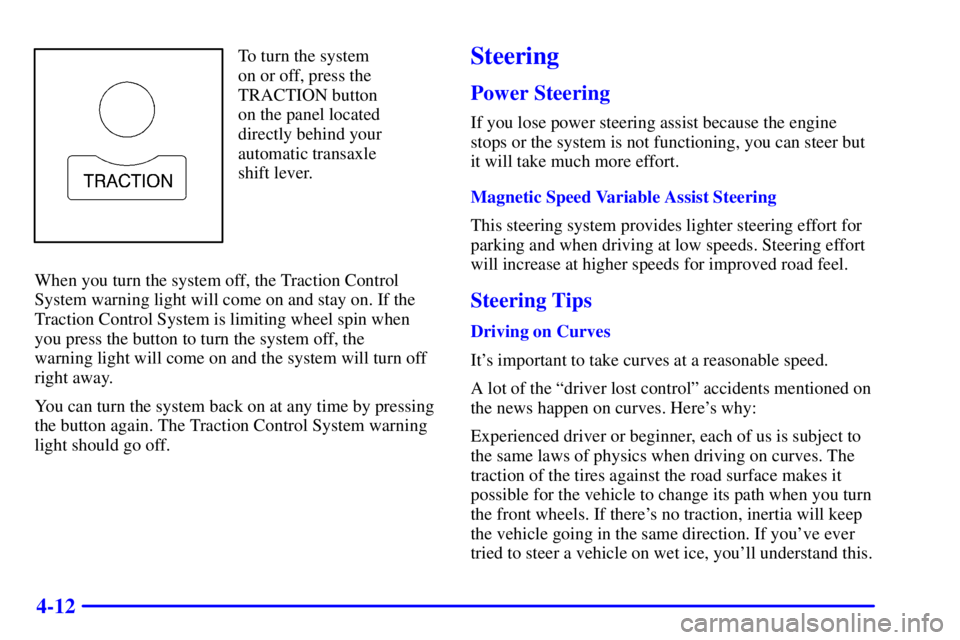
To turn the system
on or off, press the
TRACTION button
on the panel located
directly behind your
automatic transaxle
shift lever.
When you turn the system off, the Traction Control
System warning light will come on and stay on. If the
Traction Control System is limiting wheel spin when
you press the button to turn the system off, the
warning light will come on and the system will turn off
right away.
You can turn the system back on at any time by pressing
the button again. The Traction Control System warning
light should go off.Steering
Power Steering
If you lose power steering assist because the engine
stops or the system is not functioning, you can steer but
it will take much more effort.
Magnetic Speed Variable Assist Steering
This steering system provides lighter steering effort for
parking and when driving at low speeds. Steering effort
will increase at higher speeds for improved road feel.
Steering Tips
Driving on Curves
It's important to take curves at a reasonable speed.
A lot of the ªdriver lost controlº accidents mentioned on
the news happen on curves. Here's why:
Experienced driver or beginner, each of us is subject to
the same laws of physics when driving on curves. The
traction of the tires against the road surface makes it
possible for the vehicle to change its path when you turn
the front wheels. If there's no traction, inertia will keep
the vehicle going in the same direction. If you've ever
tried to steer a vehicle on wet ice, you'll understand this.
Page 188 of 368

4-13
The traction you can get in a curve depends on the
condition of your tires and the road surface, the angle
at which the curve is banked, and your speed. While
you're in a curve, speed is the one factor you
can control.
Suppose you're steering through a sharp curve.
Then you suddenly accelerate. Both control
systems
-- steering and acceleration -- have to do their
work where the tires meet the road. Adding the sudden
acceleration can demand too much of those places. You
can lose control. Refer to ªFull Range Traction Control
Systemº or ªTraction Control Systemº in the Index.
What should you do if this ever happens? Ease up on the
accelerator pedal, steer the vehicle the way you want it
to go, and slow down.
Speed limit signs near curves warn that you should
adjust your speed. Of course, the posted speeds are
based on good weather and road conditions. Under less
favorable conditions you'll want to go slower.
If you need to reduce your speed as you approach a
curve, do it before you enter the curve, while your front
wheels are straight ahead.Try to adjust your speed so you can ªdriveº through
the curve. Maintain a reasonable, steady speed. Wait
to accelerate until you are out of the curve, and then
accelerate gently into the straightaway.
Steering in Emergencies
There are times when steering can be more effective
than braking. For example, you come over a hill and
find a truck stopped in your lane, or a car suddenly pulls
out from nowhere, or a child darts out from between
parked cars and stops right in front of you. You can
avoid these problems by braking
-- if you can stop
in time. But sometimes you can't; there isn't room.
That's the time for evasive action
-- steering around
the problem.
Your vehicle can perform very well in emergencies like
these. First apply your brakes. See ªBraking in
Emergenciesº earlier in this section. It is better to
remove as much speed as you can from a possible
collision. Then steer around the problem, to the left or
right depending on the space available.

