Page 37 of 357
1-31
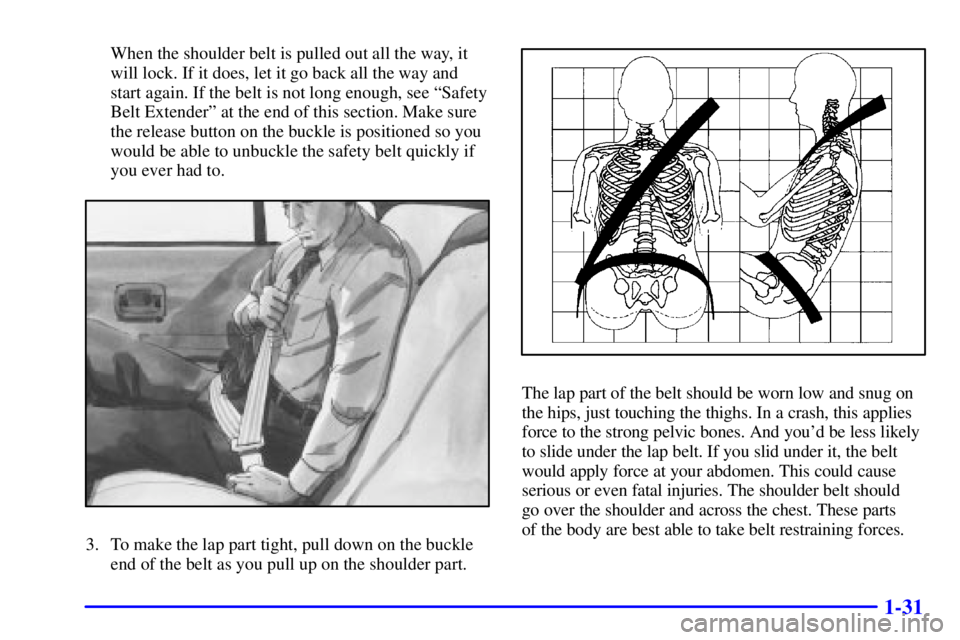
When the shoulder belt is pulled out all the way, it
will lock. If it does, let it go back all the way and
start again. If the belt is not long enough, see ªSafety
Belt Extenderº at the end of this section. Make sure
the release button on the buckle is positioned so you
would be able to unbuckle the safety belt quickly if
you ever had to.
3. To make the lap part tight, pull down on the buckle
end of the belt as you pull up on the shoulder part.
The lap part of the belt should be worn low and snug on
the hips, just touching the thighs. In a crash, this applies
force to the strong pelvic bones. And you'd be less likely
to slide under the lap belt. If you slid under it, the belt
would apply force at your abdomen. This could cause
serious or even fatal injuries. The shoulder belt should
go over the shoulder and across the chest. These parts
of the body are best able to take belt restraining forces.
Page 38 of 357
1-32
The safety belt locks if there's a sudden stop or a crash,
or if you pull the belt very quickly out of the retractor.
CAUTION:
You can be seriously hurt if your shoulder belt is
too loose. In a crash, you would move forward
too much, which could increase injury. The
shoulder belt should fit against your body.
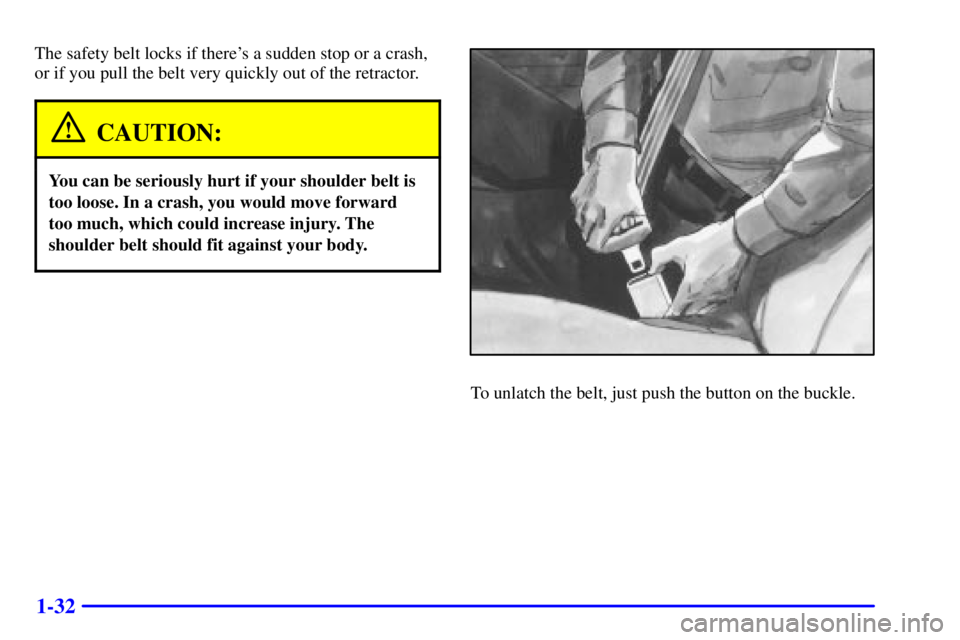
To unlatch the belt, just push the button on the buckle.
Page 54 of 357
1-48
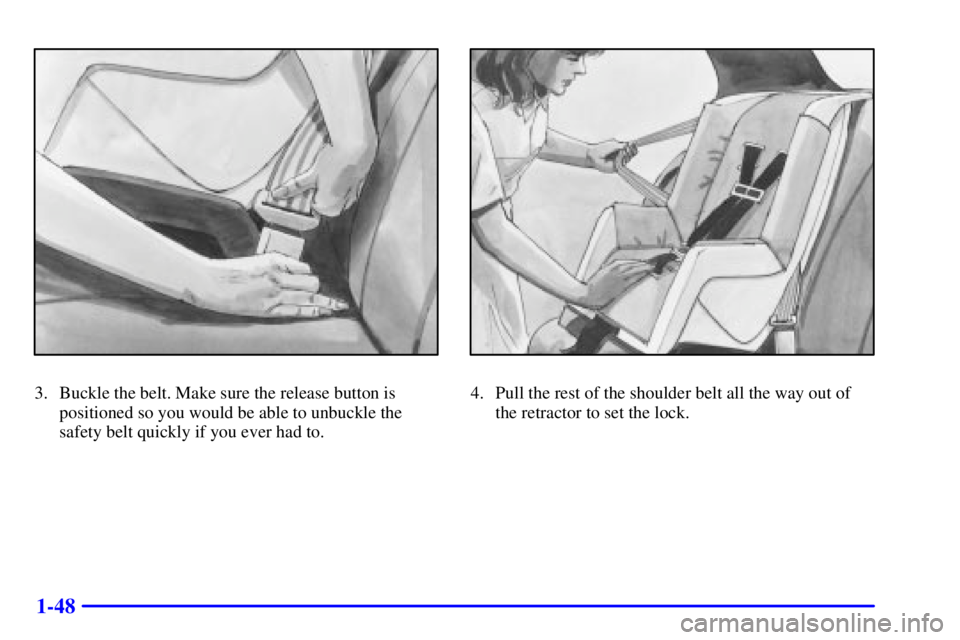
3. Buckle the belt. Make sure the release button is
positioned so you would be able to unbuckle the
safety belt quickly if you ever had to.4. Pull the rest of the shoulder belt all the way out of
the retractor to set the lock.
Page 59 of 357
1-53
3. Pick up the latch plate, and run the lap and shoulder
portions of the vehicle's safety belt through or
around the restraint. The child restraint instructions
will show you how.
Tilt the latch plate to adjust the belt if needed.
If the shoulder belt goes in front of the child's face or
neck, put it behind the child restraint.
4. Buckle the belt. Make sure the release button is
positioned so you would be able to unbuckle the
safety belt quickly if you ever had to.
5. Pull the rest of the shoulder belt all the way out of
the retractor to set the lock.
Page 65 of 357

2-
2-1
Section 2 Features and Controls
Here you can learn about the many standard and optional features on your vehicle, and information on starting,
shifting and braking. Also explained are the instrument panel and the warning systems that tell you if everything is
working properly
-- and what to do if you have a problem.
2
-2 Windows
2
-4 Keys
2
-6 Door Locks
2
-10 Remote Keyless Entry
2
-17 Trunk
2
-22 Theft
2
-23 PASS-Key� II
2
-24 New Vehicle ªBreak-Inº
2
-24 Ignition Positions
2
-26 Starting Your Engine
2
-27 Engine Coolant Heater (If Equipped)
2
-28 Automatic Transaxle Operation
2
-32 Parking Brake
2
-33 Shifting Into PARK (P)
2
-35 Shifting Out of PARK (P)
2
-35 Parking Over Things That Burn
2
-36 Engine Exhaust2
-36 Running Your Engine While You're Parked
2
-37 Horn
2
-37 Tilt Wheel
2
-38 Turn Signal/Multifunction Lever
2
-43 Exterior Lamps
2
-46 Interior Lamps
2
-48 Mirrors
2
-52 Storage Compartments
2
-54 Sun Visors
2
-54 Auxiliary Power Outlet (If Equipped)
2
-56 Auxiliary Power Connection (Power Drop)
2
-57 OnStar�System (If Equipped)
2
-61 Sunroof (Option)
2
-62 The Instrument Panel -- Your
Information System
2
-64 Instrument Panel Cluster
2
-66 Warning Lights, Gages and Indicators
Page 67 of 357
2-3 Power Windows
The switches on the driver's door armrest can be used to
control each of the windows when the ignition is on. In
addition, each passenger's door has a window switch for
its own window.Express
-Down Window
The driver's window switch has an express
-down
feature. This switch is labeled AUTO. Tap the rear of
the switch and the driver's window will open a small
amount. If the rear of the switch is pressed all the way
down, the window will go all the way down.
To stop the window while it is lowering, press the front
of the switch. To raise the window, press and hold the
front of the switch.
The driver's window controls also include a lock
-out
switch. Press LOCK to stop front and rear passengers
from using their window switches. The driver can still
control all the windows with the lock on. Press the other
side of the LOCK switch for normal window operation.
Page 69 of 357
2-5
The ignition key is for
the ignition only.
The door key is for the
doors and all other locks.
The ignition and door keys don't have plugs. Your
dealer or Buick Roadside Assistance has the code for
your keys.If you need a new ignition or door key, contact
your dealer who can obtain the correct key code.
Also, see ªRoadside Assistanceº in the Index for
more information.
NOTICE:
Your vehicle has a number of features that can
help prevent theft. But you can have a lot of
trouble getting into your vehicle if you ever
lock your keys inside. You may even have to
damage your vehicle to get in. So be sure you
have extra keys.
If your vehicle is equipped with the OnStar� system
with an active subscription and you lock your keys
inside the vehicle, OnStar may be able to send a
command to unlock your vehicle. See ªOnStarº in
the Index for more information.
Page 70 of 357
2-6
Door Locks
CAUTION:
Unlocked doors can be dangerous.
�Passengers -- especially children -- can
easily open the doors and fall out of a
moving vehicle. When a door is locked,
the handle won't open it. You increase the
chance of being thrown out of the vehicle
in a crash if the doors aren't locked.
So, wear safety belts properly and lock
the doors whenever you drive.
�Young children who get into unlocked
vehicles may be unable to get out. A child
can be overcome by extreme heat and can
suffer permanent injuries or even death
from heat stroke. Always lock your vehicle
whenever you leave it.
�Outsiders can easily enter through an
unlocked door when you slow down or stop
your vehicle. Locking your doors can help
prevent this from happening.
There are several ways to lock and unlock your vehicle.
From the outside, use your door key or remote keyless
entry transmitter.
From the inside, to manually lock the door, push the
lever forward. To unlock, push the lever rearward.