2002 BMW M6 CONVERTIBLE lock
[x] Cancel search: lockPage 70 of 186
70n
Automatic transmission
*
The automatic transmission of your
BMW is equipped with Adaptive Trans-
mission Control (ATC), a system which
reacts with precision to your individual
driving style and vehicle operating
conditions. ATC operates by automati-
cally selecting from among a range of
available control programs.390us625
Selector lever positions
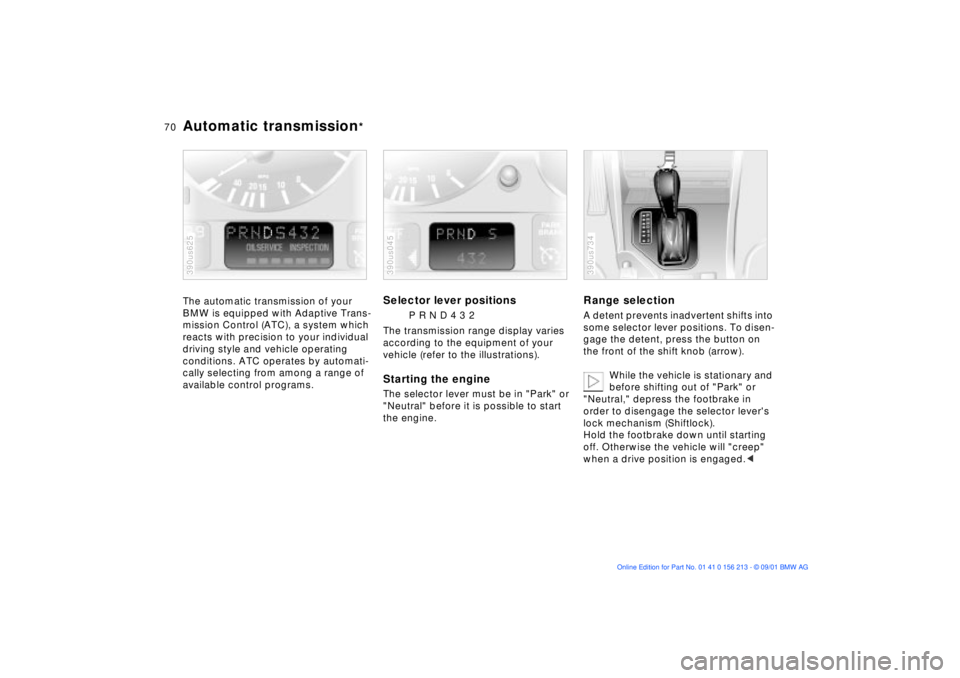
P R N D 4 3 2
The transmission range display varies
according to the equipment of your
vehicle (refer to the illustrations).
Starting the engineThe selector lever must be in "Park" or
"Neutral" before it is possible to start
the engine.390us045
Range selectionA detent prevents inadvertent shifts into
some selector lever positions. To disen-
gage the detent, press the button on
the front of the shift knob (arrow).
While the vehicle is stationary and
before shifting out of "Park" or
"Neutral," depress the footbrake in
order to disengage the selector lever's
lock mechanism (Shiftlock).
Hold the footbrake down until starting
off. Otherwise the vehicle will "creep"
when a drive position is engaged.< 390us734
Page 71 of 186

71n
OverviewControlsMaintenanceRepairsDataIndex
Automatic transmission
*
Before leaving the vehicle when
the engine is running, shift the
selector lever to the "Park" or "Neutral"
position and apply the parking brake to
prevent the vehicle from rolling.
Never leave the vehicle unattended
with the engine running. An unattended
vehicle with a running engine repre-
sents a potential safety hazard.
If you should accidentally select
"Neutral" while traveling at high speed,
remove your foot from the accelerator
pedal immediately. Allow the engine
speed to drop to idle before selecting
the desired drive position. Damage
could otherwise occur due to excessive
engine speed.<
P ParkSelect only when the vehicle is
completely stopped. The transmission
locks to prevent the rear wheels from
turning.R ReverseSelect only when the vehicle is
completely stopped.
N NeutralSelect only if your journey is interrupted
for a longer period.D Drive
(automatic shift program)This position is designed for driving
under all normal operating conditions.
All forward gears are available.4 Ð Sport ProgramThe Sport Program is designed for
performance-oriented driving.
3 and 2 Ð shift limiterSelect this range when you wish to limit
gear changes (on steep uphill or down-
hill slopes, for instance). The transmis-
sion shifts up only as far as the selected
gear."Kickdown" In the "kickdown" mode, you achieve
maximum performance.
Depress the accelerator pedal past the
detent at the full-throttle position.
Page 73 of 186
73n
OverviewControlsMaintenanceRepairsDataIndex
Automatic transmission with Steptronic
*
You can drive as with a normal auto-
matic transmission. In addition, you can
also shift manually.
When you move the selector lever from
the "D" position to the left into the M/S
range, the performance-oriented shift
programs of the automatic transmission
are engaged. Steptronic enters the
manual selection mode and executes
the desired shift whenever you tap the
selector lever in the direction indicated
by "+" or "Ð." When you wish to use the
automatic transmission mode again,
move the selector lever to the right into
the "D" position.
Selector lever positions
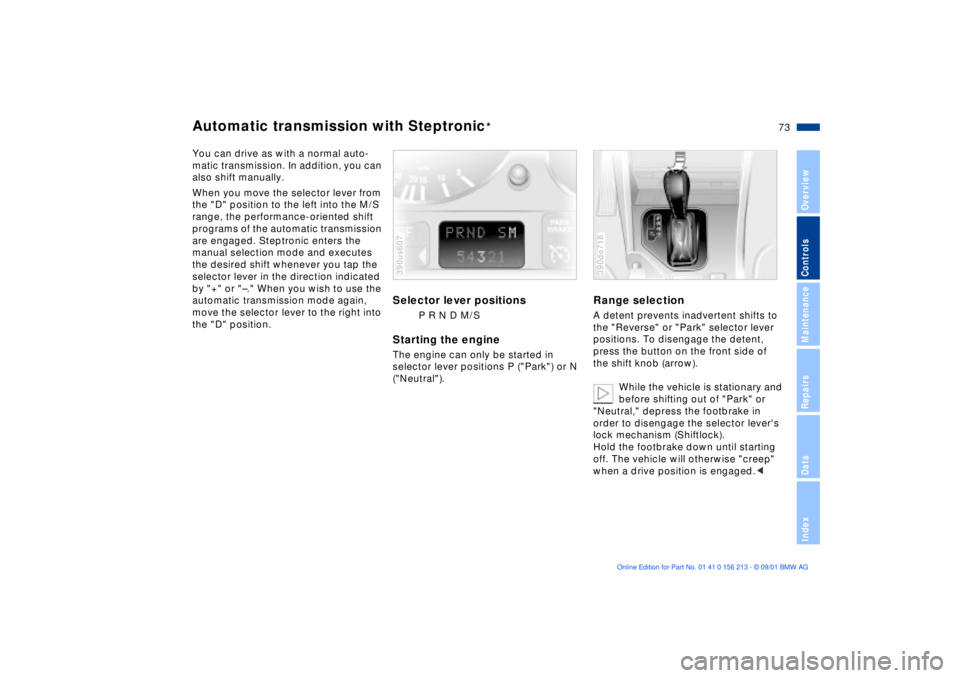
P R N D M/S
Starting the engineThe engine can only be started in
selector lever positions P ("Park") or N
("Neutral").390us607
Range selectionA detent prevents inadvertent shifts to
the "Reverse" or "Park" selector lever
positions. To disengage the detent,
press the button on the front side of
the shift knob (arrow).
While the vehicle is stationary and
before shifting out of "Park" or
"Neutral," depress the footbrake in
order to disengage the selector lever's
lock mechanism (Shiftlock).
Hold the footbrake down until starting
off. The vehicle will otherwise "creep"
when a drive position is engaged.< 390de718
Page 74 of 186

74n
Automatic transmission with Steptronic
*
To prevent the vehicle from
starting off on its own, always
move the selector lever to position P or
N and engage the parking brake before
leaving your car with the engine
running. Do not leave the vehicle unat-
tended with the engine running. An
unattended vehicle with a running
engine represents a potential safety
hazard.
P ParkSelect "Park" only when the vehicle is
completely stopped. The transmission
locks to prevent the rear wheels from
turning.R ReverseSelect "Reverse" only when the vehicle
is completely stopped.N NeutralSelect "Neutral" only if your journey is
interrupted for a longer period.
D Drive
(automatic shift program)This position is designed for driving
under all normal operating conditions.
All forward gears are available."Kickdown"In the "kickdown" mode, you achieve
maximum acceleration and top speed
in position D.
Depress the accelerator pedal past the
detent at the full-throttle position.
M/S Manual mode and
Sport ProgramWhen you change from "D" to "M/S,"
the Sport Program is activated. This is
indicated by "D S" in the gear selection
display. The Sport Program is designed
for performance-oriented driving.
With the first brief touch, the automatic
transmission shifts from the Sport
Program to the manual mode. When-
ever you move the selector lever in the
"+" direction, the transmission upshifts,
and when you move it in the "Ð" direc-
tion, the transmission downshifts.
M1...M5 will be displayed in the gear
indicator.390de721
Page 83 of 186
83n
OverviewControlsMaintenanceRepairsDataIndex
Check ControlGraphic display
*
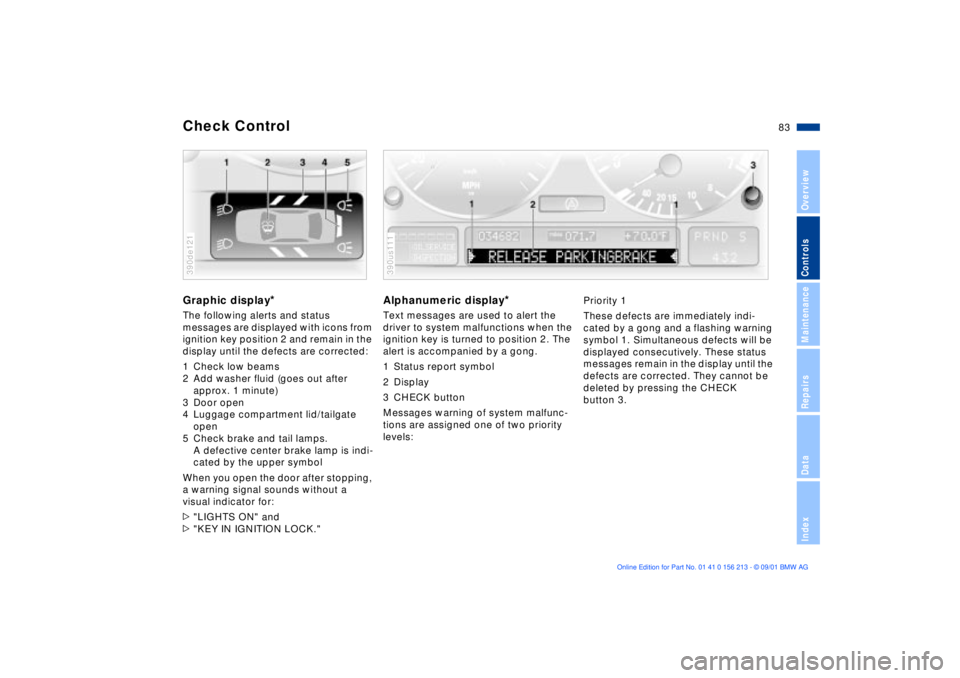
The following alerts and status
messages are displayed with icons from
ignition key position 2 and remain in the
display until the defects are corrected:
1 Check low beams
2 Add washer fluid (goes out after
approx. 1 minute)
3 Door open
4 Luggage compartment lid/tailgate
open
5 Check brake and tail lamps.
A defective center brake lamp is indi-
cated by the upper symbol
When you open the door after stopping,
a warning signal sounds without a
visual indicator for:
>"LIGHTS ON" and
>"KEY IN IGNITION LOCK."390de121
Alphanumeric display
*
Text messages are used to alert the
driver to system malfunctions when the
ignition key is turned to position 2. The
alert is accompanied by a gong.
1 Status report symbol
2 Display
3 CHECK button
Messages warning of system malfunc-
tions are assigned one of two priority
levels:390us111
Priority 1
These defects are immediately indi-
cated by a gong and a flashing warning
symbol 1. Simultaneous defects will be
displayed consecutively. These status
messages remain in the display until the
defects are corrected. They cannot be
deleted by pressing the CHECK
button 3.
Page 85 of 186

85n
OverviewControlsMaintenanceRepairsDataIndex
Check Control>"CHECK LOWBEAM LIGHTS"
"CHECK SIDE LIGHTS"
"CHECK REAR LIGHTS"
"CHECK FRONT FOGLAMPS"
"CHECK LICPLATE LIGHT"
"CHECK HIGHBEAM LIGHT"
"CHECK BACK UP LIGHTS"
Defective bulb or circuit. Refer to
pages 151 and following, page 160
or consult your BMW center.
>"TRANS. FAILSAFE PROG"
Please consult the nearest BMW
center. Refer to pages 72 and 75
>"CHECK BRAKE LININGS"
Have the brake pads inspected by
your BMW center. Refer to page 132
>"CHECK COOLANT LEVEL"
Coolant too low, top up at the next
opportunity. Refer to page 142
>"ENGINE FAILSAFE PROG"
*
Indicates a malfunction in the elec-
tronic engine-management system,
which then reverts to an emergency
default program allowing continued
operation at reduced power and
lower engine speeds.
Please have the system inspected at
your BMW center.
Displays after completion of tripAll of the malfunctions registered during
the trip appear consecutively when the
ignition key is turned to position 0.
The following displays will appear when
appropriate:
>"LIGHTS ON"
>"KEY IN IGNITION LOCK"
>"CHECK ENGINE OIL LEV"
Add engine oil at the next opportunity
(next stop for fuel). Refer to
page 140.
This display appears when you open
the driver's door after parking the
vehicle. A supplementary gong is also
heard.
Status reports remain available for a
period of approx. three minutes after
the display goes out and the key is
removed from the ignition. Press the
CHECK button 3. If there were multiple
reports, press the CHECK button
repeatedly to view them all in
sequence.
To check the Check ControlPress the CHECK button 3 with the
ignition key in position 2:
CHECK CONTROL OK appears in the
display.
No malfunctions are present in the
monitored systems.ComputerYou can find a description of the
computer on pages 86 and 91 as well
as in the "Owner's Manual for Onboard
Computer."
You can select the language in
which the Check Control displays
and the status reports from the
computer will appear.<
Page 87 of 186

87n
OverviewControlsMaintenanceRepairsDataIndex
Multi-Information Display (MID)
*
Central displayThe MID serves as the central display
and operation for the following onboard
systems:
>Digital clock (e. g. time display, date)
>Audio systems (radio, cassette, CD)
>Computer ( e.g. fuel consumption,
cruising range)
>Cellular phone ( e.g. dialing).
You will find explanations and informa-
tion on operating the digital clock and
the computer on the following pages.
Please refer to the separate Owner's
Manual instructions for operating the
audio systems, the cellular phone and
the computer.
The system rejects implausible
numerical entries.
Any interruption in the supply of elec-
trical power from the battery will result
in the loss of all stored data. Once the
power has been restored, you will need
to reset the clock and re-enter any
times for activating the auxiliary heater/
parked-car ventilation. Distance and
vehicle speed data must also be
entered again.<
1 Function button for audio systems
2 Function button for the cellular
phone
*
3 Indicator lamp for independent
ventilation
*
>remains on if switch-on time is
active
>flashes while operating
4 Function button for the digital clock
and computer
5 Indicator display for the various
computer systems390us705
6 Display for the entry and display
buttons. Depending on the operating
mode, the functions and alternatives
which can be selected at the buttons
are displayed here
7 Entry and display buttons for oper-
ating the various computer systems
Page 88 of 186

88n
Multi-Information Display (MID)
*
Only make entries when the
vehicle is standing still Ð to avoid
endangering yourself or other road
users.<
To call up time or datePress the left side of the button.
Display shows:
You can have the time displayed in
12 or 24 hours.
To change the display:
Press the left side of the button.
If the 12-hour time display is in use, AM
or PM appear after the time.
To change the time displayPress the left side of the button.
Press the right side of the button:
The dots flash in the display.
To alter the setting:
Press on the left or right, or hold the
button down.
To store the entry:
Press the right side of the button.
To change the datePress the left side of the button.
Press.
Press the right side of the button:
The dots and the DATE display flash.
To alter the setting:
Press on the left or right, or hold the
button down.
To store the entry:
Press the right side of the button.
The clock takes leap years into account
and therefore does not have to be reset
manually.