Page 44 of 289
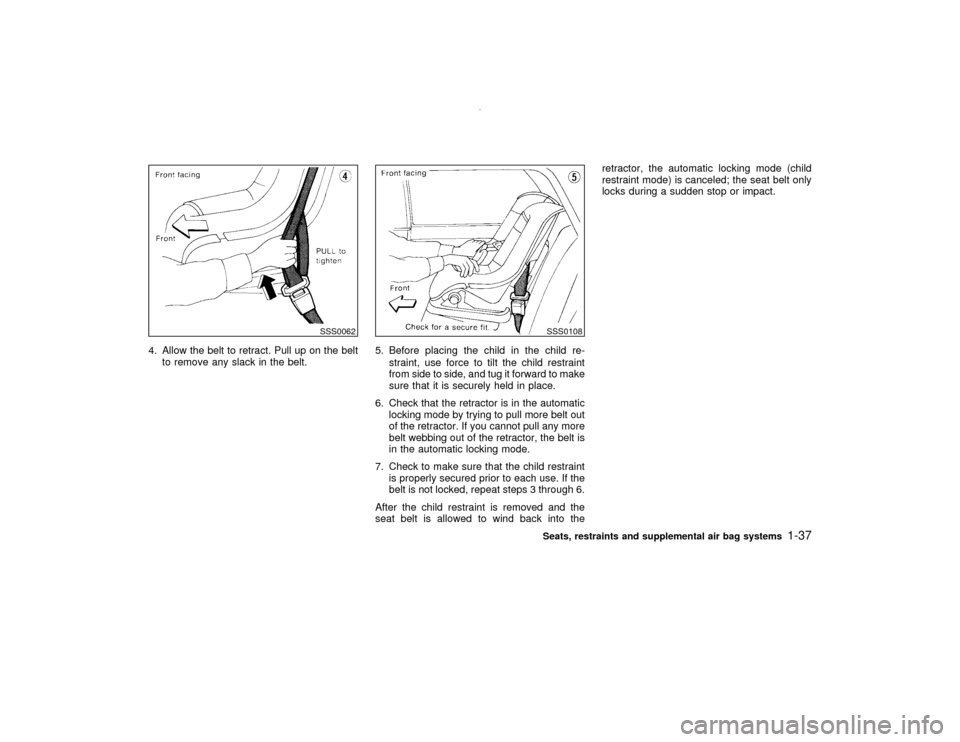
4. Allow the belt to retract. Pull up on the belt
to remove any slack in the belt.5. Before placing the child in the child re-
straint, use force to tilt the child restraint
from side to side, and tug it forward to make
sure that it is securely held in place.
6. Check that the retractor is in the automatic
locking mode by trying to pull more belt out
of the retractor. If you cannot pull any more
belt webbing out of the retractor, the belt is
in the automatic locking mode.
7. Check to make sure that the child restraint
is properly secured prior to each use. If the
belt is not locked, repeat steps 3 through 6.
After the child restraint is removed and the
seat belt is allowed to wind back into theretractor, the automatic locking mode (child
restraint mode) is canceled; the seat belt only
locks during a sudden stop or impact.
SSS0062
SSS0108Seats, restraints and supplemental air bag systems
1-37
Z
00.1.10/R50-D/V5
X
Page 46 of 289
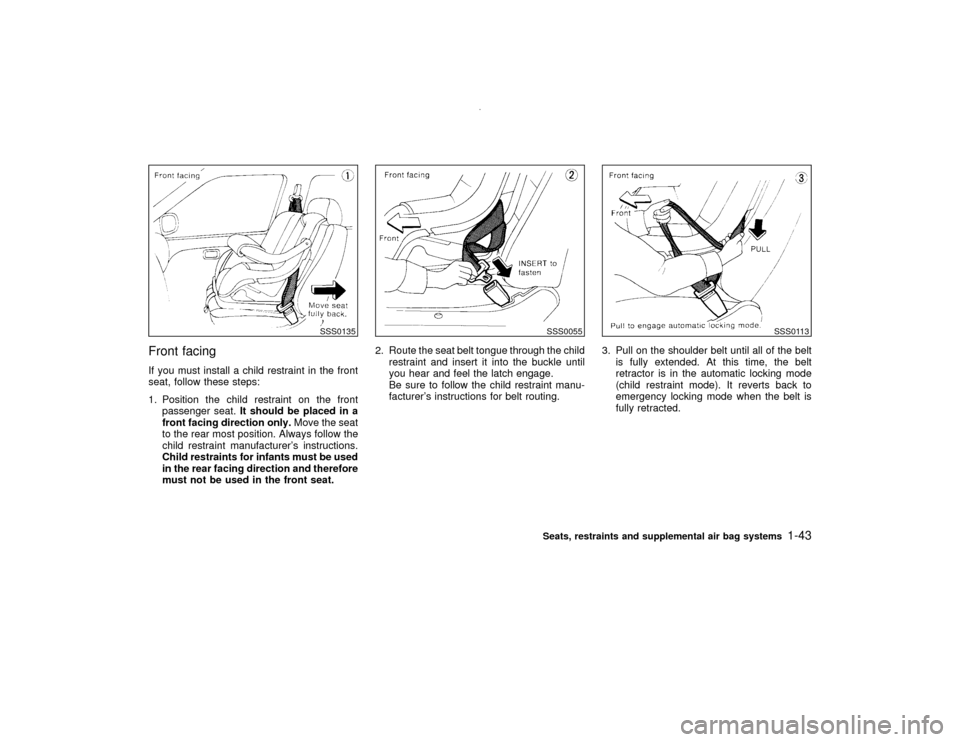
3. Pull on the shoulder belt until all of the belt
is fully extended. At this time, the belt
retractor is in the automatic locking mode
(child restraint mode). It reverts back to
emergency locking mode when the belt is
fully retracted.4. Allow the belt to retract. Pull up on the belt
to remove any slack in the belt.5. Before placing the child in the child re-
straint, use force to tilt the child restraint
from side to side, and tug it forward to make
sure that it is securely held in place.
6. Check that the retractor is in the automatic
locking mode by trying to pull more belt out
of the retractor. If you cannot pull any more
belt webbing out of the retractor, the belt is
in the automatic locking mode.
7. Check to make sure that the child restraint
is properly secured prior to each use. If the
belt is not locked, repeat steps 3 through 6.
After the child restraint is removed and the
seat belt is allowed to wind back into the
SSS0045A
SSS0109
SSS0110
Seats, restraints and supplemental air bag systems
1-39
Z
00.1.10/R50-D/V5
X
Page 47 of 289
retractor, the automatic locking mode (child
restraint mode) is canceled; the seat belt only
locks during a sudden stop or impact.
TOP TETHER STRAP CHILD
RESTRAINT
WARNING
The child restraint anchor points are
designed to withstand only those loads
imposed by correctly fitted child re-
straints. Under no circumstances are
they to be used for adult seat belts or
harnesses.If your child restraint has a top tether strap, it
must be secured to the provided anchor point.
Secure the child restraint with the center lap
belt or the lap portion of an outboard three-
point belt and latch the tether strap hook onto
the anchor bracket.
Secure the tether strap to the anchor bracket
which provides the straightest installation of
the tether strap.
SSS0065
1-40
Seats, restraints and supplemental air bag systems
Z
00.1.10/R50-D/V5
X
Page 50 of 289
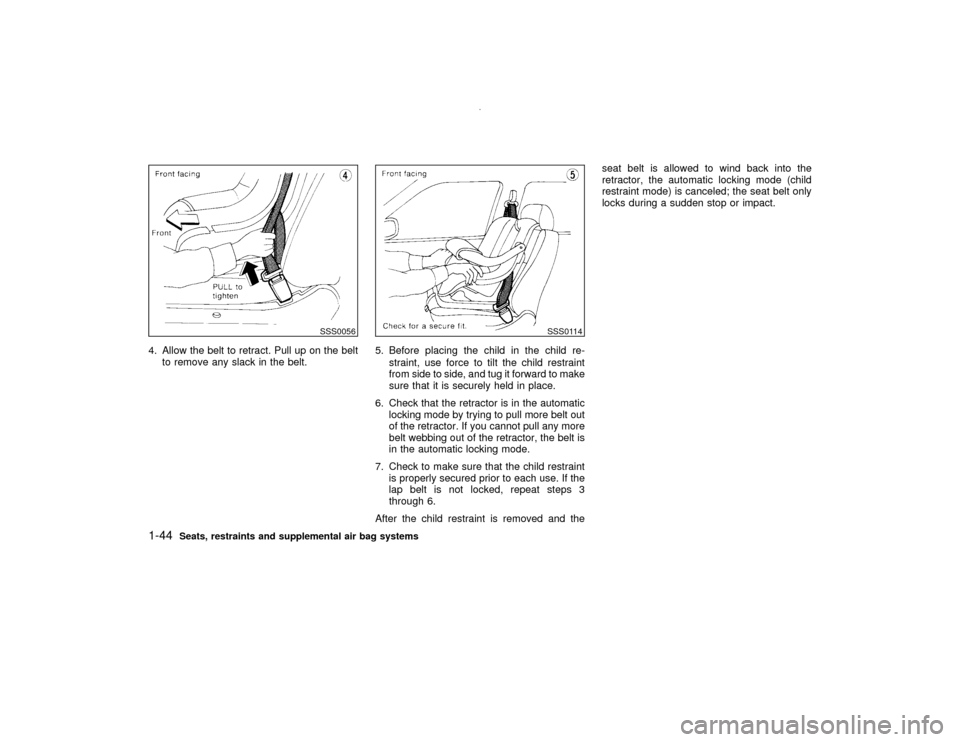
Front facingIf you must install a child restraint in the front
seat, follow these steps:
1. Position the child restraint on the front
passenger seat.It should be placed in a
front facing direction only.Move the seat
to the rear most position. Always follow the
child restraint manufacturer's instructions.
Child restraints for infants must be used
in the rear facing direction and therefore
must not be used in the front seat.2. Route the seat belt tongue through the child
restraint and insert it into the buckle until
you hear and feel the latch engage.
Be sure to follow the child restraint manu-
facturer's instructions for belt routing.3. Pull on the shoulder belt until all of the belt
is fully extended. At this time, the belt
retractor is in the automatic locking mode
(child restraint mode). It reverts back to
emergency locking mode when the belt is
fully retracted.
SSS0135
SSS0055
SSS0113
Seats, restraints and supplemental air bag systems
1-43
Z
00.1.10/R50-D/V5
X
Page 51 of 289
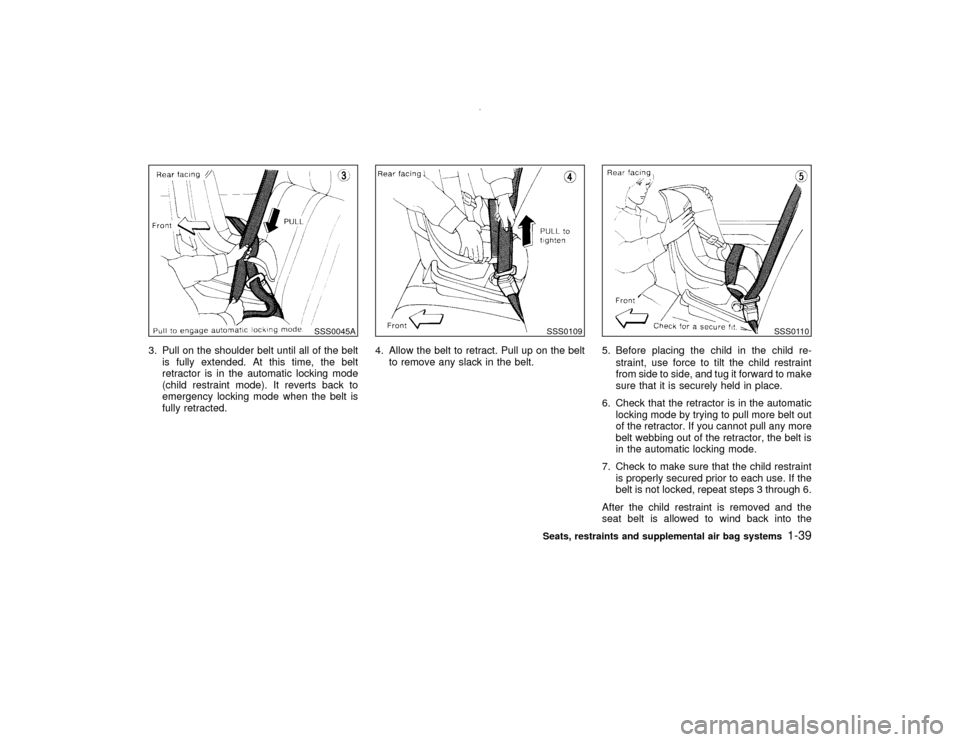
4. Allow the belt to retract. Pull up on the belt
to remove any slack in the belt.5. Before placing the child in the child re-
straint, use force to tilt the child restraint
from side to side, and tug it forward to make
sure that it is securely held in place.
6. Check that the retractor is in the automatic
locking mode by trying to pull more belt out
of the retractor. If you cannot pull any more
belt webbing out of the retractor, the belt is
in the automatic locking mode.
7. Check to make sure that the child restraint
is properly secured prior to each use. If the
lap belt is not locked, repeat steps 3
through 6.
After the child restraint is removed and theseat belt is allowed to wind back into the
retractor, the automatic locking mode (child
restraint mode) is canceled; the seat belt only
locks during a sudden stop or impact.
SSS0056
SSS0114
1-44
Seats, restraints and supplemental air bag systems
Z
00.1.10/R50-D/V5
X
Page 61 of 289

IIf a magnet is located near the compass
or the vehicle is driven where the terres-
trial magnetism is disturbed, the com-
pass display may not indicate the cor-
rect direction.
IIn places where the terrestrial magne-
tism is disturbed, the correction of the
direction starts automatically, extin-
guishing the direction bar. If turn is
made one or two times, the correction is
complete and the direction bar comes
back on.Correction functions of the compass
displayThe compass display is equipped with auto-
matic correction function. If the direction is not
shown correctly, carry out manual correction
procedure set out below.Manual correction procedure1. Push the switch for about 10 seconds. The
direction bar starts blinking.
2. Drive the vehicle slowly in an open and safe
area. The initial correction is completed
while turning one or two turns.
CAUTION
In places where the earth's magnetism
is disturbed, the initial correction proce-
dure may start automatically.
2-8
Instruments and controls
Z
00.1.10/R50-D/V5
X
Page 62 of 289
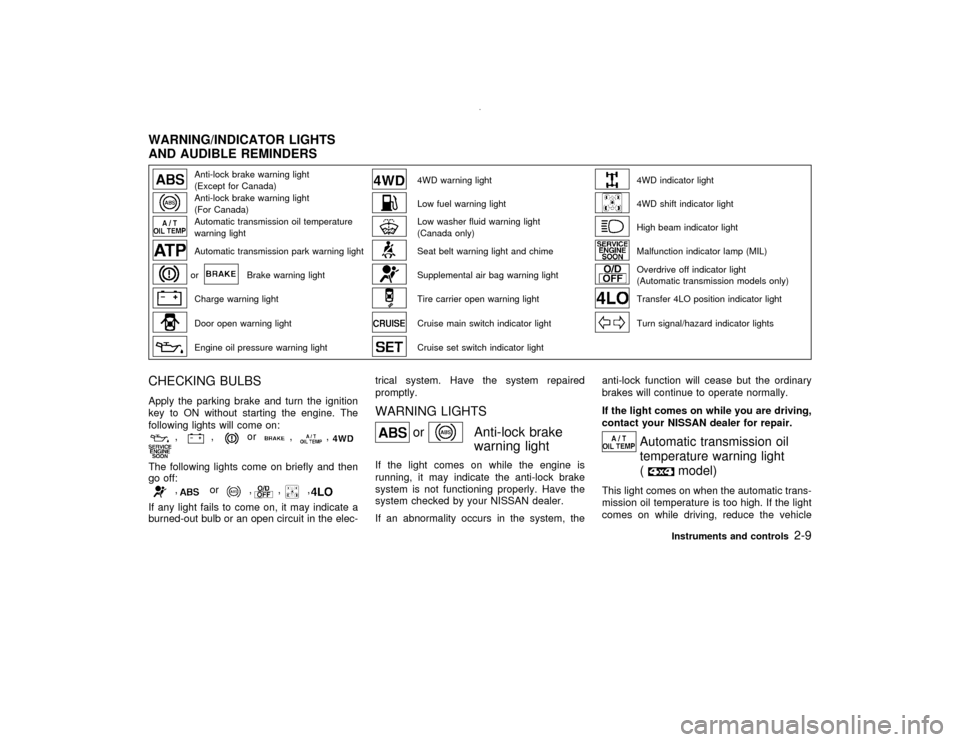
Anti-lock brake warning light
(Except for Canada)
4WD warning light
4WD indicator light
Anti-lock brake warning light
(For Canada)
Low fuel warning light
4WD shift indicator light
Automatic transmission oil temperature
warning light
Low washer fluid warning light
(Canada only)
High beam indicator light
Automatic transmission park warning light
Seat belt warning light and chime
Malfunction indicator lamp (MIL)
or
Brake warning light
Supplemental air bag warning light
Overdrive off indicator light
(Automatic transmission models only)
Charge warning light
Tire carrier open warning light
Transfer 4LO position indicator light
Door open warning light
Cruise main switch indicator light
Turn signal/hazard indicator lights
Engine oil pressure warning light
Cruise set switch indicator light
CHECKING BULBSApply the parking brake and turn the ignition
key to ON without starting the engine. The
following lights will come on:
,
,
or
,
,
The following lights come on briefly and then
go off:
,
or
,
,
,
If any light fails to come on, it may indicate a
burned-out bulb or an open circuit in the elec-trical system. Have the system repaired
promptly.
WARNING LIGHTS
or
Anti-lock brake
warning light
If the light comes on while the engine is
running, it may indicate the anti-lock brake
system is not functioning properly. Have the
system checked by your NISSAN dealer.
If an abnormality occurs in the system, theanti-lock function will cease but the ordinary
brakes will continue to operate normally.
If the light comes on while you are driving,
contact your NISSAN dealer for repair.
Automatic transmission oil
temperature warning light
(
model)
This light comes on when the automatic trans-
mission oil temperature is too high. If the light
comes on while driving, reduce the vehicle
WARNING/INDICATOR LIGHTS
AND AUDIBLE REMINDERS
Instruments and controls
2-9
Z
00.1.10/R50-D/V5
X
Page 63 of 289
speed as soon as safely possible until the light
turns off.
CAUTION
Continued vehicle operation when the
A/T oil temperature warning light is on
may damage the automatic trans-
mission.
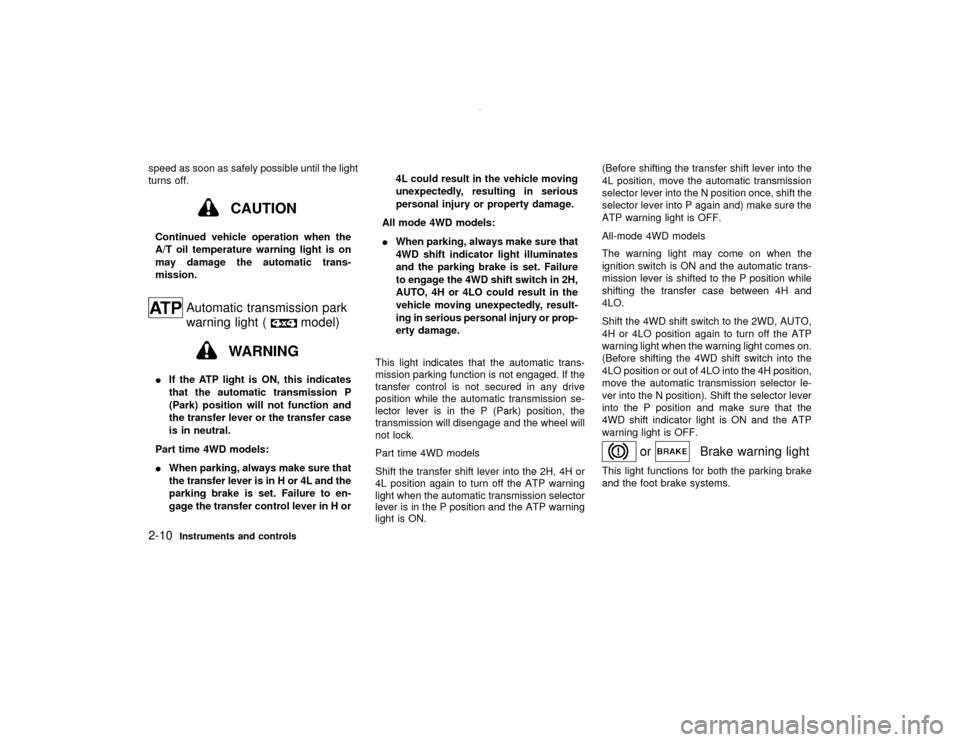
Automatic transmission park
warning light (
model)
WARNING
IIf the ATP light is ON, this indicates
that the automatic transmission P
(Park) position will not function and
the transfer lever or the transfer case
is in neutral.
Part time 4WD models:
IWhen parking, always make sure that
the transfer lever is in H or 4L and the
parking brake is set. Failure to en-
gage the transfer control lever in H or4L could result in the vehicle moving
unexpectedly, resulting in serious
personal injury or property damage.
All mode 4WD models:
IWhen parking, always make sure that
4WD shift indicator light illuminates
and the parking brake is set. Failure
to engage the 4WD shift switch in 2H,
AUTO, 4H or 4LO could result in the
vehicle moving unexpectedly, result-
ing in serious personal injury or prop-
erty damage.
This light indicates that the automatic trans-
mission parking function is not engaged. If the
transfer control is not secured in any drive
position while the automatic transmission se-
lector lever is in the P (Park) position, the
transmission will disengage and the wheel will
not lock.
Part time 4WD models
Shift the transfer shift lever into the 2H, 4H or
4L position again to turn off the ATP warning
light when the automatic transmission selector
lever is in the P position and the ATP warning
light is ON.(Before shifting the transfer shift lever into the
4L position, move the automatic transmission
selector lever into the N position once, shift the
selector lever into P again and) make sure the
ATP warning light is OFF.
All-mode 4WD models
The warning light may come on when the
ignition switch is ON and the automatic trans-
mission lever is shifted to the P position while
shifting the transfer case between 4H and
4LO.
Shift the 4WD shift switch to the 2WD, AUTO,
4H or 4LO position again to turn off the ATP
warning light when the warning light comes on.
(Before shifting the 4WD shift switch into the
4LO position or out of 4LO into the 4H position,
move the automatic transmission selector le-
ver into the N position). Shift the selector lever
into the P position and make sure that the
4WD shift indicator light is ON and the ATP
warning light is OFF.
or
Brake warning light
This light functions for both the parking brake
and the foot brake systems.
2-10
Instruments and controls
Z
00.1.10/R50-D/V5
X