2001 NISSAN MAXIMA change intervals
[x] Cancel search: change intervalsPage 119 of 247
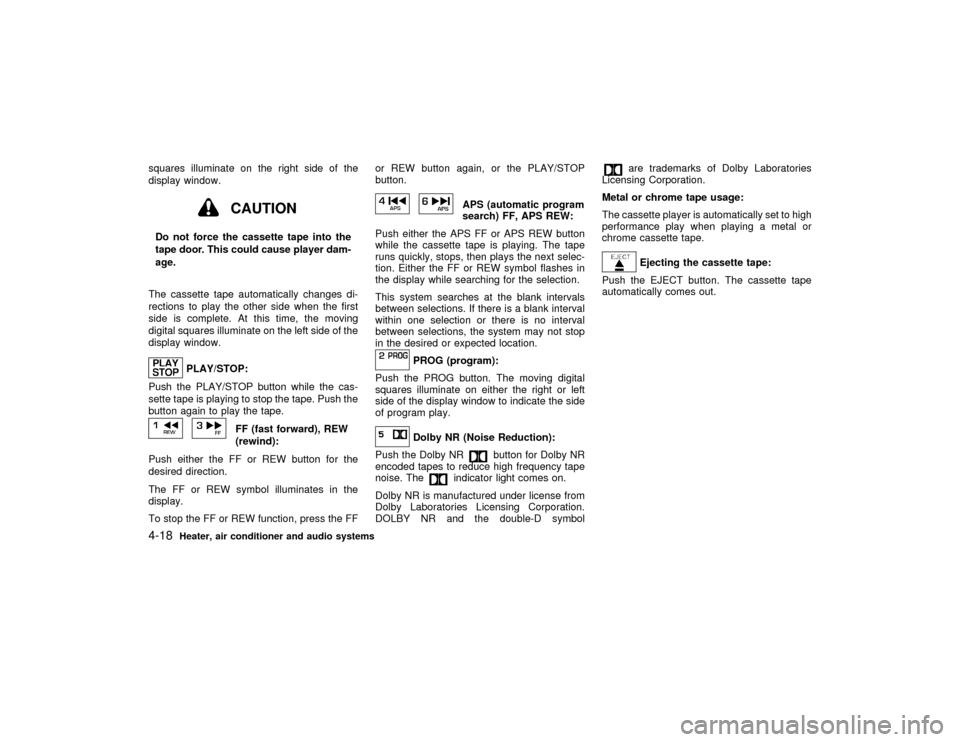
squares illuminate on the right side of the
display window.
CAUTION
Do not force the cassette tape into the
tape door. This could cause player dam-
age.
The cassette tape automatically changes di-
rections to play the other side when the first
side is complete. At this time, the moving
digital squares illuminate on the left side of the
display window.
PLAY/STOP:
Push the PLAY/STOP button while the cas-
sette tape is playing to stop the tape. Push the
button again to play the tape.
FF (fast forward), REW
(rewind):
Push either the FF or REW button for the
desired direction.
The FF or REW symbol illuminates in the
display.
To stop the FF or REW function, press the FFor REW button again, or the PLAY/STOP
button.
APS (automatic program
search) FF, APS REW:
Push either the APS FF or APS REW button
while the cassette tape is playing. The tape
runs quickly, stops, then plays the next selec-
tion. Either the FF or REW symbol flashes in
the display while searching for the selection.
This system searches at the blank intervals
between selections. If there is a blank interval
within one selection or there is no interval
between selections, the system may not stop
in the desired or expected location.
PROG (program):
Push the PROG button. The moving digital
squares illuminate on either the right or left
side of the display window to indicate the side
of program play.Dolby NR (Noise Reduction):
Push the Dolby NR
button for Dolby NR
encoded tapes to reduce high frequency tape
noise. The
indicator light comes on.
Dolby NR is manufactured under license from
Dolby Laboratories Licensing Corporation.
DOLBY NR and the double-D symbol
are trademarks of Dolby Laboratories
Licensing Corporation.
Metal or chrome tape usage:
The cassette player is automatically set to high
performance play when playing a metal or
chrome cassette tape.Ejecting the cassette tape:
Push the EJECT button. The cassette tape
automatically comes out.
4-18
Heater, air conditioner and audio systems
Z
00.1.17/A33-D/V5.0
X
Page 123 of 247

CAUTION
Do not force the cassette tape into the
tape door. This could cause player dam-
age.
If the system is turned off by pushing the
ON×OFF/VOL control knob with the cassette
tape still in the player, the tape will resume
playing when the system is turned back on.
PLAY:
IWhen the TAPE button is pushed with the
system turned off and a tape loaded, the
system will come on and the tape will play.
IWhen the TAPE button is pushed with
either the radio or compact disc turned on
and the tape loaded, the compact disc or
the radio will automatically be turned off
and the tape will play.
FF (Fast Forward), REW
(Rewind):
Push the(fast forward) button to fast
forward the tape. To rewind the tape, push the
(rewind) button. Either the FF or REW
symbol illuminates on the right side of the
display window. To stop the FF or REW func-tion, press the
(fast forward) or
(re-
wind) again, or the TAPE button.
APS (Automatic Program
Search) FF, APS REW:
When the(APS FF) button is pushed
while the tape is being played, the next pro-
gram will start to play from the beginning. Push
the
(APS FF) button several times to skip
through programs. The tape will advance the
number of times the button is pushed (up to
nine programs).
When the
(APS REW) button is pushed
once, the program being played starts over
from the beginning. Push the
(APS
REW) button several times to skip back sev-
eral selections. The tape will go back the
number of times the button is pushed. Either
the FF or REW symbol flashes on the right
side of the display window while searching for
the selection.
This system searches for the blank intervals
between selections. If there is a blank interval
within one program or there is no interval
between programs, the system may not stop in
the desired or expected location.
PROG (Program):
Push the PROG button to change the tape
side while the tape is being played.The cassette tape will automatically change
directions to play the other side when the first
side is completed.
Dolby NR (Noise Reduction):
Push the Dolby NR
button for Dolby NR
encoded tapes to reduce high frequency tape
noise. The indicator will come on.
Dolby noise reduction manufactured under li-
cense from Dolby Laboratories Licensing Cor-
poration. Dolby NR and the double-D symbol
are trademarks of Dolby Laboratories
Licensing Corporation.
Metal or chrome tape usage:
The cassette player will be automatically set to
high performance play when playing a metal or
chrome cassette tape.TAPE EJECT:
When this button is pushed with the tape
loaded, the tape will be ejected.
When the tape is ejected while it is being
played, the system will be turned off.
Compact disc (CD) player operationTurn the ignition key to the ACC or ON position
and insert the compact disc into the slot with
the label side facing up. The compact disc will
4-22
Heater, air conditioner and audio systems
Z
00.1.17/A33-D/V5.0
X
Page 126 of 247

Tuning
Memory change (radio):
Push the tuning switch
or
for less
than 1.5 seconds to change the radio fre-
quency.
Seek tuning (radio):
Push the tuning switch
or
for more
than 1.5 seconds to seek the next or previous
radio station.
APS (Automatic Program Search) FF, APS
REW (tape/CD or CD changer):
Push the tuning switch
or
for less
1.5 seconds to return to the beginning of the
present program or skip to the next program.
Push several times to skip back or skip
through programs.
This system searches for the blank intervals
between selections. If there is a blank interval
within one program or there is no interval
between programs, the system may not stop in
the desired or expected location.
FF REW (tape or CD changer):
Push the tuning switch
or
for more
than 1.5 seconds to rewind or fast forward the
tape or to change the playing disc up or down.
To stop the FF or REW function, press the
or
button for more than 1.5 sec-
onds again.
ANTENNA
Window antennaThe antenna pattern is printed inside the rear
window.
CAUTION
IDo not place metalized film near the
rear window glass or attach any metal
parts to it. This may cause poor re-
ception or noise.
IWhen cleaning the inside of the rear
window, be careful not to scratch or
damage the rear window antenna.
Lightly wipe along the antenna with a
dampened soft cloth.If equipped with a genuine NISSAN cellular
phone, your NISSAN features a non-
directional microphone in the steering column
cover, so it is not necessary to look at or speak
directly into the microphone when calling. To
do so could detract from the driving operation
and cause an accident. See the car phone
manual for operation.
Some models are pre-wired to accept the
genuine NISSAN cellular phone. In addition,
the same model has the phone antenna built
into the rear glass window.
When installing a CB, ham radio or car phone
in your NISSAN, be sure to observe the follow-
ing cautions, otherwise the new equipment
may adversely affect the Engine control sys-
tem and other electronic parts.
WARNING
IA cellular telephone should not be
used while driving so full attention
may be given to vehicle operation.
Some jurisdictions prohibit the use of
cellular telephones while driving.CAR PHONE OR CB RADIO
Heater, air conditioner and audio systems
4-25
Z
00.1.17/A33-D/V5.0
X
Page 188 of 247

WARNING
See your NISSAN dealer and have it
checked if the brake pedal height does
not return to normal.Brake pad wear indicatorsThe disc brake pads on your vehicle have
audible wear indicators. When a brake pad
requires replacement, it will make a high
pitched scraping or screeching sound when
the vehicle is in motion whether or not the
brake pedal is depressed. Have the brakes
checked as soon as possible if the wear indi-
cator sound is heard.
Under some driving or climate conditions, oc-
casional brake squeak, squeal or other noise
may be heard. Occasional brake noise during
light to moderate stops is normal and does not
affect the function or performance of the brake
system.
Proper brake inspection intervals should
be followed.For additional information, see
ªPeriodic maintenance schedulesº in the ª9.
Maintenanceº section for maintenance inter-
vals.
BRAKE BOOSTERCheck the brake booster function as follows:
1. With the engine off, press and release the
brake pedal several times. When brake
pedal movement (distance of travel) re-
mains the same from one pedal application
to the next, continue on to the next step.
2. While depressing the brake pedal, start the
engine. The pedal height should drop a
little.
3. With the brake pedal depressed, stop the
engine. Keeping the pedal depressed for
about 30 seconds, the pedal height should
not change.
4. Run the engine for one minute without
depressing the brake pedal, then turn it off.
Depress the brake pedal several times. The
pedal travel distance will decrease gradu-
ally with each depression as the vacuum is
released from the booster.
If the brakes do not operate properly, see your
NISSAN dealer.Press the pedal by hand and be sure the free
travel is within the limits shown above. If free
travel is too little or too much, see your
NISSAN dealer.
DI1021MC
CLUTCH PEDAL
Do-it-yourself
8-19
Z
00.1.17/A33-D/V5.0
X
Page 220 of 247

ENGINE OIL AND OIL FILTER
RECOMMENDATION
Selecting the correct oilIt is essential to choose the correct quality, and
viscosity oil to ensure satisfactory engine life
and performance. NISSAN recommends the
use of a low friction oil (energy conserving oil)
in order to improve fuel economy and con-
serve energy. Oils which do not have the
specified quality label should not be used as
they could cause engine damage.
Only those engine oils with the American Pe-
troleum Institute (API) certification mark on thefront of the container should be used. This type
of oil supersedes the existing API SG or SH
and Energy ConservingI&IIcategories.
If you cannot find engine oil with the API
certification mark, use an API grade SG/SH,
Energy ConservingI&IIorAPIgrade SJ,
Energy conserving oil. An oil with a single
designation SG or SH, or in combination with
other categories (for example, SG/CC or
SG/CD) may also be used if one with the API
certification mark cannot be found. An ILSAC
grade GF-I & GF-II oil can also be used.
Mineral based or synthetic type oils may be
used in your NISSAN vehicle. These oils musthowever, meet the API quality and SAE vis-
cosity ratings specified for your vehicle. Do not
mix mineral based and synthetic type oils in
the engine at the same time.
Oil additivesNISSAN does not recommend the use of oil
additives. The use of an oil additive is not
necessary when the proper oil type is used
and maintenance intervals are followed.
Oil which may contain foreign matter or has
been previously used should not be used.Oil viscosityThe engine oil viscosity or thickness changes
with temperature. Because of this, it is impor-
tant that the engine oil viscosity be selected
based on the temperatures at which the ve-
hicle will be operated before the next oil
change. The recommended SAE viscosity
number chart shows the recommended oil
viscosities for the expected ambient tempera-
tures. Choosing an oil viscosity other than that
recommended could cause serious engine
damage.Selecting the correct oil filterYour new vehicle is equipped with a high-
quality genuine NISSAN oil filter. When replac-
ing, use the genuine oil filter or its equivalent
STI0077
Technical and consumer information
10-5
Z
00.1.17/A33-D/V5.0
X
Page 221 of 247

for the reason described in change intervals.Change intervalsThe oil and oil filter change intervals for your
engine are based on the use of the specified
quality oils and filters. Oil and filter other than
the specified quality, or oil and filter change
intervals longer than recommended could re-
duce engine life. Damage to engines caused
by improper maintenance or use of incorrect
oil and filter quality and/or viscosity is not
covered by the new NISSAN vehicle warran-
ties.
Your engine was filled with a high quality
engine oil when it was built. You do not have to
change the oil before the first recommended
change interval. Oil and filter change intervals
depend upon how you use your vehicle. Op-
eration under the following conditions may
require more frequent oil and filter changes.
Irepeated short distance driving at cold out-
side temperatures,
Idriving in dusty conditions,
Iextensive idling,
Itowing a trailer.
RECOMMENDED SAE VISCOSITY
NUMBERSAE 5W-30 viscosity oil is preferred for all
ambient temperatures. SAE 10W-30,
10W-40 viscosity oil may be used if the
ambient temperature is above 0ÉF (þ18ÉC).
AIR CONDITIONING SYSTEM
REFRIGERANT AND LUBRICANT
RECOMMENDATIONSThe air conditioning system in this NISSAN
vehicle must be charged with the refriger-
ant HFC-134a (R-134a) and the lubricant,
Nissan A/C System Oil Type S or the exact
equivalents.
CAUTION
The use of any other refrigerant or lubri-
cant will cause severe damage to the air
conditioning system and will require the
replacement of all air conditioner sys-
tem components.
The refrigerant HFC-134a (R-134a) in your
NISSAN vehicle will not harm the earth's
ozone layer. Although this refrigerant does not
affect the earth's atmosphere, certain govern-
mental regulations require the recovery and
recycling of any refrigerant during automotive
air conditioning system service. Your NISSAN
dealer has the trained technicians and equip-
ment needed to recover and recycle your air
conditioning system refrigerant.
TI1028-C
10-6
Technical and consumer information
Z
00.1.17/A33-D/V5.0
X
Page 233 of 247

trailer is hitched. Do not drive the vehicle if
it has an abnormal nose-up or nose-down
condition; check for improper tongue load,
overload, worn suspension or other pos-
sible causes of either condition.
IAlways secure items in the trailer to prevent
load shifts while driving.
IBe certain your rear view mirrors conform to
all federal, state or local regulations. If not,
install any mirrors required for towing be-
fore driving the vehicle.
Trailer towing tipsIn order to gain skill and an understanding of
the vehicle's behavior, you should practice
turning, stopping and backing up in an area
which is free from traffic. Steering stability, and
braking performance will be somewhat differ-
ent than under normal driving conditions.
IAlways secure items in the trailer to prevent
load shift while driving.
IAvoid abrupt starts, acceleration or stops.
IAvoid sharp turns or lane changes.
IAlways drive your vehicle at a moderate
speed.
IAlways block the wheels on both vehicle
and trailer when parking. Parking on aslope is not recommended; however, if you
must do so, and if your vehicle is equipped
with automatic transmission, first block the
wheels and apply the parking brake, and
then move the transmission selector lever
into the P (Park) position. If you move the
selector lever to the P (Park) position be-
fore blocking the wheels and applying the
parking brake, transmission damage could
occur.
IWhen going down a hill, shift into a lower
gear and use the engine braking effect.
When ascending a long grade, downshift
the transmission to a lower gear and reduce
speed to reduce chances of engine over-
loading and/or overheating.
IIf the engine coolant rises to an extremely
high temperature when the air conditioning
system is on, turn off the air conditioner.
Coolant heat can be additionally vented by
opening the windows, switching the fan
control to high and setting the temperature
control to the HOT position.
ITrailer towing requires more fuel than nor-
mal circumstances.
IAvoid towing a trailer for the first 500 miles
(800 km).
IHave your vehicle serviced more often thanat intervals specified in the recommended
maintenance schedule.
IWhen making a turn, your trailer wheels will
be closer to the inside of the turn than your
vehicle wheels. To compensate for this,
make a larger than normal turning radius
during the turn.
ICrosswinds and rough roads will adversely
affect vehicle/trailer handling, possibly
causing vehicle sway. When being passed
by larger vehicles, be prepared for possible
changes in crosswinds that could affect
vehicle handling. If swaying does occur,
firmly grip the steering wheel, steer straight
ahead, and immediately (but gradually) re-
duce vehicle speed. This combination will
help stabilize the vehicle. Never increase
speed.
IBe careful when passing other vehicles.
Passing while towing a trailer requires con-
siderably more distance than normal pass-
ing. Remember the length of the trailer
must also pass the other vehicle before you
can safely change lanes.
ITo maintain engine braking efficiency and
electrical charging performance, do not use
fifth gear (manual transmission) or over-
drive (automatic transmission).10-18
Technical and consumer information
Z
00.1.17/A33-D/V5.0
X