2001 NISSAN FRONTIER radio
[x] Cancel search: radioPage 133 of 290
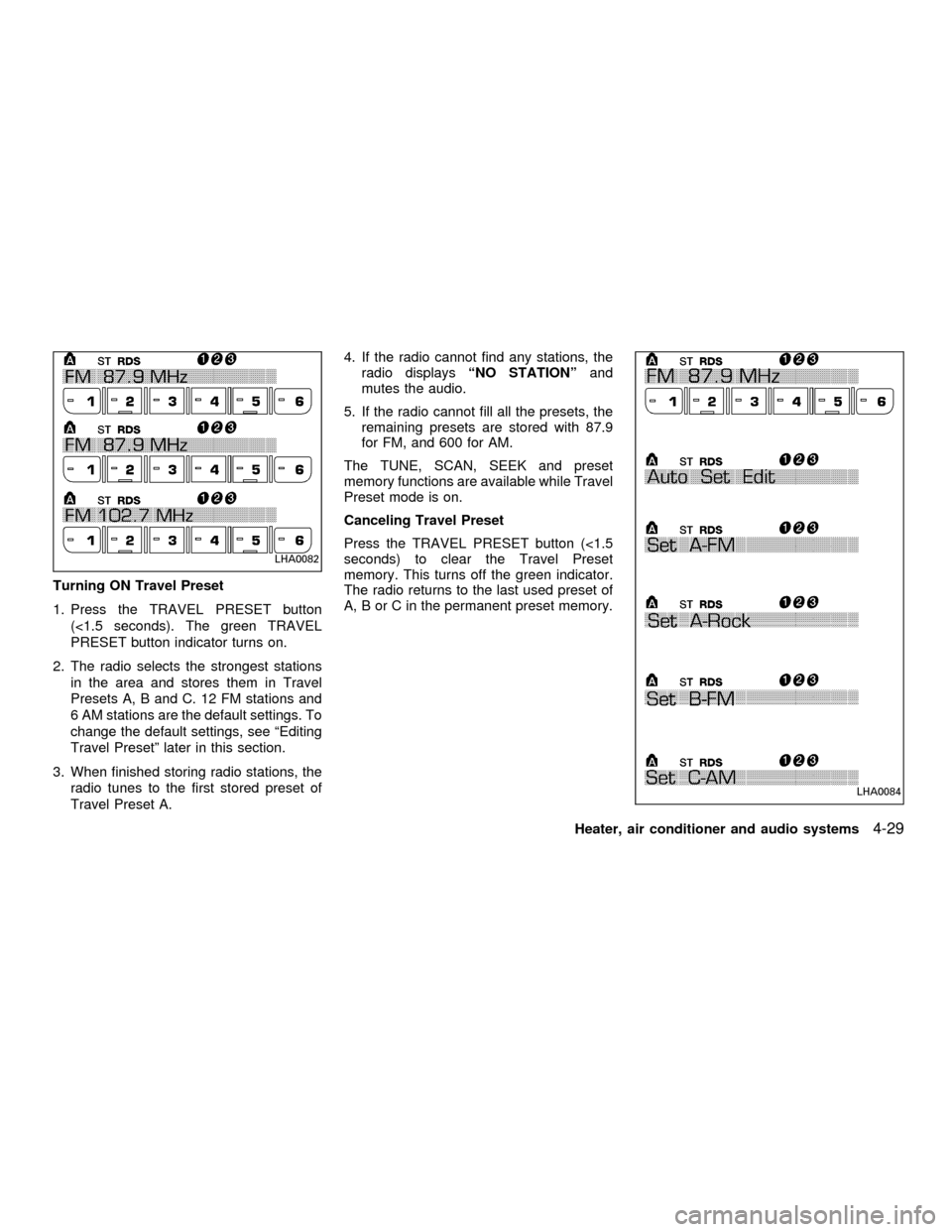
Turning ON Travel Preset
1. Press the TRAVEL PRESET button
(<1.5 seconds). The green TRAVEL
PRESET button indicator turns on.
2. The radio selects the strongest stations
in the area and stores them in Travel
Presets A, B and C. 12 FM stations and
6 AM stations are the default settings. To
change the default settings, see ªEditing
Travel Presetº later in this section.
3. When finished storing radio stations, the
radio tunes to the first stored preset of
Travel Preset A.4. If the radio cannot find any stations, the
radio displaysªNO STATIONºand
mutes the audio.
5. If the radio cannot fill all the presets, the
remaining presets are stored with 87.9
for FM, and 600 for AM.
The TUNE, SCAN, SEEK and preset
memory functions are available while Travel
Preset mode is on.
Canceling Travel Preset
Press the TRAVEL PRESET button (<1.5
seconds) to clear the Travel Preset
memory. This turns off the green indicator.
The radio returns to the last used preset of
A, B or C in the permanent preset memory.
LHA0082
LHA0084
Heater, air conditioner and audio systems4-29
ZX
Page 134 of 290

Editing Travel Preset
1. Press and hold the TRAVEL PRESET
button (>3 seconds) until the radio beeps
to start the editing mode. The green
Travel Preset indicator will flash while in
TRAVEL PRESET EDIT mode.
2. The radio displaysªTRAVEL EDITºfor 2
seconds and then changes toªSET A-*º.
3. Press TUNE/FF-REV (
or)tose-
lect a mode.
4. Press the TRAVEL PRESET button to
save the mode.
5. Display is changed toªSET B-*º, repeat
steps 3 and 4.
6. Display is changed toªSET C-*º, repeat
step 3.
7. Press the TRAVEL PRESET button to
exit the edit mode and return to normal
mode.
*: AM, FM, FM RDS, Rock, Classic Rock,
Soft Rock, Top 40, Country, Jazz, Classical,
Oldies, News, Sports, Talk.Storing Travel Preset stations in perma-
nent memory
1. While in Travel Preset mode, press and
hold the TRAVEL PRESET button until it
beeps (>3 seconds).
2. The presets are transferred from Travel
Preset memory to the permanent preset
memory for A, B, and C.ªPRESETS
LOADEDºis displayed.
3. The TRAVEL PRESET indicator turns
off.
Preset Scan
Pressing the Preset Scan button (<1.5 sec-
onds) scans the permanent preset memory
that is selected (A, B or C) from 1-6 for 5
seconds. If the Travel Preset is ON, the
travel preset that is selected (A, B, or C)
from 1-6 is scanned for 5 seconds.
LHA0085
4-30Heater, air conditioner and audio systems
ZX
Page 135 of 290

All Preset Scan
Pressing the Preset Scan button (>1.5 sec-
onds) scans all the permanent preset
memory banks (A, B or C) from 1-6 for 5
seconds. If the Travel Preset is ON, all the
travel preset memory banks (A, B, or C)
from 1-6 are scanned for 5 seconds.
Canceling preset scan mode
Pressing any button except CLOCK, EJECT
and PTY cancels the Preset Scan mode.
RDS (Radio Data System)
RDS stands for Radio Data System, and is
a data information service transmitted by
some radio stations on the FM band (not
AM band) encoded within a regular radio
broadcast. Currently, most RDS stations
are in large cities, but many stations are
now considering broadcasting RDS data.
RDS can display:
cStation call sign, such as ªWHFR 98.3º.
cStation name, such as ªThe Grooveº.
cMusic or programming type such as
ªClassicalº, ªCountryº, or ªRockº.
cTraffic reports about delays or construc-
tion.
If the station broadcasts RDS information,
the RDS icon is displayed. The RDS infor-
mation will be displayed according to the
option chosen in the RDS setup mode. (FM
& RDS is the default.) Press the RDS button
again to display the frequency for 3 sec-
onds. The radio will then return to the nor-
mal display. If the station does not broad-
cast RDS information, the RDS icon will not
be displayed.Setting RDS Mode
Press the RDS button (>3 seconds) until the
display showsªRDS SET MODEº. This
display will last 2 seconds and then change
toªTRAFFIC-OFFº. Press TUNE/FF-REV
(
or) to toggle the RDS traffic mode
from ªOFFº to ªONº. Press the RDS button
again to set your traffic mode selection.
The display changes toªSHOWºfor the
second part of the RDS mode selection.
Press TUNE/FF-REV (
or) to switch
between the following RDS display modes:
cªFM & RDSº: the radio display will show
the station's broadcast frequency and the
station's name.
cªRDS ONLYº: the radio display will show
the station's name only.
cªRDS TEMPº: the radio display will show
the station's name for 5 seconds and
then display only the radio station's
broadcast frequency.
PTY (Program Type)
PTY can be used to search for a certain
program type. Certain areas have a limited
number of stations that transmit RDS. Many
stations transmit call letters and frequencies
LHA0086
Heater, air conditioner and audio systems4-31
ZX
Page 136 of 290
only. Searching or scanning by program
type may yield a limited number of selec-
tions.
1. Press the PTY button. The display
changes fromªRDS PTY SEARCHºto
ªSELECT BY TUNEº.
2. Press TUNE/FF-REV (
or)
up/down button to choose a specific pro-
gram type:
ROCK, CLASSIC ROCK, SOFT ROCK,
TOP 40, COUNTRY, JAZZ, CLASSICAL,
OLDIES, NEWS, SPORTS, TALK, ANY
3. Press the SEEK or SCAN button to
search for the next station with the se-
lected PTY. The SCAN icon flashes
when the SCAN button is pressed. The
radio continues to seek or scan until a
radio station is found matching the se-
lected PTY.
4. Press the PTY button again to cancel the
PTY SEEK mode.
Compact disc (CD) operation
Turn the ignition key to the ACC or ON
position.
CAUTION
cDo not force a compact disc (CD)
into the CD insert slot. This could
damage the CD and/or CD changer.
cTrying to load a CD with the CD door
closed could damage the CD and/or
CD changer.
CD button
When the CD button is pressed with a
compact disc loaded and the radio playing,
the radio turns off and the last used com-
pact disc starts to play.
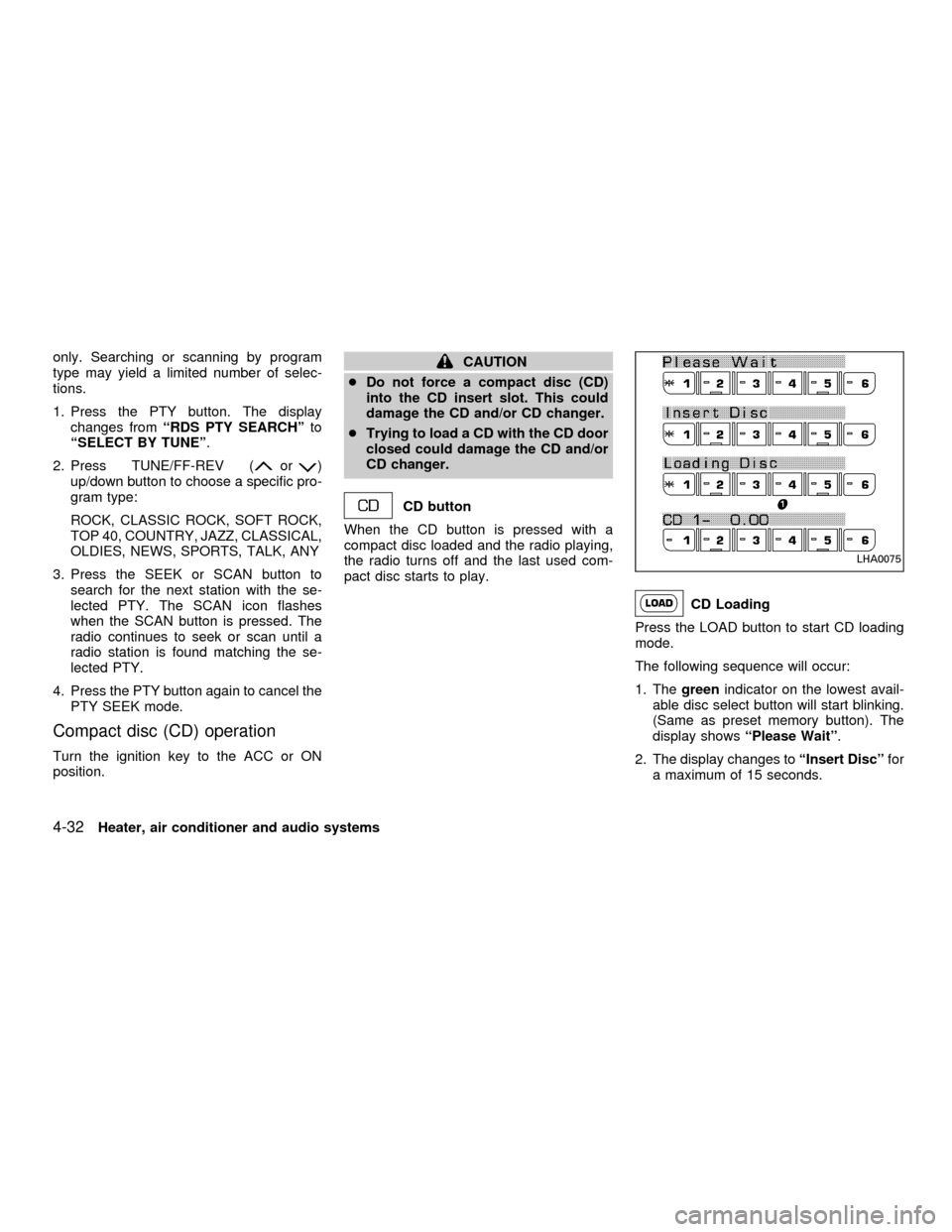
CD Loading
Press the LOAD button to start CD loading
mode.
The following sequence will occur:
1. Thegreenindicator on the lowest avail-
able disc select button will start blinking.
(Same as preset memory button). The
display showsªPlease Waitº.
2. The display changes toªInsert Discºfor
a maximum of 15 seconds.
LHA0075
4-32Heater, air conditioner and audio systems
ZX
Page 137 of 290

3. During the 15 second interval, insert the
disc. The display changes toªLoading
Discº.
4. The CD will play after the disc is set to a
play position.
5. The indicator changes fromblinking
greentosolid greenand the display
changes to show the Disc number icon,
Disc number, Track number and Elapsed
time.
All disc loading
1. Press and hold the LOAD button until the
radio beeps (>1.5 seconds).
2. Thegreenindicator on the lowest avail-
able disc select button will start blinking.
(Same as preset memory button). The
display showsªPlease Waitº.
3. The display changes toªInsert Discºfor
a maximum of 15 seconds.
4. During the 15 second interval, insert the
disc. The display changes toªLoading
Discº.
5. The indicator changes fromblinking
greentosolid green.
6. The disc number icon is turned on.7. Steps 2-5 are repeated until all discs are
loaded, then the last loaded disc will
begin to play. The display shows the Disc
number, Track number and Elapsed
Time.
Selected disc loading
1. Press a disc select button whose indica-
tor is off. The display showsªPlease
Waitº.
2. Thegreenindicator starts blinking and
the display showsªInsert Discºfor 15
seconds.
3. Insert the CD. The display showsªLoad-
ing Discº.
4. The CD will play after the disc is set to a
play position.
5. The indicator color changes fromblink-
ing greentosolid greenand the display
shows the Disc icon, Disc number, Track
number and Elapsed Time.
If a disc is not inserted within 15 seconds or
if the load button is pressed during load
sequence, the entire disc load sequence will
be canceled.Disc Play
Press the CD button. If a CD is loaded and
the radio is playing, the radio turns off and
the last loaded disc starts to play.
Heater, air conditioner and audio systems
4-33
ZX
Page 142 of 290
cDo not use the following CDs as they
may cause the CD player to malfunc-
tion:
c8 cm (3.1 in) discs with an adapter
cRecordable compact discs (CD-R)
cRewritable compact discs (CD-
RW)
cCDs that are not round
cCDs with a paper label
cCDs that are warped, scratched or
have abnormal edges
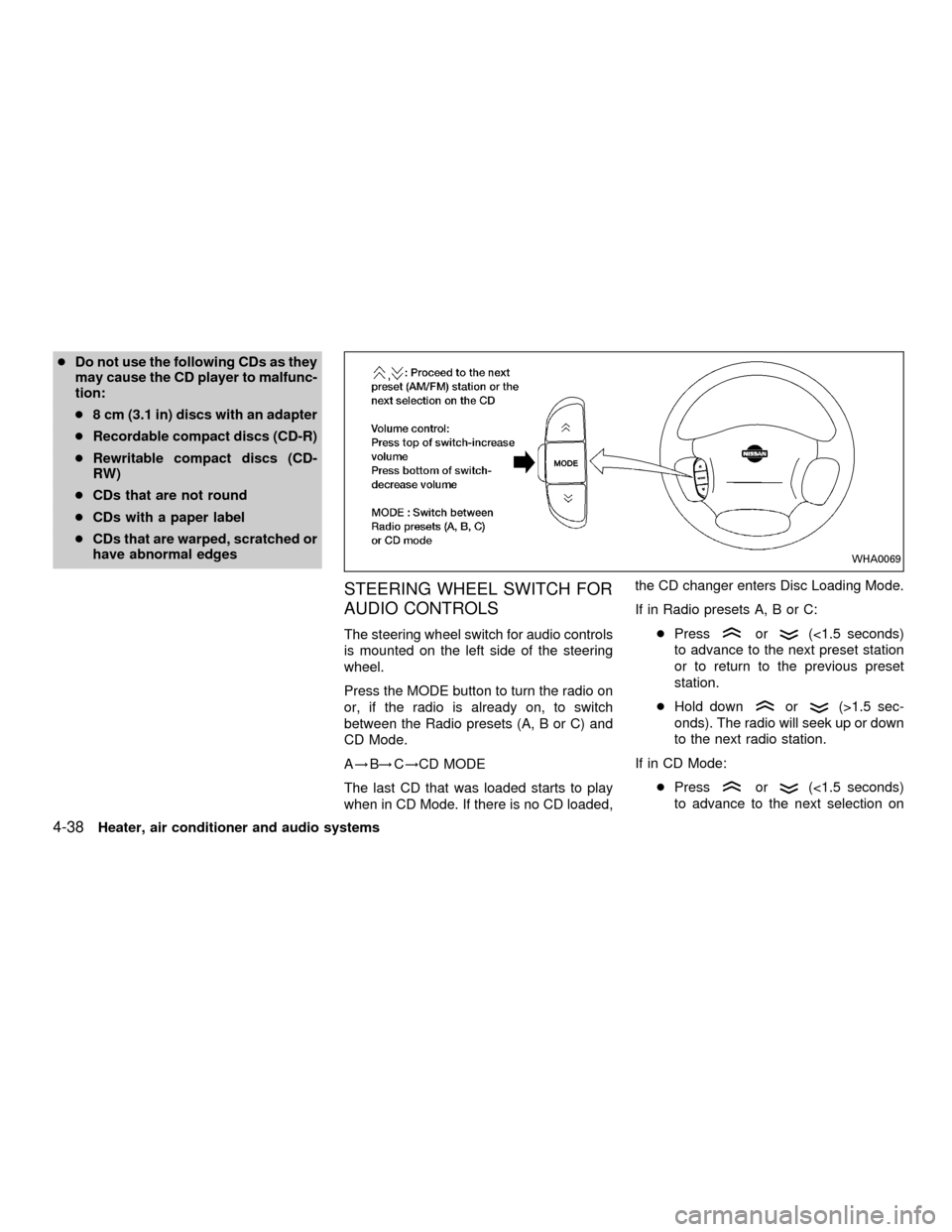
STEERING WHEEL SWITCH FOR
AUDIO CONTROLS
The steering wheel switch for audio controls
is mounted on the left side of the steering
wheel.
Press the MODE button to turn the radio on
or, if the radio is already on, to switch
between the Radio presets (A, B or C) and
CD Mode.
A!B!C!CD MODE
The last CD that was loaded starts to play
when in CD Mode. If there is no CD loaded,the CD changer enters Disc Loading Mode.
If in Radio presets A, B or C:
cPressor(<1.5 seconds)
to advance to the next preset station
or to return to the previous preset
station.
cHold down
or(>1.5 sec-
onds). The radio will seek up or down
to the next radio station.
If in CD Mode:
cPress
or(<1.5 seconds)
to advance to the next selection on
WHA0069
4-38Heater, air conditioner and audio systems
ZX
Page 143 of 290
the CD or return to the previous se-
lection on the CD.
cHold down
or(>1.5 sec-
onds) to advance to the next CD or to
return to the previous CD.
Volume control is located on the side of the
audio control switch. Press the top of the
volume control to increase volume. Press
the bottom of the volume control to de-
crease volume.
ANTENNA
The antenna cannot be shortened, but it can
be removed. When you need to remove the
antenna, turn the antenna rod counterclock-
wise.
To install the antenna rod, turn the antenna
clockwise. Tighten the antenna rod to speci-
fication using a suitable tool such as a
open-end wrench. The antenna rod tighten-
ing specification is 3.4 - 3.6 Nzm(30-32
in-lb). Do not use pliers to tighten the an-
tenna as they can leave marks on the
antenna surface. The antenna rod can not
be hand tightened to the proper specifica-
tion.
CAUTION
Always properly tighten the antenna
rod during installation or the antenna
rod may break during vehicle opera-
tion.When installing a CB, ham radio or car
phone in your NISSAN, be sure to observe
the following cautions, otherwise the new
equipment may adversely affect the MFI
(Multiport Fuel Injection) system and other
electronic parts.
CAR PHONE OR CB RADIO
Heater, air conditioner and audio systems4-39
ZX
Page 144 of 290
WARNING
cA cellular telephone should not be
used while driving so full attention
may be given to vehicle operation.
Some jurisdictions prohibit the use
of cellular telephones while driving.cIf you must make a call while your
vehicle is in motion, the hands free
cellular phone operational mode (if
so equipped) is highly recom-
mended. Exercise extreme caution
at all times so full attention may be
given to vehicle operation.
cIf a conversation in a moving vehicle
requires you to take notes, pull off
the road to a safe location and stop
your vehicle before doing so.
CAUTION
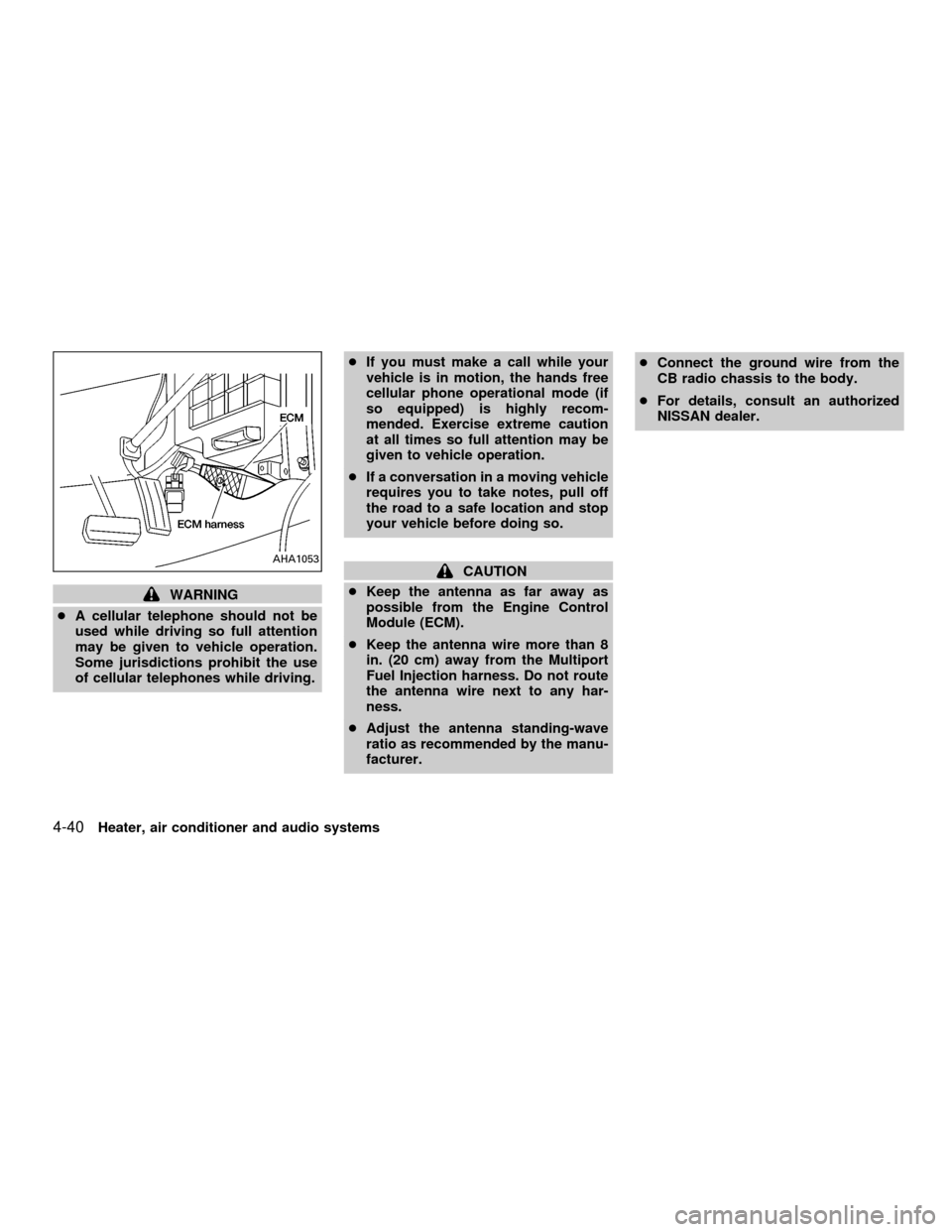
cKeep the antenna as far away as
possible from the Engine Control
Module (ECM).
cKeep the antenna wire more than 8
in. (20 cm) away from the Multiport
Fuel Injection harness. Do not route
the antenna wire next to any har-
ness.
cAdjust the antenna standing-wave
ratio as recommended by the manu-
facturer.cConnect the ground wire from the
CB radio chassis to the body.
cFor details, consult an authorized
NISSAN dealer.AHA1053
4-40Heater, air conditioner and audio systems
ZX