Page 87 of 341
84 Rear view mirrors
Technical
data Instruments
and controlsOperationDrivingInstrument
cluster displayPractical hints Car care Index
Note:
The exterior mirrors have electrically heated glass. The
heater switches on automatically, depending on outside
temperature.
If an exterior mirror housing is forcibly pivoted from its
normal position, it must be repositioned by applying
firm pressure until it snaps into place.Important!
Electrolyte drops coming into contact with the vehicle
paint finish can only be completely removed while in
their liquid state, by applying plenty of water.
Storing mirror positions in memory
The exterior rear view mirror positions are stored in
memory with the seat / head restraint / steering column
position and can be recalled when necessary, see
page 50.
Wa r n i n g !
In the case of an accident liquid electrolyte may
escape the mirror housing when the mirror glass
breaks.Electrolyte has an irritating effect. Do not allow the
liquid come into contact with eyes, skin, clothing,
or respiratory system. In c ases it does, i mmedi ately
flush affected area with water, and seek medical
help if necessary.
Page 88 of 341
85 Rear view mirrors
Technical
data Instruments
and controlsOperationDrivingInstrument
cluster displayPractical hints Car care Index Parking position
The passenger-side exterior mirror can be adjusted and
programmed to assist the driver during parking
maneuvers (e.g. to observe the curb or other objects
close to the vehicle).
With electronic key in steering lock position 2, and the
exterior rear view mirror switch in the passenger-side
position, the passenger-side mirror will be turned
downward when placing the gear selector lever in “R”
Reverse.
The mirror position can now be adjusted as desired.
At speeds above approximately 6 mph (10 km / h), upon
shifting gear selector lever from “R” Reverse, or upon
pressing the driver’s side mirror button, the passenger-
side mirror will return to its previous position.One passenger-side mirror position can be stored in
memory. To do so:
1. Turn electronic key to steering lock position 2.
The vehicle must be stationary.
2. Select passenger-side mirror and adjust the mirror
to view the curb.
3. Press green memory button located in switch cluster
for driver seat, see page 49.
4. Within 3 seconds pull the mirror toggle switch
rearward. The mirror should not move.
Repeat the memory procedure if the mirror moves.
5. Select driver side mirror. The passenger-side mirror
will return to its previous position.
Page 90 of 341
87 Instrument cluster
Technical
data Instruments
and controlsOperationDrivingInstrument
cluster displayPractical hints Car care Index 1Push buttons for intensity of instrument lamps, see
page 89
2Push button for resetting trip odometer, see page 91,
or to acknowledge a malfunction warning message,
see page 108
3Coolant temperature gauge, see page 90
4Fuel gauge with reserve and fuel cap placement
warning lamp, see page 236
5Outside temperature indicator, see page 90
6Left turn signal indicator lamp, see combination
switch on page 122
7ESP warning lamp, see page 2378Speedometer
9Trip odometer, see page 91 and 96
10Main odometer, see page 96
11Multifunction indicator, see page 92,
or FSS indicator, see page 114,
or engine oil level indicator, see page 117
12Right turn signal indicator lamp, see combination
switch on page 122
13Tachometer, see page 91
14Gear range indicator display, see page 196
15Clock, see page 110
Page 91 of 341
88 Instrument cluster
Technical
data Instruments
and controlsOperationDrivingInstrument
cluster displayPractical hints Car care Index
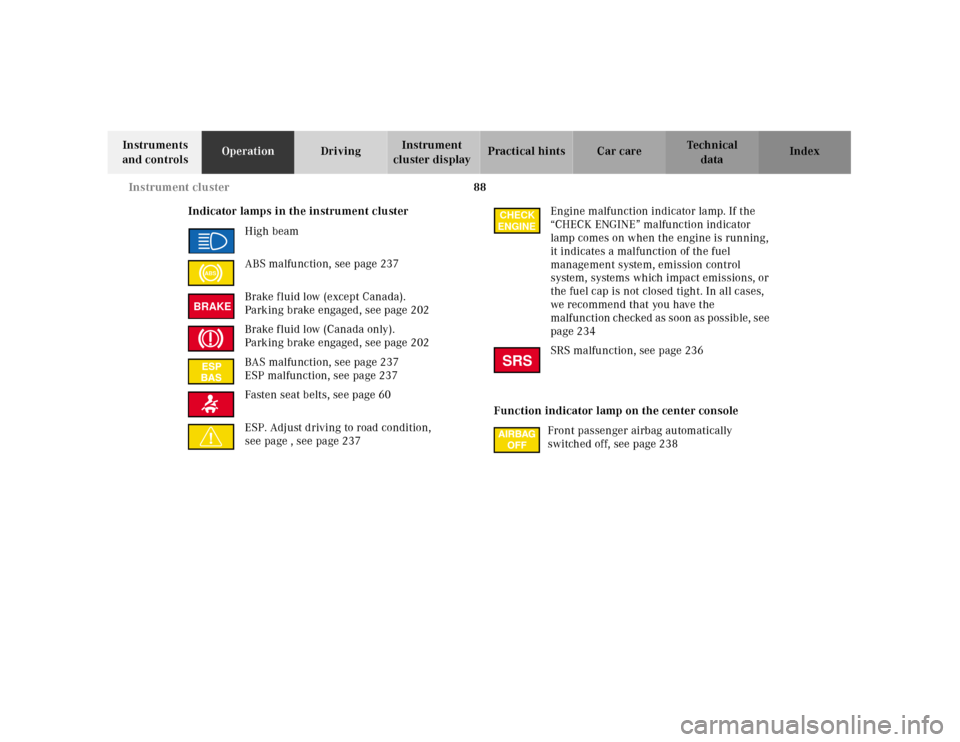
Indicator lamps in the instrument cluster
High beam
ABS malfunction, see page 237
Brake f luid low (except Canada).
Parking brake engaged, see page 202
Brake f luid low (Canada only).
Parking brake engaged, see page 202
BAS malfunction, see page 237
ESP malfunction, see page 237
Fasten seat belts, see page 60
ESP. Adjust driving to road condition,
see page , see page 237Engine malfunction indicator lamp. If the
“CHECK ENGINE” malfunction indicator
lamp comes on when the engine is running,
it indicates a malfunction of the fuel
management system, emission control
system, systems which impact emissions, or
the fuel cap is not closed tight. In all cases,
we recommend that you have the
malfunction checked as soon as possible, see
page 234
SRS malfunction, see page 236
Function indicator lamp on the center console
Front passenger airbag automatically
switched off, see page 238
ABSBRAKE
CHECK
ENGINESRS
Page 92 of 341
89 Instrument cluster
Technical
data Instruments
and controlsOperationDrivingInstrument
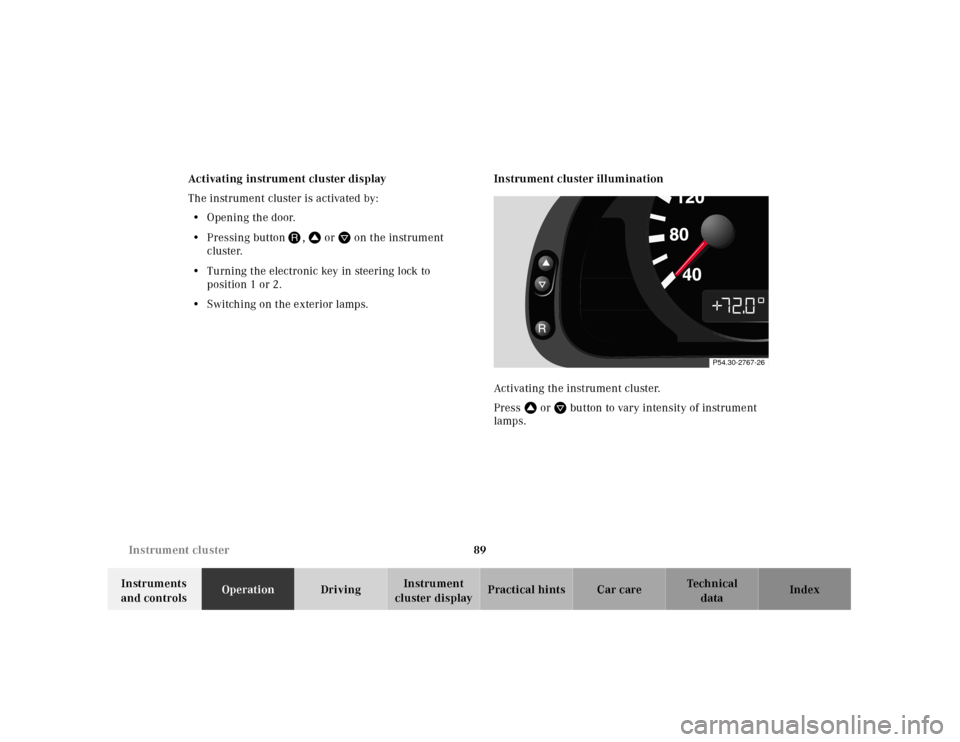
cluster displayPractical hints Car care Index Activating instrument cluster display
The instrument cluster is activated by:
•Opening the door.
•Pressing buttonJ, VorWon the instrument
cluster.
•Turning the electronic key in steering lock to
position 1 or 2.
•Switching on the exterior lamps.Instrument cluster illumination
Activating the instrument cluster.
PressVorWbutton to vary intensity of instrument
lamps.
P54.30-2767-26
Page 100 of 341
97 Multifunction steering wheel, multifunction display
Technical
data Instruments
and controlsOperationDrivingInstrument
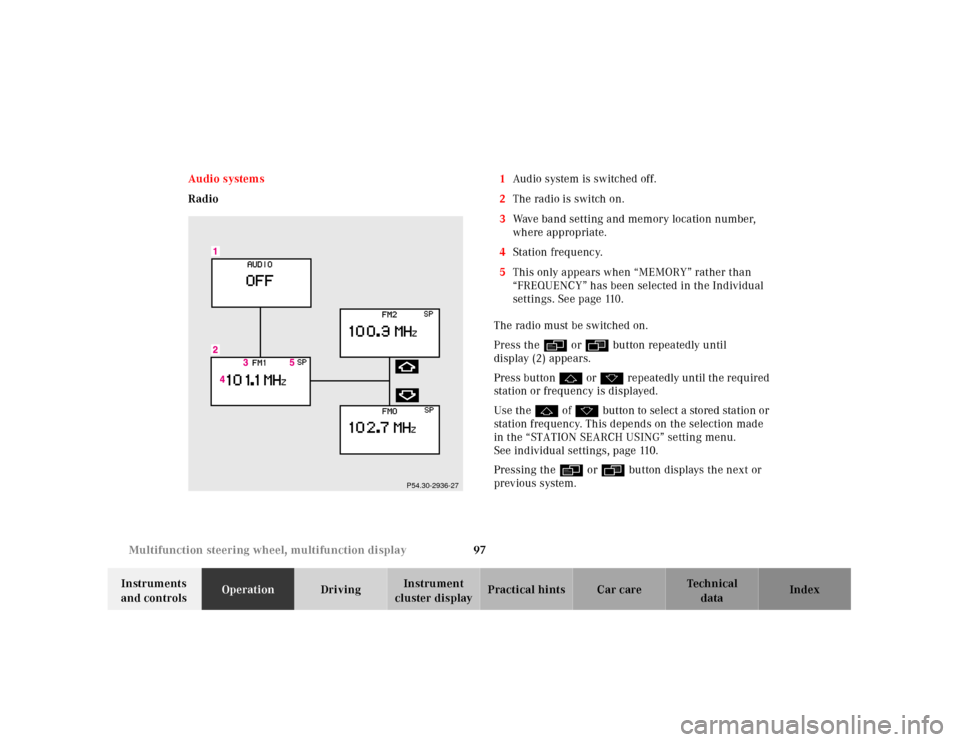
cluster displayPractical hints Car care Index Audio systems
Radio1Audio system is switched off.
2The radio is switch on.
3Wave band setting and memory location number,
where appropriate.
4Station frequ enc y.
5This only appears when “MEMORY” rather than
“FREQUENCY” has been selected in the Individual
settings. See page 110.
The radio must be switched on.
Press the è or ÿ button repeatedly until
display (2) appears.
Press button j or k repeatedly until the required
station or frequency is displayed.
Use the j of k button to select a stored station or
station frequency. This depends on the selection made
in the “STATION SEARCH USING” setting menu.
See individual settings, page 110.
Pressing the è or ÿ button displays the next or
previous system.
P54.30-2936-27
Page 101 of 341
98 Multifunction steering wheel, multifunction display
Technical
data Instruments
and controlsOperationDrivingInstrument
cluster displayPractical hints Car care Index
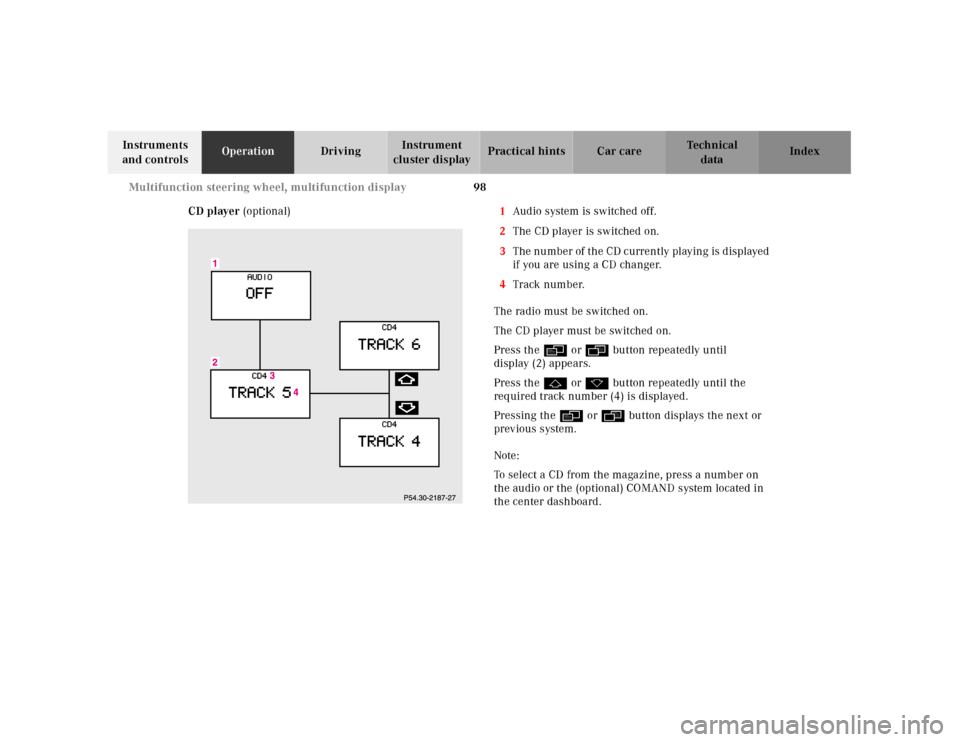
CD player (optional)1Audio system is switched off.
2The CD player is switched on.
3The number of the CD currently playing is displayed
if you are using a CD changer.
4Track number.
The radio must be switched on.
The CD player must be switched on.
Press the è or ÿ button repeatedly until
display (2) appears.
Press the j or k button repeatedly until the
required track number (4) is displayed.
Pressing the è or ÿ button displays the next or
previous system.
Note:
To select a CD from the magazine, press a number on
the audio or the (optional) COMAND system located in
the center dashboard.
Page 102 of 341
99 Multifunction steering wheel, multifunction display
Technical
data Instruments
and controlsOperationDrivingInstrument
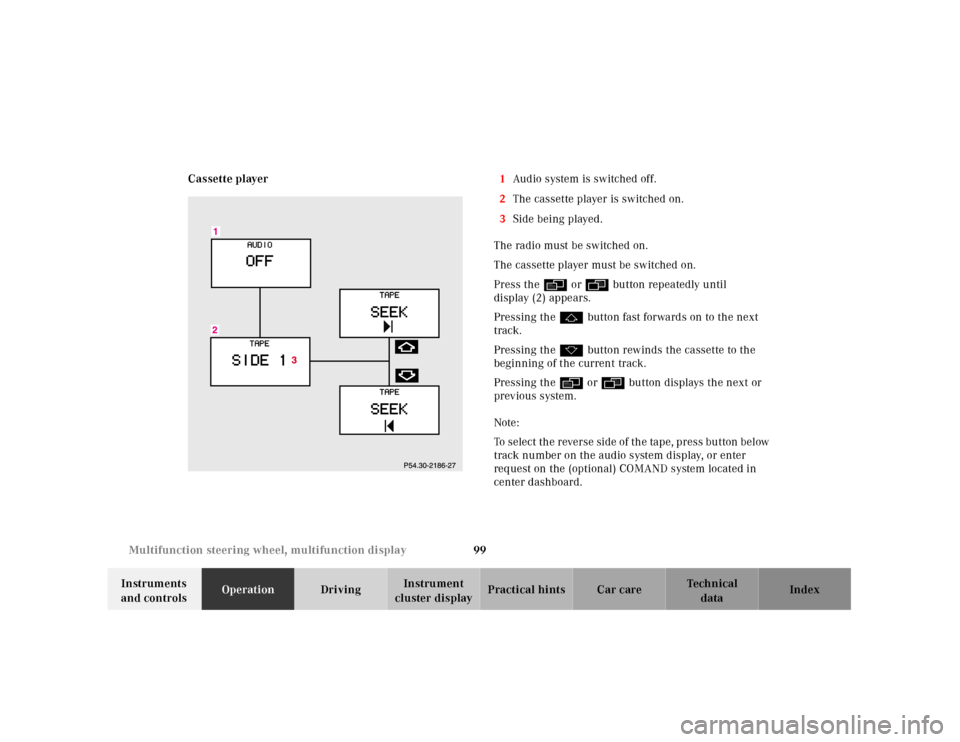
cluster displayPractical hints Car care Index Cassette player1Audio system is switched off.
2The cassette player is switched on.
3Side being played.
The radio must be switched on.
The cassette player must be switched on.
Press the è or ÿ button repeatedly until
display (2) appears.
Pressing the j button fast forwards on to the next
track.
Pressing the k button rewinds the cassette to the
beginning of the current track.
Pressing the è or ÿ button displays the next or
previous system.
Note:
To select the reverse side of the tape, press button below
track number on the audio system display, or enter
request on the (optional) COMAND system located in
center dashboard.