Page 23 of 224

DTE/ECON
²Press the DTE/ECON control
once to display approximately
how far you can drive before
running out of fuel, or the
distance to empty (DTE). To ensure accuracy, turn the ignition OFF
when you fill the tank.
²Press the DTE/ECON control a second time to display the average fuel
economy in liters/100 kilometers or miles/gallon, based on distance
traveled and rate of fuel used information.
²To reset this feature, press the
RESET control while average fuel
economy is displayed (while you
are driving).
The DTE function will flash for 5 seconds and sound a tone for 1 second
when you have approximately:
²40 km (25 miles)
²16 km (10 miles)
DTE is calculated using a running average fuel economy initialized by the
factory. This value is not the same as the average fuel economy display.
The running average fuel economy is based on more than 800 kilometers
(500 miles) of driving history, and is reinitialized if the battery is
disconnected.
If the FUEL LEVEL ERROR message is displayed, there is a problem
with the fuel indication system and you should contact your dealer for
service as soon as possible.
Checking your highway fuel economy using the electronic
message center display
The following procedure will allow you to accurately monitor your actual
highway fuel economy. Since this procedure requires the vehicle speed
control system to be set to highway speeds, it must be run only on
suitable roadways where long distance speed control can be safely
maintained.
You may notice gradual improvement in fuel economy over the course of
your vehicle's break-in period (approximately 1 600 kilometers [1 000
miles]).
DTE ECON
RESET
Instrumentation
23
Page 27 of 224
²To turn autolamps on, push the control up toward the MAX position.
As you press this switch, the autolamp system's status will be
displayed in the message center. The system can be set to provide
light for up to three minutes after you turn the ignition OFF.
²To turn autolamps off, push the control down toward OFF.
CLIMATE CONTROL SYSTEM
Electronic Automatic Temperature Control (EATC) system
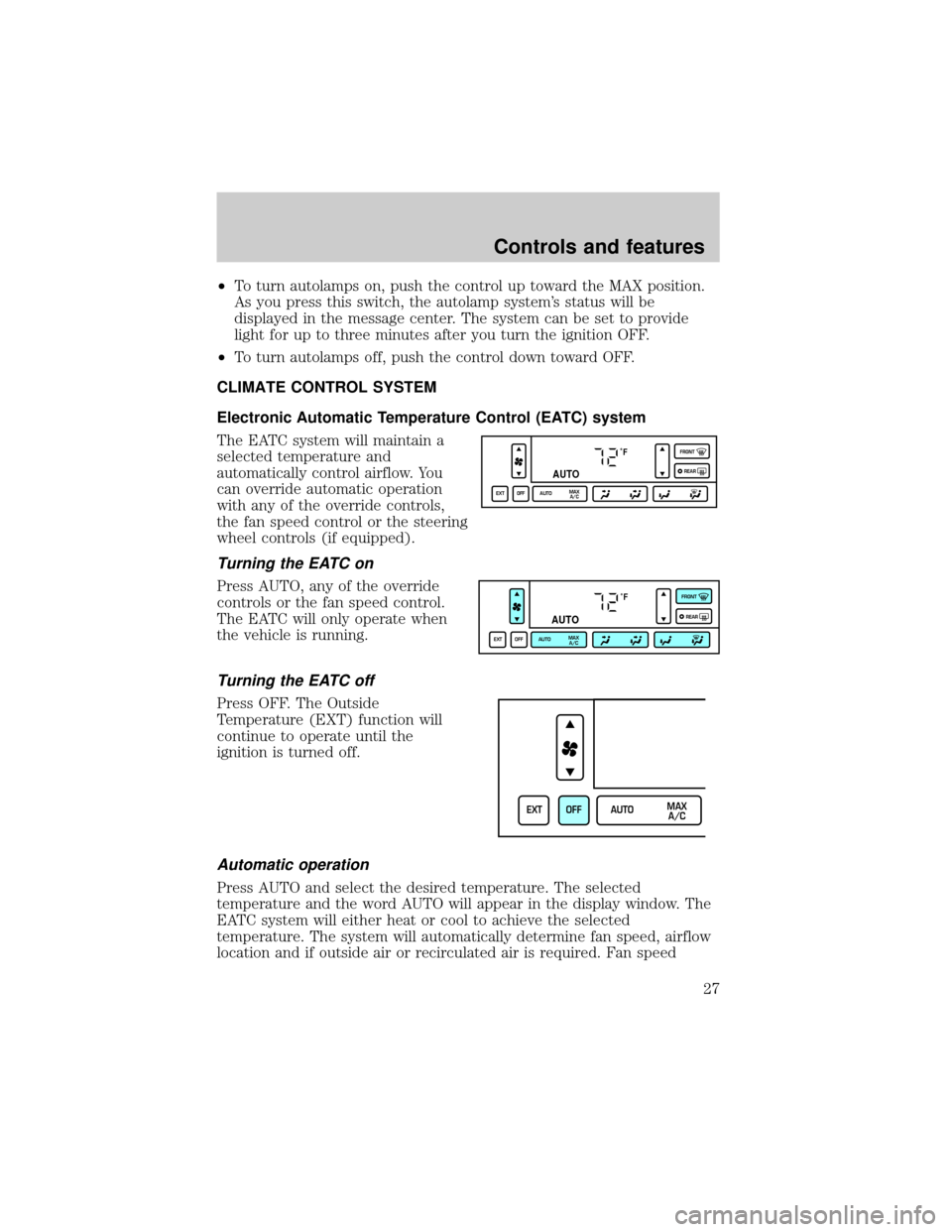
The EATC system will maintain a
selected temperature and
automatically control airflow. You
can override automatic operation
with any of the override controls,
the fan speed control or the steering
wheel controls (if equipped).
Turning the EATC on
Press AUTO, any of the override
controls or the fan speed control.
The EATC will only operate when
the vehicle is running.
Turning the EATC off
Press OFF. The Outside
Temperature (EXT) function will
continue to operate until the
ignition is turned off.
Automatic operation
Press AUTO and select the desired temperature. The selected
temperature and the word AUTO will appear in the display window. The
EATC system will either heat or cool to achieve the selected
temperature. The system will automatically determine fan speed, airflow
location and if outside air or recirculated air is required. Fan speed
˚F
AUTO
EXT OFF AUTOMAX
A/CFRONT
REAR
˚F
AUTO
EXT OFF AUTOMAX
A/CFRONT
REAR
EXT OFF AUTOMAX
A/C
Controls and features
27
Page 29 of 224
Temperature conversion
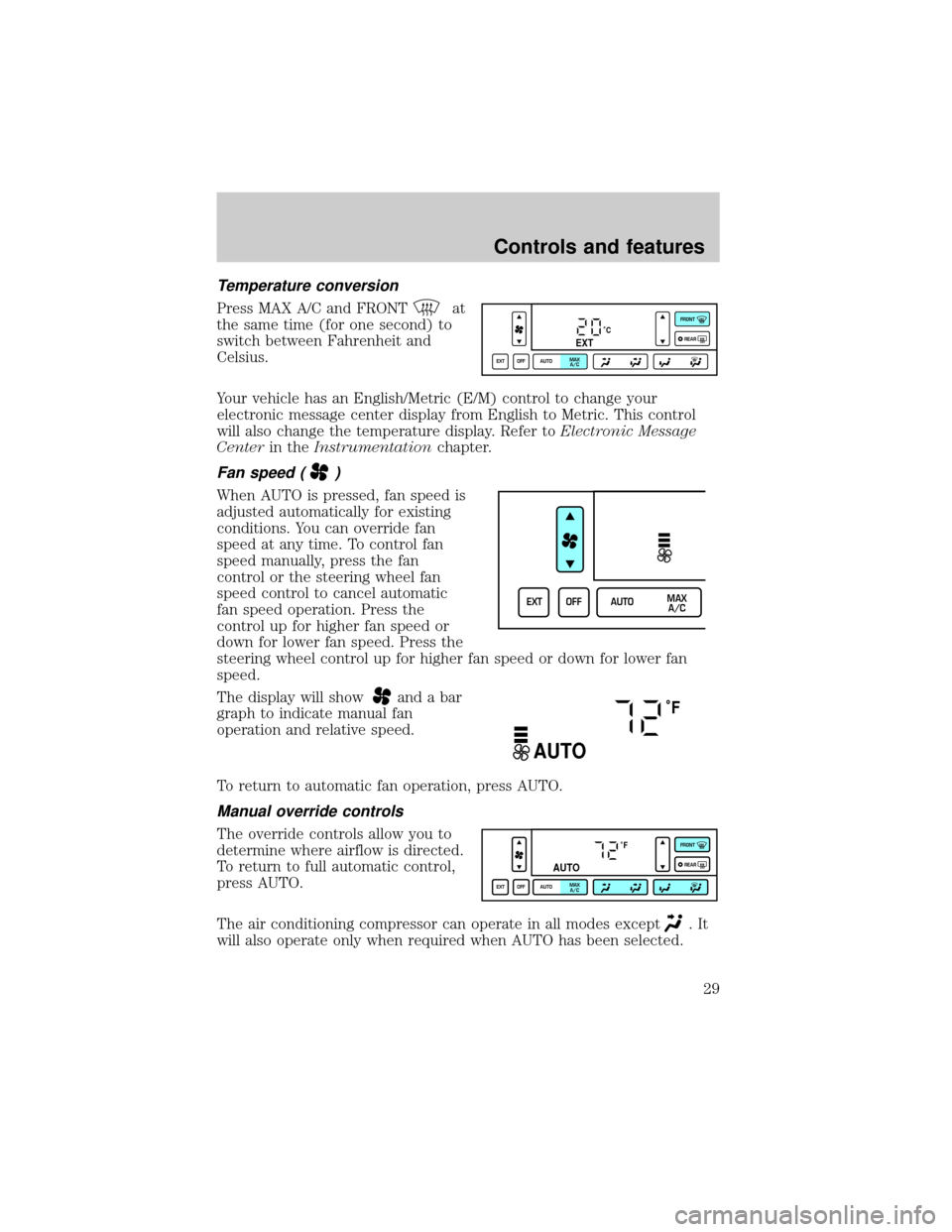
Press MAX A/C and FRONTat
the same time (for one second) to
switch between Fahrenheit and
Celsius.
Your vehicle has an English/Metric (E/M) control to change your
electronic message center display from English to Metric. This control
will also change the temperature display. Refer toElectronic Message
Centerin theInstrumentationchapter.
Fan speed ()
When AUTO is pressed, fan speed is
adjusted automatically for existing
conditions. You can override fan
speed at any time. To control fan
speed manually, press the fan
control or the steering wheel fan
speed control to cancel automatic
fan speed operation. Press the
control up for higher fan speed or
down for lower fan speed. Press the
steering wheel control up for higher fan speed or down for lower fan
speed.
The display will show
and a bar
graph to indicate manual fan
operation and relative speed.
To return to automatic fan operation, press AUTO.
Manual override controls
The override controls allow you to
determine where airflow is directed.
To return to full automatic control,
press AUTO.
The air conditioning compressor can operate in all modes except
.It
will also operate only when required when AUTO has been selected.
˚CEXT
EXT OFF AUTOMAX
A/CFRONT
REAR
EXT OFF AUTOMAX
A/C
˚F
AUTO
˚F
AUTO
EXT OFF AUTOMAX
A/CFRONT
REAR
Controls and features
29
Page 51 of 224
STEERING WHEEL CONTROLS (IF EQUIPPED)
Radio control features
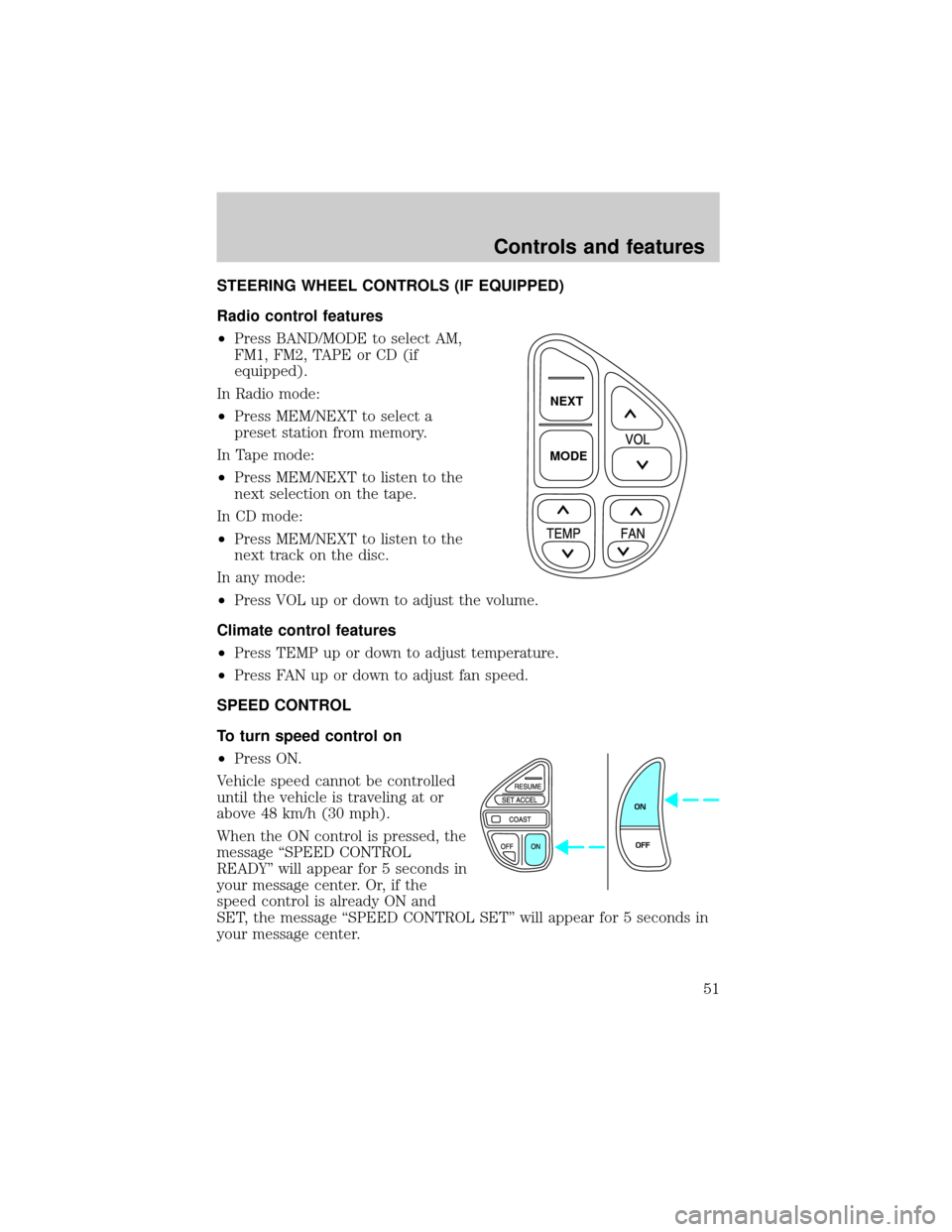
²Press BAND/MODE to select AM,
FM1, FM2, TAPE or CD (if
equipped).
In Radio mode:
²Press MEM/NEXT to select a
preset station from memory.
In Tape mode:
²Press MEM/NEXT to listen to the
next selection on the tape.
In CD mode:
²Press MEM/NEXT to listen to the
next track on the disc.
In any mode:
²Press VOL up or down to adjust the volume.
Climate control features
²Press TEMP up or down to adjust temperature.
²Press FAN up or down to adjust fan speed.
SPEED CONTROL
To turn speed control on
²Press ON.
Vehicle speed cannot be controlled
until the vehicle is traveling at or
above 48 km/h (30 mph).
When the ON control is pressed, the
message ªSPEED CONTROL
READYº will appear for 5 seconds in
your message center. Or, if the
speed control is already ON and
SET, the message ªSPEED CONTROL SETº will appear for 5 seconds in
your message center.
NEXT
MODE
ON
OFF
Controls and features
51
Page 52 of 224
Do not use the speed control in heavy traffic or on roads that
are winding, slippery, or unpaved.
Do not shift the gearshift lever into N (Neutral) with the speed
control on.
To turn speed control off
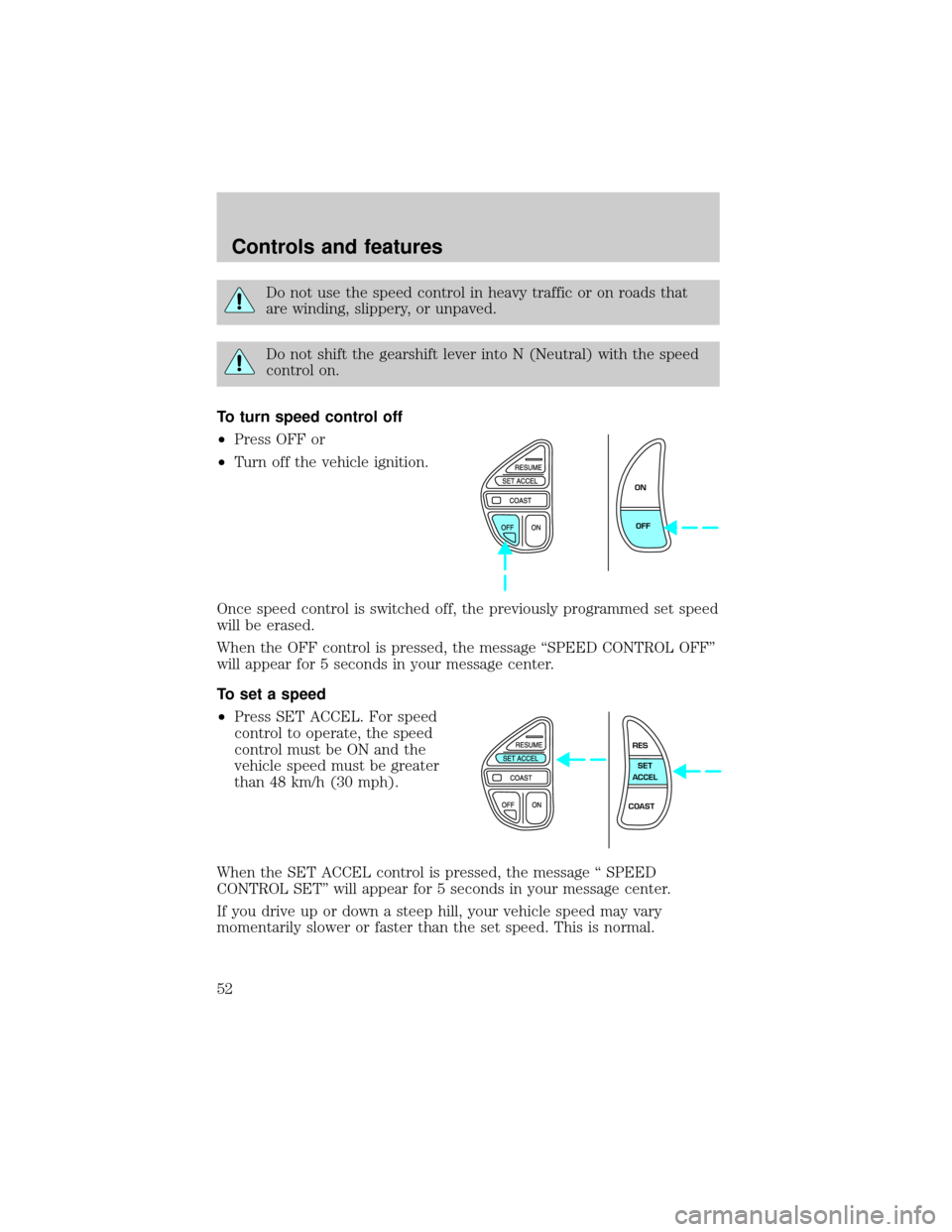
²Press OFF or
²Turn off the vehicle ignition.
Once speed control is switched off, the previously programmed set speed
will be erased.
When the OFF control is pressed, the message ªSPEED CONTROL OFFº
will appear for 5 seconds in your message center.
To set a speed
²Press SET ACCEL. For speed
control to operate, the speed
control must be ON and the
vehicle speed must be greater
than 48 km/h (30 mph).
When the SET ACCEL control is pressed, the message ª SPEED
CONTROL SETº will appear for 5 seconds in your message center.
If you drive up or down a steep hill, your vehicle speed may vary
momentarily slower or faster than the set speed. This is normal.
ON
OFF
RES
SET
ACCEL
COAST
Controls and features
52
Page 53 of 224
Speed control cannot reduce the vehicle speed if it increases above the
set speed on a downhill. If your vehicle speed is faster than the set
speed while driving on a downhill, you may want to shift to the next
lower gear or apply the brakes to reduce your vehicle speed.
If your vehicle slows down more than 16 km/h (10 mph) below your set
speed on an uphill, your speed control will disengage. ªSPEED
CONTROL CANCELEDº will appear for 5 seconds in your message
center. This is normal. Pressing RES/RESUME will re-engage it.
Do not use the speed control in heavy traffic or on roads that
are winding, slippery, or unpaved.
To set a higher set speed
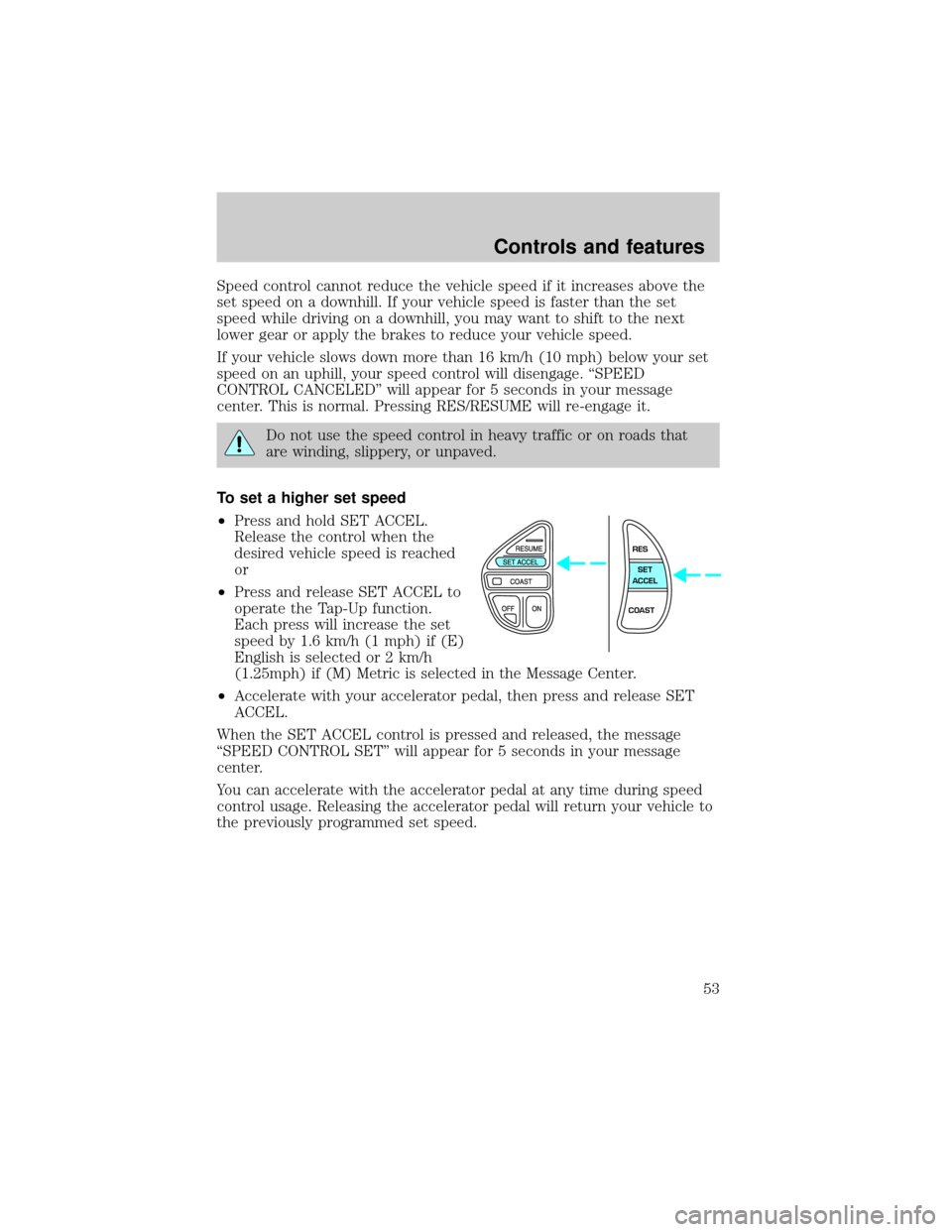
²Press and hold SET ACCEL.
Release the control when the
desired vehicle speed is reached
or
²Press and release SET ACCEL to
operate the Tap-Up function.
Each press will increase the set
speed by 1.6 km/h (1 mph) if (E)
English is selected or 2 km/h
(1.25mph) if (M) Metric is selected in the Message Center.
²Accelerate with your accelerator pedal, then press and release SET
ACCEL.
When the SET ACCEL control is pressed and released, the message
ªSPEED CONTROL SETº will appear for 5 seconds in your message
center.
You can accelerate with the accelerator pedal at any time during speed
control usage. Releasing the accelerator pedal will return your vehicle to
the previously programmed set speed.
RES
SET
ACCEL
COAST
Controls and features
53
Page 54 of 224
To set a lower set speed
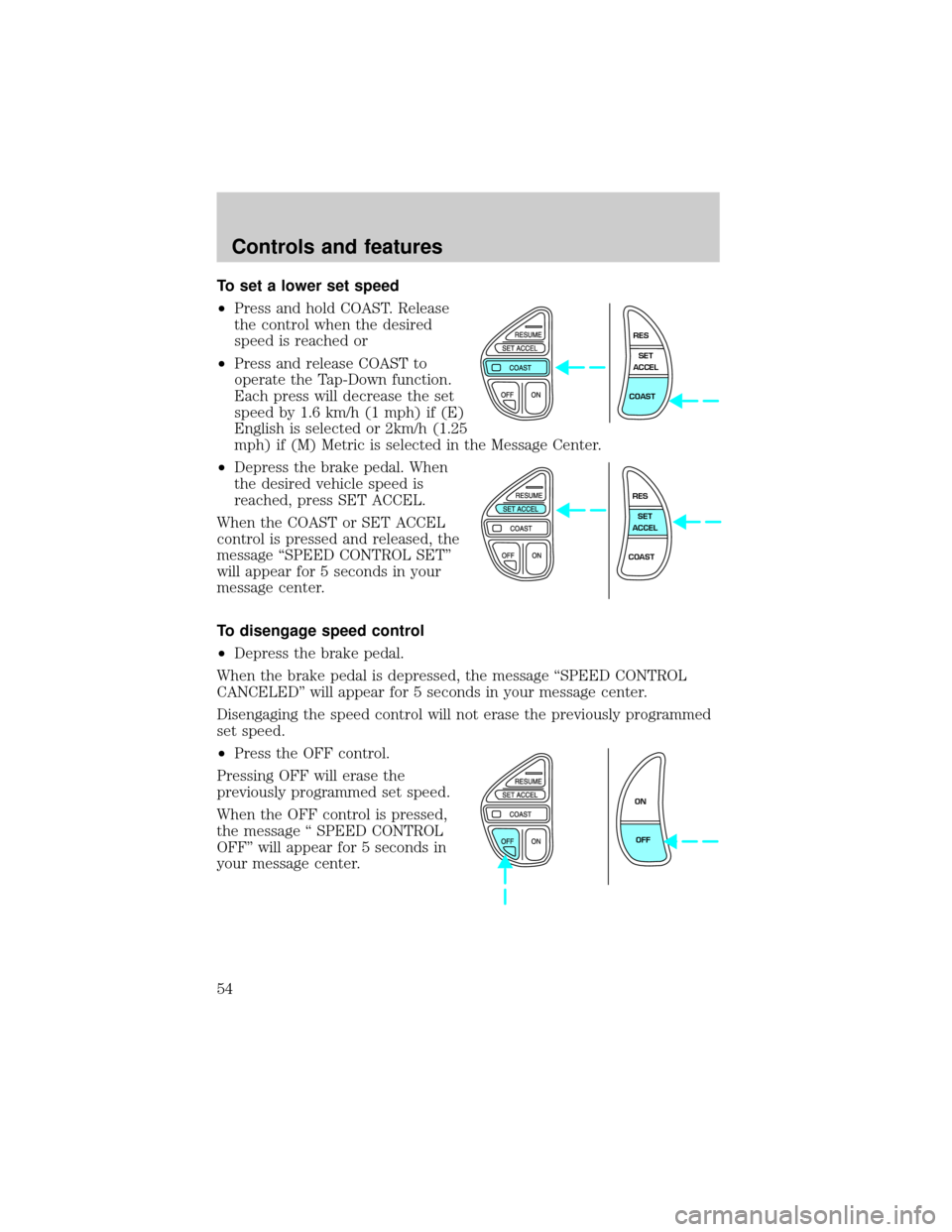
²Press and hold COAST. Release
the control when the desired
speed is reached or
²Press and release COAST to
operate the Tap-Down function.
Each press will decrease the set
speed by 1.6 km/h (1 mph) if (E)
English is selected or 2km/h (1.25
mph) if (M) Metric is selected in the Message Center.
²Depress the brake pedal. When
the desired vehicle speed is
reached, press SET ACCEL.
When the COAST or SET ACCEL
control is pressed and released, the
message ªSPEED CONTROL SETº
will appear for 5 seconds in your
message center.
To disengage speed control
²Depress the brake pedal.
When the brake pedal is depressed, the message ªSPEED CONTROL
CANCELEDº will appear for 5 seconds in your message center.
Disengaging the speed control will not erase the previously programmed
set speed.
²Press the OFF control.
Pressing OFF will erase the
previously programmed set speed.
When the OFF control is pressed,
the message ª SPEED CONTROL
OFFº will appear for 5 seconds in
your message center.
RES
SET
ACCEL
COAST
RES
SET
ACCEL
COAST
ON
OFF
Controls and features
54
Page 55 of 224
To return to a previously set speed
²Press RES/RESUME. For
RES/RESUME to operate, the
vehicle speed must be faster than
48 km/h (30 mph).
When the RESUME control is
pressed, the message ªSPEED
CONTROL SETº will appear for 5
seconds in your message center.
TILT STEERING
Pull the tilt steering control toward
you to move the steering wheel up
or down. Hold the control while
adjusting the wheel to the desired
position, then release the control.
Never adjust the steering wheel when the vehicle is moving.
RES
SET
ACCEL
COAST
Controls and features
55