2001 FORD WINDSTAR brakes
[x] Cancel search: brakesPage 178 of 288
When parking, do not use the gearshift in place of the parking
brake. Always set the parking brake fully and make sure that the
gearshift is securely latched in Park (P). Turn off the ignition
whenever you leave your vehicle. Never leave your vehicle unattended
while it is running. If you do not take these precautions, your vehicle
may move unexpectedly and injure someone.
DRIVING THROUGH WATER
Do not drive quickly through standing water, especially if the depth is
unknown. Traction or brake capability may be limited and if the ignition
system gets wet, your engine may stall. Water may also enter your
engine's air intake and severely damage your engine.
If driving through deep or standing water is unavoidable, proceed very
slowly. Never drive through water that is higher than the bottom of the
hubs (for trucks) or the bottom of the wheel rims (for cars).
Once through the water, always try the brakes. Wet brakes do not stop
the vehicle as effectively as dry brakes. Drying can be improved by
moving your vehicle slowly while applying light pressure on the brake
pedal.
Driving through deep water where the transmission vent tube is
submerged may allow water into the transmission and cause
internal transmission damage.
VEHICLE LOADING
Before loading a vehicle, familiarize yourself with the following terms:
²Base Curb Weight:Weight of the vehicle including any standard
equipment, fluids, lubricants, etc. It does not include passengers or
aftermarket equipment.
²Payload:Combined maximum allowable weight of cargo, passengers
and optional equipment. The payload equals the gross vehicle weight
rating minus base curb weight.
²GVW (Gross Vehicle Weight):Base curb weight plus payload
weight. The GVW is not a limit or a specification.
²GVWR (Gross Vehicle Weight Rating):Maximum total weight of
the base vehicle, passengers, optional equipment and cargo. The
GVWR is specific to each vehicle and is listed on the Safety
Certification Label on the driver's door pillar.
Driving
178
Page 180 of 288

Always ensure that the weight of passengers, cargo and equipment being
carried is within the weight limitations that have been established for
your vehicle including both gross vehicle weight and Front and rear
gross axle weight rating limits. Under no circumstance should these
limitations be exceeded. Exceeding any vehicle weight rating limitation
could result in serious damage to the vehicle and/or personal injury.
Calculating the load your vehicle can carry/tow
1. Use the appropriate maximum gross combined weight rating (GCWR)
chart to find the maximum GCWR for your vehicle type and whether it's
equipped with a trailer tow option.
2. Weigh your vehicle as you customarily operate the vehicle without
cargo. To obtain correct weights, try taking your vehicle to a shipping
company or an inspection station for trucks.
3. Subtract your loaded vehicle weight from the maximum GCWR on the
following charts. This is the maximum trailer weight your vehicle can tow
and must fall below the maximum shown under maximum trailer weight
on the chart.
TRAILER TOWING
Trailer towing with your vehicle requires the optional trailer tow
electrical package and may require the use of an additional medium duty
trailer tow option package.
Trailer towing puts additional loads on your vehicle's engine,
transmission, axle, brakes, tires, and suspension. For your safety and to
maximize vehicle performance, be sure to use the proper equipment
while towing.
Follow these guidelines to ensure safe towing procedure:
²Stay within your vehicle's load limits. If exceeded, cargo should be
removed from the trailer and/or the vehicle until all weights are within
specified limits.
²Thoroughly prepare your vehicle for towing. Refer toPreparing to
towin this chapter.
²Use extra caution when driving while trailer towing. Refer toDriving
while you towin this chapter.
²Service your vehicle more frequently if you tow a trailer. Refer to
Special Operating Conditions in the scheduled maintenance guide.
Driving
180
Page 181 of 288
²Do not tow a trailer until your vehicle has been driven at least 800 km
(500 miles).
²Refer to the instructions included with towing accessories for the
proper installation and adjustment specifications.
If your vehicle is equipped with the optional heavy duty trailer tow
wiring, it is pre-wired for trailer towing. An electrical connector is
provided under the instrument panel for installing a customer-supplied
electric brake controller. Another electrical connector is provided at the
hitch. This connector provides power to the trailer for taillamps, stop
and turn lamps, back up lamps, battery charge, electric brakes (when a
customer provided controller is installed) and ground. The kit included
with your vehicle provides you with adaptors to attach the brake
controller and convert the hitch connector for Class I trailer usage.
EngineMaximum GCWR -
kg (lbs.)Trailer weight range
(0 - maximum) - kg (lbs.)
Va n
3.8L 3 175 (7 000) 0-907 (0-2 000)
Wagon
3.8L 3 175 (7 000) 0-907 (0-2 000)
3.8L with
Trailer Tow
Option3 856 (8 500) 0-1 588 (0-3 500)
Do not exceed the maximum loads listed on the Safety Compliance
Certification label. For load specification terms found on the label, refer
toVehicle loadingin this chapter. Remember to figure in the tongue
load of your loaded trailer when figuring the total weight.
Towing trailers beyond the maximum recommended gross trailer
weight exceeds the limit of the vehicle and could result in
engine damage, transmission damage, structural damage, loss of control
and personal injury.
Preparing to tow
Use the proper equipment for towing a trailer, and make sure it is
properly attached to your vehicle. See your dealer or a reliable trailer
dealer if you require assistance.
Driving
181
Page 182 of 288
Hitches
Do not use hitches that clamp onto the vehicle bumper. Use a load
carrying hitch. You must distribute the load in your trailer so that 10% of
the total weight of the trailer is on the tongue.
Safety chains
Always connect the trailer's safety chains to the hook retainers on the
hitch. To connect the trailer's safety chains, cross the chains under the
trailer tongue and allow slack for turning corners.
If you use a rental trailer, follow the instructions that the rental agency
gives to you.
Do not attach safety chains to the bumper.
Trailer brakes
Electric brakes and manual, automatic or surge-type trailer brakes are safe
if installed properly and adjusted to the manufacturer's specifications. The
trailer brakes must meet local and Federal regulations.
Do not connect a trailer's hydraulic brake system directly to your
vehicle's brake system. Your vehicle may not have enough
braking power and your chances of having a collision greatly increase.
The braking system of the tow vehicle is rated for operation at the
GVWR not GCWR.
Trailer lamps
Trailer lamps are required on most towed vehicles. Ensure that your
trailer lamps conform to local and Federal Regulations.
Do not splice or modify the vehicle electrical wiring or lamps for
trailer towing.
Your vehicle uses an advanced electronic module with ground side
switching to control and monitor your vehicle lamps. Splicing into the
wiring or attaching wiring to the vehicle bulbs will DISABLE the rear
vehicle lamps from functioning. Your lamp outage feature will also be
disabled or provide incorrect information.
Your vehicle is ready to install a Trailer Tow module that will provide the
proper communication with the vehicle electrical system so your trailer
lamps will function properly. See your dealer or trailer rental agency for
proper instructions and equipment for hooking up trailer lamps.
Driving
182
Page 214 of 288
BRAKE FLUID
Checking and adding brake fluid
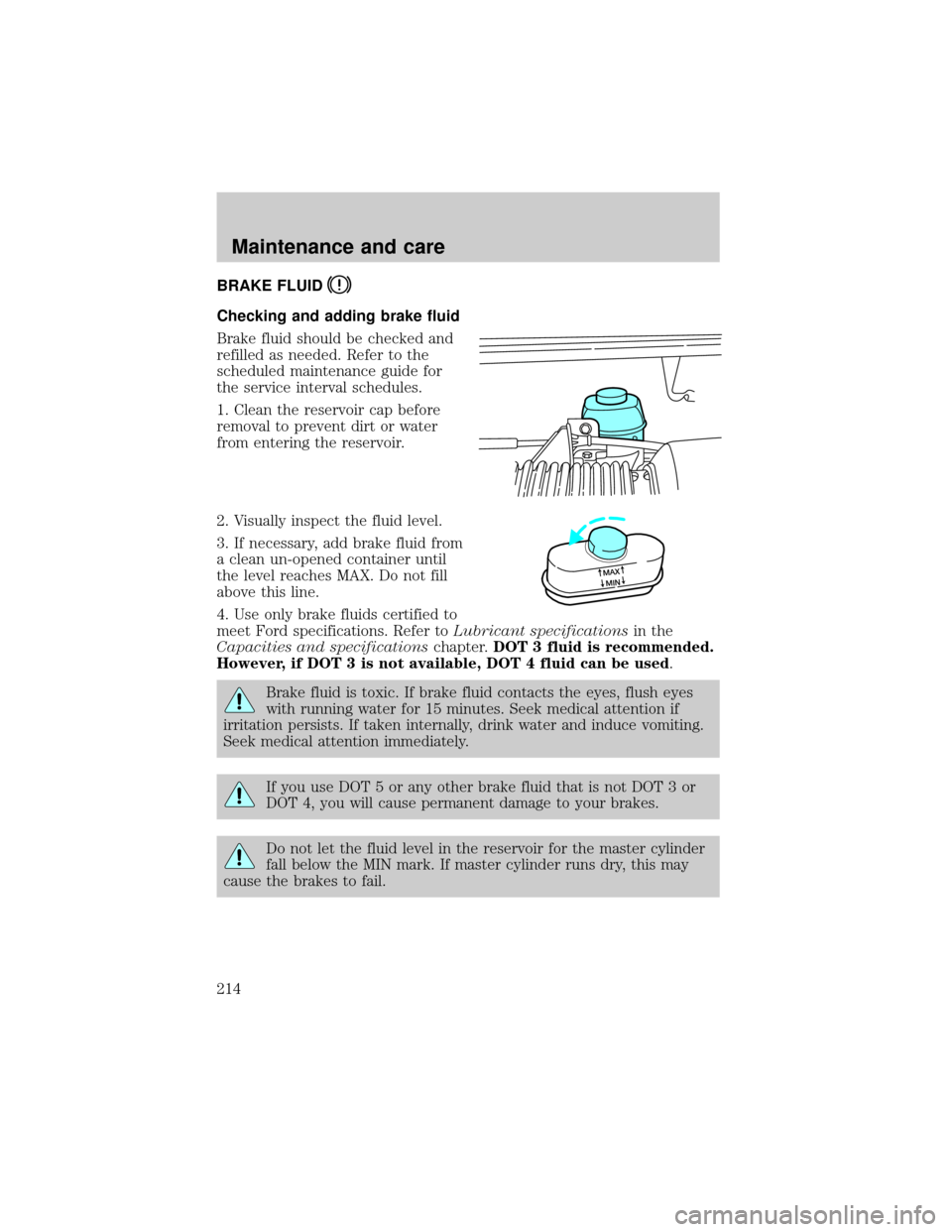
Brake fluid should be checked and
refilled as needed. Refer to the
scheduled maintenance guide for
the service interval schedules.
1. Clean the reservoir cap before
removal to prevent dirt or water
from entering the reservoir.
2. Visually inspect the fluid level.
3. If necessary, add brake fluid from
a clean un-opened container until
the level reaches MAX. Do not fill
above this line.
4. Use only brake fluids certified to
meet Ford specifications. Refer toLubricant specificationsin the
Capacities and specificationschapter.DOT 3 fluid is recommended.
However, if DOT 3 is not available, DOT 4 fluid can be used.
Brake fluid is toxic. If brake fluid contacts the eyes, flush eyes
with running water for 15 minutes. Seek medical attention if
irritation persists. If taken internally, drink water and induce vomiting.
Seek medical attention immediately.
If you use DOT 5 or any other brake fluid that is not DOT 3 or
DOT 4, you will cause permanent damage to your brakes.
Do not let the fluid level in the reservoir for the master cylinder
fall below the MIN mark. If master cylinder runs dry, this may
cause the brakes to fail.
MAX
MIN
Maintenance and care
214
Page 252 of 288
5. Locate the vertical adjuster on each headlamp, then use an E8 Torx
socket to turn the adjuster either counterclockwise (to adjust up) or
clockwise (to adjust down) positioning the horizonal edge of the high
intensity light on the horizontal reference line.
6. HORIZONTAL AIM IS NOT REQUIRED FOR THIS VEHICLE AND IS
NON-ADJUSTABLE.
7. Close the hood and turn off the lamps.
CLEANING AND CARING FOR YOUR VEHICLE
Refer to the Customer Assistance chapter for a list of Ford-approved
cleaners, polishes and waxes.
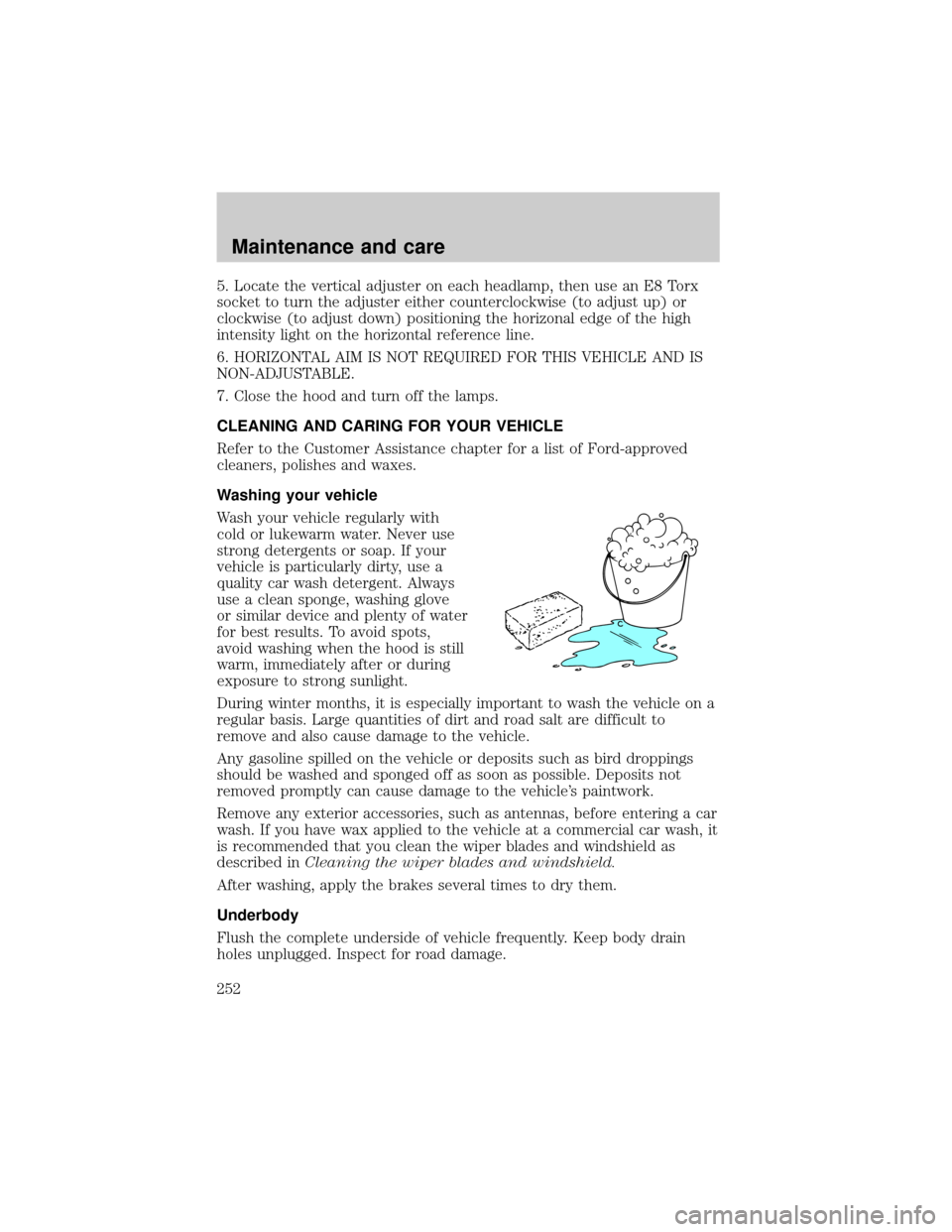
Washing your vehicle
Wash your vehicle regularly with
cold or lukewarm water. Never use
strong detergents or soap. If your
vehicle is particularly dirty, use a
quality car wash detergent. Always
use a clean sponge, washing glove
or similar device and plenty of water
for best results. To avoid spots,
avoid washing when the hood is still
warm, immediately after or during
exposure to strong sunlight.
During winter months, it is especially important to wash the vehicle on a
regular basis. Large quantities of dirt and road salt are difficult to
remove and also cause damage to the vehicle.
Any gasoline spilled on the vehicle or deposits such as bird droppings
should be washed and sponged off as soon as possible. Deposits not
removed promptly can cause damage to the vehicle's paintwork.
Remove any exterior accessories, such as antennas, before entering a car
wash. If you have wax applied to the vehicle at a commercial car wash, it
is recommended that you clean the wiper blades and windshield as
described inCleaning the wiper blades and windshield.
After washing, apply the brakes several times to dry them.
Underbody
Flush the complete underside of vehicle frequently. Keep body drain
holes unplugged. Inspect for road damage.
Maintenance and care
252
Page 278 of 288

A
Accessory delay ..........................86
AdvanceTrac ..............................170
Air bag supplemental
restraint system ........144±145, 149
and child safety seats ............146
description ......................145, 149
disposal ....................................151
driver air bag ..................147, 150
indicator light ...................10, 147
operation .........................147, 150
passenger air bag ...........147, 150
side air bag ..............................149
Air cleaner filter .......................257
Air conditioning ..........................29
Air filter, cabin ..........................224
Antifreeze
(see Engine coolant) ................215
Anti-lock brake system
(see Brakes) ......................167±168
Anti-theft system ......................112
arming the system ..................112
disarming a
triggered system .....................113
warning light ...............................9
Audio system (see Radio) ...39, 63
Automatic transaxle .................173
driving with .............................175
fluid, adding ............................222
fluid, checking ........................222
fluid, refill capacities ..............258
fluid, specification ..................261
Auxiliary power point ...............116
Axle
lubricant specifications ..........259B
Battery .......................................227
acid, treating emergencies .....227
charging system warning light ..8
jumping a disabled battery ....202
maintenance-free ....................227
replacement, specifications ...257
servicing ..................................227
Belt minder ...............................140
Brakes ........................................167
anti-lock ...........................167±168
anti-lock brake system
(ABS) warning light .........10, 168
brake warning light ..................10
fluid, checking and adding ....214
fluid, refill capacities ..............258
fluid, specifications .........259, 261
lubricant specifications ..259, 261
parking ....................................168
pedals (see Power
adjustable foot pedals) ............78
shift interlock ..........................173
Break-in period .............................3
C
Capacities for refilling fluids ....258
Cargo net ...................................118
Certification Label ....................262
Child safety restraints ..............152
child safety belts ....................152
Child safety seats ......................153
in front seat ............................154
in rear seat ......................154, 156
LATCH .....................................161
tether anchorage hardware ...157
Cleaning your vehicle ...............252
engine compartment ..............254
Index
278
Page 281 of 288

daytime running lights .............27
flash to pass ..............................28
high beam ...........................10, 27
replacing bulbs .......................246
turning on and off ....................27
warning chime ..........................14
Heating ........................................29
heater only system ...................29
rear seat controls .....................37
HomeLink universal
transceiver (see
Garage door opener) ......90, 92±94
Hood ..........................................209
I
Ignition .................................79, 261
Infant seats
(see Safety seats) .....................153
Inspection/maintenance
(I/M) testing ..............................245
Instrument panel
cleaning ...................................255
cluster ..................................8, 255
lighting up panel and interior .28
location of components ..............8
J
Jack ............................................196
positioning ...............................196
storage .....................................196
Jump-starting your vehicle ......202
K
Keyless entry system
autolock ...................................110
locking and unlocking doors ..112programming entry code .......111
Keys ...................................113±115
key in ignition chime ...............14
positions of the ignition ...........79
L
Lamps
autolamp system .......................29
bulb replacement
specifications chart ................250
cargo lamps ...............................28
daytime running light ...............27
headlamps .................................27
headlamps, flash to pass ..........28
instrument panel, dimming .....28
interior lamps .....................95±97
replacing bulbs ...............245±249
Lane change indicator
(see Turn signal) ........................82
Liftgate ..............................117±118
Lights, warning and indicator ......8
air bag ........................................10
anti-lock brakes (ABS) ....10, 168
anti-theft .....................................9
brake ..........................................10
charging system ..........................8
check engine .............................11
door ajar ....................................13
fuel cap light .............................12
fuel reset ...................................13
high beam ...........................10, 13
low fuel ........................................8
low washer fluid .......................13
oil pressure ...............................10
overdrive off ..............................11
safety belt ...................................9
traction control active ................8
traction control off .....................9
turn signal indicator ...................9
Index
281