2001 FORD EXPLORER instrument cluster
[x] Cancel search: instrument clusterPage 164 of 288
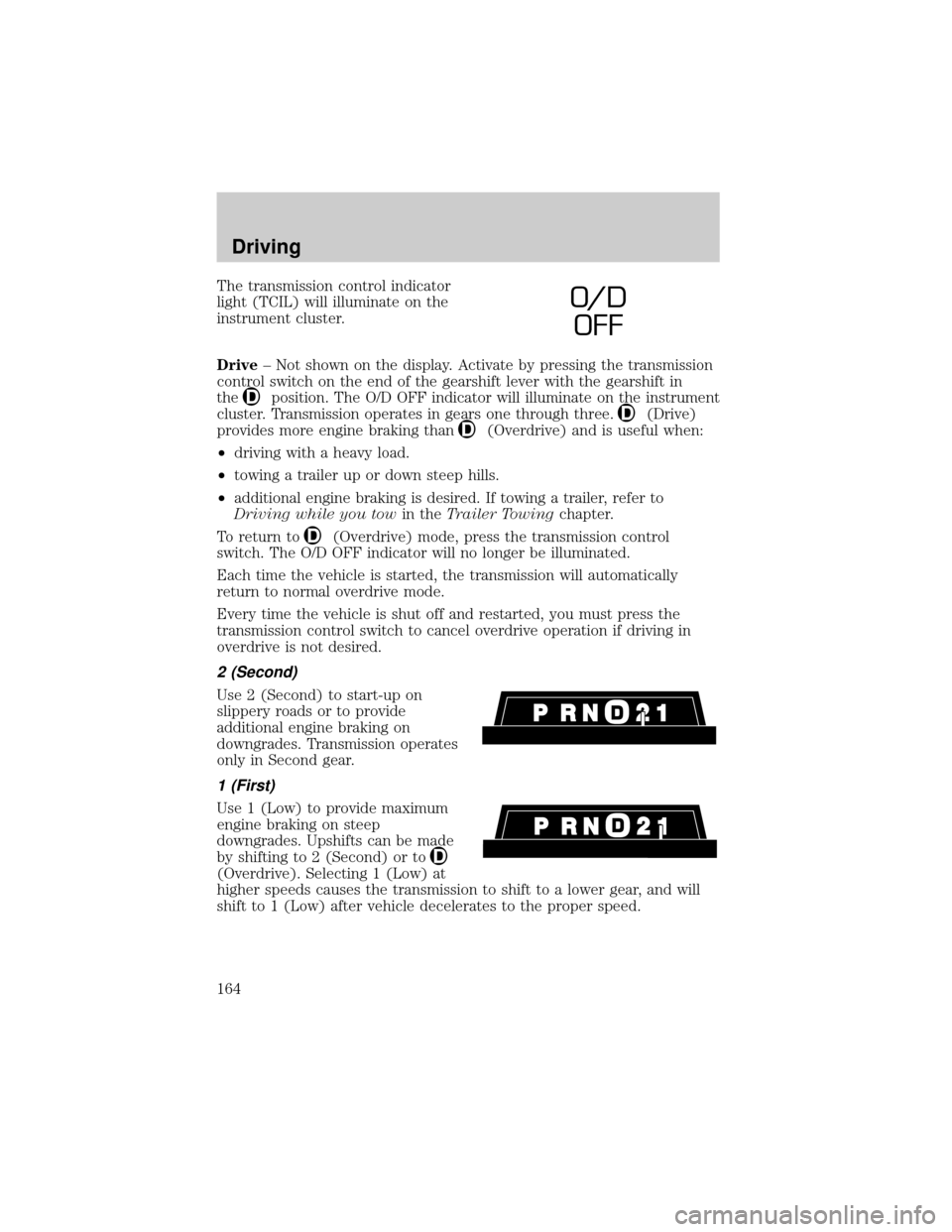
The transmission control indicator
light (TCIL) will illuminate on the
instrument cluster.
Drive± Not shown on the display. Activate by pressing the transmission
control switch on the end of the gearshift lever with the gearshift in
the
position. The O/D OFF indicator will illuminate on the instrument
cluster. Transmission operates in gears one through three.
(Drive)
provides more engine braking than
(Overdrive) and is useful when:
²driving with a heavy load.
²towing a trailer up or down steep hills.
²additional engine braking is desired. If towing a trailer, refer to
Driving while you towin theTrailer Towingchapter.
To return to
(Overdrive) mode, press the transmission control
switch. The O/D OFF indicator will no longer be illuminated.
Each time the vehicle is started, the transmission will automatically
return to normal overdrive mode.
Every time the vehicle is shut off and restarted, you must press the
transmission control switch to cancel overdrive operation if driving in
overdrive is not desired.
2 (Second)
Use 2 (Second) to start-up on
slippery roads or to provide
additional engine braking on
downgrades. Transmission operates
only in Second gear.
1 (First)
Use 1 (Low) to provide maximum
engine braking on steep
downgrades. Upshifts can be made
by shifting to 2 (Second) or to
(Overdrive). Selecting 1 (Low) at
higher speeds causes the transmission to shift to a lower gear, and will
shift to 1 (Low) after vehicle decelerates to the proper speed.
O/ D
OFF
Driving
164
Page 166 of 288

R (Reverse)
With the gearshift lever in R
(Reverse), the vehicle will move
backward. Always come to a
complete stop before shifting into
and out of R (Reverse).
N (Neutral)
With the gearshift lever in N
(Neutral), the vehicle can be started
and is free to roll. Hold the brake
pedal down while in this position.
(Overdrive)
The normal driving position for the
best fuel economy. Transmission
operates in gears one through five.
(Overdrive) can be deactivated
by pressing the transmission control
switch on the end of the gearshift
lever.
The transmission control indicator
light (TCIL) will illuminate on the
instrument cluster.
Drive± Not shown on the display. Activate by pressing the transmission
control switch on the end of the gearshift lever with the gearshift in
the
(Overdrive) position. The TCIL will illuminate on the instrument
cluster. Transmission operates in gears one through four. Drive (O/D
OFF) provides more engine braking than
(Overdrive) and is useful
whenever driving conditions (i.e., city traffic, hilly terrain, etc.) cause the
transmission to excessively shift between
(Overdrive) and other
gears. Deactivate
(Overdrive) when:
²driving with a heavy load.
²towing a trailer up or down steep hills.
²additional engine braking is desired. If towing a trailer, refer to
Driving while you towin theTrailer Towingchapter.
O/D
ON/OFF
O/ D
OFF
Driving
166
Page 169 of 288
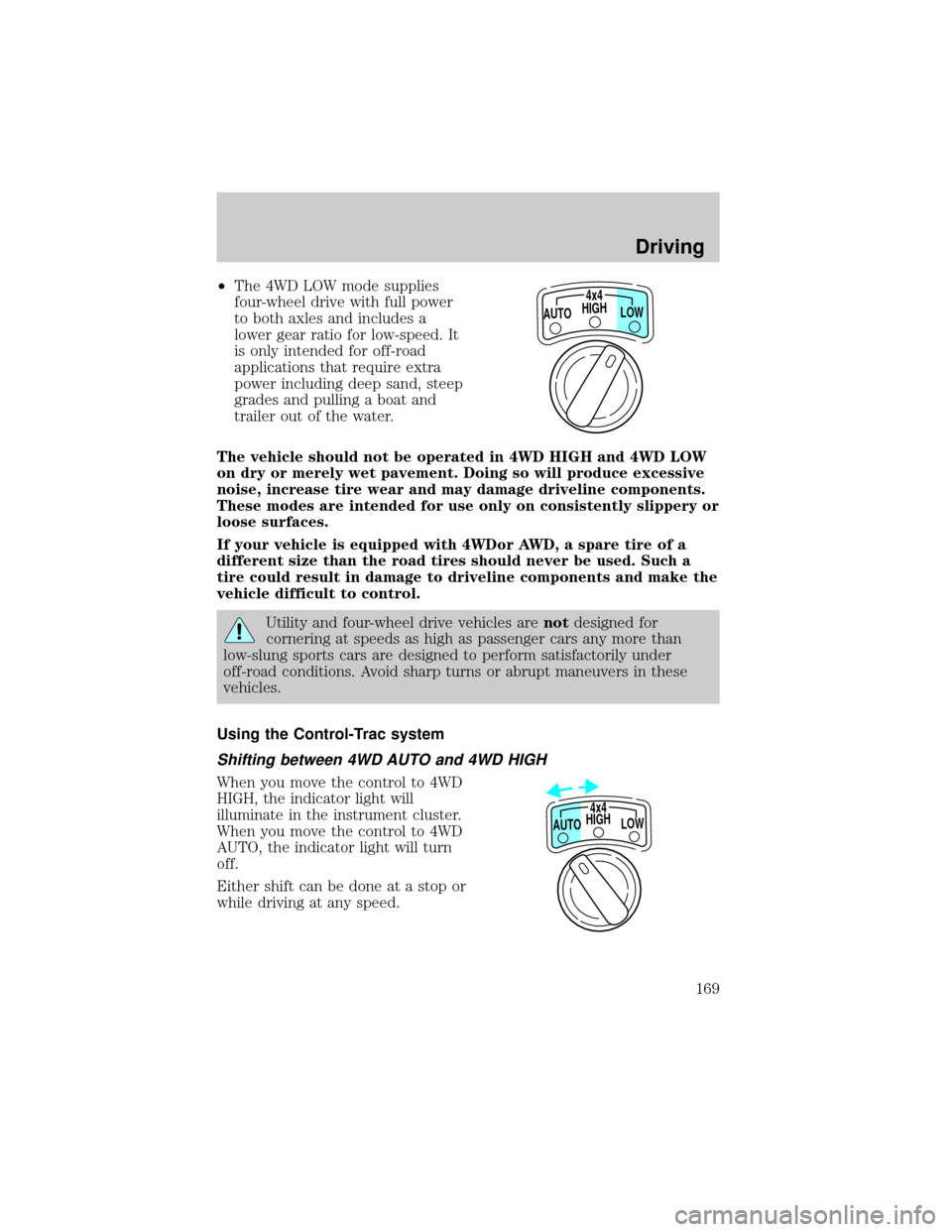
²The 4WD LOW mode supplies
four-wheel drive with full power
to both axles and includes a
lower gear ratio for low-speed. It
is only intended for off-road
applications that require extra
power including deep sand, steep
grades and pulling a boat and
trailer out of the water.
The vehicle should not be operated in 4WD HIGH and 4WD LOW
on dry or merely wet pavement. Doing so will produce excessive
noise, increase tire wear and may damage driveline components.
These modes are intended for use only on consistently slippery or
loose surfaces.
If your vehicle is equipped with 4WDor AWD, a spare tire of a
different size than the road tires should never be used. Such a
tire could result in damage to driveline components and make the
vehicle difficult to control.
Utility and four-wheel drive vehicles arenotdesigned for
cornering at speeds as high as passenger cars any more than
low-slung sports cars are designed to perform satisfactorily under
off-road conditions. Avoid sharp turns or abrupt maneuvers in these
vehicles.
Using the Control-Trac system
Shifting between 4WD AUTO and 4WD HIGH
When you move the control to 4WD
HIGH, the indicator light will
illuminate in the instrument cluster.
When you move the control to 4WD
AUTO, the indicator light will turn
off.
Either shift can be done at a stop or
while driving at any speed.
HIGH4x4
LOW AUTO
HIGH
LOW AUTO4x4
Driving
169
Page 191 of 288

Fuse/
Relay
LocationFuse
Amp
RatingPassenger Compartment Fuse Panel
Description
11 7.5A Instrument Cluster
12 7.5A Washer Pump Relay, Rear Washer Pump Relay
13 20A Brake Pedal Position Switch, Brake Pressure
Switch
14 10A 4 Wheel Anti-Lock Brake System (4WABS)
Module, 4WABS Main Relay
15 7.5A Instrument Cluster
16 30A Windshield Wiper Motor, Wiper Hi-Lo Relay,
Wiper Run/Park Relay
17 25A Cigar Lighter
18 25A Drivers Unlock Relay, All Unlock Relay, All
Lock Relay, Power Seats
19 25A PCM Power Diode
20 7.5A RAP Module, Generic Electronic Module
(GEM), Radio
21 15A Flasher (Hazard)
22 20A Auxiliary Power Socket
23 Ð Not Used
24 7.5A Clutch Pedal Position (CPP) Switch, Starter
Interrupt Relay, Anti-Theft
25 7.5A Generic Electronic Module (GEM), Instrument
Cluster, Securi-Lock
26 10A Battery Saver Relay, Electronic Shift Relay,
Interior Lamp Relay, Electronic Shift Control
Module
27 15A DRL, Backup Lamps Switch, DTR Sensor,
Electric Shift
28 7.5A Generic Electronic Module (GEM), Radio,
Memory Seat
29 25A Radio
30 15A Park Lamp/Trailer Tow Relay
31 Ð Not Used
Roadside emergencies
191
Page 192 of 288

Fuse/
Relay
LocationFuse
Amp
RatingPassenger Compartment Fuse Panel
Description
32 10A Heated Mirror
33 15A Headlamps, Daytime Running Lamps (DRL)
Module, Instrument Cluster
34 7.5A Rear Integrated Control Panel, CD
35 7.5A Rear Blower Motor (w/EATC)
36 7.5A EATC Memory, CD, Rear Integrated Control
Panel, Memory Seat, Message Center
Power distribution box
The power distribution box is
located in the engine compartment.
The power distribution box contains
high-current fuses that protect your
vehicle's main electrical systems
from overloads.
Always disconnect the battery before servicing high current
fuses.
Always replace the cover to the Power Distribution Box before
reconnecting the battery or refilling fluid reservoirs.
If the battery has been disconnected and reconnected, refer to the
Batterysection of theMaintenance and carechapter.
Roadside emergencies
192
Page 253 of 288

Cleaning the instrument cluster lens
Clean with a damp cloth, then dry with a dry cloth.
Do not use household or glass cleaners as these may damage the lens.
Cleaning the overhead console
Clean with a damp cloth, then wipe dry with a dry cloth.
Avoid cleaner or polish that increases the gloss of the console. The dull
finish in this area helps protect the driver from undesirable windshield
reflection.
Cleaning the interior fabric
Remove dust and loose dirt with a whisk broom or a vacuum cleaner.
Remove fresh spots immediately. Do not use household or glass cleaners.
These agents can stain and discolor the fabric. Use a mild soap and
water solution if necessary.
Cleaning and maintaining the safety belts
Clean the safety belts with a mild soap solution recommended for
cleaning upholstery or carpets. Do not bleach or dye the belts, because
these actions may weaken the belt webbing.
Check the safety belt system periodically to make sure there are no
nicks, wear or cuts. If your vehicle has been involved in an accident,
refer to theSafety belt maintenancesection in theSeating and safety
restraintschapter.
Cleaning leather seats (if equipped)
To clean, simply use a soft cloth dampened with water and a mild soap.
Wipe the leather again with a damp cloth to remove soap residue. Dry
with a soft cloth. For tougher soiling concerns, Ford recommends using
the Deluxe Leather Care Kit F8AZ-19G253±AA, which is available from
your Ford Dealer. This mild cleaner and special pad, cleans the leather
and maintains its natural beauty. Follow the instructions on the cleaner
label. Regular cleaning of your leather upholstery helps maintain its
resiliency and color.
Do not use household cleaning products, alcohol solutions,
solvents or cleaners intended for rubber, vinyl or plastics.
Maintenance and care
253
Page 277 of 288

Certification Label ....................262
Child safety restraints ..............145
child safety belts ....................145
Child safety seats ..............145±146
attaching with tether straps ..149
in front seat ............................147
in rear seat ..............................147
Cleaning your vehicle ...............248
engine compartment ..............250
exterior ............................250±251
exterior lamps .........................251
instrument cluster lens ..........253
instrument panel ....................252
interior .............................252±253
mirrors .....................................254
plastic parts ............................251
safety belts ..............................253
washing ....................................249
waxing .....................................249
wheels ......................................251
windows ..................................254
wiper blades ............................252
woodtone trim ........................254
Climate control (see Air
conditioning or Heating) ............23
Clock ..........................42, 48, 58, 71
Compass, electronic ....................94
calibration .................................96
set zone adjustment .................95
Console ......................................105
overhead ....................................92
rear ..........................................106
Controls
power seat ...............................122
steering column ........................90
Coolant
checking and adding ..............216
refill capacities ................219, 255specifications ..................258, 260
Cruise control (see Speed
control) ........................................84
Customer Assistance ................185
Ford accessories for your
vehicle .....................................270
Ford Extended Service Plan....263
Getting assistance outside the
U.S. and Canada .....................269
Getting roadside assistance ...185
Getting the service you need 263
Ordering additional owner's
literature .................................274
The Dispute Settlement
Board .......................................266
Utilizing the
Mediation/Arbitration
Program ...................................269
D
Daytime running lamps (see
Lamps) .........................................22
Defrost
rear window ..............................34
Dipstick
automatic transmission fluid....222
engine oil .................................210
Doors
door ajar warning .....................12
lubricant specifications ..........258
Driveline universal joint and
slip yoke ....................................225
Driving under special
conditions ..........................172, 174
mud ..........................171, 173±174
sand .................................171, 174
snow and ice ...........171±173, 175
through water .........171, 174, 178
Index
277
Page 279 of 288

definition .................................176
driving with a heavy load ......176
location ....................................176
GVWR (Gross Vehicle Weight
Rating) .......................................176
calculating .......................176, 178
definition .................................176
driving with a heavy load ......176
location ....................................176
H
Hazard flashers .........................186
Head restraints .................121, 125
Headlamps ...................................22
aiming ......................................248
autolamp system .....................101
bulb specifications ..................248
daytime running lights .............22
flash to pass ..............................23
high beam ...........................11, 22
replacing bulbs .......................244
turning on and off ....................22
warning chime ..........................13
Heating ........................................23
heating and air conditioning
system .......................................23
HomeLink universal
transceiver (see Garage door
opener) ................................96±100
Hood ..........................................208
I
Ignition .................................83, 260
Infant seats
(see Safety seats) .............145±146
Inspection/maintenance (I/M)
testing ........................................243Instrument panel
cleaning ...................................252
cluster ..................................8, 253
lighting up panel and interior....23
location of components ..............8
J
Jack ............................................195
positioning ...............................195
storage .....................................195
Jump-starting your vehicle ......199
K
Keyless entry system ...............114
autolock ...................................116
keypad .....................................114
locking and unlocking doors ..115
programming entry code .......114
Keys ...................................117±119
key in ignition chime ...............13
positions of the ignition ...........83
L
Lamps
bulb replacement
specifications chart ................248
cargo lamps ...............................23
daytime running light ...............22
fog lamps ...................................22
headlamps .................................22
headlamps, flash to pass ..........23
instrument panel, dimming .....23
replacing bulbs ...............243±247
Lane change indicator (see
Turn signal) .................................83
Liftgate ......................................107
Lights, warning and indicator ......8
Index
279