Page 42 of 248
Setting the clock
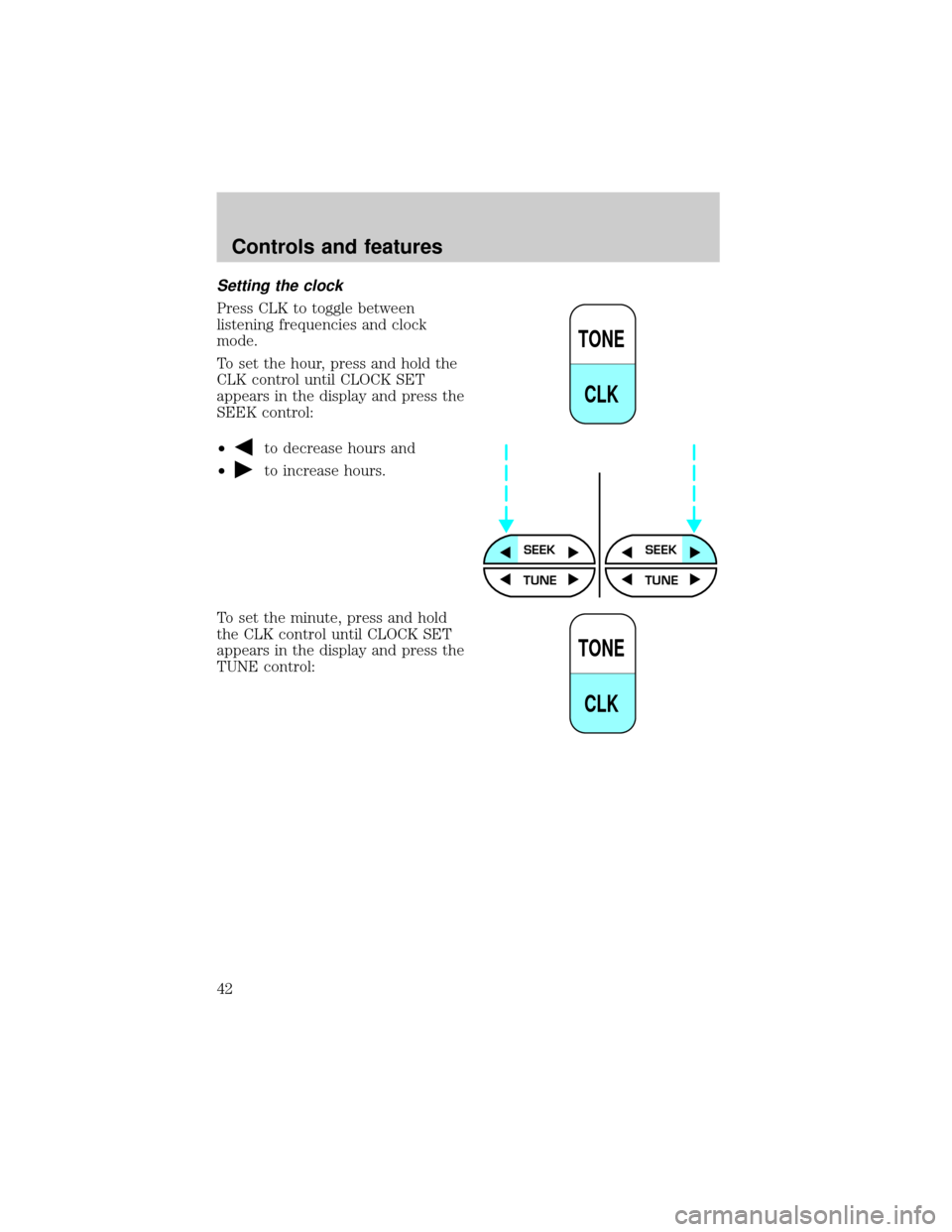
Press CLK to toggle between
listening frequencies and clock
mode.
To set the hour, press and hold the
CLK control until CLOCK SET
appears in the display and press the
SEEK control:
²
to decrease hours and
²
to increase hours.
To set the minute, press and hold
the CLK control until CLOCK SET
appears in the display and press the
TUNE control:
TONE
CLK
SEEKSEEK
TUNE TUNE
TONE
CLK
Controls and features
42
Page 43 of 248
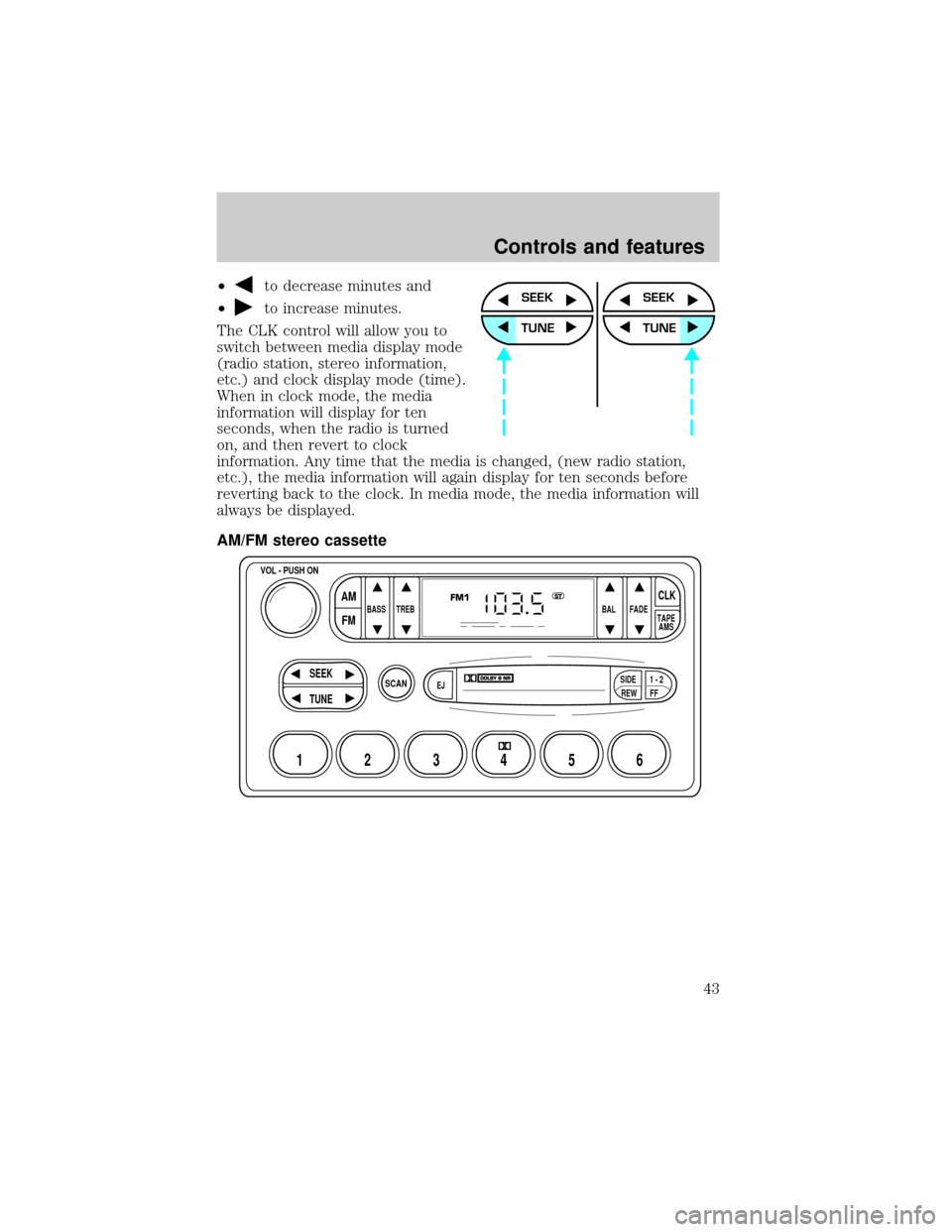
²to decrease minutes and
²
to increase minutes.
The CLK control will allow you to
switch between media display mode
(radio station, stereo information,
etc.) and clock display mode (time).
When in clock mode, the media
information will display for ten
seconds, when the radio is turned
on, and then revert to clock
information. Any time that the media is changed, (new radio station,
etc.), the media information will again display for ten seconds before
reverting back to the clock. In media mode, the media information will
always be displayed.
AM/FM stereo cassetteSEEK
TUNE
SEEK
TUNE
SCAN
BASS TREB BAL FADE
SIDE
EJ
REW FF1 - 2TAPE
AMS
VOL - PUSH ON
SEEK
TUNE
AM
FMCLK
12 3456
FM1ST
Controls and features
43
Page 49 of 248
Eject function
Press the control to stop and eject a
tape.
DolbyTnoise reduction
Dolbytnoise reduction operates
only in tape mode. Dolbytnoise
reduction reduces the amount of
hiss and static during tape playback.
Press the
control to activate (and deactivate) Dolbytnoise
reduction.
Dolbytnoise reduction is manufactured under license from Dolbyt
Laboratories Licensing Corporation. ªDolbytº and the double-D symbol
are registered trademarks of Dolby Laboratories Licensing Corporation.
Setting the clock
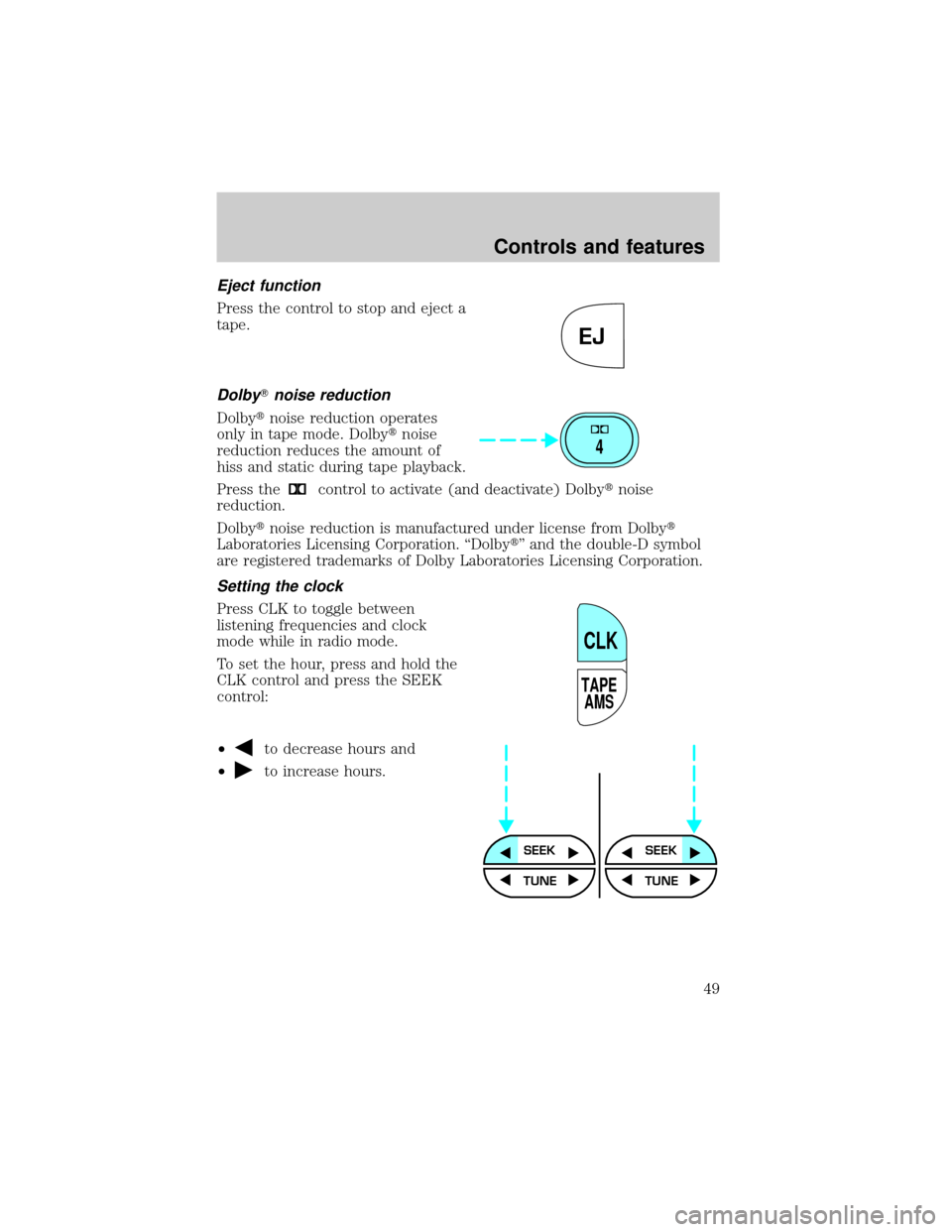
Press CLK to toggle between
listening frequencies and clock
mode while in radio mode.
To set the hour, press and hold the
CLK control and press the SEEK
control:
²
to decrease hours and
²
to increase hours.
EJ
4
TAPE
AMS
CLK
SEEKSEEK
TUNE TUNE
Controls and features
49
Page 50 of 248
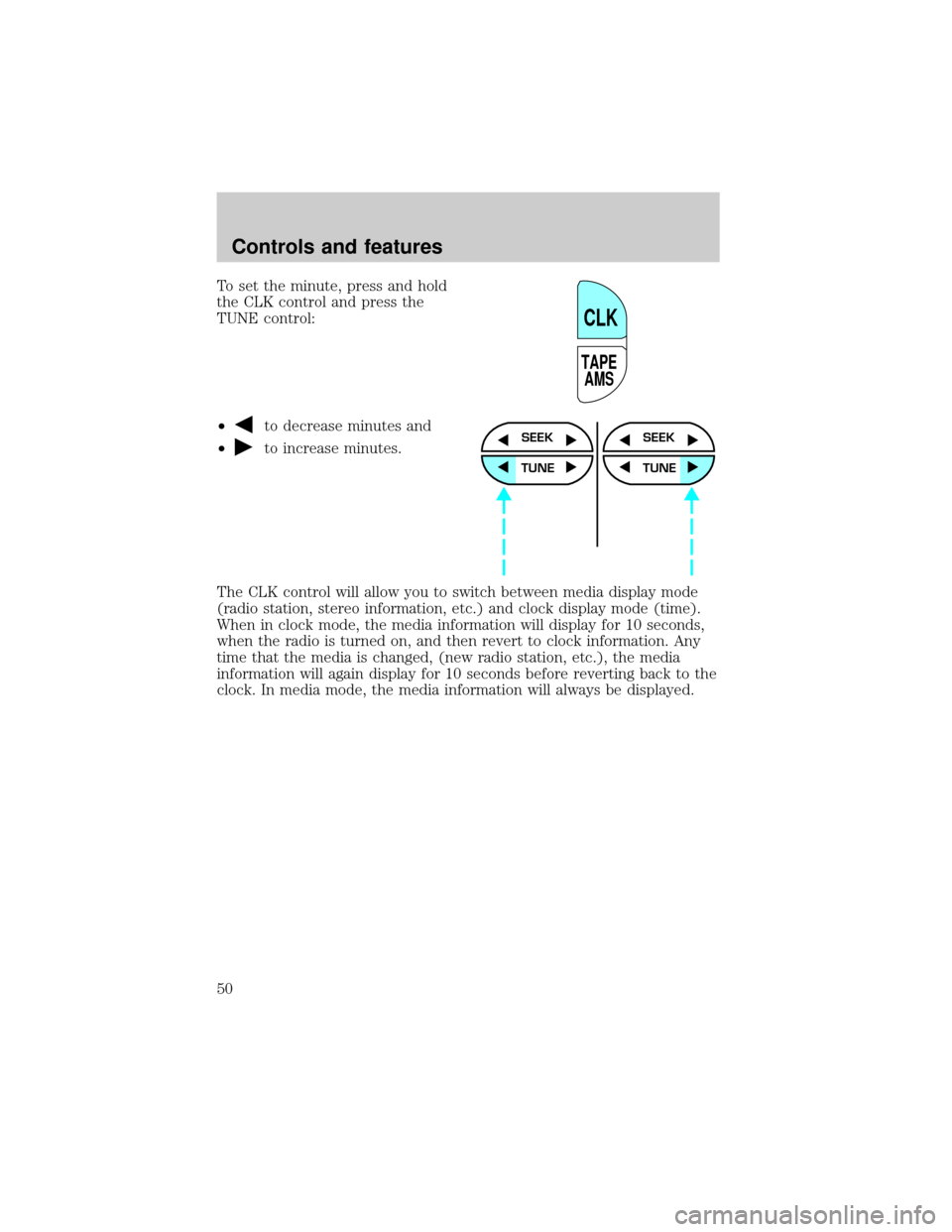
To set the minute, press and hold
the CLK control and press the
TUNE control:
²
to decrease minutes and
²
to increase minutes.
The CLK control will allow you to switch between media display mode
(radio station, stereo information, etc.) and clock display mode (time).
When in clock mode, the media information will display for 10 seconds,
when the radio is turned on, and then revert to clock information. Any
time that the media is changed, (new radio station, etc.), the media
information will again display for 10 seconds before reverting back to the
clock. In media mode, the media information will always be displayed.
TAPE
AMS
CLK
SEEK
TUNE
SEEK
TUNE
Controls and features
50
Page 56 of 248
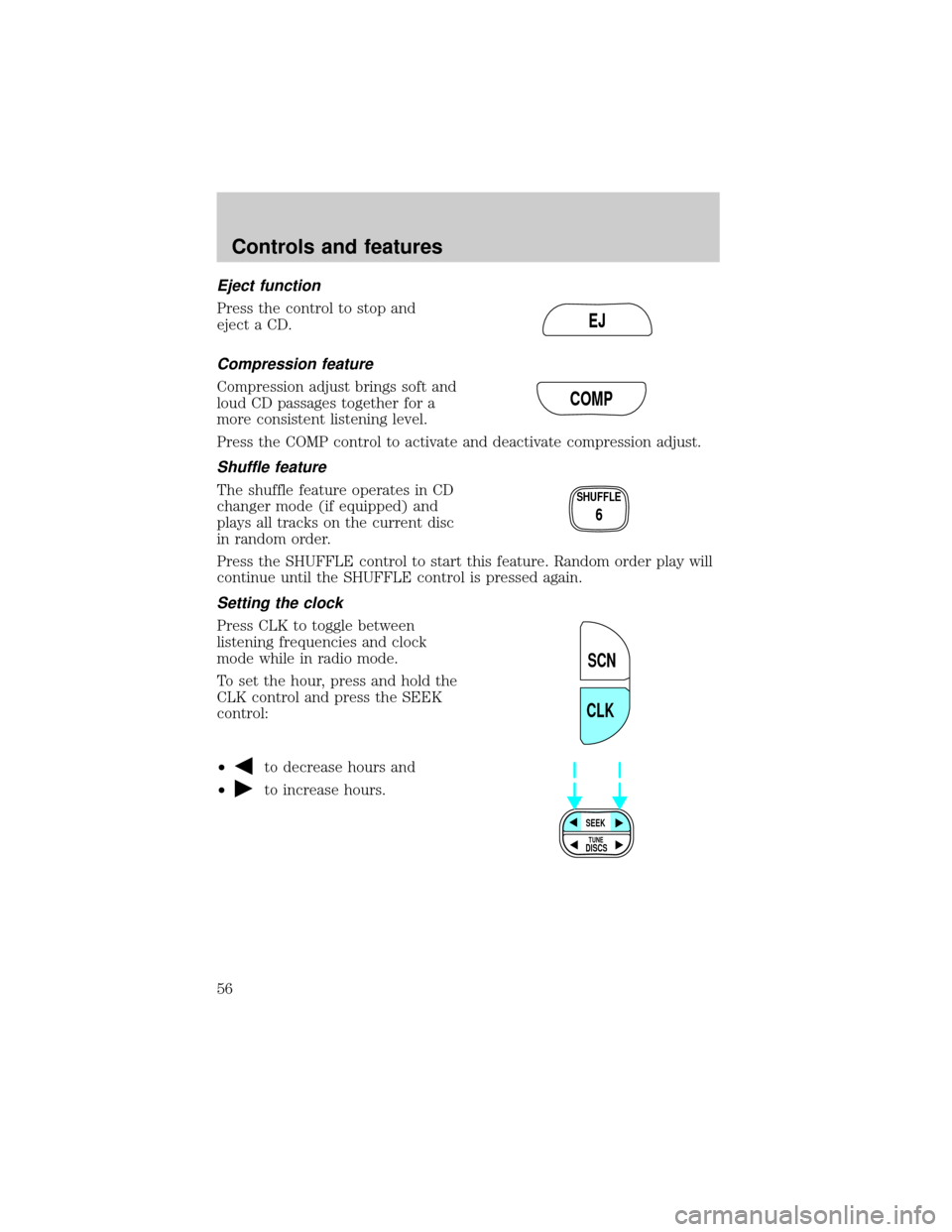
Eject function
Press the control to stop and
eject a CD.
Compression feature
Compression adjust brings soft and
loud CD passages together for a
more consistent listening level.
Press the COMP control to activate and deactivate compression adjust.
Shuffle feature
The shuffle feature operates in CD
changer mode (if equipped) and
plays all tracks on the current disc
in random order.
Press the SHUFFLE control to start this feature. Random order play will
continue until the SHUFFLE control is pressed again.
Setting the clock
Press CLK to toggle between
listening frequencies and clock
mode while in radio mode.
To set the hour, press and hold the
CLK control and press the SEEK
control:
²
to decrease hours and
²
to increase hours.
EJ
COMP
SHUFFLE
6
SCN
CLK
SEEK
DISCS
TUNE
Controls and features
56
Page 66 of 248
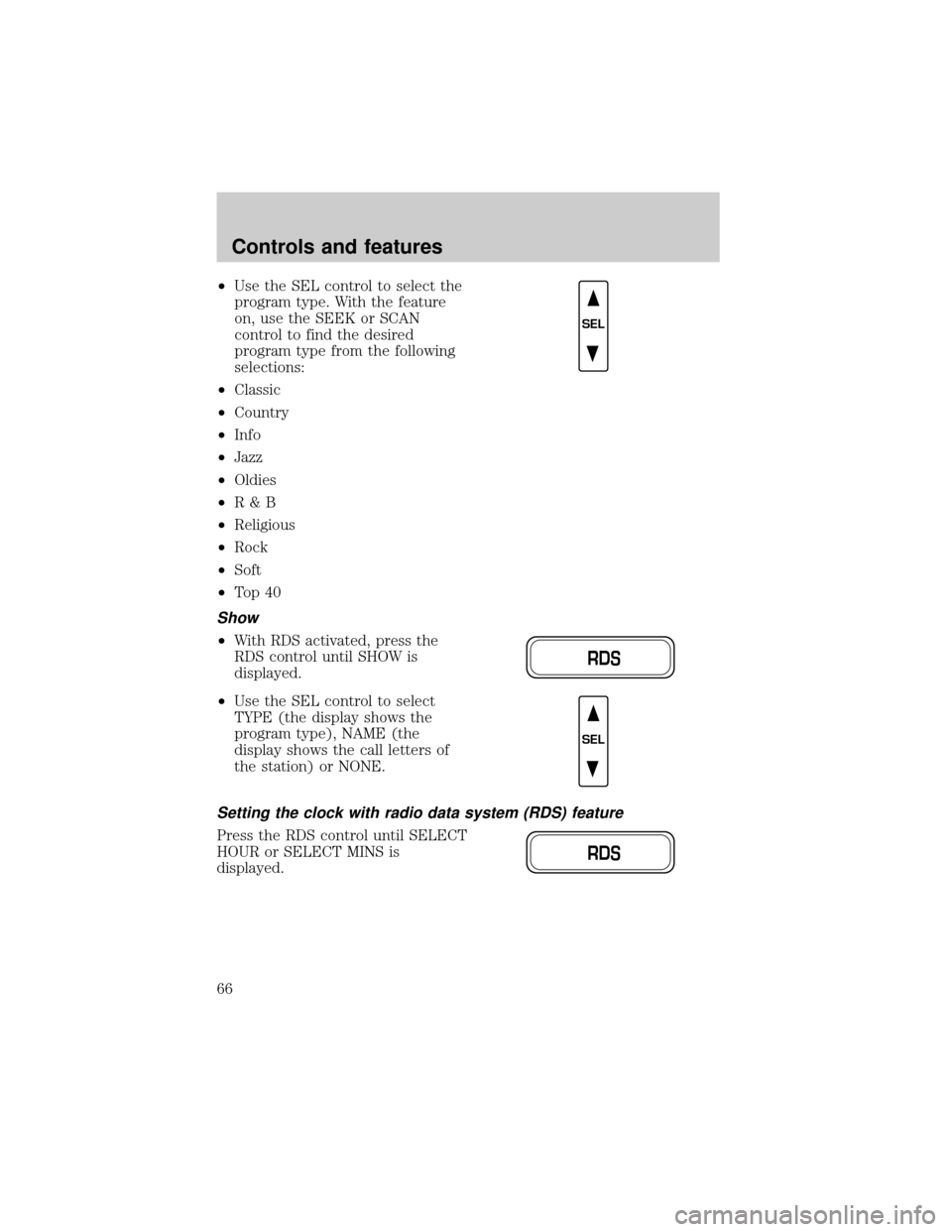
²Use the SEL control to select the
program type. With the feature
on, use the SEEK or SCAN
control to find the desired
program type from the following
selections:
²Classic
²Country
²Info
²Jazz
²Oldies
²R&B
²Religious
²Rock
²Soft
²To p 4 0
Show
²With RDS activated, press the
RDS control until SHOW is
displayed.
²Use the SEL control to select
TYPE (the display shows the
program type), NAME (the
display shows the call letters of
the station) or NONE.
Setting the clock with radio data system (RDS) feature
Press the RDS control until SELECT
HOUR or SELECT MINS is
displayed.
SEL
RDS
SEL
RDS
Controls and features
66
Page 192 of 248
²The vehicle may need to be driven 16 km (10 miles) or more to
relearn the idle and fuel trim strategy.
²If you do not allow the engine to relearn its idle trim, the idle
quality of your vehicle may be adversely affected until the idle
trim is eventually relearned.
If the battery has been disconnected or a new battery has been installed,
the clock must be reset once the battery is reconnected.
²Always dispose of automotive
batteries in a responsible manner.
Follow your local authorized
standards for disposal. Call your
local authorized recycling center
to find out more about recycling
automotive batteries.
AIR FILTER MAINTENANCE
Refer to the scheduled maintenance guide for the appropriate intervals
for changing the air filter element.
When changing the air filter element, use only the Motorcraft air filter
element listed. Refer toMotorcraft Part Numbers.
Note:Do not start your engine with the air cleaner removed and do not
remove it while the engine is running.
Changing the air filter element
1. Loosen the clamp that secures the air inlet tube to the engine air filter
cover and disconnect the tube from the cover.
2. Release the clamps that secure the air filter housing cover.
3. Carefully separate the two halves of the air filter housing.
4. Remove the air filter element from the air filter housing.
5. Wipe the air filter housing and cover clean to remove any dirt or
debris and to ensure good sealing.
LEAD
RETURN
RECYCLE
Maintenance and care
192
Page 242 of 248

Cleaning your vehicle ...............215
engine compartment ..............217
exterior ............................215±216
exterior lamps .........................217
instrument cluster lens ..........218
instrument panel ....................218
interior .....................................219
mirrors .....................................216
plastic parts ............................216
safety belts ..............................219
washing ....................................215
waxing .....................................215
wheels ......................................216
windows ..................................219
wiper blades ............................217
woodtone trim ........................219
Climate control (see Air
conditioning or Heating) ............29
Clock ..........................42, 49, 56, 66
Compass, electronic ....................83
calibration .................................84
set zone adjustment .................84
Console ........................................88
Controls
power seat .......................105±106
Coolant
checking and adding ..............179
coolant temperature light ........11
refill capacities ................183, 221
specifications ..................223±224
Cruise control (see Speed
control) ........................................75
Customer Assistance ................153
Ford accessories for your
vehicle .....................................235
Ford Extended
Service Plan ............................228
Getting assistance outside the
U.S. and Canada .....................234Getting roadside assistance ...153
Getting the service
you need .................................228
Ordering additional owner's
literature .................................238
The Dispute Settlement
Board .......................................230
Utilizing the
Mediation/Arbitration
Program ...................................234
D
Daytime running lamps (see
Lamps) .........................................27
Defrost
rear window ..............................38
Dipstick
automatic transmission
fluid ..........................................187
engine oil .................................175
Doors
lubricant specifications ..........223
Driving under special
conditions
through water .........................152
E
Electronic message center .........22
Emergencies, roadside
jump-starting ..........................165
Emission control system ..........207
Engine ................................224±225
check engine/service engine
soon light ....................................9
cleaning ...................................217
coolant .....................................179
fail-safe coolant ......................184
Index
242