Page 259 of 460

3-26
While the tape is playing, use the VOL, P-TYPE
LIST/AUDIO and SEEK controls just as you do for
the radio. The display will show TAPE and an arrow
showing which side of the tape is playing.
If you want to insert a tape when the ignition is off,
first press EJT or DISP.
If CHK TAPE appears on the radio display, the tape
won't play because of an error.
CHK TAPE may be displayed when the tape is tight
and the player can't turn the tape hubs. Remove the tape.
Hold the tape with the open end down and try to turn the
right hub counterclockwise with a pencil. Turn the tape
over and repeat. If the hubs do not turn easily, your
tape may be damaged and should not be used in the
player. Try a new tape to make sure your player is
working properly.
CHK TAPE may be displayed when the tape is broken.
Try a new tape.
CHK TAPE may be displayed when the tape is wrapped
around the tape head. Attempt to get the cassette out.
Try a new tape.
If any error occurs repeatedly or if an error can't be
corrected, please contact your dealer.PREV (1): Press this button or the left SEEK arrow to
go to the previous selection on the tape if the selection
has been playing for less than three seconds. If the
PREV button or the left SEEK arrow is pressed and
the current selection has been playing for more than
13 seconds, it will go to the beginning of the current
selection. If the PREV button or the left SEEK arrow
is pressed and the current selection has been playing
from three to 13 seconds, it will go to the beginning of
the previous selection or the beginning of the current
selection, depending on the position on the tape. SEEK
and a ª
-1º will appear on the display while the cassette
player is in PREV mode. If PREV or the left SEEK
arrow is pressed additional times or held, the radio will
go to displayed number of previous selections up toª9º.
SEEK and a negative number will appear on the display.
Your tape must have at least three seconds of silence
between each selection for PREV to work. The sound
will mute while seeking.
Page 263 of 460
3-30
DISP: Press this button to see how long the current track
has been playing. ET and the elapsed time will appear on
the display. To change what is normally shown on the
display (track or elapsed time), press the button until
you see the display you want, then hold the button for
two seconds. The radio will produce one beep.
AM FM: Press this button to play the radio when a
disc is in the player. The disc will stop but remain in
the player.
TAPE CD: With a CD in the player and the radio
playing, press this button to play a CD. Press AM FM
to return to the radio when a CD is playing. Press TAPE
CD to switch between the tape and compact disc if both
are loaded. The inactive tape or CD will remain safely
inside the radio for future listening.
EJT: Press this button located below the CD slot
to remove the disc. The radio will play. EJT may be
activated with either the ignition or radio off.
CDs may be loaded with the radio and ignition off
if this button is pressed first.
CAL ERR: This message is displayed when the
radio has not been calibrated properly for the vehicle.
You must return to the dealership for service.
LOCKED: This message is displayed when the
THEFTLOCK
� system has locked up. You must
return to the dealership for service.
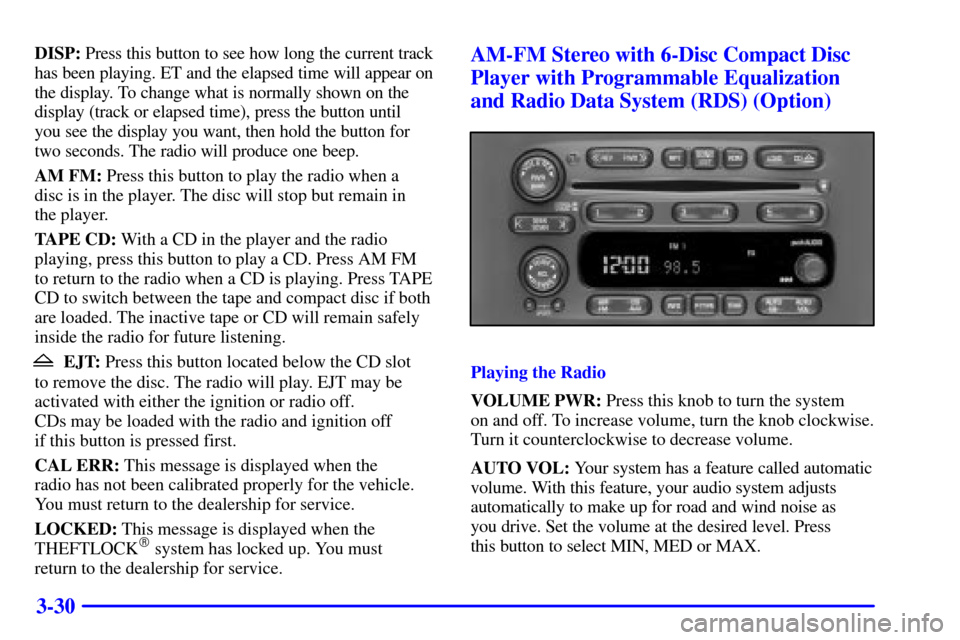
AM-FM Stereo with 6-Disc Compact Disc
Player with Programmable Equalization
and Radio Data System (RDS) (Option)
Playing the Radio
VOLUME PWR: Press this knob to turn the system
on and off. To increase volume, turn the knob clockwise.
Turn it counterclockwise to decrease volume.
AUTO VOL: Your system has a feature called automatic
volume. With this feature, your audio system adjusts
automatically to make up for road and wind noise as
you drive. Set the volume at the desired level. Press
this button to select MIN, MED or MAX.
Page 274 of 460

3-41
The following function is controlled by the primary
radio knob:
POWER
-VOL: Push this knob twice to turn the
rear seat audio system on or off. ON or OFF will be
displayed for five seconds. The rear speakers will be
muted when the power is turned on. You may operate
the rear seat audio functions when the primary radio
power is off if the ignition is on.
The following functions are controlled by the rear seat
audio system buttons:
PWR: Press this button to turn the rear seat audio
system on or off. The rear speakers will be muted when
the power is turned on. You may operate the rear seat
audio functions even when the primary radio power
is off.
VOL: Press this knob lightly so it extends. Turn the
knob clockwise to increase volume and counterclockwise
to decrease volume. Push the knob back into its stored
position when you're not using it. The upper VOL knob
controls the upper headphone and the lower VOL knob
controls the lower headphone.AM FM: Press this button to switch between AM,
FM1 and FM2. The display will show your frequency
selection. If the front passengers are already listening to
AM-FM, the rear seat audio controller will not switch
between the bands and cannot change the frequency.
SEEK: Press the up arrow to tune to the next higher
station and stay there. Press the down arrow to tune to
the next lower station and stay there. The display will
show your selection. The sound will mute while seeking.
The SEEK button is inactive if the AM FM mode on
the front radio is in use.
While listening to a cassette tape, press the up arrow to
hear the next selection on the tape. Press the down arrow
to go back to the previous selection. The SEEK button
is inactive if the tape mode on the front radio is in use.
While listening to a CD, press the up arrow to hear the
next selection on the CD. Press the down arrow to go
back to the start of the current selection (if more than
eight seconds have played). The SEEK button is inactive
if the CD mode on the front radio (if equipped) or the
CD changer is in use.
Page 290 of 460

4-12 Steering in Emergencies
There are times when steering can be more effective
than braking. For example, you come over a hill and
find a truck stopped in your lane, or a car suddenly pulls
out from nowhere, or a child darts out from between
parked cars and stops right in front of you. You can
avoid these problems by braking
-- if you can stop
in time. But sometimes you can't; there isn't room.
That's the time for evasive action
-- steering around
the problem.
Your vehicle can perform very well in emergencies
like these. First apply your brakes. See ªBraking in
Emergenciesº earlier in this section. It is better to
remove as much speed as you can from a possible
collision. Then steer around the problem, to the left
or right depending on the space available.
An emergency like this requires close attention and a
quick decision. If you are holding the steering wheel at
the recommended 9 and 3 o'clock positions, you can
turn it a full 180 degrees very quickly without removing
either hand. But you have to act fast, steer quickly,
and just as quickly straighten the wheel once you have
avoided the object.
The fact that such emergency situations are always
possible is a good reason to practice defensive driving
at all times and wear safety belts properly.
Page 334 of 460
5-17 How to Add Coolant to the Radiator
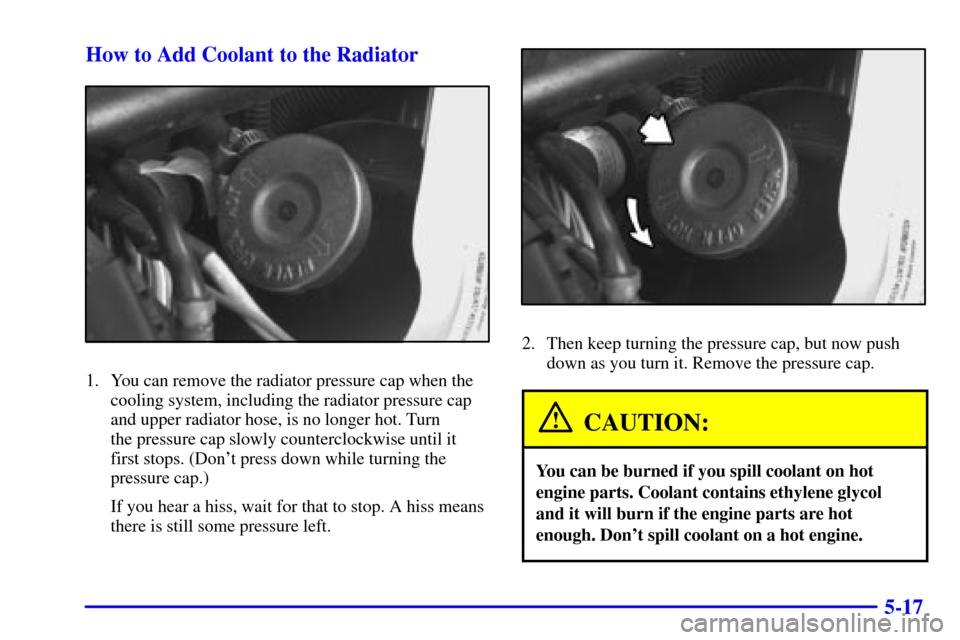
1. You can remove the radiator pressure cap when the
cooling system, including the radiator pressure cap
and upper radiator hose, is no longer hot. Turn
the pressure cap slowly counterclockwise until it
first stops. (Don't press down while turning the
pressure cap.)
If you hear a hiss, wait for that to stop. A hiss means
there is still some pressure left.
2. Then keep turning the pressure cap, but now push
down as you turn it. Remove the pressure cap.
CAUTION:
You can be burned if you spill coolant on hot
engine parts. Coolant contains ethylene glycol
and it will burn if the engine parts are hot
enough. Don't spill coolant on a hot engine.
Page 340 of 460
5-23
A. Hoist Shaft
B. Hoist Assembly
C. Retainer
D. Spare TireE. Extension
(Chisel End)
F. Folding WrenchThe compact spare tire is located under the vehicle,
ahead of the rear bumper. (See ªCompact Spare Tireº
later in this section for more information about the
compact spare.) Attach the folding wrench to the
extension and insert the chisel end on an angle through
the hole in the rear bumper and into the hoist shaft.
Then, turn the folding wrench counterclockwise to
lower the spare tire to the ground. Continue to turn
the wrench so the spare tire can be pulled out from
under the vehicle.
Page 345 of 460
5-28
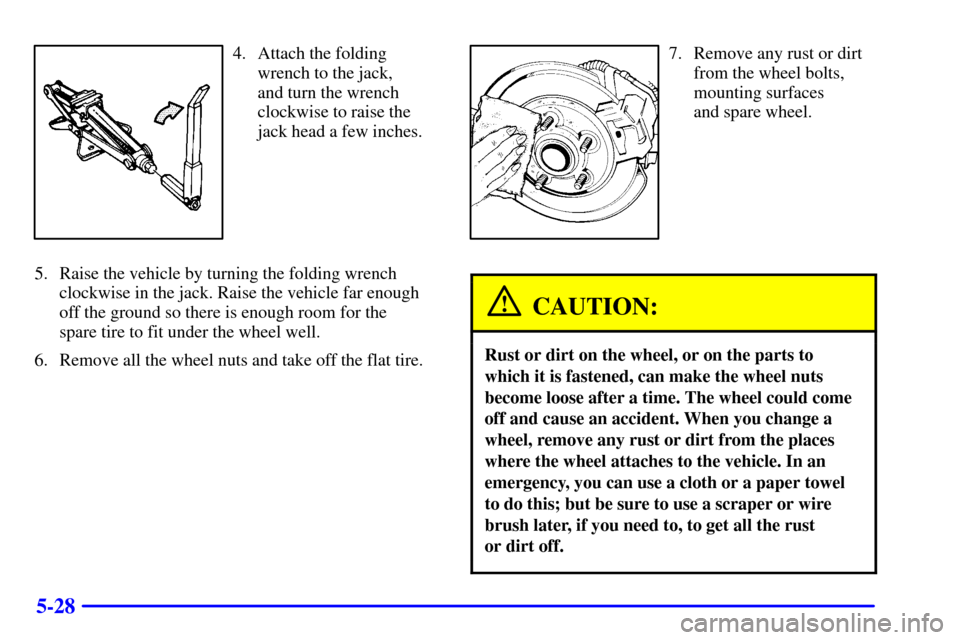
4. Attach the folding
wrench to the jack,
and turn the wrench
clockwise to raise the
jack head a few inches.
5. Raise the vehicle by turning the folding wrench
clockwise in the jack. Raise the vehicle far enough
off the ground so there is enough room for the
spare tire to fit under the wheel well.
6. Remove all the wheel nuts and take off the flat tire.7. Remove any rust or dirt
from the wheel bolts,
mounting surfaces
and spare wheel.
CAUTION:
Rust or dirt on the wheel, or on the parts to
which it is fastened, can make the wheel nuts
become loose after a time. The wheel could come
off and cause an accident. When you change a
wheel, remove any rust or dirt from the places
where the wheel attaches to the vehicle. In an
emergency, you can use a cloth or a paper towel
to do this; but be sure to use a scraper or wire
brush later, if you need to, to get all the rust
or dirt off.
Page 346 of 460
5-29
CAUTION:
Never use oil or grease on studs or nuts. If you
do, the nuts might come loose. Your wheel could
fall off, causing a serious accident.
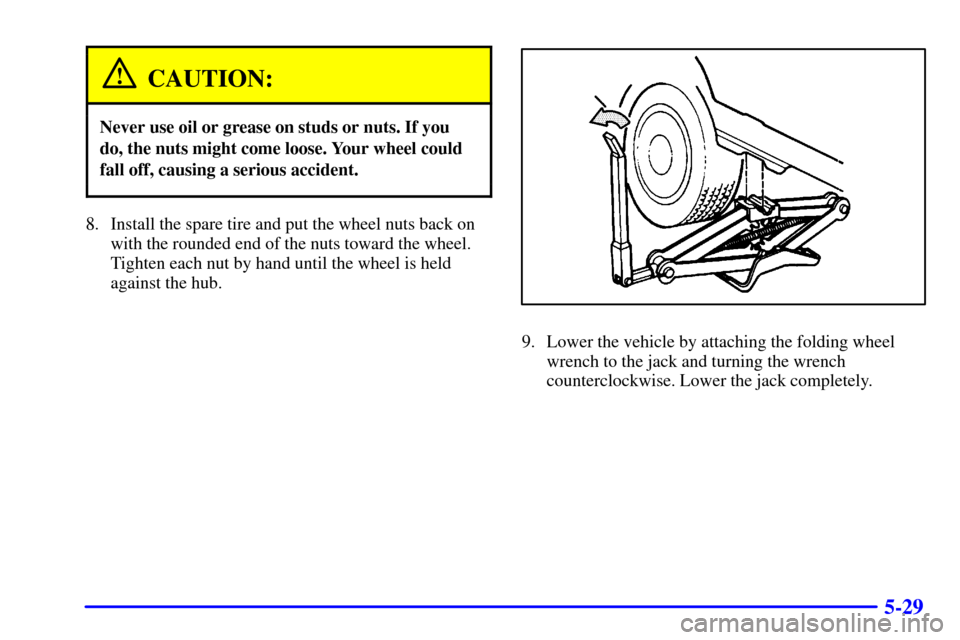
8. Install the spare tire and put the wheel nuts back on
with the rounded end of the nuts toward the wheel.
Tighten each nut by hand until the wheel is held
against the hub.
9. Lower the vehicle by attaching the folding wheel
wrench to the jack and turning the wrench
counterclockwise. Lower the jack completely.