Page 88 of 351
2-23
PARK (P): This position locks your front wheels. It's
the best position to use when you start your engine
because your vehicle can't move easily.
CAUTION:
It is dangerous to get out of your vehicle if the
shift lever is not fully in PARK (P) with the
parking brake firmly set. Your vehicle can roll.
Don't leave your vehicle when the engine is
running unless you have to. If you have left the
engine running, the vehicle can move suddenly.
You or others could be injured. To be sure your
vehicle won't move, even when you're on fairly
level ground, always set your parking brake and
move the shift lever to PARK (P).
See ªShifting Into PARK (P)º in the Index. If
you're pulling a trailer, see ªTowing a Trailerº in
the Index.
Ensure the shift lever is fully in PARK (P) before
starting the engine. Your vehicle has an automatic
transaxle shift lock control system. You have to apply
your regular brake before you can shift from PARK (P)
when the ignition key is in ON. If you cannot shift out
of PARK (P), ease pressure on the shift lever
-- push the
shift lever all the way into PARK (P)
-- as you maintain
brake application. Then move the shift lever into the
gear you wish. (Press the shift lever button before
moving the shift lever.) See ªShifting Out of PARK (P)º
later in this section.
REVERSE (R): Use this gear to back up.
NOTICE:
Shifting to REVERSE (R) while your vehicle is
moving forward could damage your transaxle.
Shift to REVERSE (R) only after your vehicle
is stopped.
To rock your vehicle back and forth to get out of snow,
ice or sand without damaging your transaxle, see ªStuck
In Sand, Mud, Ice or Snowº in the Index.
Page 89 of 351
2-24
NEUTRAL (N): In this position, your engine doesn't
connect with the wheels. To restart when you're already
moving, use NEUTRAL (N) only. Also, use
NEUTRAL (N) when your vehicle is being towed.
CAUTION:
Shifting out of PARK (P) or NEUTRAL (N) while
your engine is ªracingº (running at high speed) is
dangerous. Unless your foot is firmly on the
brake pedal, your vehicle could move very
rapidly. You could lose control and hit people or
objects. Don't shift out of PARK (P) or
NEUTRAL (N) while your engine is racing.
NOTICE:
Damage to your transaxle caused by shifting out
of PARK (P) or NEUTRAL (N) with the engine
racing isn't covered by your warranty.
AUTOMATIC OVERDRIVE (D): This position is
for normal driving. If you need more power for passing,
and you're:
�Going less than 35 mph (56 km/h), push your
accelerator pedal about halfway down.
�Going about 35 mph (56 km/h) or more, push the
accelerator all the way down.
You'll shift down to the next gear and have more power.
NOTICE:
If your vehicle seems to start up rather slowly, or
if it seems not to shift gears as you go faster,
something may be wrong with a transaxle system
sensor. If you drive very far that way, your
vehicle can be damaged. So, if this happens, have
your vehicle serviced right away. Until then, you
can use SECOND (2) when you are driving less
than 35 mph (56 km/h) and AUTOMATIC
OVERDRIVE (D) for higher speeds.
Page 90 of 351
2-25
THIRD (3): This position is also used for normal
driving, however, it offers more power and lower fuel
economy than AUTOMATIC OVERDRIVE (D). Here
are some times you might choose THIRD (3) instead of
AUTOMATIC OVERDRIVE (D):
�When driving on hilly, winding roads.
�When towing a trailer, so there is less shifting
between gears.
�When going down a steep hill.
SECOND (2): This position gives you more power but
lower fuel economy. You can use SECOND (2) on hills.
It can help control your speed as you go down steep
mountain roads, but then you would also want to use
your brakes off and on.
NOTICE:
Don't drive in SECOND (2) for more than 25 miles
(40 km), or at speeds over 55 mph (90 km/h), or
you can damage your transaxle. Use AUTOMATIC
OVERDRIVE (D) or THIRD (3) as much as
possible. Don't shift into SECOND (2) unless you
are going slower than 65 mph (105 km/h) or you
can damage your engine.
FIRST (1): This position gives you even more power
(but lower fuel economy) than SECOND (2). You can
use it on very steep hills, or in deep snow or mud.
If the selector lever is put in FIRST (1), the transaxle
won't shift into first gear until the vehicle is going
slowly enough.
NOTICE:
If your front wheels can't turn, don't try to drive.
This might happen if you were stuck in very deep
sand or mud or were up against a solid object.
You can damage your transaxle.
Also, if you stop when going uphill, don't hold
your vehicle there with only the accelerator
pedal. This could overheat and damage the
transaxle. Use your brakes or shift into PARK (P)
to hold your vehicle in position on a hill.
Page 96 of 351
2-31
CAUTION:
It can be dangerous to get out of your vehicle if
the shift lever is not fully in PARK (P) with the
parking brake firmly set. Your vehicle can roll.
Don't leave your vehicle when the engine is
running unless you have to. If you've left the
engine running, the vehicle can move suddenly.
You or others could be injured. To be sure your
vehicle won't move, even when you're on fairly
level ground, always set your parking brake and
move the shift lever to PARK (P).
Follow the proper steps to be sure your vehicle won't
move. See ªShifting Into PARK (P)º in the Index.
If you are parking on a hill and if you're pulling a
trailer, also see ªTowing a Trailerº in the Index.
Horn
You can sound the horn by pressing the horn symbol on
your steering wheel.
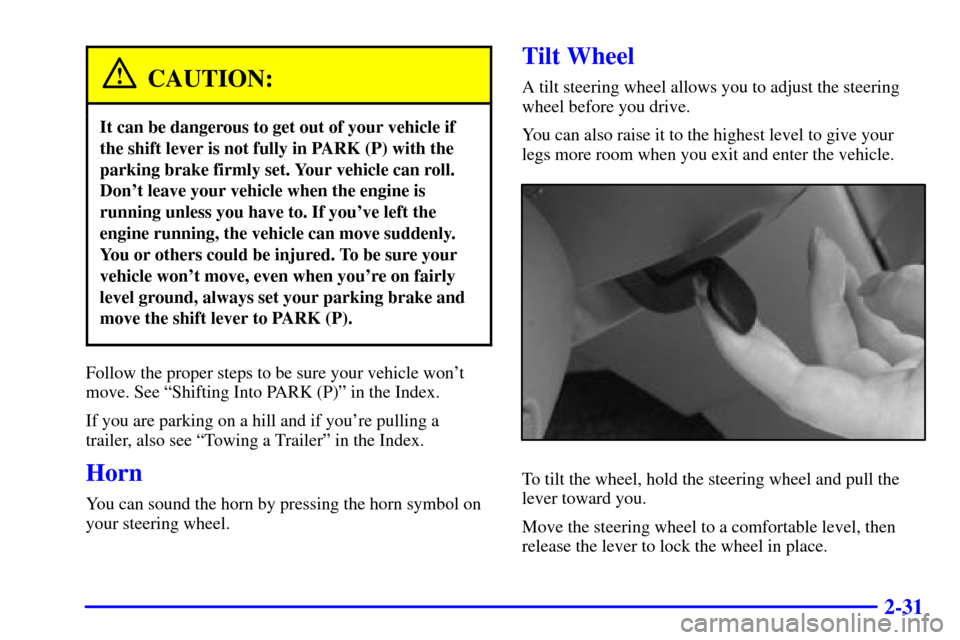
Tilt Wheel
A tilt steering wheel allows you to adjust the steering
wheel before you drive.
You can also raise it to the highest level to give your
legs more room when you exit and enter the vehicle.
To tilt the wheel, hold the steering wheel and pull the
lever toward you.
Move the steering wheel to a comfortable level, then
release the lever to lock the wheel in place.
Page 101 of 351
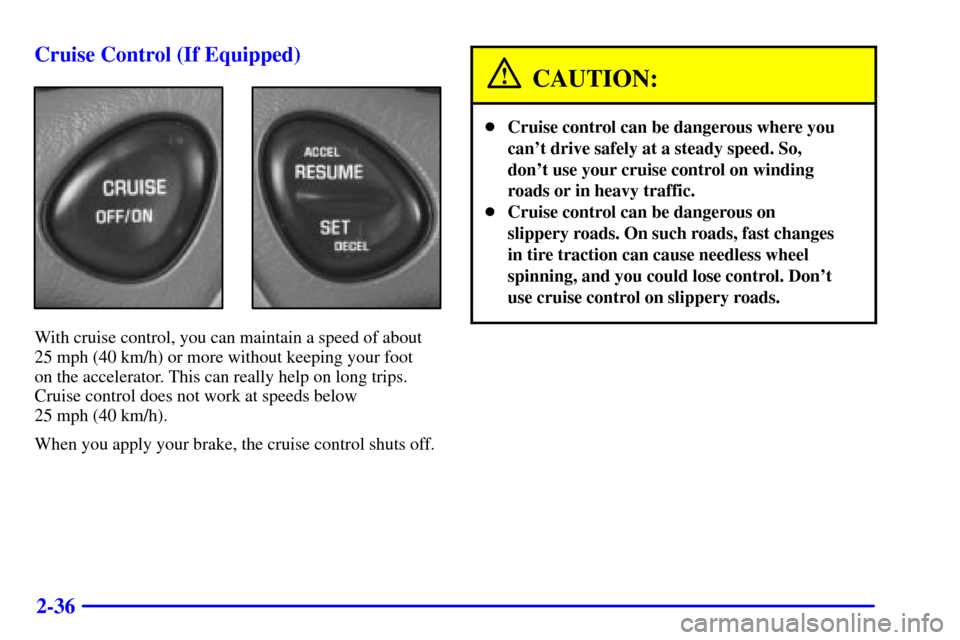
2-36 Cruise Control (If Equipped)
With cruise control, you can maintain a speed of about
25 mph (40 km/h) or more without keeping your foot
on the accelerator. This can really help on long trips.
Cruise control does not work at speeds below
25 mph (40 km/h).
When you apply your brake, the cruise control shuts off.
CAUTION:
�Cruise control can be dangerous where you
can't drive safely at a steady speed. So,
don't use your cruise control on winding
roads or in heavy traffic.
�Cruise control can be dangerous on
slippery roads. On such roads, fast changes
in tire traction can cause needless wheel
spinning, and you could lose control. Don't
use cruise control on slippery roads.
Page 102 of 351
2-37
Setting Cruise Control
CAUTION:
If you leave your cruise control switch on when
you're not using cruise, you might hit a button
and go into cruise when you don't want to. You
could be startled and even lose control. Keep the
cruise control switch off until you want to use
cruise control.
The cruise control buttons are located on the steering
wheel for your convenience.
1. Press the cruise control OFF/ON button. The
indicator light on the OFF/ON button will turn on.
2. Get up to the speed you want.
3. Press the SET DECEL button and release it.
4. Take your foot off the accelerator pedal.
5. The CRUISE light on the instrument panel cluster
will turn on.Resuming a Set Speed
Suppose you set your cruise control at a desired speed
and then you apply the brake. This, of course, shuts off
the cruise control. But you don't need to reset it. Once
you're going about 25 mph (40 km/h) or more, you can
press the cruise control ACCEL RESUME button for
about half a second.
You'll go right back up to your chosen speed and
stay there.
If you press the ACCEL RESUME button longer than
half a second, the vehicle will keep going faster until
you release the switch or apply the brake. So unless you
want to go faster, don't hold down the ACCEL
RESUME button.
Page 105 of 351
2-40
There is a delay in the transition between the daytime
and nighttime operation of the DRL and the ALC
systems so that driving under bridges or bright overhead
street lights does not affect the system. The DRL and
ALC systems will only be affected when the light sensor
sees a change in lighting lasting longer than this delay.
To idle your vehicle with the ALC system off, set the
park brake while the ignition is off. Then start the
vehicle. The ALC system will stay off until you release
the park brake.
As with any vehicle, you should turn on the regular
headlamp system when you need it.
Headlamps Dim to Park (If Equipped)
This feature works when the ignition is on and it is dark
outside. To turn the headlamps off when it is dark
outside, turn the headlamp control to the parking lamp
position. In this position, the parking lamps, sidemarker
lamps, taillamps, license plate lamps and instrument
panel lights will be on, but the headlamps will be off.
To turn on the headlamps along with the other lamps
when it is dark outside, turn the headlamp control to the
AUTO or headlamp position.
Delayed Headlamps
The delayed headlamps feature will continue to
illuminate the headlamps for 20 seconds after the key is
turned to OFF at night. Then the headlamps will
automatically turn off.
To override the 20 second delayed headlamp feature
while it is active turn the turn signal/multifunction lever
up one position and then back to AUTO.
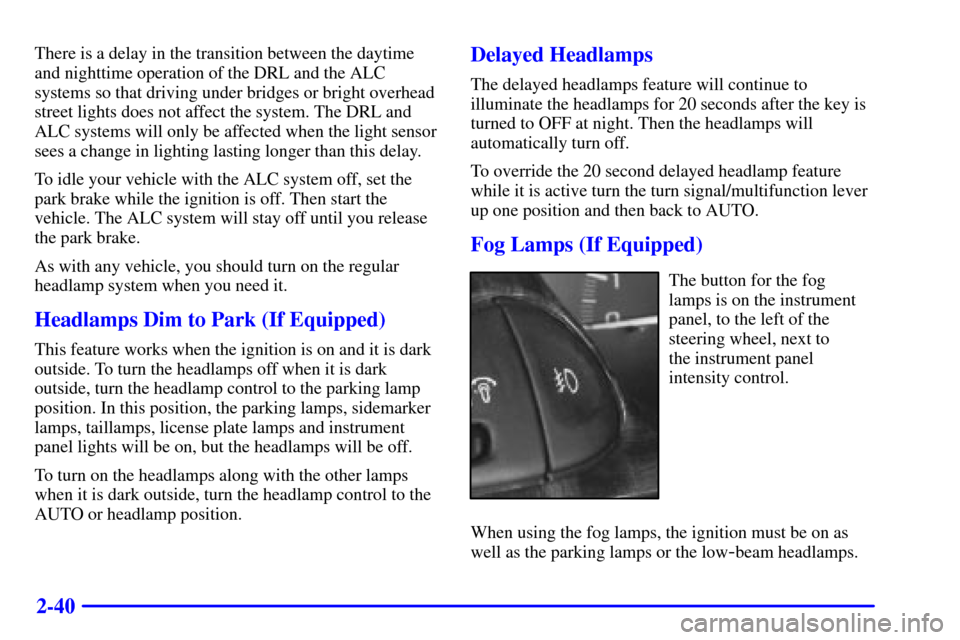
Fog Lamps (If Equipped)
The button for the fog
lamps is on the instrument
panel, to the left of the
steering wheel, next to
the instrument panel
intensity control.
When using the fog lamps, the ignition must be on as
well as the parking lamps or the low
-beam headlamps.
Page 106 of 351
2-41
Push the button to turn the fog lamps on. An indicator
light on the button will glow when the fog lamps are on.
Push the button again to turn the fog lamps off.
The fog lamps will turn off whenever the high
-beam
headlamps are turned on. When the high beams are
turned off, the fog lamps will come on again.
Interior Lamps
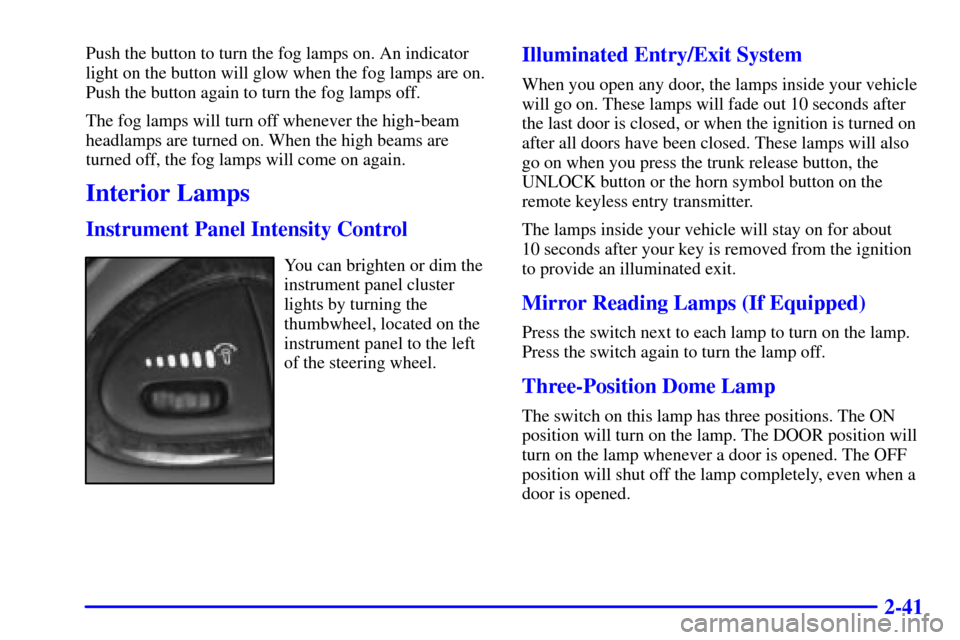
Instrument Panel Intensity Control
You can brighten or dim the
instrument panel cluster
lights by turning the
thumbwheel, located on the
instrument panel to the left
of the steering wheel.
Illuminated Entry/Exit System
When you open any door, the lamps inside your vehicle
will go on. These lamps will fade out 10 seconds after
the last door is closed, or when the ignition is turned on
after all doors have been closed. These lamps will also
go on when you press the trunk release button, the
UNLOCK button or the horn symbol button on the
remote keyless entry transmitter.
The lamps inside your vehicle will stay on for about
10 seconds after your key is removed from the ignition
to provide an illuminated exit.
Mirror Reading Lamps (If Equipped)
Press the switch next to each lamp to turn on the lamp.
Press the switch again to turn the lamp off.
Three-Position Dome Lamp
The switch on this lamp has three positions. The ON
position will turn on the lamp. The DOOR position will
turn on the lamp whenever a door is opened. The OFF
position will shut off the lamp completely, even when a
door is opened.