Page 157 of 392
2-87
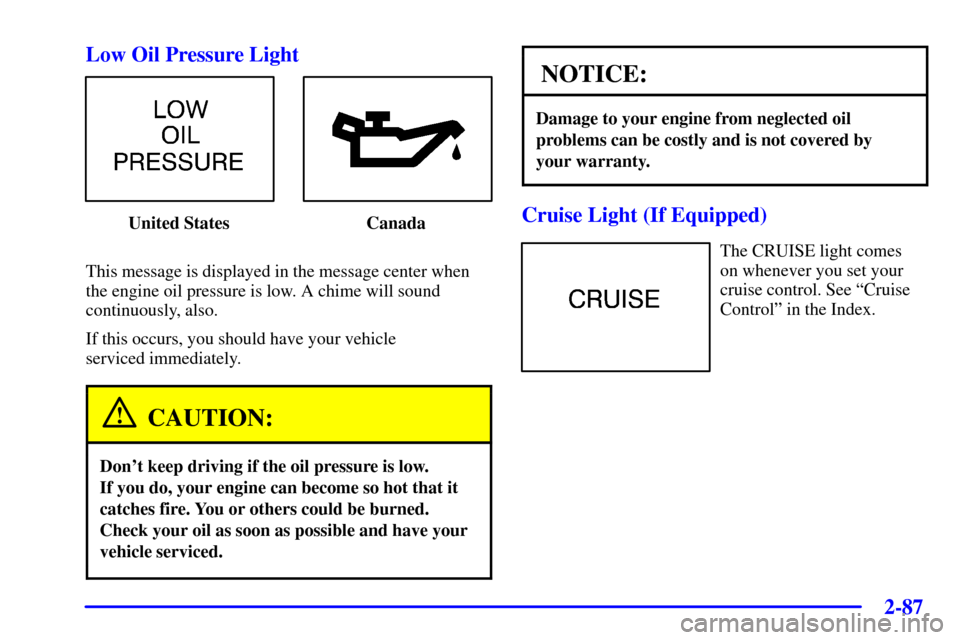
Low Oil Pressure Light
United States Canada
This message is displayed in the message center when
the engine oil pressure is low. A chime will sound
continuously, also.
If this occurs, you should have your vehicle
serviced immediately.
CAUTION:
Don't keep driving if the oil pressure is low.
If you do, your engine can become so hot that it
catches fire. You or others could be burned.
Check your oil as soon as possible and have your
vehicle serviced.
NOTICE:
Damage to your engine from neglected oil
problems can be costly and is not covered by
your warranty.
Cruise Light (If Equipped)
The CRUISE light comes
on whenever you set your
cruise control. See ªCruise
Controlº in the Index.
Page 159 of 392
2-89
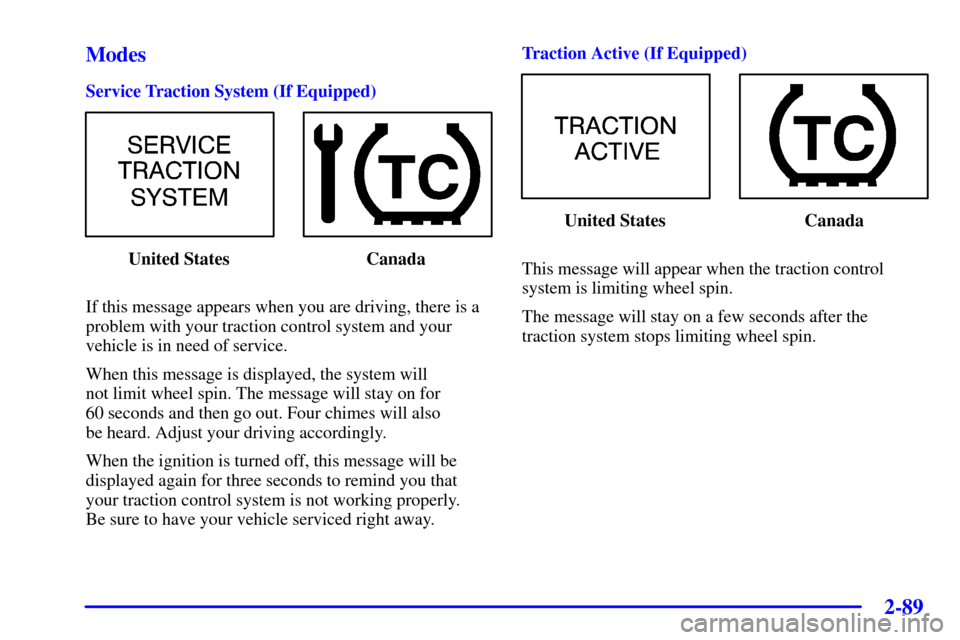
Modes
Service Traction System (If Equipped)
United States Canada
If this message appears when you are driving, there is a
problem with your traction control system and your
vehicle is in need of service.
When this message is displayed, the system will
not limit wheel spin. The message will stay on for
60 seconds and then go out. Four chimes will also
be heard. Adjust your driving accordingly.
When the ignition is turned off, this message will be
displayed again for three seconds to remind you that
your traction control system is not working properly.
Be sure to have your vehicle serviced right away.Traction Active (If Equipped)
United States Canada
This message will appear when the traction control
system is limiting wheel spin.
The message will stay on a few seconds after the
traction system stops limiting wheel spin.
Page 161 of 392
2-91
Low Coolant Level
United States Canada
This message is displayed when the cooling system is
low on coolant. Four chimes will also sound.
The engine may overheat. See ªEngine Coolantº in the
Index and have your vehicle serviced as soon as you can.Low Oil PressureUnited States Canada
This message is displayed when the engine oil
pressure is low. A chime will sound continuously, also.
See ªLow Oil Pressure Lightº earlier in this section.
Page 162 of 392
2-92
Low Eng Oil Level
United States Canada
This message is displayed for 60 seconds at the start of
each ignition cycle when the engine oil level is low.
Four chimes will also sound.
When the ignition is turned off, this message will be
displayed again for three seconds to remind you that
your engine oil level is low. Be sure to have your vehicle
serviced right away.
See ªEngine Oilº in the Index on how to check the
oil level and for what type of oil to add.Change Engine OilUnited States Canada
This message is displayed when the engine oil needs
to be changed. It will appear for 60 seconds.
After 60 seconds, it will go out.
Once the engine oil has been changed, the CHANGE
ENGINE OIL message must be reset. Until it is reset,
this message will be displayed for 60 seconds each time
you start the engine. For more information on resetting
the system, see ªEngine Oil, When to Changeº in
the Index.
Page 163 of 392
2-93
Door Ajar
United States Canada
This message will appear if the driver's door or one of
the passenger's doors is not completely closed and the
ignition is in ON.
If you are in a forward or reverse gear position you will
also hear four chimes.Security United States Canada
This message is displayed to monitor the
Passlock
� system.
If the security message is displayed continuously while
driving and stays on, there may be a problem with the
Passlock system. Your vehicle will not be protected by
Passlock, and you should see your dealer for service.
Page 164 of 392
2-94
Low Brake Fluid
United States Canada
This message will be displayed when your vehicle has a
brake problem. The brake system warning light will also
be illuminated.
If this message appears, the brakes aren't working
properly. You should have your vehicle serviced
immediately. See ªBrake System Warning Lightº in
the Index for more information.Low Fuel United States Canada
This message is displayed when your vehicle is low on
fuel. Four chimes will also sound.
Refer to the fuel gage for a better indication of the
amount of fuel remaining in the fuel tank.
Page 166 of 392
2-96
Service Vehicle Soon
United States Canada
This message will come on if you have engine problems.
These problems may not be obvious and may not
affect vehicle performance or durability. Consult a
qualified dealership for necessary repairs to maintain
top vehicle performance.
This message may also appear if there are electrical
problems with the trunk release sensor. See ªTrunk
Release Sensorº in the Index for more information.Trunk OpenUnited States Canada
This message will appear if the trunk is not completely
closed and the ignition is in ON.
If you are in a forward or reverse gear position you will
also hear four chimes.
If this message flashes for one minute after the ignition
is turned on, the trunk release sensor is turned off.
See ªTrunk Release Sensorº in the Index for
more information.
Page 182 of 392

3-12
Adjusting the Speakers
BALANCE: Press and release AUDIO until BAL
appears on the display. Then press and hold the up arrow
to move the sound to the right speakers or the down
arrow to move the sound to the left speakers. ªRº and
a number will appear on the display when the sound is
balanced toward the right speakers. ªLº and a number
will appear on the display when the sound is balanced
toward the left speakers. L and a zero will appear on
the display when the sound is balanced between the
speakers. Release the up or down arrow when you find
the speaker balance you want or when the maximum
or minimum level is reached.
FADE: Press and release AUDIO until FAD appears on
the display. Then press and hold the up arrow to move
the sound to the front speakers or the down arrow to
move the sound to the rear speakers. ªFº and a number
will appear on the display when the sound is balanced
toward the front speakers. ªRº and a number will appear
on the display when the sound is balanced toward the
rear speakers. F and a zero will appear on the display when the
sound is balanced between the speakers. Release the
up or down arrow when you find the speaker balance
you want or when the maximum or minimum level
is reached.
To set BALANCE or FADE to the middle position,
select the desired speaker control. Then press and hold
AUDIO for more than two seconds until you hear a
beep. L and a zero or F and a zero will appear on the
display. To set all of the tone controls and speaker
controls to the middle position, end out of audio mode.
Then press and hold AUDIO for more than two seconds
until you hear a beep. CEN will appear on the display.
Radio Calibration
Your audio system has been calibrated for your vehicle
from the factory. If CAL appears on the display it means
that your radio has not been configured properly for
your vehicle and must be returned to the dealership
for service.